



Terraform is an open-source infrastructure as code software tool created by HashiCorp. It enables the users to define and provision a data center infrastructure of different cloud providers using a high-level configuration language known as Hashicorp Configuration Language (HCL), or optionally JSON but first, we need to install Terraform. It is supported by many operating systems.

This blog post covers the basic installation of terraform on different Operating Systems and a very powerful text editor given below:
- Install Terraform on Windows
- Install Terraform on Mac
- How to Install Terraform on Linux
- Installing Terraform Extension on Visual Studio Code
Install Terraform on Windows ^
There are a couple of steps you need to perform to install this on your Windows machine:
- Download the terraform Executable File (.exe) by visiting here and select 32-bit or 64-bit according to your machine.

- Extract the downloaded .zip folder containing the terraform executable file and copy the file.
- Create a new Terraform directory and paste the file, this directory can be anywhere on your machine. I would recommend pasting in “C:\Program Files (x86)\Terraform”.
- Copy the path of the executable file, in my case it is “C:\Program Files (x86)\Terraform”.
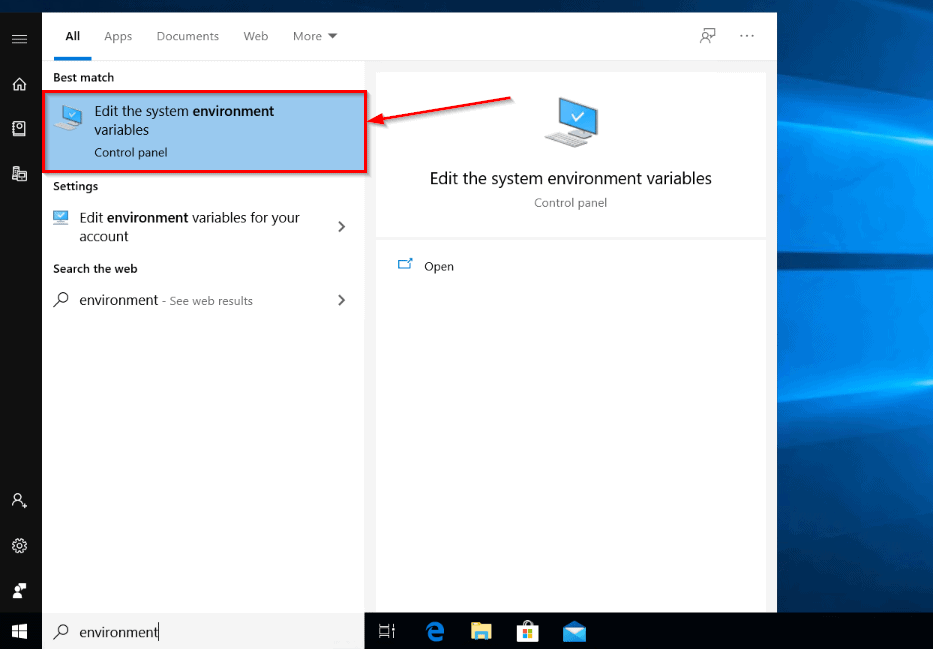
- Now, we need to set an environment variable that points to this path. Search environment in the windows search bar and select “Edit the system environment variables“.
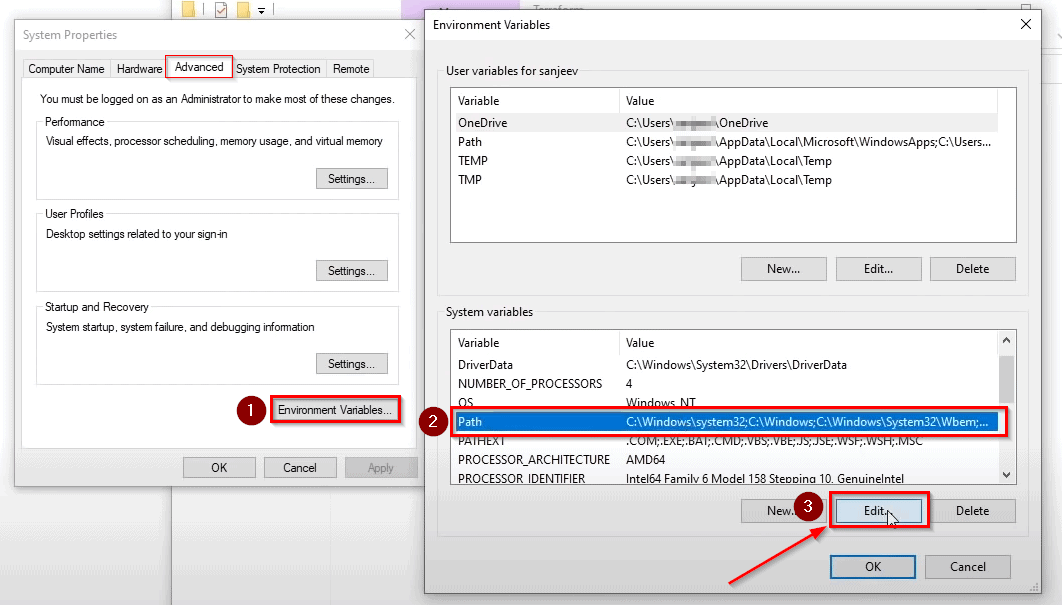
- Click on “Environment Variables…“, select “Path” in the pop-up and click on “Edit“.
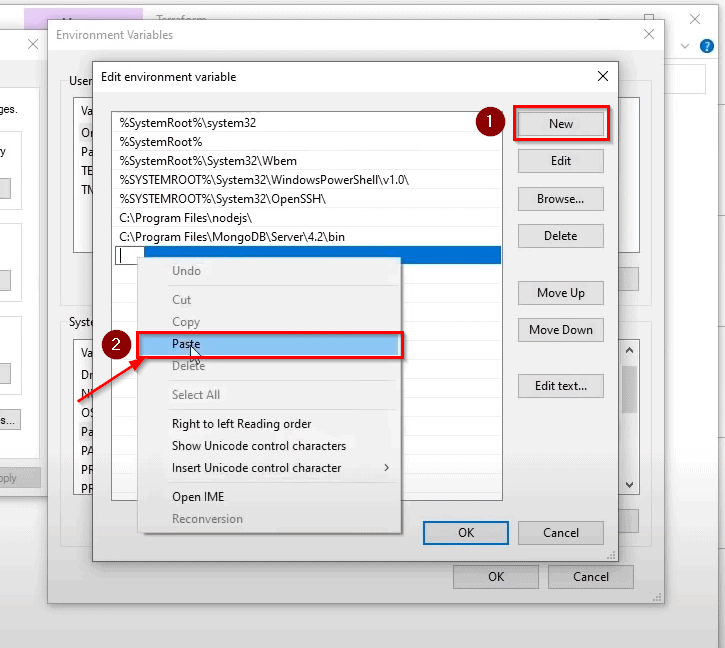
- Paste the copied path by clicking on New and then click OK
- Done!! Now to check if it is installed open command prompt and type terraform -v and you will get the current version as the output.

This completes the terraform installation on Windows.
Read: Terraform Variables Types and Uses
Install Terraform on Mac ^
To install terraform Mac OS we will first install Homebrew using the below command:
% /bin/bash -c "$(curl -fsSL https://raw.githubusercontent.com/Homebrew/install/master/install.sh)"
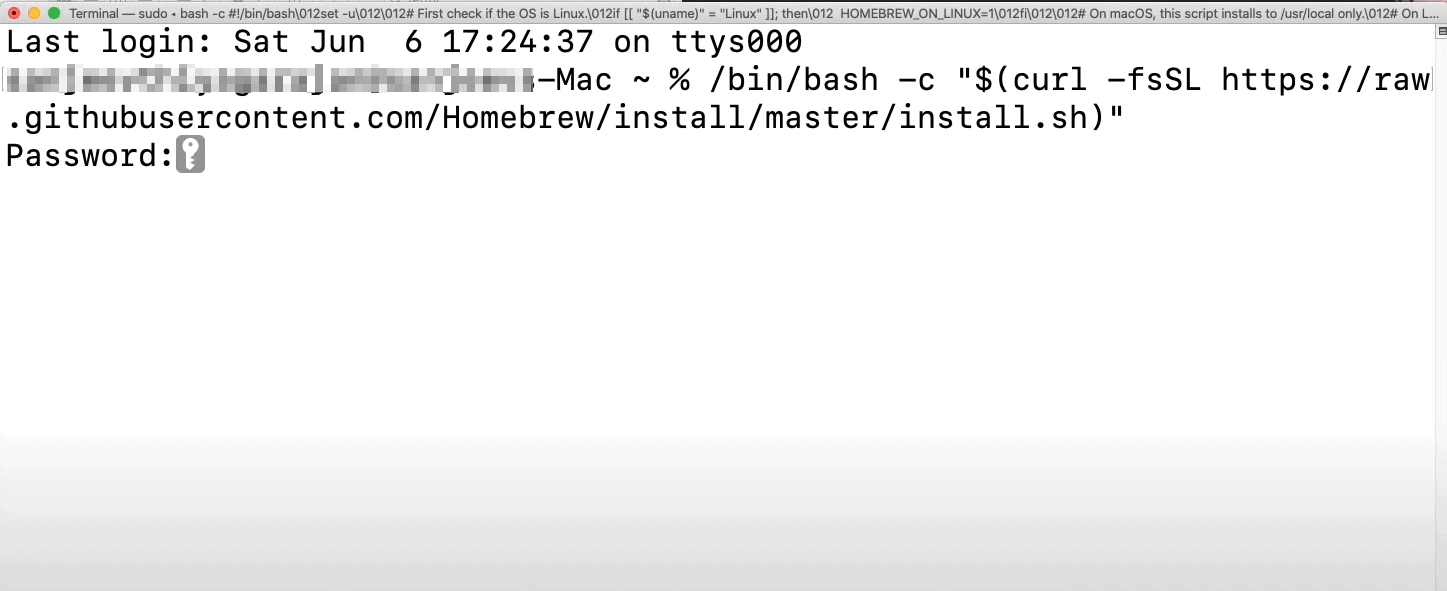
Once Homebrew is installed, install terraform using the below command:
% brew install terraform
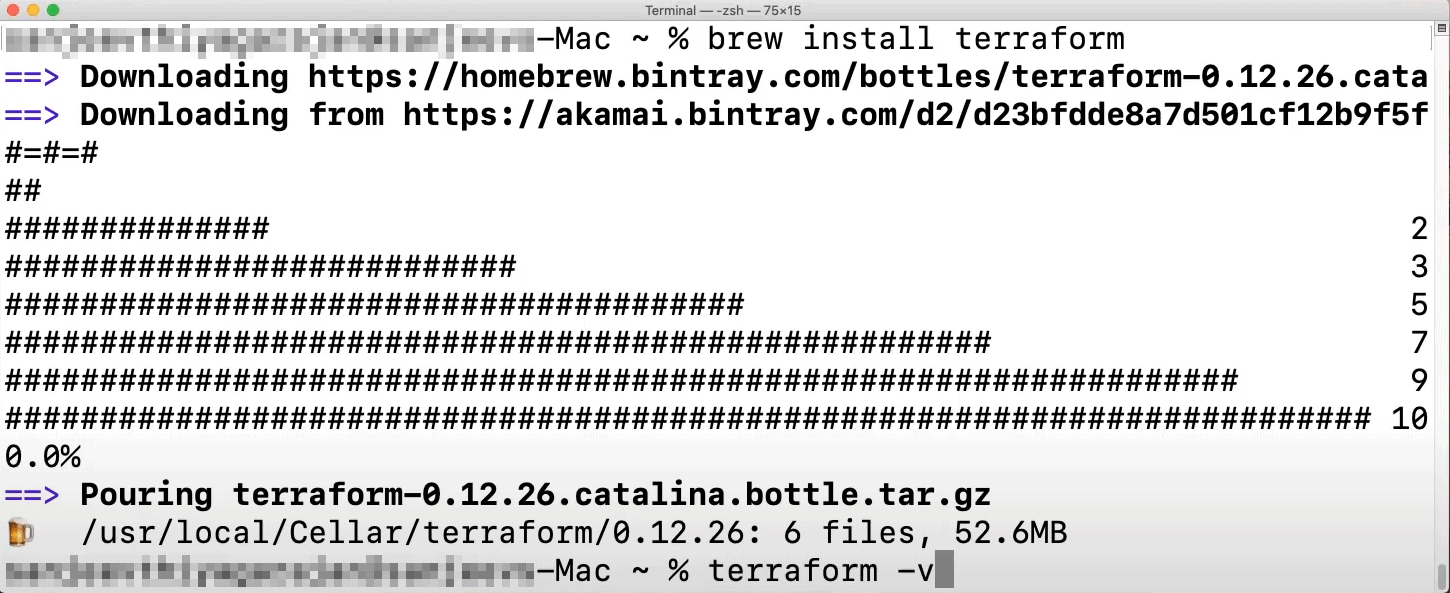
To confirm the installation, type terraform -v and you will get the current version as the output.
Read: Terraform Beginner’s Guide
Installing Terraform on Linux
Using Package Managers
For Ubuntu/Debian:
- Add the HashiCorp GPG key:
curl -fsSL https://apt.releases.hashicorp.com/gpg | sudo apt-key add -
- Add the official HashiCorp Linux repository:
sudo apt-add-repository "deb [arch=amd64] https://apt.releases.hashicorp.com $(lsb_release -cs) main"
- Update and install Terraform:
sudo apt-get update && sudo apt-get install terraform
For CentOS/RHEL:
- Add the HashiCorp repository:
sudo yum-config-manager --add-repo https://rpm.releases.hashicorp.com/RHEL/hashicorp.repo
- Install Terraform:
sudo yum install terraform
Manual Installation
- Download the Linux version from the Terraform downloads page.
- Extract the ZIP file to
/usr/local/binor any directory included in your system’sPATH.
Verifying the Installation
- Open Terminal and type
terraform. - If everything is done correctly, you’ll see Terraform’s command-line interface.
Read: Terraform Cheat Sheet.
Installing Terraform Extension on Visual Studio Code ^
This is an Optional step in Installing Terraform. There are many text editors in the market, we are going to choose Visual Studio Code for this as it is a very powerful text editor and supports all platforms.
To download the Visual Studio Code, click here.
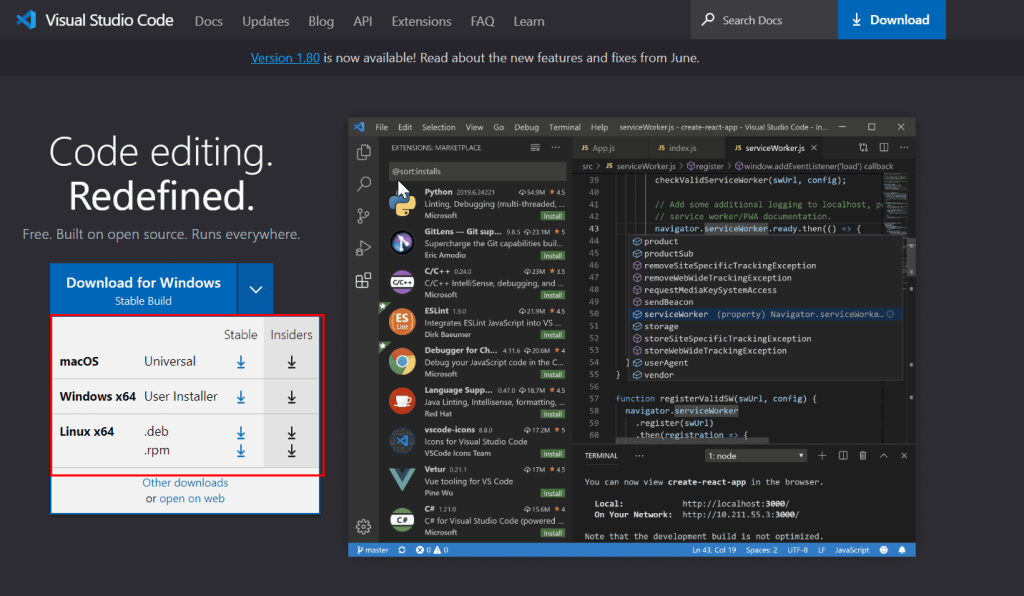
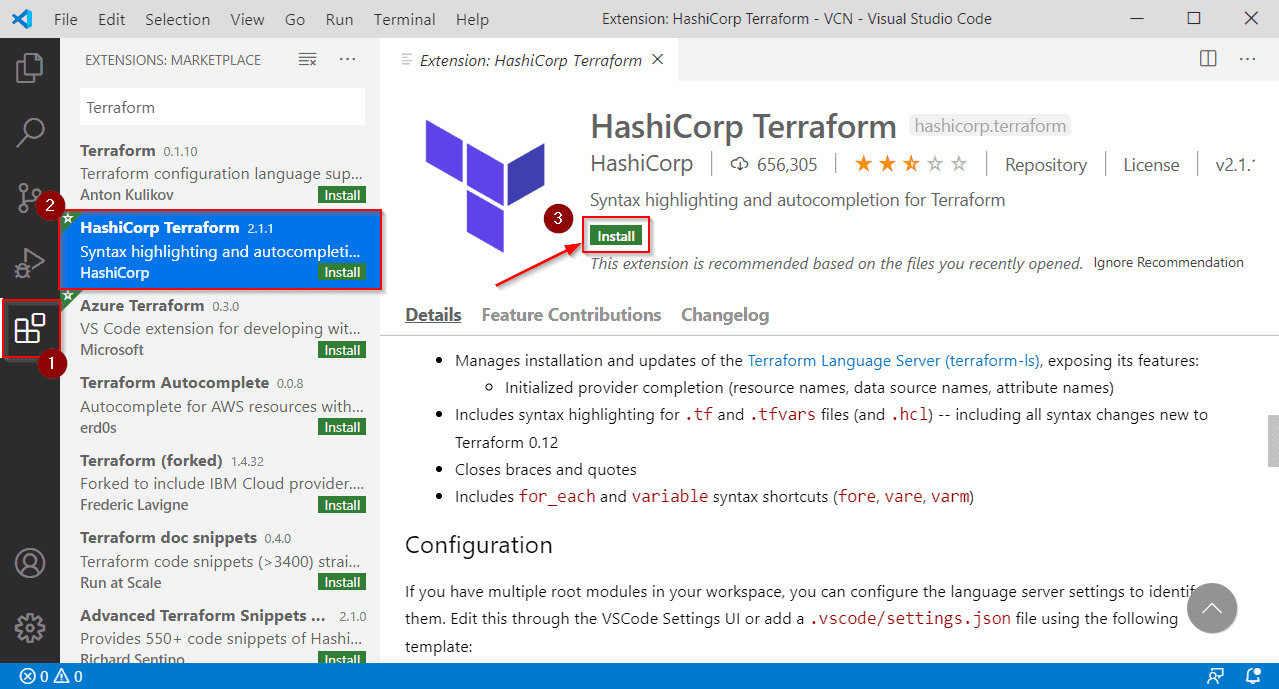
Once you have downloaded the visual studio code, open it and go to the extension and search for Terraform and Install it.
Read Automate AWS Virtual Machine using Terraform.
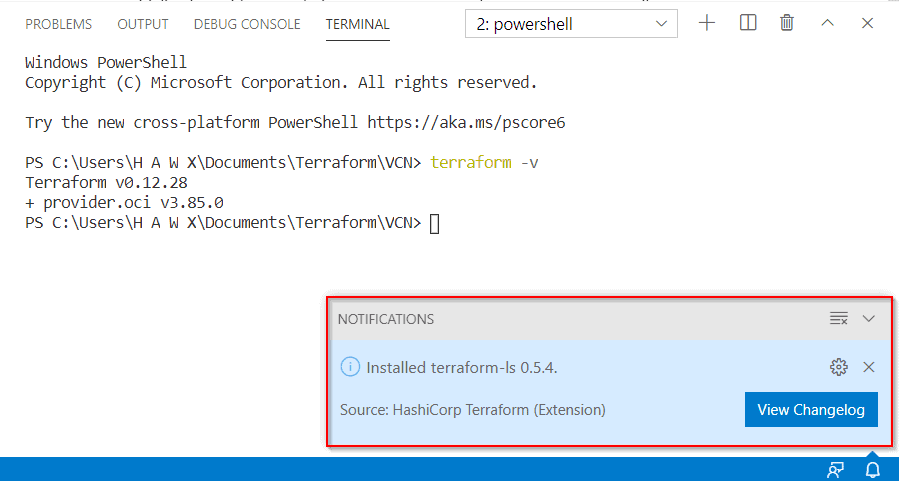
After it has been installed, to verify the installation open Terminal and type:
terraform -v
Frequently Asked Questions
Are there any prerequisites for installing Terraform?
No specific prerequisites are required for installing Terraform. However, you need to ensure that your system meets the minimum system requirements for running Terraform. For example, having a compatible operating system and sufficient disk space.
How do I upgrade an existing installation of Terraform?
To upgrade an existing Terraform installation, follow the same installation steps as mentioned for your specific operating system. Overwriting the existing Terraform binary with the new version will update your installation.
How can I check the version of Terraform installed on my system?
You can check the version of Terraform installed on your system by opening a command prompt or terminal and running the command terraform --version.
Can I have multiple versions of Terraform installed on my system?
Yes, it is possible to have multiple versions of Terraform installed on your system. To manage multiple versions, you can use version managers like tfenv or manually switch between different Terraform installations by updating your system's PATH variable.
How can I uninstall Terraform from my system?
To uninstall Terraform, you can simply delete the Terraform executable file from your system or remove it from the directory included in your system's PATH variable.
Where can I find additional resources and documentation on Terraform installation?
The official Terraform documentation provides detailed installation guides for various operating systems. You can refer to the documentation at https://www.terraform.io/docs/cli/install/index.html for more information on installing Terraform.
Can I install Terraform using a package manager on macOS?
Yes, you can install Terraform using package managers on macOS. Homebrew is a commonly used package manager for macOS. You can install Terraform with Homebrew by running brew install terraform in a terminal.
Related/References
- HashiCorp Infrastructure Automation Certification: Terraform Associate
- HashiCorp Certified Terraform Associate-Step By Step Activity Guides.
- Variables In Terraform | Input Variables & Output Variables
- Terraform Providers Overview
- Why Terraform? Not Chef, Ansible, Puppet, CloudFormation?
- Hashicorp: Terraform Certified Associate – 2020 – Tricks & Tips Of Terraform
- Why Terraform Provisioners Are The Last Resort?
- Resource Manager In Oracle Cloud Infrastructure(OCI)
Join FREE Class
🚀 Master Terraform & DevOps to get High-Paying Jobs!
🔥 Join our EXCLUSIVE Free class! 🚀
Get your hands dirty with lots of projects and labs based on Terraform and DevOps in our Program.
Click on the below image to Register for Our FREE Class Now!


![Microsoft Agentic AI Business Solutions Architect [AB-100] | K21 Academy](https://test.k21academy.com/wp-content/uploads/2025/11/Microsoft-Agentic-AI-Business-Solutions-Architect-AB-100-Exam-Overview1.png)


