




Google Kubernetes Engine, commonly known as GKE, is a managed Kubernetes service provided by Google Cloud Platform (GCP). It enables users to deploy, manage, and scale containerized applications using Kubernetes, an open-source container orchestration platform. GKE simplifies the process of building, deploying, and operating containerized applications at scale, offering features such as automated updates, monitoring, and security.
In this blog, we will cover the following topics:
- What is GKE?
- Overview of Terraform
- Integrating Terraform with GKE
- Setting up a GKE Cluster using Terraform
- Running Terraform to provision the cluster
- Managing GKE Cluster with Terraform
- Conclusion
- FAQs (Frequently Asked Questions)

What is GKE?
GKE provides a platform for managing containerized applications, abstracting away the underlying infrastructure and allowing developers to focus on application development rather than managing servers.
Importance of GKE in modern cloud infrastructure
With the rise of microservices architecture and containerization, GKE plays a crucial role in modern cloud infrastructure by offering a scalable, reliable, and efficient platform for deploying and managing containerized applications.
Overview of Terraform
Terraform is an open-source infrastructure as code (IaC) tool created by HashiCorp. It allows users to define and provision infrastructure using declarative configuration files. Terraform supports various cloud providers, including GCP, AWS, Azure, and others, making it a versatile choice for managing infrastructure.
Introduction to Terraform
Terraform follows a declarative syntax, enabling users to define the desired state of infrastructure using configuration files called Terraform scripts. These scripts describe the resources and their configurations, and Terraform ensures that the actual state of infrastructure matches the desired state defined in the scripts.
Benefits of using Terraform for infrastructure as code (IaC)
Terraform offers several benefits for managing infrastructure, including:
- Scalability: Terraform allows infrastructure to be defined as code, making it easy to scale and manage resources.
- Reusability: Terraform modules enable the reuse of infrastructure configurations across projects and environments.
- Automation: Terraform automates the provisioning, updating, and destroying of infrastructure, reducing manual intervention and human error.
Integrating Terraform with GKE
Before using Terraform to manage GKE clusters, it’s essential to set up the environment and install Terraform.
Preparing the environment
Ensure that you have access to a Google Cloud Platform account with the necessary permissions to create and manage GKE clusters.
Installing Terraform
Download and install Terraform on your local machine or build server following the official installation instructions provided by HashiCorp.
Setting up a GKE Cluster using Terraform
To create a GKE cluster using Terraform, you’ll need to write Terraform configuration files defining the desired state of the cluster.
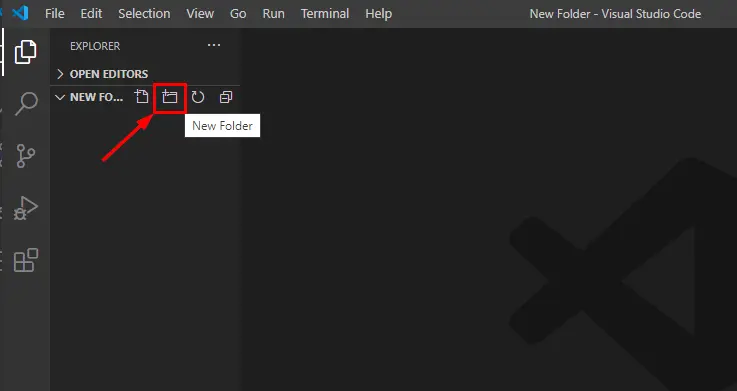
1. Open Visual Studio Code, and create a new folder by clicking on the icon as shown below.
2. Name the folder whatever you want. In our case, we are keeping it as TerraformGoogle.
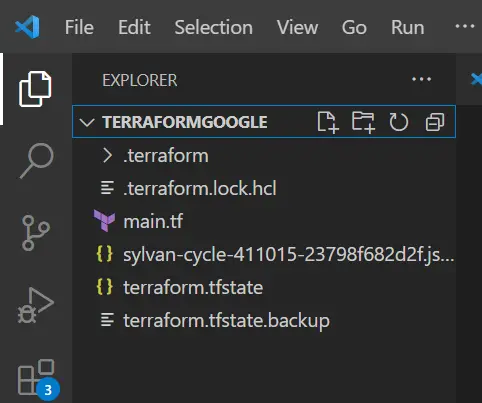
3. A tf file is created, click on it.
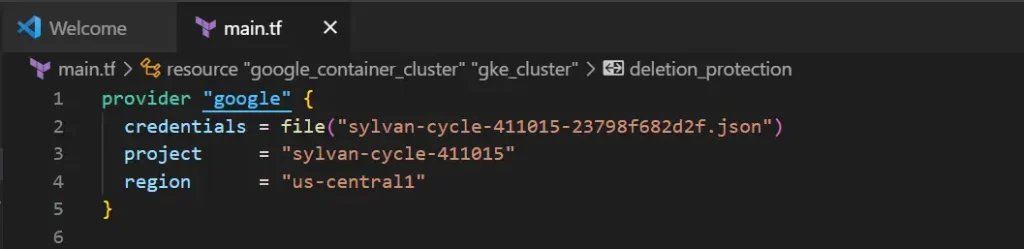
4. Add Google provider in the tf file.
provider "google" {
  credentials = file("sylvan-cycle-411015-23798f682d2f.json")
  project     = "sylvan-cycle-411015"
  region      = "us-central1"
}
5. Create a GKE Cluster using the below code and paste it into the main.tf file.
resource "google_container_cluster" "gke_cluster" {
  name     = "my-gke-cluster"
  location = "us-central1"

  initial_node_count = 1

  node_config {
    machine_type = "n1-standard-1"
  }
  # Update deletion_protection to false
  deletion_protection = false

}
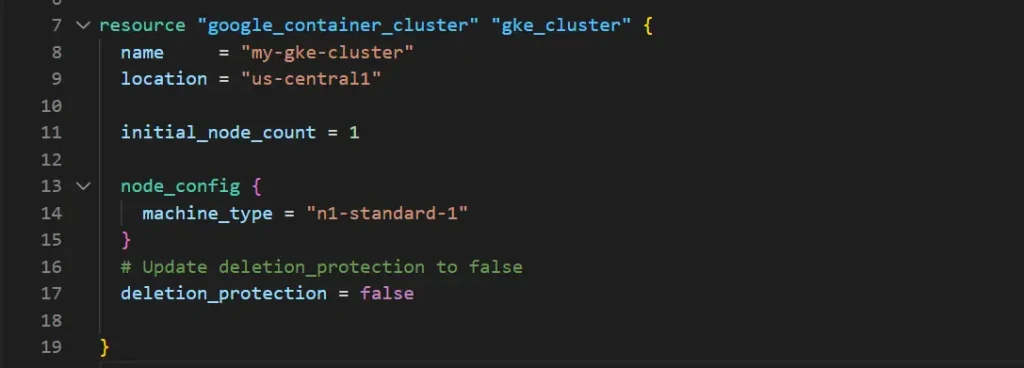
This section completes creating a Terraform configuration file.
Running Terraform to provision the cluster
Initializing Terraform is the process of preparing a Terraform project or configuration for use. When you initialize Terraform in a directory where you have your Terraform configuration files,
Terraform must initialize any configured backend before use.
1. Go to Terminal, and click on New Terminal.
2. A terminal will open. Run terraform init to initialize the directory and download the provider plugins.
terraform init
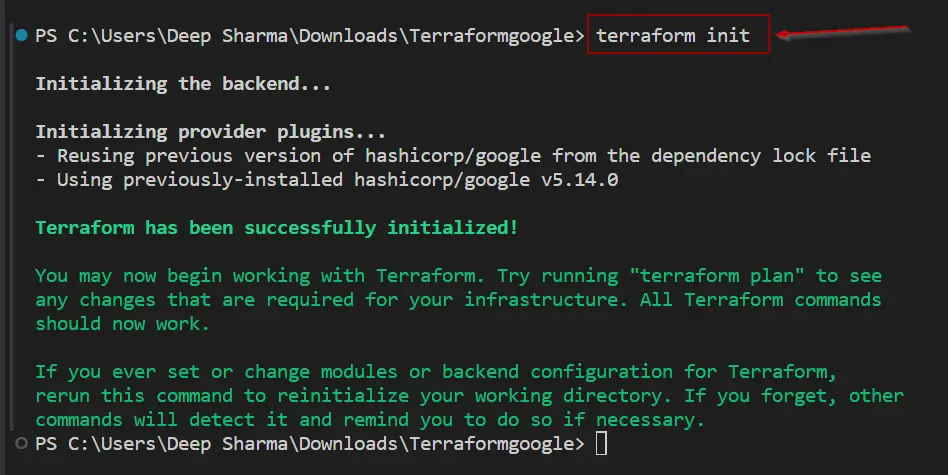
Note: Make sure you run the terraform init command in the directory where your configuration files exist.
Once the terraform directory is initialized, we will create an execution plan and will validate if it is correct or if there are any errors in this.
3. Run a terraform plan to validate the code and check if it’s valid or not. It will show all the changes that are going to take place when we will execute this plan
terraform plan


Once the execution plan is validated, we can now apply or execute the plan to create a resource group.
4. Run terraform apply to execute the code. Type yes when prompted or you can use terraform apply –auto-approve and it will approve automatically.
terraform apply
or
terraform apply –auto-approve
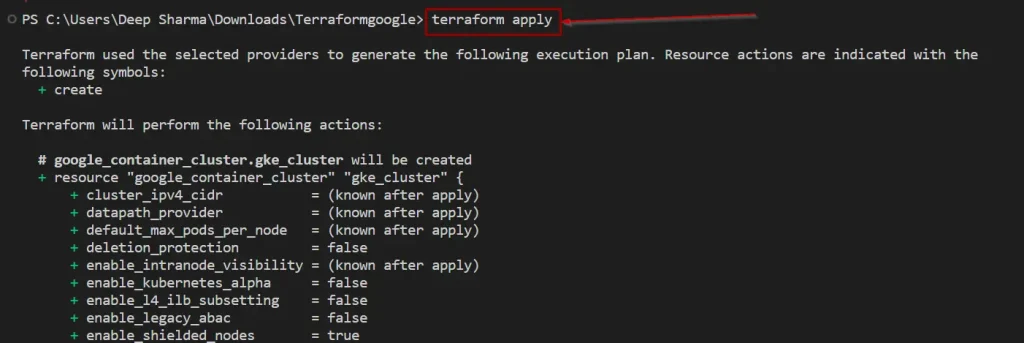

Note: It will take 5-7 minutes to create a GKE cluster.
5. Now, Go to the GCP portal and verify that the GKE is successfully created.
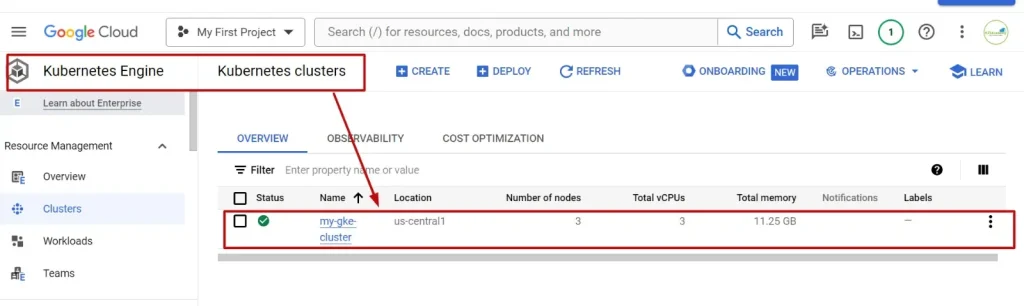
This section completes executing the code for creating a Google Kubernetes Engine and verifying it on the GCP portal.
Managing GKE Cluster with Terraform
Once the GKE cluster is provisioned, Terraform can be used to manage various aspects of the cluster lifecycle.
Scaling GKE Cluster
Terraform allows you to scale the GKE cluster by adjusting the number of nodes or changing the machine type in the Terraform configuration and applying the changes.
Updating GKE Cluster configuration
To update the configuration of an existing GKE cluster, modify the Terraform configuration files with the desired changes and apply the configuration to update the cluster.
Deleting GKE Cluster
When the GKE cluster is no longer needed, Terraform can be used to delete the cluster and clean up the associated resources on GCP.
terraform destroy

Conclusion
In conclusion, managing Google Kubernetes Engine (GKE) clusters using Terraform offers a scalable, efficient, and automated approach to deploying and managing containerized applications on Google Cloud Platform. By integrating Terraform with GKE, users can leverage the benefits of infrastructure as code to streamline the provisioning, scaling, and updating of GKE clusters, ultimately improving productivity and reliability.
FAQs (Frequently Asked Questions)
Can I use Terraform to manage GKE clusters across multiple environments?
Yes, Terraform allows you to define infrastructure configurations that can be applied to multiple environments, such as development, staging, and production.
Does Terraform support rolling updates for GKE clusters?
Yes, Terraform can orchestrate rolling updates for GKE clusters by modifying the cluster configuration and applying changes incrementally to minimize downtime.
Is it possible to import existing GKE clusters into Terraform?
Yes, Terraform supports importing existing resources into its state file, allowing you to manage previously provisioned GKE clusters using Terraform.
What happens if there is an error during Terraform apply for provisioning a GKE cluster?
Terraform follows a declarative approach, ensuring that changes are applied atomically and can be rolled back in case of errors during the apply process.
Related/References
- Terraform Installation Overview
- HashiCorp Infrastructure Automation Certification: Terraform Associate
- Resource Manager In Oracle Cloud Infrastructure
- HashiCorp Certified Terraform Associate
- How to Provision AWS Infrastructure with Terraform?
- Terraform Cheat Sheet
- Why Choose Terraform Over Chef, Ansible, Puppet or CloudFormation?
Join FREE Class
🚀 Master Terraform & DevOps to get High-Paying Jobs! 🔥 Join our EXCLUSIVE Free class! 🚀
Get your hands dirty with lots of projects and labs based on Terraform and DevOps in our Program. Click on the below image to Register for Our FREE Class Now!


![Microsoft Agentic AI Business Solutions Architect [AB-100] | K21 Academy](https://test.k21academy.com/wp-content/uploads/2025/11/Microsoft-Agentic-AI-Business-Solutions-Architect-AB-100-Exam-Overview1.png)