



This post is the second video of our three-part video series on “Zero Downtime Migration” which is part of our FREE masterclass.
Note: To join FREE masterclass on Zero Downtime Migration click here
In this blog post, we’ve covered the 8 step migration process using Zero Downtime Migration from On-Premise to the database on the cloud.
Note: If you have missed my previous post on Zero Downtime migration overview and capabilities, to check previous post click here
In this video, I will be discussing the 8 Step of Installing & Configuring Zero Downtime migration.
https://www.youtube.com/watch?v=yv3O57cvZVo&feature=youtu.be
(To be the first one to receive Updates on Oracle Cloud, Subscribe to Our Youtube channel)
8 Step To Install & Configure ZDM In Oracle Cloud
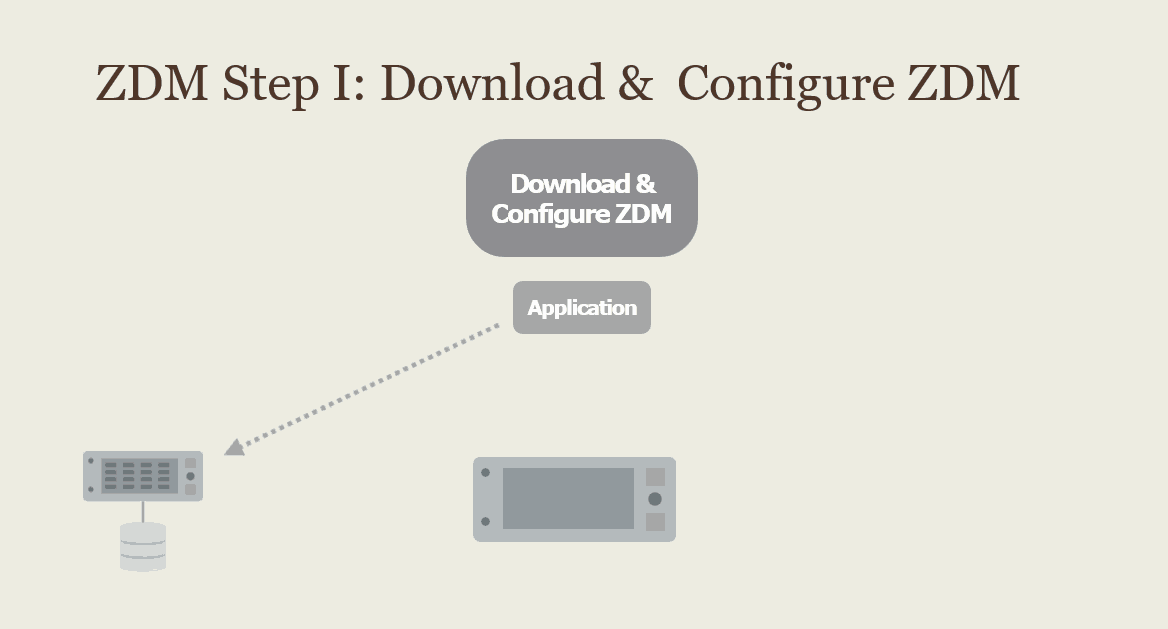
1) First, step is the download ZDM script and configure the script on the machine. ZDM supports the Linux 7 or later version.
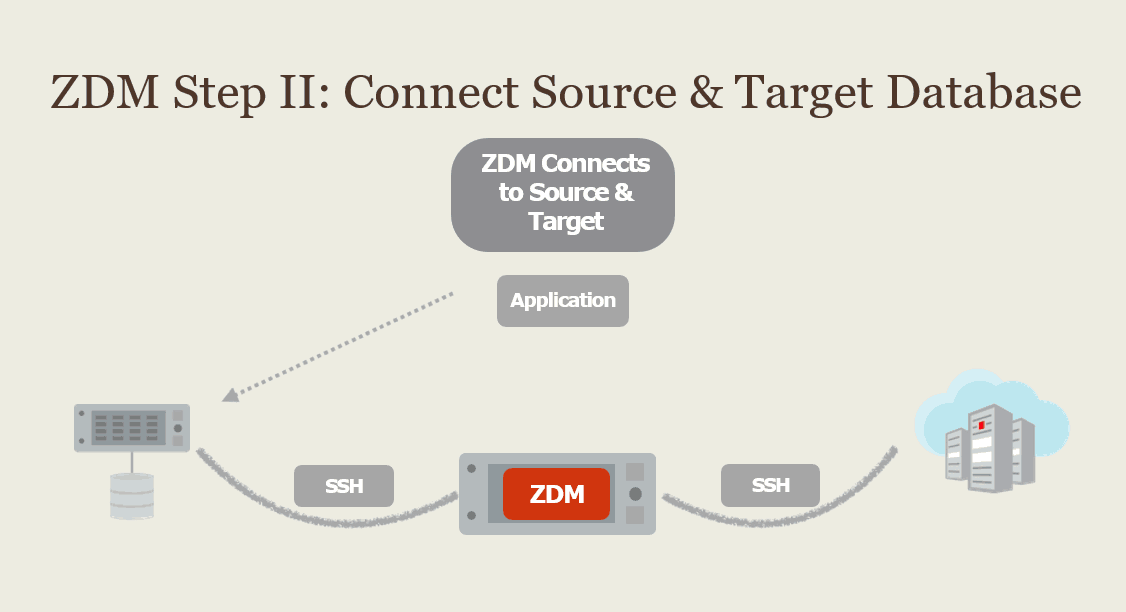
2) The second step is to connect the ZDM with the source database and target database using SSH key file. After running the ZDM command insure that you can perform the dry run/test migration operation before the actual migration process.
Note: To know more about SSH keys and how to generate keys click here
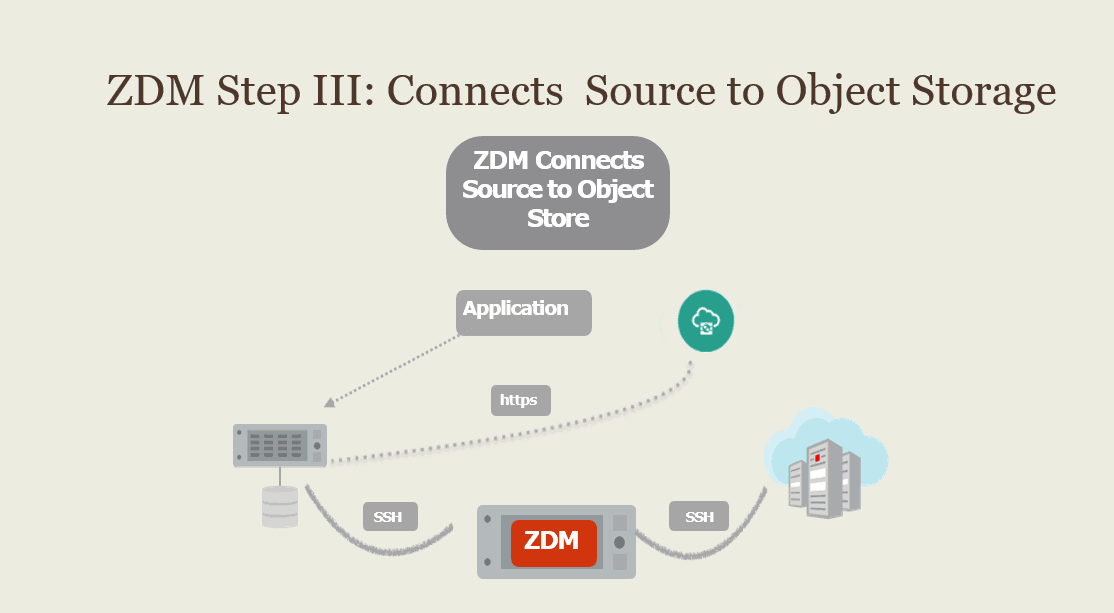
3) The third step is to establish connectivity between the On-Premise database and object storage so you can transfer the source files onto the storage on the cloud and then transfer the files on the target database.
Note: For Exadata cloud at customer you can use local NFS based storage or zero data loss recovery appliance instead of on Object storage.
Note: To know more about the cloud at customer click here
Note: To know more about object storage click here
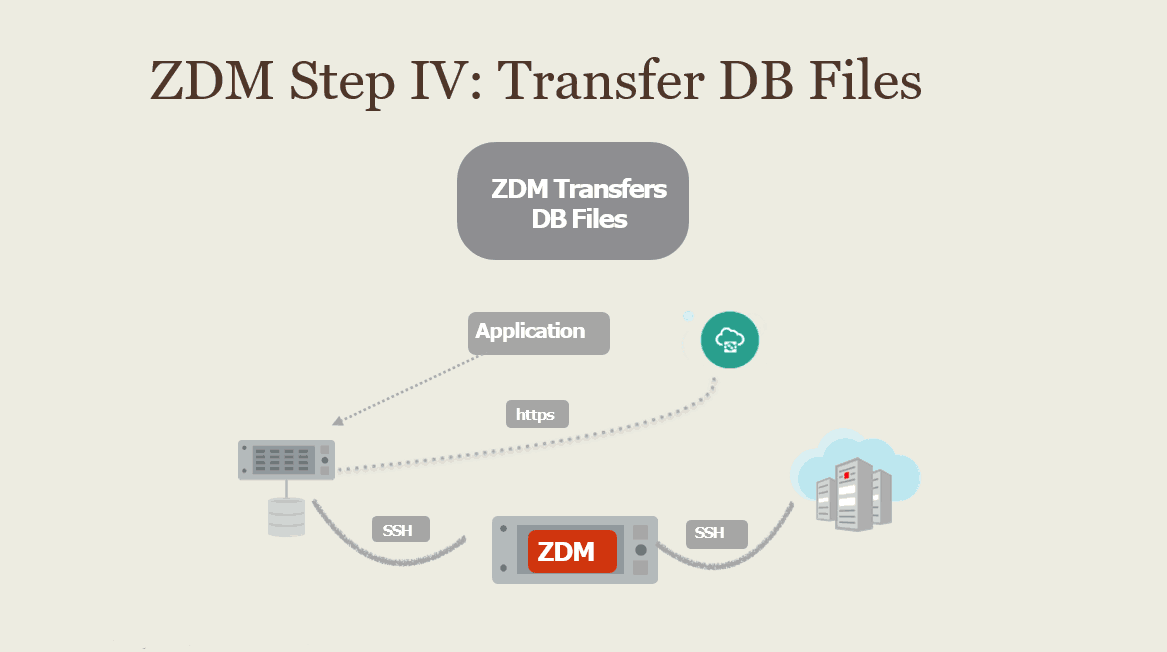
4) The fourth step is to transfer all the backup files i.e Full backup and incremental Archive from the source/primary database to the object storage.
Note: To know more about backup & restore click here
5) The fifth step is when all the necessary files copied over, now instantiates standby using these backup files on the target, ZDM orchestrates everything it will talk to the object storage.
Read this post for an overview of Autonomous Database, Types of Autonomous database (Autonomous data warehouse & Autonomous Transaction Processing) and Autonomous offering as Serverless & Dedicated Infrastructure.
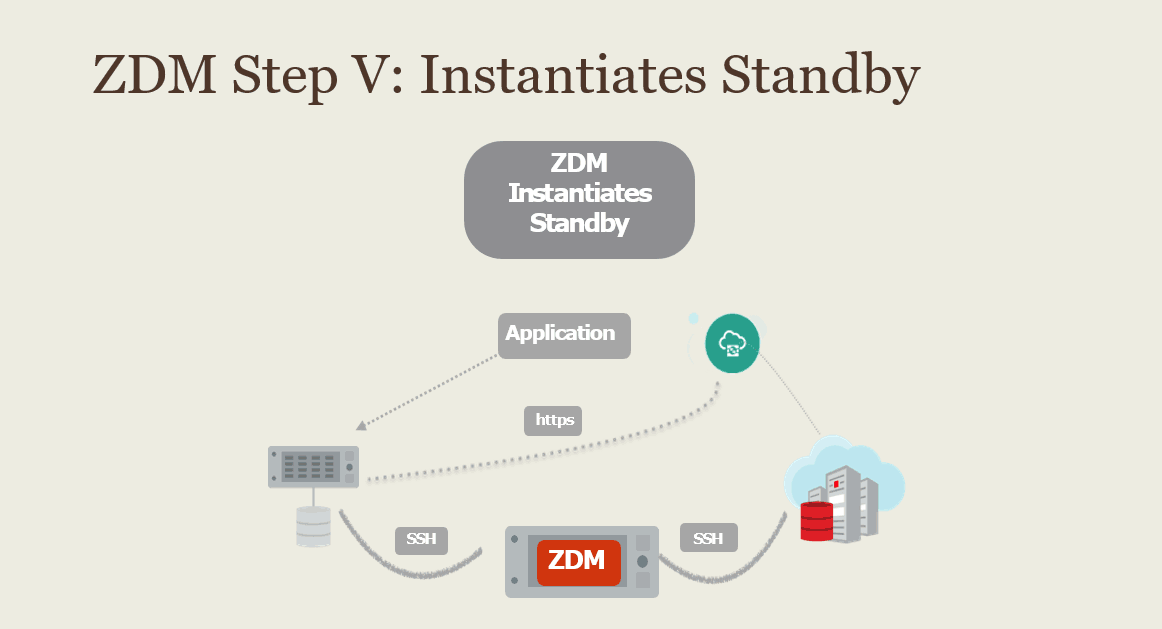
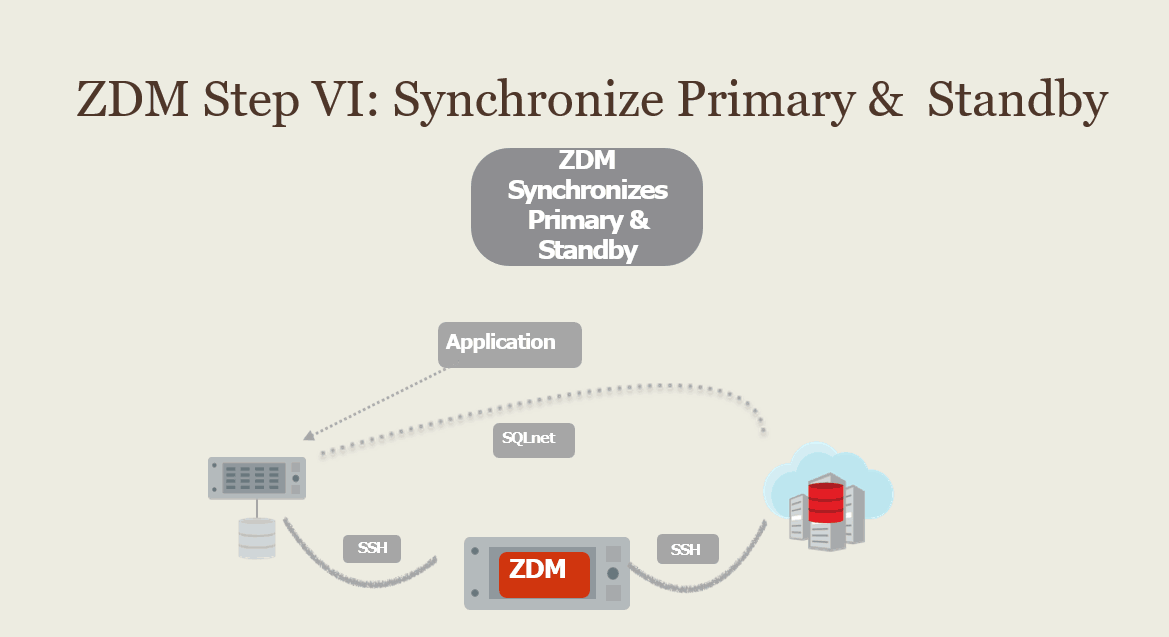
6) The sixth step is ZDM sets up Oracle Net Services connectivity between the source and target database and completes setting up the Data Guard configuration such that the source/primary database. after this ZDM will verify that the Standby Database is fully in sync with the Primary Database.
Note: To know more about data guard click here
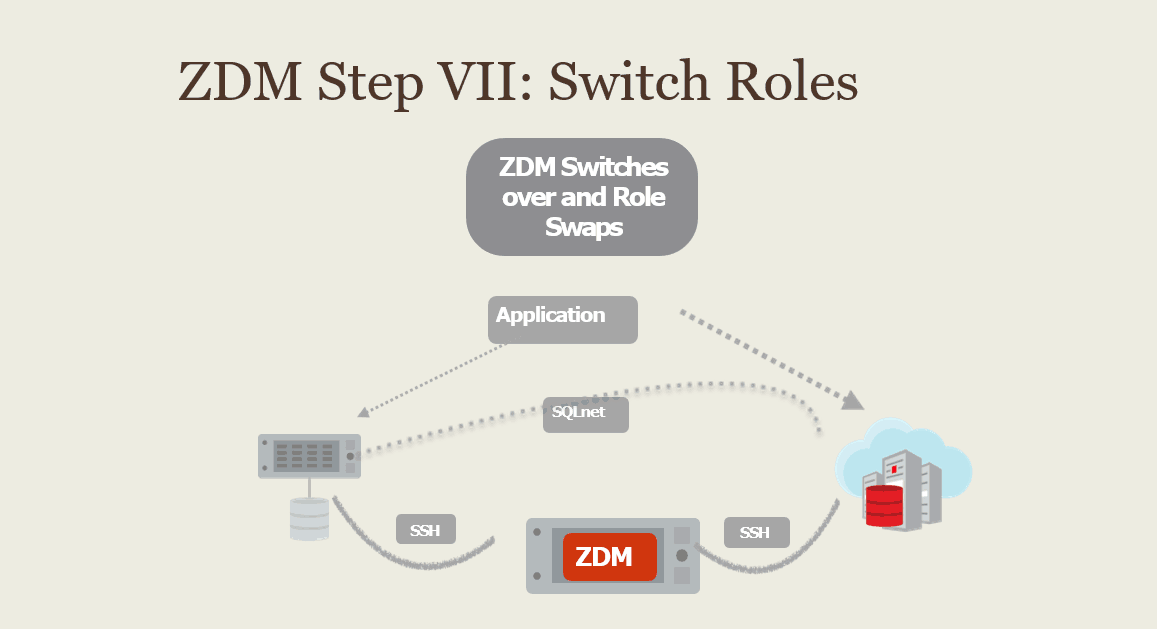
7) The next step is, ZDM will perform data guard switch over and change the role of the primary databases to standby database and vice-versa.
Note: Automatic application switchover can be ensured with the proper configuration in ZDM.
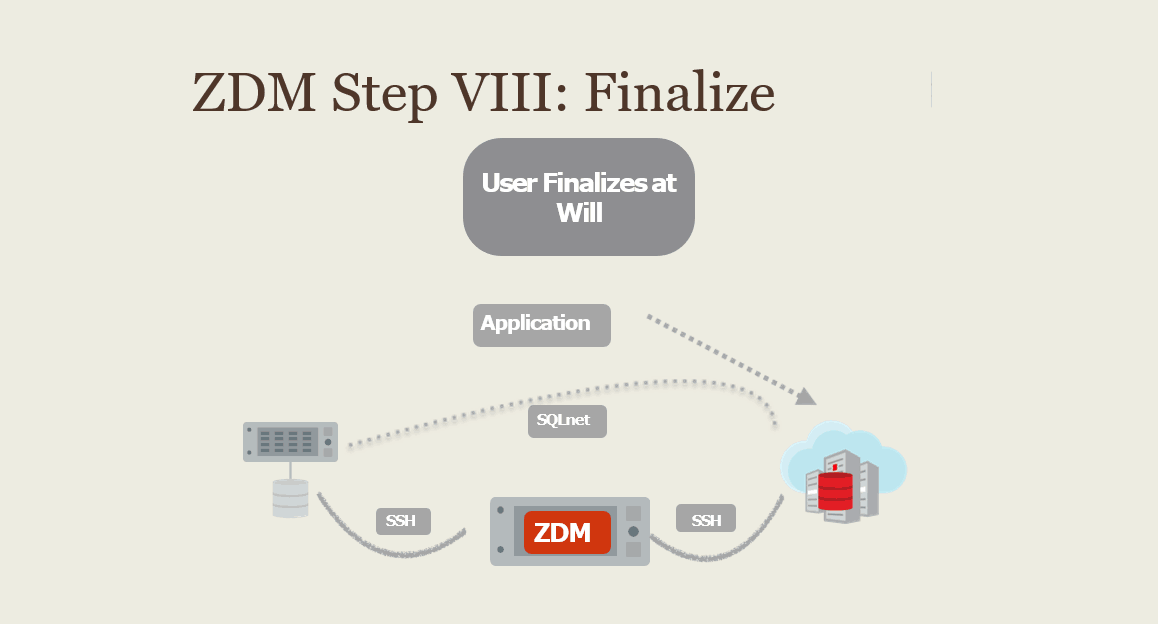
8) ZDM finalizes the migration process, terminates Data Guard connectivity between the source and the target The user can request ZDM to pause before Migration, also controlling when Data Guard synchronization between the primary and the standby will complete.
Related Post
- [Part 1] Zero Downtime Migration In Oracle Cloud Infrastructure (OCI): Overview & Capability
- [Part 3] Zero Downtime Migration (ZDM) Database To Oracle Cloud FREE Masterclass Q/A
- Oracle Database Migration To Cloud Lift & Shift: Overview & Methodology
- Zero Downtime Migration: Database & Applications To Oracle Cloud Using Hybrid Data Guard
- Migrate Database To Oracle Autonomous Database Cloud Options
Next Task For You
If you want to upgrade your career from an Oracle DBA to Oracle Cloud DBA, and wants to clear Oracle Cloud Database Service Specialist[1Z0-1093-21] & Oracle Cloud Autonomous Database Certification[1Z0-931-21] with 18 Hands-On labs, then register for a FREE class, and don’t miss an opportunity to gain a plethora of insights on becoming a certified Oracle Cloud DBA.


![Microsoft Agentic AI Business Solutions Architect [AB-100] | K21 Academy](https://test.k21academy.com/wp-content/uploads/2025/11/Microsoft-Agentic-AI-Business-Solutions-Architect-AB-100-Exam-Overview1.png)


