



In this blog post, I will discuss Oracle Cloud Database Deployment, it’s different choices & options you have for On-premise as well as for Oracle Cloud. It comes with options like:
- User Managed (PaaS: DBCS/ DBaaS): VM DB, BM DB, Exadata on Cloud, Exadata Cloud at Customer
- Autonomous database: Shared/Serverless or Dedicated
- Database on Compute (IaaS: Unmanaged)
I will also discuss What are these various Databases on Cloud deployment options, When to use what, Who controls what in these deployment options?
Note: If you haven’t read my previous blog, this post is part of Video series of Roles and Responsibility or Tasks of DBA.
Database Choices & Options
In the diagram shown below, from left to right are the On-premises platform choices (i.e. all manual tasks), Automated, and Cloud choices (i.e. Autonomous).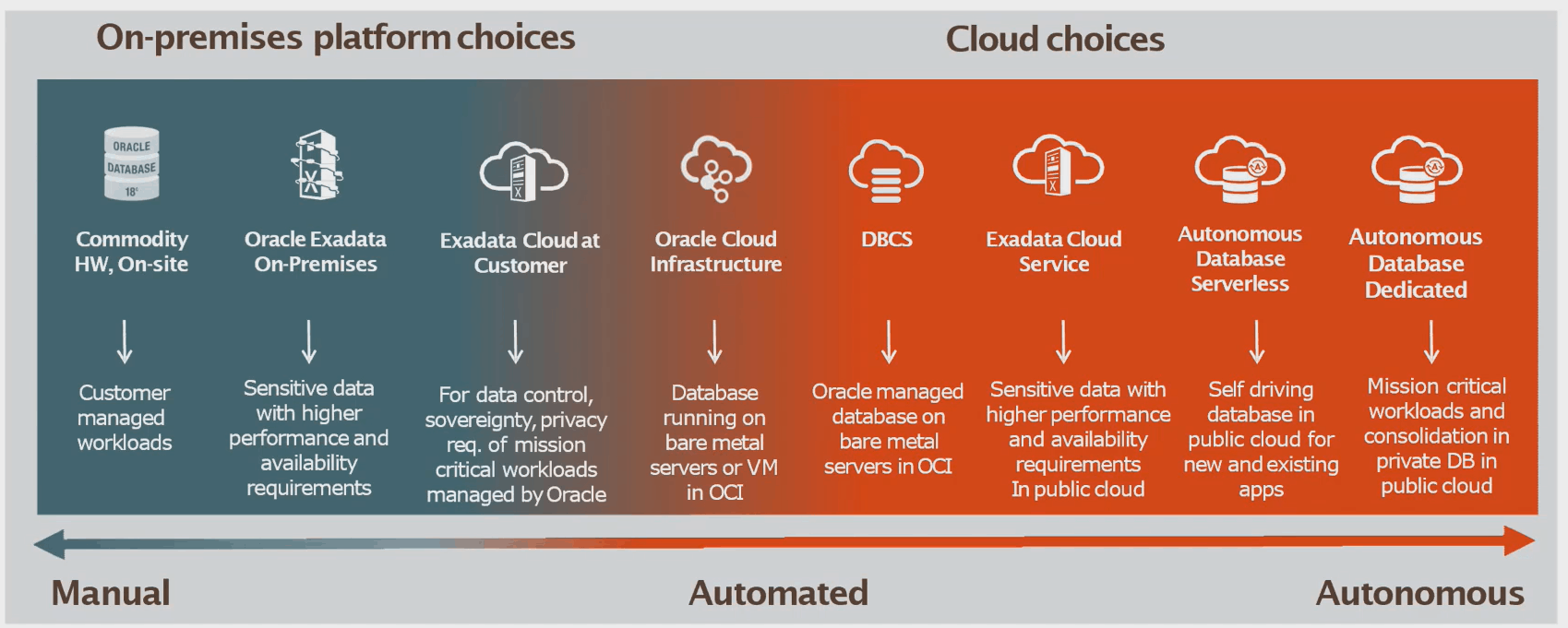
- Traditional Database Deployment (On-premises): The most common deployment model prior to the evolution of the Cloud where your DB is on the commodity hardware.
- Oracle Exadata On-premises: You will purchase Exadata and deploy your database & heavy workload on Exadata On-premise.
- Exadata Cloud@Customer: Oracle Cloud at Customer delivers Oracle Cloud services in your data center that would be managed by Oracle.
Note: Check our blog to know more about Cloud@Customer.
- DB on Compute (OCI): This is similar to the database on On-premise, however instead of running on-premise, you are running it on Cloud. In this type, you will not get any tooling. (For testing only not a recommended approach)
- DBCS (VMDB & BMDB): Databases run on OCI as a DBCS & this is where you get all the Cloud tooling like automated cloning, patching, backing up & restoring.
Note: Read our blog to know more about how to provision VMDB system.
- Exadata Cloud Service: Running Exadata but on Cloud, you subscribe to either a Quater rack, Half rack or a full rack.
Note: Check our blog to know more about Oracle Exadata Cloud Service(ExaCS) Architecture.
- Autonomous DB Serverless: this is the simplest configuration, you share the resources of an Exadata cloud infrastructure. You can quickly get started with no minimum commitment.
- Autonomous DB Dedicated: This type enables you to provision autonomous databases into their own dedicated Exadata cloud infrastructure, instead of a shared infrastructure.
Note: Check out our blog to know more about Oracle Autonomous Database Overview: ADW, ATP, Serverless & Dedicated Infrastructure.
Database Operations
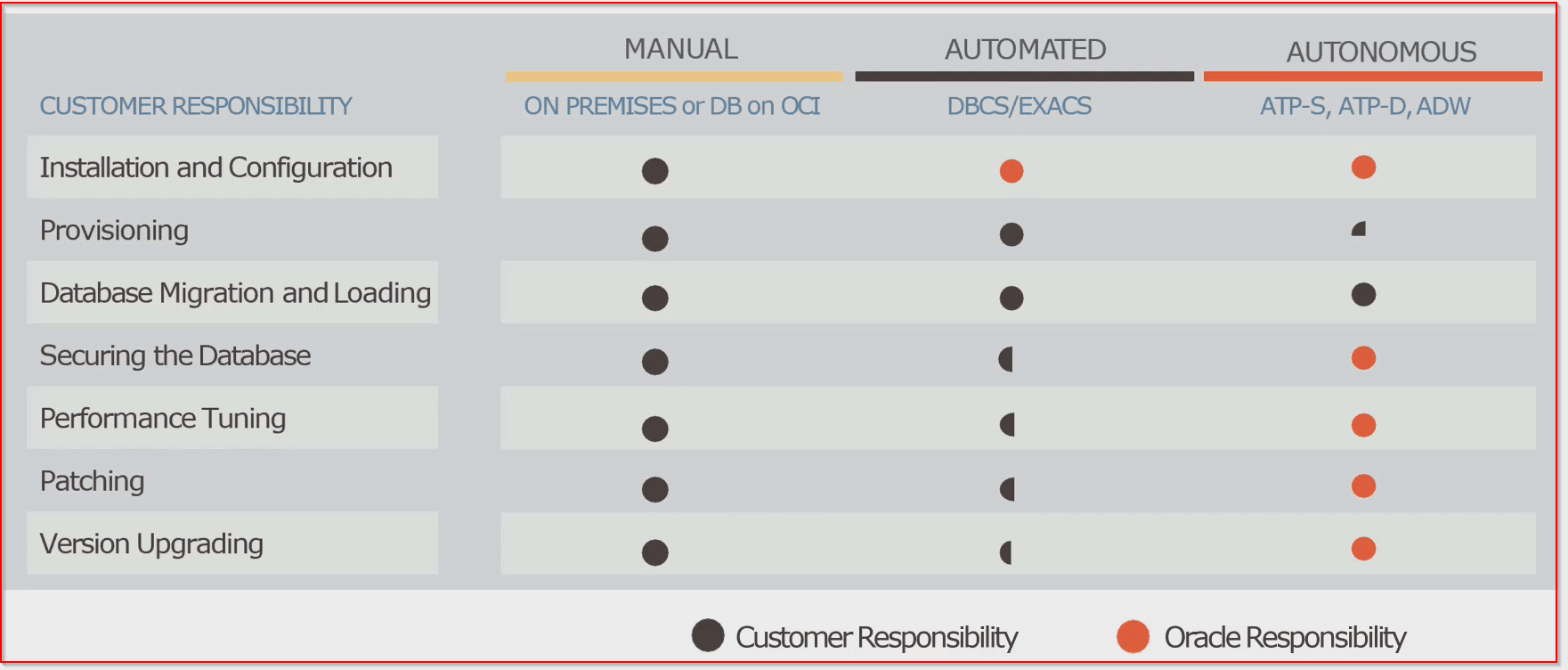
Check below to look at what controls you have, for these different Databases on the Cloud as well as On-premise.
Database Service In Oracle Cloud Infrastructure
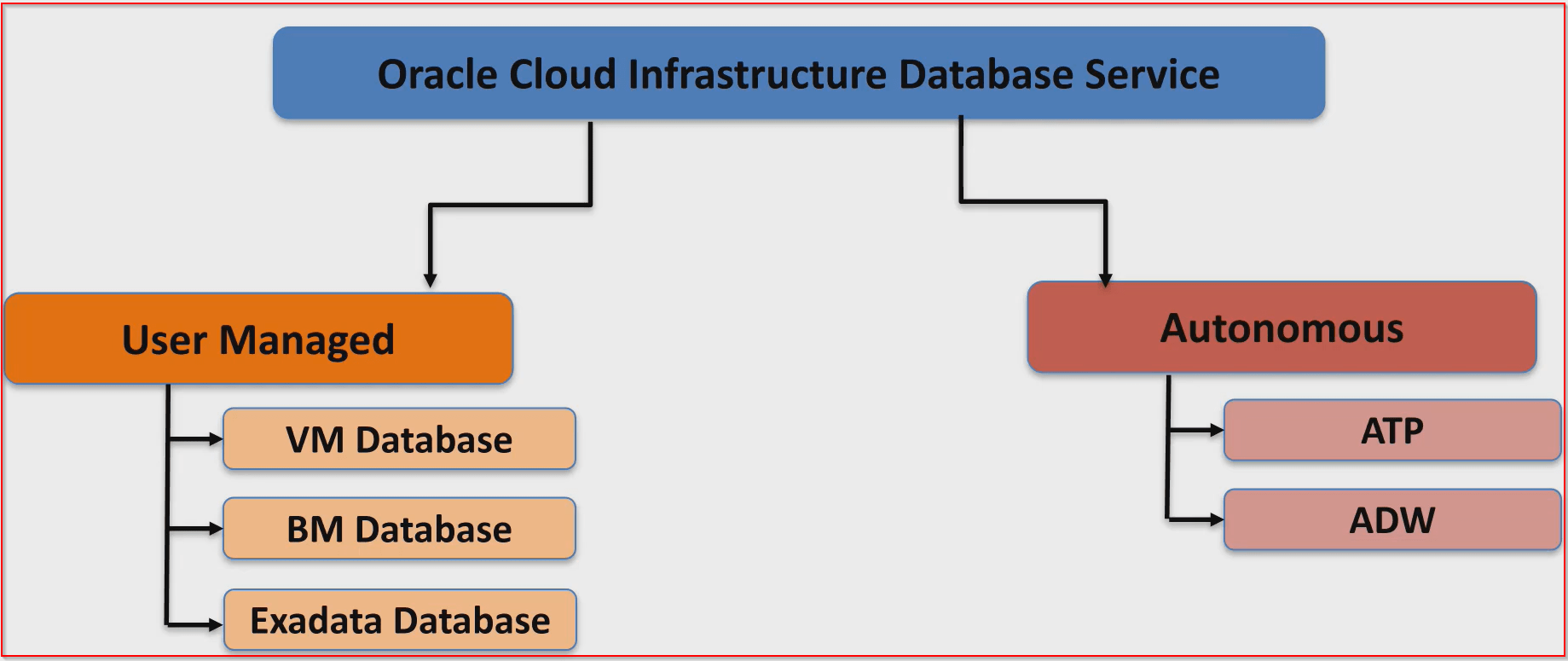
Databases in Oracle Cloud Infrastructure can be put in two main categories:
- User-Managed Database: User-managed Database are the Databases on bare metal, virtual machine, and Exadata DB systems that enable you to customize with the resources that meet your requirements.
- Autonomous Database: It includes
- ATP: Autonomous Transaction Processing
- ADW: Autonomous Data Warehouse
Cloud Database Deployment Choices
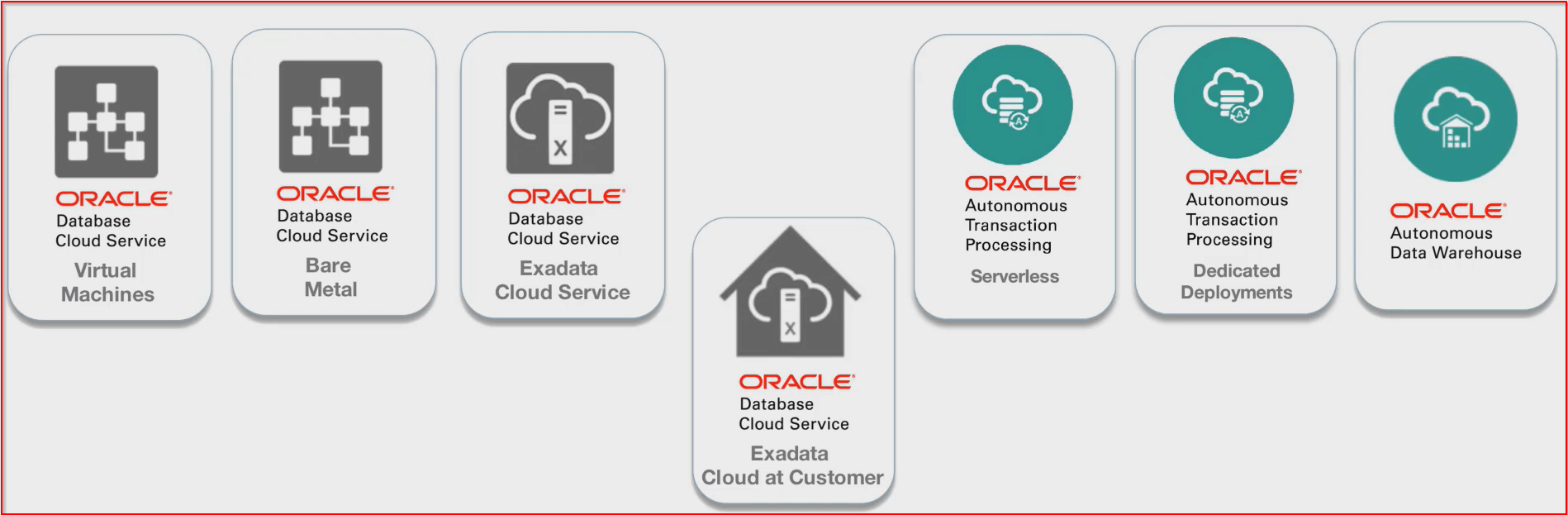
Check the image below for an overall picture of deploying Databases on Cloud.
How To Provision Database on Oracle Cloud
1) Register & Log into the Oracle Cloud account, click here.
Note: First, you should have an Account at Oracle Cloud and if you don’t have one, then you can register FREE using my step-by-step video & guide.
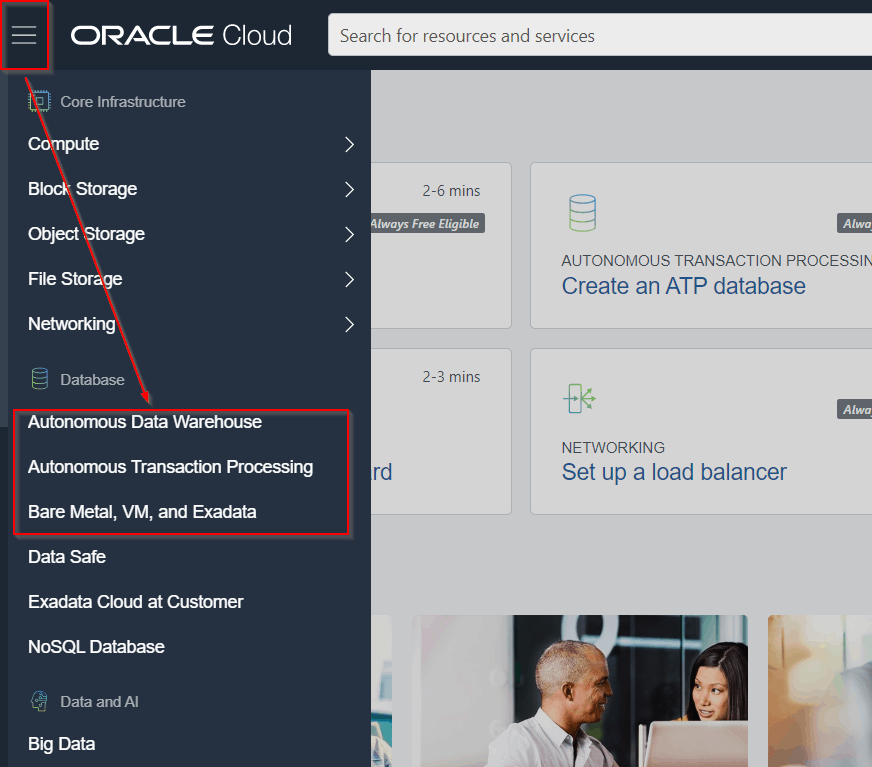
2) Click on the hamburger menu, and Under ‘Database’, you will get the option to provision DB.
For a User-managed Database, click on ‘Bare Metal, VM & Exadata,’ & the other two for Autonomous (ADW & ATP)
Note: Read our blog to know how to provision an Autonomous database.
Related/References
- How To Create Database on Oracle’s Gen2 Cloud (OCI)
- How to Create Oracle Autonomous Linux On Oracle Cloud
- Oracle Cloud at Customers(C@C): Overview and Concept for Beginners
Next Task For You
- Get the FREE Copy of Step-By-Step Guide to Register for Oracle Cloud Trial Account in your inbox.
Begin Your Cloud Journey
Begin your journey towards becoming an Oracle Cloud Expert and earn a lot more in 2024 by joining our FREE CLASS. You will also know more about the Roles and Responsibilities, Job opportunities for OCI Architects, Admins in the market, and what to study Including Hands-On labs you must perform to get the Higher Paying jobs.
Click on the below image to Register for Our FREE Class on MASTERING ORACLE CLOUD FOR DBAs, APPs DBAs, ARCHITECTS & SYS ADMINS


![Microsoft Agentic AI Business Solutions Architect [AB-100] | K21 Academy](https://test.k21academy.com/wp-content/uploads/2025/11/Microsoft-Agentic-AI-Business-Solutions-Architect-AB-100-Exam-Overview1.png)


