
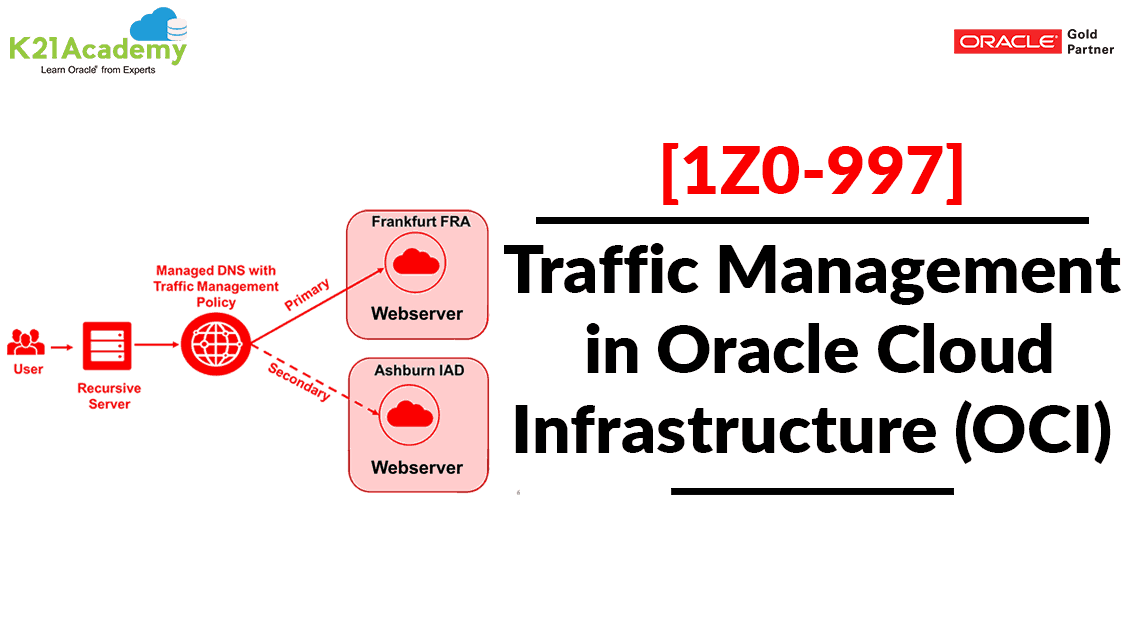



Traffic management in OCI is a critical component of the Domain Name System (DNS) that lets us configure routing policies for serving intelligent responses to DNS queries.
Traffic management in OCI is covered in our OCI Architect Professional [1Z0-997] Certified training. For the list of Hands-On guide click here
- Different answers can be served for a DNS query according to the logic traffic management policy.
- Sending users to the most optimal location in your infrastructure.
- Oracle Cloud Infrastructure DNS is optimized to make the best routing decisions based on current conditions on the internet.
Note: The Oracle Cloud Infrastructure Domain Name System (DNS) service lets you create and manage your DNS zones. You can create zones, add records to zones, and allow Oracle Cloud Infrastructure‘s edge network to handle your domain’s DNS queries.
To know more about Domain Name System (DNS) click here.
To know more about OCI Architect Professional [1Z0-997] click here
In this blog, I have covered:
- Traffic steering use cases
- OCI Traffic Management Policies
- Steps to create a traffic management policy
Traffic Steering Use Cases
(1) Failover
- Traffic is automatically directed to a different endpoint as soon as service fails to respond.
- Monitoring is done by Oracle Health Check
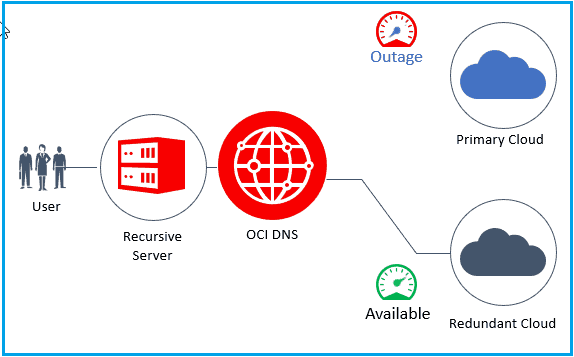
Note: The Oracle Cloud Infrastructure Health Checks service provides users with external monitoring to determine the availability and performance of any publicly facing service, including hosted websites, API endpoints, or externally facing load balancers.
To know more about Health check service in OCI click here.
(2) Cloud Migration
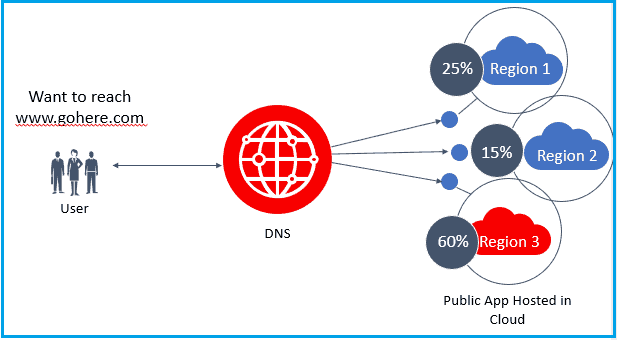
Steer a small percentage of traffic to the new infrastructure, monitor the results, and increase the amount of traffic at your own pace.
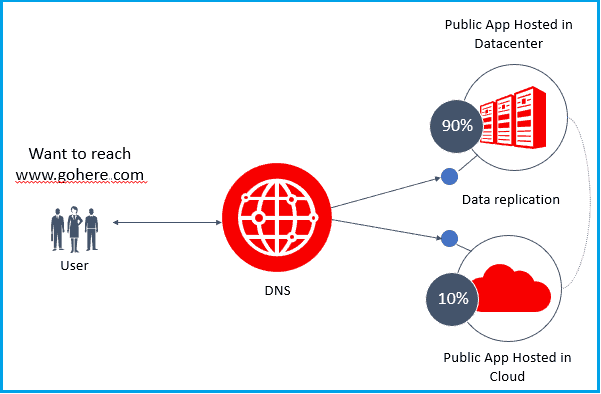
(3) Load Balancing for Scale
- Distribute traffic across Multiple Compute Instances.
- Oracle Health Checks is used to ensure users are sent to healthy endpoints.
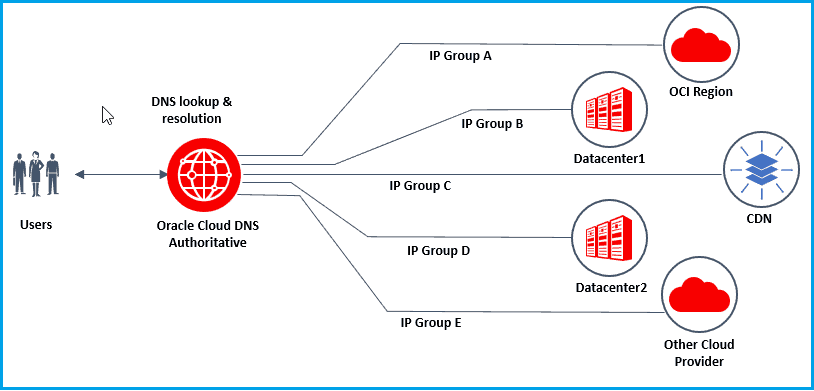
(4) Hybrid/Multicloud Environment
Traffic Management Steering Policies may be used to not only steer traffic to Oracle Cloud Infrastructure resources but it can also be used to steer traffic to any publicly exposed (internet resolvable) resources, including other cloud providers and enterprise data centers.
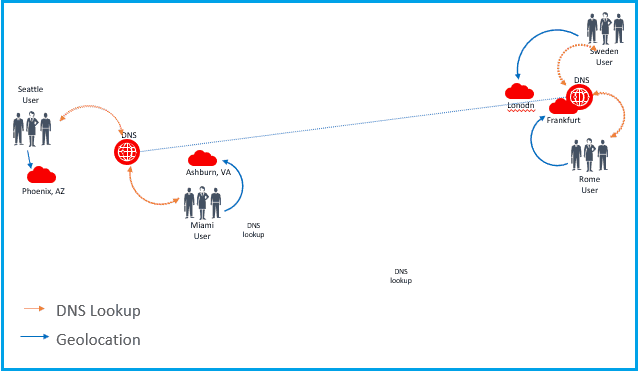
(5) Geolocation Steering
- Specify which endpoint a user will be steered to based on their geographical location.
- Combine with Oracle Health Checks to steer from one region to another.
- For example, keeping traffic from China in China and block traffic outside of China into China.
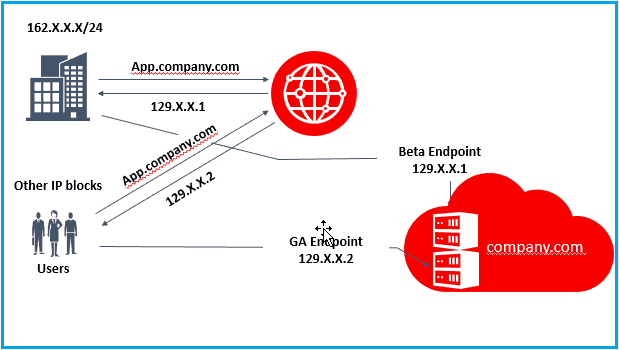
(6) Canary Testing
- You can configure policies to serve different responses for your internal users versus external users.
- Limit access to new/beta features before rolling out for General Availability.
(7) Zero Rating Service
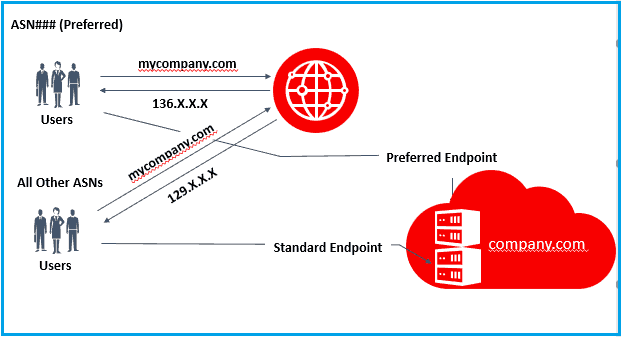
- Conditional steering can be based on the originating enterprise, mobile operator, or other communications provider.
- Preferred ASNs can be directed to free resources while all other traffic can be directed to paid resources.
OCI Traffic Management Policies
Steering Policies: A framework to define traffic management behavior to your zones. Steering policies contain rules that help to intelligently serve DNS answers.
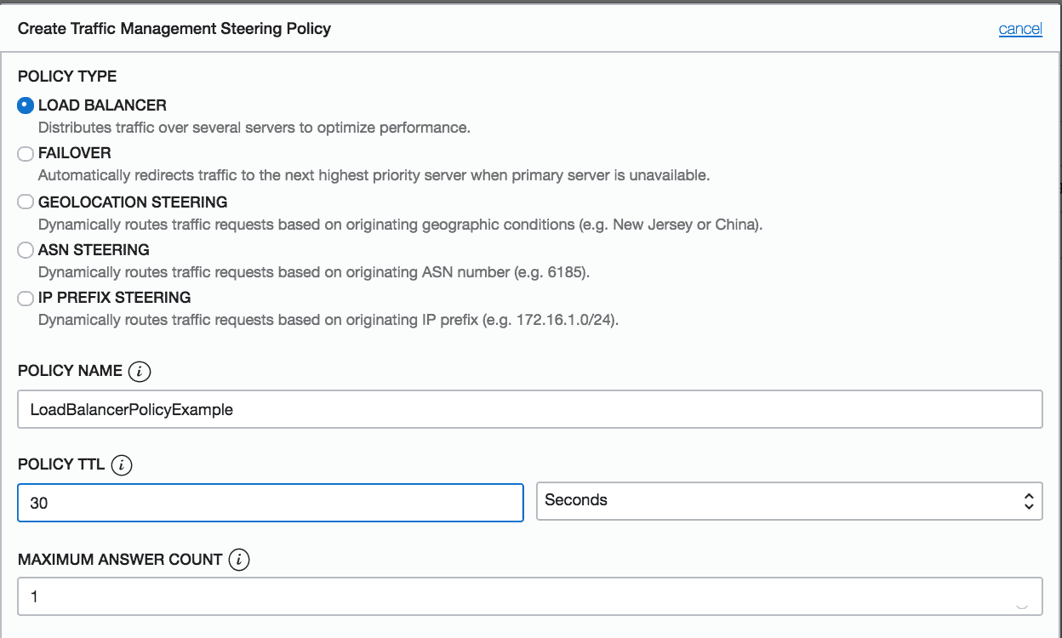
(1) Load Balancer Policies
- Load Balancer policies allow the distribution of traffic across multiple endpoints.
- Endpoints can be assigned to equal weights or custom weights to distribute traffic among endpoints evenly or in a particular ratio.
- Health Checks service is used to determine the health of the endpoint. DNS traffic will be automatically distributed to the other endpoints if an endpoint is determined to be unhealthy.
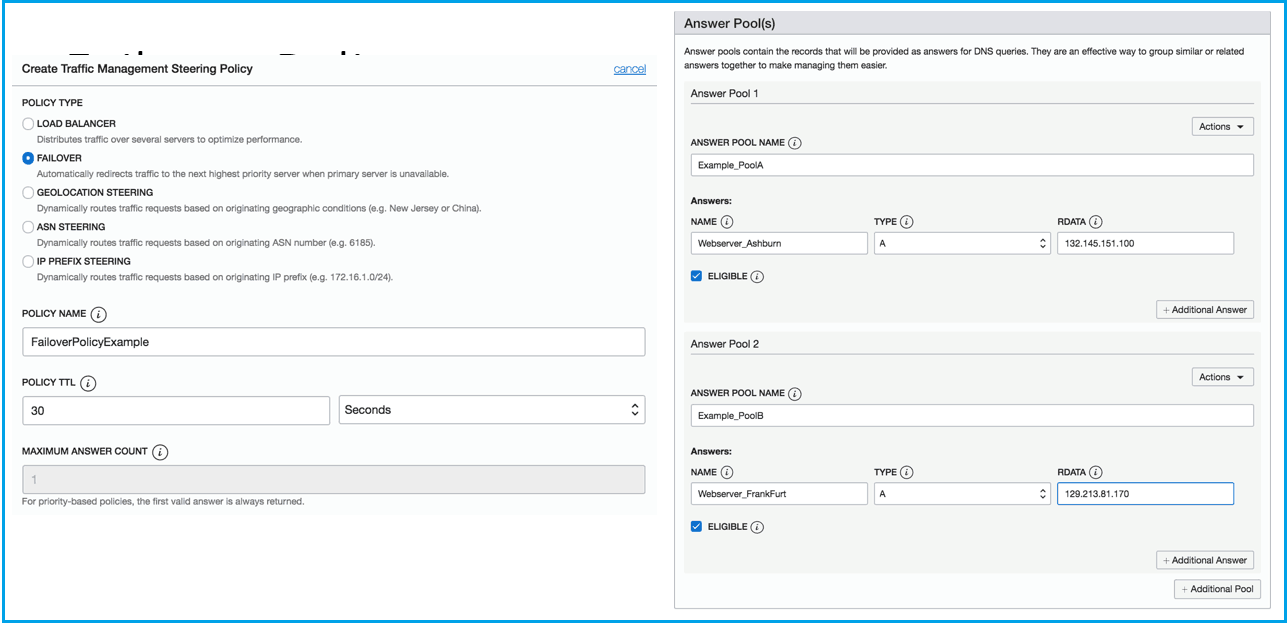
 (2) Failover Policies
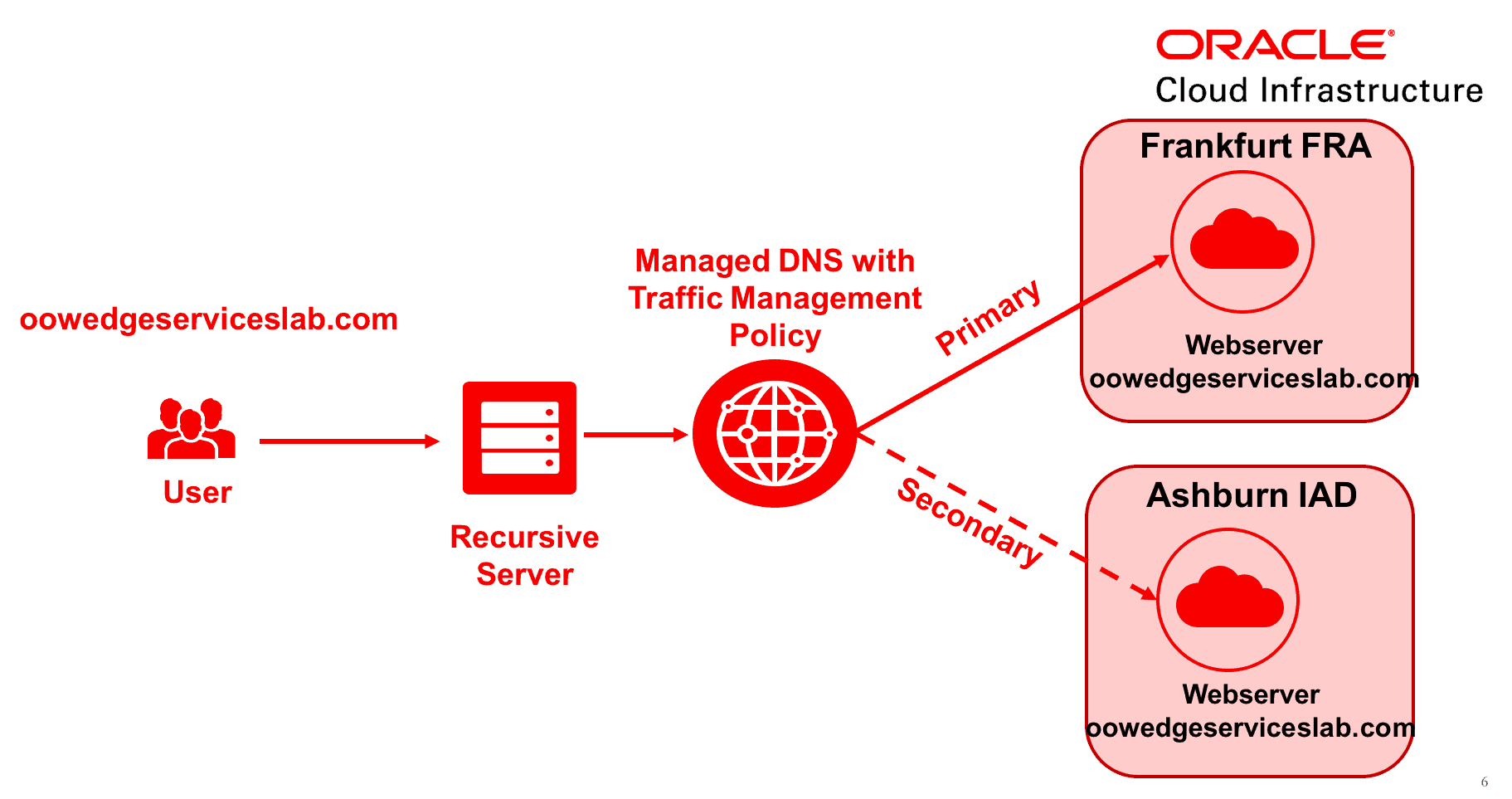
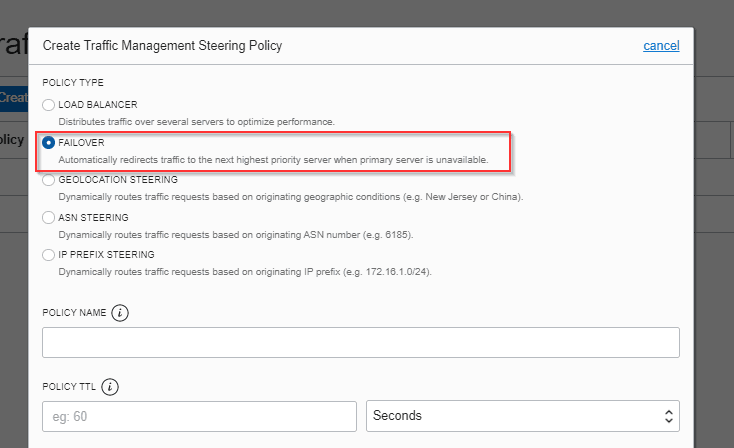
- Allow you to prioritize the answers served in policy (for example, Primary and Secondary).
- Oracle Health Check service is used to determine the health of answers in the policy.
- If the Primary Answer is determined to be unhealthy, traffic will automatically shift to the Secondary Answer.
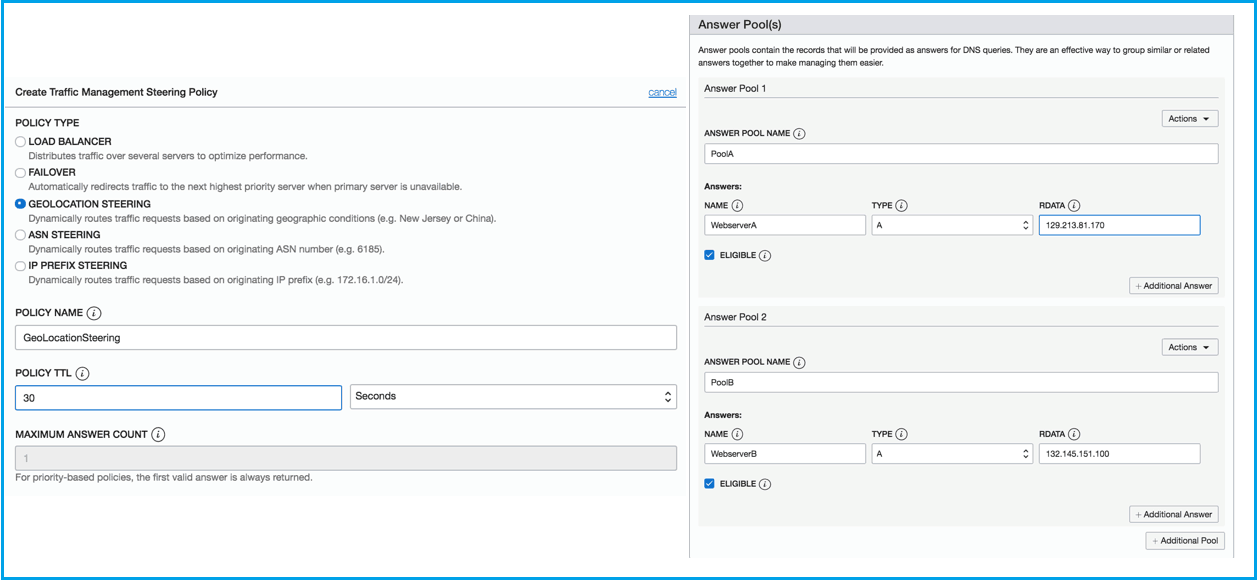
(3) Geolocation Steering Policies
- Distribute DNS traffic to different endpoints based on the geographical location of the end-user.
- For example, North American users traffic is routed to Pool A first, if Pool A fails only then the traffic is routed to Pool B.
- Adding a global catch-all allows specifying answer pools for queries that do not match any of the specified rules you have added. No global catch-all means that queries not matching any of the above rules will receive a random answer.
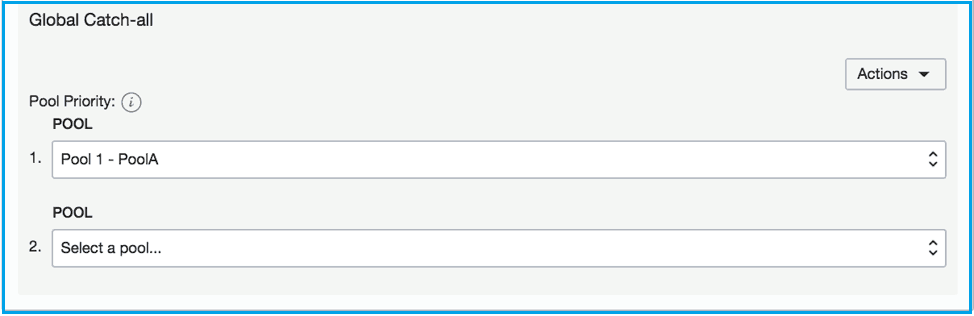
(4) ASN Steering Policies
- It allows you to steer DNS traffic based on Autonomous System Numbers (ASN).
- DNS queries originating from a specific ASN or set of ASNs can be steered to a specified endpoint.
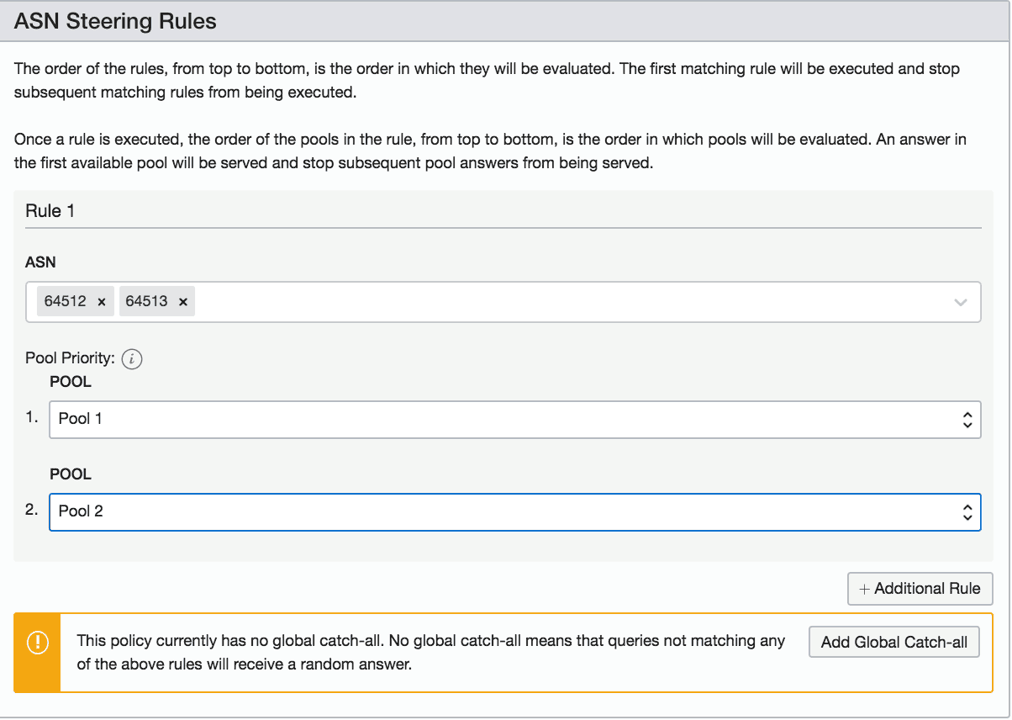
(5) IP Prefix Steering policies
- IP Prefix steering policies enable customers to steer DNS traffic based on the IP Prefix of the originating query.
Note: A subnet address that will be used to distribute DNS traffic.
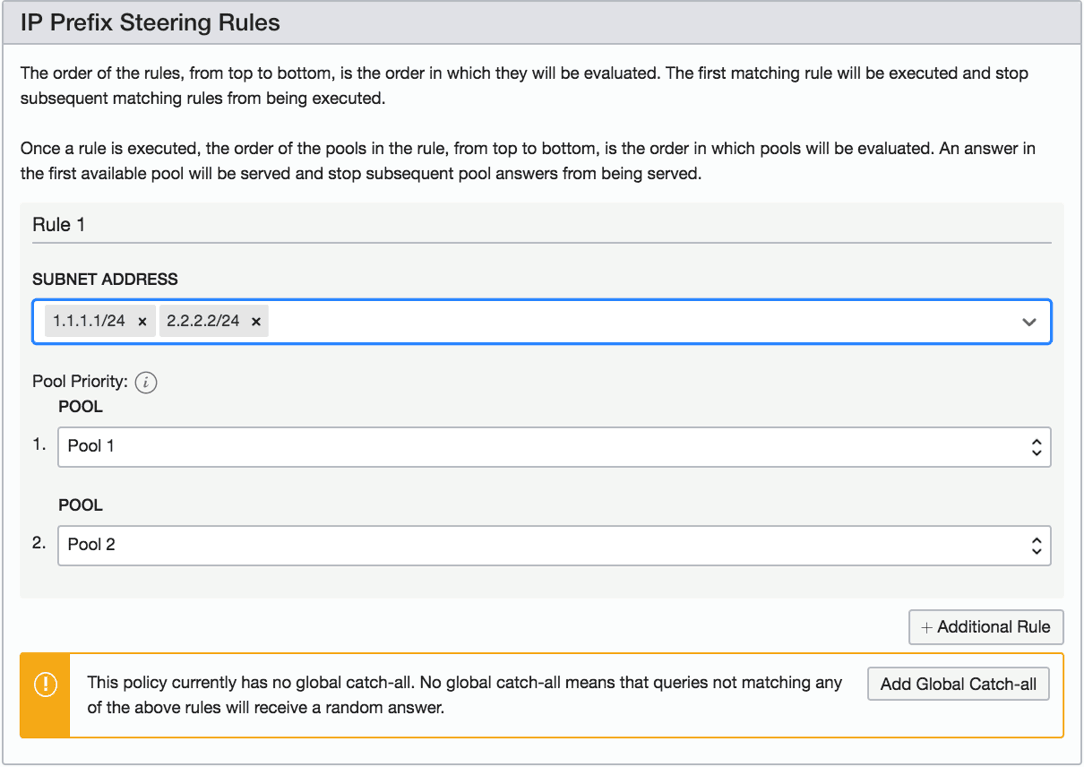
Steps To Create A Traffic Management Policy (Failover)
(1) In the navigation menu. Under Core Infrastructure, go to Networking and click Traffic Management Steering Policies.
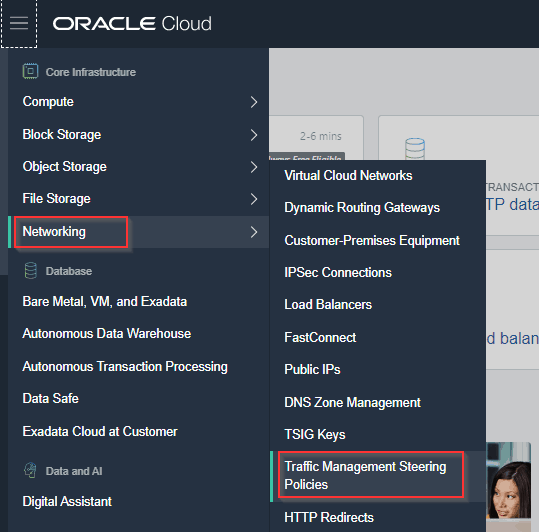
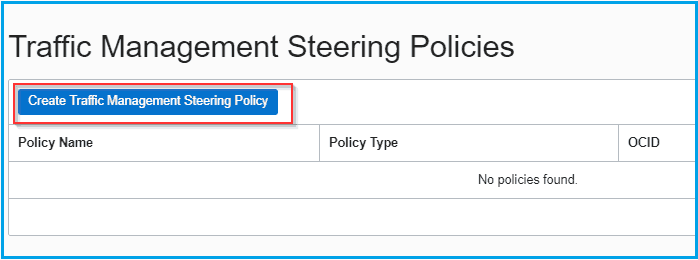
(2) Click Create Traffic Management Steering Policy.
(3) Select a steering Policy (in this example “Failover”)
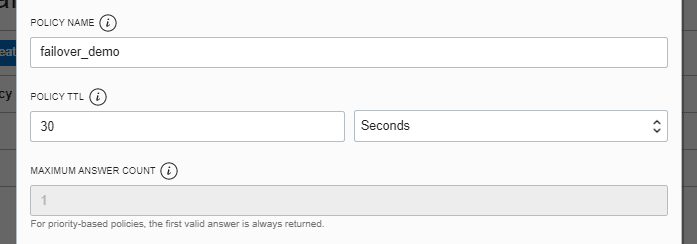
(4) Enter the following information:
- Policy Name is a unique name that identifies policy. Avoid entering confidential information.
- Policy TTL is the Time to Live for responses from the steering policy.
- Maximum Answer Count is the maximum number of answers return for the policy.
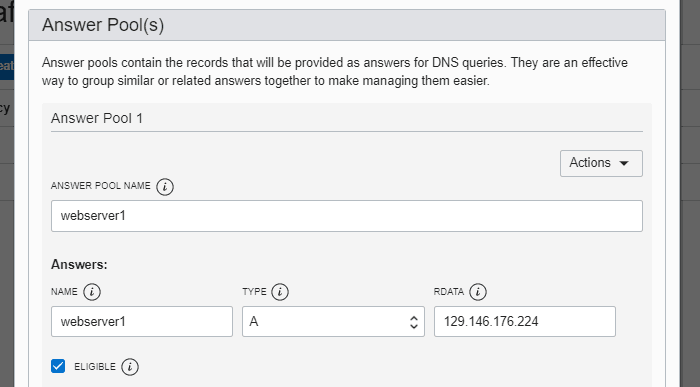
- Answer pools contain the group of answers that will be served in response to DNS queries.
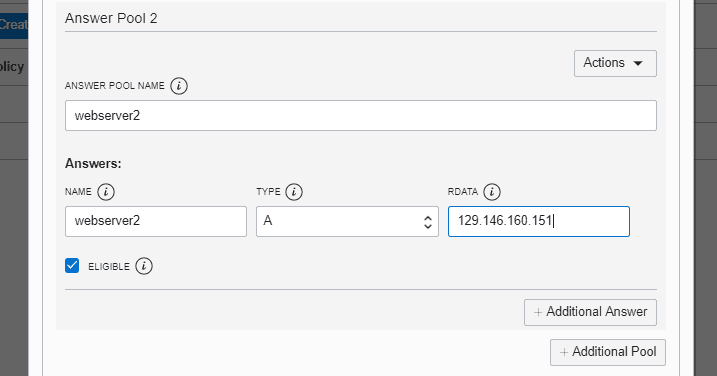
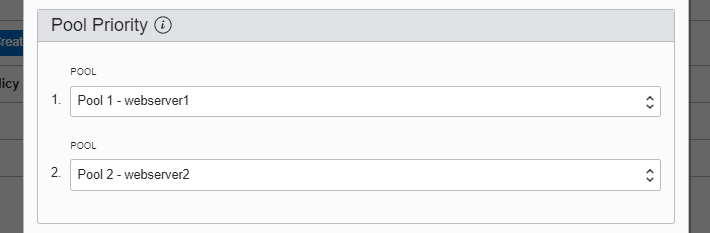
- Pool Priority specifies the priority of answers that are served in a policy.
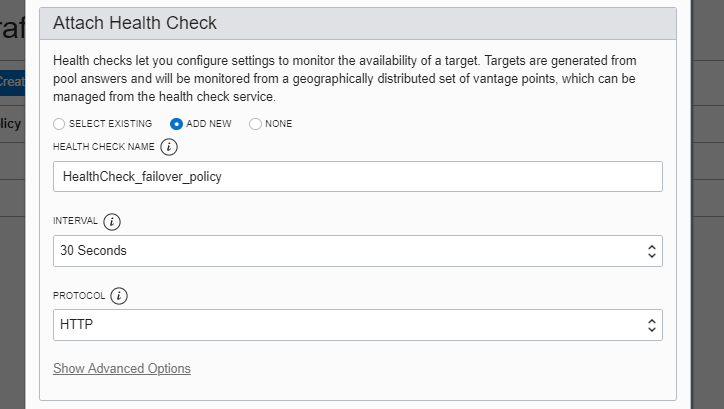
- Select a Health Check.
- Attach Domain(s) is the domain name and domain OCID you want to attach to the policy.
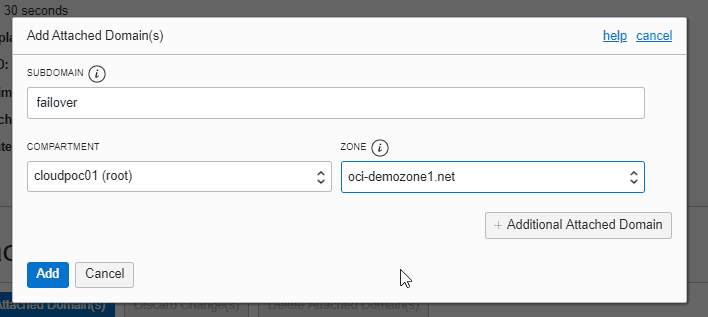
(5) Click Create Policy.
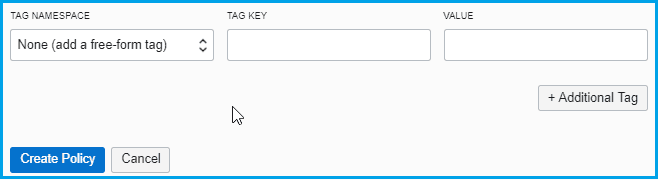
Note: To know more about Tagging in OCI click here.
Note: To know more about creating different Traffic management policies click here.
Conclusion
It is necessary to serve different answers (endpoints) to the DNS queries depending on the logic you define in the steering policy. In this post, I have covered the overview of traffic management, traffic steering use cases, traffic steering policies and steps to create traffic steering policy.
I hope it will help you understand the whole process.
Related/Further Readings
- Oracle Cloud Infrastructure 2019 Architect Professional | 1Z0-997
- [1Z0-997]Oracle Cloud Infrastructure (OCI) Architect Professional Certification: Step by Step Hands-On Lab
- Web Application Firewall
- SSL on Load Balancer
- Health Checks in OCI
Next Task For You
In our OCI Architect Professional [1Z0-997] Certification training, we cover Traffic management in Design for the Hybrid cloud architecture module. In this module, we also cover Virtual Cloud Network(VCN), Load Balancer, Fast Connect, VPN connect, DNS and DNS Zone Management.
For the list of Hands-On guide click here.


![Microsoft Agentic AI Business Solutions Architect [AB-100] | K21 Academy](https://test.k21academy.com/wp-content/uploads/2025/11/Microsoft-Agentic-AI-Business-Solutions-Architect-AB-100-Exam-Overview1.png)


