



Tagging in Oracle Cloud Infrastructure (OCI) is used to provide Metadata to the resources so that it becomes easier to list and organize resources present in multiple Compartments and also for billing purposes (Cost tracking tags).
In this blog post, I have covered the Overview and Basic Concepts of tagging in OCI.
Overview Of Tagging In OCI
- Tagging enables you to add metadata (data about data) to resources.
- It allows you to organize and to track resources within your tenancy.
- It allows you to define keys and values and associate them with resources.
Benefits Of Using Tags In OCI
- Tagging allows you to more amply organize, control, manage and report OCI resources.
- It allows service enabled users to filter control access.
- It also allows performing bulk actions on a set of resources.
Types Of Tags In OCI
There are two types of tags:
1) Defined Tags
- Tag administrator creating and managing all the tags that users will apply to resources.
- Use IAM policy to limit who can create tags to a few select tag administrators, while granting all others in the tenancy only the ability to apply tags.
- The advantage of using a defined tag over a free-form tag is to prevent tag spam.
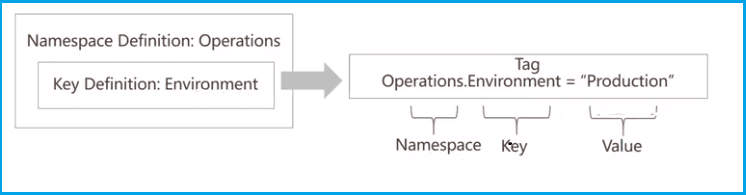
- Consists of a namespace, a key, and a value.
2) Free-form Tags
- It allows users to tags to resources.
- This approach provides no structure.
- Consists of a key & value only.

Also Check: Our blog post on OCI Compute. Click here
Basic Tagging Concepts
- Tag namespace is a container of tag keys. It consists of zero or more tag key definitions and must be unique across the tenancy.
- Tag Key is the name used for the tag. Tag keys for defined tags must be created in a namespace.
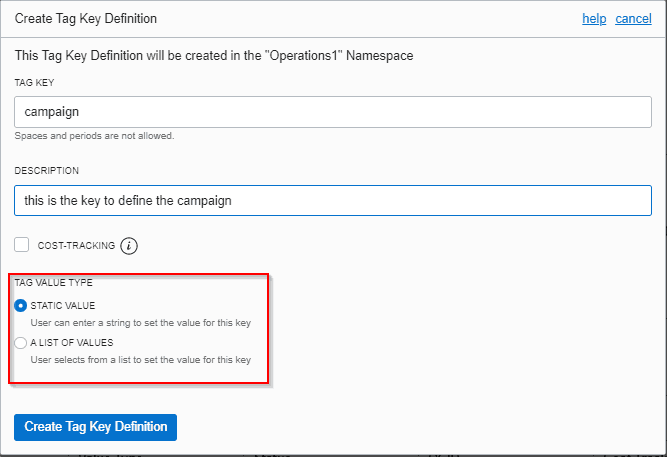
- Tag Value Type specifies the data type allowed for the value. Currently, two data types are supported: string and a list of strings.
- A Key Definition defines the schema of a tag and includes a namespace, tag key, and tag value type.
- The Tag Value is the value the user applying the tag adds to the tag key.
eg: Operations.CostCenter=”42″ Operations is the namespace, CostCenter is the tag key, and 42 is the tag value.
Also read: Everything you need to know about Oracle Cloud Infrastructure Compartments
Steps To Create Tags (Defined tags)
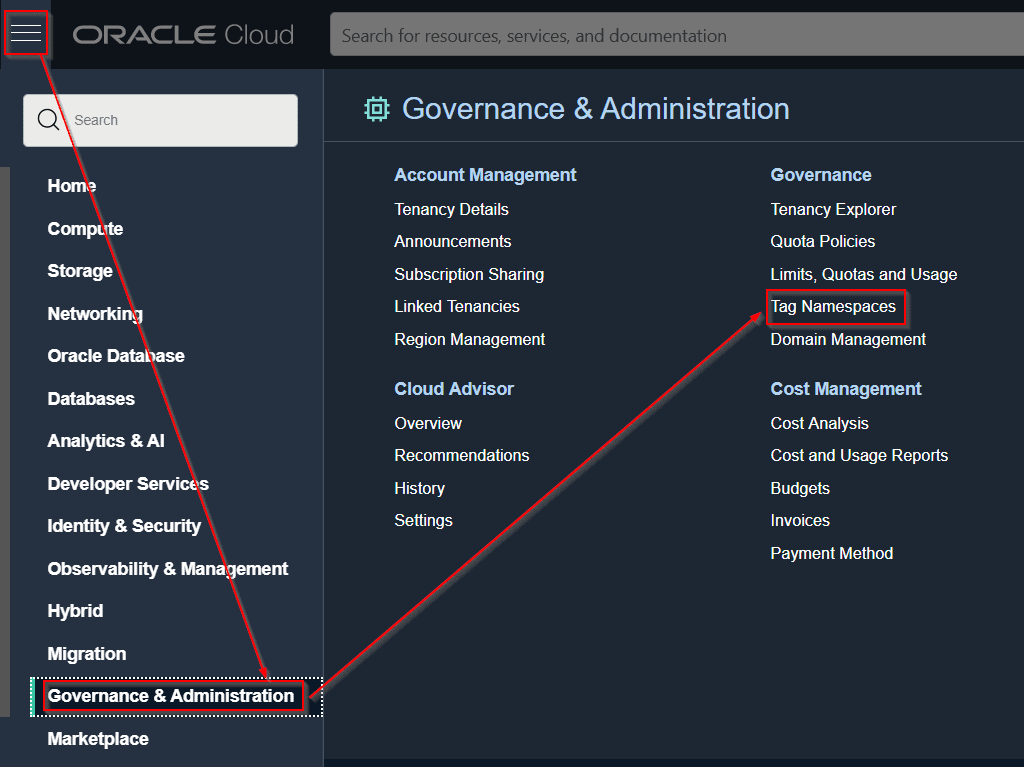
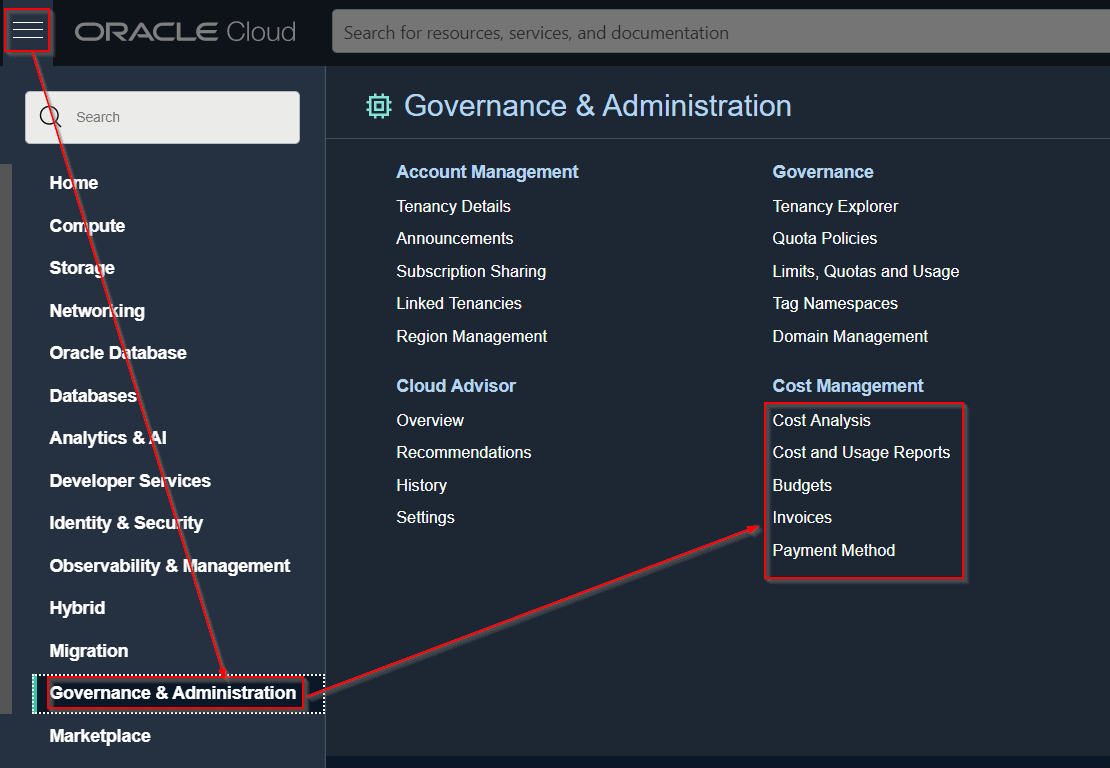
1) Click on Governance > Select Tag Namespaces
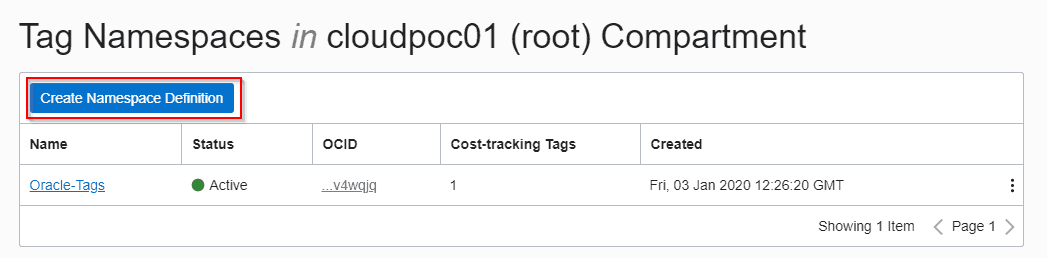
 2) Then click on the “Create Namespace Definition” button
3) Give the new Namespace a name and description.
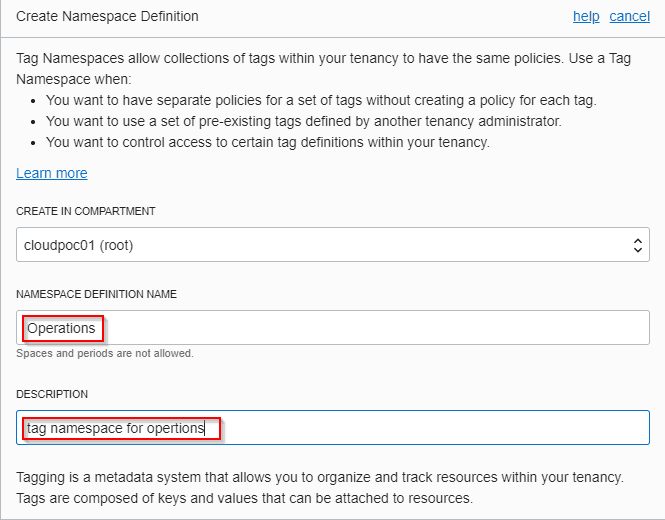
4) Click on Identity and select the Tag Namespace you wish to add the Tag Key Definition.
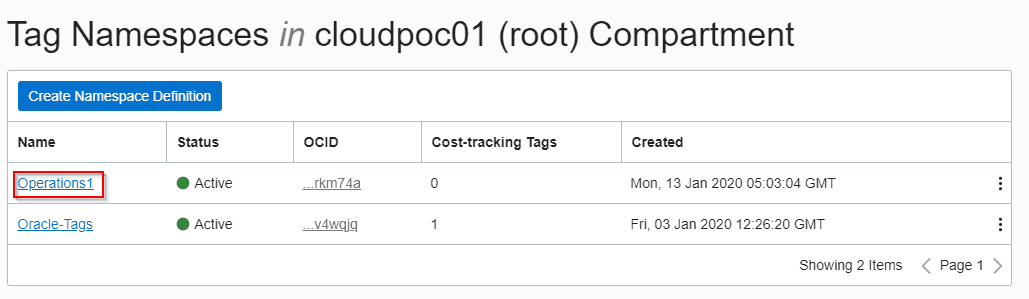
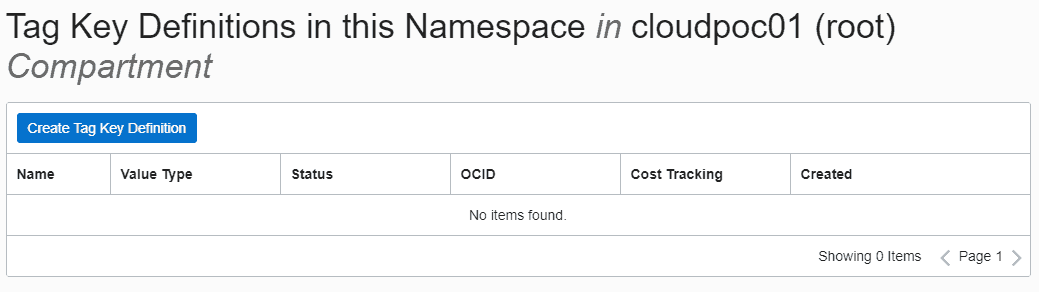
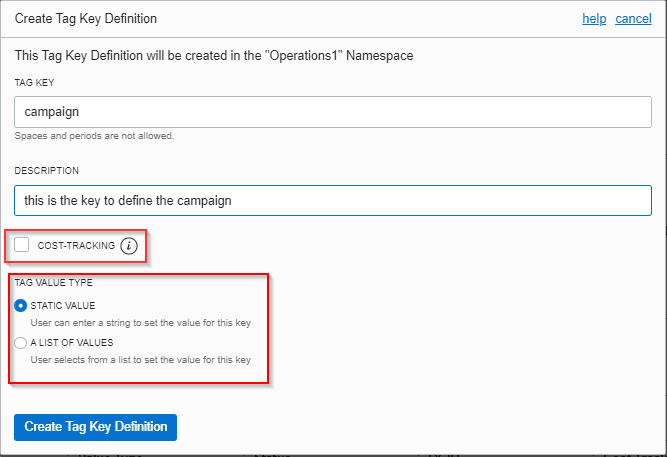
5) Click “Create Tag Key Definition”.
6) Type in the Tag Key (it must not contain spaces or dots) and its description.
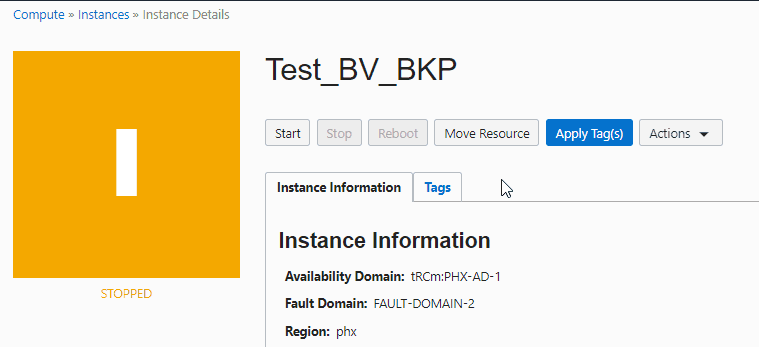
7) To apply tag click on “Apply Tag(s)”.
Cost Tracking Tags
A cost tracking tag is a type of defined tag that is sent to our billing system and shows up on your online statement in the My Services dashboard.
It helps to manage costs in tenancy.
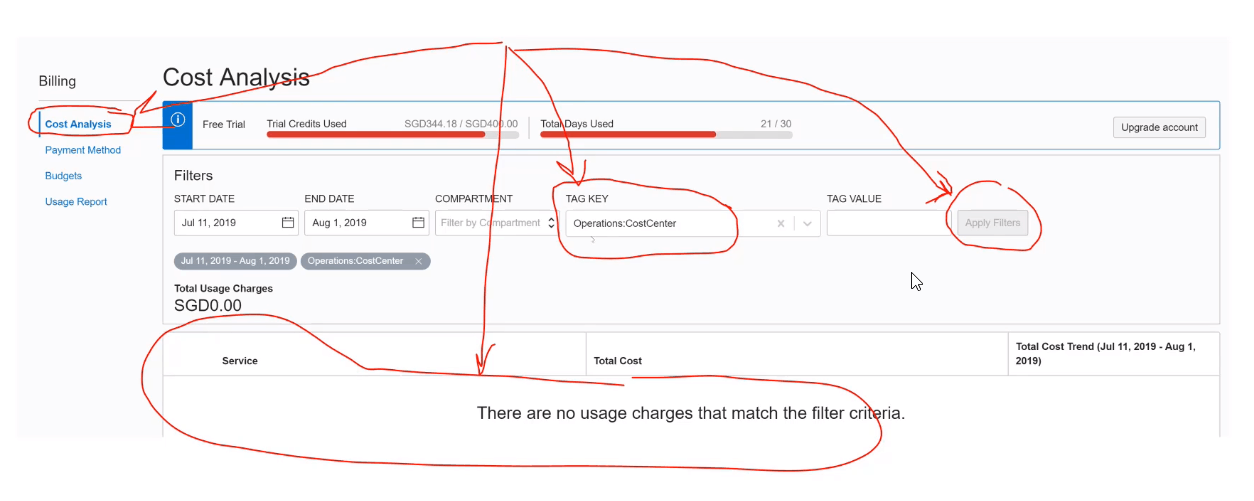
Note: For creating a cost tracking tag we need to tick a checkbox.
Cost tracking tags are used for:
- Filter projected costs.
- Set budgets.
- Filter and subtotal online statement.
Service Limits On Tags
- 100 tag namespaces per tenancy
- 100 tags per tag namespace
- Tags per resource: 10 free-form tags and 64 defined tags
- Tags enabled for cost-tracking: 10 per tenancy (includes both active and retired tags)
- Total tag data size: 5 K (JSON). The total tag data size includes all tag data for a single resource (all applied tags and tag values). Sizing is per UTF-8
Conclusion
It is necessary to keep the track of resources in different compartments in a tenancy and to list and organize those resources. In order to do the concept of tagging, it is introduced in the Oracle Cloud (OCI). In this blog, I have covered the overview, types, steps to create a tag inside a namespace, Cost tracking tags and Limits on tags.
I hope it will help you understand the whole process.
FAQs
Why is tagging important?
Tagging helps in resource categorization, cost tracking, and enforcing organizational standards, making it easier to manage and report on resources.
Can tags be used for access control and security?
Yes, tagging resources with security classifications or compliance labels facilitates easy identification and management of assets requiring specific security measures.
Is tagging only relevant for cost management?
While tagging is crucial for cost allocation and tracking, its benefits extend beyond cost management. It helps in resource organization, security compliance, and maintaining clarity in a dynamic cloud environment.
Are tags visible in billing and cost reports?
Absolutely. Tags play a crucial role in billing and cost reports by providing granular insights into resource consumption. They enable accurate cost allocation and help in understanding spending patterns for different projects or departments.
Related/Further Readings
Begin Your Cloud Journey
Begin your journey towards becoming an Oracle Cloud Expert and earn a lot more in 2024 by joining our FREE CLASS. You will also know more about the Roles and Responsibilities, Job opportunities for OCI Architects, Admins in the market, and what to study Including Hands-On labs you must perform to get the Higher Paying jobs.
Click on the below image to Register for Our FREE Class on MASTERING ORACLE CLOUD FOR DBAs, APPs DBAs, ARCHITECTS & SYS ADMINS


![Microsoft Agentic AI Business Solutions Architect [AB-100] | K21 Academy](https://test.k21academy.com/wp-content/uploads/2025/11/Microsoft-Agentic-AI-Business-Solutions-Architect-AB-100-Exam-Overview1.png)


