
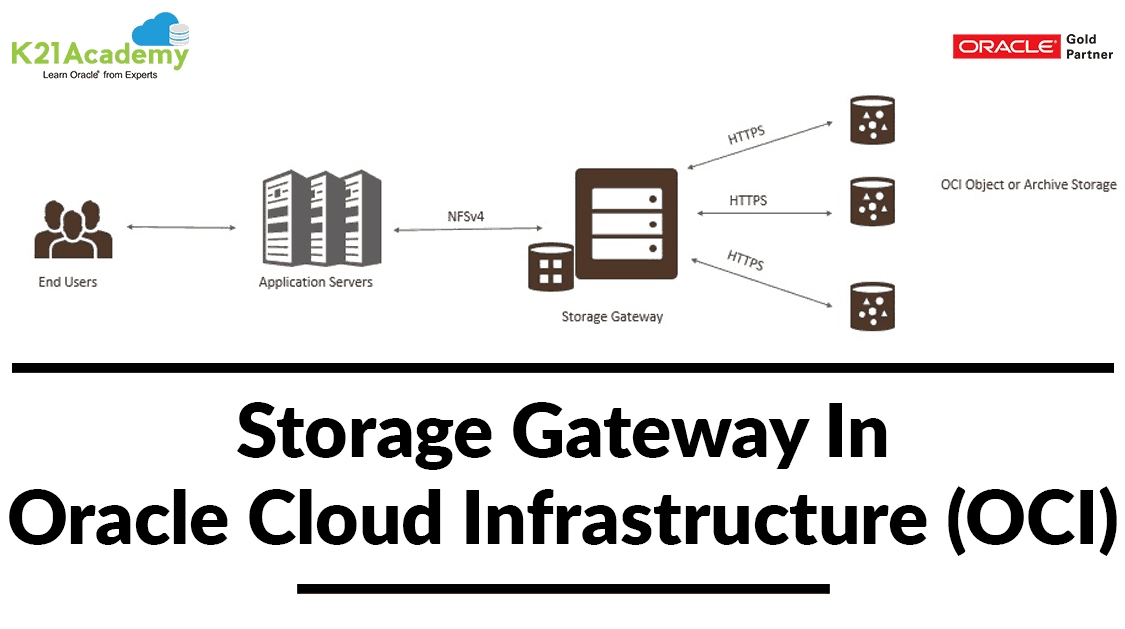



Do you know, now you can sync your On-Premise application data that can write to NFS mount without the pain of writing API to Oracle Cloud Object Storage? This can be achieved with Oracle Cloud Infrastructure features called “Storage Gateway“.
This blog post covers things you should know to leverage the use of Storage Gateway for Syncing your On-Premise data to Oracle Cloud Infrastructure Object storage.
To know more about different storage options in Oracle Cloud Infrastructure check here.
Overview: Storage Gateway In Oracle Cloud Infrastructure
- Storage Gateway supports you to connect the on-premise application to object storage in Oracle Cloud Infrastructure.
- Applications which can write data to an NFS target can also write data to the Oracle Cloud Infrastructure Object Storage, without requiring application modification to uptake the REST APIs.
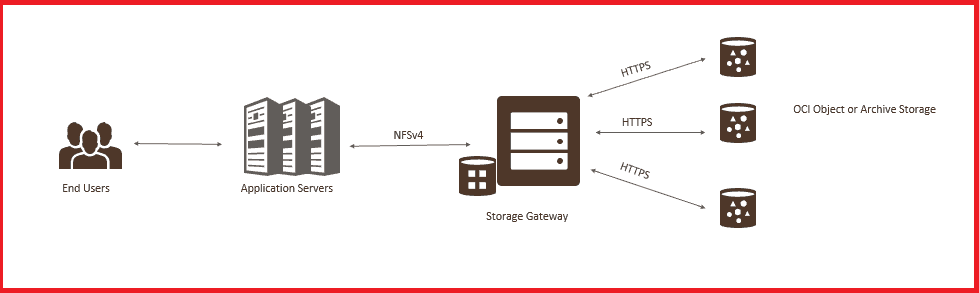
Note: Storage Gateway is a free service to all its Oracle Cloud Infrastructure customers
Use Cases Of Storage Gateway
For Hybrid Cloud Architecture, where your on-premise application using cloud storage (object storage)
- Using Oracle cloud storage and archive results in low cost
- Extension of the On-Premise data center to cloud with limitless storage
- Enhance disaster recovery and business continuity using cloud storage
For Data Migration & continuous Data Sync from On-Premise to Cloud
- Move data to cloud for Application or database migration
- Copy data to cloud storage, as it is written to On-Premise storage for HA
- Move your existing Data to object storage (one-time)

Check Out: OCI Compute Pricing. Click here
Installing Storage Gateway
Pre-requisite
- Two dual-core CPUs or better. Oracle recommends 4-core CPUs.
- The recommended local storage disk size is 600 GB, that includes 500 GB for the file system cache, 80 GB for metadata storage & 20 GB for log storage.
- Oracle Linux 7 with UEK Release 4 or later.
- Docker 1.12.6 or newer. Docker is an open platform for building, shipping, and running distributed applications, to more about docker, check here
- Network File System version 4 (ie NFSV4), to know more about NFS check here
High-Level Steps To Configure install & Configure Storage Gateway
Step1: Download the Storage Gateway Software, click here
Step2: Create a directory & unzip the software. eg ocisg
Stept3: Run the script “./ocisg-install.sh”
Step4; Once Installation is done, you will get a Storage Gateway Management console
- https://<storagegateway_hostname>:<port_number>
- Eg: https://myStorageGatewayHost:3769
Note: Make sure the port is open in the system where you have installed the storage gateway
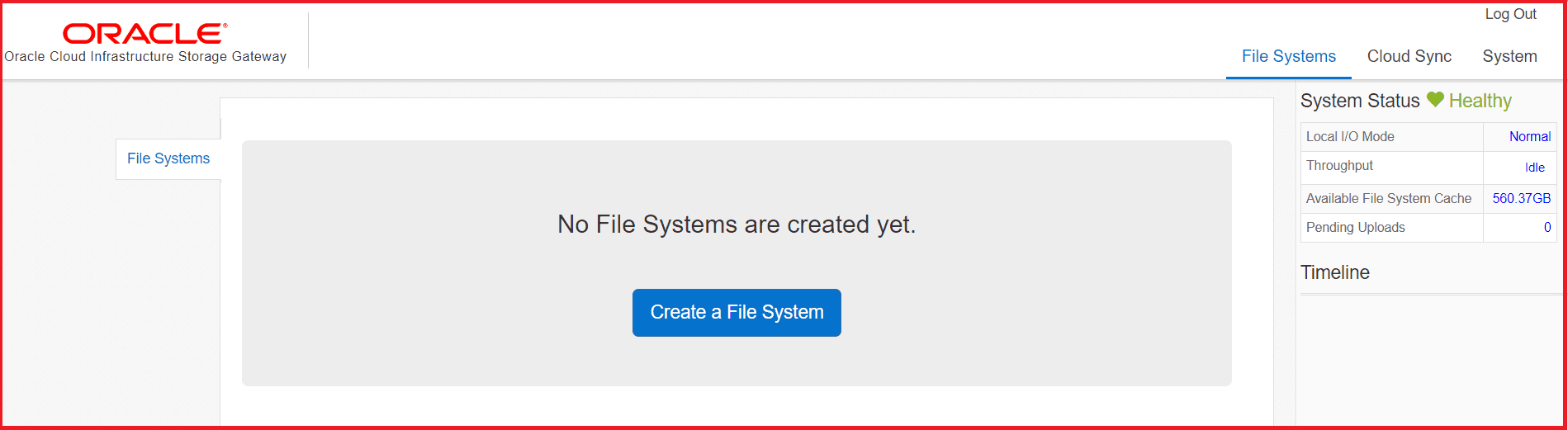
Step5: Create a file system, here you will be giving all the details of the cloud storage that you will be used for data sync which includes:
- OCID Of User, Compartment & Tenancy
- To know more about OCID, click here
- FingerPrint of User
- Object Storage Endpoint URL click here
- Object Storage Tier (Standard or Archive), to know more about it check here
Once you have put all the details click on create a file system, it will create a bucket in oracle cloud object storage, where all your On-Premise data will be syncing
Step6: Connect to the file system that you have created
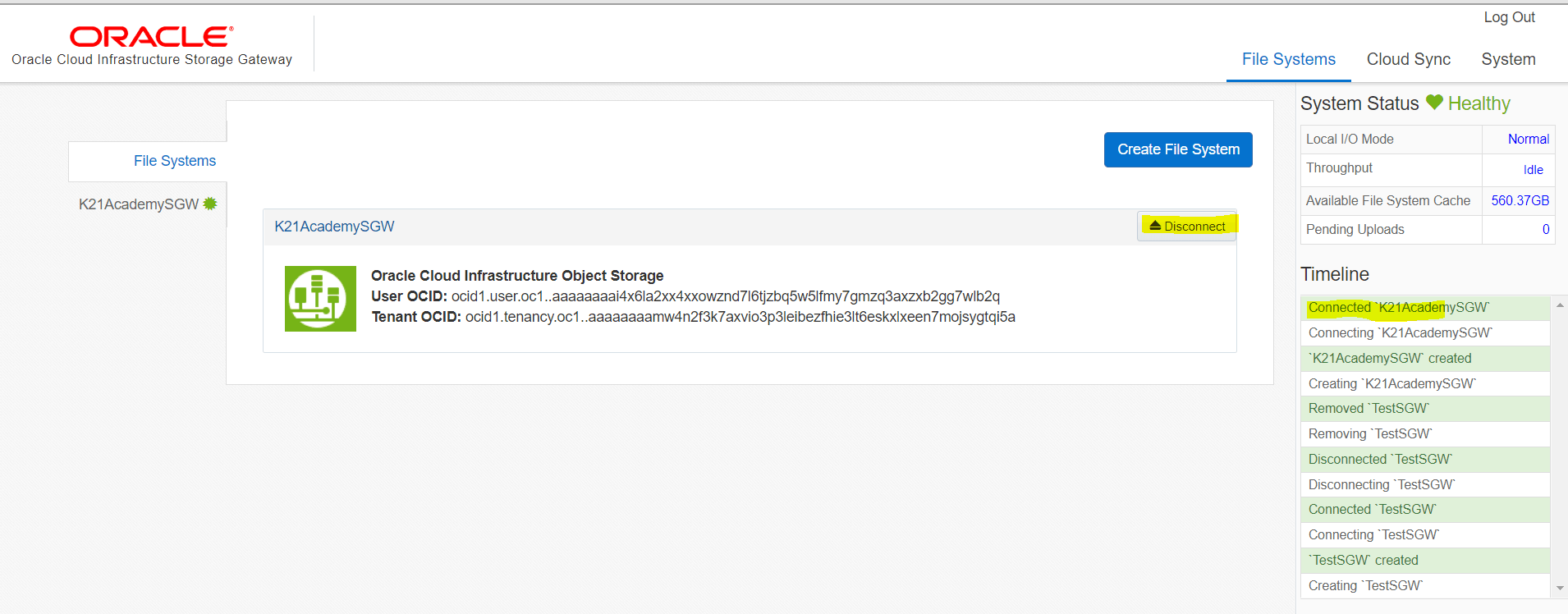
Step7: Mount the File System to your local system where you have installed storage Gateway
Command: sudo mount -t nfs -o vers=4,port=<NFS_port_number> <storage_gateway_host_name>:/<ocisg_file system_name> /<local_mount_point>
Step8: Validate whether your files are syncing to cloud object storage or not
I hope you find the blog useful in understanding Storage Gateway concepts in Oracle Cloud Infrastructure, please do post your comments in the comment section and let me know if you have doubts regarding storage gateway.
Related/Further Readings
- Overview of Storage Gateway(Oracle doc)
- [Video]: Oracle Cloud Infrastructure (OCI) | Storage Object, Block | File Storage, Data Transfer Service|
- 1Z0-1072 | Oracle Cloud Infrastructure 2019 Architect Associate
Begin Your Cloud Journey
Begin your journey towards becoming an Oracle Cloud Expert and earn a lot more in 2024 by joining our FREE CLASS. You will also know more about the Roles and Responsibilities, Job opportunities for OCI Architects, Admins in the market, and what to study Including Hands-On labs you must perform to get the Higher Paying jobs.
Click on the below image to Register for Our FREE Class on MASTERING ORACLE CLOUD FOR DBAs, APPs DBAs, ARCHITECTS & SYS ADMINS


![Microsoft Agentic AI Business Solutions Architect [AB-100] | K21 Academy](https://test.k21academy.com/wp-content/uploads/2025/11/Microsoft-Agentic-AI-Business-Solutions-Architect-AB-100-Exam-Overview1.png)


