





In this post, We are going to cover step by step instructions on how to download any version of Oracle E-Business Suite from Oracle Software Delivery Cloud (with screenshots). This post is for everyone who is a beginner or advanced and working as Apps DBA, DBA’s, etc.
If you are looking for Oracle E-Business 12.2.8 software: how to download, upgrade path to 12.2.8, and new features that come with EBS 12.2.8 then look here
Oracle EBS Download R12
Note: Make sure you have your OTN credentials with you, then only you will be able to login to edelivery site, if you don’t know how to register for OTN then click here
1. Access Edelivery Oracle site
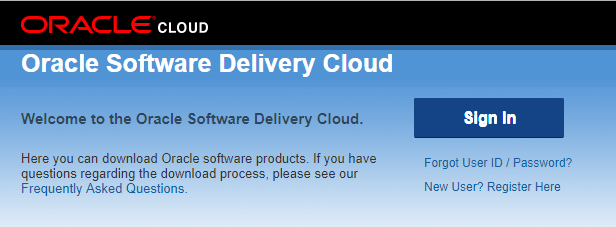
2. Click on Sign In button
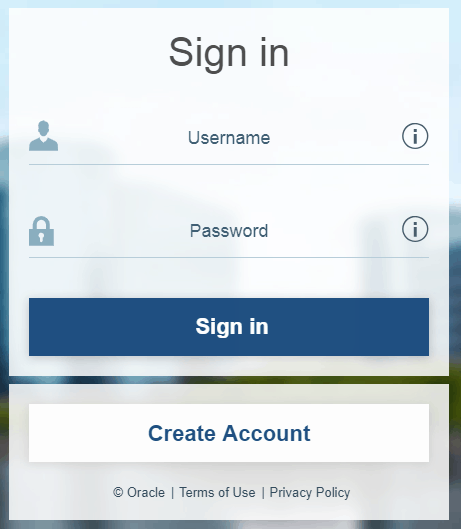
3. Enter Username and Password and then click on Sign In button
4. You should see the below screen and from Popular Downloads, you see Oracle E-Business Suite 12.2.8
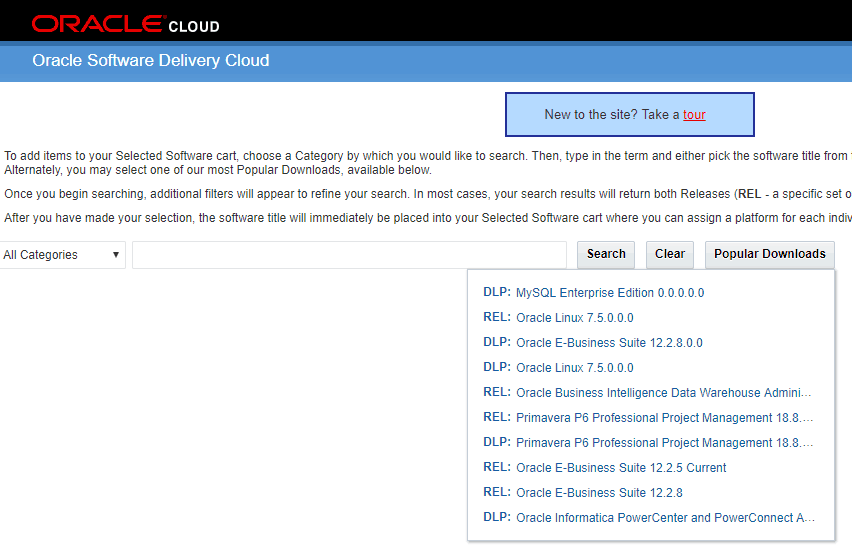
Or
Enter Oracle E-Business Suite in the search box and click on the Search button
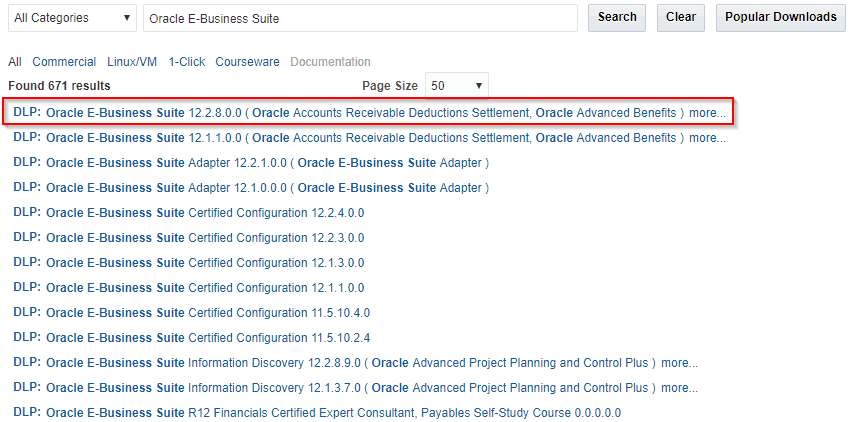
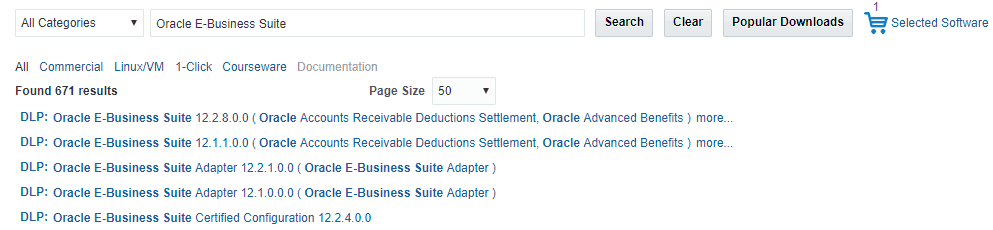
5. Select which release you want to download, here we selected DLP: Oracle E-Business Suite 12.2.8.0.0 ……….. and it should be added to cart, click on Selected Software
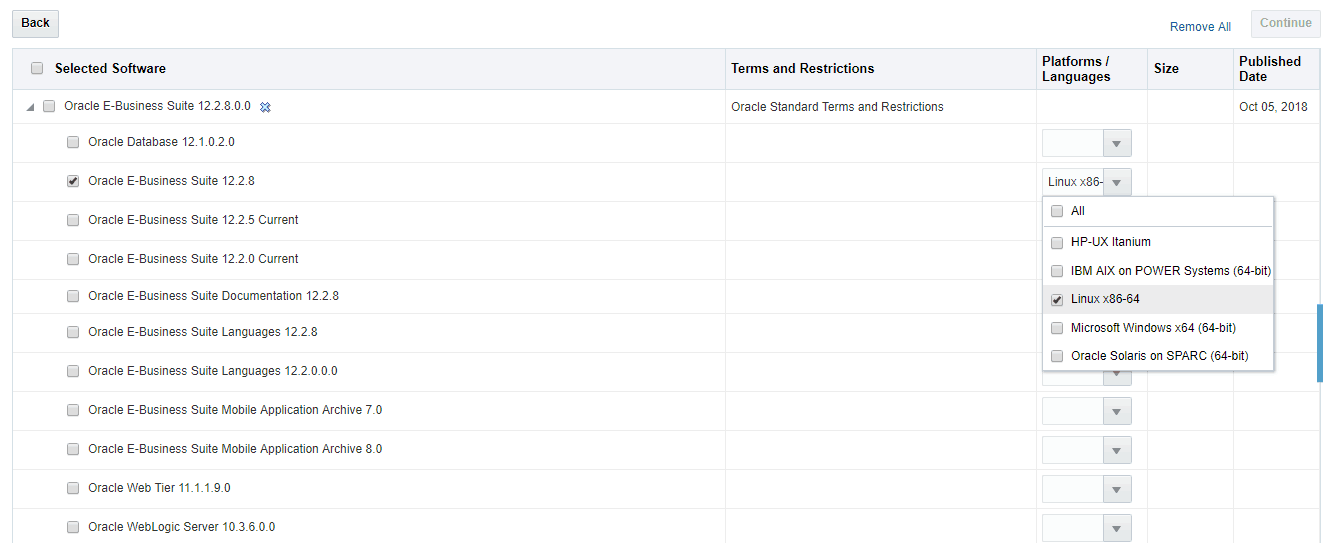
6. Select Product and Platform and click on the Continue button
7. On Oracle Standard Terms and Restrictions screen, check the box ‘I have reviewed and accept the terms of the Commercial License, Special Program License and/or Trial License’ and then click on the Continue button

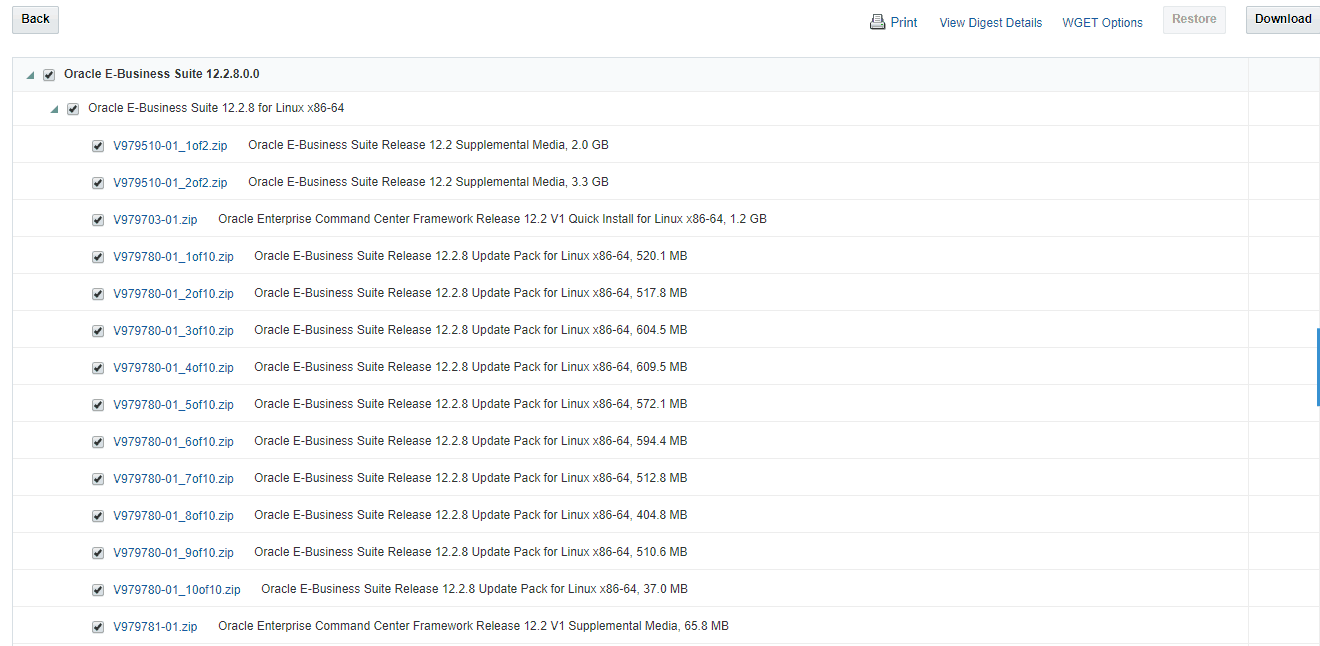
8. Select the files and click on Download
Related/Further Readings
- Recommended Browsers for Oracle E-Business Suite Release 12 [Doc ID 389422.1]
- Oracle E-Business Suite Release 12.2 Information Center (Doc ID 1581299.1)
- Oracle E-Business Suite Release 12.2.9 Readme (Doc ID 2495027.1)
- Oracle E-Business Suite 12.2.9 Now Available
- [Troubleshooting] Forms Issue: FRM-92050 failed to connect to server:forms/servlet
- Oracle E-Business Suite (EBS) 12.2.9 Now Available & Its Upgrade Steps
- Oracle AppsDBA (R12.2) Training: Step by Step Activity Guides/Hands-On Lab Exercise
- Oracle AppsDBA (R12.2): Install | Patch | Clone | Maintain
Next Task For You
We cover Oracle E-Business R12.2 Architecture & concepts in our Oracle Apps DBA For Beginners Training along with the Installation, Patching, Cloning, and Troubleshooting and also, Database upgrade to 19c and much more including the hands-on labs you must perform to upgrade your skills and get a good job with a high package.
Begin your journey towards becoming an Apps DBA by joining our FREE Masterclass on How To Learn Oracle Apps DBA (R12) & It’s New Features.


![Microsoft Agentic AI Business Solutions Architect [AB-100] | K21 Academy](https://test.k21academy.com/wp-content/uploads/2025/11/Microsoft-Agentic-AI-Business-Solutions-Architect-AB-100-Exam-Overview1.png)



