
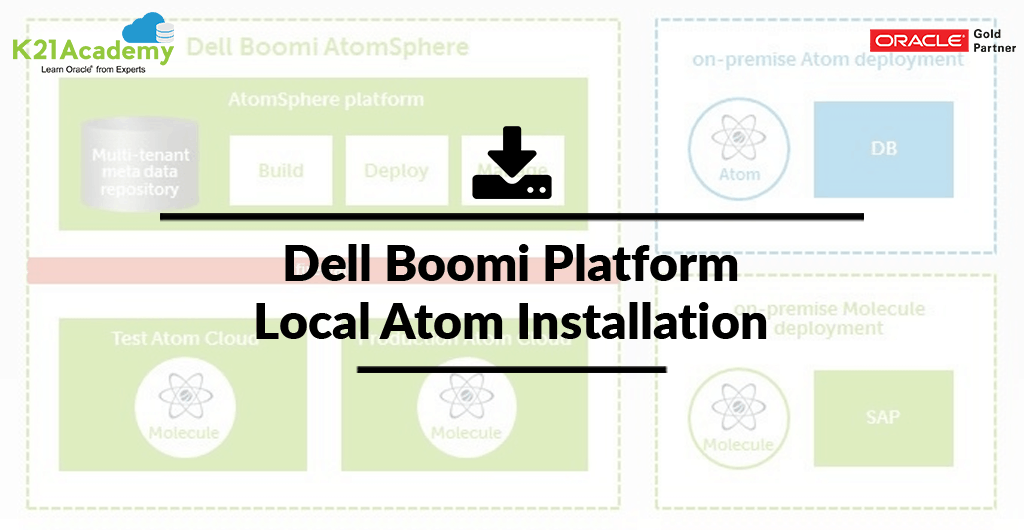





In this post, we are going to cover What is an Atom, Atom Setup and Steps for Local Atom Installation i.e How to Install the Execution Engine of Dell Boomi Platform.
What is an Atom:
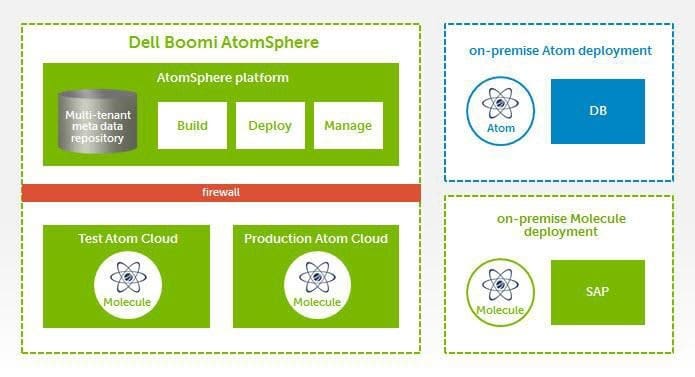
- At the lowest level of Boomi’s architecture is the Atom.
- An Atom is a lightweight, dynamic runtime engine created with patent-pending technology, Boomi Atoms contain all the components required to execute an integration process.
- There is a full-featured dashboard to monitor the status and health of all Atoms and integration processes whether they are deployed in the cloud or on-premise.
- This is a single-tenant, single node runtime engine. It contains all of the components (connectors, transformation rules, business/processing logic) required to execute processes.
- It is lightweight and can be installed to a local machine or virtual machine in the cloud.
Atom setup
- Processes are executed on one or more Atoms, so before you run a process you must first set up an Atom.
- Atoms can be set up locally on a machine within your network if the integration scenario includes local resources.
- You also can set up your processes to run virtually on an Atom within a Dell Boomi Atom Cloud (or in another Atom Cloud if you have access to one) if your integration scenario requires only Internet-accessible applications and/or data locations.
Local Atom Installation:
It supports two deployment models :
- An in-the-cloud deployment model that is used when all the integration endpoints are cloud-based and
- An on-premise deployment model that is used when any of the integration endpoints are within a corporate network.
STEPS for Installation:
- Must be connected to the Internet
- Installation user must be an administrator
- Identify the OS : Windows 64-bit & Linux, RHL/ Ubuntu / Oracle
- Check Minimum Hardware Requirements

- Check Port (9090)
- JRE
- 7 and 8 are supported
- Optional [install the Java Cryptography Extension (JCE) Unlimited Strength Jurisdiction Policy Files]
- Download the local Atom installer in one of the following ways:
- Go to Manage > Atom Management and click >
- On the Build page, click the Welcome Under the Create heading, click Atom.
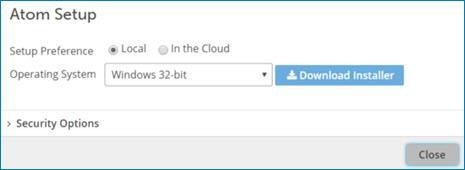
- The Atom Setup dialog opens
-
- (Optional) Open the Security Options section to generate an installer
- Click Generate
- Paste the token to another location for use when performing the installation
- Click Download
- Click Save
- (Optional) Open the Security Options section to generate an installer
9. Run the installer with admin privileges:
 10. Installer will ask for Username and password or Token
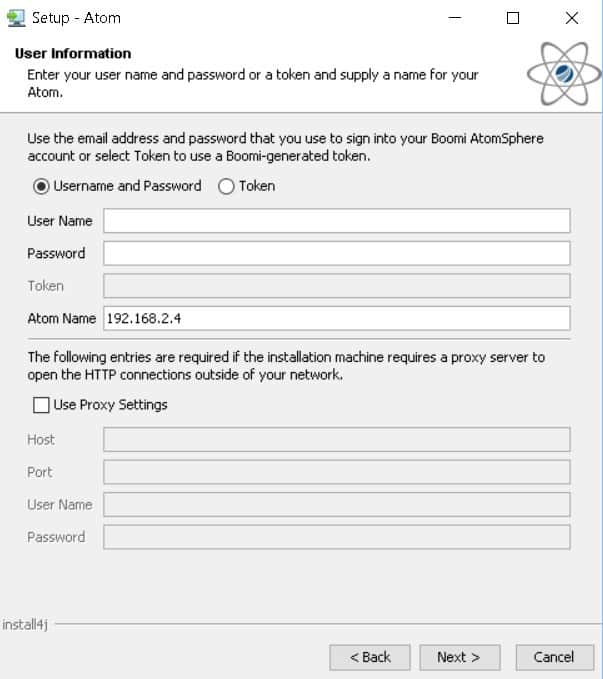
11. After this it will confirm the installation location and Once Atom is installed successfully, you can log in to https://platform.boomi.com/ and check the status in Atom Management.
So, this is about the steps for How to Install the Execution Engine of Dell Boomi Platform.
Related Posts:
- Terminologies Every Dell Boomi Developer Must Know , Click Here
- Four Key Points About Dell Boomi AtomSphere Platform , Click Here
- Build your first Dell Boomi Process in 5 min , Click Here
- Steps to Deploy Process in Dell Boomi Platform , Click Here
- Unique Features of Dell Boomi Platform , Click Here
If you have not downloaded FREE eBook – 6 Docs Every Dell Boomi Developer Must Read yet, kindly Register and Get a copy in your Email inbox.

Did You Find this Blog useful?
Leave a Comment.

![Microsoft Agentic AI Business Solutions Architect [AB-100] | K21 Academy](https://test.k21academy.com/wp-content/uploads/2025/11/Microsoft-Agentic-AI-Business-Solutions-Architect-AB-100-Exam-Overview1.png)



