
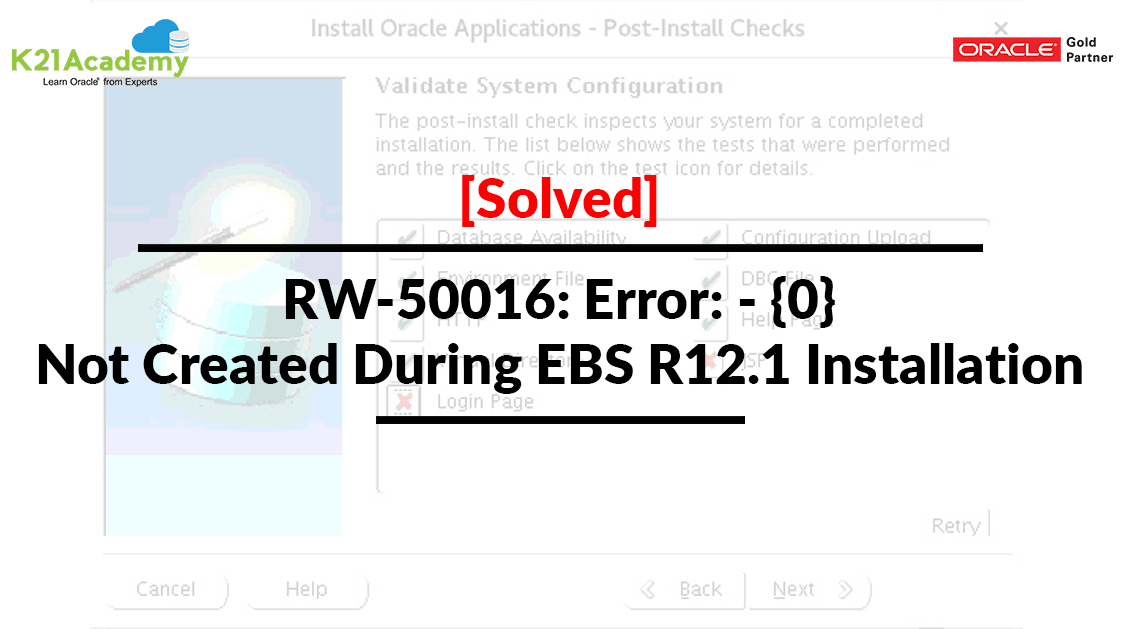



In this post, we are going to cover the issue and fix that one of our trainees were facing while Installing Oracle EBS R12.1. They were getting this error RW-50016: Error: – {0} was not created:
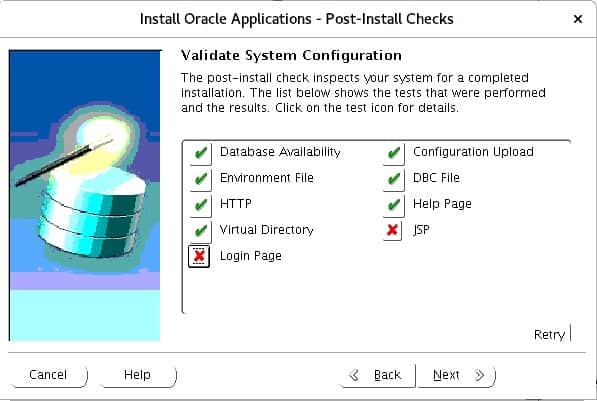
The following error occurs during the post-install check. Don’t worry we have got you covered in this blog.
Also Read: Our blog post on Oracle EBS Upgrade. Click here
Issue:
The following error occurs during the post-install check:
If you click on the cross before the Login Page you will get this error.
  checking URL = http://<hostname>.<domainname>:<port>/OA_CGI/FNDWRR.exe

  RW-50016: Error: - {0} was not created:
  File = {1}
Check Out: Our blog post on Oracle EBS Architecture. Click here
Symptoms:
If you HTTP is not validated, then other install checks after, HTTP will also fail as they depend on HTTP for their functionality.
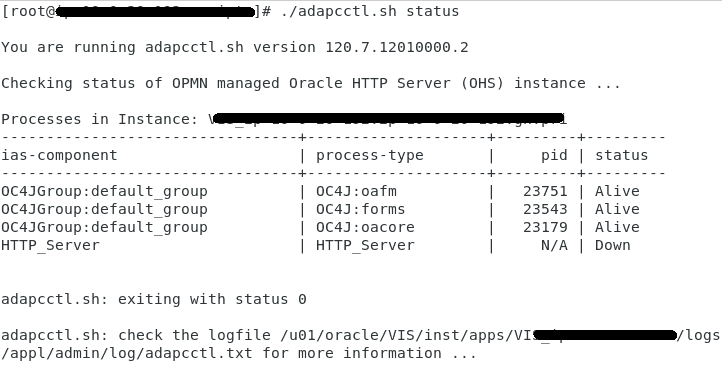
For this let’s check the status of Apache Web Server Listener go to scripts home and then check the status of adapcctl.sh.
Using applmgr user run the following command:
-
cd $ADMIN_SCRIPTS_HOME
-
adapcctl.sh status
You will find that the HTTP_Server is down.
Also Check: Our blog post on Edelivery Oracle. Click here
Cause:
This error is Cause due to a missing library (/usr/lib/libdb.so.2).
Solution:
For this, open a new terminal and go to your scripts home.
-
- cd $ADMIN_SCRIPTS_HOME
- ./adstpall.sh apps/apps (Shut all application services)
- Create the below link for library file
- ln -s /usr/lib/libgdbm.so.2.0.0 /usr/lib/libdb.so.2
- ./adstrtal.sh apps/apps (Startup all application services)
- Now press the Retry button.
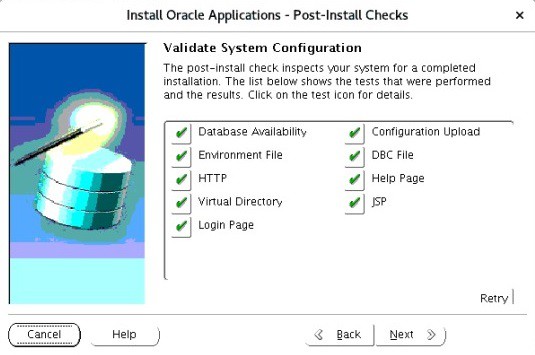
RW-50015 Error HTTP Listener - You will find that all the Validation check completed successfully.
Check Out: How to Start Workflow Notification Mailer in R12. Click here
Now check the Apache Web Server Listener and you will find that all the Web server listener is up and running.
Using applmgr user run the following command:
-
cd $ADMIN_SCRIPTS_HOME
-
adapcctl.sh status
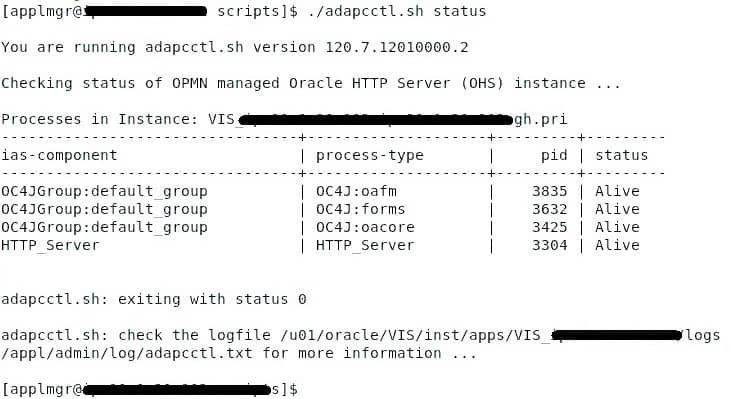
You will find that the HTTP_Server is Alive.
Please share this Blog with your friends/Colleagues and stay tuned for our upcoming blogs.
Related/Further Readings
- [Video] Oracle Apps DBA (R12.2) Installation : FREE Training
- Installing Oracle E-Business Suite? Look at new StartCD
- Oracle AppsDBA (R12): Step by step Activity Guides
- Oracle AppsDBA (R12.2): Install | Patch | Clone | Maintain
- Oracle E-Business Suite Installation and Upgrade Notes Release 12 (12.2) for Linux x86-64 (Doc ID 1330701.1)
- 12.2 Rapid Install Fails On Installing Web Tier Utilities With Error “Fatal Error: TXK Install Service” (Doc ID 1587452.1)
This post is from our Oracle Apps DBA (R12.2) Training, in which we cover Architecture & Changes in Oracle E-Business Suite R12.2, Staging & Installation, File System & Important Files in R12.2, Start/Stop, Patching, AD Administration, Cloning, Concurrent Managers, AutoConfig, Password Management and Troubleshooting and much more
Next Task For You
We cover Oracle E-Business R12.2 Architecture & concepts in our Oracle Apps DBA For Beginners Training along with the Installation, Patching, Cloning, and Troubleshooting and also, Database upgrade to 19c and much more including the hands-on labs you must perform to upgrade your skills and get a good job with a high package.
Begin your journey towards becoming an Apps DBA by joining our FREE Masterclass on How To Learn Oracle Apps DBA (R12) & It’s New Features.


![Microsoft Agentic AI Business Solutions Architect [AB-100] | K21 Academy](https://test.k21academy.com/wp-content/uploads/2025/11/Microsoft-Agentic-AI-Business-Solutions-Architect-AB-100-Exam-Overview1.png)


