



This blog post discusses the fix for the error encountered while installing the Oracle E-Business Suite (EBS) R12.2
Issue Encountered
- Error in Logs: RW-50010: Error: – script has returned an error: 1
- RW-50004: Error code received when running external process.
- Check log file for details. Running APPL_TOP Install Driver for VIS instance
Also Check: Our blog post on ADOP.
Reason For The Error
There are two reasons why this error can occur:
Cause 1: If you are continuing EBS installation after a failed attempt, and there are some residue files from the previous installation.
There were some files or inventory references remaining from the previous installation due to which the current installation failed. This can be confirmed in the uploaded log file $ORACLE_HOME/temp/$CONTEXT_NAME/logs/oracle.apps.fnd.txk.install0.log which contains the errors:
Fatal Error: TXK Install Service

oracle.apps.fnd.txk.config.ProcessStateException: OPatch process failed : Exit=100 See log for details. CMD= perl /ora/oracle/VIS/fs2/EBSapps/10.1.2/OPatch/opatch.pl apply -verbose -silent -ocmrf /ora/oracle/VIS/fs2/inst/apps/VIS_localhost/temp/ASInstallHome/fnd/admin/template/txkForms_ocm.rsp /ora/oracle/VIS/fs2/inst/apps/VIS_localhost/temp/patches/16271876/16271876

at oracle.apps.fnd.txk.config.OPatchActionNode.processState(OPatchActionNode.java:312)

at oracle.apps.fnd.txk.config.PatchActionNode.processState(PatchActionNode.java:187)

at oracle.apps.fnd.txk.config.PatchNode.processState(PatchNode.java:338)

at oracle.apps.fnd.txk.config.PatchesNode.processState(PatchesNode.java:79)

at oracle.apps.fnd.txk.config.InstallNode.processState(InstallNode.java:68)

at oracle.apps.fnd.txk.config.TXKTopology.traverse(TXKTopology.java:594)

at oracle.apps.fnd.txk.config.InstallService.doInvoke(InstallService.java:224)

at oracle.apps.fnd.txk.config.InstallService.invoke(InstallService.java:237)

at oracle.apps.fnd.txk.config.InstallService.main(InstallService.java:291)

Cannot patch 10.1.2 Tools.

RW-50010: Error: - script has returned an error: 1
RW-50004: Error code received when running external process. Check log file for details.
Running APPL_TOP Install Driver for VIS instance
Also Read : Our blog post On Oracle E-Business Suite R12.2 Installation.
Cause:
The chosen installation conflicted with the software already installed in the given Oracle home.
Action:
Install into a different Oracle home.
Solution:
The errors in the txk.install0.log file indicate that the previous installation was not completely removed before the current installation was initiated.
Ensure the previous install is completely deleted including any specific inventory references.
Remove the PROD122 directory from /u01/oracle and inventory.xml file from /u01/oracle/oraInventory/ContentsXML completely.
Also, refer to the troubleshooting section 20.8 of Module 2 AG: R12.2 Installation.
Cause 2: If you are starting with a fresh installation, then it is definitive that some prerequisite RPMs are missing.
Note: Prerequisite RPMs are different for Linux 6 and 8 version. Check if you have the exact same version required for RPMs.
There are 2 ways of checking the missing RPMs.
1. Manual check:
- In this method, you check all the required RPMs by crosschecking the installed RPMs in Oracle E-Business Suite Installation and Upgrade Notes Release 12 (12.2) for Linux x86-64 (My Oracle Support Document 1330701.1).
- You can download the pre-requisite RPMS from the link Click here
2. Using the Remote Diagnostic Agent (RDA):
- RDA gives a detailed diagnostic report that we can use to find out what RPMs are missing in the Environment.
- You can download RDA for Linux x86 (64-bit).
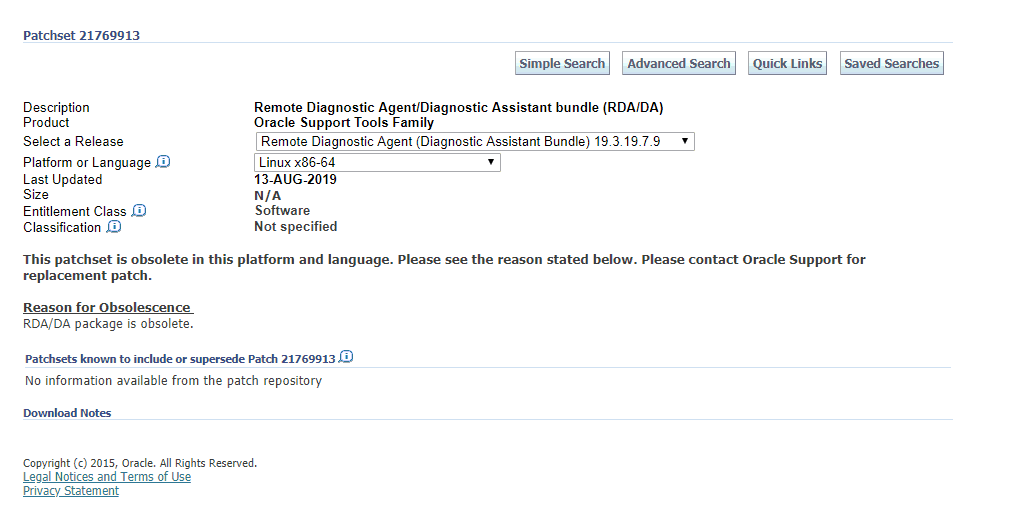
Also Check: Our blog post on Oracle Database 19c.
Installation Instructions for RDA
- Make sure you have sufficient space for the RDA output (~150MB). It doesn’t matter where you create this directory or what it is named, but the same user that runs the RDA must own it. Do not use a directory that contains an older version of RDA unless you have deleted the previous version of RDA first. If necessary, you can reuse the prior setup files.
- Note: The rda.zip creates a directory named ‘RDA’ containing all the required files when you extract it.
- Extract the content in the .zip archive into a new directory, preserving the directory structure of the archive. Do not extract into a directory that contains an older version of RDA. For example: unzip rda.zip
- Make sure the RDA command ‘rda.sh’ is executable. To verify, enter the following command:
ls -l rda.sh - If the script is not executable, update it using the command mentioned below:
chmod +x rda.sh - The following command checks if you have a viable installation of RDA by checking that all the file versions are as expected:
./rda.sh -cv
Hope you find this blog useful in diagnosing & resolving the “RW-50010” issue encountered while installing the Oracle E-Business Suite R12.2. Post all your Oracle E-Business Suite R12.2 installation-related doubts and queries in the comments’ section.
Related/Further Readings
- Oracle E-Business Suite (EBS) 12.2.8 Now Available: Documentation & Download Software
- Oracle AppsDBA (R12.2): Step By Step Activity Guides
- Installing Oracle E-Business Suite? Look at new StartCD
- Oracle AppsDBA (R12.2): Install | Patch | Clone | Maintain
- Remote Diagnostic Agent (RDA) for Linux x86 (64-bit)
Next Task For You
We cover Oracle E-Business R12.2 Architecture & concepts in our Oracle Apps DBA For Beginners Training along with the Installation, Patching, Cloning, and Troubleshooting and also, Database upgrade to 19c and much more including the hands-on labs you must perform to upgrade your skills and get a good job with a high package.
Begin your journey towards becoming an Apps DBA by joining our FREE Masterclass on How To Learn Oracle Apps DBA (R12) & It’s New Features.


![Microsoft Agentic AI Business Solutions Architect [AB-100] | K21 Academy](https://test.k21academy.com/wp-content/uploads/2025/11/Microsoft-Agentic-AI-Business-Solutions-Architect-AB-100-Exam-Overview1.png)


