



EBS Cloud Manager – One of the Automation tools for Oracle Application and is available only on Oracle Cloud. The tool can perform many activities – Provisioning with a database of our choice, Cloning, Backup, Lift-n-Shift, etc.
In this blog, we have discussed the issue that we faced while running the Advanced Provisioning on EBS Cloud Manager which is a step for EBS Migration (Lift & Shift) on Oracle Cloud (OCI).
This blog post covers:
- EBS Cloud Manager Overview
- Types of EBS Environment Provisioning
- The issue faced with its Cause
- Fix
EBS Cloud Manager lets you create your own EBS environment on Oracle cloud by using either One-Click Provisioning or Advanced Provisioning. You can also migrate your on-premise EBS application to Oracle Cloud using Cloud manager.
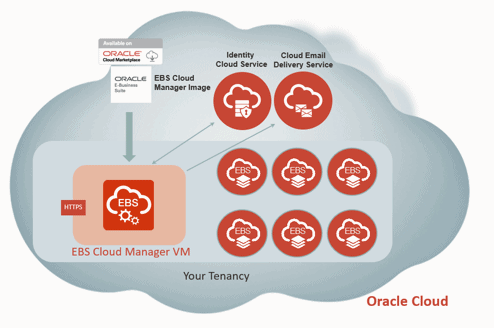
To know more about EBS Cloud Manager check our blog here
There are two types of EBS Provisioning on Oracle Cloud using EBS Cloud Manager:
- One-Click Provisioning
- Advanced Provisioning
One-Click Provisioning
By Using One-Click Provisioning, a new environment will be created with a single application tier and database tier on the same Compute instance, by using default configuration options. The environment is created in Availability Domain 1 in a Compute instance with the VM Standard 2.1 shape. The environment is configured to use Load Balancer as a Service (LBaaS), with Transport Layer Security (TLS) enabled for inbound HTTP traffic.
Advanced Provisioning
By using Advanced Provisioning, you can choose how to configure your own topology for a new environment, instead of using the basic preset topology options in One-Click Provisioning. You can also use Advanced Provisioning to provision an environment based on a backup of another environment.
Here we are focusing on the issue we faced during the Provisioning of EBS instance using EBS Cloud Manager (20.2 + Version) and selection VM Database. Here are the details mentioned
Issue
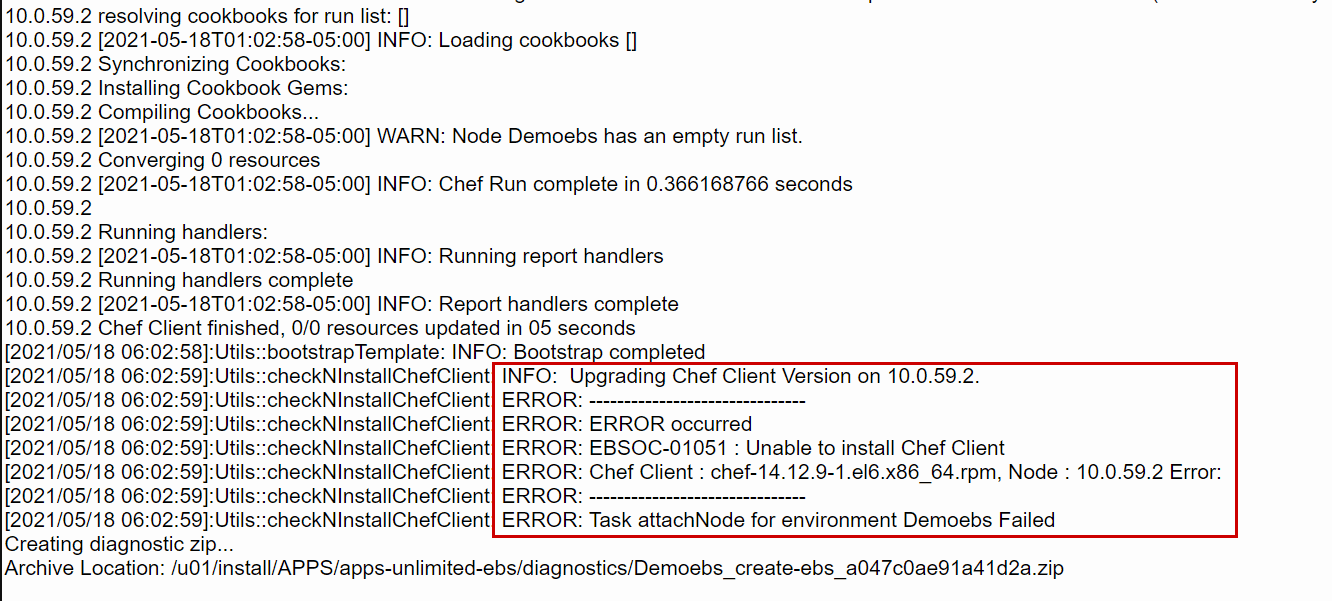
When installing EBS using EBS Cloud Manager as an Advance provisioning (more flexibility) we select EBS Version as 12.2.10 and Database option (Compute, VM-DB, ExaCS) as VM-DB. Once the provisioning starts it first creates and validates infrastructure. It uses Terraform & Chef Tool (Infrastructure Automation Tool) at the backend. DB Provisioning went successful but when it comes to Provision Application Tier it failed as bellow error :
It indicates it is unable to install Chef Client on the Application Server of version chef-14.12.9-1.el7.x86_64.rpm which comes as a default version.
- First you login to your EBS Cloud Manager Console, and then click on Advanced Provisioning under the provision environment section,

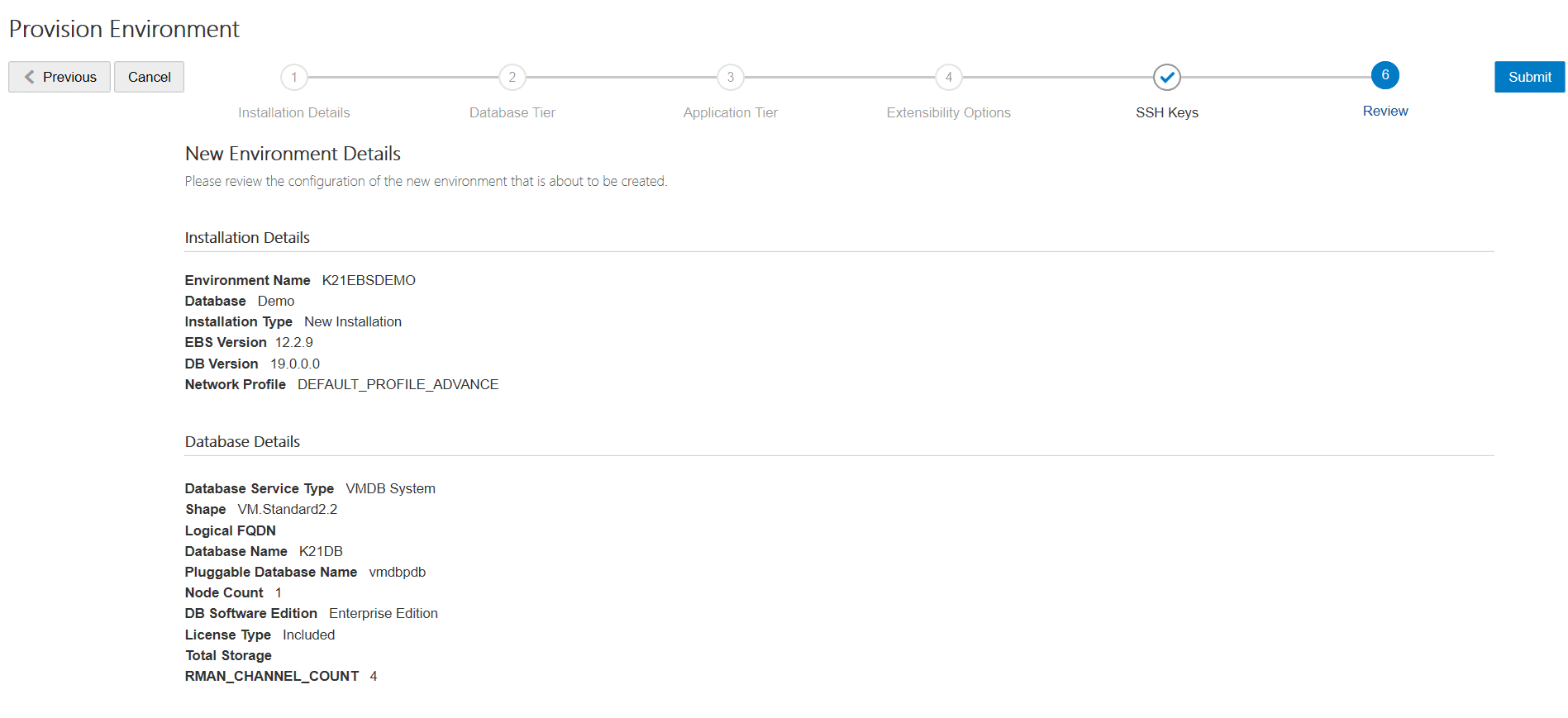
2. After entering all the details, you can verify them from the Review page of the console.
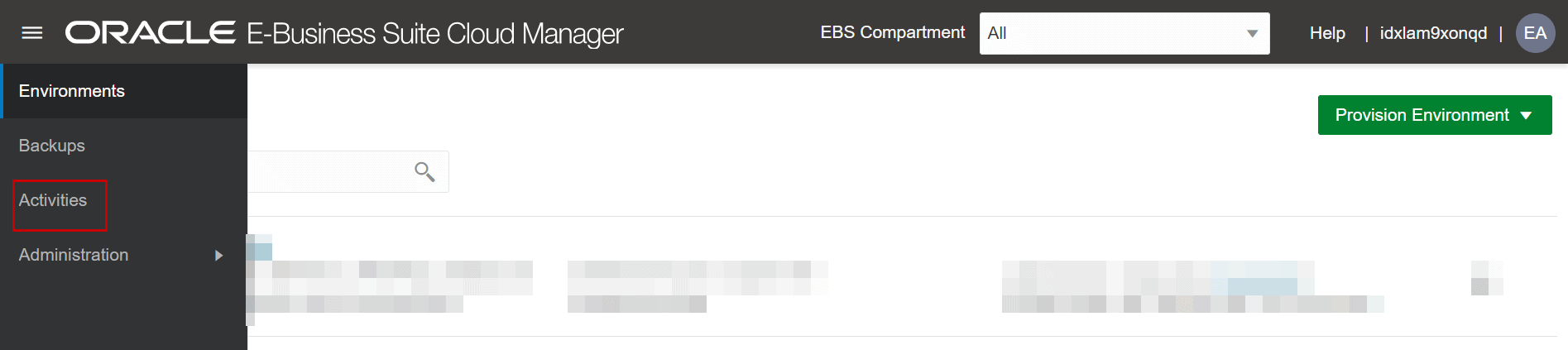
3. Once you submit the details, you can check from the Activity section on the right-hand side of the console.
4. As you can see from the logs below, the script encountered an error “Unable to Install Chef Client”
Cause
From the error shown above, you need to check in the instance for the Chef version Two observation here chef rpm it was downloading of chef-14.12.9-1.el7.x86_64.rpm was of only 2.4 KB very small it should not be this much. Checked on the chef site it was of 28 MB so looks like this is one issue.
When logged in to the newly provisioned application virtual machine and checked the chef version (default it comes with chef) it shows.

It means that an already a higher version is installed and one which EBS Cloud Manager provisioning is installing is of lower version chef-14.12.9-1.el7.x86_64.rpm
Fix/Solution
Thanks to EBS Cloud Manager it gives you a retry option if provisioning fails. Here is what we did to resolve this issue
- Uninstalled the default version of Chef client on Application VM.

- Downloaded and transfer the chef-14.12.9-1.el7.x86_64.rpm from official chef site
https://downloads.chef.io/tools/infra-client/stable?v=14.12.9&os=el
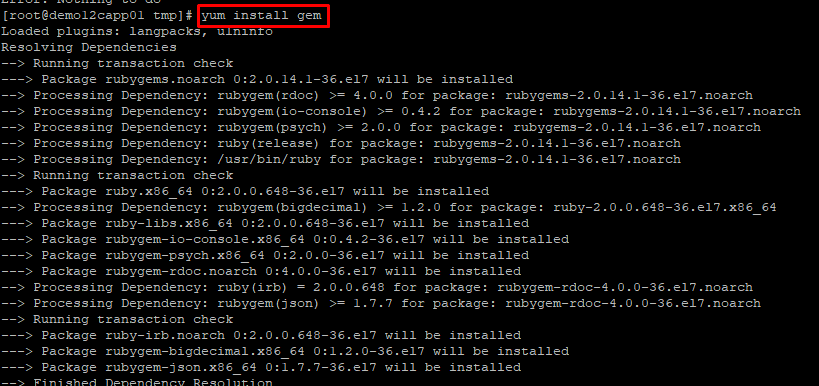
- Install gem using yum (As this is a pre-requisite for chef-client )
 Install downloaded chef-client and check the version.

- Retry from EBS Cloud Manager and check from the activities, in some time this stage will be crossed and the instance will be created successfully.
Conclusion
So, in this blog, we covered how to troubleshoot one of the errors while running EBS provisioning scripts in EBS Cloud Manager. Errors can be different so make sure you check the log files from the Activities section.
P.S: Also, do share in the comment if you have faced any of the errors like this.
Related/References
- 2434500.1 Deploying Oracle E-Business Suite Cloud Manager on Oracle Cloud Infrastructure
- 2434008.1 Managing the Oracle E-Business Suite Cloud Manager Virtual Machine
- [Troubleshooting] Blank Screen On EBS R12 On OCI Post Cloning
- [Video] Oracle EBS R12 on Cloud For Beginners: 7 Things You Must Know
- April 2019 EBS Cloud Manager Updates
- Oracle EBS (R12) on Cloud (OCI) Beginners: 15 Things Apps DBAs Must Know
- [Video] Role of Oracle Apps DBA (EBS) R12 On Cloud
Next Task For You
Join our FREE Masterclass on Build, manage & Migrate EBS R12 to Cloud For Beginners. Click on the image below to register for FREE


![Microsoft Agentic AI Business Solutions Architect [AB-100] | K21 Academy](https://test.k21academy.com/wp-content/uploads/2025/11/Microsoft-Agentic-AI-Business-Solutions-Architect-AB-100-Exam-Overview1.png)


