
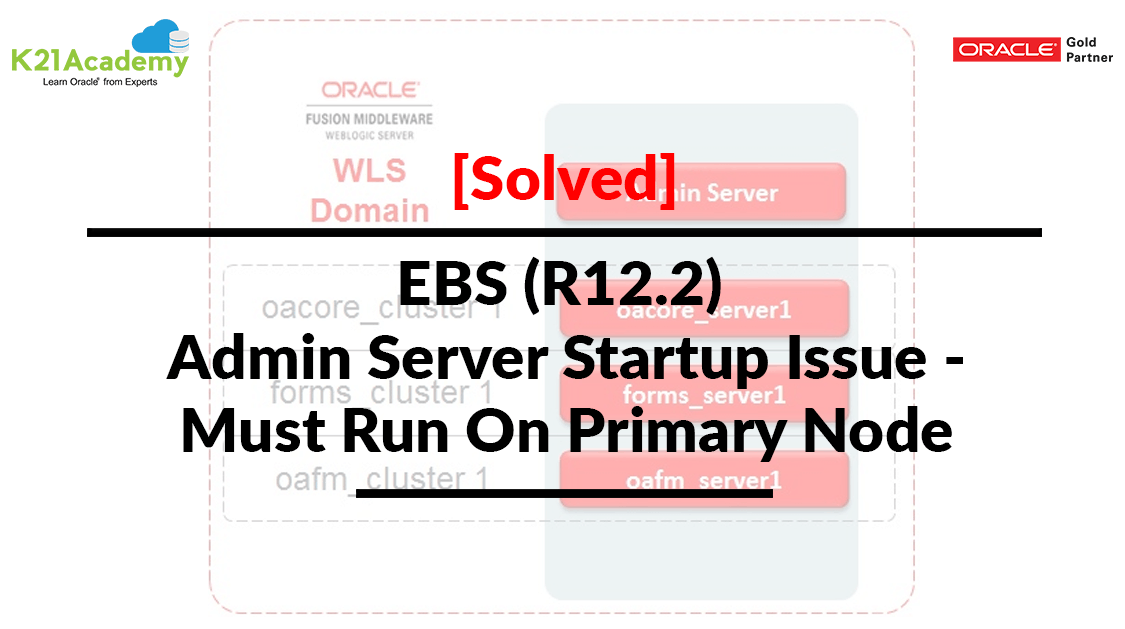



This post covers the ‘adadminsrvctl.sh should be run only from the primary node <hostname>‘ issue and fix reported by one of our trainees from Oracle Apps DBA (R12.2) Install | Patch Clone training while starting Admin Server in Oracle E-Business Suite (R12.2).
Lets first understand basic concepts about Admin Server, Context File, Autoconfig, FND_NODES table in EBS R12.2.
Admin Server
Oracle introduced WebLogic Server with Oracle EBS (R12.2).
Administration Server is a WebLogic Server instance that maintains configuration data for a Weblogic domain.
- There will always be only one and one Administration Server and a few Managed servers in a WebLogic domain.
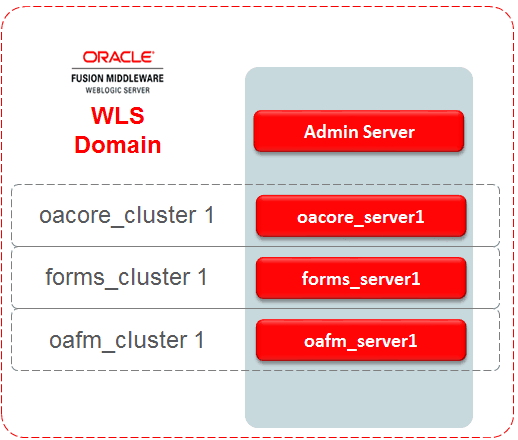
To know more about Weblogic Admin Server, check HERE.
Context File
In Oracle Applications, 11i & R12 all the configuration parameters are captured in two context files:
a) Application context file called the <CONTEXT_NAME>.xml contains the configuration information for the application tier & is located in $INST_TOP/appl/admin for each node of application tier.
b) Database context file called the <CONTEXT_NAME>.xml contains the configuration information for the database tier & is located in $ORACLE_HOME/appsutil
To know more about Context File, check HERE.
AutoConfig
Autoconfig is tool/utility to reconfigure your Oracle Application configuration files using context (XML file) and template files. It is located in
- Application tier: $COMMON_TOP/admin/scripts/CONTEXT_NAME/adautoconfig.sh
- Database tier: $ORACLE_HOME/appsutil/scripts/CONTEXT_NAME/adautoconfig.sh
To know more about Autoconfig, check HERE.
FND_NODES Table
If you want to check what services are running on which node, then we can check from FND_NODES table. It is present in the APPS schema.
SQL> conn apps/apps
SQL> select NODE_NAME,SUPPORT_CP,SUPPORT_FORMS,SUPPORT_WEB,SUPPORT_ADMIN from FND_NODES;
————— ——————- ——————– ——————– ——————–
Host 02 Y Y Y Y
Issue: Error starting Admin Server
When we are starting Admin Server, getting below error
sh $ADMIN_SCRIPTS_HOME/adadminsrvctl.sh start
logs: $EBS_DOMAIN_HOME/servers/AdminServer/logs/AdminServer.log
adadminsrvctl.sh should be run only from the primary node 1706ecloud04
Note: Kindly refer to “Oracle Apps R12.2 Log Files Location every Apps DBA must know“ blog post and know more about log file location in R12.2.
Cause: Wrong Entry in Context File
In our case trainee accidentally changed the parameter s_web_admin_status value to disable in the context file.
Check Out: Our blog post on Oracle ADOP. Click here
Fix: Update context File and run autoconfig
1. Take backup of run context file
2. Manually updated this parameter and enabled it
<oa_service_group type=”web_admin” title=”Web Administration” services=”admin_server, tns_apps” requires=”root”>
<oa_service_group_status oa_var=”s_web_admin_status”>enabled</oa_service_group_status>
</oa_service_group>
<oa_service_group type=”web entry” title=”Web Entry Point Services” services=”ohs, opmn”>
3. Run Autoconfig on application tier
Configuring IES_TOP…….COMPLETED
Configuring OZF_TOP…….COMPLETED
Configuring CSD_TOP…….COMPLETED
Configuring IGC_TOP…….COMPLETED
AutoConfig completed successfully.
4. Restart Admin server
a) Make sure you are connected to application user i.e applmgr
b) Go to $ADMIN_SCRIPTS_HOME
cd $ADMIN_SCRIPTS_HOME
c) Start Admin Server
[applmgr@1706ecloud04 scripts]$ ./adadminsrvctl.sh start
You are running adadminsrvctl.sh version 120.10.12020000.10
Enter the WebLogic Admin password:
Enter the APPS Schema password:
Starting WLS Admin Server…
Refer /u01/oracle/PRD122/fs2/inst/apps/PRD122_1706ecloud04/logs/appl/admin/log/adadminsrvctl.txt for details
AdminServer logs are located at /u01/oracle/PRD122/fs2/FMW_Home/user_projects/domains/EBS_domain_PRD122/servers/AdminServer/logs
adadminsrvctl.sh: exiting with status 0
adadminsrvctl.sh: check the logfile /u01/oracle/PRD122/fs2/inst/apps/PRD122_1706ecloud04/logs/appl/admin/log/adadminsrvctl.txt for more information …
Also Read: Our previous blog post on Oracle EBS 12.2 File System. Click here
Related/Further Readings
- Recommended Browsers for Oracle E-Business Suite Release 12 [Doc ID 389422.1]
- Oracle E-Business Suite Release 12.2 Information Center (Doc ID 1581299.1)
- Oracle E-Business Suite Release 12.2.9 Readme (Doc ID 2495027.1)
- Oracle E-Business Suite 12.2.9 Now Available
- [Troubleshooting] Forms Issue: FRM-92050 failed to connect to server:forms/servlet
- Oracle E-Business Suite (EBS) 12.2.9 Now Available & Its Upgrade Steps
- Oracle AppsDBA (R12.2) Training: Step by Step Activity Guides/Hands-On Lab Exercise
- Oracle AppsDBA (R12.2): Install | Patch | Clone | Maintain
Next Task For You
We cover Oracle E-Business R12.2 Architecture & concepts in our Oracle Apps DBA For Beginners Training along with the Installation, Patching, Cloning, and Troubleshooting and also, Database upgrade to 19c and much more including the hands-on labs you must perform to upgrade your skills and get a good job with a high package.
Begin your journey towards becoming an Apps DBA by joining our FREE Masterclass on How To Learn Oracle Apps DBA (R12) & It’s New Features.


![Microsoft Agentic AI Business Solutions Architect [AB-100] | K21 Academy](https://test.k21academy.com/wp-content/uploads/2025/11/Microsoft-Agentic-AI-Business-Solutions-Architect-AB-100-Exam-Overview1.png)


