



This post discusses the Q/A & Review from Day 2 of Oracle Apps DBA Training (R12.2) Install | Patch | Clone | Maintain Training Program. This will help you understand the concepts behind EBS Installation & Overview.
If you are new to Oracle AppsDBA, then check our previous blogs for more information on EBS Installation & Architecture Overview:
- Oracle Apps DBA (R12.2) Installation
- Oracle Apps DBA (R12.2) Architecture Overview
- Installing Oracle E-Business Suite? Look at new StartCD
To check what we covered during the Day 1 of the Apps DBA Training Program, check my previous post [Q/A] Oracle Apps DBA Training (R12.2) Day 1: Architecture & Changes in Oracle E-Business R12.2.
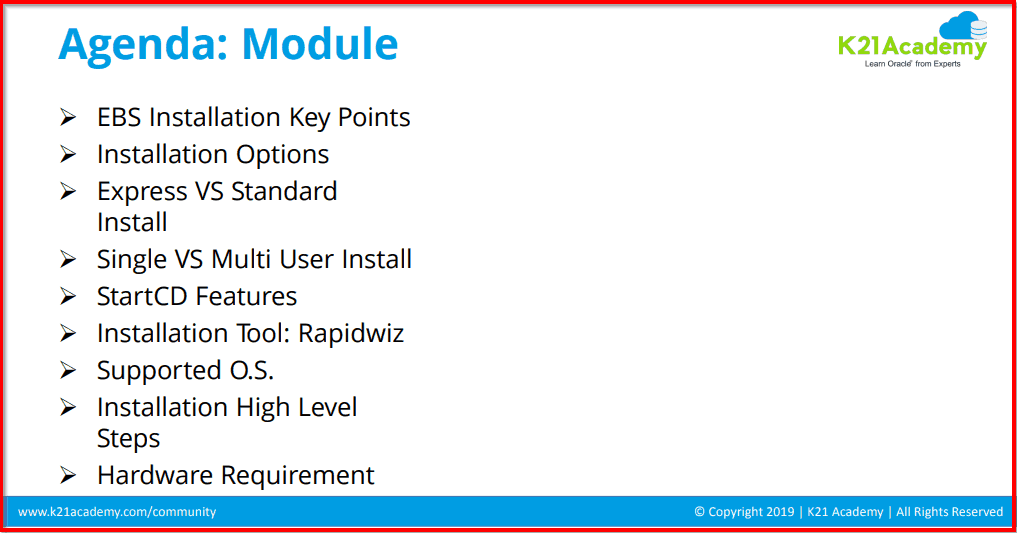
In this session, we covered Module 2: R12.2 Staging & Installation which includes the following Topics:
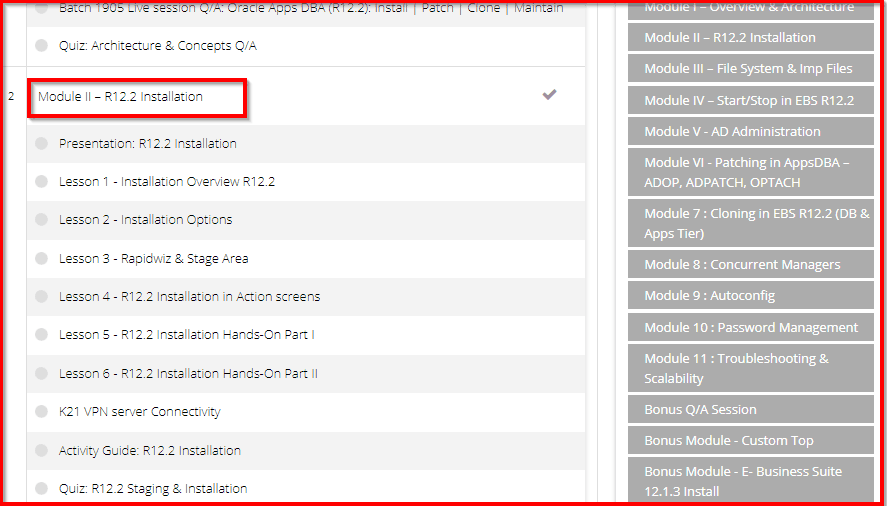
The Apps DBA Training Program available on the Membership Portal looks like the screenshot below. We encourage the trainees to go through the well-done recorded videos before attending the Live session so they can come up with their doubts & clear them during the session to make it more Interactive.
Read More: About Oracle EBS File System. Click here
R12.2 Installation Overview
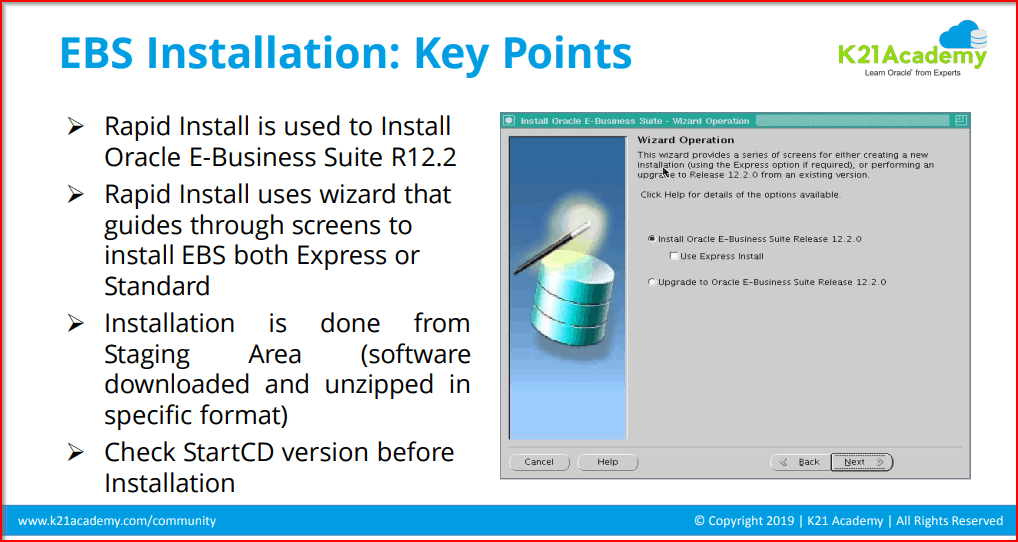
Rapid Install is used to Install Oracle E-Business Suite (EBS) R12.2.
- Rapid Install uses the wizard which guides through the screens to install EBS both Express and Standard.
- Installation is done from the Staging Area (software downloaded and unzipped in a specific format).
- Check StartCD version before the Installation.
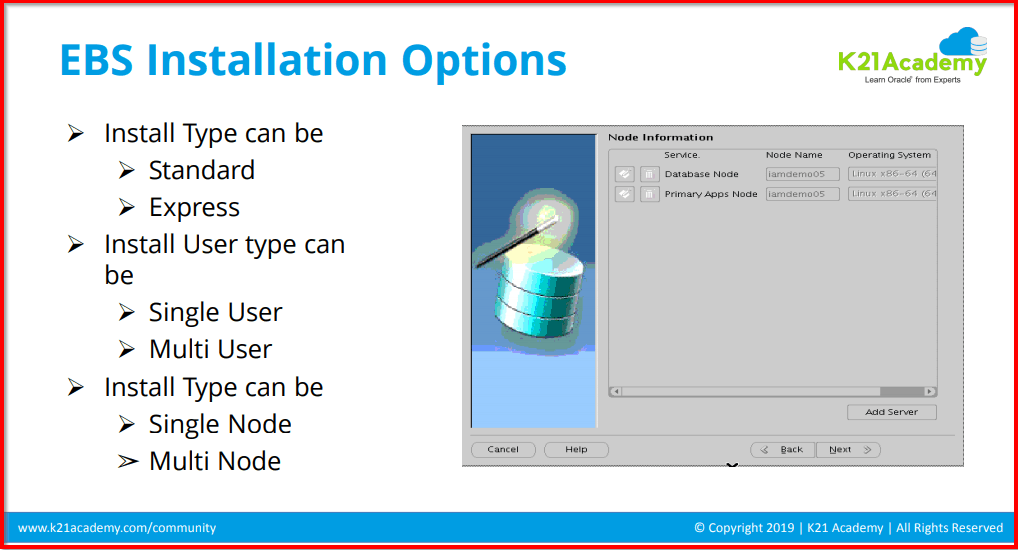
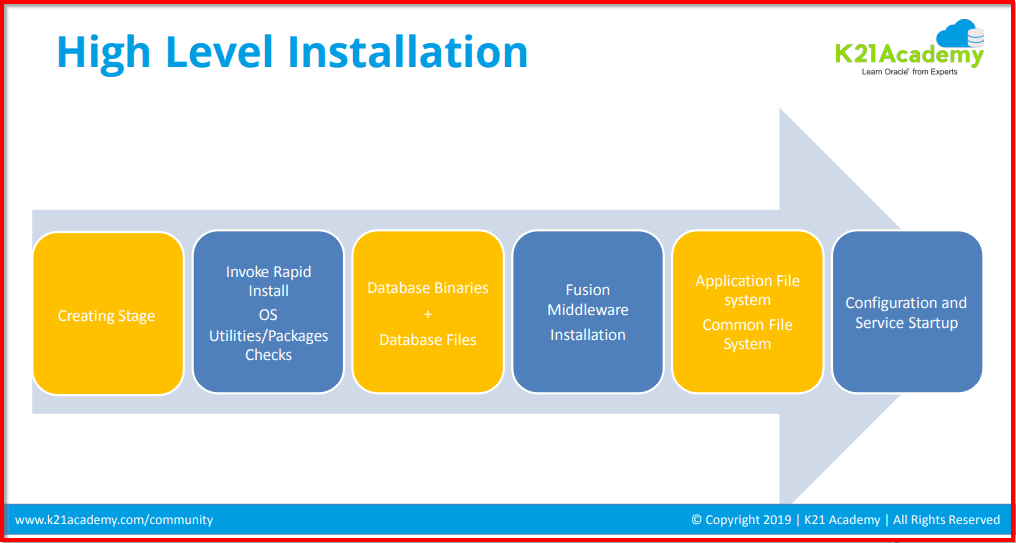
R12.2 Installation Phases
- Starting Installer
- Installation Phases
- Install Phase
Install Phase has two sub-categories:
- Database Tier Installation
- Application Tier Installation
R12.2 Installation Related Q/A
Below are the R12.2 Installation related Questions asked during the Session:
Q.1. Is a fresh database installed without any data and vision having all the demo data?
Ans: Yes, if we choose a vision database while installing, we will get all the demo data.
Q.2. Can we continue a failed installation?
Ans: No, a failed installation in EBS 12.2 cannot be resumed. We have to restart the installation from the beginning in case it fails in the first place. However, if it fails within the precheck phase, you can retry the checkup phase.
Q.3. How much time does EBS 12.2 Installation take?
Ans: If you have a single-core machine, it might take 6 to 8 hours for the installation to complete.
Q.4. Is there any utility for installation other than a rapid install wizard?
Ans: No! EBS is the only utility used for installation in the rapid install wizard.
Also Read: Our blog post on EBS 12.2 Upgrade. Click here
Port Pool Related Q/A
Next, we discussed the Port Pool, and given below is a short overview along with the Q/A.
A port pool is a preconfigured set of unique port assignments for every E-Business Suite technology stack component that requires network connectivity.
Port Pool is a set of default base value for each type of port. The value ranges from 0 to 99.
Q.5. Will changing the port pool impact the system performance?
Ans: Yes, changing the port pool can impact the system performance if the port conflicts with the high availability port. Port’s conflict with the high availability port might result in lower performance.
Q.6. How to check which is the run file system and which is the patch file system?
Ans: By default, fs1 is the run file system and fs2 is the patch file system. However, after patching fs1 and fs2, the functionality is swapped in the cutover stage. To check what is what, we can check the environment variable FILE_EDITION.
Q.7. Can we have an admin server on multiple nodes?
Ans: No, Admin server is a singleton service and can run only on the primary node but will manage services on other nodes using the node manager.
Node Manager is a Java utility that runs as a separate process from WebLogic Server and allows you to perform the common operations tasks for a Managed Server, regardless of its location with respect to its Administration Server. While the use of Node Manager is optional, it provides valuable benefits if your WebLogic Server environment hosts applications with high availability requirements.
If you run the Node Manager on a machine that hosts Managed Servers, you can start and stop the Managed Servers remotely using the Administration Console or from the command line. Node Manager can also automatically restart a Managed Server after an unexpected failure.
Q.8. What is admin Console functionality?
Ans: The Administration Console is a Web Application hosted by the Administration Server. You access the Administration Console from any machine on the local network that can communicate with the Administration Server through a Web browser (including a browser running on the same machine as the Administration Server). The Administration Console allows you to manage a WebLogic Server domain containing multiple WebLogic Server instances, clusters, and applications.
The management capabilities include:
- Configuration
- Stopping and starting servers
- Monitoring server health and performance
- Monitoring application performance
- Viewing server logs
Assistants, which step you through the following tasks:
- Creating JDBC connection pools and DataSources
- Deploying your applications
- Configuring SSL
Through the Administration Console, system administrators can easily perform all the WebLogic Server management tasks without having to learn the JMX API or the underlying management architecture. The Administration Server persists changes to attributes in the config.xml file for the domain you are managing.
Related/Further Readings:
- Oracle E-Business Suite (EBS) 12.2.8 Now Available: Documentation & Download Software
- Installing Oracle E-Business Suite? Look at new StartCD
- Oracle Apps DBA (R12.2) Architecture Overview
- Oracle Apps DBA (R12.2) Installation
Next Task For You
We cover Oracle E-Business R12.2 Architecture & concepts in our Oracle Apps DBA For Beginners Training along with the Installation, Patching, Cloning, and Troubleshooting and also, Database upgrade to 19c and much more including the hands-on labs you must perform to upgrade your skills and get a good job with a high package.
Begin your journey towards becoming an Apps DBA by joining our FREE Masterclass on How To Learn Oracle Apps DBA (R12) & It’s New Features.


![Microsoft Agentic AI Business Solutions Architect [AB-100] | K21 Academy](https://test.k21academy.com/wp-content/uploads/2025/11/Microsoft-Agentic-AI-Business-Solutions-Architect-AB-100-Exam-Overview1.png)


