



In today’s world, influencing people through social media is not a luxury, but a necessary part of every company’s growth strategy. In this blog series, we will use ICS to connect to social media like LinkedIn and post messages.
Use case:
A company has the requirement to advertise an available position automatically on LinkedIn. This can happen when a new position is created, or when someone leaves the company, resulting in that position being vacant. For the purpose of this POC (Proof of concept), we are going to mimic the company’s resource management system with SOAPUI (open-source web service testing application for service-oriented architectures (SOA) and representational state transfers (REST)). SOAPUI/Resource Management system sends a REST request to ICS as and when a position is available with the following two fields:
- Destination: The destination platform where the opportunity will be posted, in this case, LinkedIn.
- Message: The actual message that has to be posted on LinkedIn/Twitter.
Implementation and Testing:
The implementation will be done in three parts:
1) Part 1: We create a connector from ICS to LinkedIn.
2) Part 2: Create the orchestration, request and response mappings
3) Part 3: Create a mock client using SOAPUI, and test the flow
First Part will be covered by this blog, the next steps will be covered by the next blogs in the series.
So, lets we start off with creating a connection to LinkedIn. First, you have to configure your LinkedIn account so it can accept connections from ICS. Since the process is well-documented (Click here) We would not repeat it in this blog. After that, you have to perform the below steps:
1) Access Oracle Integration Cloud Service Console.
For those who are new to ICS, Please check our previous blog post here to create a new ICS account and how to access it.
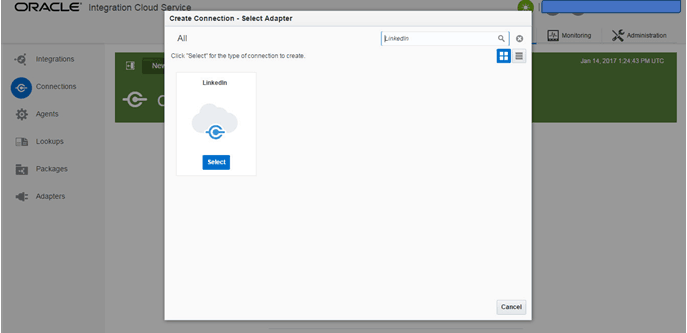
2) Click on ‘Connections‘ on the home page, and then ‘New Connector‘. This opens up a window with all the available type of connectors. Search at the top or scroll down for ‘LinkedIn‘ connector.
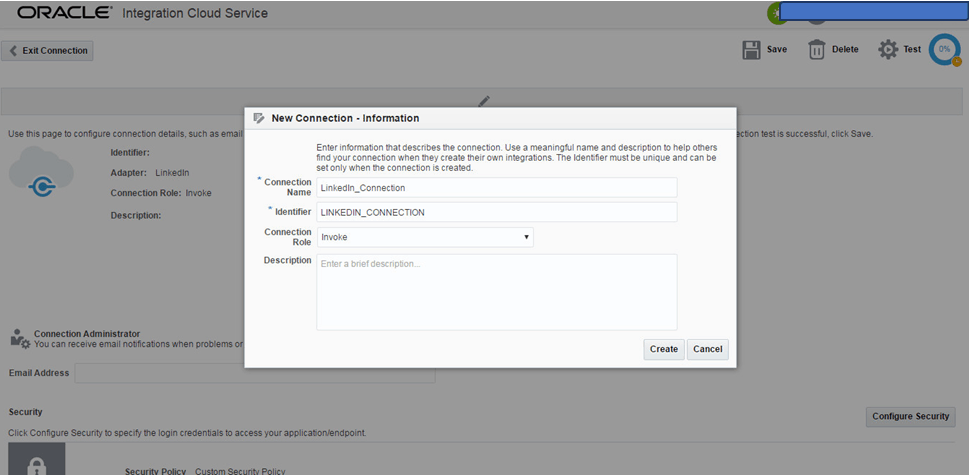
3) Click on the connector, a new window opens up for entering information, name your connection to LinkedIn.
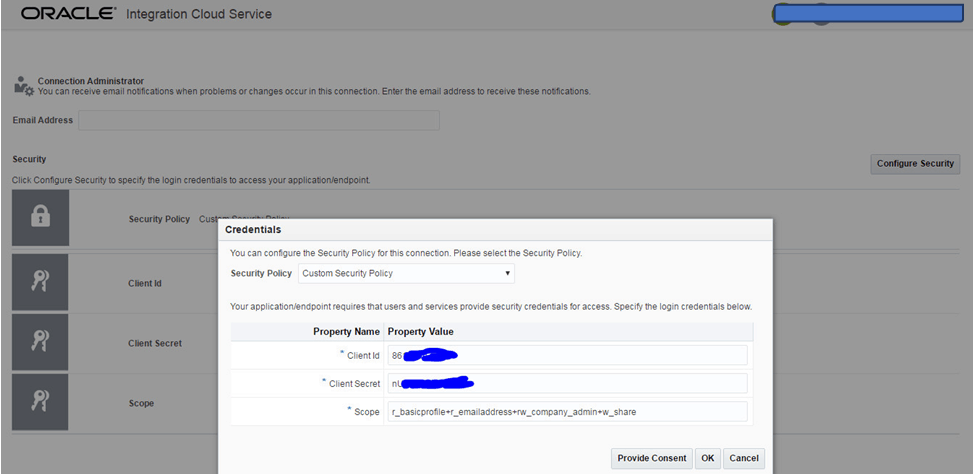
4) After this, click on ‘Configure Security’ at the right bottom side. You would see a screen like this, provide your Client Id and Client Secret (which you got after creating your app on LinkedIn’s app console, as mentioned in the Oracle documentation to which I pointed above). The scope basically means what this connection is allowed to do on your LinkedIn account. In this case, it says it is the admin account for the company and is allowed to share things. Now, click ‘Provide Consent’.
5) Now, you would probably see the below screen with an error. This is because a ‘Redirect URL’ has to be provided in your app at the LinkedIn app page. This helps the connection from ICS to LinkedIn to authorize and establish the connection. Go to the address bar, and copy the string after redirect_uri. It should look something like this: https%3A%2F%2Fintegration<companyname>nl.integration.us2.oraclecloud.com%3A443%2Ficsapis%2Fagent%2Foauth%2Fcallback.
This has to be decoded, I used https://meyerweb.com/eric/tools/dencoder/, and ended up with https://integration<companyname>nl.integration.us2.oraclecloud.com:443/icsapis/agent/oauth/callback
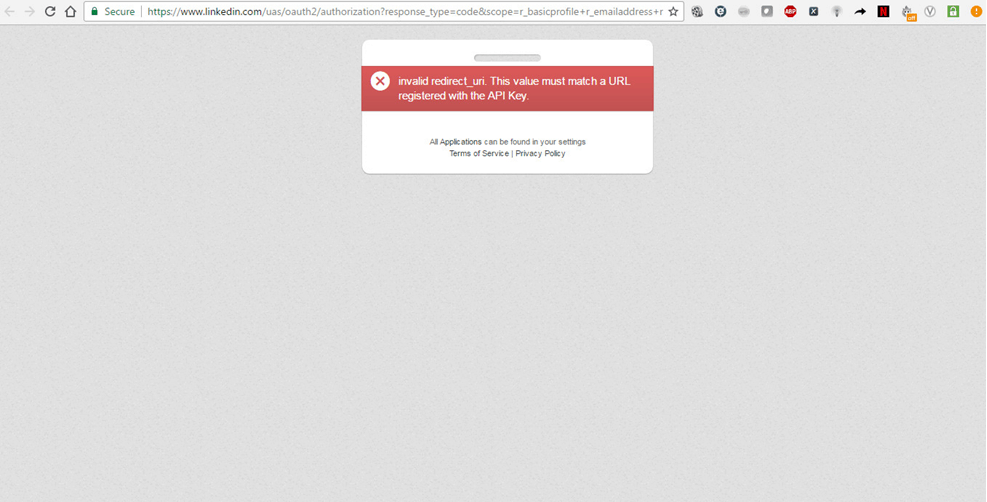
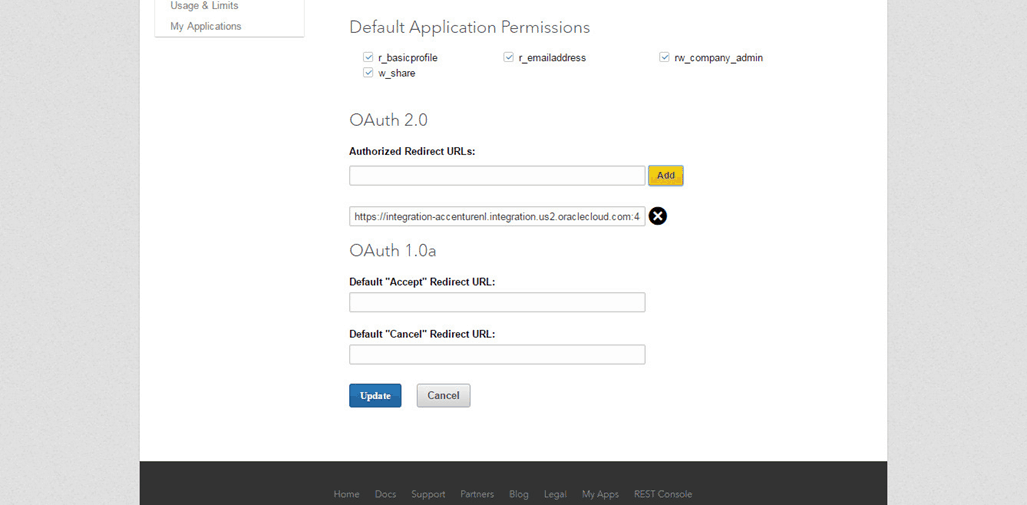
6) Go to the LinkedIn app console, and add this decoded URL in ‘Authorized Redirect URLs’, and click ‘Update’ at the bottom.
Check Out: New Homepage Of Oracle Integration Cloud.
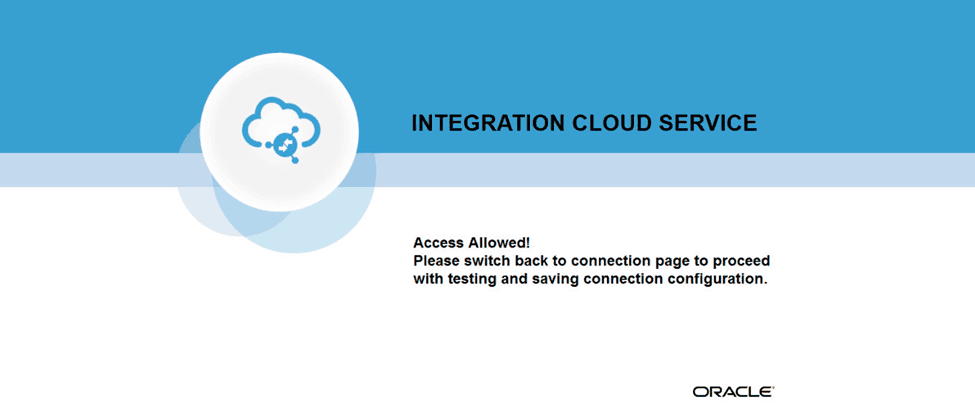
7) Now, go back to ICS, click ‘Provide Consent’, and voila! You got a connection! Click ‘TEST’ on top right to finish creating the LinkedIn connector.
This is all about the first part of this blog series that is creating a connector from ICS to LinkedIn. In the next Part of this blog series, we will cover Creating the orchestration, request and response mappings, Create a mock client using SOAPUI and then will test the flow.
So Stay tuned for our next blog post!
Related Links/References:
- [Part 2]: Using Oracle ICS to connect to Social Media (LinkedIn)
- [Part 3]: Using Oracle ICS to connect to Social Media (LinkedIn)
- Oracle Integration Cloud (OIC) For Beginners Overview
- [Free Masterclass] Oracle Integration Cloud Services
- Oracle Integration Cloud (OIC) Instance Edition, Message Pricing, and License Types
- How to exporting Business Data and Visual Builder Cloud Service (VBCS)
- How Import Business Data in Visual Builder Cloud Service (VBCS)
Next Task For You
Do you want to learn more about Oracle and confuse where to start or which certification is right for you? Then, click on the register now button below to register for a Free Masterclass on Oracle [1Z0-1042] Certified Cloud Integration Expert, which will help you better understand and choose the right path and clear the certification exam.


![Microsoft Agentic AI Business Solutions Architect [AB-100] | K21 Academy](https://test.k21academy.com/wp-content/uploads/2025/11/Microsoft-Agentic-AI-Business-Solutions-Architect-AB-100-Exam-Overview1.png)


