
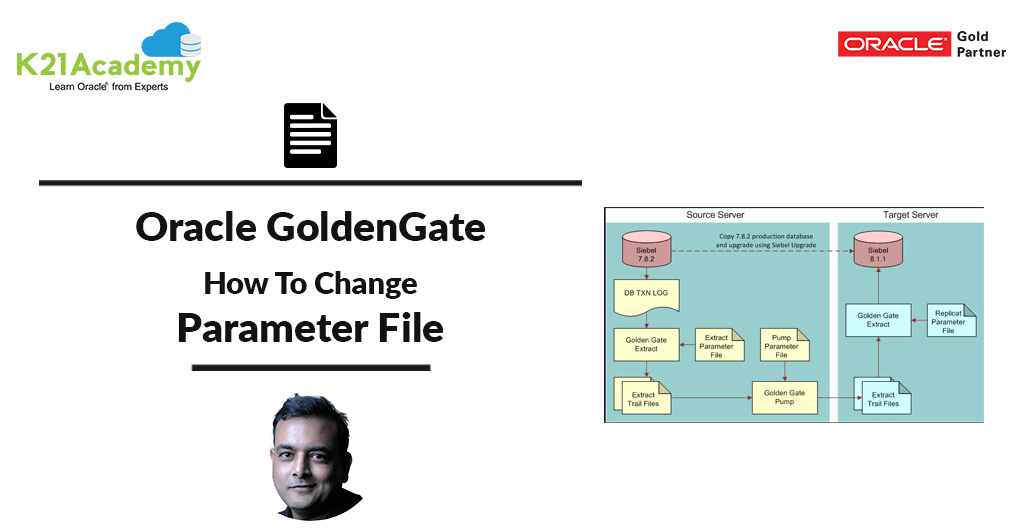





This post covers Question asked by one of the trainees in Oracle GoldenGate Training covering How to change Parameter Files in Oracle GoldenGate. Before I cover How to change parameter file, lets first understand What is Parameter File and Where is it used in Oracle GoldenGate
GoldenGate: What & Why DBAs & Data Architects Must Learn
Oracle GoldenGate is a heterogeneous product and supports many different platforms and databases. It is an extensive software package for real-time integration and replication.
If you are new to Oracle GoldenGate then check my previous post: What, Why & how to Learn Oracle GoldenGate
What are Parameter Files in Oracle GoldenGate?
Parameter Files are the heartbeat of each Oracle Goldengate Processes/Components i.e. Extract, Data Pump, Replicat, Manager (To know more about of Oracle GoldenGate Processes/Components Check Here).
Parameter files store the parameters for each Oracle Goldengate Process.. Each process in Goldengate has its own associated parameter file. Processes work according to parameters provided in the parameter file.
Golden Rules For Parameters
- Parameter file resides in dirprm directory.
- Every parameter has a default value.
- Every parameter has a counter/opposite parameter.
- The validity of a parameter in parameter file is there until its counter/opposite parameter is encounter in the parameter file.
- A parameter is valid either for extract parameter file/Data Pump Parameter file or Replicat parameter file or it may be valid for all 3 parameter files.
- A parameter is valid for tables following that parameter.
Where are Parameter Files Stored?
Parameter file resides in dirprm directory. $GG_HOME/dirprm
How to Update Parameter Files?
Follow below steps to update the parameter file
- Take necessary approval for downtime related to Oracle Goldengate Process (Yes re-start is required).
- Stop the process. GGSCI> Stop EXT1 (Note: Here GGSCI is command line interface to manage GoldenGate & EXT1 is process name (Extract Process in my case) for which you need to change parameter)
- Open and Edit the process parameter file. GGSCI>edit param EXT1
- Once changes are made, save the changes and quit the vi editor
- Verify the changes are correct by viewing the parameter file. GGSCI> view param EXT1
- Once the changes are verified, start the process. GGSCI> start extract EXT1
Next Task For You
Want to move ahead in your career and want to get a higher Earning Job?
Get 7+ Courses for DBAs & Apps DBA in a bundle program and learn from the Industry’s best Experts.


![Microsoft Agentic AI Business Solutions Architect [AB-100] | K21 Academy](https://test.k21academy.com/wp-content/uploads/2025/11/Microsoft-Agentic-AI-Business-Solutions-Architect-AB-100-Exam-Overview1.png)



