
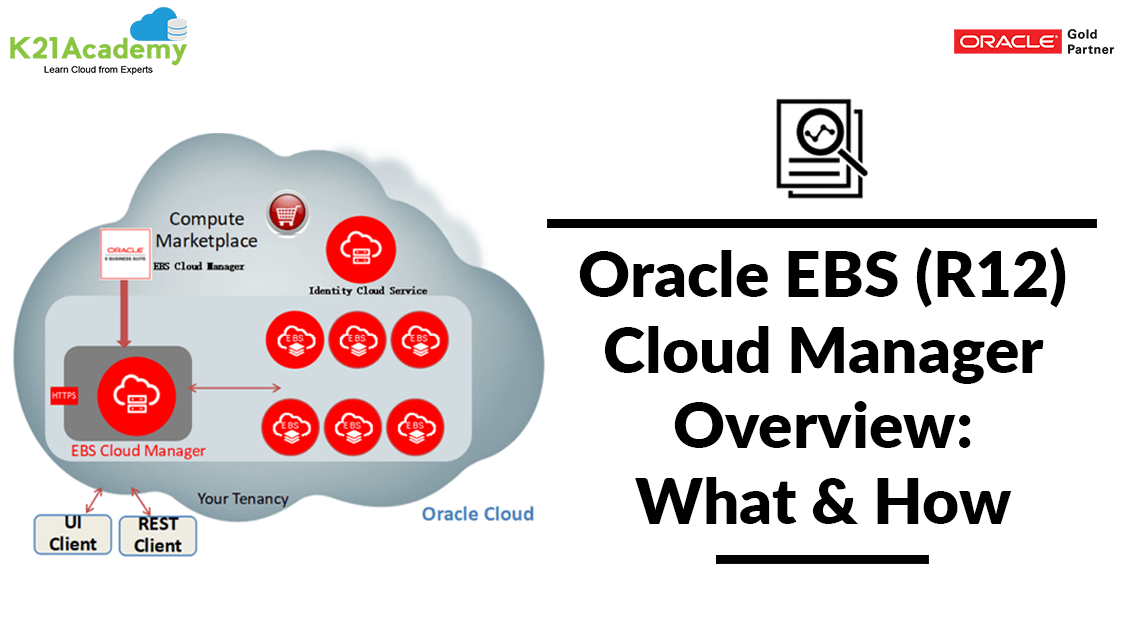



This post covers the Overview & Concepts of EBS Cloud Manager (EBSCM).
Oracle E-Business Suite Cloud Manager is a key component of the Oracle E-Business Suite automation for Oracle Cloud Infrastructure (OCI).
- It is the successor to the EBS Cloud Admin Tool and is first being introduced for Oracle Cloud Infrastructure (OCI). To know more about Cloud Admin Tool check our previous post on the Role Of EBS Cloud Admin Tool in Provisioning Oracle EBS (R12) on Cloud
- To know more about the new release (20.2.1) of Oracle E-Business Suite Cloud Manager, which brings new security features for EBS (R12) on Cloud.
Introduction To EBS Cloud Manager (EBSCM)
EBS Cloud Manager is a tool through which you can manage E-Business Suite on Oracle Cloud Infrastructure (OCI). This tool can be used to Create, Manage, Configure Oracle application on Oracle Cloud (OCI).
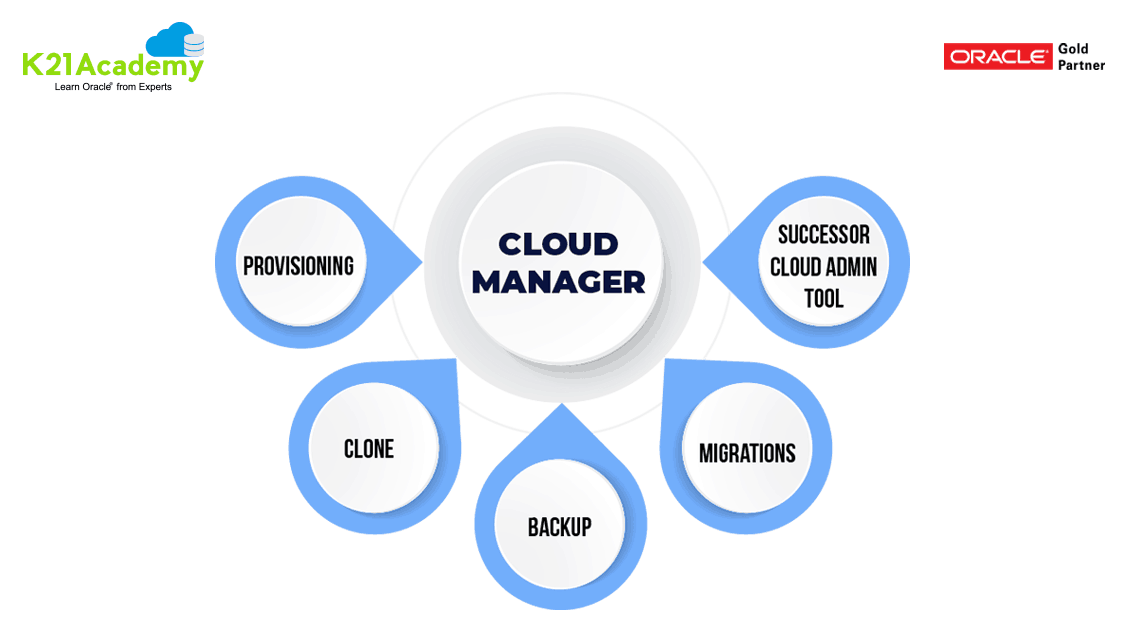
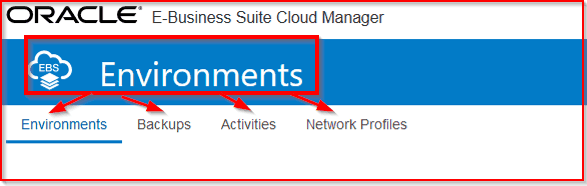
EBS Cloud Manager is a Tool ( Virtual Machine ) that centrally manages all your EBS Environments on the Oracle Cloud (OCI).
Features of EBS Cloud Manager(EBSCM)
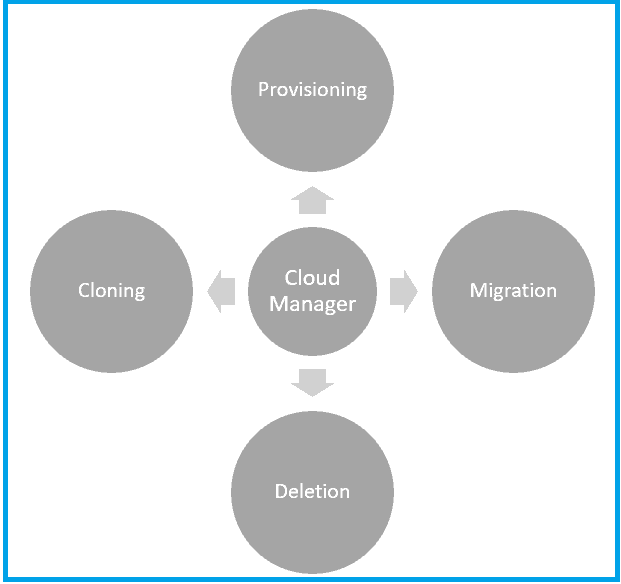
Using EBS Cloud Manager you can do:
- Environment Deployment
- One-Click provisioning with pre-populated deployment options (Single Node, Demo)
- Advanced provisioning with user-selected deployment options
- Lift and Shift Migration to OCI from on-premises backup
- Lifecycle management
- Clone the environment
- Delete the environment
- Separation of Duties: Multiple Compartment, groups, and Network Profiles
- Backup & Recovery
- TDE for Compute DB instance
- More use cases in pipeline like Adding additional node, HA & DR
EBS Cloud Manager Benefits
- Secure, with a load balancer that works as a TLS termination point.
- Deployed on a subnet that is not directly exposed to the end user’s network
- Multiuser, allowing multiple DBAs to manage the same set of Oracle E-Business Suite environments.
- Fully integrated with Identity Cloud Service (IDCS) for authentication services.
Also Read: Our previous blog post on EBS Migration. Click here
How to Provision EBS Cloud Manager (EBSCM)
1) Log in to the Oracle Cloud account, go to the OCI Console.
Note: If you haven’t registered for the Oracle Cloud Free Trial account yet, then, please Download Step by Step Activity Guide to Register for Oracle Cloud Trial Account
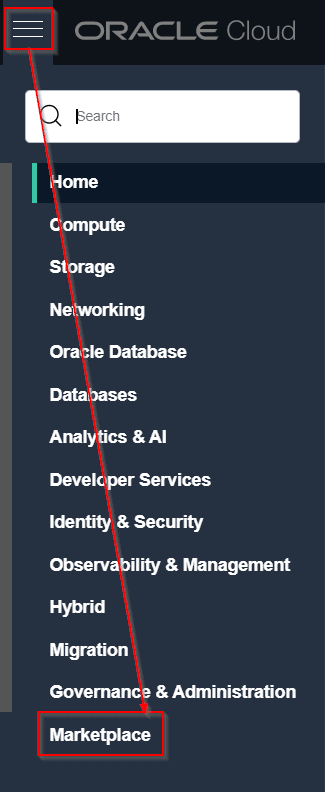
2) From the navigation menu, click on Marketplace
Also Read: Our blog post on EBS R12 Database Upgrade. Click here
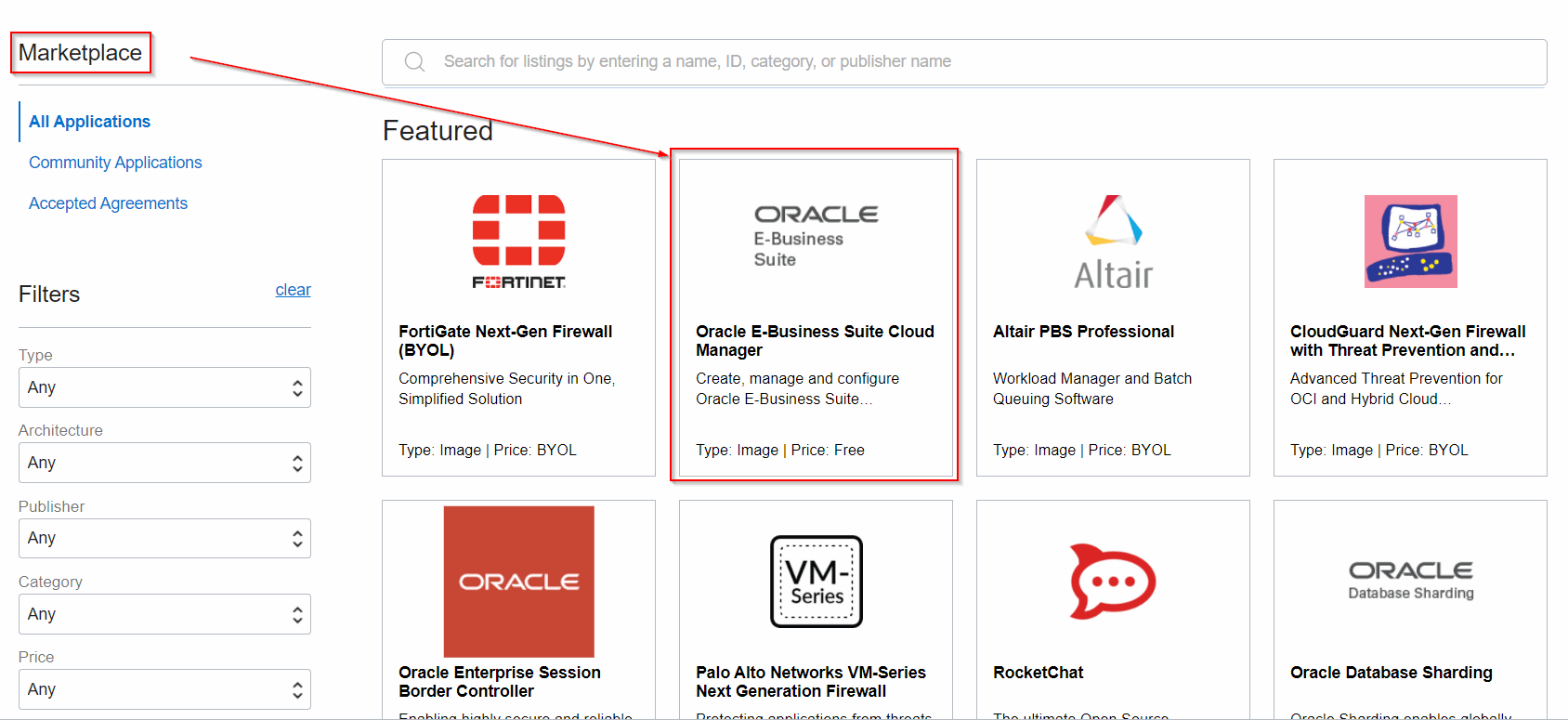
3) In this Marketplace, you will get the EBS CM image, as well as all the Oracle, provided Images & partners
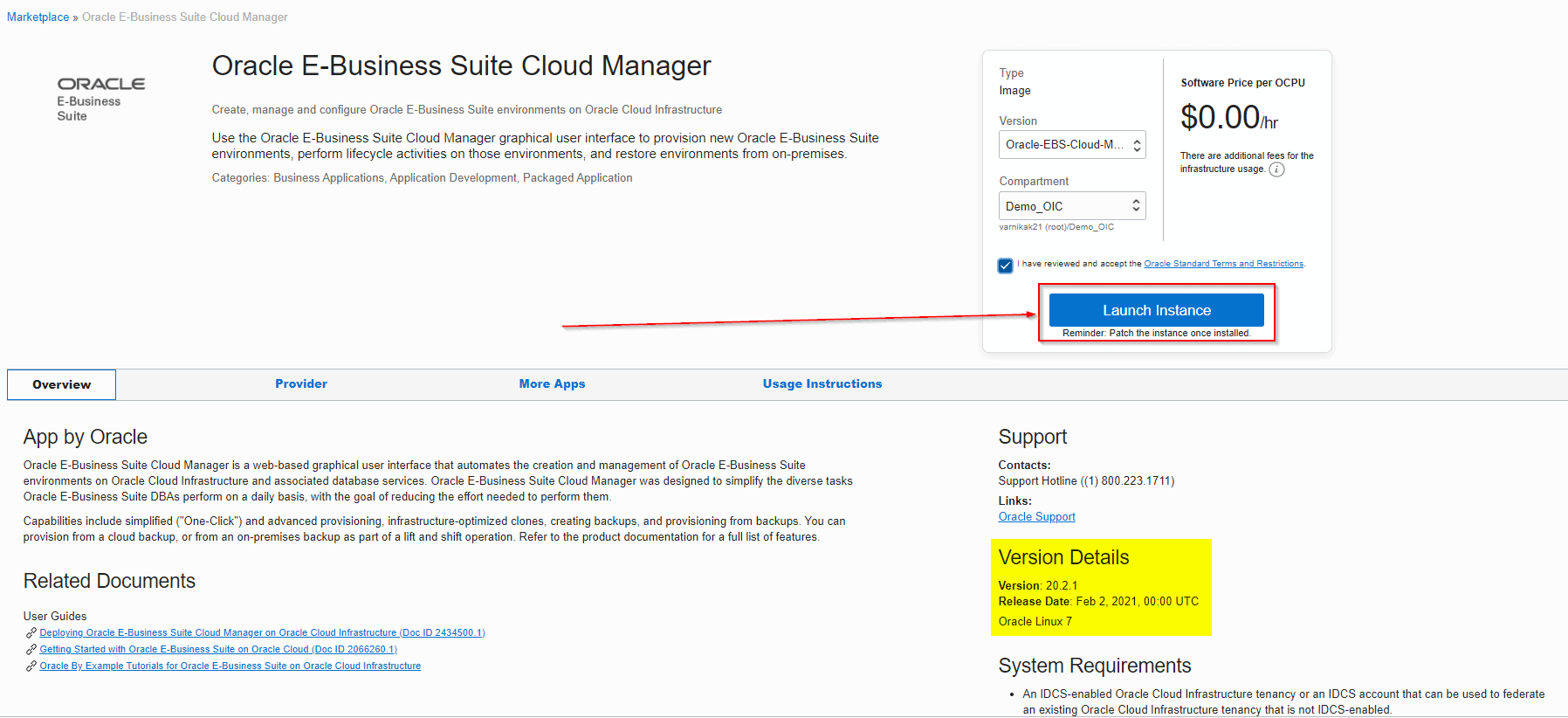
4) Simply click on launch instance & it will create a Linux Machine inside your OCI Console using which you can then create or provision other EBS environment, also manage EBS.
Also Check: OCI vs OCI Classic Oracle, know their major differences!
How to Check EBS Cloud Manager Version
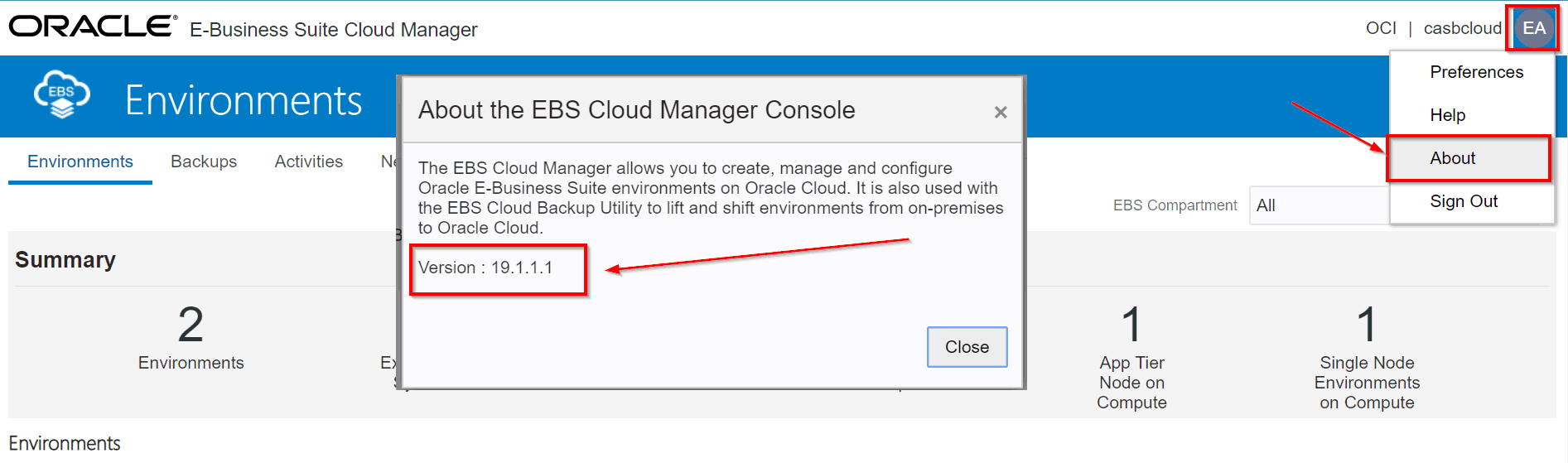
Access the URL of your Cloud Manager & on the Top Right Side click About
How to Provision EBS (R12) Using Cloud Manager (EBSCM)
Cloud Manager gives 2 options for Provisioning:
- Simplified Provisioning of EBS: Where preset topologies are defined and we can select and perform quick provisioning.
- Advance Provisioning of EBS: Here we can define our own topology to provision EBS and is useful in case of complex architectural design. Here we get the option to create the Instance using a backup of the database as well and we can define the backup policies too.
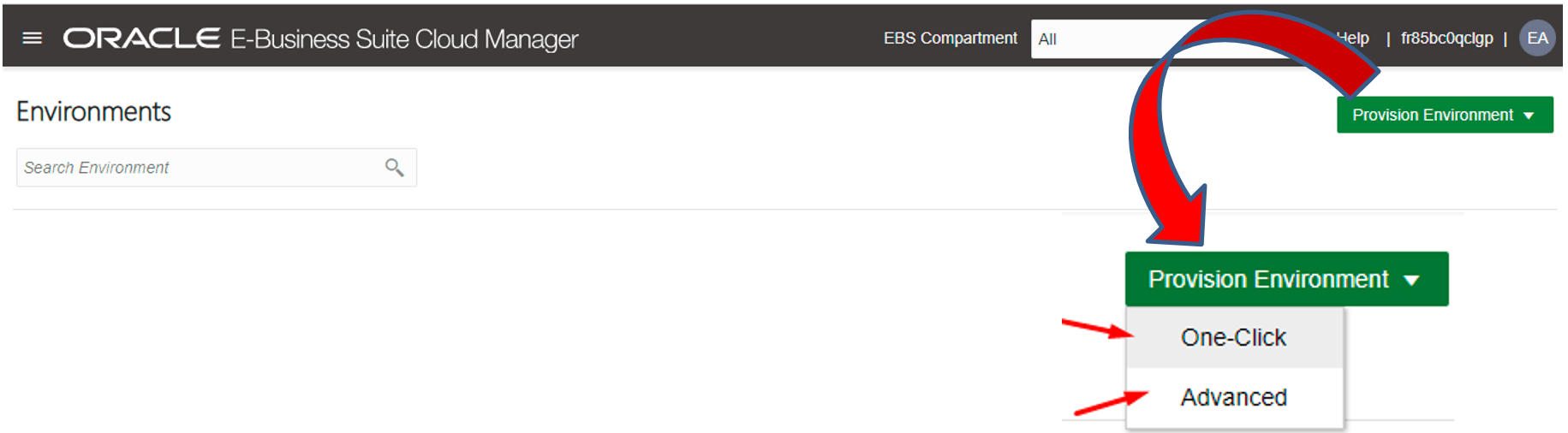
1) On the Oracle E-Business Suite Cloud Manager Environments page, click Provision Environment and select One-Click.
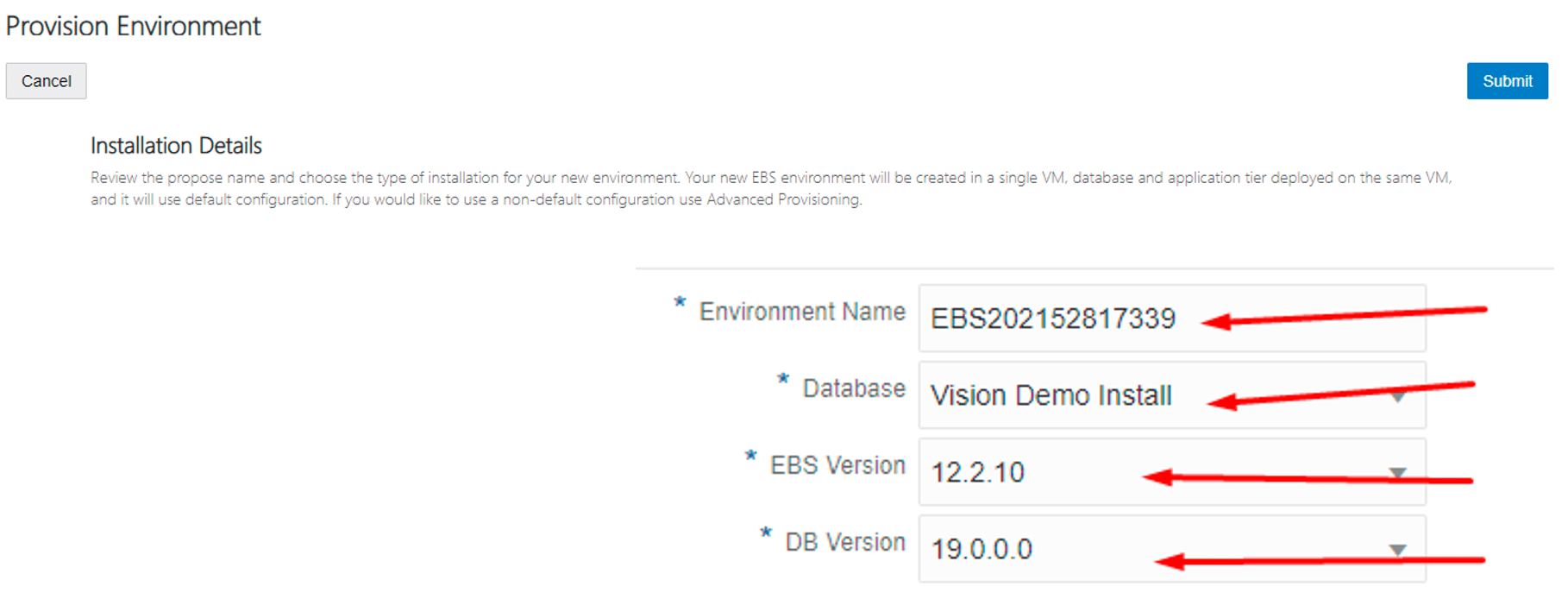
 2) Enter the values for your new environment and click Submit
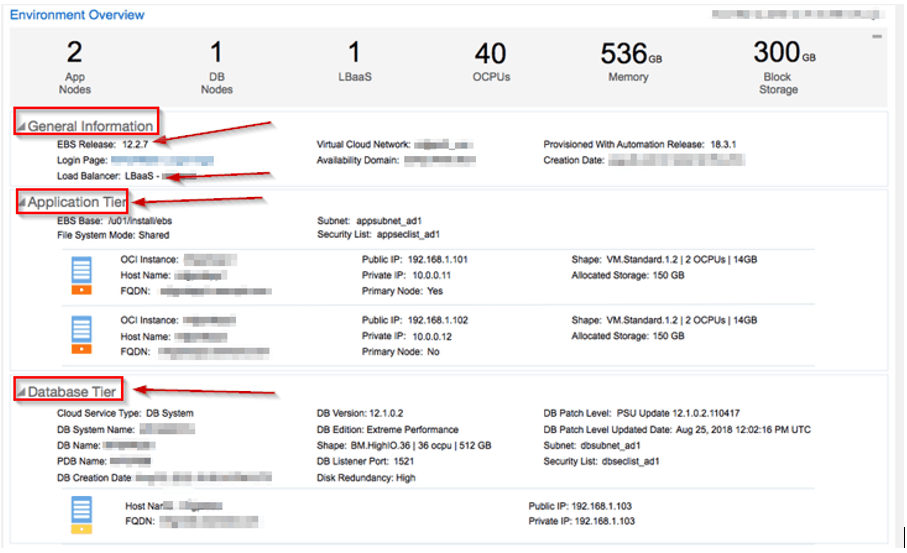
You can see Architecture details of the already created instance Application, Database and Load Balancer what all is included in the Architecture in our previous blog on Oracle E-Business Suite (R12) On OCI for Apps DBAs
Read More: About Oracle 18c Database. Click here
How to Migrate EBS From On-premise to Cloud (Lift and Shift ) Using Cloud Manager
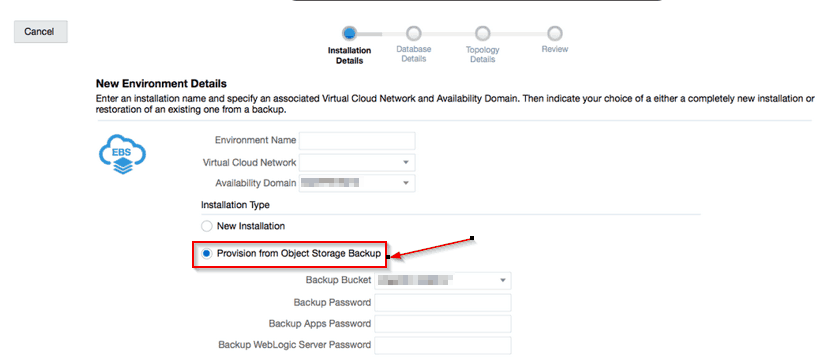
We can move the on-premises instance to Cloud using Cloud manager. Cloud manager is capable of creating an instance from the object storage backup. It uses new backup utility which is known as EBS Cloud Backup Utility, as a standalone tool for taking EBS backup to object storage and needs to be run on the source environment.
Check Out: Our blog post on OCI Load Balancer 502 Bad Gateway. Click here
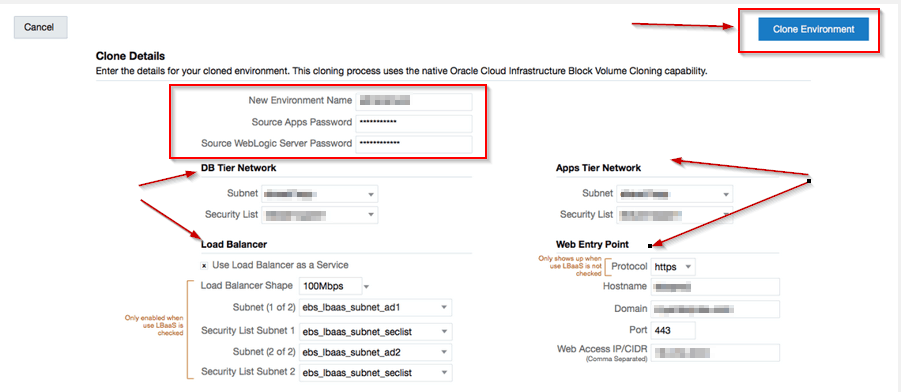
How to Clone EBS (R12) on Cloud
One of the most common activity for DBA is Cloning and with this tool, it can be done quickly and conveniently. As of not only Compute clone can be done which will be blocked volume cloning or fast cloning methodology
If you want to know more about Cloning check my previous blog on Oracle Clone
Also Read: Our blog post on Oracle EBS R12 On Cloud. Click here
How to Delete an Environment
An environment created may need to be decommissioned when not needed. The easy way to decommission the environment and release the resource involved and this will further reduce your cloud cost. All this can be done easily using Cloud Manager.
Finally much improved and GUI based tool for managing Oracle EBS environment on the cloud with new EBS backup utility is released and much more addition to coming with time.
Related/References
- 2434500.1 Deploying Oracle E-Business Suite Cloud Manager on Oracle Cloud Infrastructure
- 2434008.1 Managing the Oracle E-Business Suite Cloud Manager Virtual Machine
- Oracle Cloud Infrastructure (OCI): Region, AD, FD, Tenancy, Compartment, VCN, IAM, Storage Service
- [Video] Oracle EBS R12 on Cloud For Beginners: 7 Things You Must Know
- April 2019 EBS Cloud Manager Updates
- Oracle EBS (R12) on Cloud (OCI) Beginners: 15 Things Apps DBAs Must Know
- [Video] Role of Oracle Apps DBA (EBS) R12 On Cloud
Next Task For You
Join our FREE Masterclass on Build, manage & Migrate EBS R12 to Cloud For Beginners. Click on the image below to register for FREE


![Microsoft Agentic AI Business Solutions Architect [AB-100] | K21 Academy](https://test.k21academy.com/wp-content/uploads/2025/11/Microsoft-Agentic-AI-Business-Solutions-Architect-AB-100-Exam-Overview1.png)


