





This Post Covers Step by Step procedure of cloning Oracle Database on Cloud and If you are new to Oracle Cloud then, refer to our previous blog, where Oracle ACE & Author, Atul Kumar is showing the demo for Steps to Register For FREE Oracle Cloud Trial Account
Note: In Order to clone Oracle cloud database using snapshot, you must have created one database on cloud and if you don’t know how to create Oracle database on the cloud, please check our previous post on Create Oracle Database on Oracle Public Cloud (Database Cloud Service: DBCS)
About Instance Snapshots
Instance snapshots provide an easy way to create a customized machine image using an existing instance as a template. You can then use this customized machine image to create multiple instances with identical configurations.
Overview of Cloning Oracle cloud database using Snapshot
- On database deployments hosting a single-instance database, Oracle Database Cloud Service supports the creation of storage snapshots, which you can then use to create new database deployments called linked clones.
- When you create a storage snapshot, the database deployment is went into maintenance status and a snapshot of all the storage volumes for the deployment is taken.
- Then, when you create a linked clone deployment, Database Cloud Service creates a new database deployment whose storage volumes are from the snapshot.
- Using the “copy on write” technology that Oracle Compute Cloud Service supports for storage volume snapshots, the file data on the linked clone deployment can change without changing the snapshot itself.
- Thus, you can create several linked clones from the same snapshot to use for application testing or branched application development work.
Steps for Cloning Oracle cloud database using Snapshot
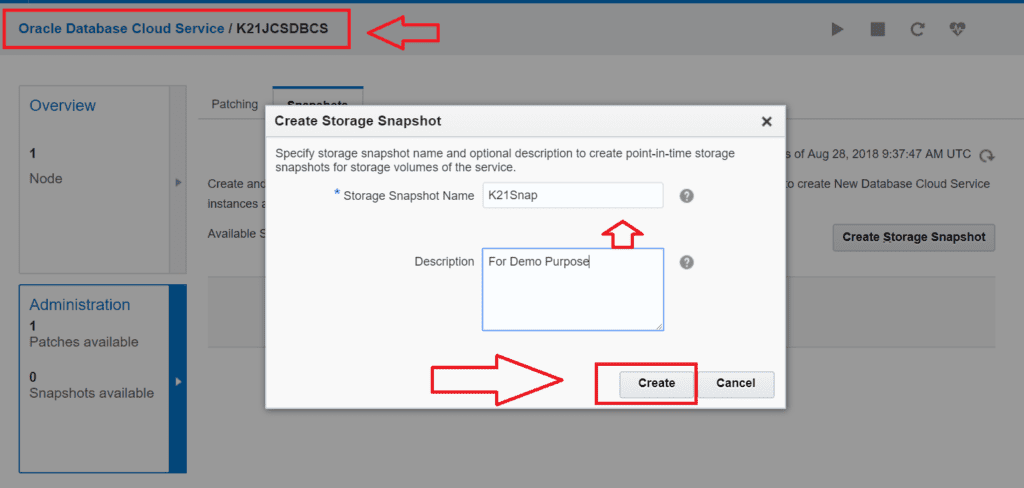
1. First, create storage snapshot for the instance you want to clone and provide a name as per your requirement, Click on Create
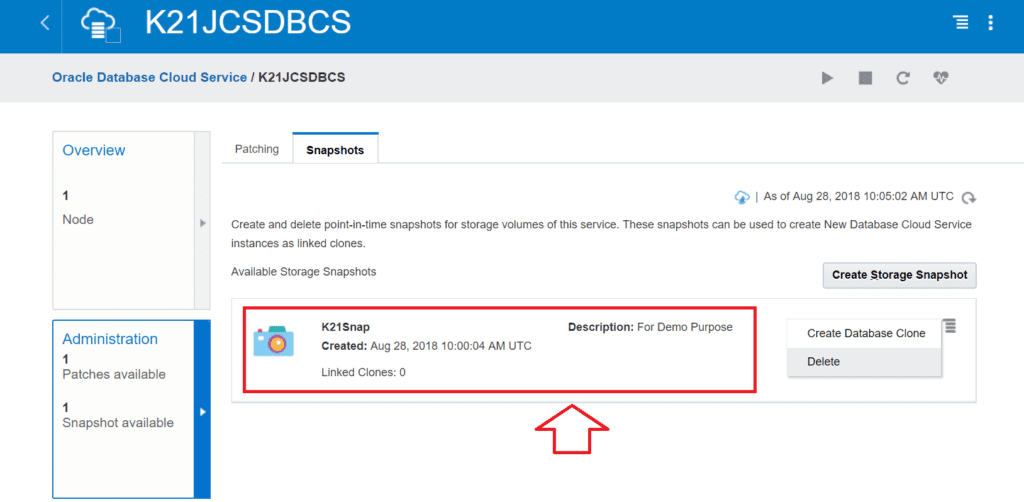
2. You can see that Snapshot is created with the name K21Snap is created now
3. Now we can create a database clone using with this snapshot
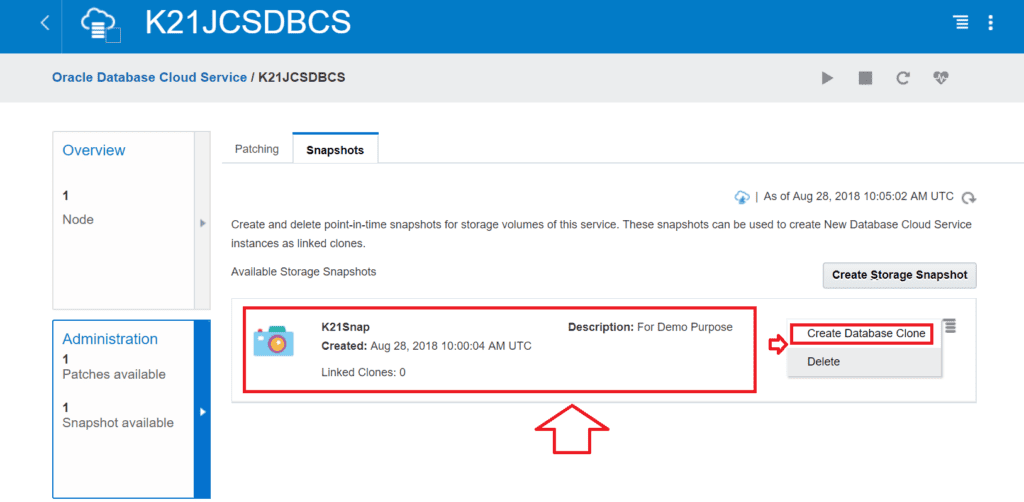
4. Now you can create an instance with this snapshot
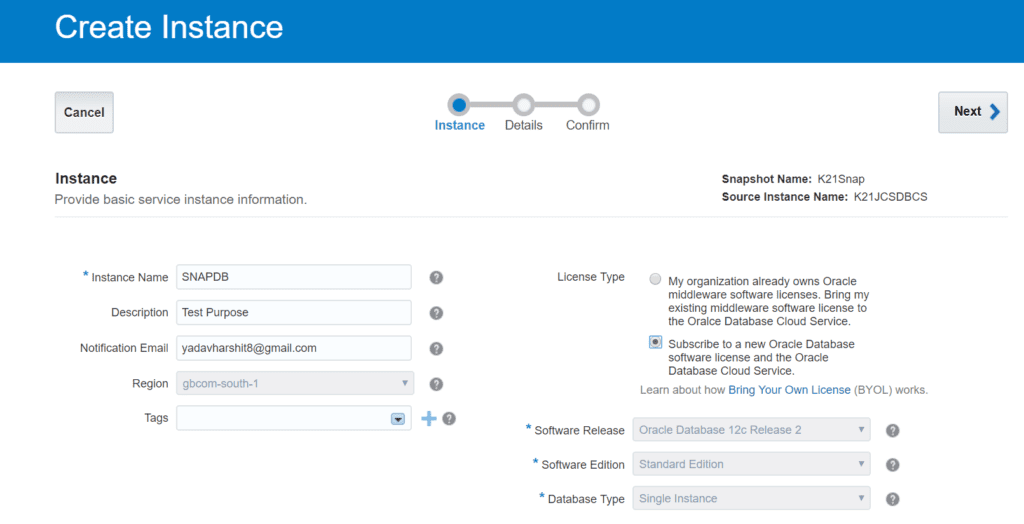
5. Please review all details before creating
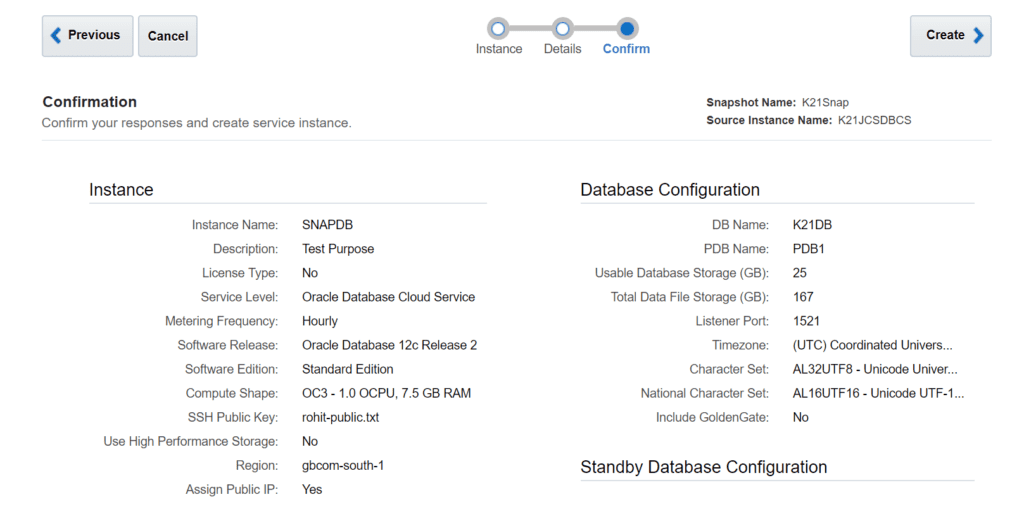
In this way, you can create multiple clones using snapshot.
Note: Make sure the database instance from which you will clone will be a standalone database, as Currently, DbaaS doesn’t support cloning of RAC
Related/Further Reading
If you are just starting out in Cloud then I highly recommend you to go through these posts first
- If you are confused to pick between Amazon AWS or Oracle Cloud then check this
- Check tasks performed by Oracle DBAs in Cloud here
- Oracle Database Cloud Service (DBCS) Certification (1Z0-160) Course
- Download our Step By Step Guide to Create Oracle Cloud Account and Create Your first Oracle Database on Cloud
Did You Start Your Cloud Journey?
Get a FREE Copy in your Inbox with Steps to Register for Oracle Cloud and get 300 USD FEE Credit to Practice and Join our Private Closed Facebook Group for Oracle Cloud Community


![Microsoft Agentic AI Business Solutions Architect [AB-100] | K21 Academy](https://test.k21academy.com/wp-content/uploads/2025/11/Microsoft-Agentic-AI-Business-Solutions-Architect-AB-100-Exam-Overview1.png)



