



Oracle Cloud Registry (OCIR) is an Oracle-managed private registry that simplifies your development by making it easy for you as a developer to store, manage and deploy container images, like Docker images securely within an Oracle Cloud.
These docker images are used by Oracle Container Engine for Kubernetes(OKE) and Oracle Functions.
Index:
Oracle Cloud Registry | Overview
OCIR is a highly available and scalable private container registry service for storing and sharing container images within the same regions as the deployments.
An integrated platform offering, where users can store their container images easily in one location. Access to push and pull images with the Docker CLI or images can be pulled directly into a Kubernetes deployment.
These container images are managed and deployed on the Container Engine for Kubernetes (OKE).
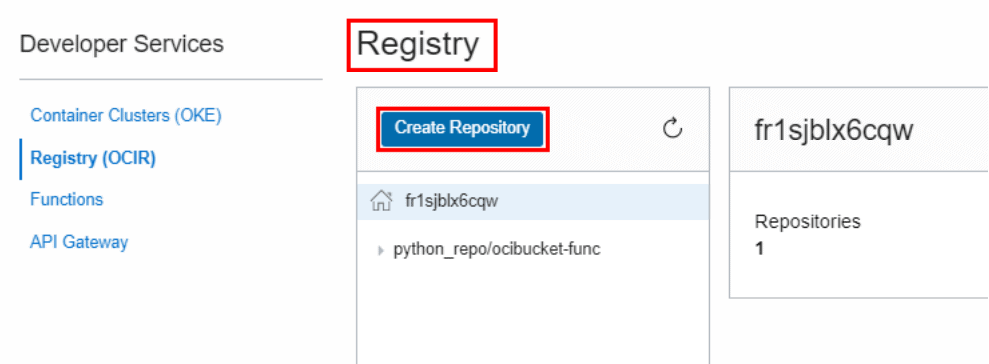
Use Cases Of Oracle Cloud Registry
- OCIR can be used as a private Docker registry for internal use, pushing and pulling Docker images to and from the Registry using the Docker V2 API and the standard Docker command-line interface (CLI).
- OCIR can also be used as a public Docker registry, any user with internet access, and knowledge of the appropriate URL can pull images from public repositories in OCIR.
- Developers, testers, and CI/CD systems need to use a registry to store images created during the application development process. You can iterate on code faster and push it to production more frequently.
- Oracle Functions and Events. The function code is packaged as a Docker image and pushed to the OCIR and the event triggers can be configured in the Events service to make sure when the function is invoked.
Oracle Cloud Registry | Benefits
- Integration: Full integration with Container Engine for Kubernetes (OKE)
- Security: Registries are private by default but can be made public by an admin
- Regional Availability: Pull container images quickly from the same region as your deployments
- High availability: Leverages OCI for high performance, high availability, and low latency image push and pull to/from OCIR
- Anywhere Access: Use Docker CLI to push and pull images from anywhere – cloud, on-premises, or laptop
Oracle Cloud Registry | Pre-requisites
- Users must have access to an Oracle Cloud Infrastructure tenancy.
- User must have access to the Docker CLI
- To use OCIR service, the user is either a part of the admin group or part of a group to which a policy grants
the appropriate permissions - User needs to have an OCI username and auth token before being able to push/pull an image from the OCIR
Steps To Configure OCI Registry | Oracle Cloud Docker Registry
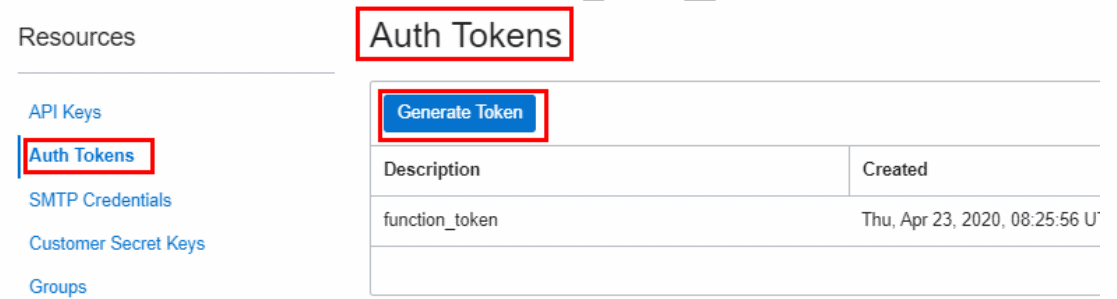
1. Navigate to Auth Tokens, under Resources, and click Generate Token
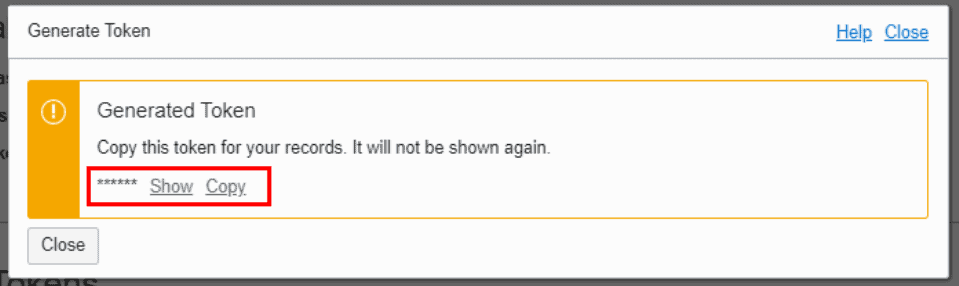
2. Copy the token created, it will be used as a password for accessing OCIR.
3. Install Docker CLI on the local machine (windows in my case). For more information on docker installation, you can go through the official Docker Docs.
4. Pull the hello-world image from Docker Hub and run it in the CLI.
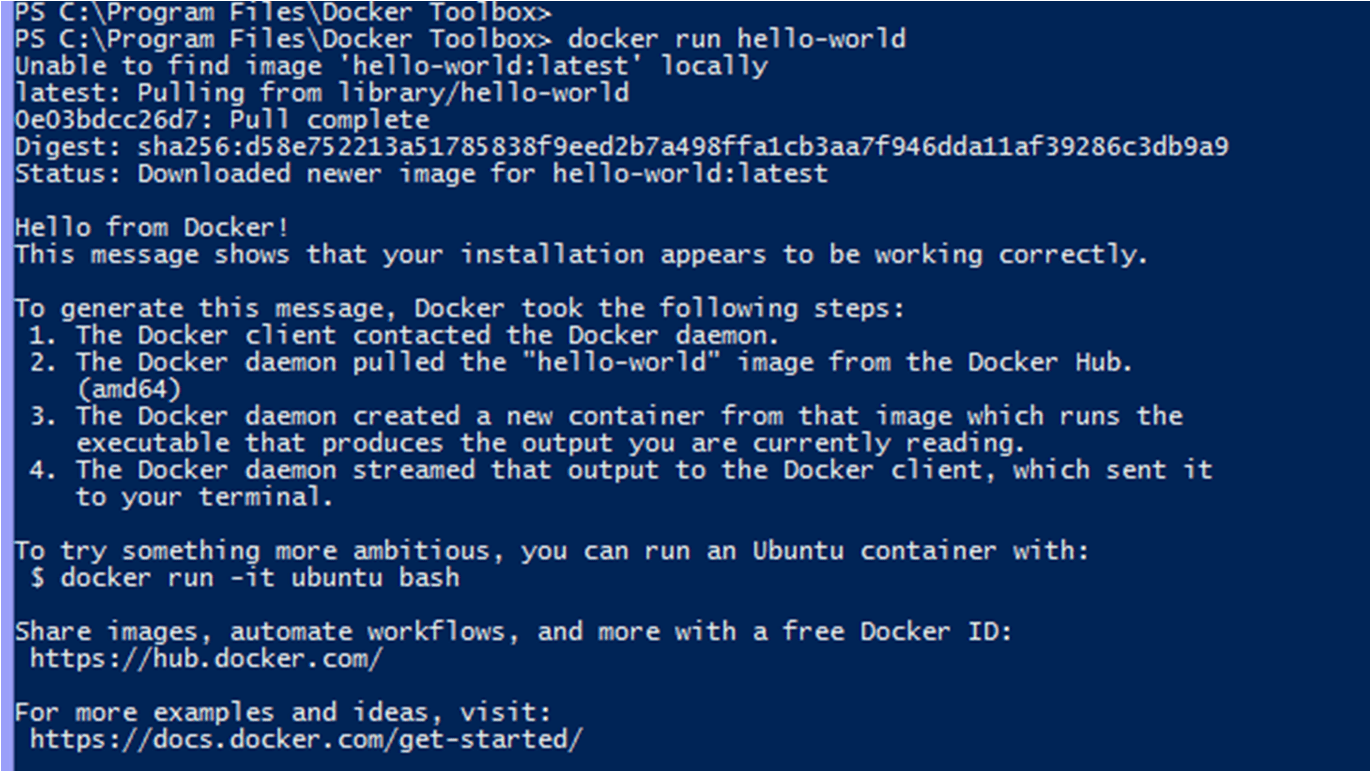
5. To list image downloaded from Docker Hub, enter the following command
docker images

6. Log in to the Oracle cloud registry in OCI using Docker CLI
- In a terminal window on the client machine running Docker, enter the following command
docker login <region-key>.ocir.io
- Enter your username and password
Username: <tenancy-namespace>/<username>
If tenancy is Federated with Oracle Identity Cloud Service
Username: <tenancy-namespace>/oracleidentitycloudservice<username>
Password: Auth token generated earlier (not visible)
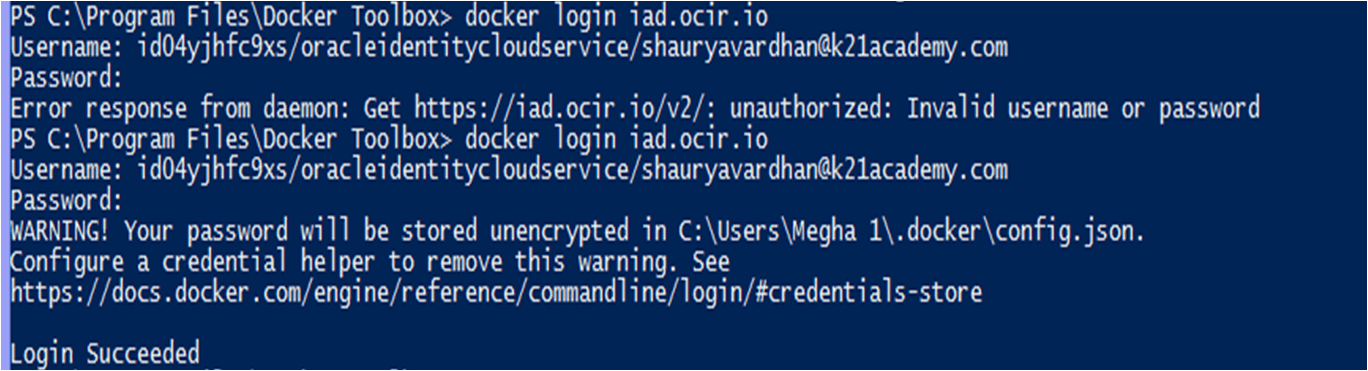
7. Locate the existing image hello-world that we downloaded in step 4 to push
- In a terminal window, enter the command
docker images
- Tag the image that you are going to push to the registry. In our case, we are going to push the image named hello-world.
docker tag <image-identifier> <target-tag>

8. Push your tagged docker image from the local machine to the OCIR
docker push <target-tag>

9. Pull the Docker image from the Oracle cloud registry to the client machine
docker pull <region-key>.ocir.io/<tenancy-namespace>/<repo-name>/<image-name>:<tag>

Note: Docker images can be pulled with Docker CLI or directly into Oracle Container Engine for Kubernetes(OKE) Deployments. We have demonstrated using only the Docker CLI in this post.
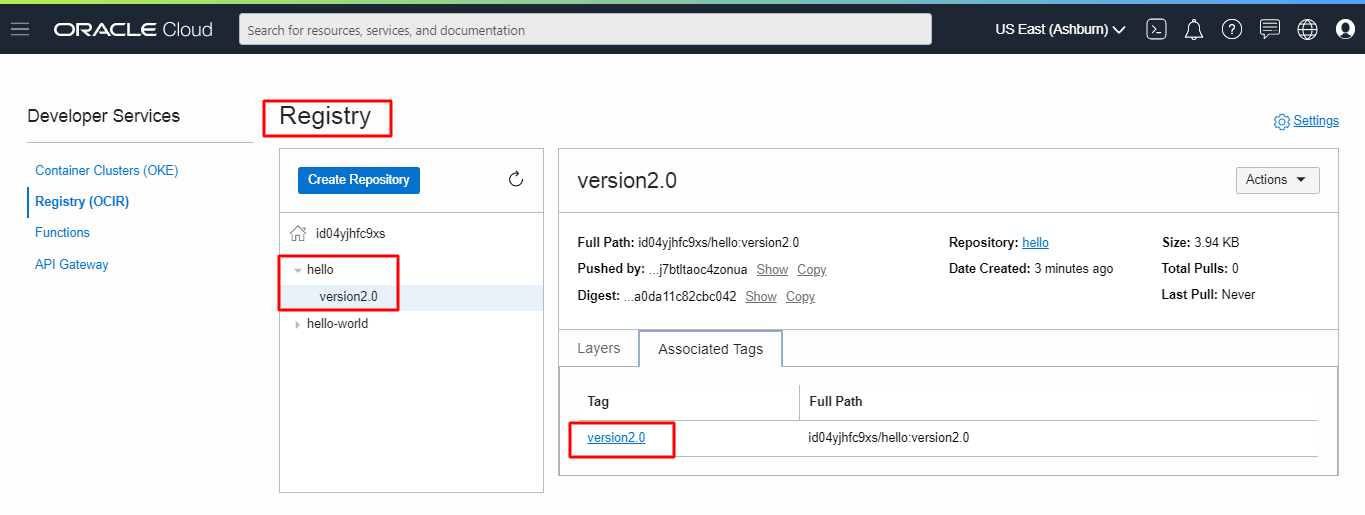
10. We can see by navigating to the Registry created in OCI that the image is pushed into the hello registry
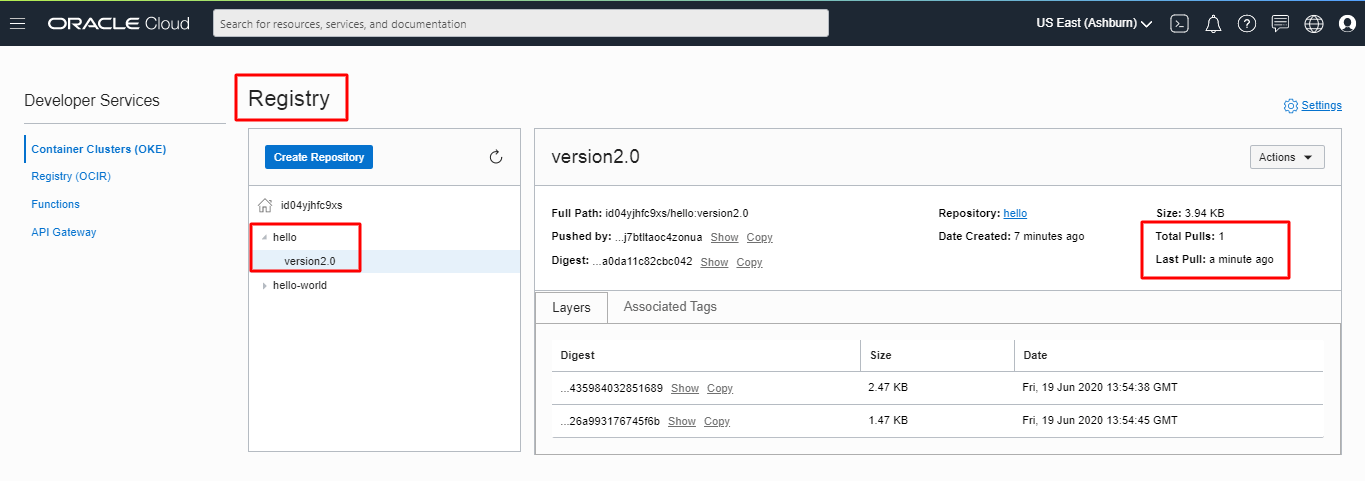
11. We can see the pull status from the OCI console
Related/Further Readings
- Oracle Cloud Infrastructure Architect Professional | 1Z0-997
- [1Z0-997]Oracle Cloud Infrastructure (OCI) Architect Professional Certification: Step by Step Hands-On
- KMS in OCI
- Functions and Events in OCI
- Monitoring Service in OCI
- Secret Management in OCI
Next Task For You
In our OCI Architect Professional [1Z0-997] Certification training, we cover OCI Registry in Implement and Operate Solutions in the OCI module. In this module, we also cover the Oracle Functions, Oracle Container Engine For Kubernetes, Events & Notifications.
Click on the below image to Register for the FREE Masterclass on [1Z0-997] OCI ARCHITECT PROFESSIONAL NOW!


![Microsoft Agentic AI Business Solutions Architect [AB-100] | K21 Academy](https://test.k21academy.com/wp-content/uploads/2025/11/Microsoft-Agentic-AI-Business-Solutions-Architect-AB-100-Exam-Overview1.png)


