



We have been getting many requests from our trainee to help them with OIC Instance Creation that is stuck at status creating. It is a known issue that has plagued free trial cloud account users.
In this blog post, I am going to show you how quickly get Instance unstuck by raising an SR to Oracle support and what all details you should provide to quickly get the issue resolved.
Oracle Integration Cloud (OIC) Overview
Oracle Integration enables various applications, systems, repository, and IT environments to connect with one another. With a real-time exchange of data and processes, the data and integrated cloud services can be accessed on multiple devices in a network or through the internet.
It eliminates barriers between business applications through a mixture of machine learning, prebuilt integration, and process automation.
If you are new to Oracle Integration Cloud (OIC), then check out our below blog posts as they contain all the key points a beginner should know about Oracle Integration Cloud (OIC).
Issue:
Oracle Integration-OIC – Instance Creation is Stuck at status: Creating
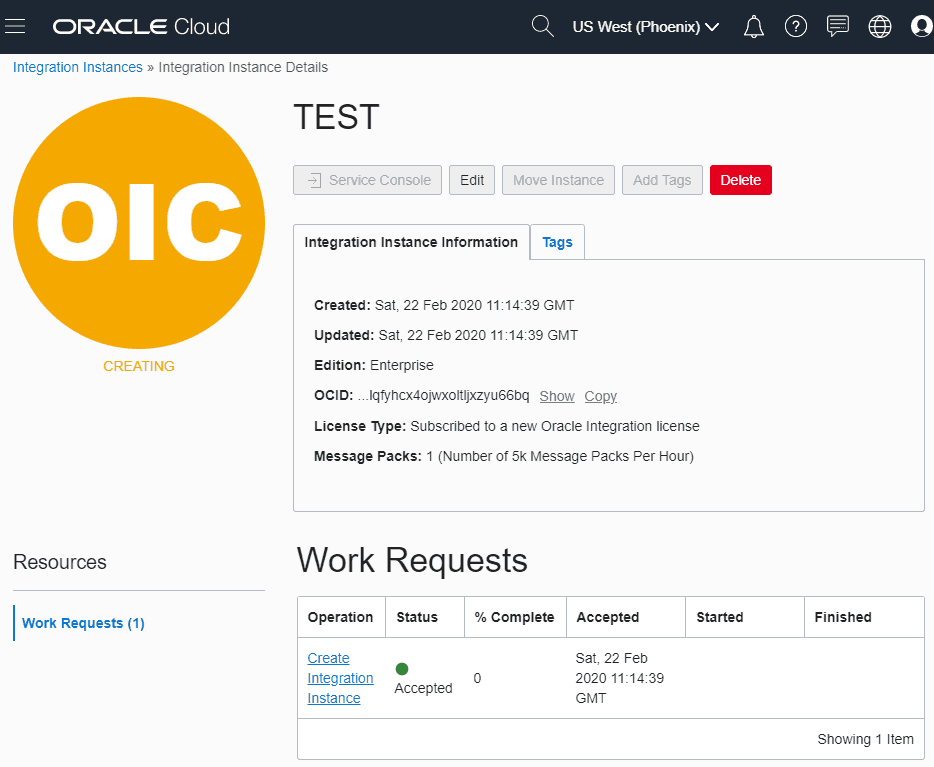
Note: To know more about how to create a new OIC instance click on the link for step by step instruction click here
FIX:
Check Out : New Homepage Of Oracle Integration Cloud.
We need to raise SR to Oracle support to get it fixed.
Steps To Raise An SR.
Step 1: Go to support account https://support.oracle.com
Step 2: If you don’t have an account for oracle support then please create one by register yourself as a new user.
Note: You should use the same Email address to create a support account that you have used for creating the cloud trial account, as your trial account is associated with the Email address.
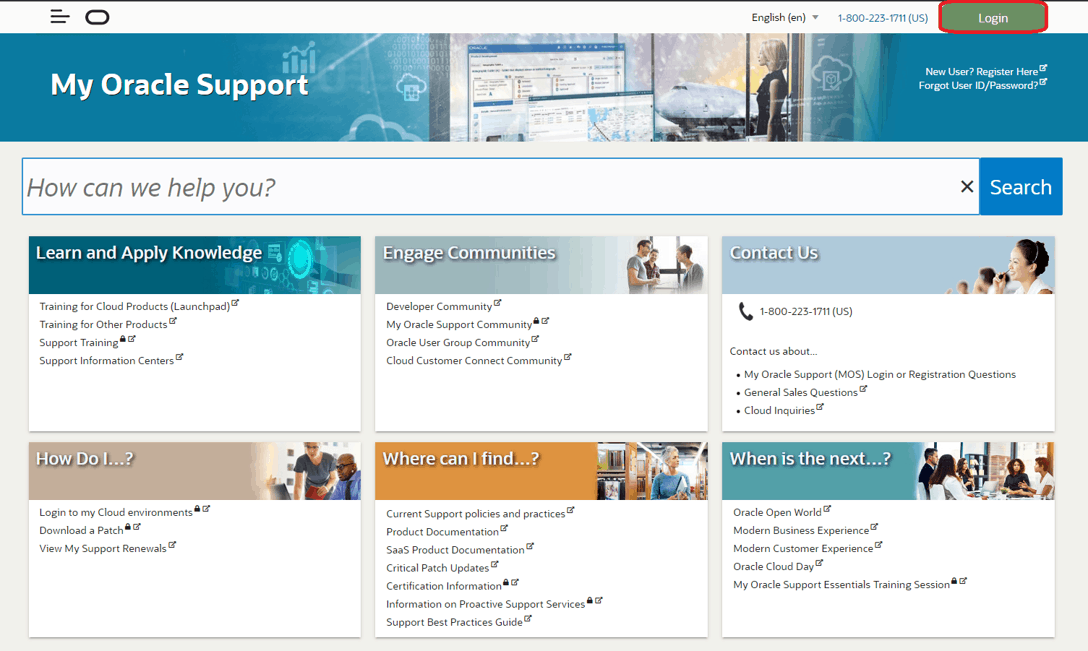
Step 3: Click on Login then provide the details.
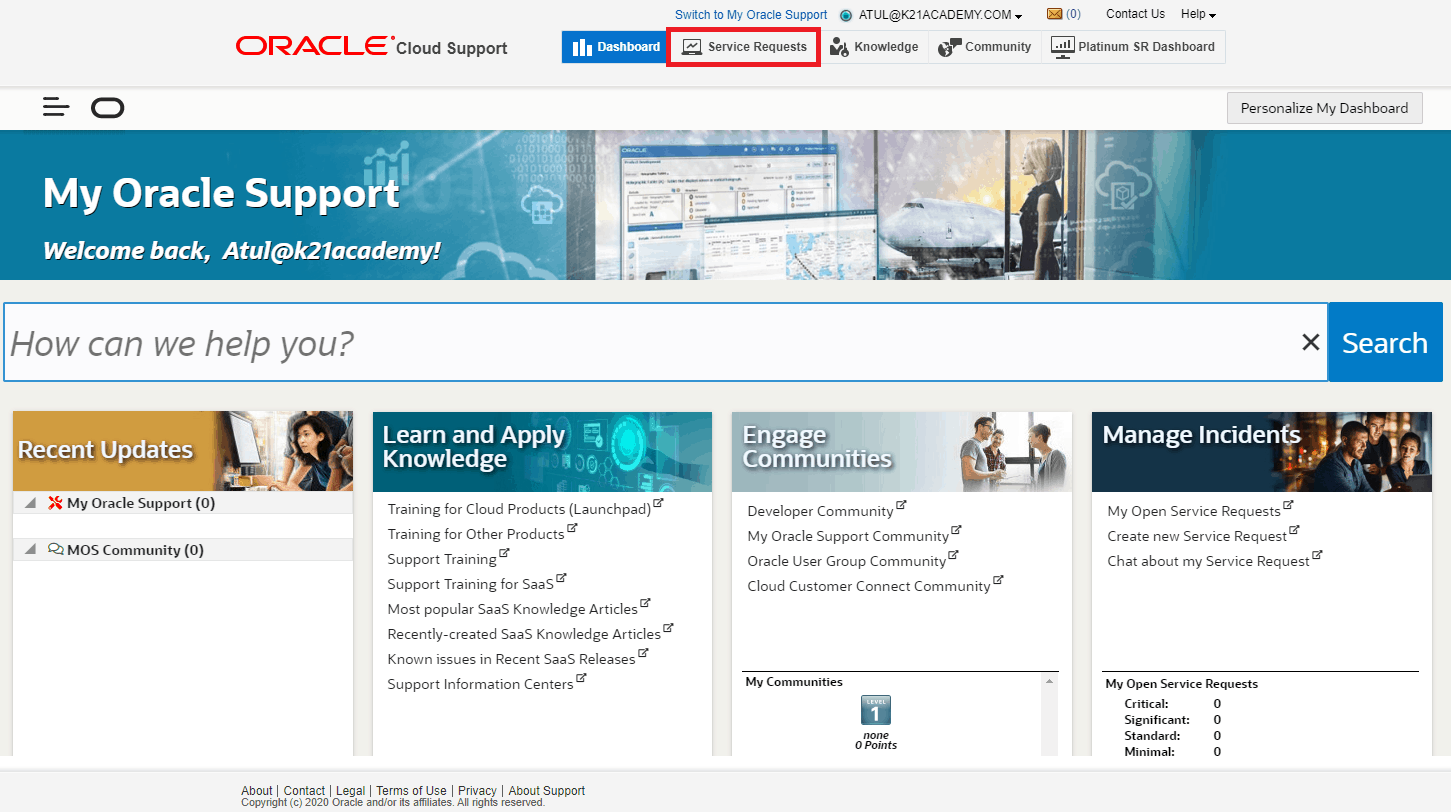
Step 4: Once you are logged in, you will see below screen, Click on Service Request.
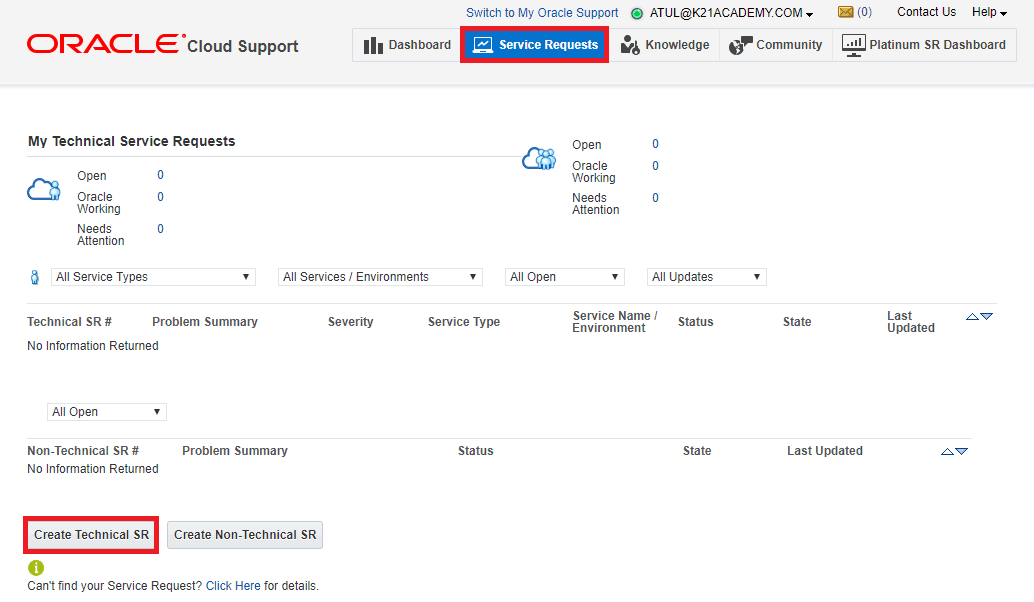
Step 5: Now in Service Request screen, Click on Create Technical SR.
Step 6: Fill up the information and click on Next.
| Service Type | Oracle Integration |
| Service Name | will be taken automatically |
| Problem Type | Creating Service Instance |
| Problem Summary | Provide a summary of the issue faced |
| Description | Provide detail of the issue faced |
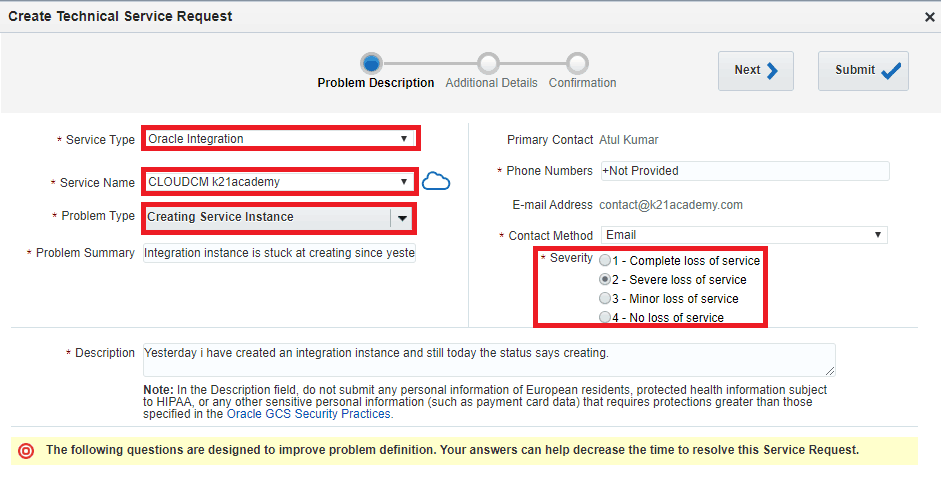
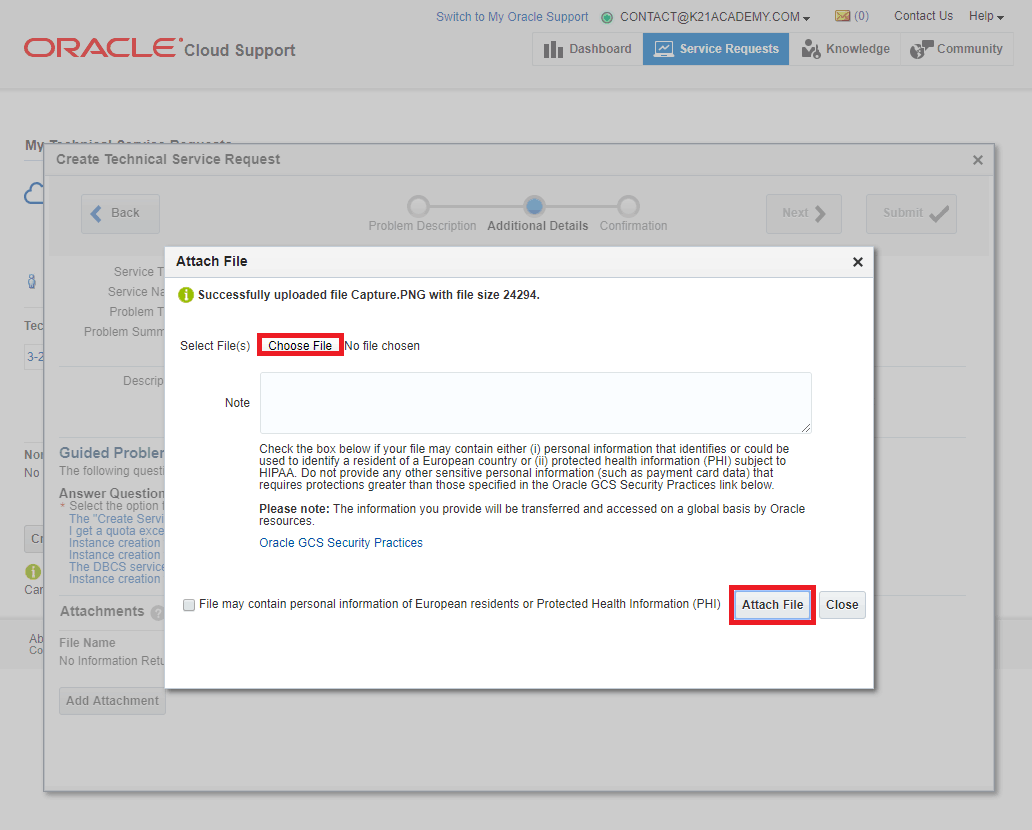
Step 7: Add a screenshot of the issue.
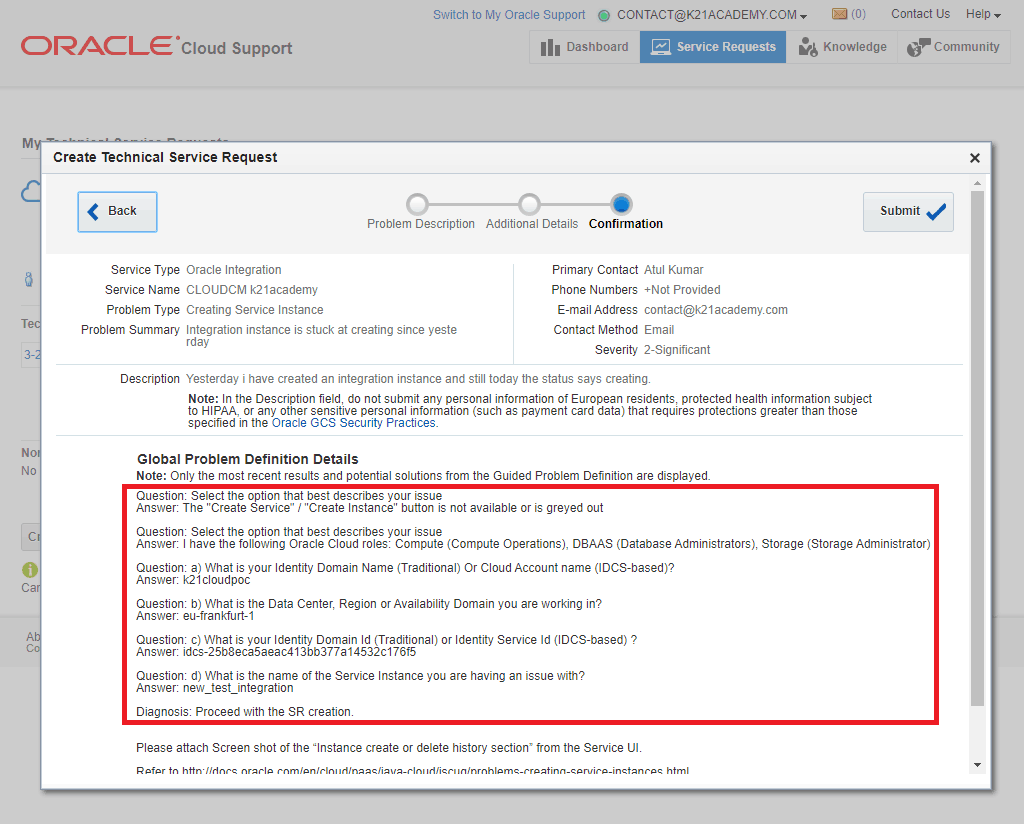
Step 8: Now you need to answer some questions so that Support could determine the issue and the issue is resolved quickly.
step 9: Now you have successfully raised an SR to Oracle.
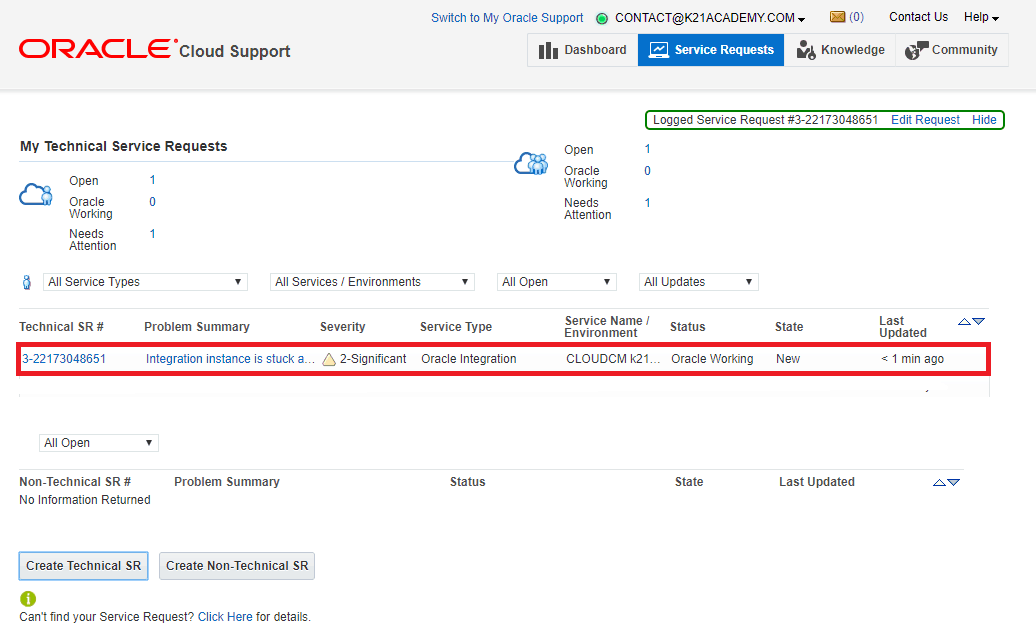
You will get the notification on mail for your SR & its updates and response time depends upon the severity of SR.
Note: To Create a Cloud Service Request (SR), Please follow the (Doc ID 1484944.1)
Conclusion
In this post, we have provided a solution for getting the instance status from creating to created and how to raise an SR for the issue.
If you find this post interesting and have further questions about the topic then comment below.
Related Links/References:
- How to Create a Cloud Service Request (SR) (Doc ID 1484944.1)
- Oracle Integration Cloud (OIC) For Beginners Overview
- [Free Masterclass] Oracle Integration Cloud Services
- 6 Docs Every Oracle Cloud Integrator Must Read
- Oracle SOA Cloud Service
- Oracle Cloud Documentation Links: OIC | SOA-CS | OCI
- How to exporting Business Data and Visual Builder Cloud Service (VBCS)
- How Import Business Data in Visual Builder Cloud Service (VBCS)
- Process large file (above 10MB) in Oracle Integration Cloud(OIC)
- Oracle Integration: ICS to OIC Migration
Next Task For You
Do you want to learn more about Oracle and confuse where to start or which certification is right for you? Then, click on the register now button below to register for a Free Masterclass on Oracle [1Z0-1042] Certified Cloud Integration Expert, which will help you better understand and choose the right path and clear the certification exam.


![Microsoft Agentic AI Business Solutions Architect [AB-100] | K21 Academy](https://test.k21academy.com/wp-content/uploads/2025/11/Microsoft-Agentic-AI-Business-Solutions-Architect-AB-100-Exam-Overview1.png)


