





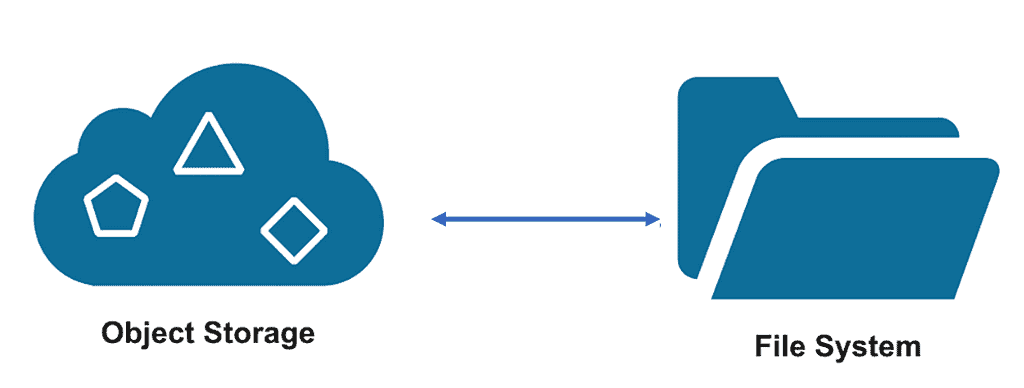
In today’s digital landscape, managing vast amounts of data efficiently is crucial. Object storage has emerged as a robust solution for storing immense volumes of unstructured data. However, accessing and utilizing this data seamlessly often poses a challenge. This blog aims to delve into the process of mounting object storage as a file system using s3fs utility. It will cover the steps involved in the mounting process, and the use cases for such a setup. In this blogpost we will also discuss the tools and utilities available for mounting object storage as a file system.
In this blog, we will cover
Introduction
Mounting an object storage as a file system allows users to access and manage files stored in the object storage as if they were stored locally on their computer. This simplifies file management and provides a more convenient way to access and manipulate files. The process involves installing a file system driver, configuring credentials, and mounting the object storage bucket as a file system. The steps to mount an object storage bucket as a file system vary depending on the operating system and the cloud provider.
Pre- Requisite
- Ensure that bucket you’re trying to mount is in the compartment listed for S3 compatibility; by default, it’s a root compartment of the tenancy.
- If you need to change that, settings are located under Administration->Tenancy Details->Edit Object Storage Setting.
Steps to create Object Storage Bucket From OCI Console
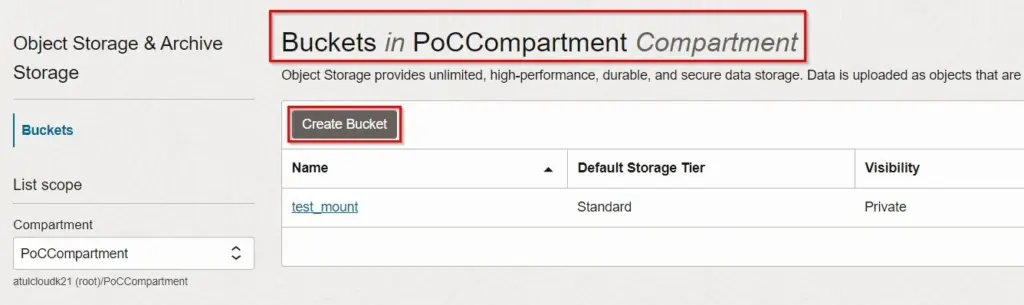
Step 1. Create a bucket from Storage > Object Storage > Bucket
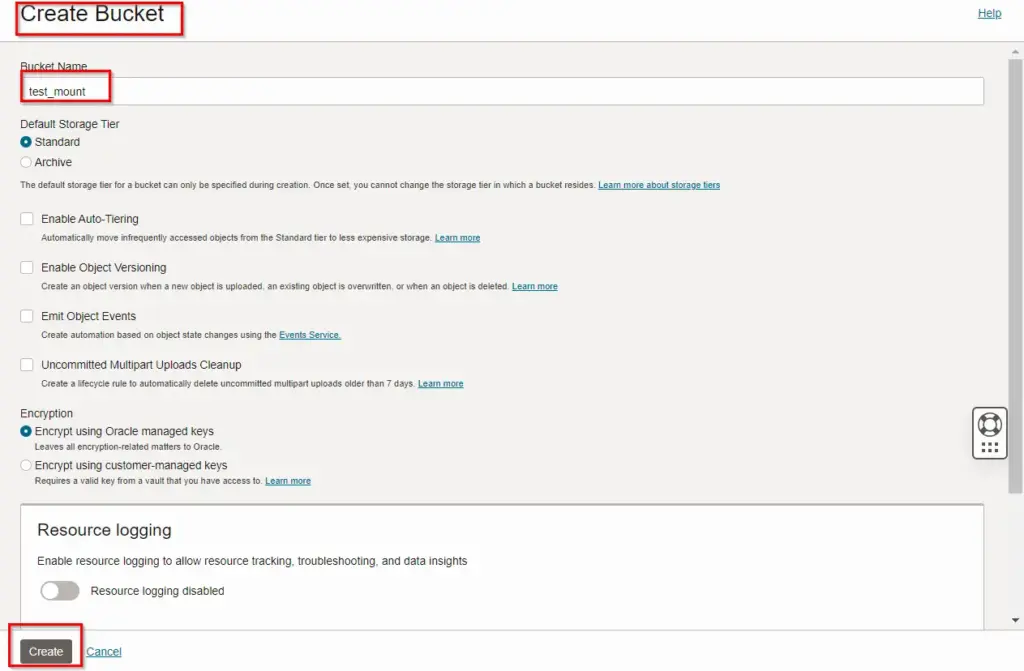
Step 2. Enter name for bucket and click create.
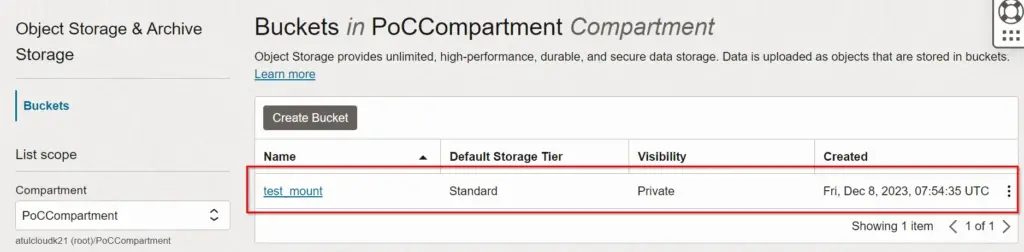
In the below image, we have seen the bucket is created in the POCCompartment.
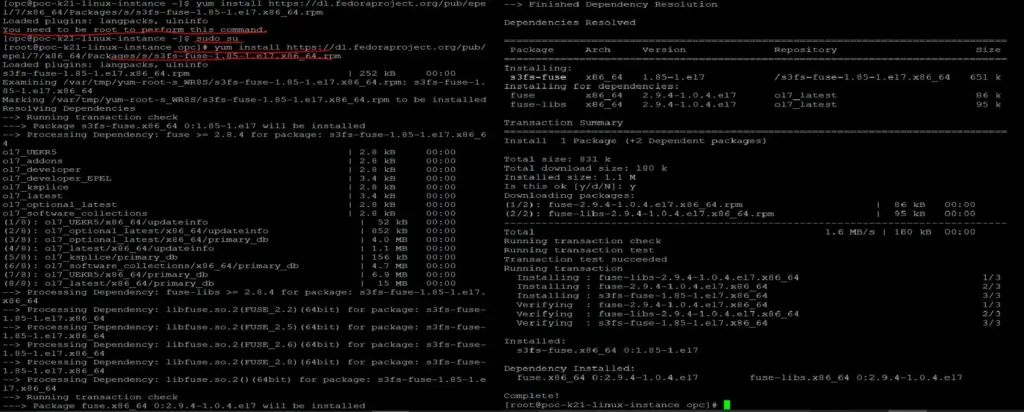
Step 3. Enable the oracle EPEL repository
You can install s3fs-fuse either from source or by using a pre-built package from the Oracle Linux EPEL repository. In this post, I’m using Linux EPEL repository.
a. First you need to install EPEL repository through putty
yum install https://dl.fedoraproject.org/pub/epel/7/x86_64/Packages/s/s3fs-fuse-1.85- 1.el7.x86_64.rpm
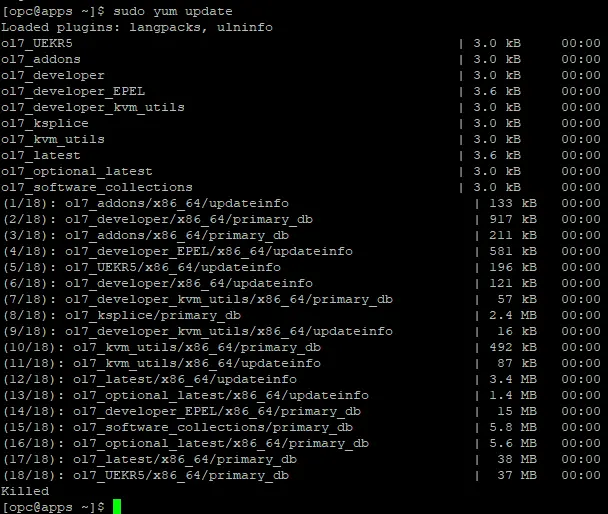
b. Run it from opc user.
sudo yum update
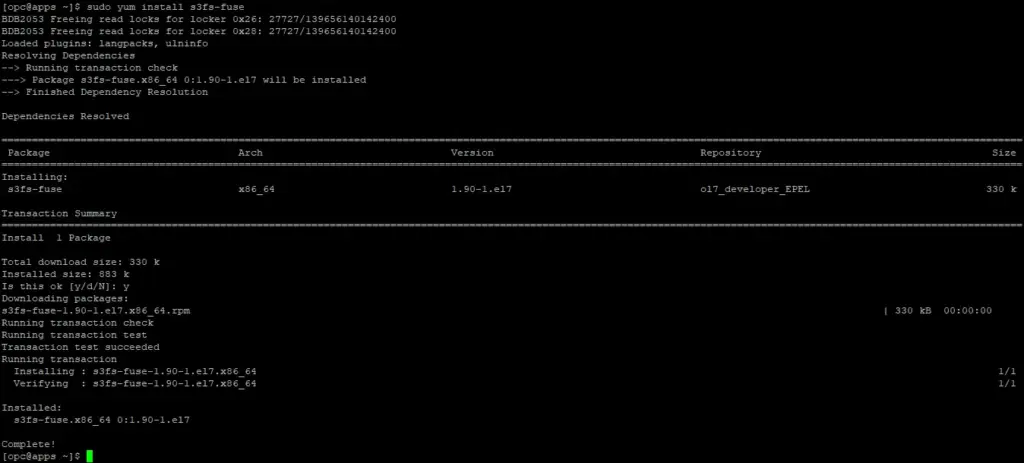
c. Install s3fs-fuse utility
sudo yum install s3fs-fuse
Step 4. After installing s3fs, I need to create the customer secret key that will be utilized for accessing the Object Storage
a. Generate customer secret key
1. Navigate to OCI Console, Profile > My Profile
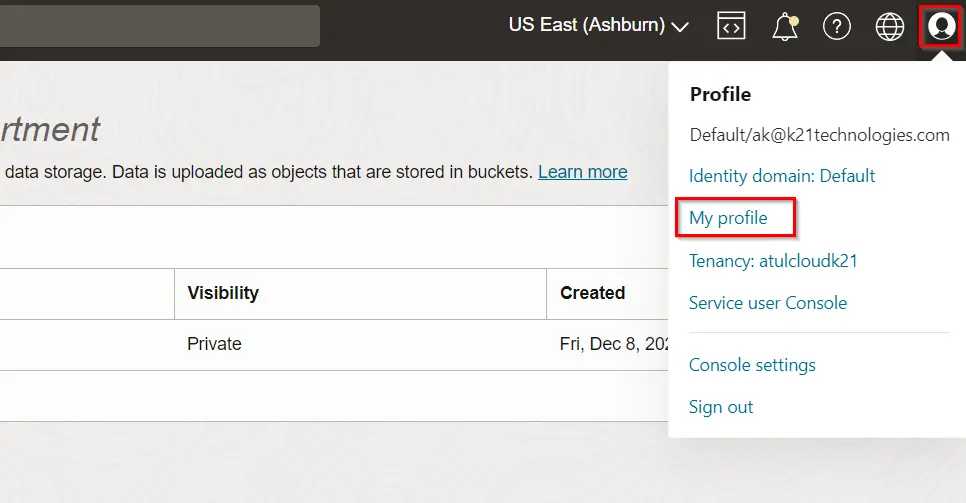
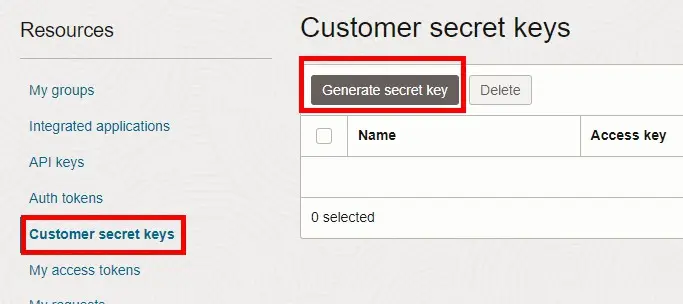
2. Scroll down in My profile. Click Customer Secret Keys, and then click Generate Secret Key.
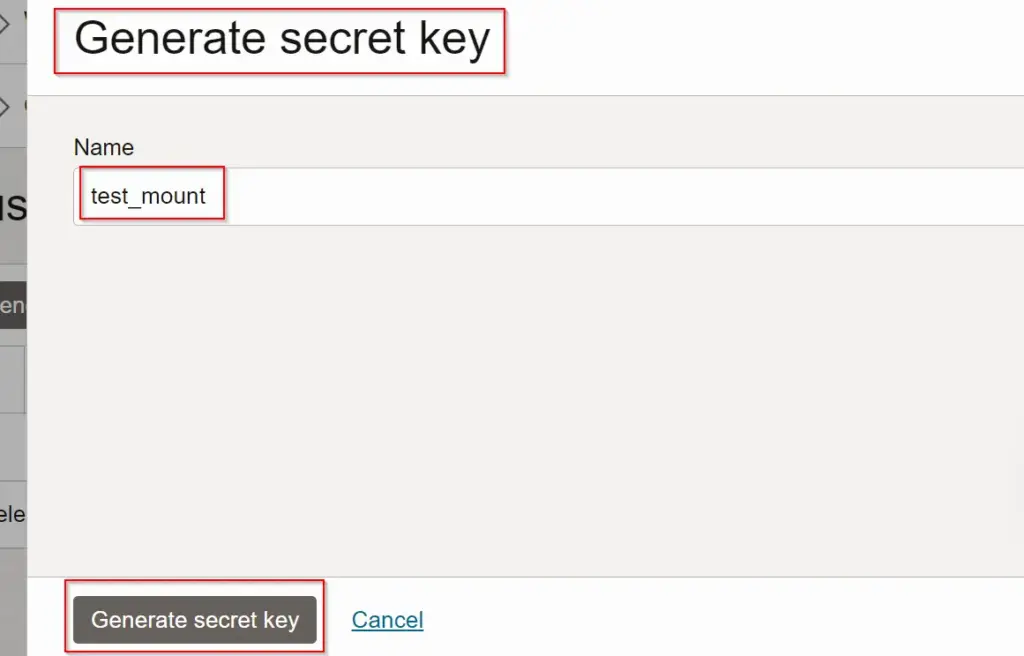
3. Give the key a meaningful name (for example, s3fs-access), and then click Generate Secret Key.
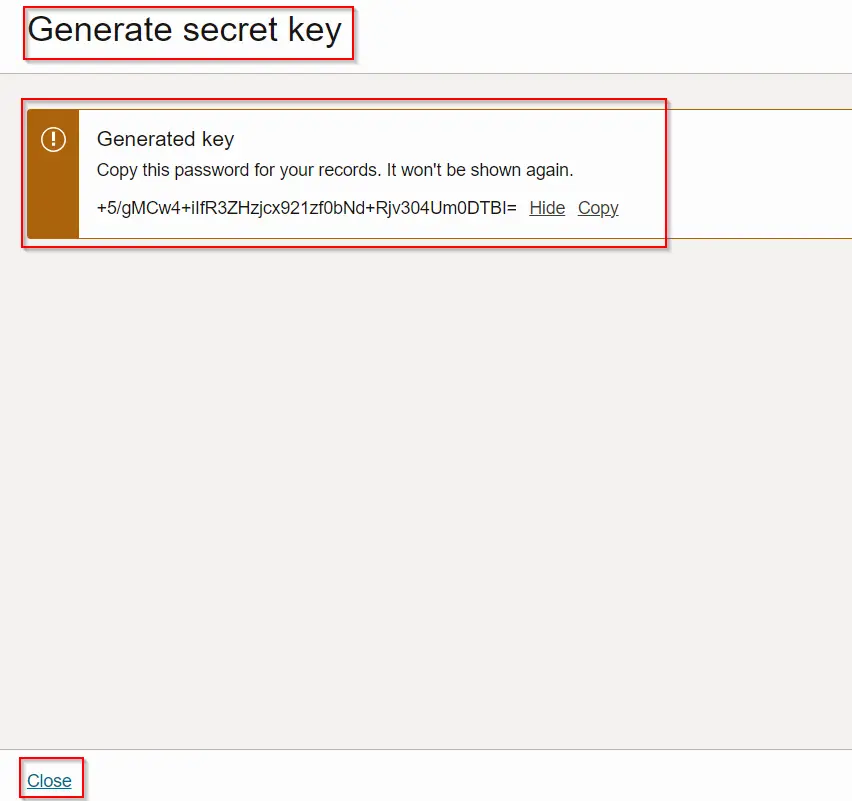
4. Copy and save the secret key because it won’t be shown again.
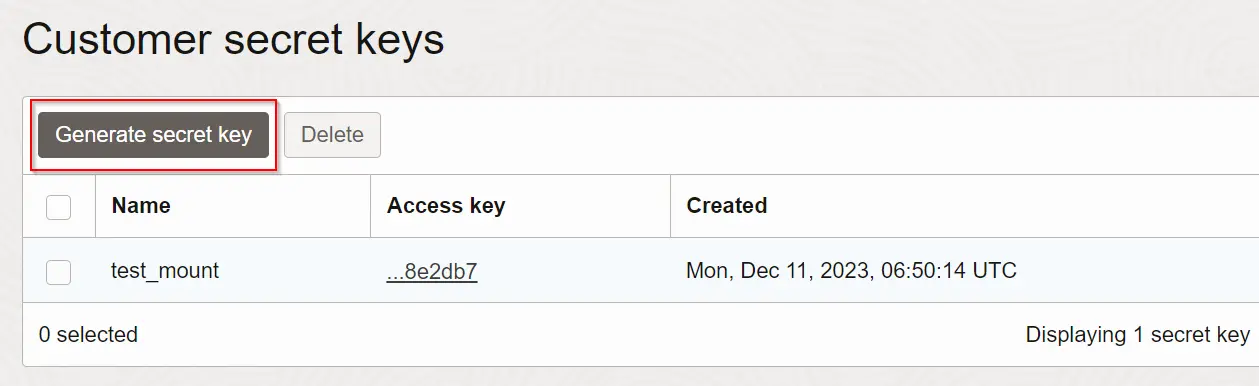
b. Now a Secret Key is listed. We also need to copy the Access Key:
Step 5. Create a password file that contains your Secret Key and Access Key from the previous step, both in one line, separated by a colon:
Secret Key to the .passwd-s3fs file in your home directory and provide user permission-
echo Access_key:Secret_key > ${HOME}/.passwd-test_mount chmod 600 .passwd-test_mount

Step 6. Create the directory and assign ownership
mkdir /home/opc/test_mount
chown opc:opc /home/oracle/test_mount
Mount the File System
1.Once the password file is created then mount your bucket to the mount directory using the s3fs mount command.
s3fs [Bucket_Name] [Mount_Directory] -o endpoint=[Region] -o passwd_file=${HOME}/.passwd-s3fs -o url=https://[namespace].compat.objectstorage.[region].oraclecloud.com/ -onomultipart -o use_path_request_style
Namespace (This is on the bucket details page in the cloud console, it’s usually the first line in the General tab once you’ve drilled into your bucket).
2. Verify Files Listed in the Mounting Directory

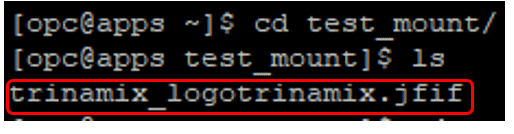
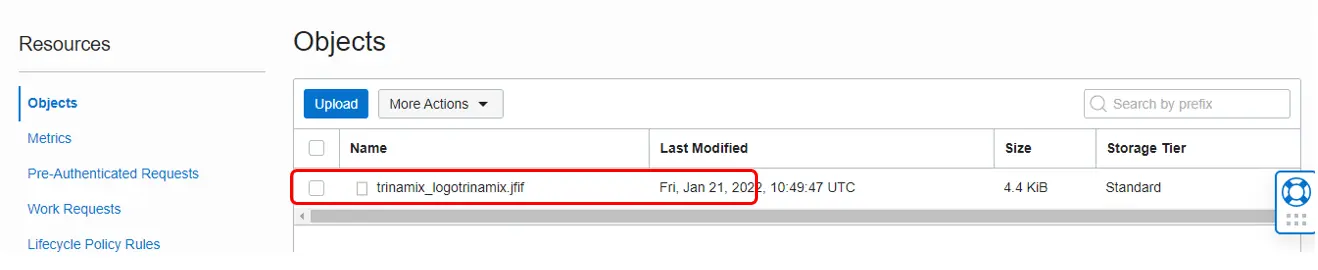
Once the bucket is mounted you can copy/paste to and from mounted location and files will be synced!!
If you get the following error, change the permission of /usr/bin/fusermount:
Conclusion
Installing s3fs-fuse might become a hassle if you don’t have the right yum repos, missing packages, etc. Once s3fs-fuse is installed, mounting the bucket is an easy task.
Mounting an Object Storage bucket as a local file system simplifies file management tremendously when adding and removing files in Object Storage buckets. It also simplifies data pump import from dump files residing on Object Storage. You can still use s3fs-fuse temporarily for the duration of your migrations.
Frequently Asked Questions
What does it mean to mount object storage as a file system?
Mounting object storage as a file system refers to accessing object storage (like Amazon S3, Azure Blob Storage, etc.) as if it were a local or network file system.
Why mount object storage as a file system?
Mounting enables easier access and management of object storage data through familiar file-based interfaces, simplifying workflows.
Which tools can be used to mount object storage as a file system?
Tools like rclone, s3fs, CloudBerry Drive, and AWS S3FS are commonly used to mount object storage as a file system.
Are there any performance considerations when using object storage as a file system?
Performance can vary based on network latency and the tool used, but optimizations and caching can help improve performance.
Can mounted object storage be accessed simultaneously by multiple users or systems?
Yes, mounted object storage can be accessed concurrently by multiple users or systems, facilitating collaborative workflows.
Related/Further Readings
- Overview of Storage Gateway(Oracle doc)
- [Video]: Oracle Cloud Infrastructure (OCI) | Storage Object, Block | File Storage, Data Transfer Service|
- 1Z0-1072 | Oracle Cloud Infrastructure 2023 Architect Associate
Begin Your Cloud Journey
Begin your journey towards becoming a Certified Oracle Cloud Infrastructure Architect and earning a lot more in 2023-24 by joining our FREE CLASS. You will also know more about the Roles and Responsibilities, Job opportunities for OCI Architects in the market, and what to study Including Hands-On labs you must perform to clear the Oracle Cloud Architect Associate Certification (OCI) certification exam by registering for our FREE Masterclass.
Click on the below image to Register for Our FREE Class on Master Oracle Cloud (OCI) and Get a Higher Paying Job!


![Microsoft Agentic AI Business Solutions Architect [AB-100] | K21 Academy](https://test.k21academy.com/wp-content/uploads/2025/11/Microsoft-Agentic-AI-Business-Solutions-Architect-AB-100-Exam-Overview1.png)



