




This post covers two new features added in October 2018 in Compute for Oracle Cloud Infrastructure (OCI) which is Instance Configuration & Instance Pool.
If you are new to Oracle Cloud Infrastructure (OCI), then check my previous post on Oracle Cloud Infrastructure (OCI): Region, AD, FD, Tenancy, Compartment, VCN, IAM, Storage Service
To check what changes occurred in OCI in August check here, & in October 2018 check here
Compute
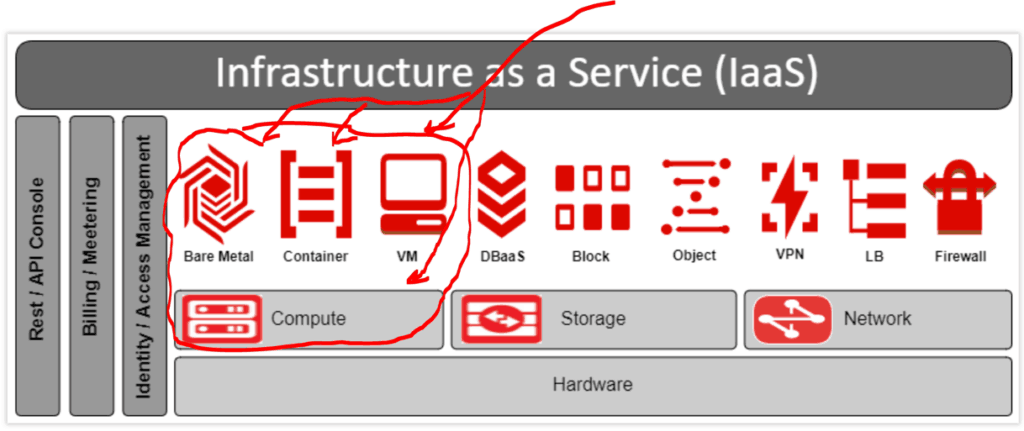
Oracle Cloud Infrastructure Compute lets you provision and manage compute hosts, known as instances. You can launch instances as needed to meet your compute and application requirements. To Know more about Compute Services, Check our previous post on Oracle Cloud Infrastructure (OCI) | Compute CPU & Memory
Instance Configuration
- Instance Configuration helps you to save the configuration (such as Network Configuration, OS, VM Shapes, attached block volume) of your compute instance which is already running.
- You can use this configuration now in Instance Pool to create one or more machines of your pre-defined configuration in the future.
- In future when you need to create a machine (or a number of machines) of a particular configuration, simply go to Instance Pool, select Instance Configuration & number of machines.
How To Create Instance Configuration
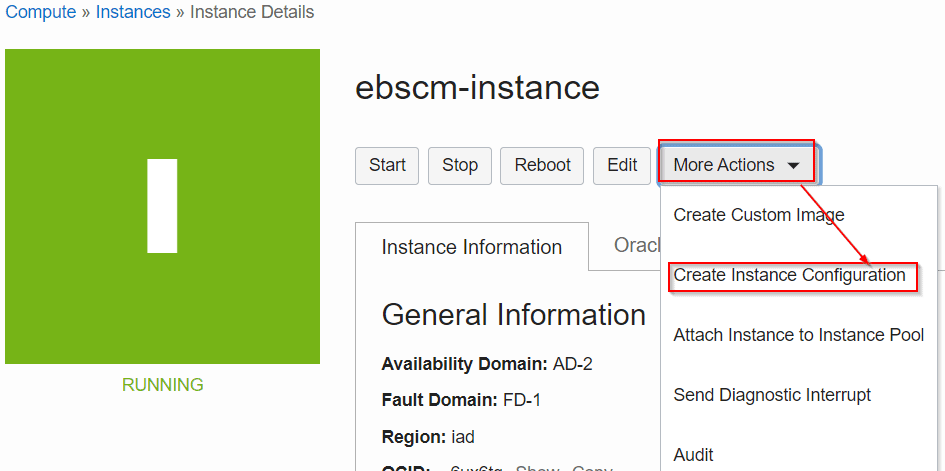
- Go to compute
- Click on the Instance name for which you want to create instance configuration
- Click on More Actions then click on create Instance Configuration
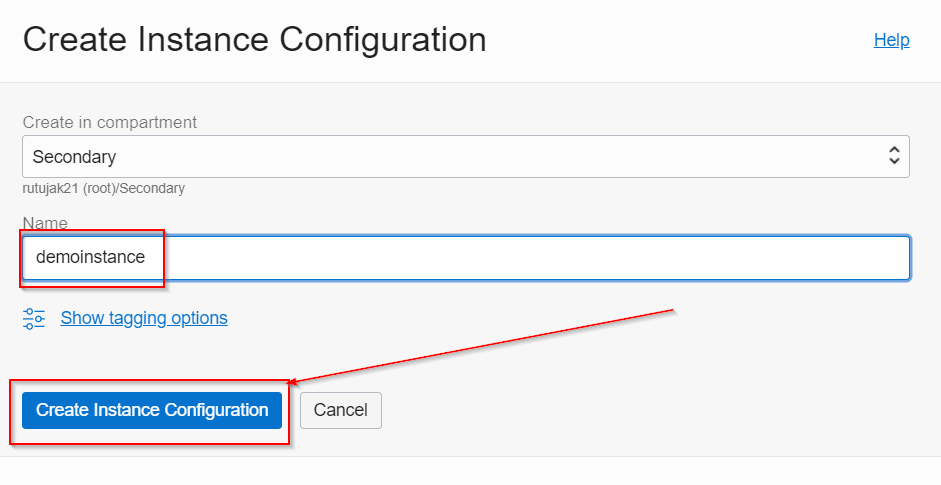
- Fill the details & click on Create Instance Configuration
Instance Pool
Instance Pool helps you to create single or multiple Compute instances (Machines) in one go of the same configuration using Instance Configuration. So for example, if you want to create 6 Compute Instances of a particular configuration (2 CPU, 12GB Memory, 30GB Storage) in one click you achieve using Instance Pool
Note: The maximum number of instances you can create is based on the limits for your tenancy.
How to Create Instance Pool
- Go under compute & click on Instance Pool
- Click on Create Instance Pool
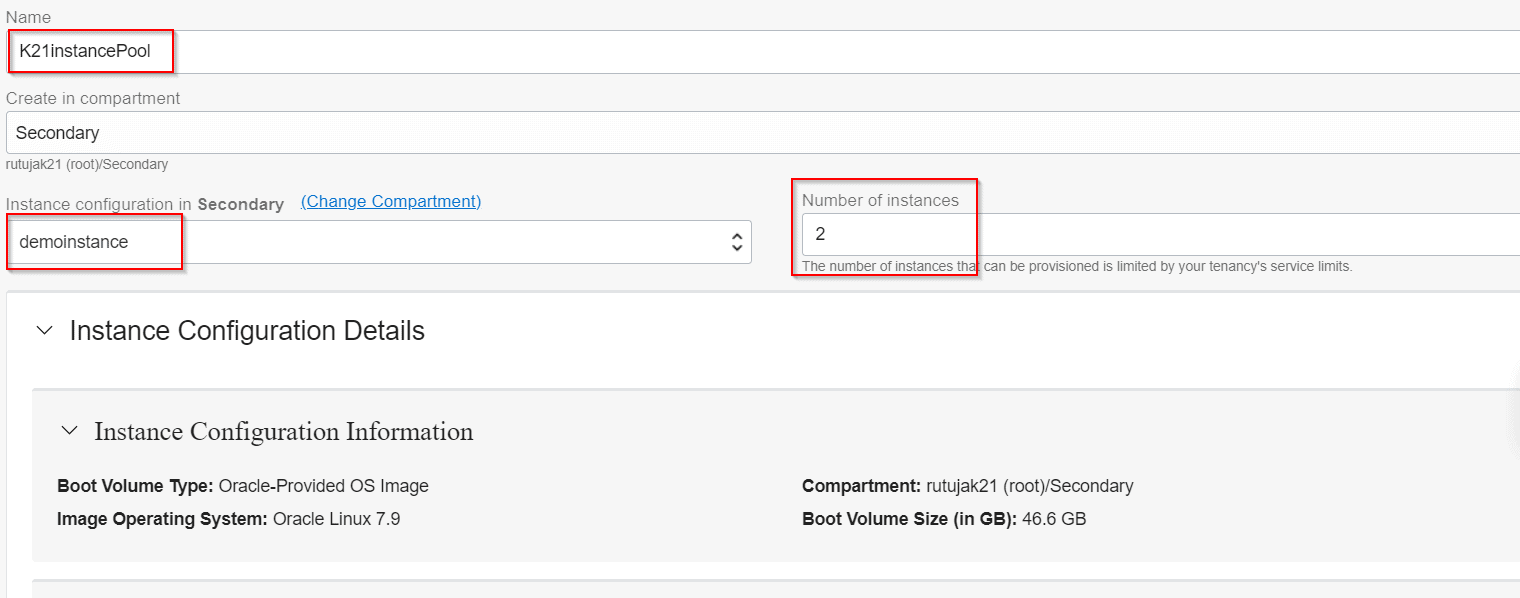
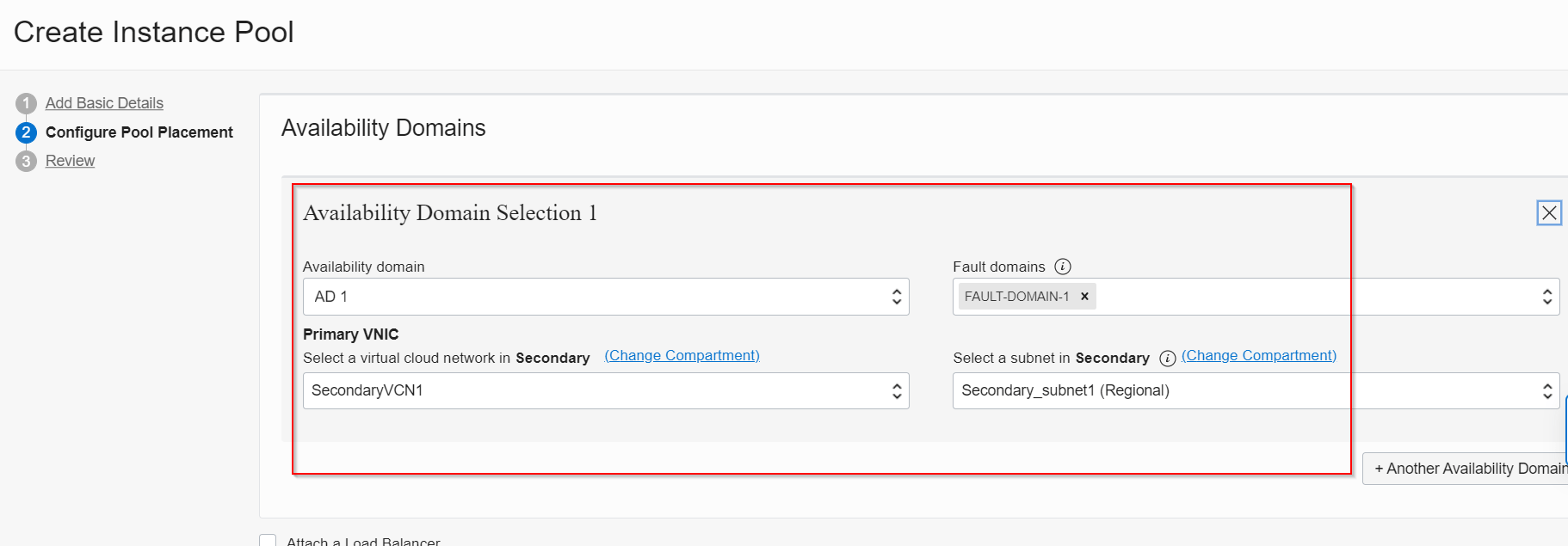
- Specify the details as, number of the instance you want to create, choose the compartment where you have created your instance configuration, choose Availability Domain, VCN & subnet where you want to create & your instance pool name
Related/Further Readings
Next Task For You
- Download the Step-By-Step Activity Guide to Register for an Oracle Cloud Trial Account.
Begin Your Cloud Journey
Begin your journey towards becoming an Oracle Cloud Expert and earn a lot more in 2024 by joining our FREE CLASS. You will also know more about the Roles and Responsibilities, Job opportunities for OCI Architects, Admins in the market, and what to study Including Hands-On labs you must perform to get the Higher Paying jobs.
Click on the below image to Register for Our FREE Class on MASTERING ORACLE CLOUD FOR DBAs, APPs DBAs, ARCHITECTS & SYS ADMINS


![Microsoft Agentic AI Business Solutions Architect [AB-100] | K21 Academy](https://test.k21academy.com/wp-content/uploads/2025/11/Microsoft-Agentic-AI-Business-Solutions-Architect-AB-100-Exam-Overview1.png)