



In this blog, we are going to show you what is Business Object and how to import data in Business Object of Visual Builder Cloud Service (VBCS) using data from Excel file.
If you want to learn about exporting Business data check our blog How to exporting Business Data and Visual Builder Cloud Service (VBCS)
If you are new to Oracle Integration Cloud (OIC), then check out our blogs below as these contain all the key points that a beginner should know about Oracle Integration Cloud (OIC), creating Oracle Integration Instance and Consoles walkthrough.
- Oracle Integration Cloud (OIC) For Beginners Overview
- Console Walkthrough of Oracle Integration Cloud (OIC) Service
- Create Your First VBCS Instance in Oracle Cloud
What Is Business Object
A business object represents a data client and can be implemented as an entity. A business object is not a database but is defined in the database schema. It is usually used to represents business entities such as an invoice, transaction, or some details.
You can create custom business objects to store data that is not provided by an external service. You need to specify each of the fields that your application needs. To create and modify business objects you can use the Data Designer to modify the schema of your development DB.
Also Check : New Homepage Of Oracle Integration Cloud.
Importing Business Data
For the Import process, we need an Excel file that contains table structure and data. Excel file can contain more than one sheet.
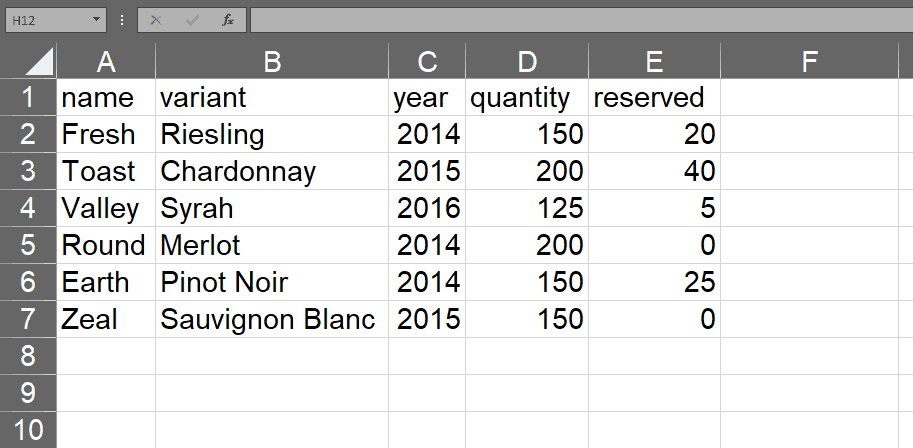
In our example, we have 2 sheets in one file Inventory and variant
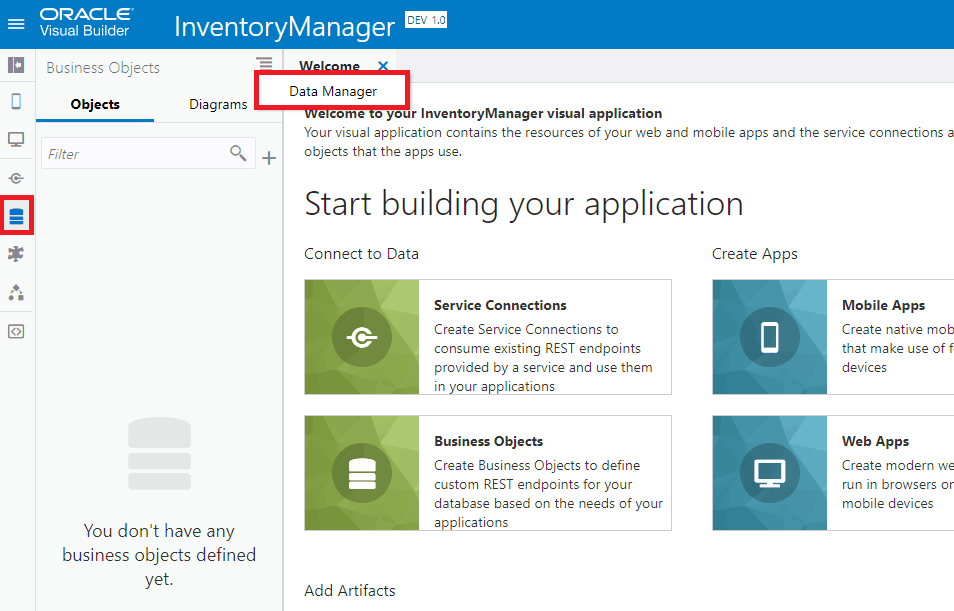
1. In the Business Object “menu” icon and select “Data Manager” from the dropdown to open the import tool.
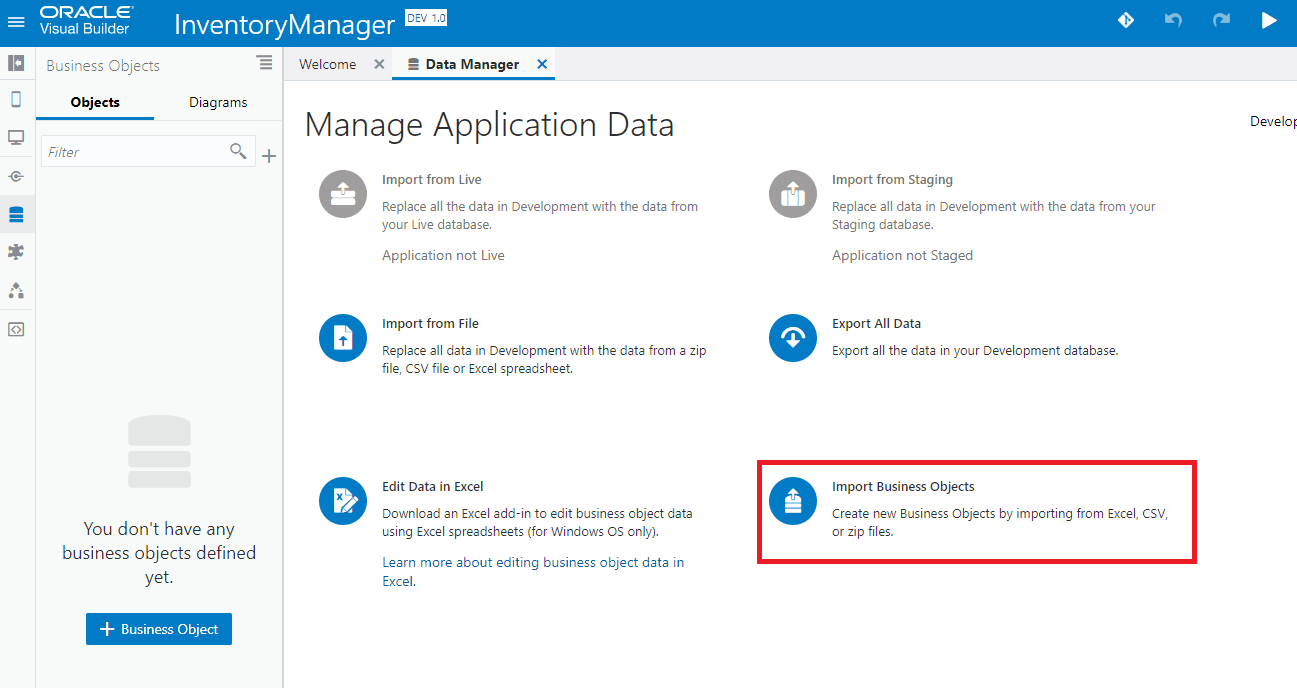
2. Now we’ll import the Inventory data from a file. In the Manage Application Data select the Import Business Objects.
3. When prompted upload this file to create a new business object by dragging and dropping the file in the blue area.
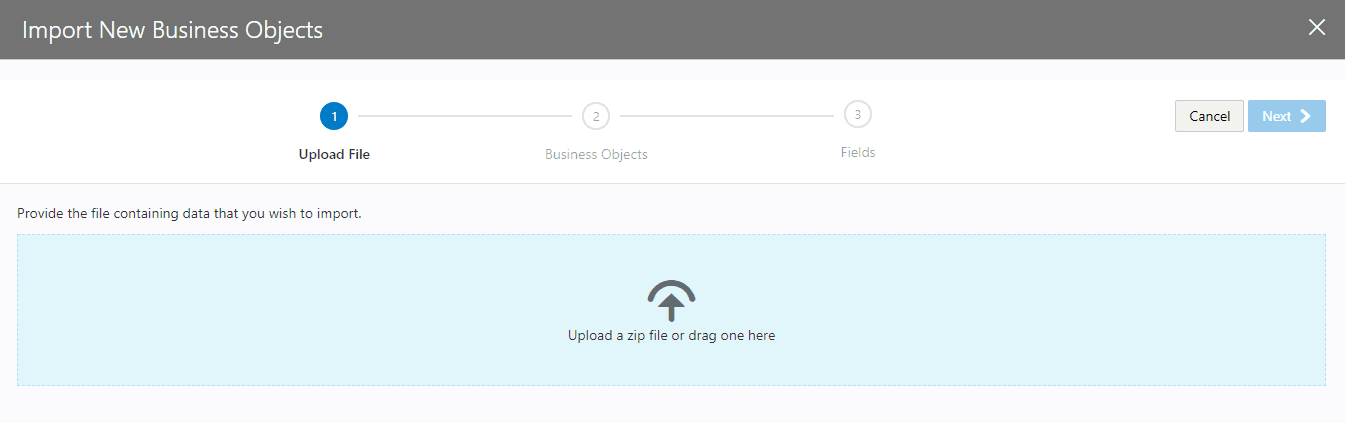
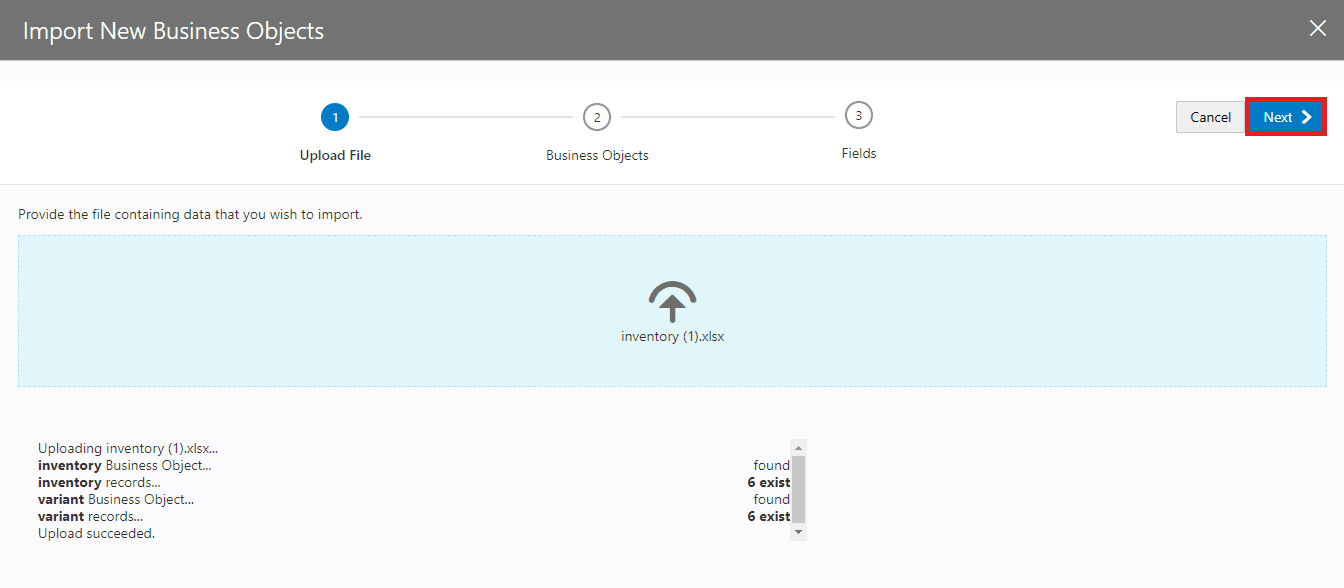
4. You will see a popup stating that the upload is taking place and it will confirm that the upload finished with a message stating “Upload succeeded.” Click Next
Check Out: SOAP API vs Rest API, know their major differences!
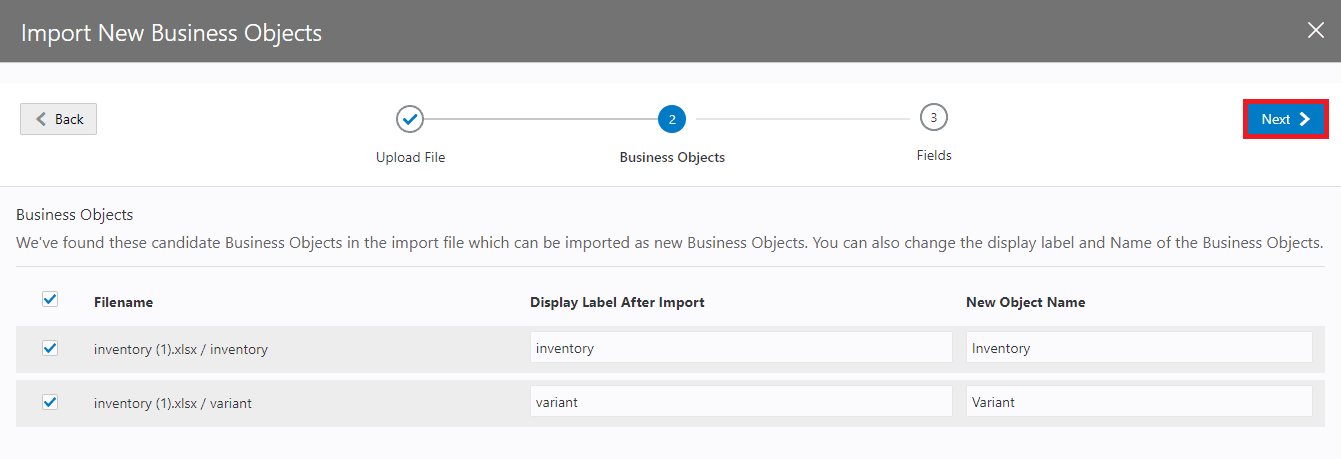
5. The business objects will be displayed with the option to edit the names, we will be leaving the names as they are and click Next.
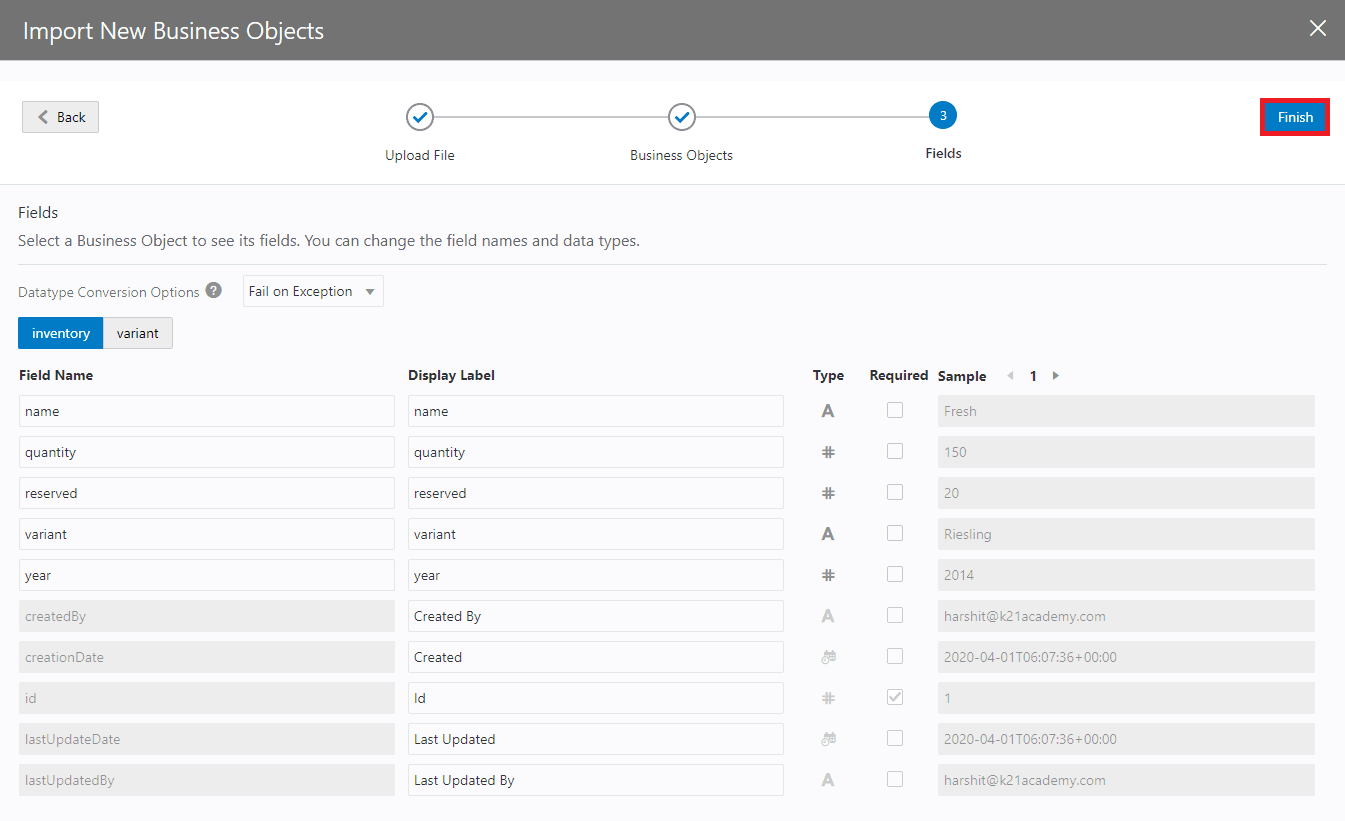
6. The next step will display the fields that will be created and will detect the data types and set them accordingly. You can edit the names and types here but we will be leaving them as is. Click Finish.
Check Out: Our blog post on Oracle OIC Adapters. Click here
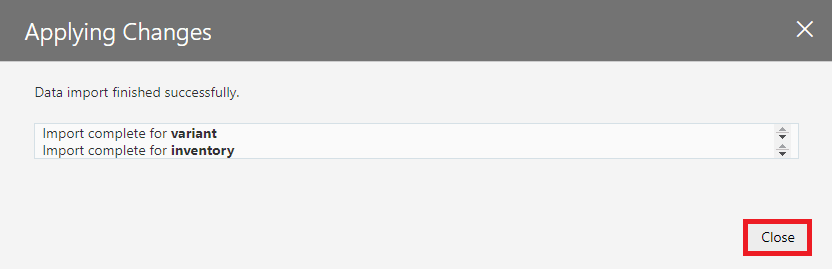
7. Once the import is finished, you will receive a message showing the business objects have been imported. Click the Close
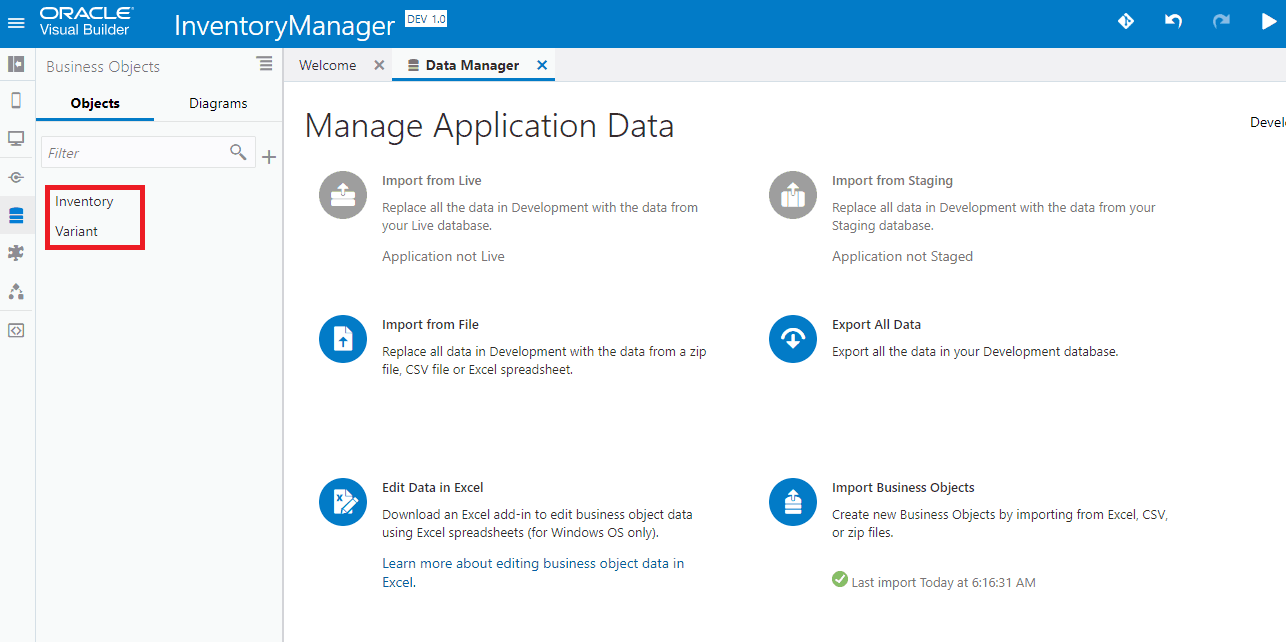
8. You should now see the inventory and variant business objects in the panel on the left.
Note: If you want to enhance your knowledge and become a certified Oracle Cloud Platform Application Integration 2019 Associate then check on the blog on the certification exam [1Z0-1042].
Summary
Importing business objects is advantageous because this process saves a lot of time when creating an application and the same data can be used to run tests.
Related/References
- Oracle Integration Cloud (OIC) For Beginners Overview
- [Free Masterclass] Oracle Integration Cloud Services
- 6 Docs Every Oracle Cloud Integrator Must Read
- Oracle Cloud Documentation Links: OIC | SOA-CS | OCI
- Enabling Clone Utility On OIC-C (Doc ID 2481520.1)
- Oracle Documentation: Clone an Integration
Next Task For You
Do you want to learn more about Oracle and confuse where to start or which certification is right for you? Then, click on the register now button below to register for a Free Masterclass on Oracle [1Z0-1042] Certified Cloud Integration Expert, which will help you better understand and choose the right path and clear the certification exam.


![Microsoft Agentic AI Business Solutions Architect [AB-100] | K21 Academy](https://test.k21academy.com/wp-content/uploads/2025/11/Microsoft-Agentic-AI-Business-Solutions-Architect-AB-100-Exam-Overview1.png)


