



This blog is aimed at the beginner who has started to learn Oracle Integration Cloud (OIC) and want to get familiar with Oracle Visual Builder Cloud Service (VBCS).
As you must be aware the Oracle provides VBCS, PCS, and ICS as parts of Oracle Integration Cloud Service (OIC)
For creating VBCS Instance (Visual Builder Cloud Service) you don’t require to create Integration Instance on oracle cloud you can directly use it by creating a VBCS instance from platform services.
If you are new to Oracle Integration Cloud (OIC), then check out our below blog posts as they contain all the key points a beginner should know about Oracle Integration Cloud (OIC).
- Oracle Integration Cloud (OIC) For Beginners Overview
- Create Oracle Integration Cloud Instance: Step-by-Step
- Console Walkthrough of Oracle Integration Cloud (OIC) Service
- Process Cloud Service (PCS) Overview
VBCS Overview
Oracle Visual Builder is the Software development PaaS (Platform as a service) service. It provides the development that is browser-based and mainly focuses on visual techniques of development that helps to create interfaces, business logic, and objects.
Note: To know more about Oracle Visual Builder Cloud Service (VBCS) Overview & Features, check here
Before we learn how to create a VBCS instance, we should know how to setup Visual Builder.
Steps To Set Up Visual Builder On Oracle Cloud
1) Register & Log in to the Oracle Cloud account, cloud.oracle.com.
Note: First, you should have an Account at Oracle Cloud and if you don’t have one, then you can register FREE using my step-by-step video & guide that I covered in episode 30. You can get it by visiting Register Oracle Cloud Account Free Guide
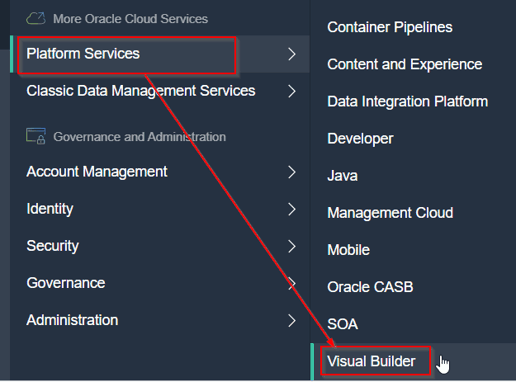
2) Click on the hamburger menu, Under More Oracle Cloud Services, expand Platform Services and click on Visual Builder as shown below:
3) You will be redirected to a Welcome page when you click Visual Builder. Just click on Instances.
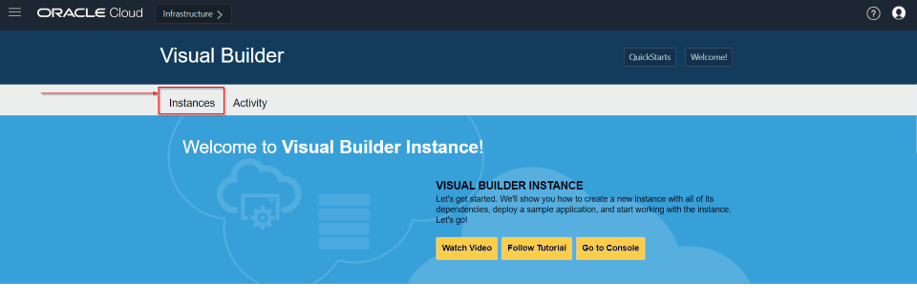 From the Instances page, you can create a new instance, or you can click on an existing instance to view or manage it.
Also Check : New Homepage Of Oracle Integration Cloud.
How to Create a VBCS Instance
On the Visual Builder page, you can create an instance in two ways:
- Create QuickStart Instance
- Create a custom Instance
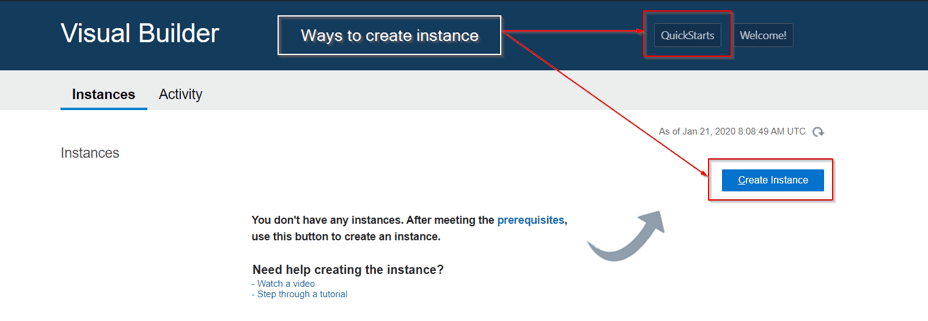
Method 1: Create a QuickStart Instance
Before creating QuickStart instance we should keep a few things in mind like, what does QuickStart offers?
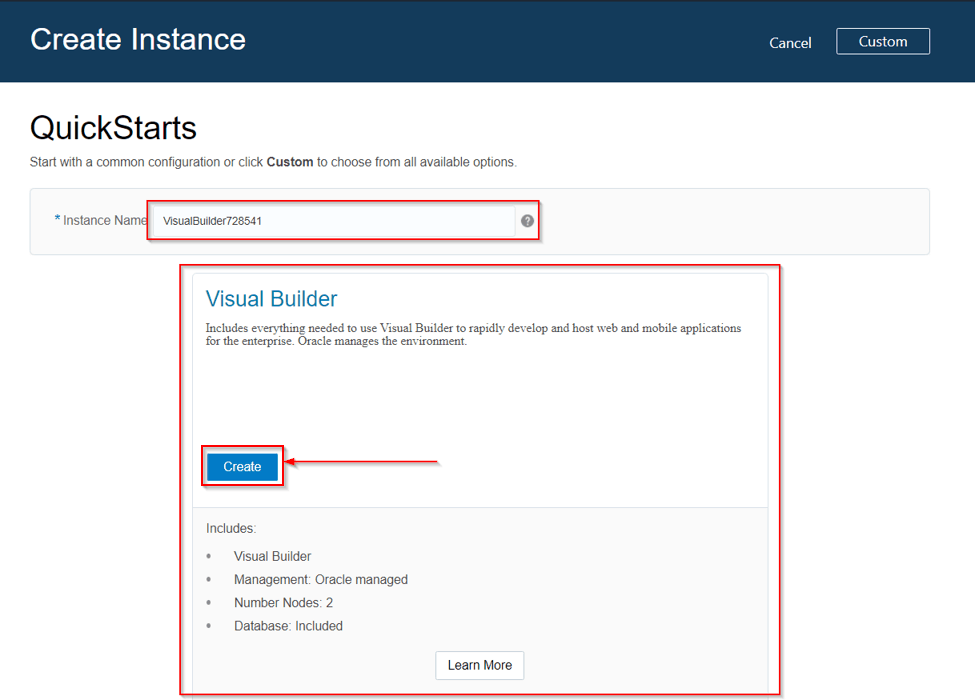
QuickStart automatically creates an instance with the following features:
- Oracle Visual Builder.
- Oracle – managed instance.
- Two-node cluster.
- An embedded database.
Go through this Oracle Integration Cloud Service Blog to get a clear understanding of how to OIC Connectivity Agent Download
NOTE: This does not include the creation of an Oracle Storage Cloud Service container and without a container, database backups are not possible.
Steps To Create A New Instance Using QuickStart:
1) Click on QuickStart on the top right of the instance page.

2) You will see a create instance page where you can name the new instance and can see a description of the features of the QuickStart instance. Type the instance name in the Instance Name field and click on create.
Also Check : Our Previous Blog On Invoking One Integration From Another
4) Once the services are created, an instance will be available on the Visual Builder console.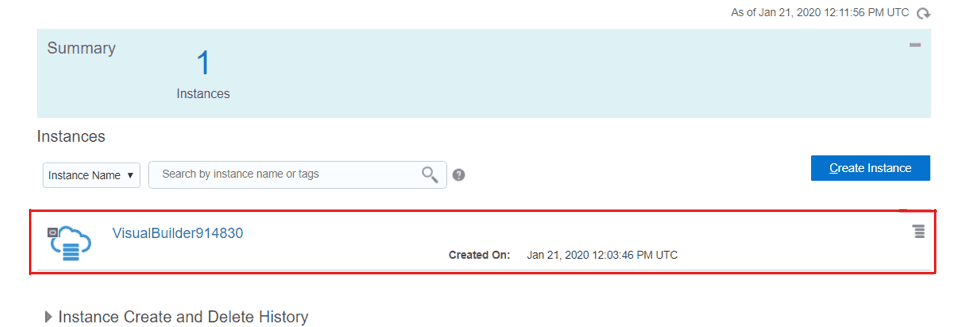
Method 2: Create A New Custom Instance
You can create a custom instance by clicking on create an instance which will provide you with a pre-provisioned Oracle Visual Builder. Below are the steps to create a custom instance:
1) Click on Create instance on the instance page as shown below:
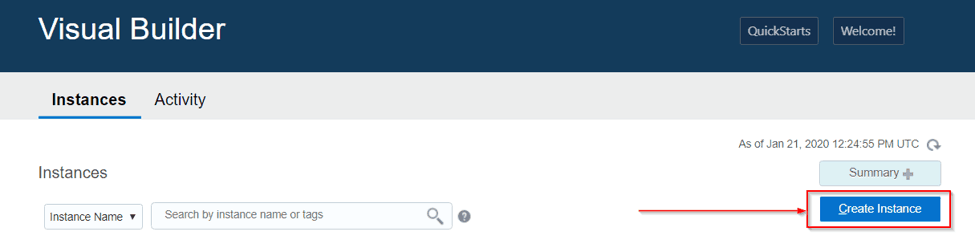
2) You will see a create instance page as shown below:
On creating Visual Builder instance page Provide the required details such as:
- Instance name.
- Write a description of the instance.
- Specify the notification email
- Select your compute region where you want to perform the installation.
- Define tags for the service instance.
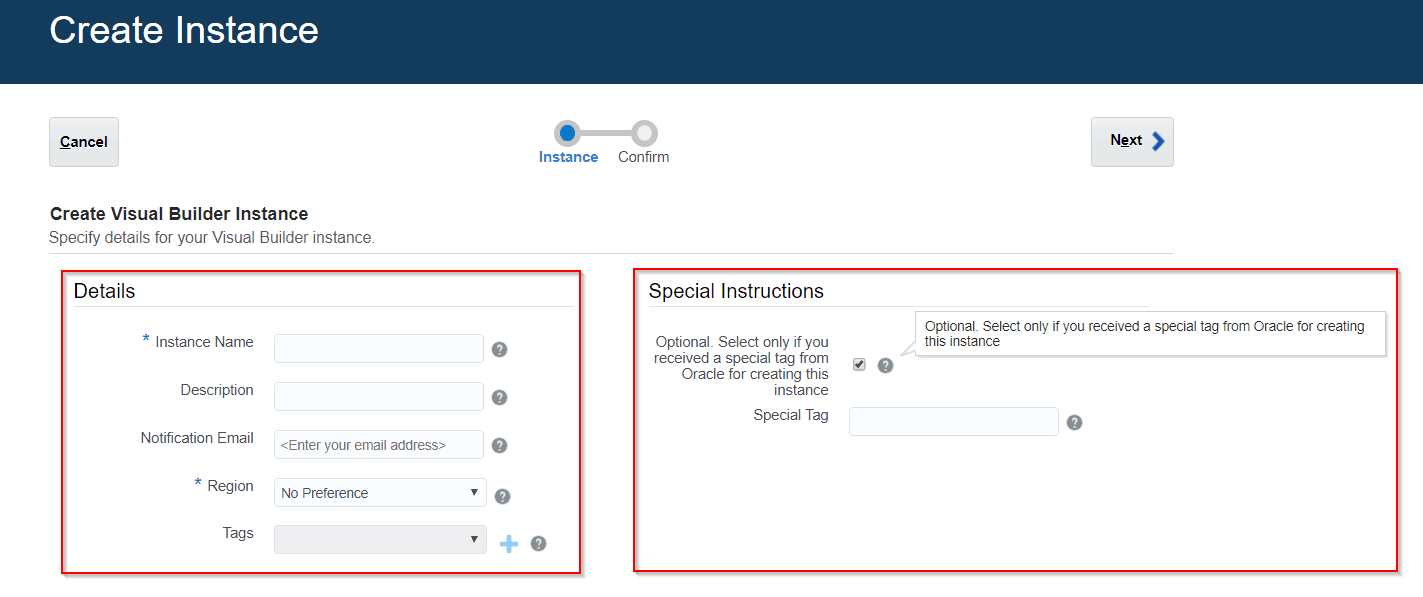
Under the Special Instruction section select the optional checkbox if you received a special tag from Oracle after filing a Service Request (SR). If you received the code, enter the code exactly as provided to you. If you did not get any code leave the checkbox unchecked.
3) Click Next.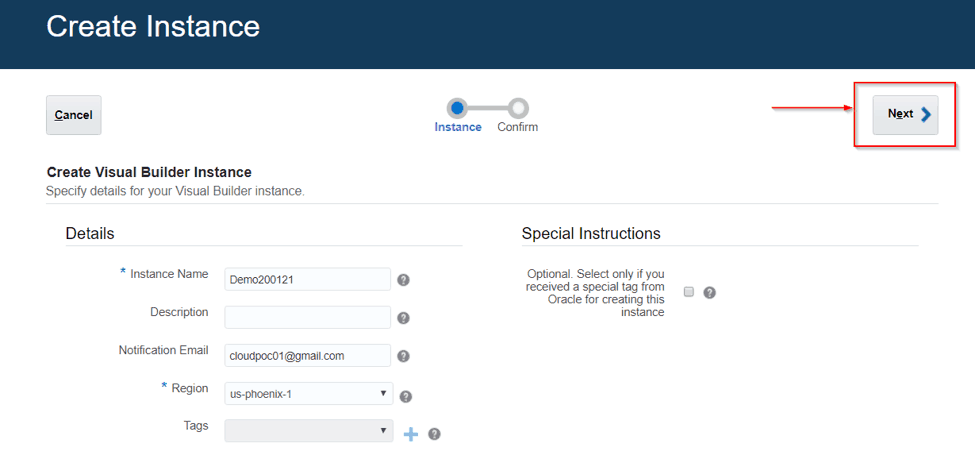
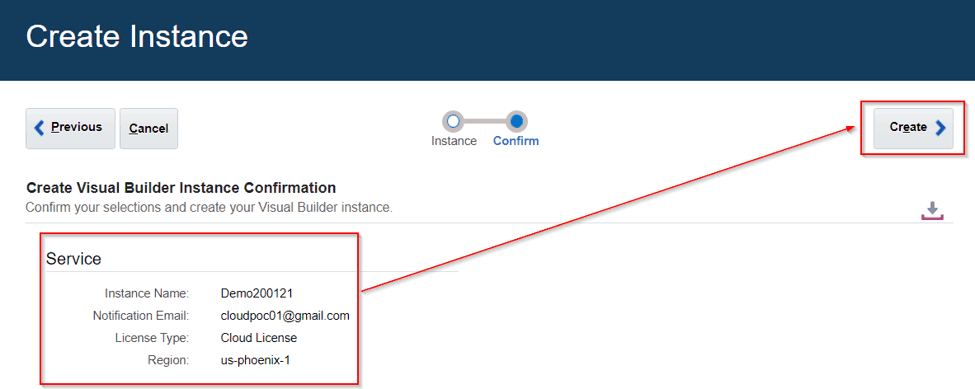
4) Verify your selections and click on Create.
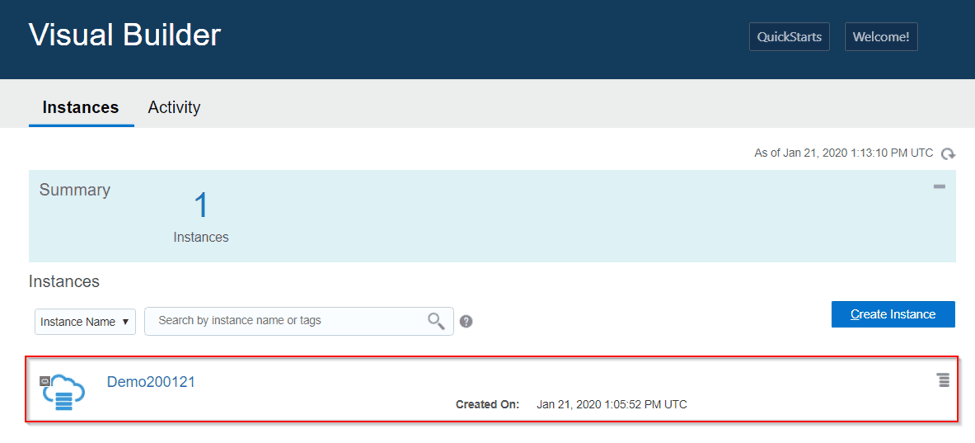
5) Once the services are created, an instance will be available on the Visual Builder console.
I hope you are now able to create a VBCS instance. If you find this blog useful, please do share & comment and let me know if you face any issue while doing the same by posting your doubts in the comment section.
Related/References
- Oracle Integration Cloud (OIC) For Beginners Overview
- [Free Masterclass] Oracle Integration Cloud Services
- 6 Docs Every Oracle Cloud Integrator Must Read
- Oracle Integration Cloud (OIC) Instance Edition, Message Pricing, and License Types
- Process large file (above 10MB) in Oracle Integration Cloud(OIC)
- How to exporting Business Data and Visual Builder Cloud Service (VBCS)
- How Import Business Data in Visual Builder Cloud Service (VBCS)
- Oracle Integration: ICS to OIC Migration
- Oracle Visual Builder Cloud Service (VBCS) Overview & Features
Next Task For You
Do you want to learn more about Oracle and confuse where to start or which certification is right for you? Then, click on the register now button below to register for a Free Masterclass on Oracle [1Z0-1042] Certified Cloud Integration Expert, which will help you better understand and choose the right path and clear the certification exam.


![Microsoft Agentic AI Business Solutions Architect [AB-100] | K21 Academy](https://test.k21academy.com/wp-content/uploads/2025/11/Microsoft-Agentic-AI-Business-Solutions-Architect-AB-100-Exam-Overview1.png)


