





In today’s digital landscape, businesses rely heavily on seamless integration between various systems and applications. Oracle Integration Cloud (OIC) Integration 3 provides robust capabilities to connect, automate, and streamline these integrations. One such crucial integration is with File Transfer Protocol (FTP) servers. In this blog post, we’ll walk you through the step-by-step process of creating an FTP adapter connection in OIC Integration 3.
In this blog, We will cover
- Understanding the FTP Adapter in OIC
- FTP Adapter Capabilities
- Prerequisites
- Creating FTP Adapter Connection in OIC
- Conclusion
- Errors Encountered While Testing Connection
- Frequently Asked Questions
Understanding the FTP Adapter in OIC
The FTP adapter in OIC enables communication with FTP servers, allowing you to read from or write to files on these servers. This functionality is pivotal in scenarios where data exchange involves files stored in remote locations.
FTP Adapter Key Features
- Connectivity: The adapter enables connectivity between OIC and FTP servers, supporting both traditional FTP and more secure options like SFTP (SSH File Transfer Protocol) and FTPS (FTP over SSL/TLS).
- File Operations: You can perform various file operations such as read, write, update, and delete files on FTP servers. This includes fetching files from FTP locations and storing files on the server.
- Error Handling: Robust error handling capabilities are available to manage exceptions and errors during file transfers or processing, ensuring reliable integrations.
- Security: The adapter offers secure communication by supporting various authentication methods and encryption protocols for data transmission between OIC and FTP servers.
Learn more about File Adapter Vs FTP Adapter
FTP Adapter Capabilities
- Transferring (reading and writing) files to any publicly accessible server in either binary or ASCII format.
- Connecting to FTP and sFTP servers that are publicly available on the internet.
- Using the connectivity agent to read and write files from an FTP server that is not publicly accessible.
- Supports encryption and decryption of files with the connectivity agent.
- Allows the creation of a schema file format for the files to transfer.
- Supports streaming for transferring large files.
Prerequisites
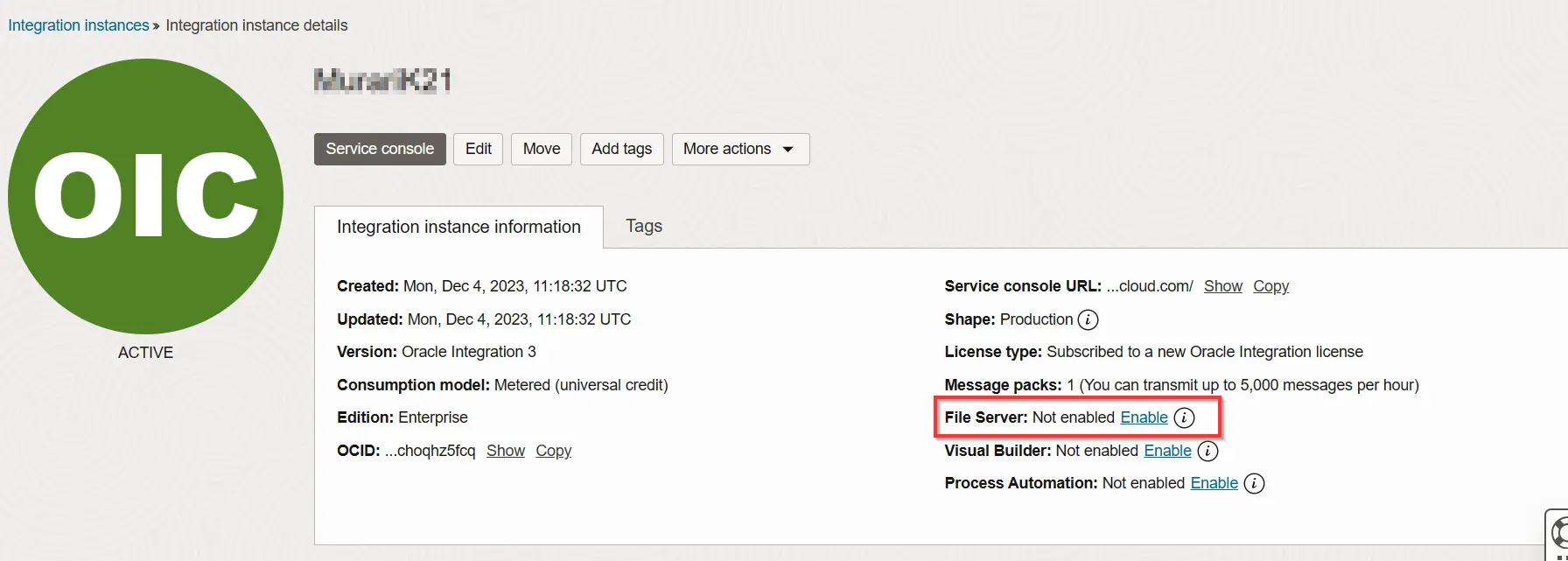
- Enable File Server to Use OIC-Provided FTP Server: In The Integration Instance Just Click On The Enable File Server
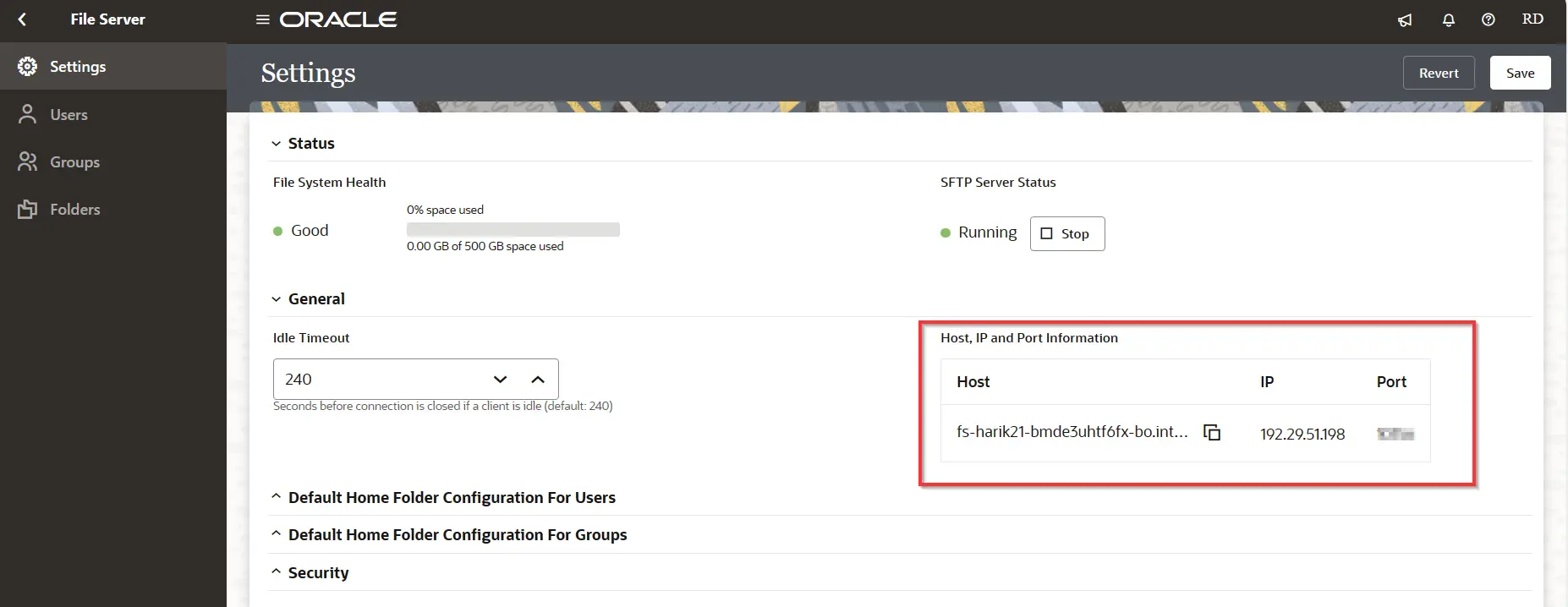
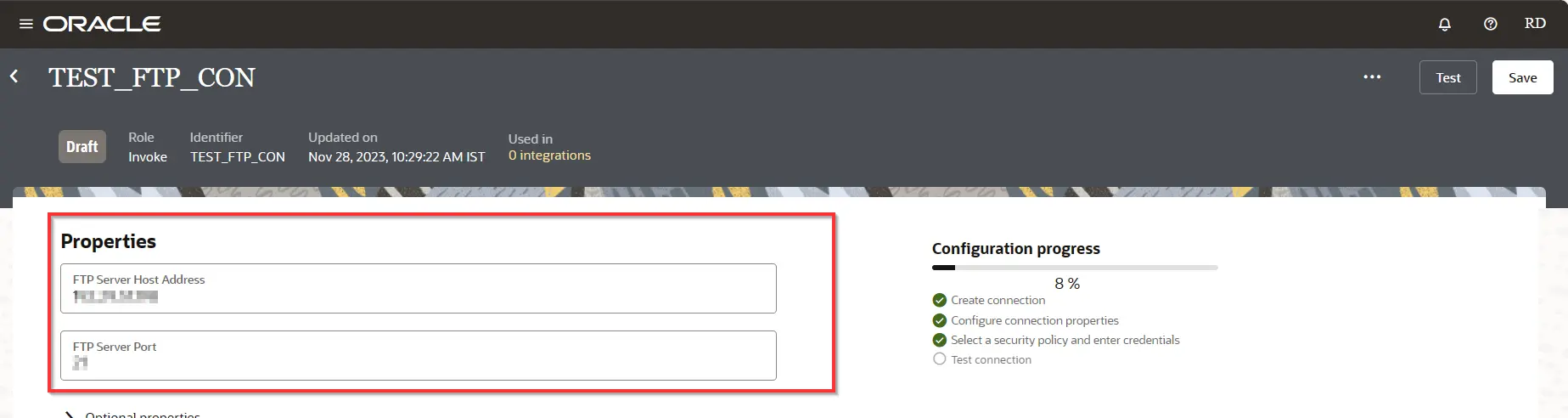
- Host: The hostname or IP address of the FTP server.
- Port: The port number of the FTP server.
- Host and Port Details Directions: Settings -> File Server -> Settings (In OIC Provided FTP Server)
- Username: The username for the FTP server.
- Password: The password for the FTP server.
Creating FTP Adapter Connection In OIC
1. Login To Service Console
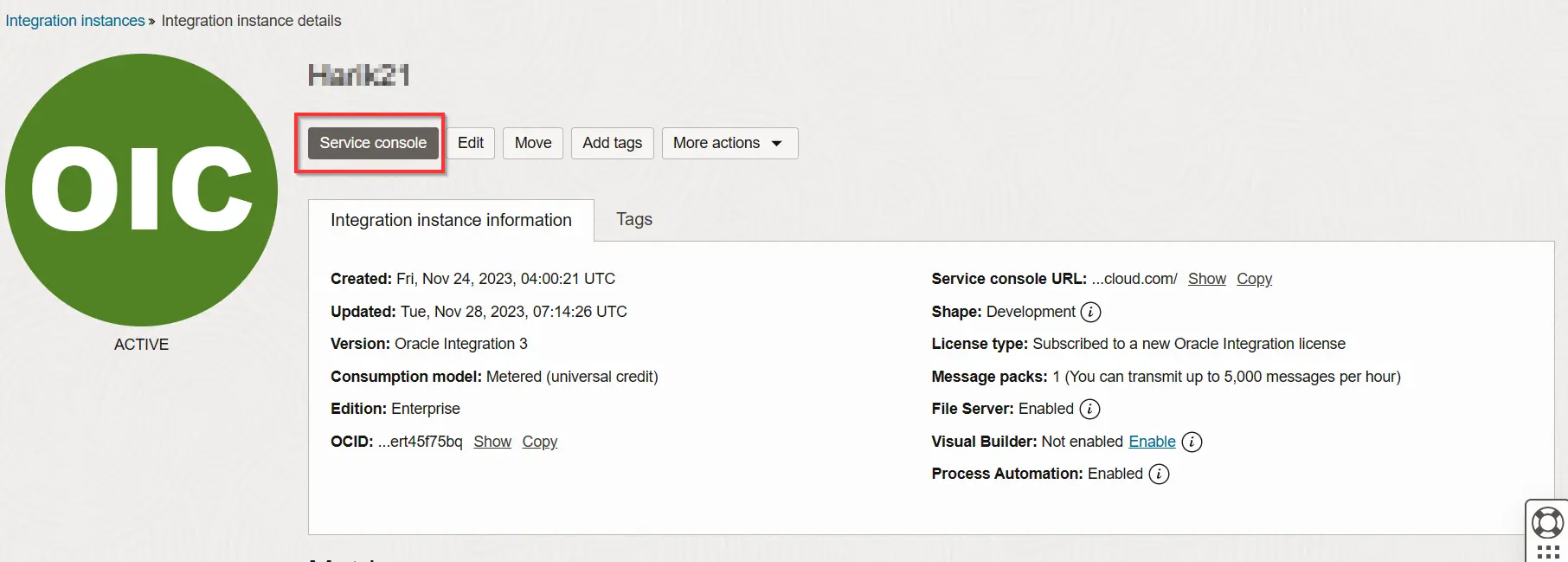
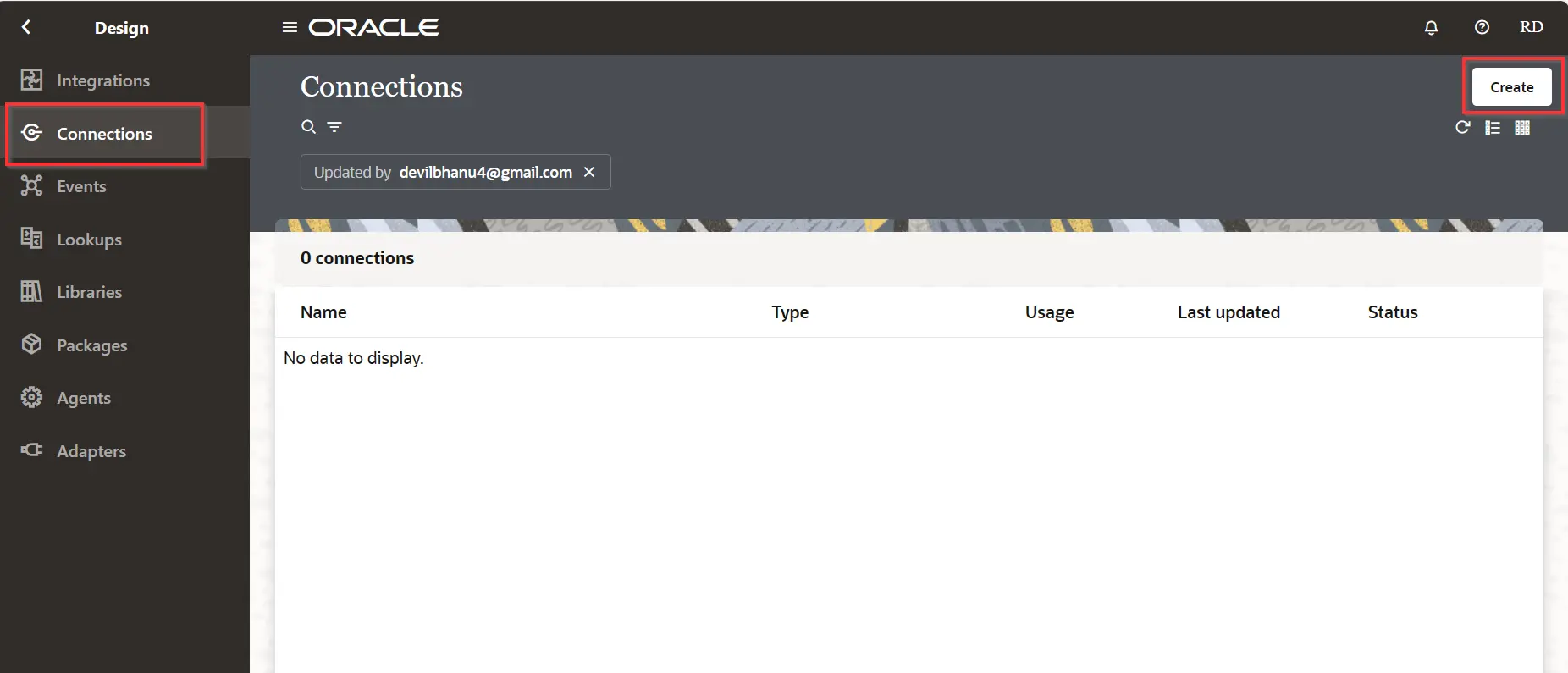
2. Click On Design And Go To Connections, And Click On Create.
3. The next screen displays all different types of adapters available on OIC. Search “FTP” on the text box at the top, and Select it.
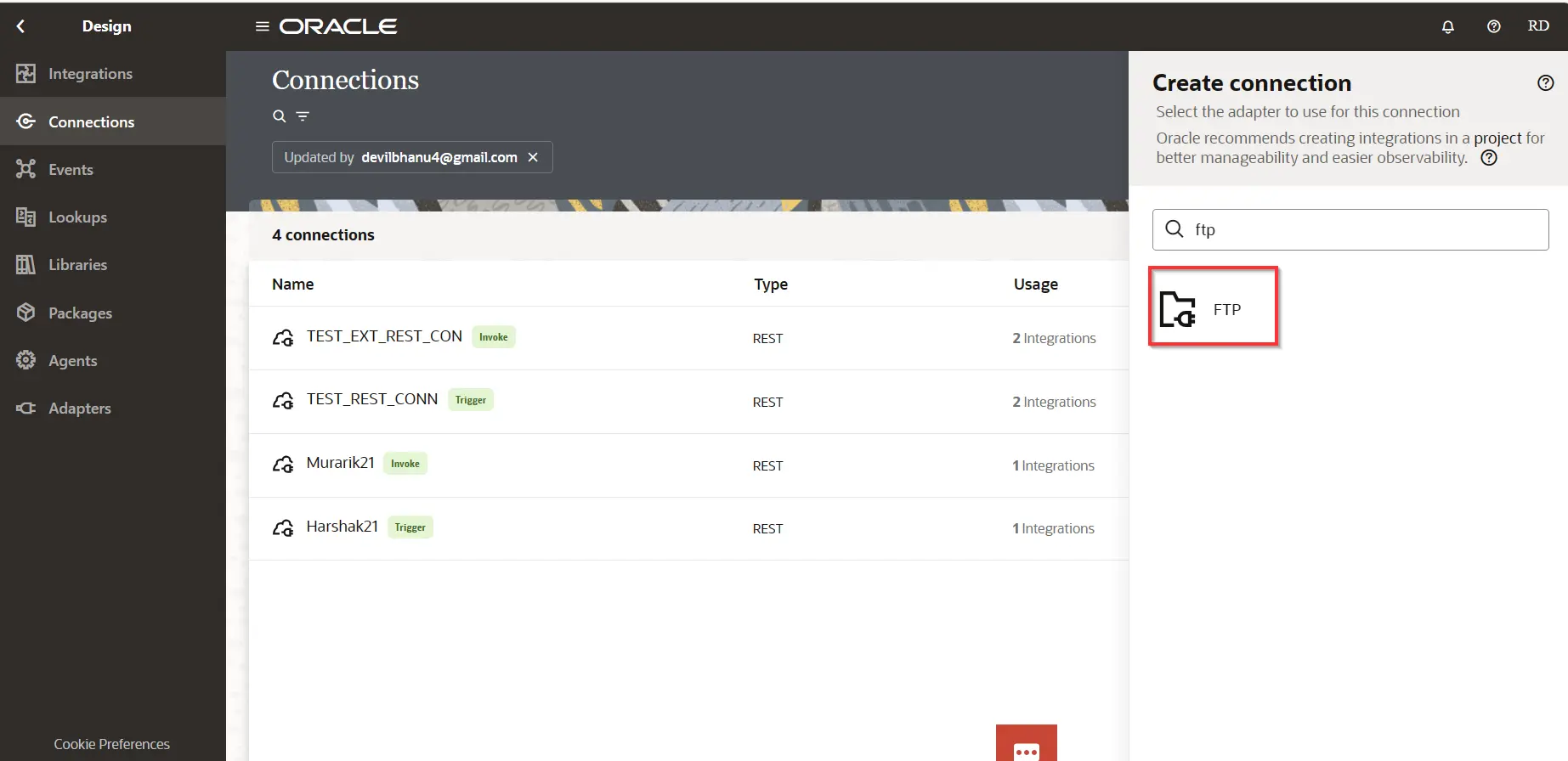
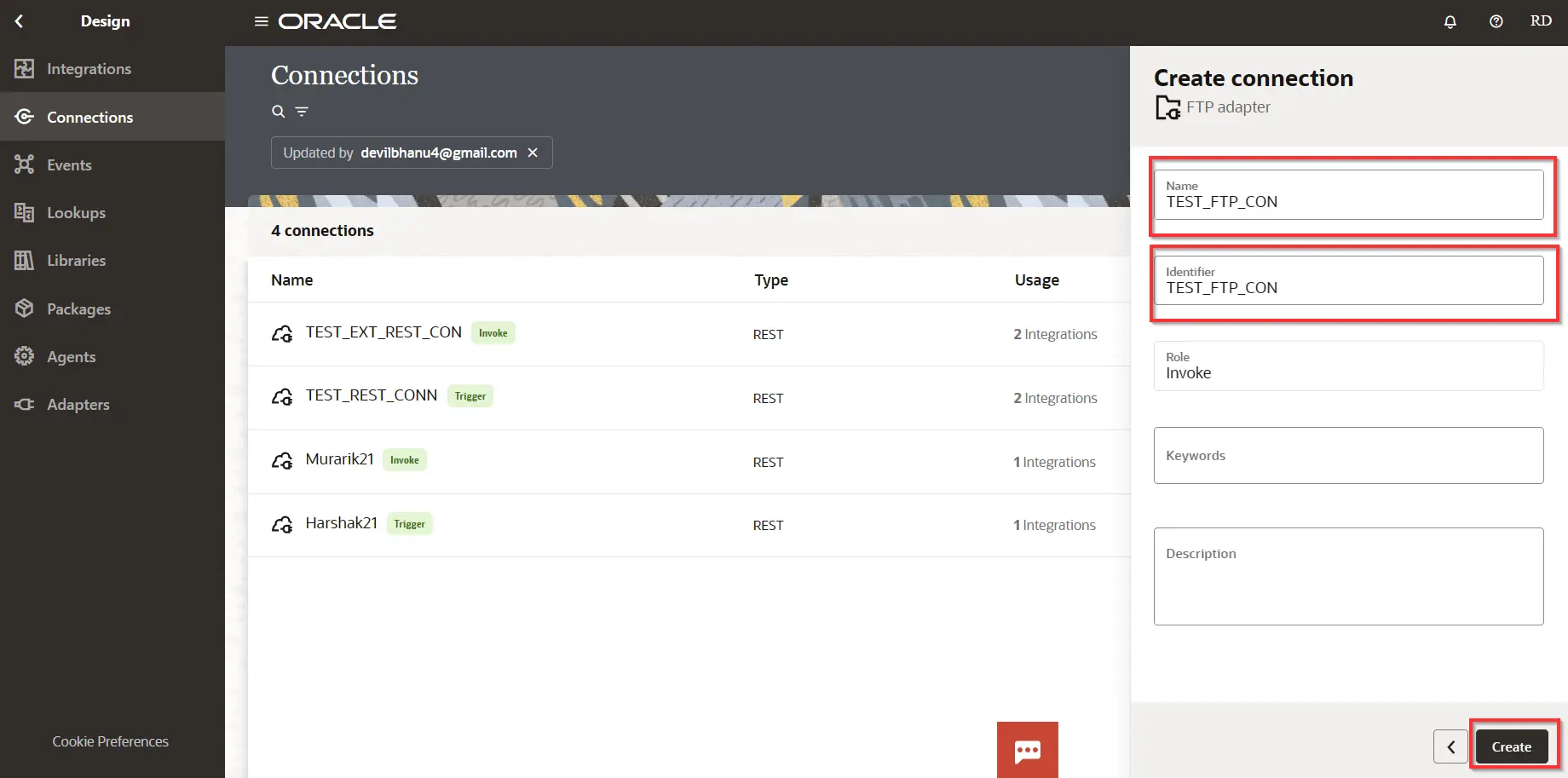
4. Enter the details for the FTP connector as shown below and then click on create. You can provide name of your own choice.
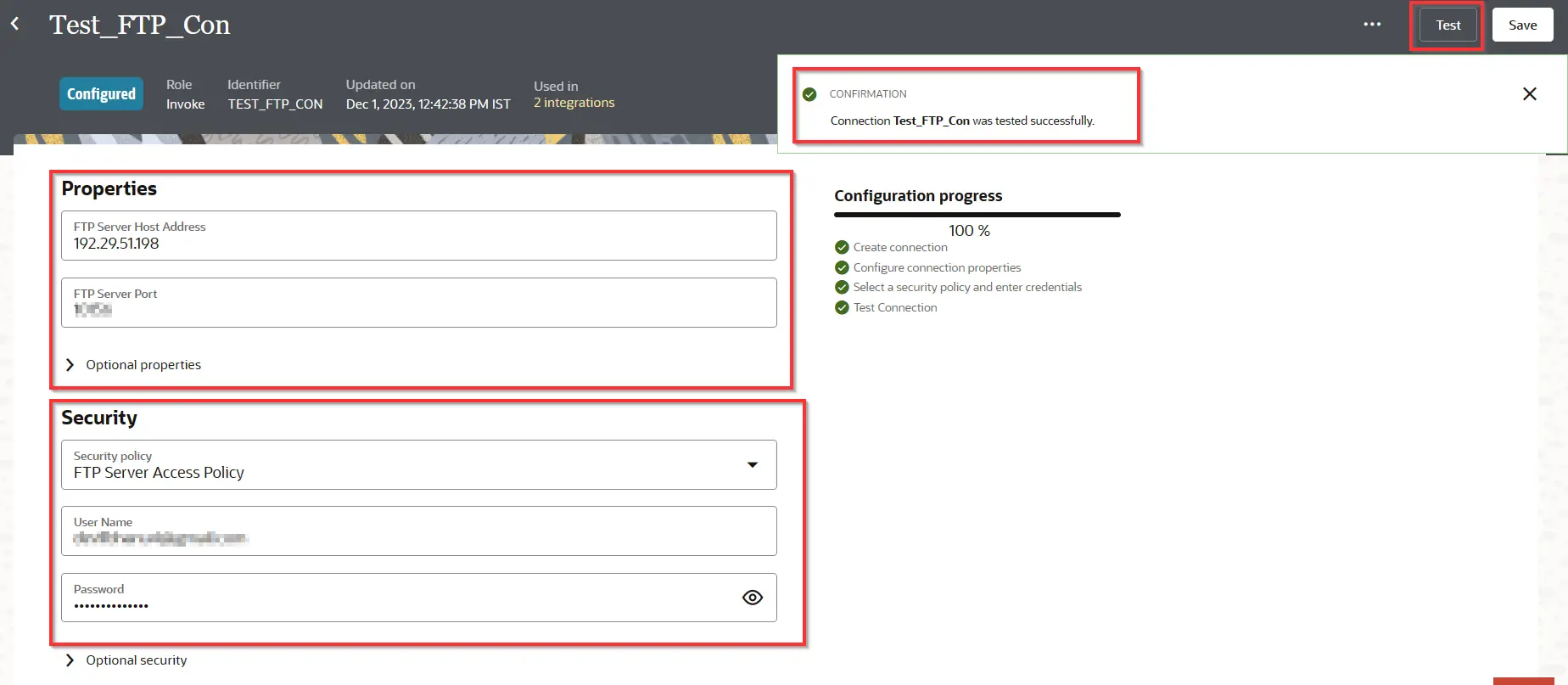
5. In the next window scroll down to Connection Properties and enter Host Address and Server Port. For Port and Host Details please refer to Prerequisites to know where can we get details
6. Select SFTP connection Yes, in the optional properties then you need activate it.
7. Provide Security Information,
- Make sure FTP Server Access Policy is selected from Security drop down.
- Enter User Name (Email address that you used while creating your FTP account)
- Enter Password & Confirm Password (Password that you used while creating your FTP account).
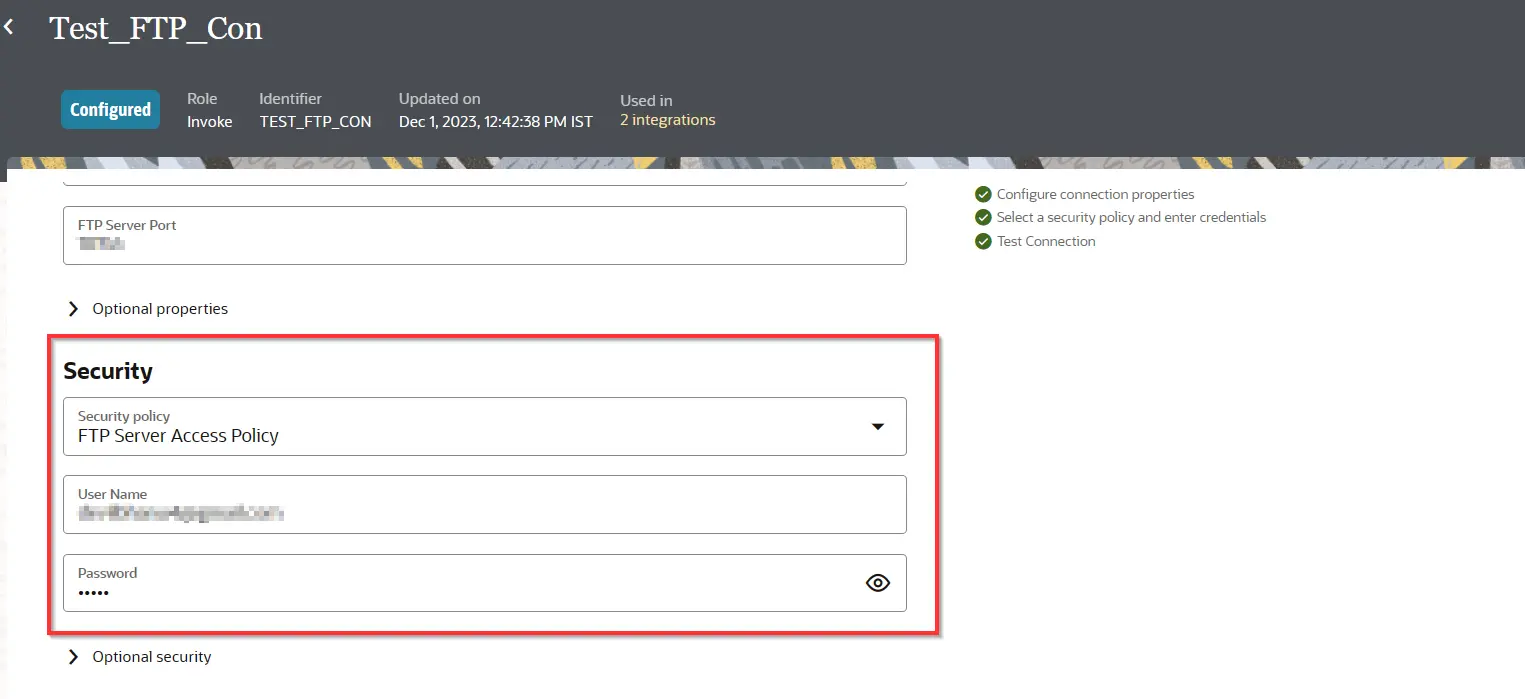
- Note: FTP is usually exposed to public as they can have very secure Access policy but in some case FTP/ SFTP is closed inside an intranet so you will need to use connectivity agent to establish a connection between intranet and OIC then you will need connectivity agent to create FTP connection in OIC.
8. Now Test The Connection. And the connection will be created Successfully.
Conclusion
In Conclusion, Configuring the FTP Adapter in OIC Integration 3 involves linking systems for file sharing. With settings like server details, staying within service limits, testing functionality, and prioritizing security, it enables secure and efficient file sharing between systems within Oracle Integration Cloud version 3.
Errors Encountered While Testing Connection
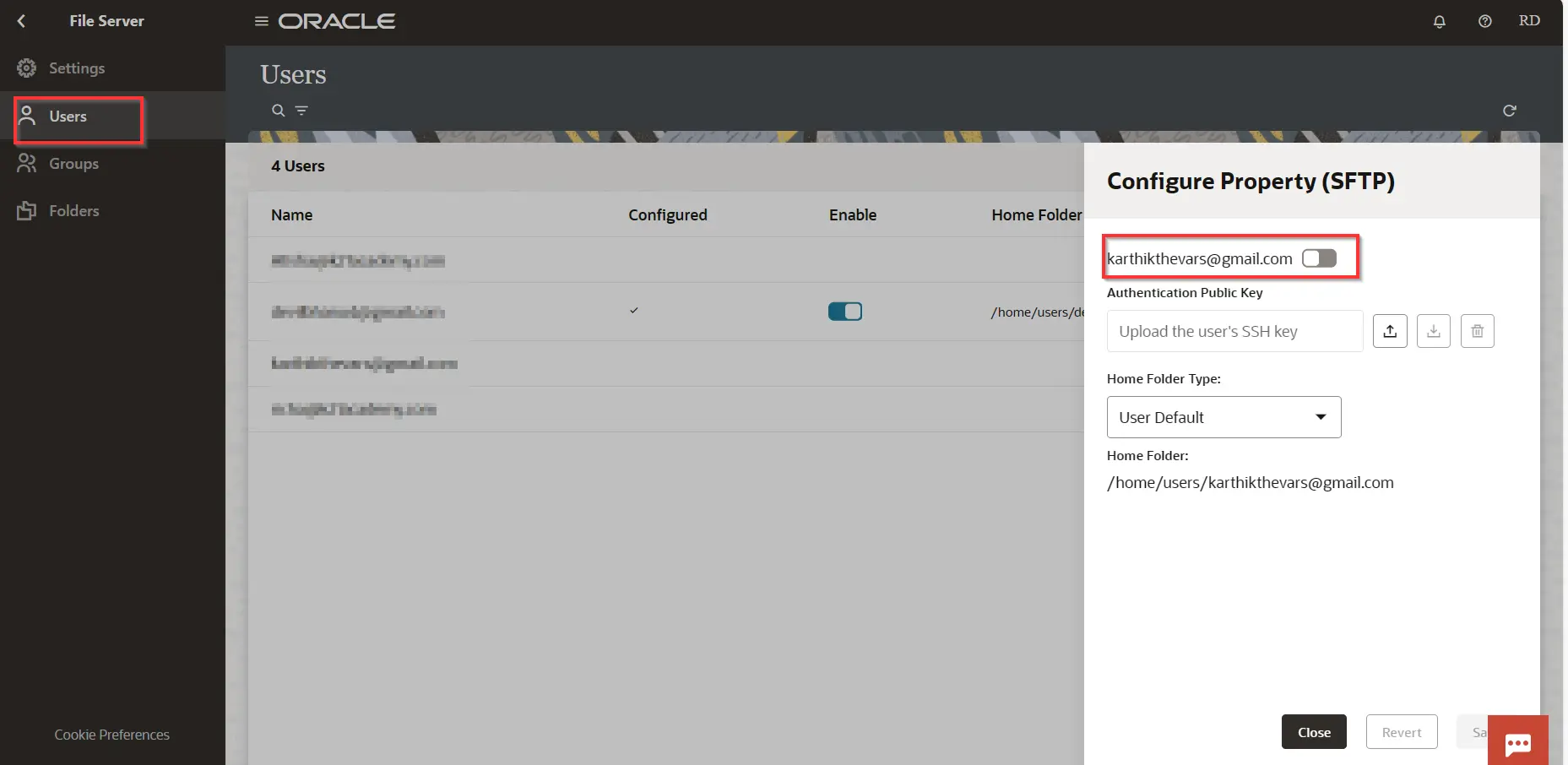
Unable To Access OR Connect Host IP:
- ERROR : Even Though you have enabled file server you may get error while connecting to host.
- Cause: Did not configure user access to file server.
- FIX: Go to file server in the settings and go to user and enable access and save.
Frequently Asked Questions
What is an FTP Adapter in OIC?
The FTP Adapter in OIC allows you to interact with FTP servers to read or write files. It facilitates integrating FTP-based systems with other applications and services within OIC.
What operations are supported by the FTP Adapter?
Typical operations supported include read, write, delete, rename, and list files or directories on an FTP server.
Can the FTP Adapter handle secure connections (SFTP/FTPS)?
Yes, the FTP Adapter in OIC supports secure connections such as SFTP (SSH File Transfer Protocol) or FTPS (FTP Secure) to ensure data security during transmission.
How would you troubleshoot connection issues while setting up an FTP Adapter in OIC Integration 3?
By checking server connectivity, verifying credentials, reviewing firewall configurations, and examining error logs within OIC for potential issues.
What is the Host Address used for in the FTP Adapter configuration in OIC Integration 3?
The Host Address represents the FTP server's location or address where files are stored. It's the server's network address or domain name used to establish a connection.
Related Links:
- To apply for 1z0-1042-21 Oracle certification
- Step by Step guide to get a FREE Oracle Cloud account.
- Oracle Integration Cloud (OIC) For Beginners Overview
- Create Oracle Integration Cloud Instance: Step by Step
Next Task For You
Do you want to learn more about Oracle and confuse where to start or which certification is right for you? Then, click on the register now button below to register for a Free Masterclass on Oracle [1Z0-1042] Certified Cloud Integration Expert, which will help you better understand and choose the right path and clear the certification exam.

![Microsoft Agentic AI Business Solutions Architect [AB-100] | K21 Academy](https://test.k21academy.com/wp-content/uploads/2025/11/Microsoft-Agentic-AI-Business-Solutions-Architect-AB-100-Exam-Overview1.png)



