




In this post, will cover Prerequisite and The steps one needs to follow to create your first sample process in Dell Boomi Platform.
Prerequisite:
- One should have an account on Dell Boomi Platform.
- One should have a local atom installed on your machine.
- Create a valid xml file and keep it in a particular directory in your machine.
Below are the steps one need to follow to create your first sample process:
Step 1: Login Dell Boomi Platform using the link: https://platform.boomi.com/
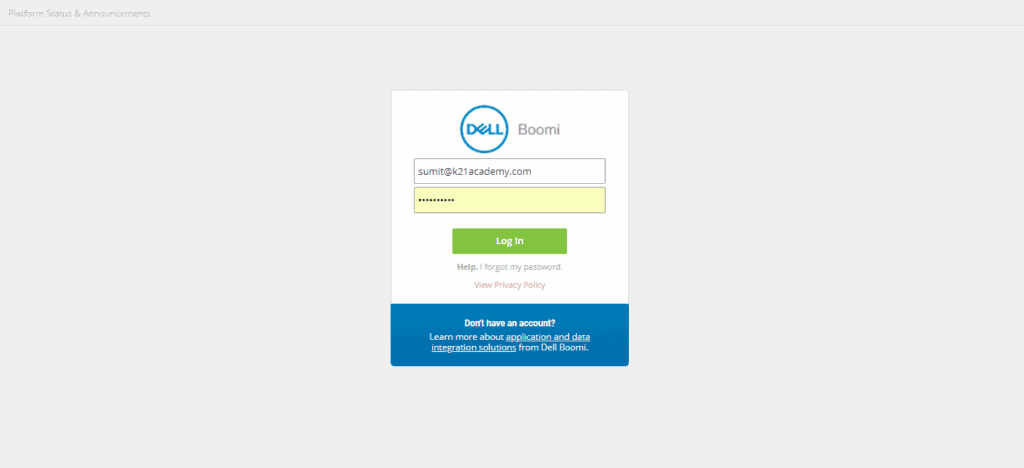
Step 2: Enter Valid Credentials and the hit login button.
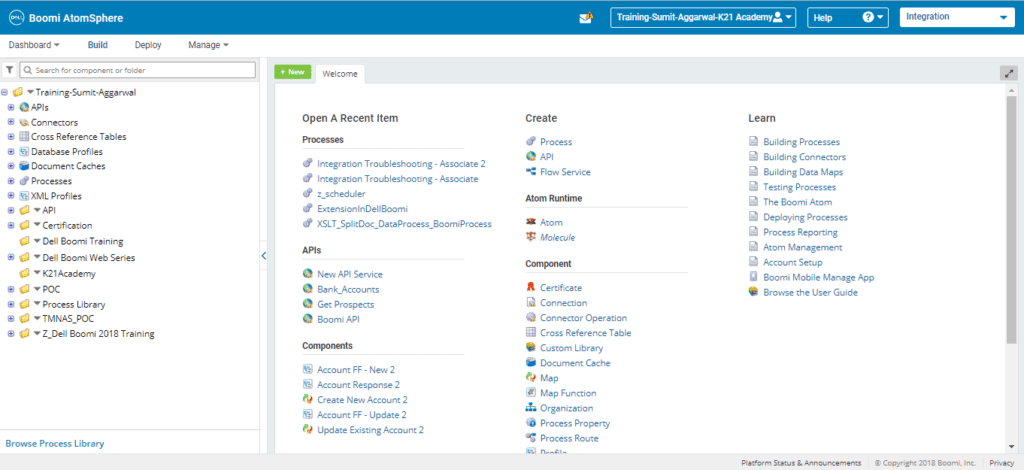
Step 3: Under the Root folder in the Build tab create a “sub folder” to hold all the processes by a click on the arrow and select New Folder.
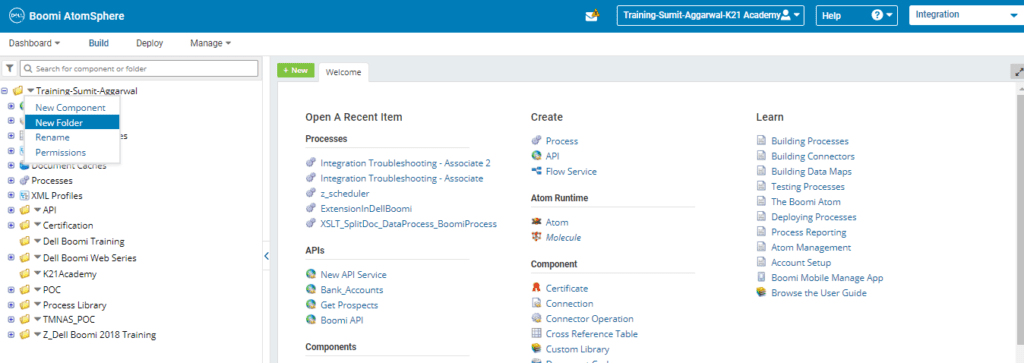
Step 4: Enter the folder name and hit save button.
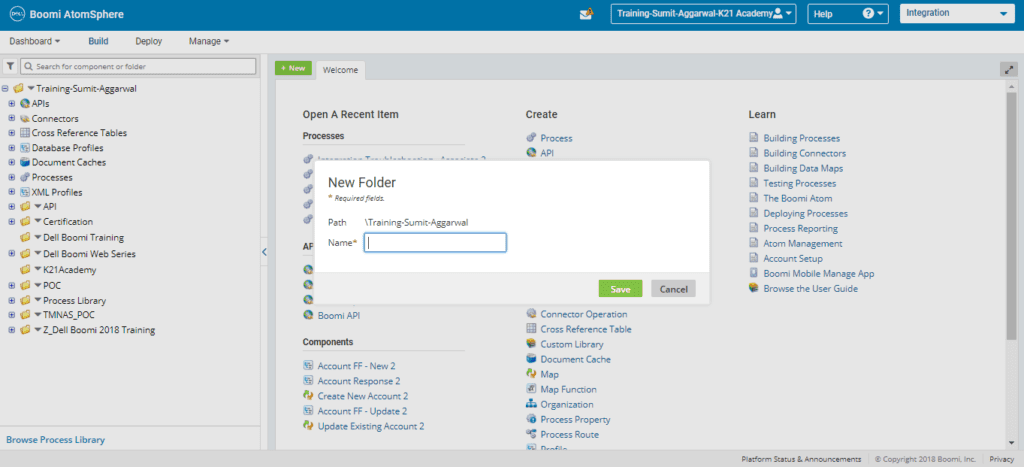
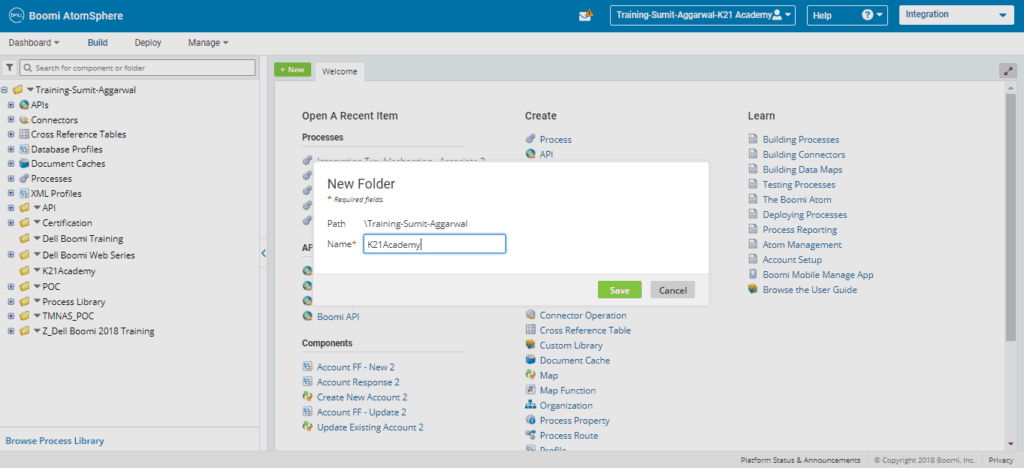
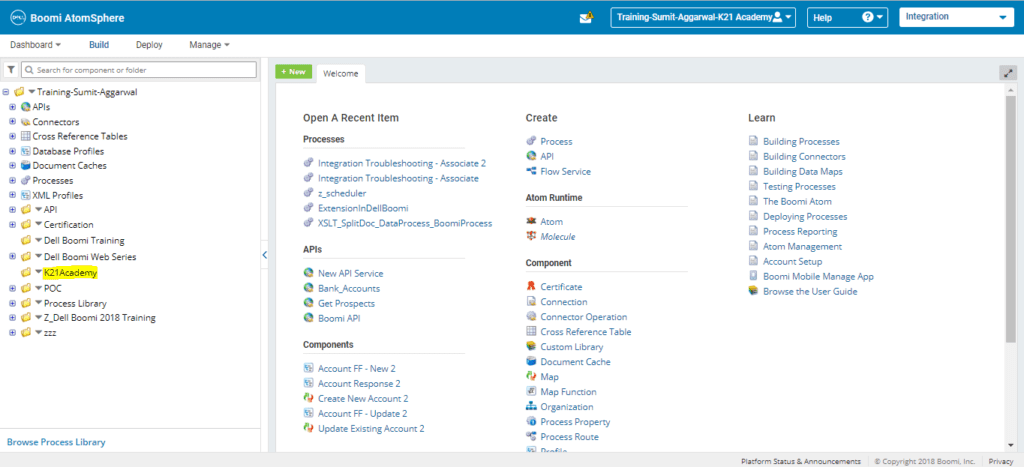
Step 5: Folder with the given name gets created.
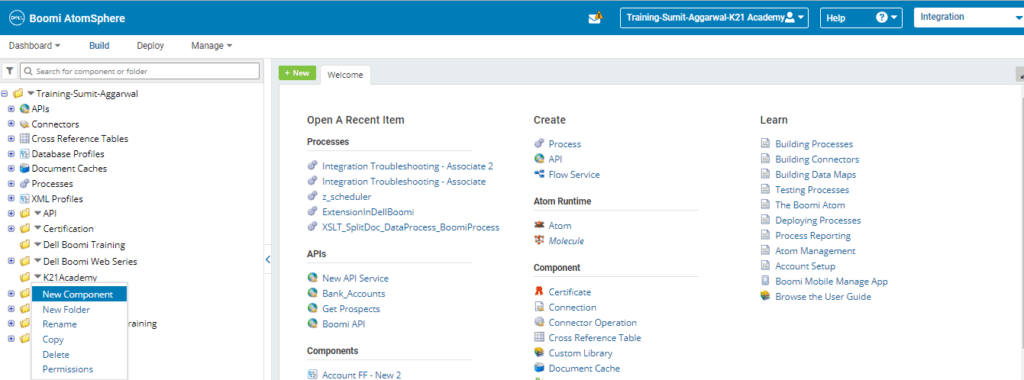
Step 6: Click on the folder and select New Component.
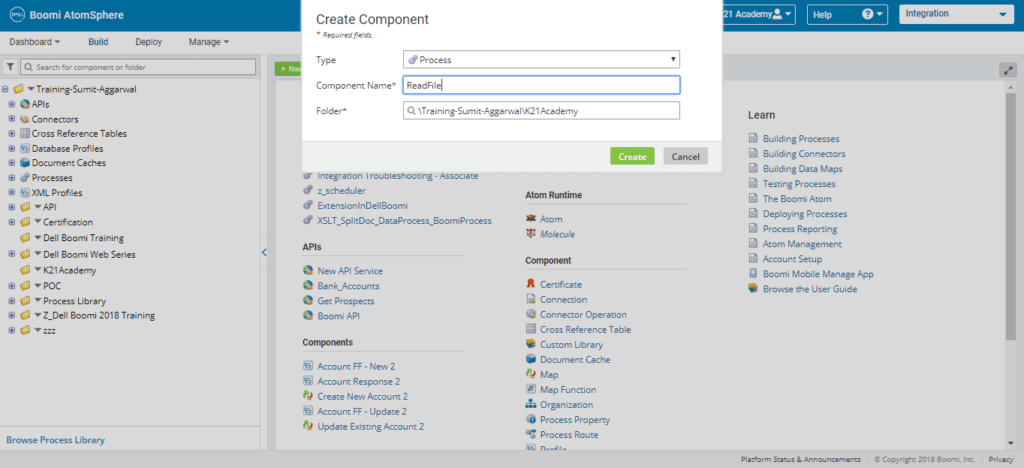
Step 7: Select the Component Type as Process. Enter the Process name as ReadFile and hit Create button.
Step 8: A new process gets created with a Start Shape.
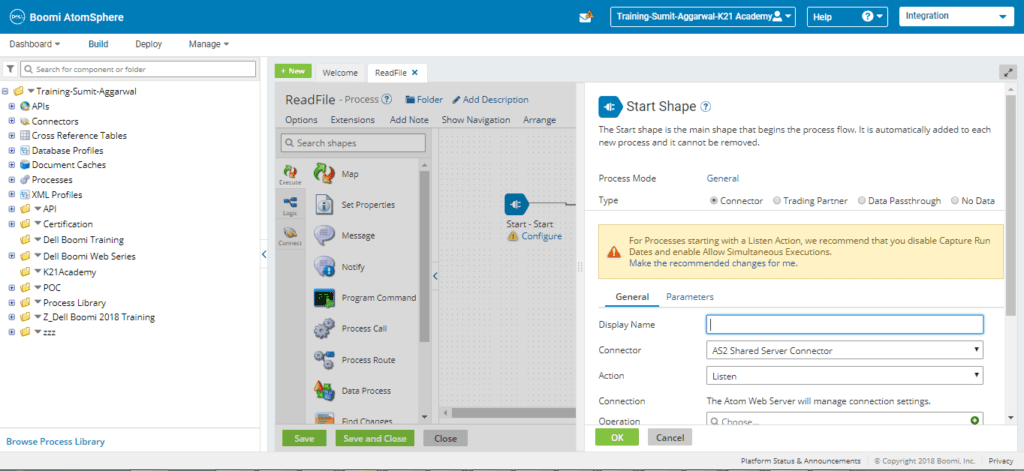
Step 9: Enter the following details:
- Display Name :FetchDatafromFile
- Connector :Disk
- Action :Get
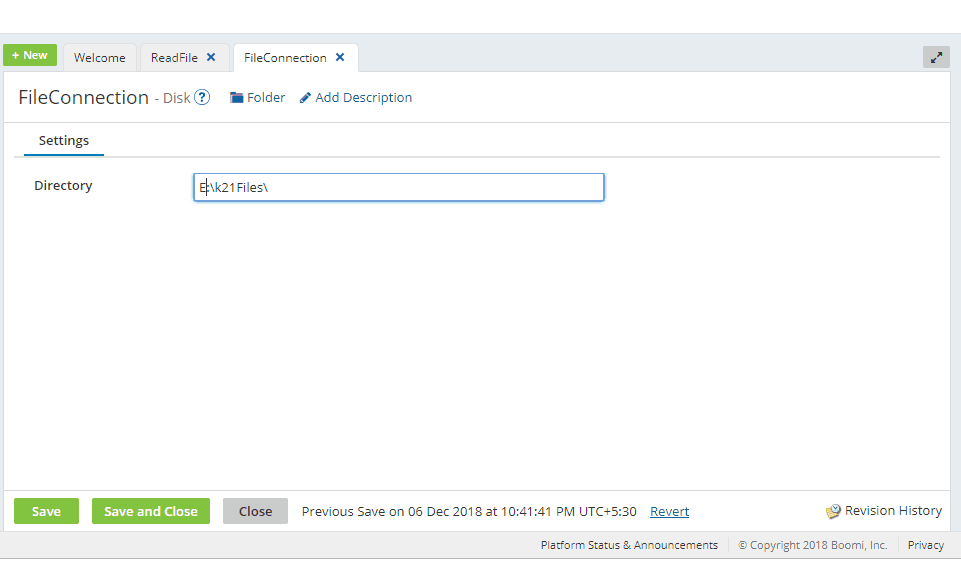
- Configure a new connection by Clicking a ‘+’ button and enter relevant name for the connection and directory. Hit Save button.
- Configure a new operation by Clicking a ‘+’ button and enter a relevant name for the operation keeping remaining details as default. Hit Save and close button.
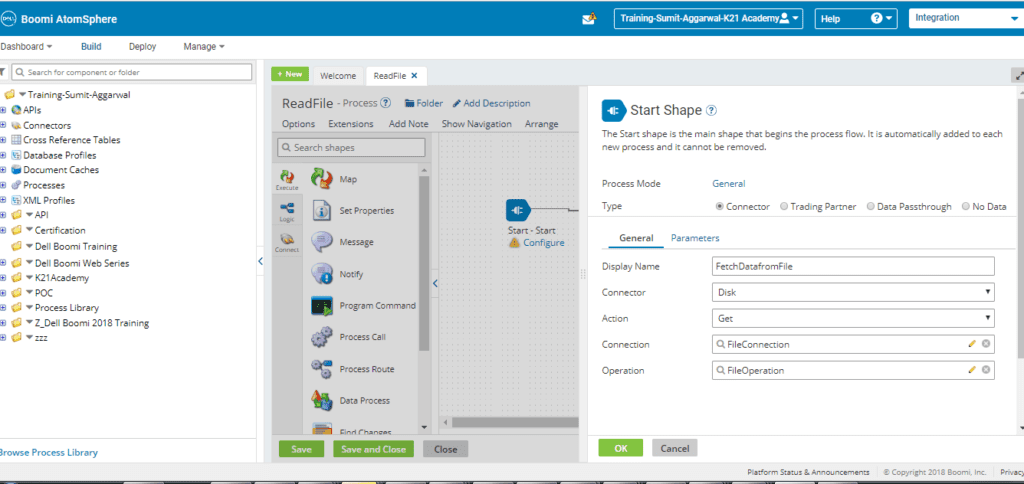
- Click on Ok and then Save button.
Step 10: Select the Stop shape from Pallete.
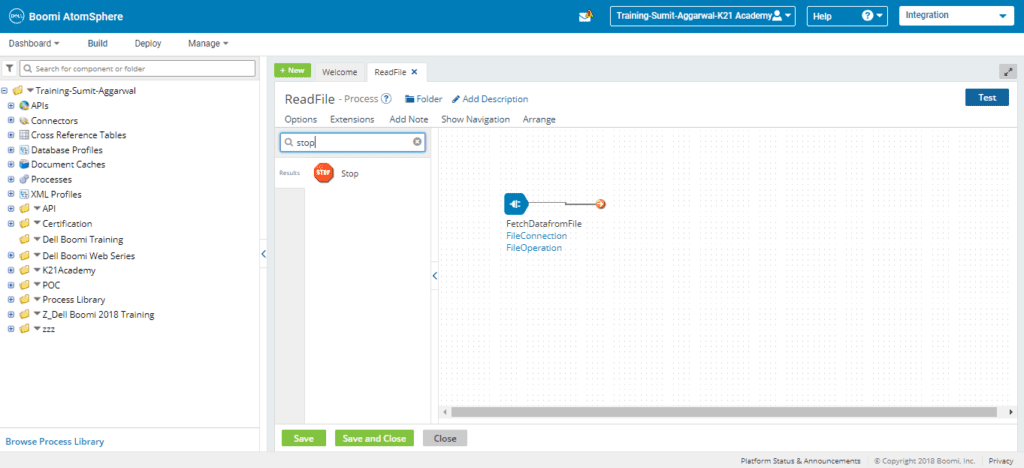
Step 11: Drop the Shape button on Canvas and connect start shape and stop shape with the arrow line such that arrow turns green. Click on Save.
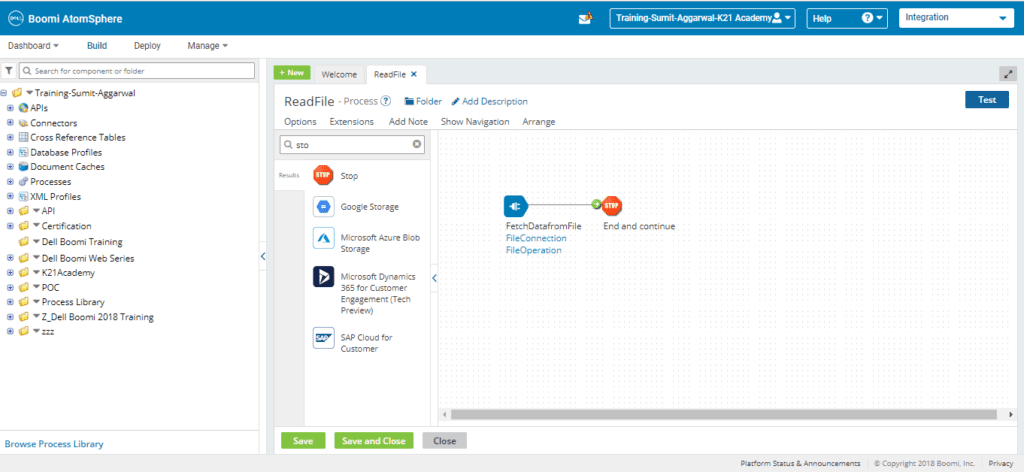
Step 12: Click on the test button and select on premises atom
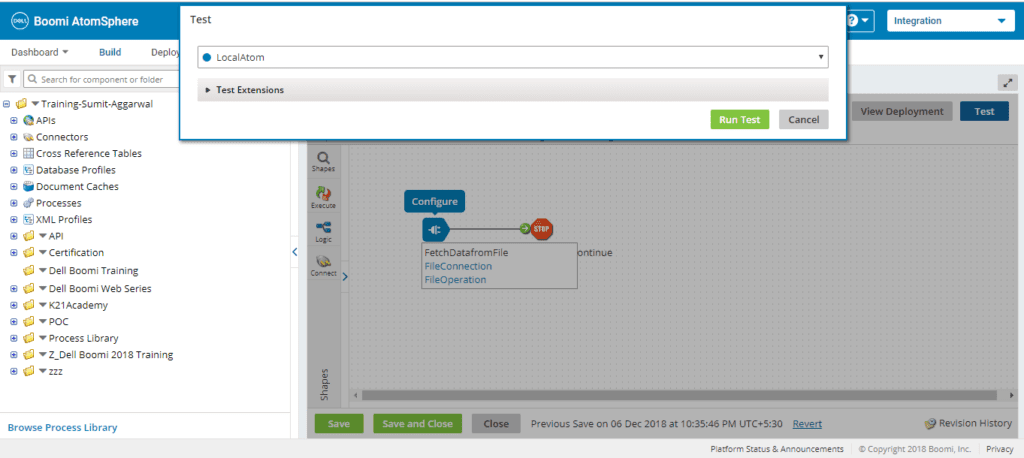
Step 13: Click on Run Test button.
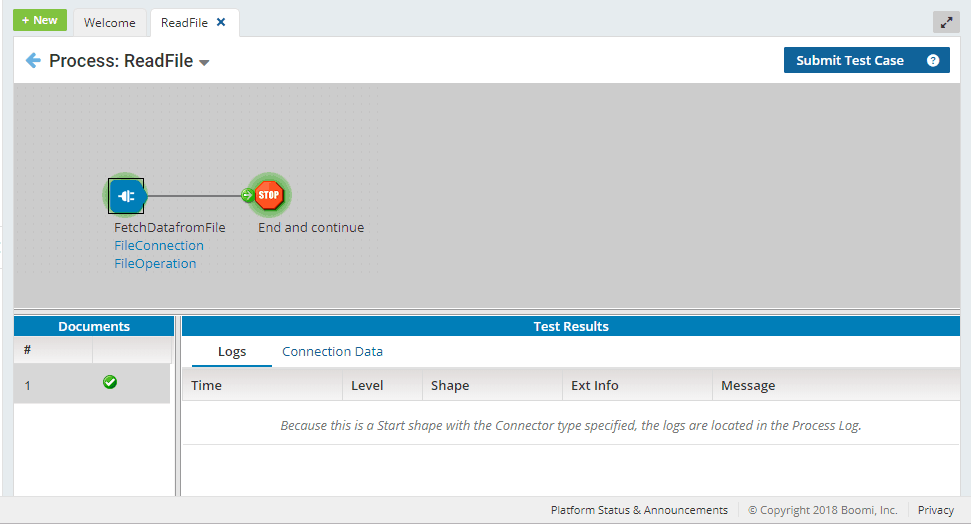
Step 14: Click on Connection Data tab at the bottom
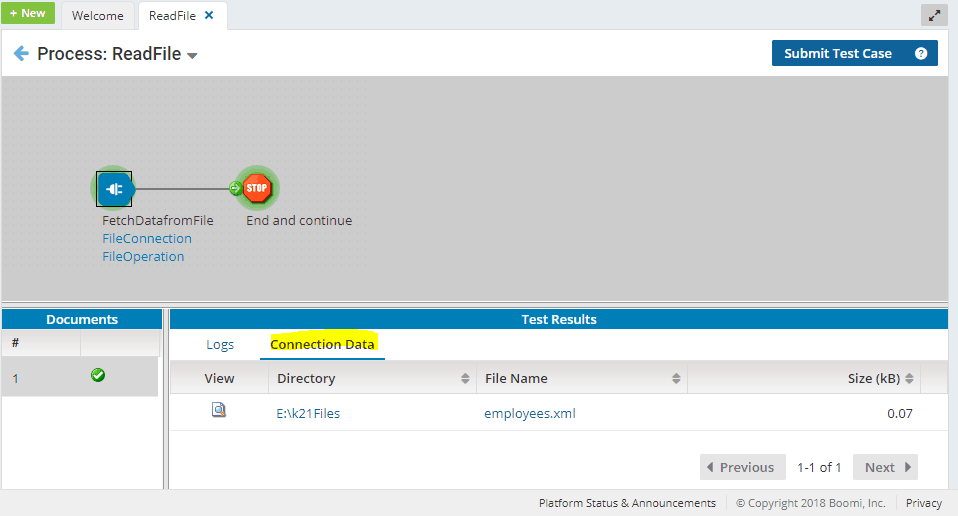
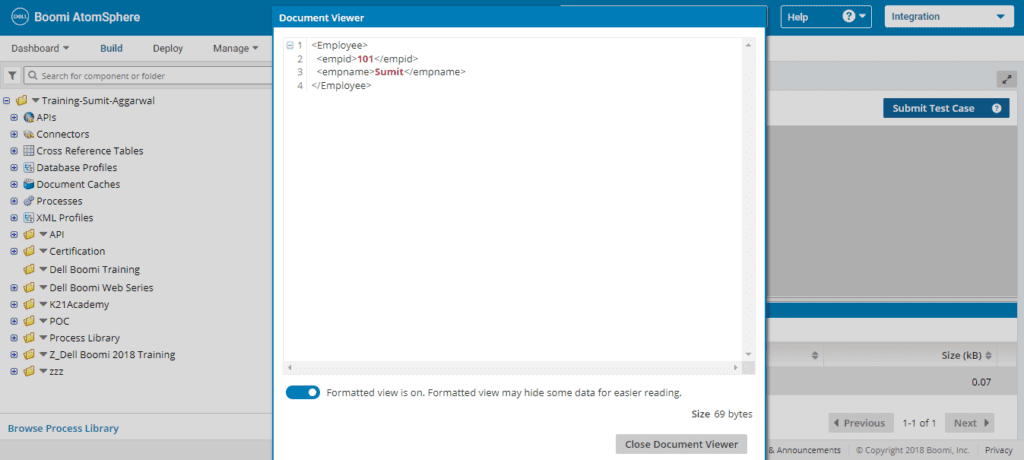
Step 15: Click on View filter to check the document retrieved from the directory.
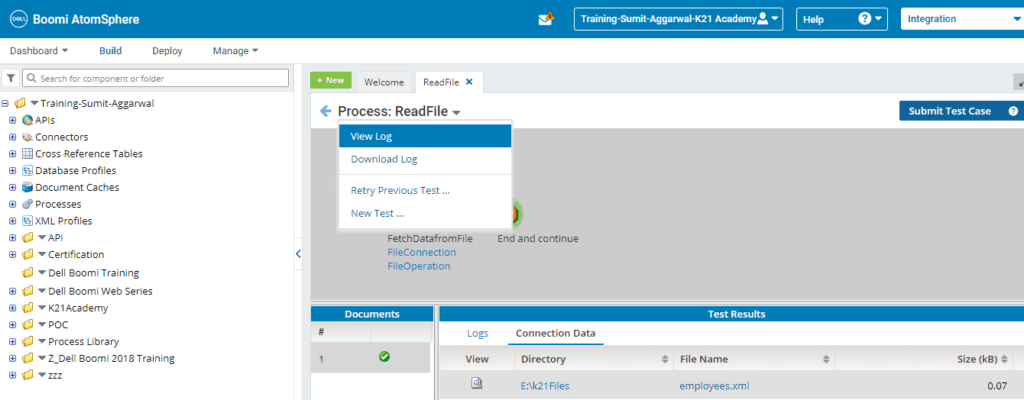
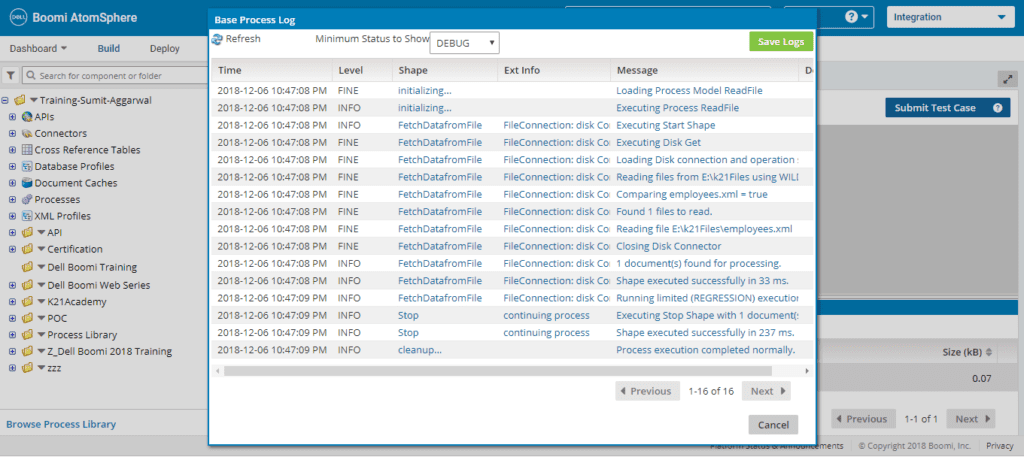
Step 16: To check the logs. Click on View Log button.
So, this is about the Prerequisite and The steps one needs to follow to create your first sample process in Dell Boomi Platform.
Related Posts:
- Terminologies Every Dell Boomi Developer Must Know , Click Here
- Steps for Local Atom Installation of Dell Boomi Platform , Click Here
- Four Key Points About Dell Boomi AtomSphere Platform , Click Here
- Steps to Deploy Process in Dell Boomi Platform , Click Here
- Unique Features of Dell Boomi Platform , Click Here
If you have not downloaded FREE eBook – 6 Docs Every Dell Boomi Developer Must Read yet, kindly Register and Get a copy in your Email inbox.

Did You Find this Blog useful?
Leave a Comment.

![Microsoft Agentic AI Business Solutions Architect [AB-100] | K21 Academy](https://test.k21academy.com/wp-content/uploads/2025/11/Microsoft-Agentic-AI-Business-Solutions-Architect-AB-100-Exam-Overview1.png)