



[New Feature] In this blog post, I have discussed the new feature that has been introduced by Oracle on 1st June 2020 i.e., Online resizing for block volumes and boot volumes.
Oracle has recently introduced a new feature from which you can now resize your block/boot volumes without any downtime. Boot Volumes and Block Volumes come under the topic Storage.
Storage is one of the 5 Core Services (IAM, Networking, Compute, Storage & Database) of OCI.
If you don’t know What is Block Volume, then I would highly recommend you to check our previous post here.
Resizing Block/Boot Volume
After this new update from Oracle, you can now increase the size of your Block and Boot Volumes without affecting your running application. This has been a long-awaited update from Oracle. You can try this feature in the free Cloud Account too.
Few Points To Keep In Mind
- Sizing of Block or Boot Volume online without affecting any running application, which means you do not have to take down your application so there is no Downtime.
- This feature is available in all the Oracle Cloud Regions.
- You can access this feature on your currently existing volumes as well as newly created volumes.
- Both Boot Volume and Block Volume can be increased up to 32TB in size.
- You can add 32 Volumes of 32 TB each to an instance.
- After the extension, rescan the disk to extend the partition.
- parted or DISKPART commands can be used.
Also Read: Our blog post on OCI Data Transfer Service. Click here
Steps To Increase The Size Of A Block Volume
- Log in to your Oracle Cloud Account.
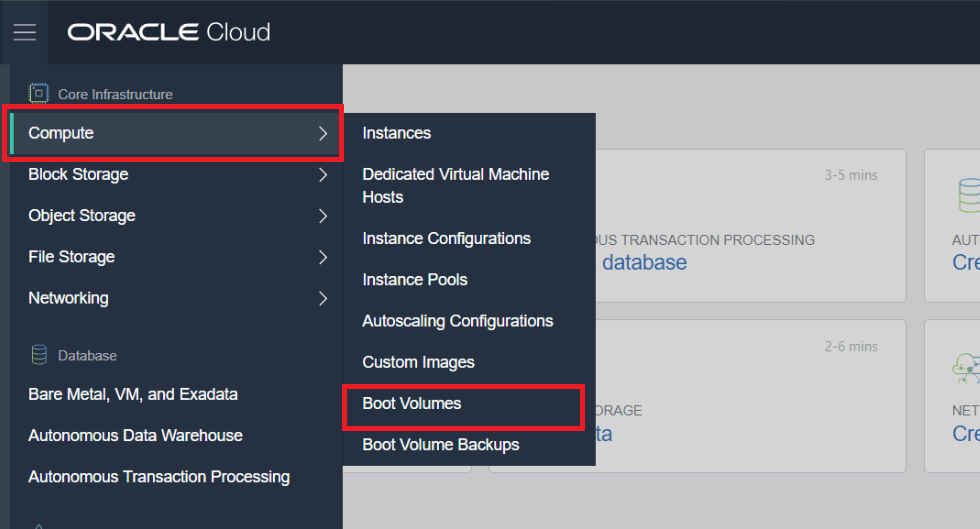
- Open the navigation menu. Under Core Infrastructure, go to Compute and click Boot Volumes.
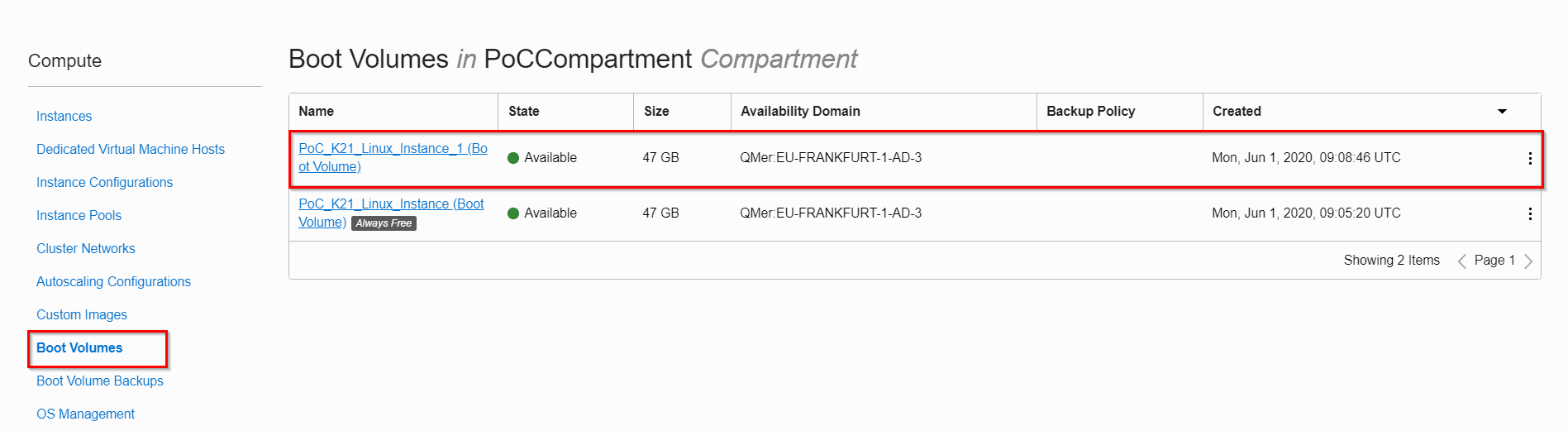
- In the Boot Volumes list, find the volume of who’s the size you want to increase.
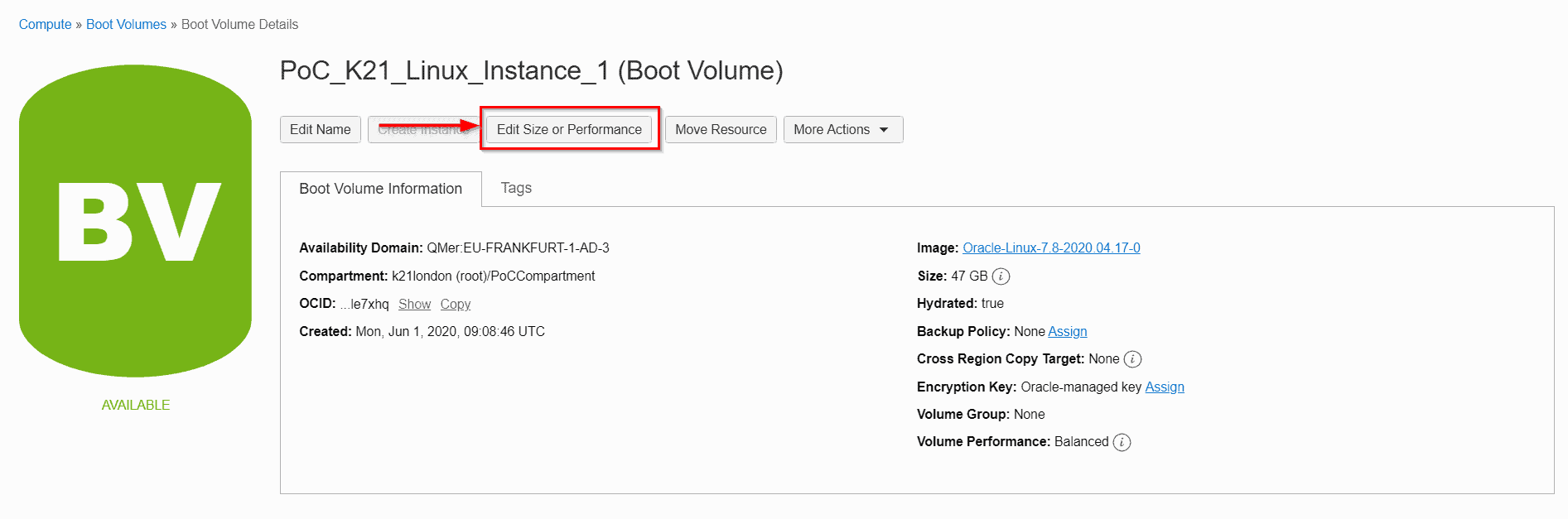
- Click on “Edit Size or Performance”.
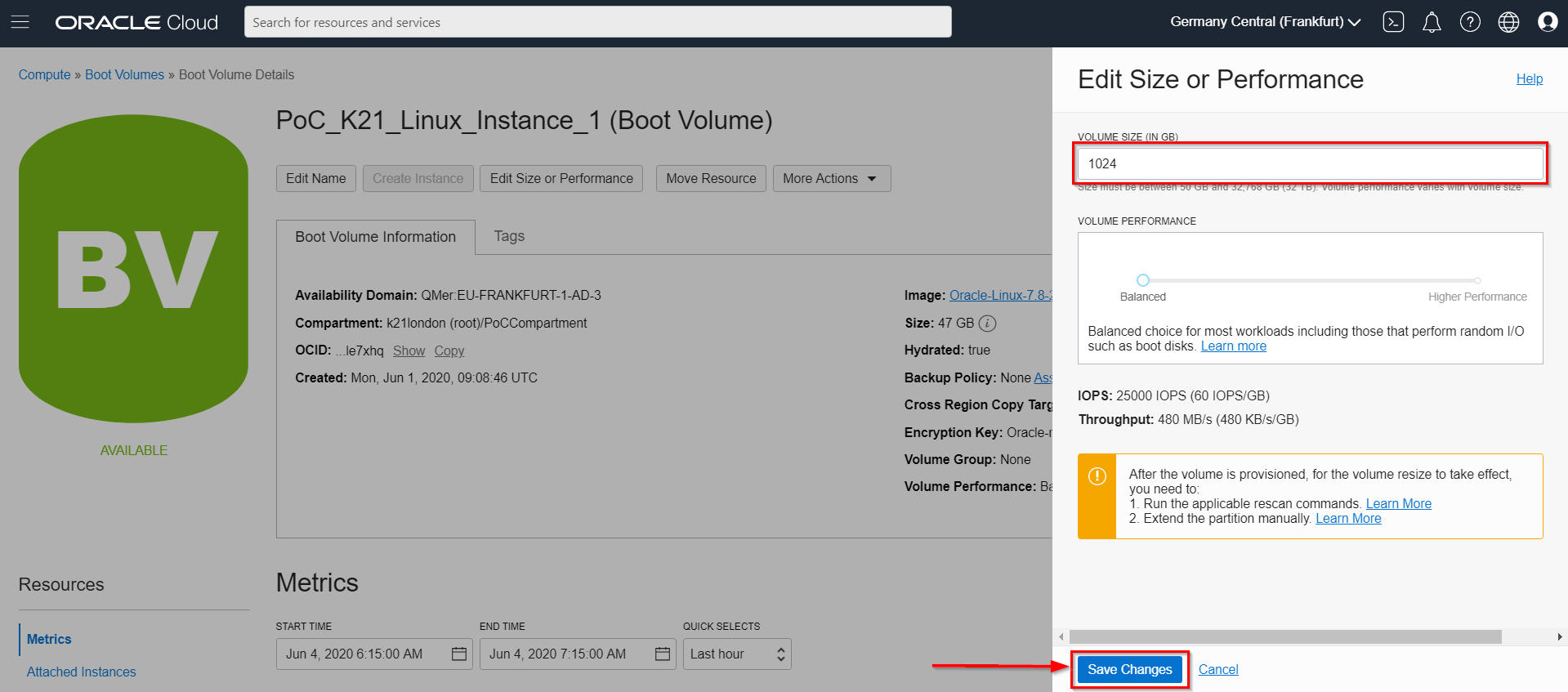
- Enter the Size you want for the Boot Volume and click on Save Changes.
This is how you can increase the size of your Boot/Block Volumes.
Check Out: Our previous blog post on Oracle OCI Compute. Click here
Related/Further Readings
- Compute service in OCI
- [Video]: Oracle Cloud Infrastructure (OCI) | Storage Object, Block | File Storage, Data Transfer Service
- New Feature: Resizing Compute Instance (VM) In OCI
- What is Region, Availability Domain (AD), Fault Domain (FD) & Realm in Oracle Cloud Infrastructure (OCI)
- Starting and Stopping an Instance
Begin Your Cloud Journey
Begin your journey towards becoming an Oracle Cloud Expert and earn a lot more in 2024 by joining our FREE CLASS. You will also know more about the Roles and Responsibilities, Job opportunities for OCI Architects, Admins in the market, and what to study Including Hands-On labs you must perform to get the Higher Paying jobs.
Click on the below image to Register for Our FREE Class on MASTERING ORACLE CLOUD FOR DBAs, APPs DBAs, ARCHITECTS & SYS ADMINS


![Microsoft Agentic AI Business Solutions Architect [AB-100] | K21 Academy](https://test.k21academy.com/wp-content/uploads/2025/11/Microsoft-Agentic-AI-Business-Solutions-Architect-AB-100-Exam-Overview1.png)


