






Warning: First few parts of this post are going to be useful even if you are not a DBA/Apps DBA
Today I am going to discuss 12 things you must learn from complete Beginner to Expert Cloud DBA (even if you are not a DBA/APPS DBA, Yes I mean anyone, be it Developer, Tester, Architect or someone just starting in IT)
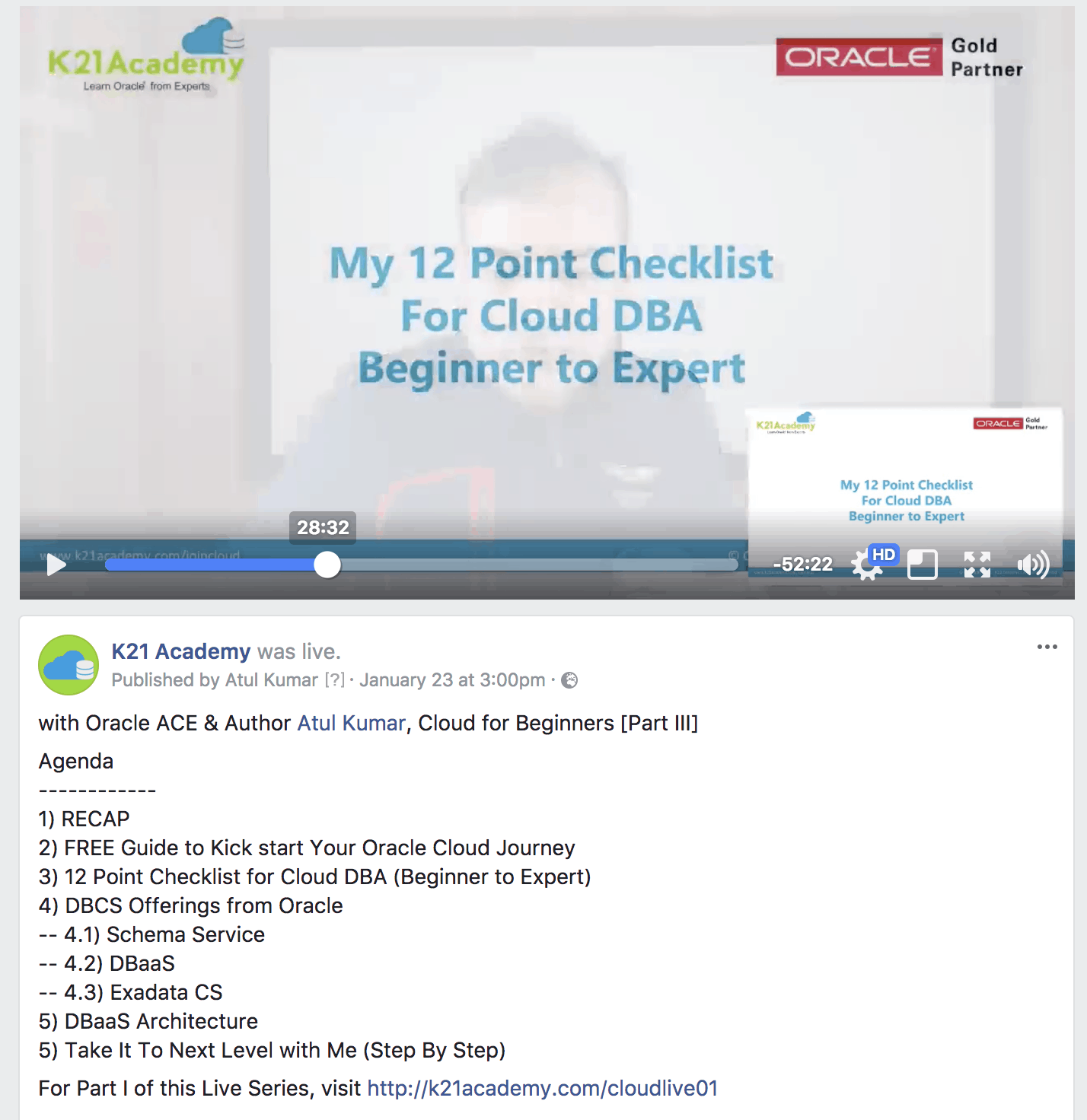
12 Point Checklist: Beginner to Expert Cloud DBA
Note: If you don’t have time to watch full 80-minute, but still want to look at 12 point checklist then start from 28 minutes.
1. Learn Architecture & Concepts: First thing for any new skill you learn, is to understand Architecture & Concepts. For Cloud (be it for DBAs, Apps DBA, Developer, Techno Functional, Tester, Admins) you should look at things like Data Centre, Traditional vs IDCS Accounts, Identity Domain, Consoles (Compute, Storage, Database), Access Options, Security Overview
2. Register for Cloud: One you understand concepts then you should register for Cloud (This same registration can be used for other Cloud services like JCS for WebLogic, SOA CS, GoldenGate, ICS for Techno Functional, Developer Cloud for Developers), get a copy of our FREE Guide at https://k21academy.com/cloud01 (Note: We use this as the first guide for our multiple Cloud Training)
3. Create a Play Environment on Cloud: Depending on your role (If DBA create Database, If FMW/WebLogic Admin, create WebLogic, If Developer use Developer Tools) create a Play Instance on Cloud. Note that you get 300 USD FREE Credit which is enough for 30 Days if you shutdown environment after use.
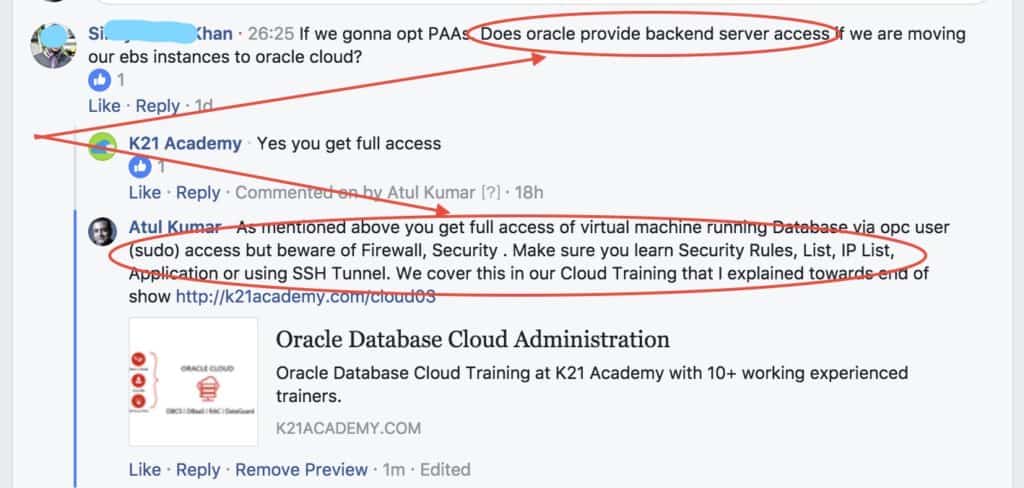
4. Manage Cloud: This is where it starts going specific so learn basic management like Start/Stop, Scale-Up, and under Cloud Tools for DBAs like DBaaSCLI, bkup_api, dbcscli, DBaaS Monitor etc
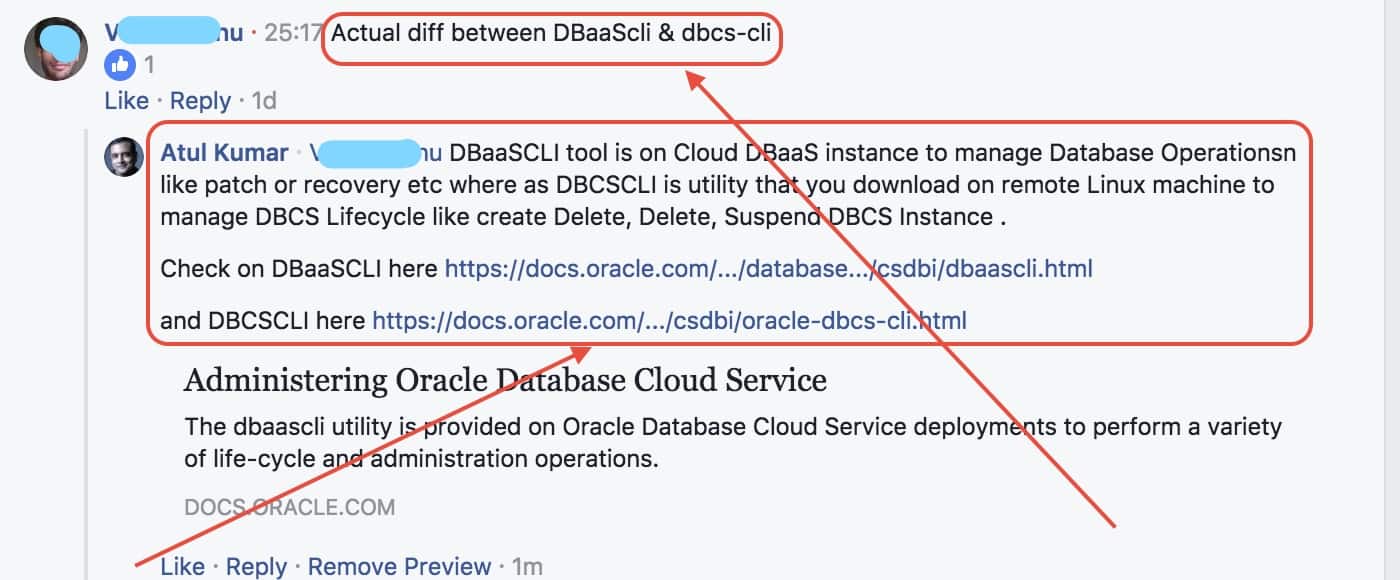
5. Patch Cloud: Yes, you still need to patch on Cloud and as a Cloud DBA, you can patch using GUI (Console) or using CLI (dbaascli).
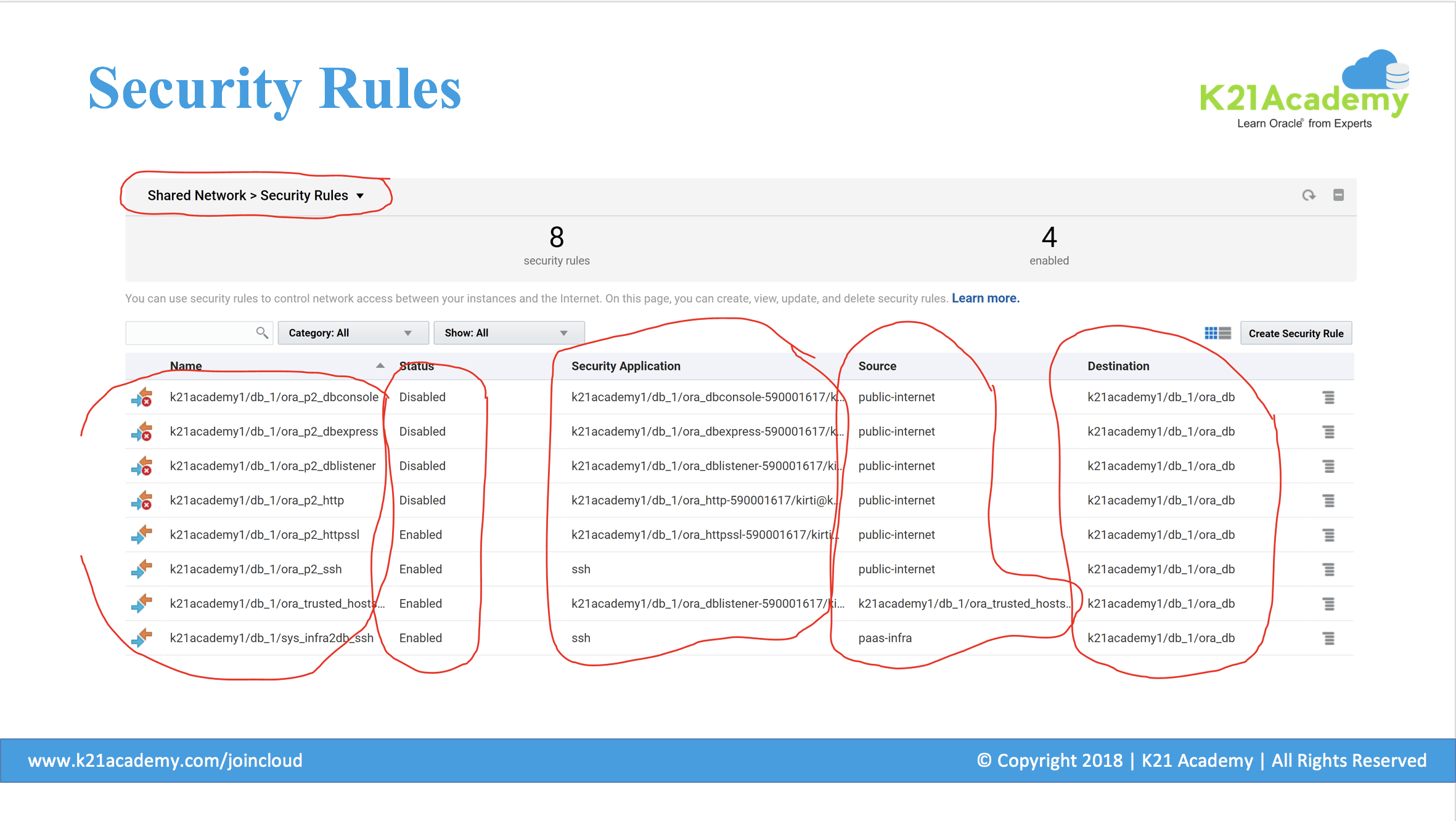
6. Security/Firewall/Network: As you get full access to DBCS instance, you also get access to control who can access what and from where.This is done using Security Rules, Security Applications, Security List & Security IP List
Note: We cover all this and lot more in our Cloud Training at https://k21academy.com/cloud03)
7) Secure Users/Groups Roles: Once you configure Network Access using Firewall that comes on Oracle Cloud, next is to control who can access what so there are Application Roles, Groups and Users so if anyone needs access to create Database Instance on Cloud then give them role like DBaaS Administrator or Compute Administrator.
8) REST APIs: REST stands for Representational State Transfer is a method to invoke Cloud Services. If you are a beginner then you can defer it to learning other Critical Things like Migration (Lift & Shift)
9) Backup & Recovery: You can few options for backup destination including Storage Cloud Service. With this you also get tools like bkup_api and orec option in dbaascli. This is one of the tasks that Cloud DBA’s should be familiar with.
10) Migrate to Cloud (Lift and Shift): This is one of my favourite and where you may earn a lot of money if done and CV marketed properly.
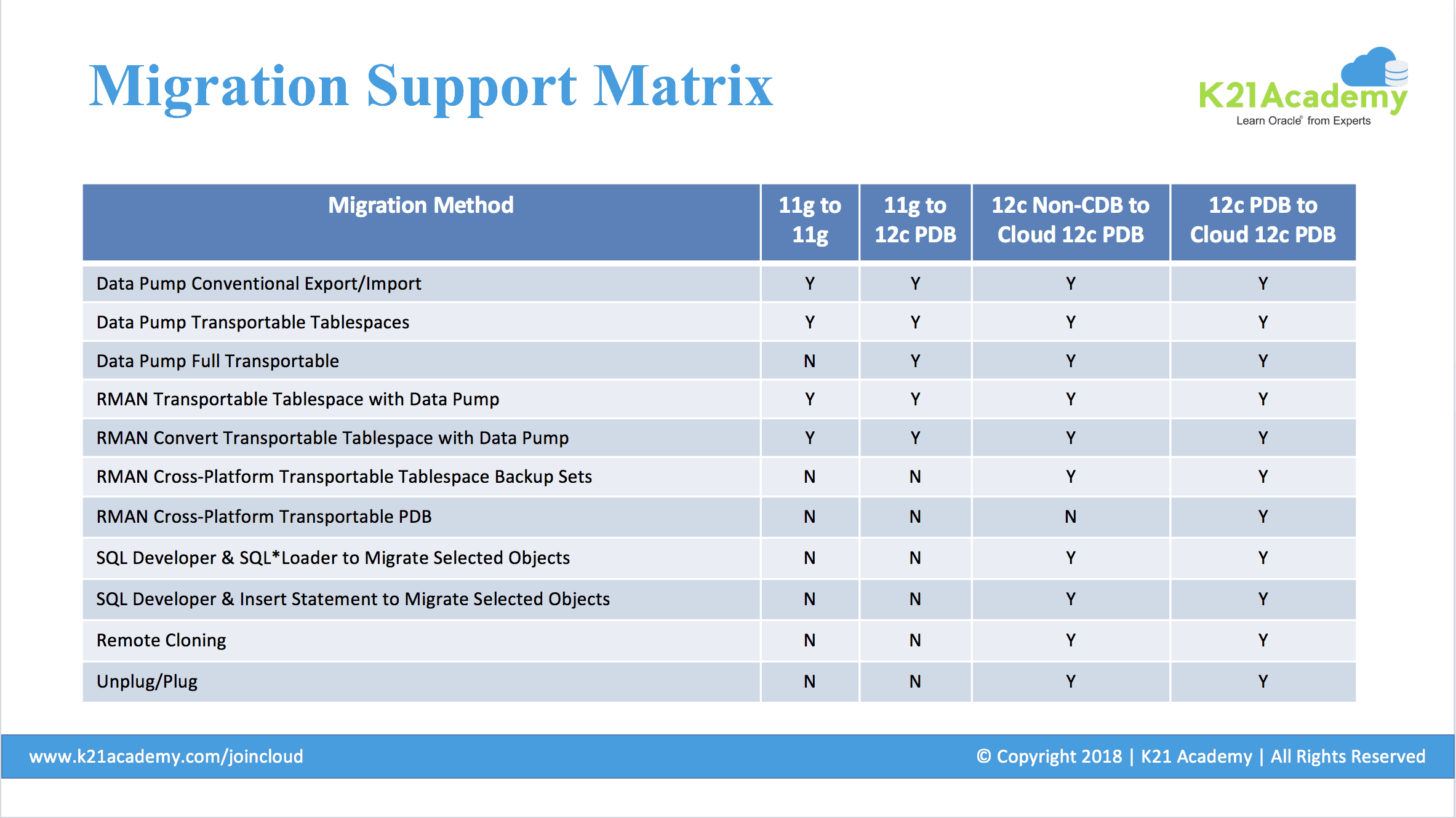
(Note: This slide is from our Migration (Lift & Shift) Module in DBA to Cloud DBA Training including Hands-On migrating 12c Database from our On-Premise to Cloud at https://k21academy.com/cloud03)
There are two more topics I covered in our Live Show Here
DBaaS Architecture
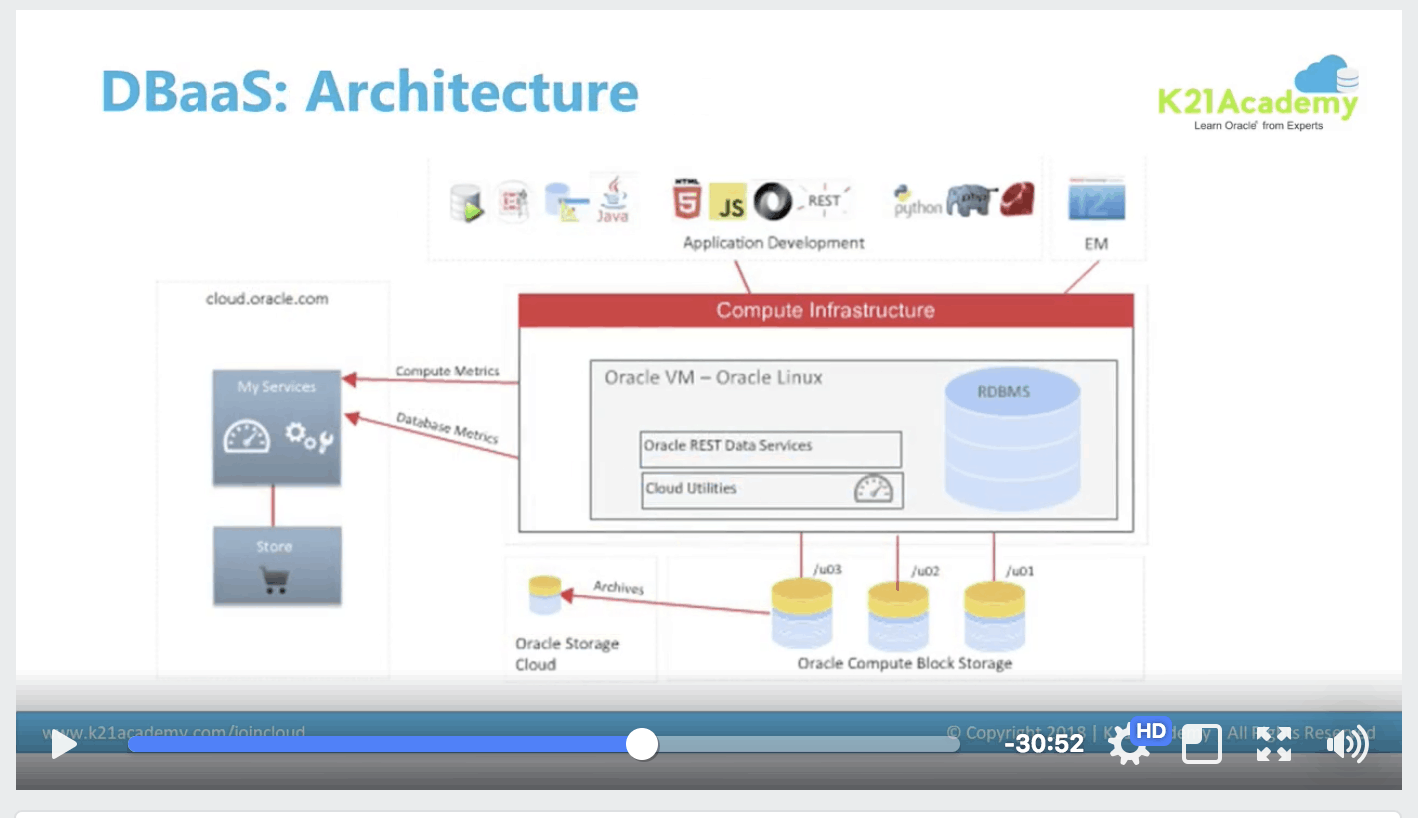
From 50th Minute (This is 80 Minute show I covered DBaaS Architecture so make sure you watch this at https://k21academy.com/cloudlive03 )
Next Task
- Download our Step By Step Guide to Create Oracle Cloud Account and Create Your first Oracle Database on Cloud. If you need any help then post comments below


![Microsoft Agentic AI Business Solutions Architect [AB-100] | K21 Academy](https://test.k21academy.com/wp-content/uploads/2025/11/Microsoft-Agentic-AI-Business-Solutions-Architect-AB-100-Exam-Overview1.png)



