



In this post, I have covered the concepts like Kubernetes Components, Architecture, Installation, some quick tips, and Q/As from our Day 1: Training of [Certified Kubernetes Security Specialist].
Do you know, as per the report published by Allied Market Research, the global container and Kubernetes security market is expected to reach $8.24B by 2030, growing at a CAGR (Compound Annual Growth Rate) of 27.4% from 2021 to 2030?
An increase in vulnerabilities and cyberattacks, rise in popularity of microservices have driven the growth of the Kubernetes security market.
The significant increase in Cloud adaption has also increased the need for Security Engineers with a HUGE SALARY (avg. of $130K) because all your data resides on the internet.
Have a look at its job opportunities…
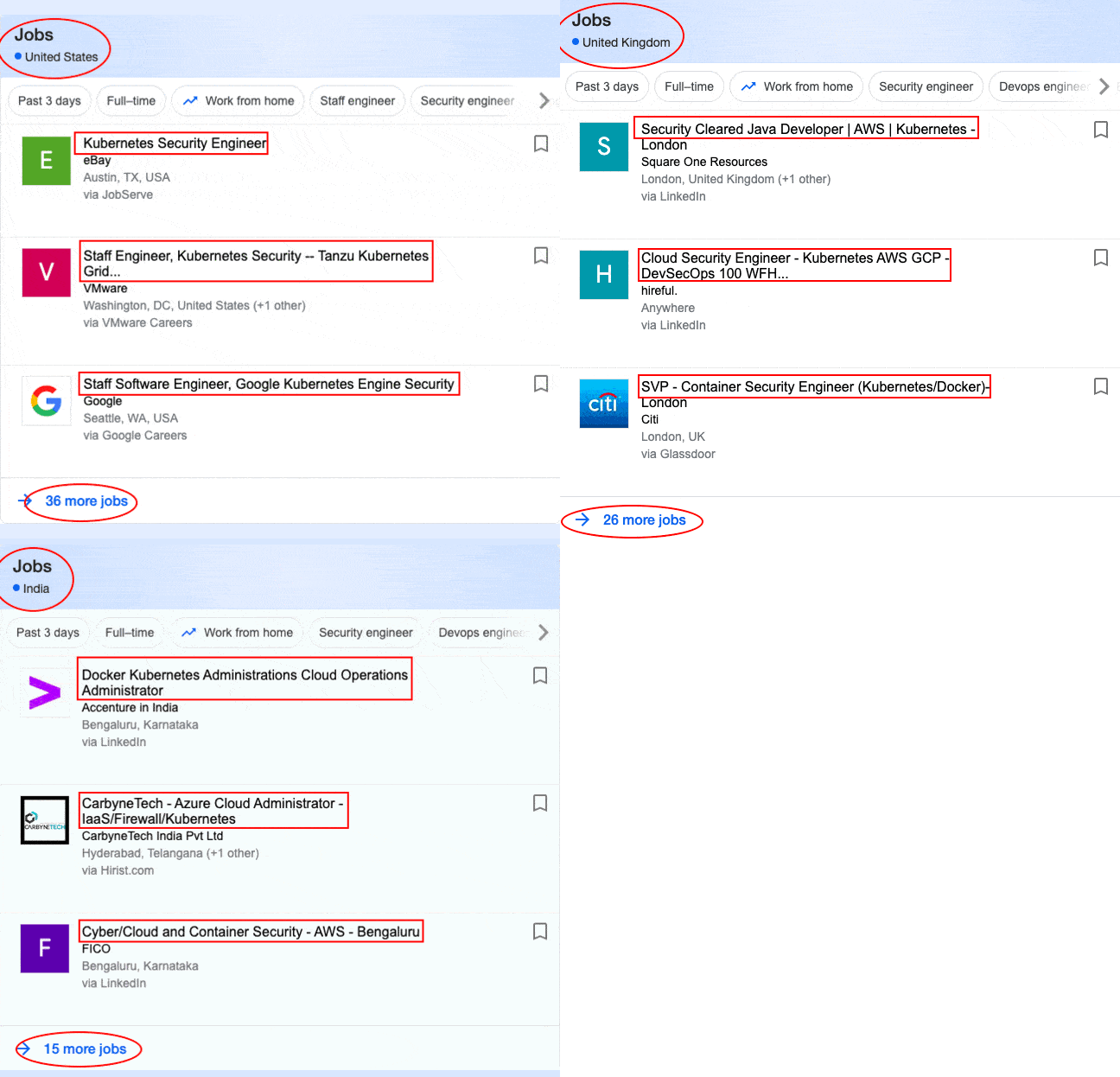
So, when it comes to planning your architecture on Cloud, there is no better combination of Containers & Kubernetes with Cloud. In 2021, Kubernetes is the go-to option for organizations, hence the surplus demand for Security Practitioners in Cloud, Containers & Kubernetes.
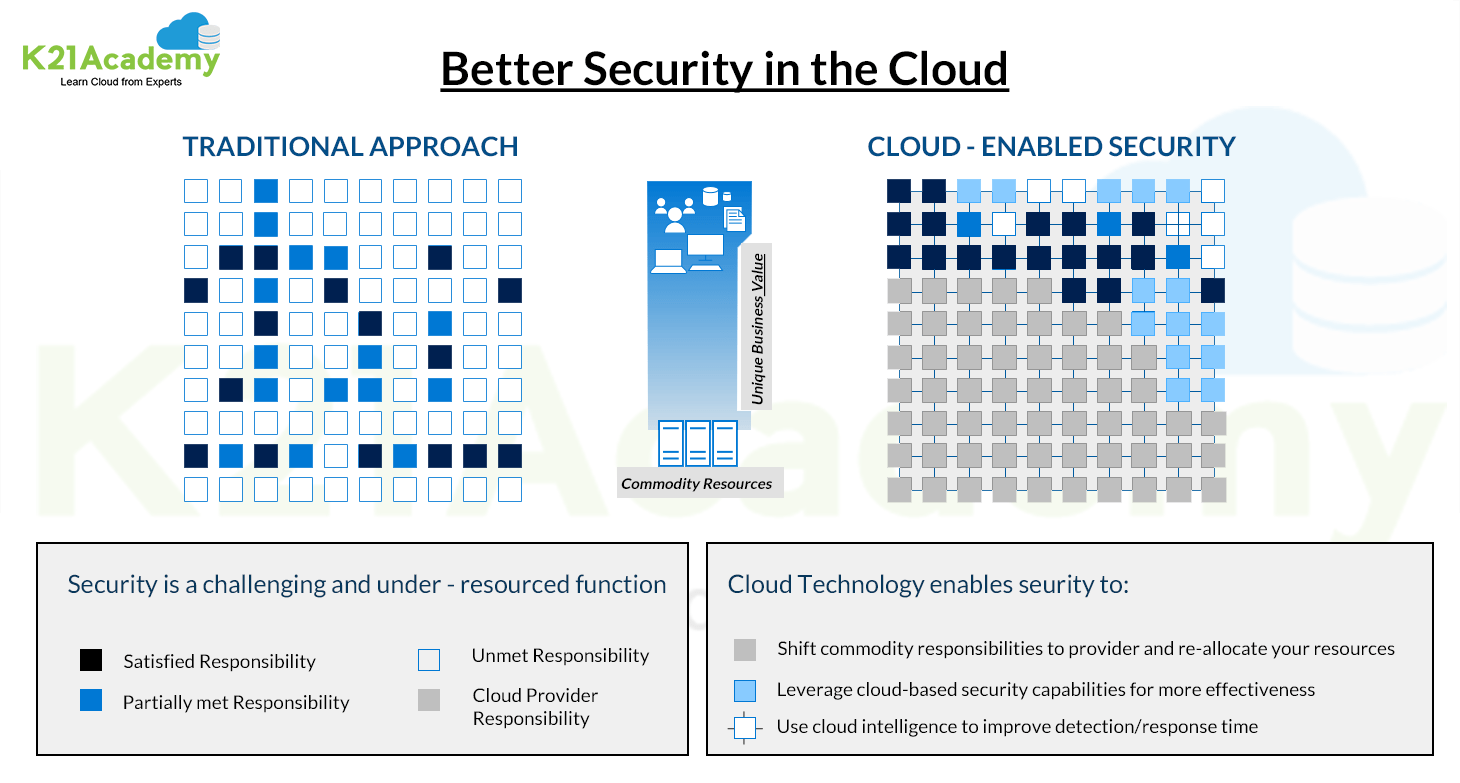
Let’s look at the shared responsibilities of security in the Cloud service models:
- Software-as-a-service (SaaS) — You are responsible for securing the data and user access.
- Platform-as-a-service (PaaS) — You are responsible for securing the data, user access, and applications.
- Infrastructure-as-a-service (IaaS) — You are responsible for securing the data, user access, applications, operating systems, and virtual network traffic.
Considering the importance, I thought of sharing some important tips, including Q/A and useful links from the Day 1 live session of our current batch of Certified Kubernetes Security Specialists [CKS].
This series will help you gain a better understanding and make it easier for you to learn Docker and Kubernetes with the security concepts that help clear the CKS certification & get a high-paid job.
Our training program includes 7 modules and some bonus modules with 27+ extensive hands-on labs, which are important to become a Certified Kubernetes Security Specialist.
- Module 1: Kubernetes Components, Architecture, and Installation
- Module 2: Kubernetes Cluster Setup
- Module 3: Cluster Hardening
- Module 4: System Hardening
- Module 5: Minimize Microservice Vulnerabilities
- Module 6: Supply Chain Security
- Module 7: Monitoring, Logging, and Runtime Security
In our Certified Kubernetes Security Specialist training program, we started right from scratch. We covered the following topics to start with on Day 1 of our training program:
- Kubernetes Architecture
- Kubernetes Building Block (Deployment, Service, Pod, Namespace)
Then we went ahead with Kubernetes Security concepts and introduced why security is an important aspect in Kubernetes.
- Why is Security Important?
- Types of Attacks on Clusters
- 4C’s of Security (Code, Container, Cluster, Cloud datacenter)
- Security Lifecycle Phases (Develop, Distribute, Deploy, Runtime)
Then we started with the Kubernetes Web-UI installing and accessing the K8s Dashboard.
- Install Kubernetes Dashboard
- Secure Kubernetes Dashboard
We even got started with the
- CIS Benchmarks
After covering the basics, we start with an overview of Kubernetes Security; we also covered different types of Certificates in Cluster for authentication and much more!
By the end of the course, one will be able to Harden their Kubernetes Cluster and address all the Vulnerabilities and Threats.
↦ Before we begin, know everything about the CKS Certification
So, here are some of the Q/A’s asked during the Live session from Module 1: Kubernetes Components, Architecture, and Installation
➪ Kubernetes Architecture
The architecture of Kubernetes is simple, yet it offers the most flexibility in today’s world!
It consists of Master nodes and Worker nodes; the Master communicates with the Worker using API-server. Multiple Master nodes may also exist to provide High Availability, which is indeed one of the most important aspects of application deployment and advantage of Kubernetes.
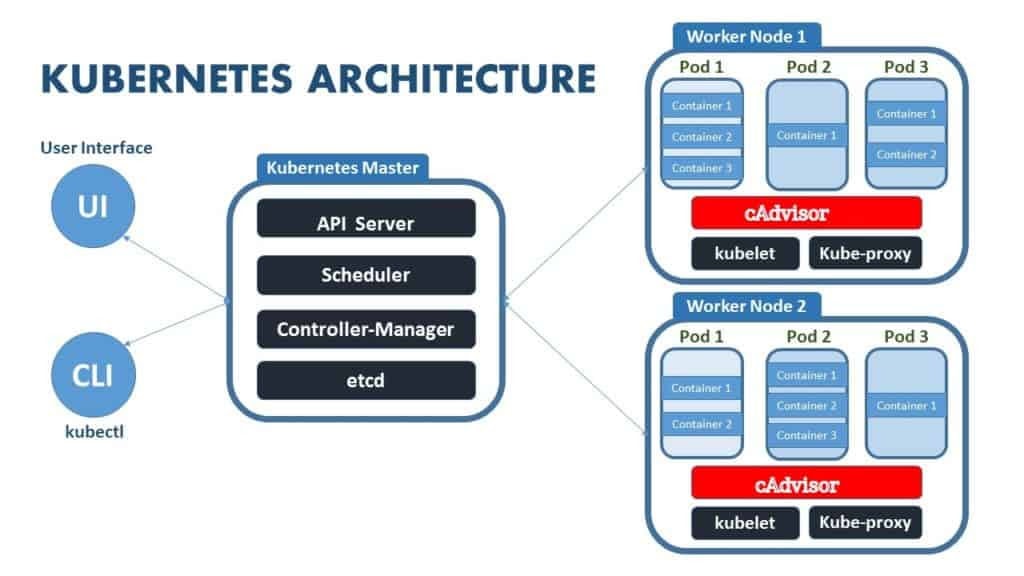
- The Master node communicates with Worker nodes using Kube API-server to kubelet communication.
- There can be one or more pods in the Worker node, and pods can contain one or more containers.
- Containers can be deployed using the image also can be deployed externally by the user.
Q-1. Can we use any other container runtime engine instead of Docker as an exercise later? Since we know Docker is going away in K8s?
Ans. Yes, you can use any container runtime like containers or cri-o in Kubernetes instead of docker. Check out the list of most used container runtime
↦ Read more about the Kubernetes is deprecating Docker
Q-2. What other container engines does K8s support? What are the alternatives of Docker?
Ans. Kubernetes supports several other container runtimes than Docker like container, CRI-O, and any implementation of the Kubernetes CRI (Container Runtime Interface).
➪ Kubernetes Building Blocks
Basic objects include:
- Pod: A group of one or more containers.
- Service: An abstraction that defines a logical set of pods as well as the policy for accessing them.
- Volume: An abstraction that lets us persist data. (This is necessary because containers are ephemeral—meaning data is deleted when the container is deleted.)
- Namespace: A segment of the cluster dedicated to a certain purpose, for example, a certain project or team of devs.
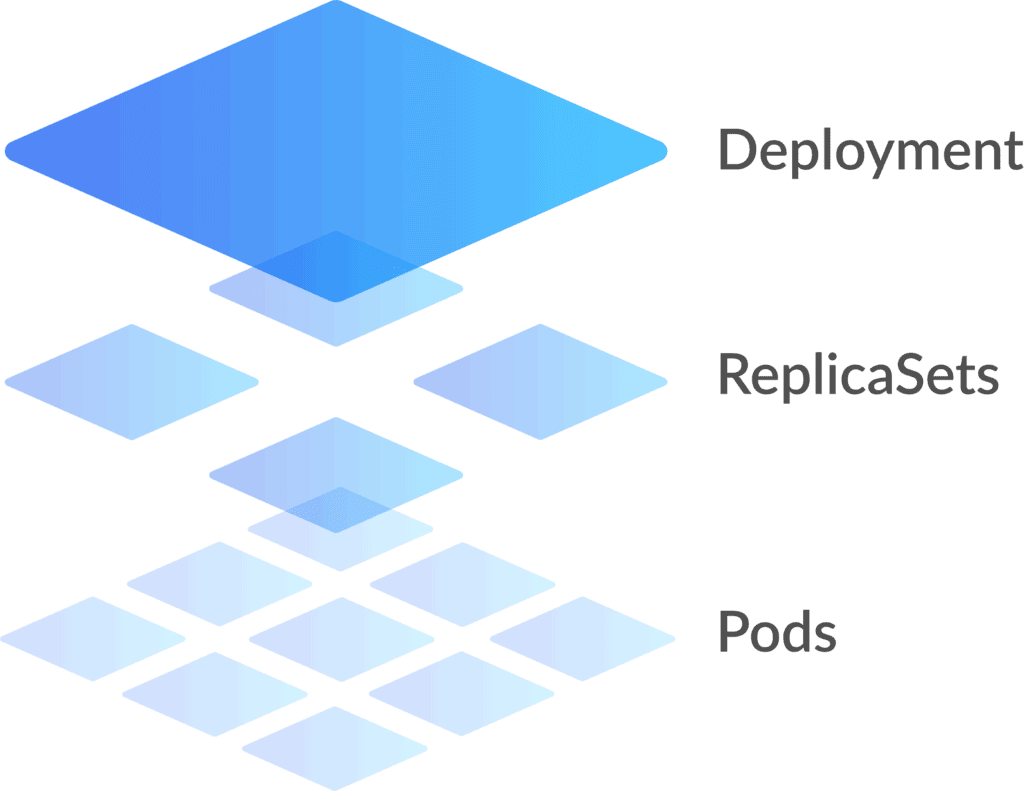
Controllers, or higher-level abstractions, include:
- ReplicaSet (RS): Ensures the desired amount of pod is what’s running.
- Deployment: Offers declarative updates for pods and RS.
- StatefulSet: A workload API object that manages stateful applications, such as databases.
- DaemonSet: Ensures that all or some worker nodes run a copy of a pod. This is useful for daemon applications like Fluentd.
- Job: Creates one or more pods, runs a certain task(s) to completion, then deletes the pod(s).
↦ Read more about the Kubernetes Building Blocks
➪ Introduction to Kubernetes Security
After going through the basics of Kubernetes building blocks, we started a discussion on Kubernetes Security. All of our trainees got involved, and it was really interactive.
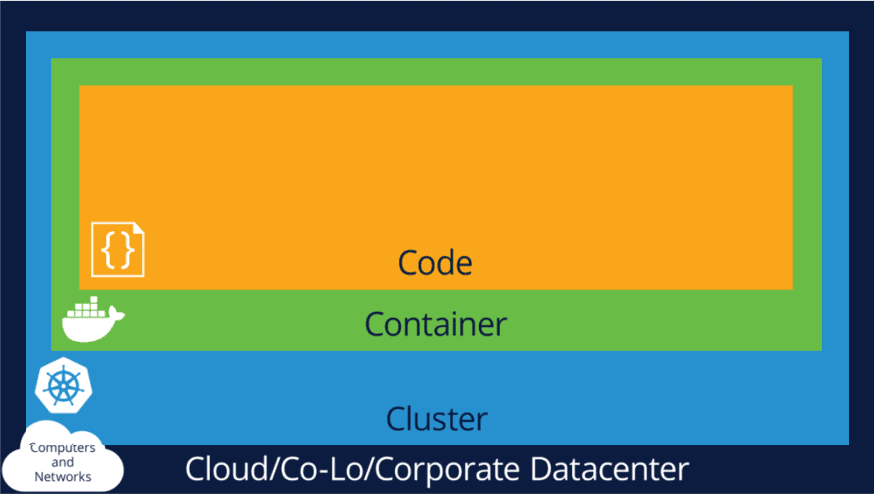
Cloud-native security uses an approach to divide the security strategies applied in Cloud-native systems into four different layers, as seen in the image below called “The 4Cs of Cloud-native Security.”
- Code
- Container
- Cluster
- Cloud/Co-Lo/Corporate Datacenter
Q-3. What are the types of attacks in Kubernetes?
Ans. Generally, there are two types of attack
Passive Attack: The first type of attack is passive attack. A passive attack can monitor, observe or build use of the system’s data for sure functions. E.g., Eavesdropping attack
Active attack: An active attack could be a network exploit during which the attackers will modify or alter the content and impact the system resource. E.g., Denial-of-Service, Trojan Horse
↦ Read more about the Kubernetes Security for Beginners
➪ Kubernetes GUI (Dashboard)
Kubernetes Dashboard is a web-based Kubernetes console; a general-purpose UI made to look after the Cluster in Kubernetes. Surprisingly, even the dashboard is nothing but a container that accesses the cluster information from within the cluster. So, it’s just another resource for Kubernetes to manage.
➢ Install K8s GUI
We covered in detail how to install a Kubernetes Dashboard in our live session. And everyone certainly enjoyed this part of visualizing things in Kubernetes.
Here’s something I will help you with the installation of the Dashboard.
Perform the below command on your cluster:
$ kubectl apply – f Commands to run on your Cluster.
But there are a few more things that you should do before you can access the Kubernetes Dashboard, check out the below video:
Q-4. What is Kubernetes GUI used for?
Ans. It is used for deploying containerized applications as well as for general cluster resource management. As mentioned before, it is very useful to have a visual representation of our cluster in a user-friendly interface.
Q-5. What does the Kubernetes dashboard do?
Here are the things you can do with the Kubernetes dashboard:
- You will get an overview of applications running on your cluster.
- To create or modify the individual Kubernetes resources, for example, Deployments, Jobs, etc.
- It provides information on the state of Kubernetes resources in your cluster and on any errors that may have occurred.
↦ Read everything about the Kubernetes Dashboard
➪ Certificates in Kubernetes
In Kubernetes for the secure communication between the different components Ex. API Server, ETCD, Kuber-Scheduler, Kube-Controller, etc., we need different certificates, and to verify and sign those certificates, we need a Certificate Authority (CA).
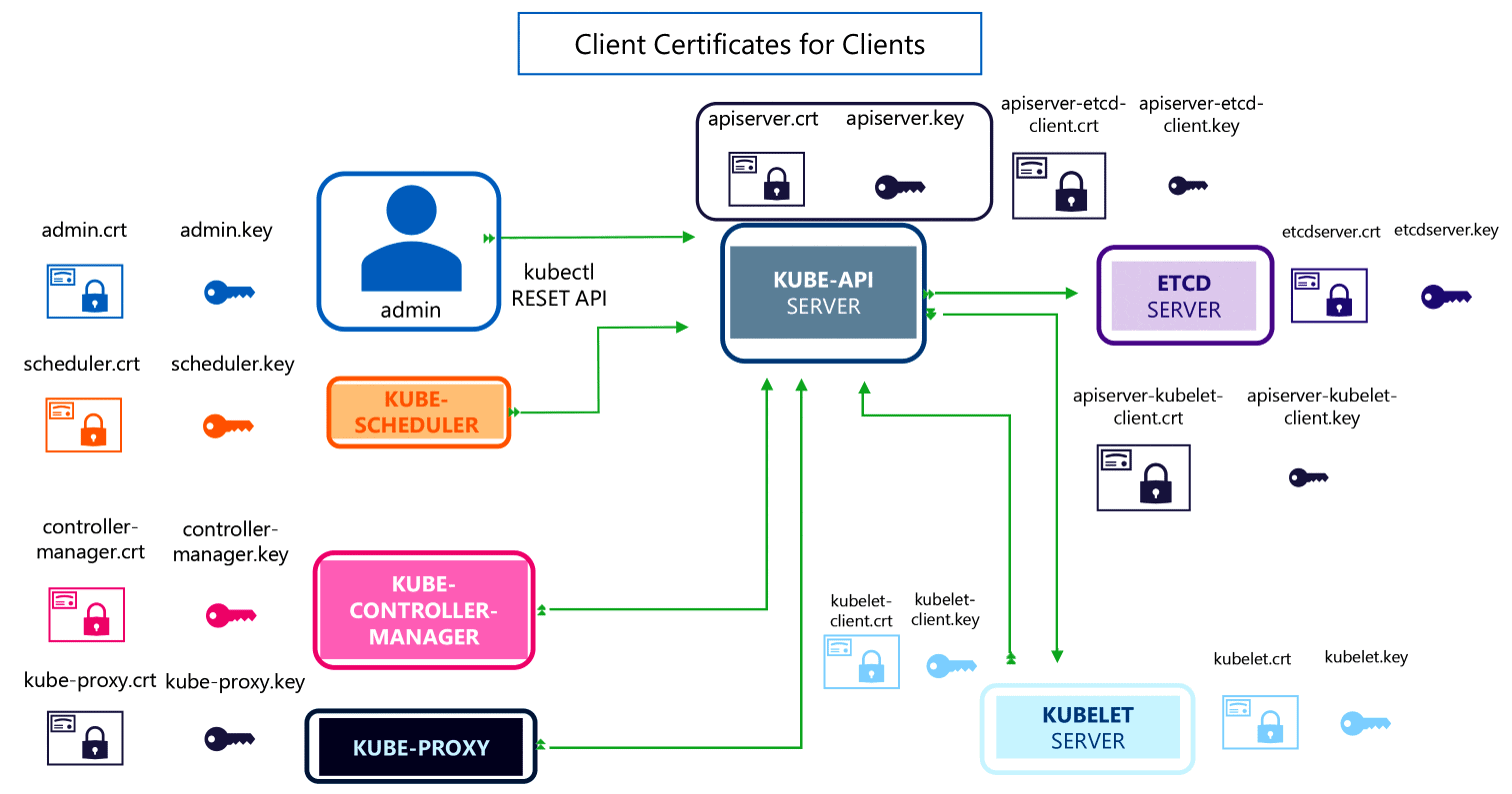
Q-7. How can we create a Certificate for each component?
Ans: When we create a Kubernetes cluster using the kubeadm tool, this will create all the certificates and place them in the proper directory.
Q-8. Can we use our own CA for signing the certificates?
Ans: Yes, you can also use your own CA to create and sign the certificate.
↦ Read More about how to generate a certificate in Kubernetes
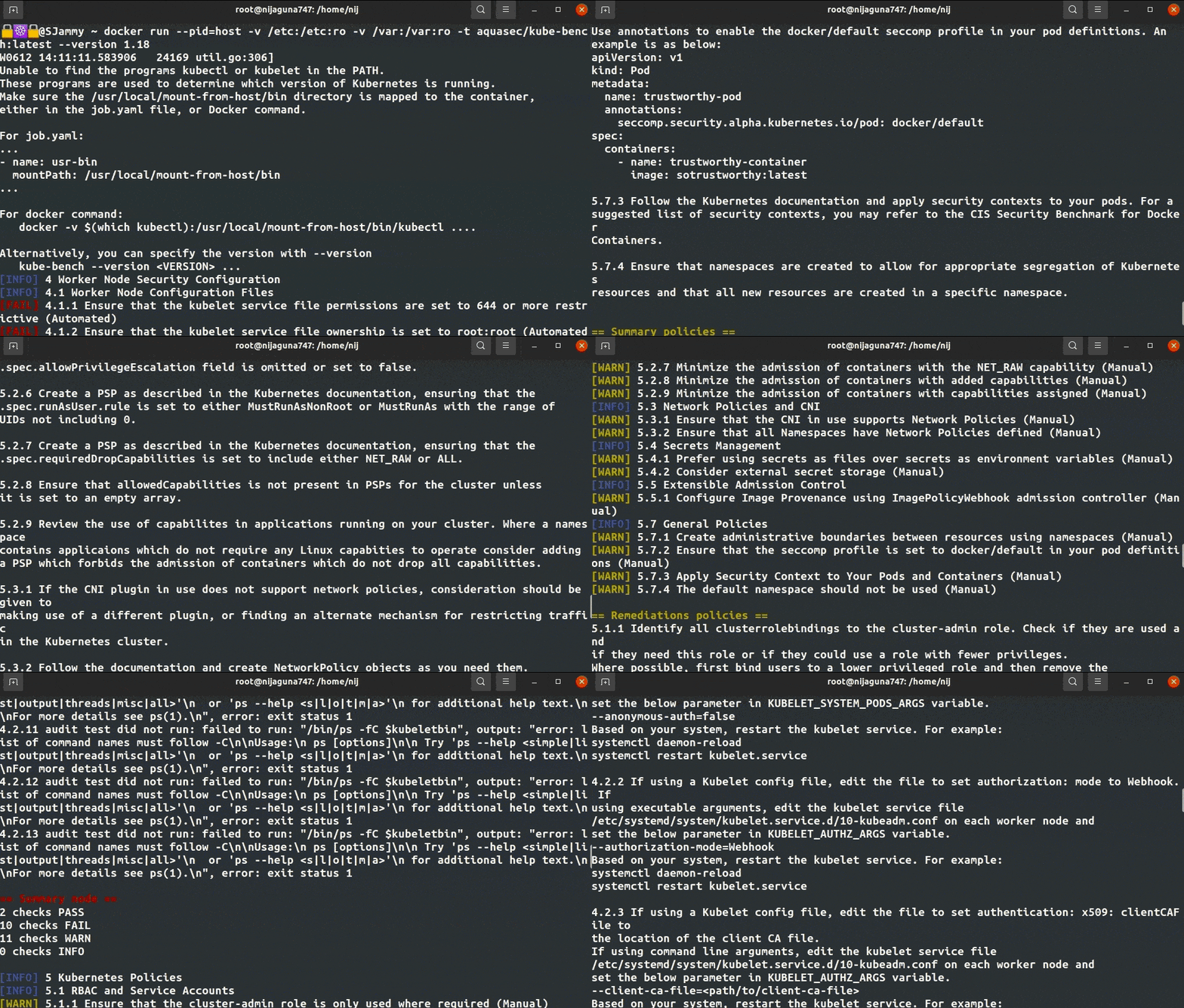
➪ CIS Benchmark
Quiz Time!
With our Certified Kubernetes Security Specialist [CKS] training program, we cover real exam questions to help you prepare for the CKS certification.
Check out one of the simple questions and see if you can crack this…
Ques: What are the four C’s of Cloud security? (Choose 4 in the right order)
A. Code
B. Certificate
C. Container
D. Co-Operation
E. Cluster
F. Cloud/Co-Lo/Corporate Datacenter
The right answer will be revealed in my next blog. So, stay tuned!
Feedback
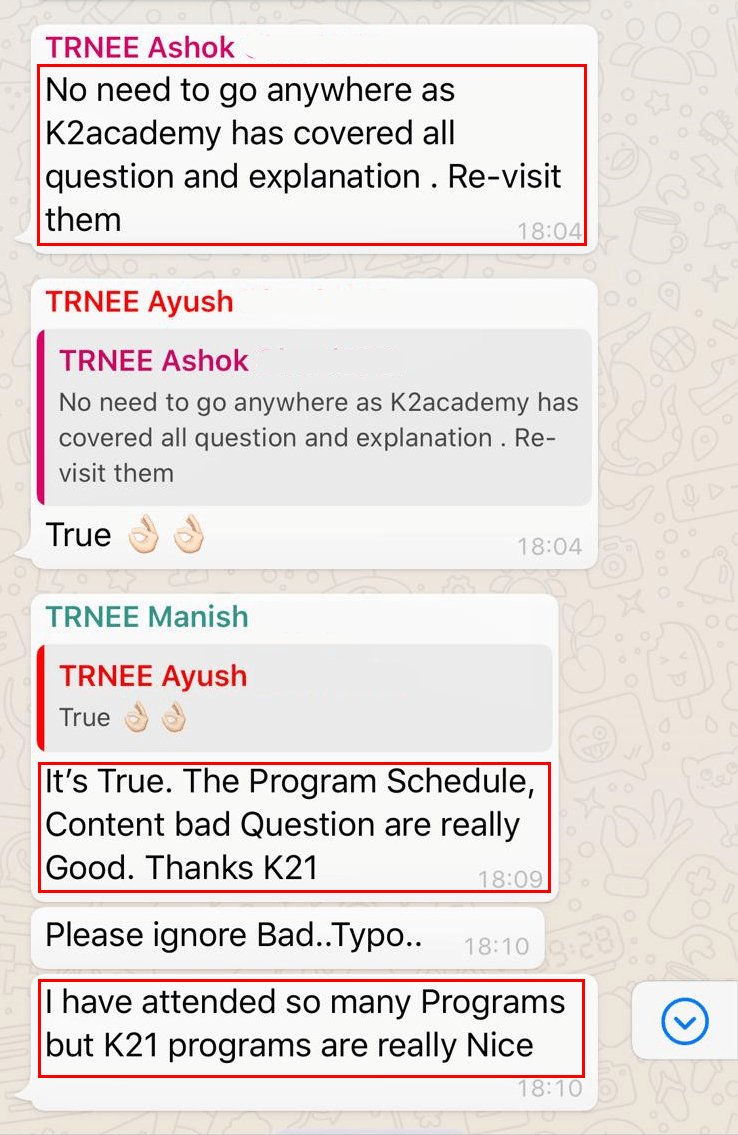
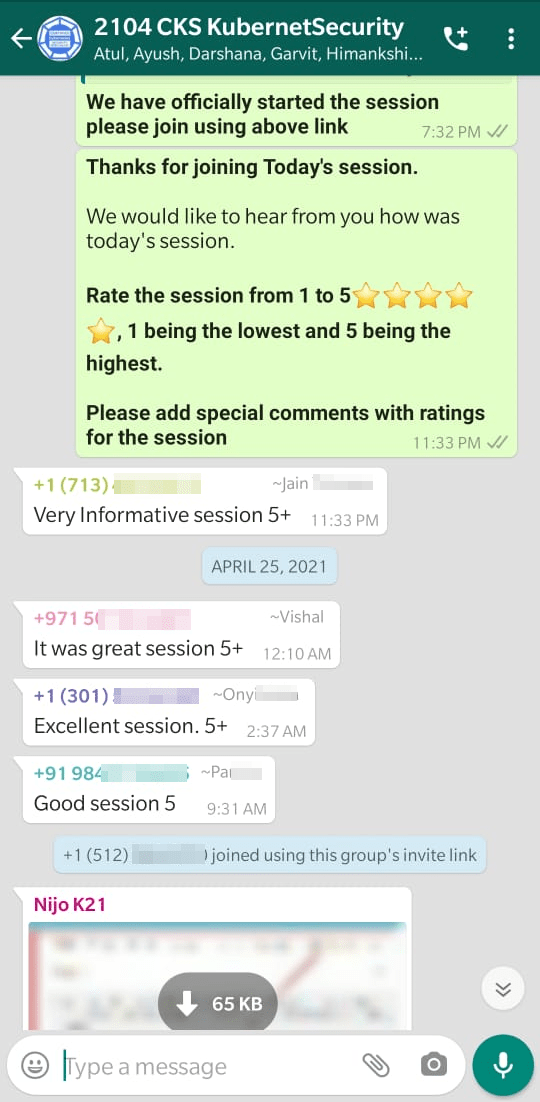
We always work on improving and being the best version of ourselves from the previous session hence constantly ask feedback from our attendees.
Here’s the feedback that we received from our trainees who had attended the session… {2104 here represents a batch of April 2021}
References
- Certified Kubernetes Security Specialist Day 2 Training | Overview
- Certified Kubernetes Security Specialist (CKS): Everything You Must Know
- How to generate a Certificate in Kubernetes
- Kubernetes Dashboard: An Overview, Installation, and Accessing
- Kubernetes Building Blocks
- Certified Kubernetes Security Specialist (CKS): Everything You Must Know
- Kubernetes Security for Beginners
- Certified Kubernetes Security Specialist (CKS): Step-by-Step Activity Guide (Hands-on Lab)
Next Task For You
Begin your journey towards becoming a Certified Kubernetes Security Specialist [CKS] by joining our FREE CLASS. You will also know more about the Roles and Responsibilities, Job opportunities for K8s security specialists in the market.


![Microsoft Agentic AI Business Solutions Architect [AB-100] | K21 Academy](https://test.k21academy.com/wp-content/uploads/2025/11/Microsoft-Agentic-AI-Business-Solutions-Architect-AB-100-Exam-Overview1.png)


