
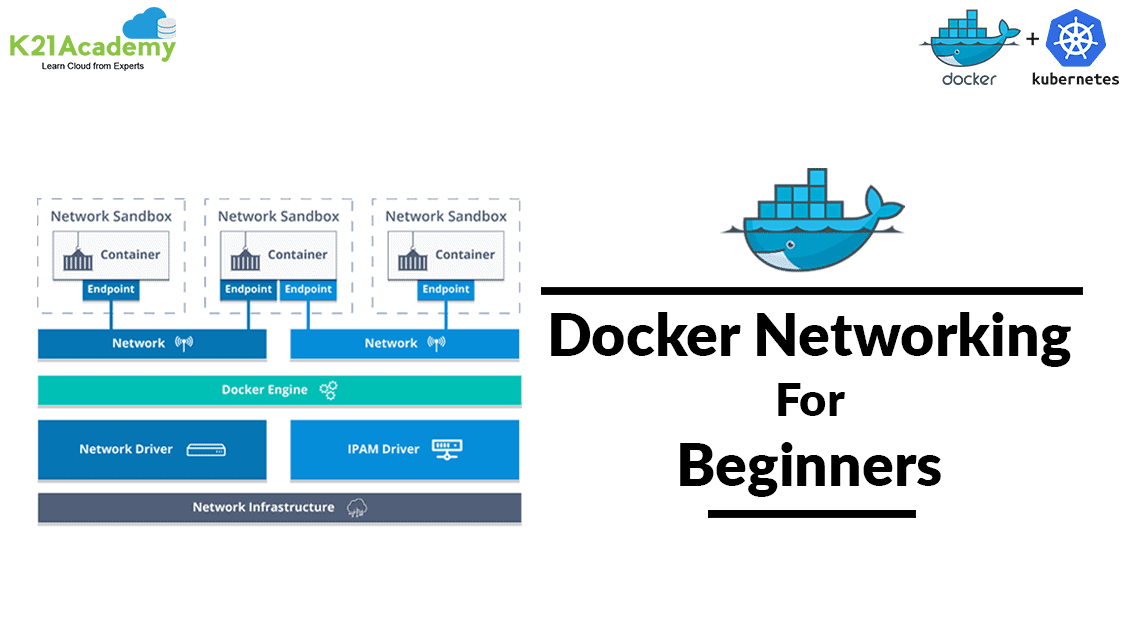





Docker is a tool designed to make it easier to create, deploy, and run applications using containers. In this blog, I’ve covered an introduction to Docker networking. It allows you to attach a container to as many networks as you like. You can also attach an already running container.
In this blog, You will learn about:
- Networking In Docker Overview
- Bridge Networking
- Host Networking
- Overlay Networking
- Macvlan Networking
Networking In Docker Overview ^
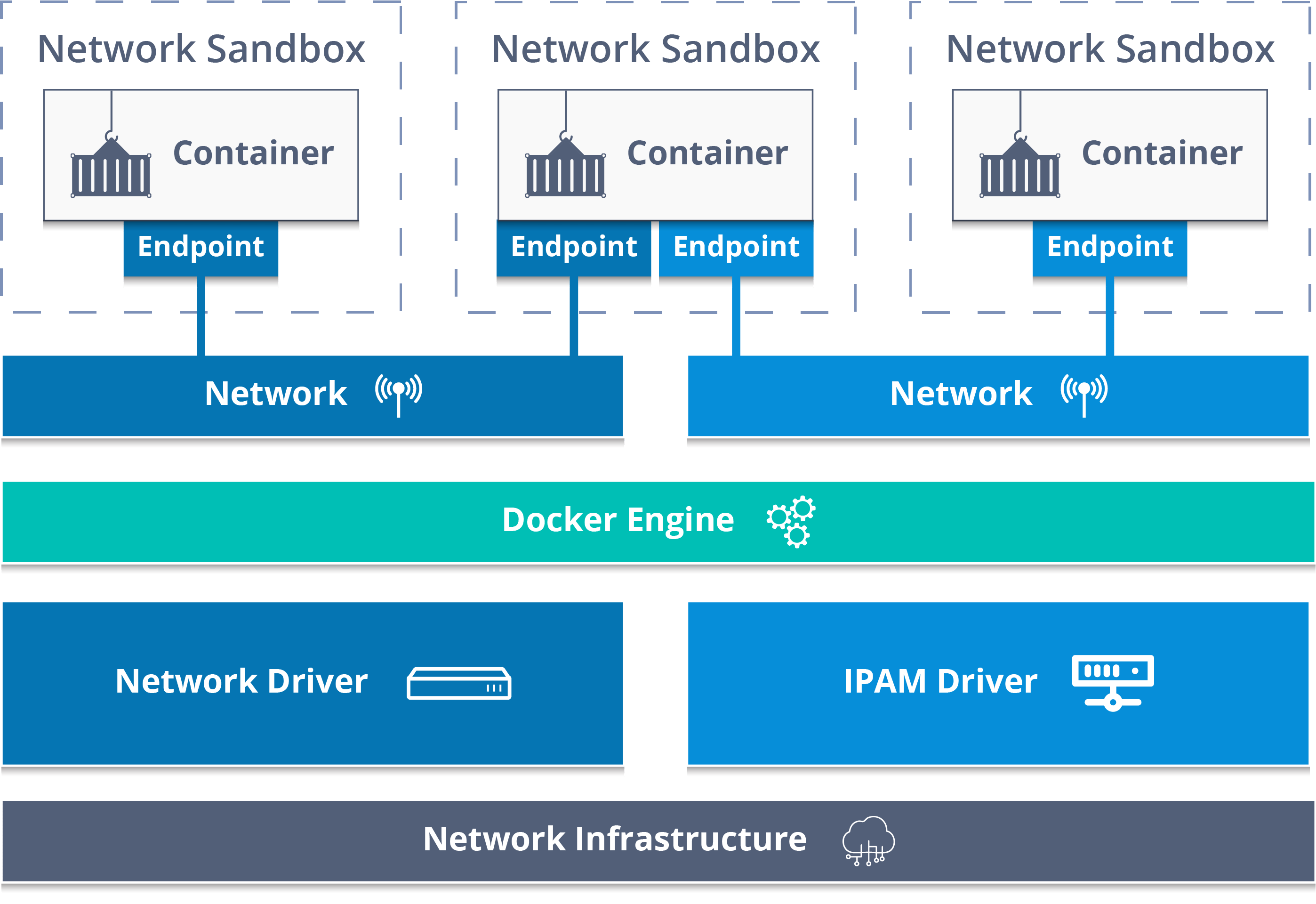
Docker Networking is to connect the docker container to each other and outside world so they can communicate with each other also they can talk to Docker Host. You can connect docker containers to non-Docker workloads. Docker uses CNM Container Network Model for networking. This model standardizes the steps required to provide networking for containers using multiple network drivers.
Also Check: Our previous blog post on Docker Tutorial. Click here
Bridge Networking ^
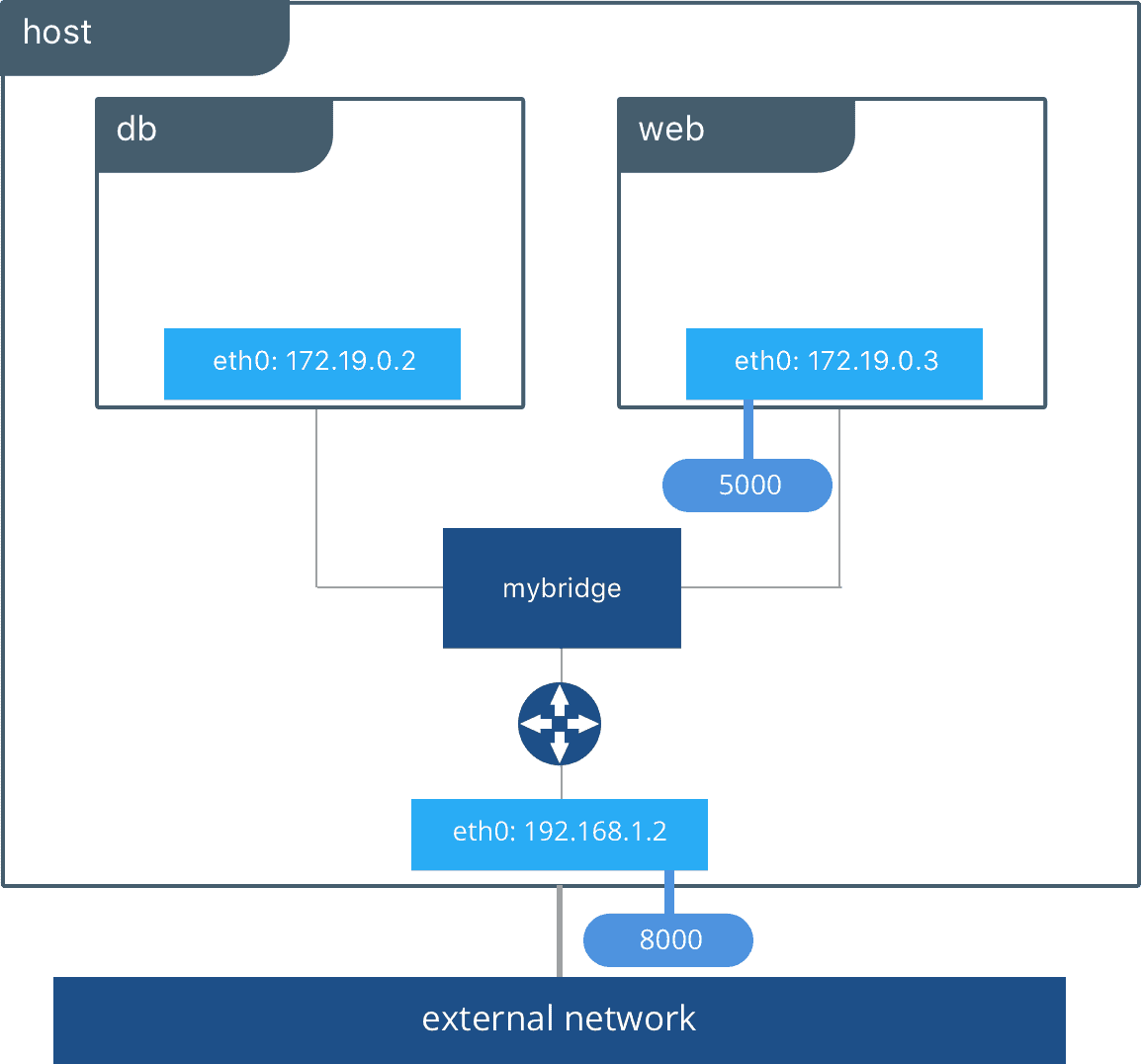
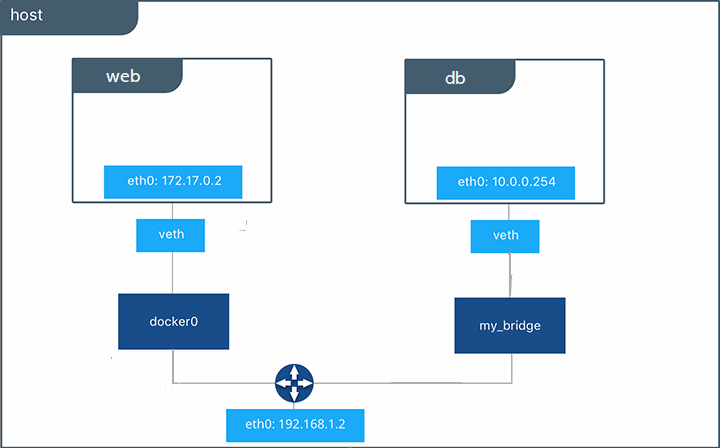
Bridge network is a default network created automatically when you deploy a container. Bridge network uses a software bridge that allows containers connected to the same bridge network to communicate. Bridge networks used on containers that are running on the same Docker daemon host. The bridge network creates a private internal isolated network to the host so containers on this network can communicate.
Also read Comparison between Docker vs VM, a difference of both the machines you should know.
Host Networking ^
This takes out any network isolation between the docker host and the docker containers. Host mode networking can be useful to optimize performance. It does not require network address translation (NAT).
Note: The host networking driver only works on Linux hosts, and is not supported on Docker Desktop for Mac, Docker Desktop for Windows, or Docker EE for Windows Server.
Read more about Docker Installation here.
Overlay Networking ^
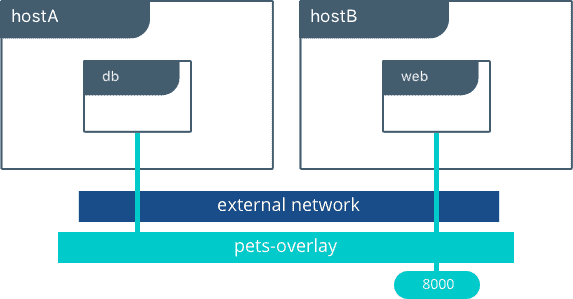
Overlay networking is used if container on node A wants to talk to node B then to make communication between them we use Overlay networking. Overlay networking uses VXLAN to create an Overlay network. This has the advantage of providing maximum portability across various cloud and on-premises networks. By default, the Overlay network is encrypted with the AES algorithm.
Note: Know more about Docker Storage
Macvlan Networking ^
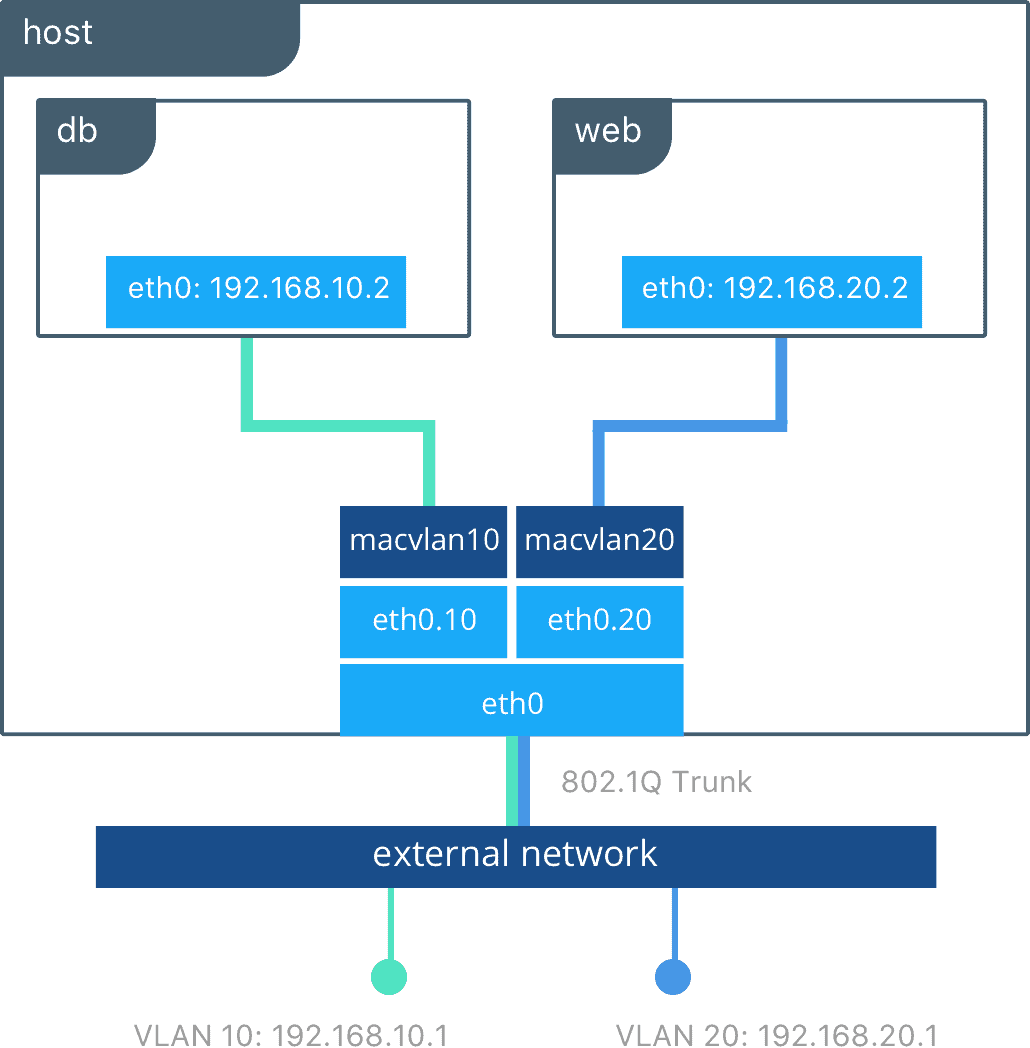
Macvlan network is used to connect applications directly to the physical network. By using the macvlan network driver to assign a MAC address to each container, also allow having full TCP/Ip stack. Then, the Docker daemon routes traffic to containers by their MAC addresses. You can isolate your macvlan networks using different physical network interfaces. This is used in legacy applications which require MAC address.
Conclusion
Docker networking is a powerful feature that enables seamless communication between containers and the broader network. By understanding the different network drivers and their use cases, you can design and deploy robust, scalable, and secure containerized applications.
Reference/Related Post
- Visit our YouTube channel on “Docker & Kubernetes”
- Docker Architecture, Docker Engine Components, Container Lifecycle
- What is Kubernetes Cluster? Components, Benefits & Working
- Kubernetes vs Docker – Understand the Difference
- Certified Kubernetes Administrator (CKA) Certification Exam: Everything You Must Know
Join FREE Masterclass on Kubernetes
Discover the power of Kubernetes, Docker, and DevOps – join our free masterclass. Unlock the secrets of Kubernetes, Docker, and DevOps in our exclusive, no-cost masterclass. Take the first step towards building highly sought-after skills and securing lucrative job opportunities. Click on the image below to register for our FREE masterclass now!


![Microsoft Agentic AI Business Solutions Architect [AB-100] | K21 Academy](https://test.k21academy.com/wp-content/uploads/2025/11/Microsoft-Agentic-AI-Business-Solutions-Architect-AB-100-Exam-Overview1.png)



