




The more recent the technologies are, the more prone they are to security issues. And container technology is not an exception. A containerization environment has quite some fragments to come together to work, hence more security concerns. Specifically, container image security seems to be a significant threat.
In this blog, I will try to give an insight into the things needed to have a robust container environment. Here are the topics covered:
- What is a Container?
- What is Container Image?
- Container Image Security
- Container Image Security Best Practices
- How to Scan Container Image for Security Vulnerabilities?
- Tools for Scanning Container Image Security
- The Ultimate Goal: Secure Container Images
What is a Container?
The legacy system of deploying an application in 2021 is a no-go! So. most developers and enterprises have opted for Containers. Containers, in simple terms, are the objects that package your application and its dependencies and help you run them anywhere you want!
What is a Container Image?
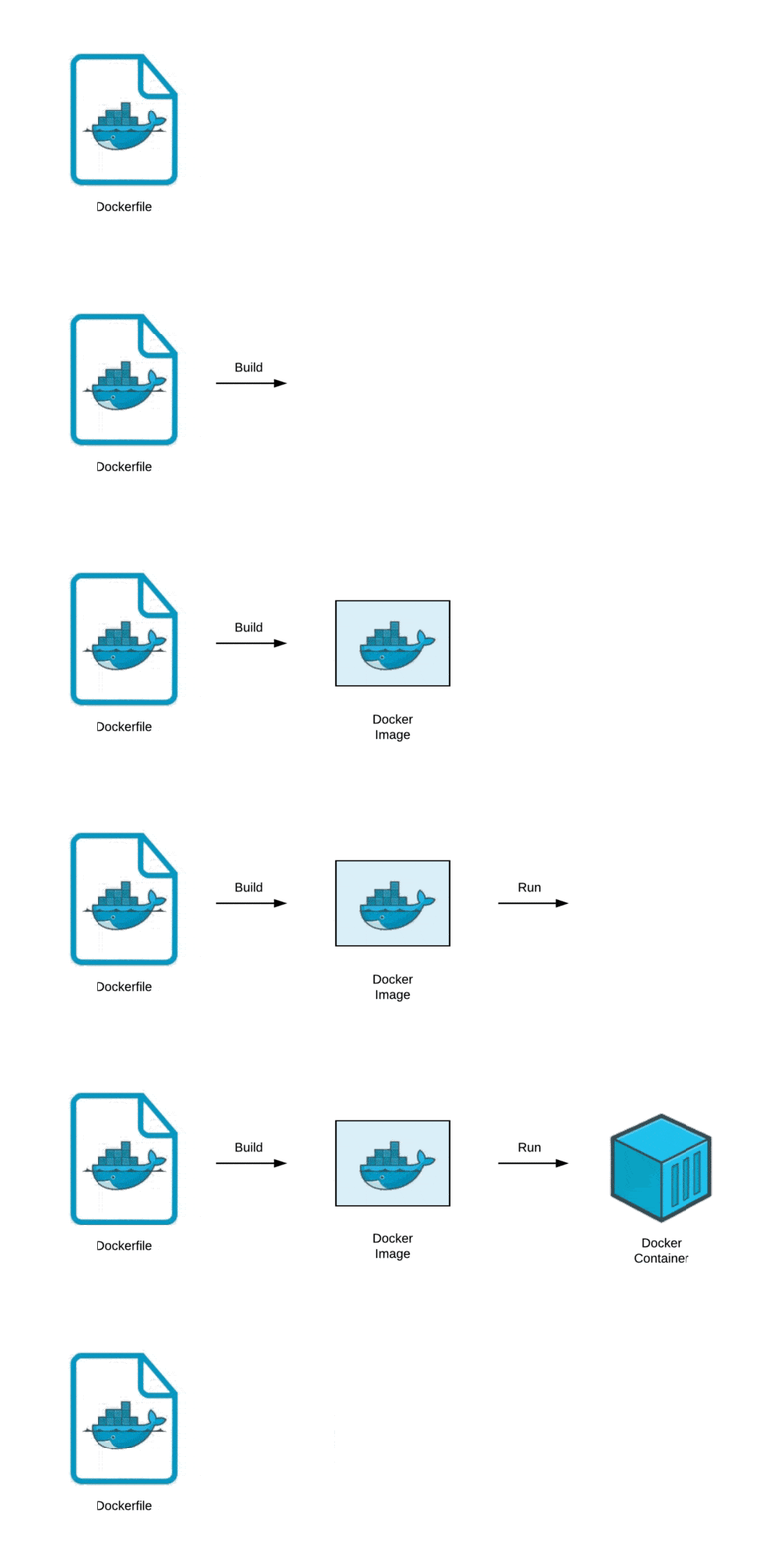 Container Images are the most basic unit of a containerization platform because that everything starts from these images. These images are layers stacked on top of each other and represent a single object. These are the read-only templates, yet; they possess the most threats.
Container Image Security
There is a container journal that says, “The first and arguably the most important aspect of securing your containers is to look at the image security.” The images are the first layer of starting with containerization. Since most container images are built on third-party code, they are at risk of third-party vulnerabilities even though they are custom made.
It is a good practice to address the security as early as possible to reduce the risk of security problems in production. However, this does not mean you can overlook security later on. Containers are opaque; hence we can’t see the inside. Attacks may abuse vulnerabilities that are not yet known, accessing your environment in a way you have not foreseen.
Also Check: Our blog post on Kubernetes Ingress. Click here
5 Docker Container Image Security Best Practices
1. Keep Images as Small as Possible
According to Synk’s report of 2019, the top 10 docker images did include around about 580 vulnerabilities in their system libraries. So, it is optimal to choose images with fewer OS libraries. It’s better to use alpine-based images.
2. Least Privileged User
It is ideal for creating a dedicated user and group on the image, with minimal permissions to run the application. The same user must run the process too.
3. Sign and Verify Images
Less than 1% of the Docker images are said to be inherently secure. So, while pulling, you have to make of the publisher’s authenticity. Hence, it is advisable to sign your images and verify them while you pull them.
4. Find and Fix Vulnerabilities
Scan your docker container images for the known vulnerabilities using any of the tools you like that I will address later in this blog. Fix these vulnerabilities and monitor them.
5. Use Fixed Tags
How to Scan Container Image for Security Vulnerabilities?
Container image scanning is the first piece of a Secure DevOps workflow. It stands as the first line of defence; it helps you identify and block vulnerabilities before a hacker exploits them. And it is not a challenging task to implement and automate.
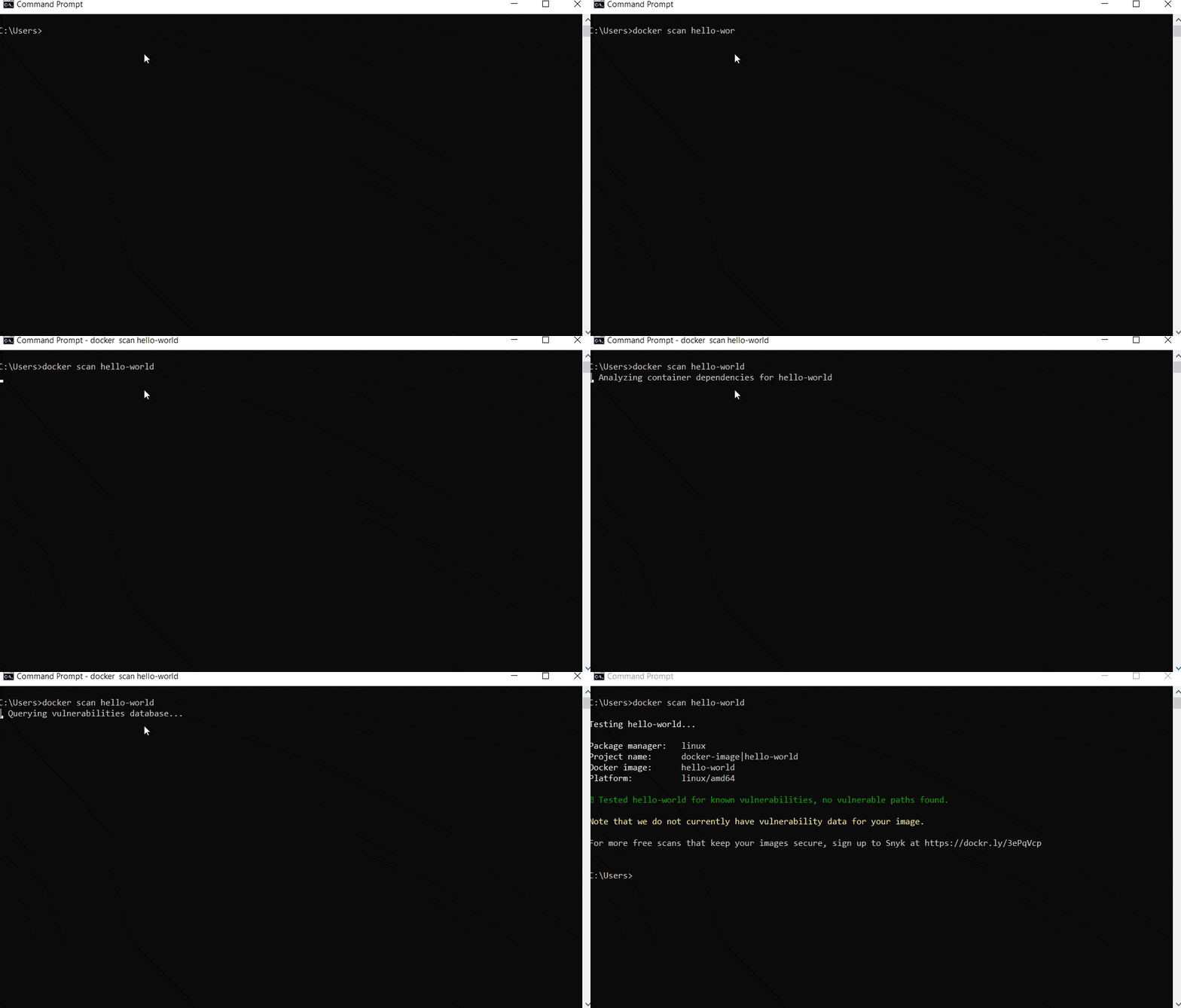
Image scanning is the process of examining the contents and the build process of a container image to identify security issues, vulnerabilities or bad practices. A simple docker scan command can help you do this, but various tools help you better.
Docker Scan Command
The docker scan command scans existing Docker images using the image name or ID. Perform the same command with your IMAGE_NAME.
docker scan hello-world
Why is Docker Security Scanning Important?
We need to get started with the security as early as possible to achieve the best possible results in production. Therefore, Docker security scanning is vital because it is the primary way to detect and fix vulnerabilities in container images before pushing the image to Docker Hub or other registries.
Especially if you’re using a container orchestration service like Kubernetes, you might think that these security issues are already taken care of, but unfortunately, not. Yes, Kubernetes has its security policies on running pods, but it doesn’t extend much in security for the services running inside these pods or the code.
Hence, it all comes to the developer and the SecOps to not overlook security concerns and address them right from scratch.
Open-Source Tools for Scanning Docker Container
No matter what technology we use, we always have open-source tools to improvise our build and secure it. Since containers are pretty new and they will possess several threats from hackers from vulnerabilities. Let’s explore the top available options.
Clair
Clair is an open-source project which extends static security and vulnerability scanning for docker and application containers.
 The API is driven approach checks for security flaws in containers layer by layer, and it has a vast CVE database. You can develop services from Clair, which can monitor containers continuously for container vulnerabilities.
Anchore
Anchore is an open-source tool for the deep analysis of container images.
 It also certifies a docker container image telling whether it is secured or not. Anchore engine can run on a standalone or orchestration platform such as Kubernetes, Rancher, Amazon ECS, and Docker Swarm. A good feature is that Anchore is also available in Jenkins plugins to scan the CI/CD pipeline.
Trivy
Trivy scans for vulnerabilities within the CI pipeline.
 Trivy is an open-source and comprehensive, and straightforward vulnerability Scanner for containers and other artefacts. It detects vulnerabilities of OS packages and also application dependencies.
I think you’d love to look at a separate blog on complete hands-on on Docker Container Image Security scanning using Trivy.
Cilium
Cilium is API-aware networking and security at the kernel layer
 Cilium is all about securing network connectivity. Compatible with Linux container platforms such as Docker and Kubernetes, Cilium adds security visibility and control logic.
Dagda
 Dagda is an open-source project for static analysis of known vulnerabilities. These vulnerabilities are like trojans, viruses, malware, etc., in Docker and other container images. Behind the scenes, it uses the ClamAV antivirus engine to identify such vulnerabilities.
What won’t Docker image security scanning do?
There is no denying that scanning Docker container images is the first and foremost thing in a Docker containerized application. But it is not all that makes a secure environment. So, have a look at some of the things that image scanning won’t help you find:
- Insecure shared resources
- Unknown security vulnerabilities
- Security problems in your container environment or orchestrator configuration
The Ultimate Goal: Secure Container Images
I hope the article was a good read!
So, now you are aware that container security scanner exists, and how important is to use them. So, no excuse; hurry up and try to see how these tools can help you keep your containerized application robust!
However, it would be best to keep in mind that image scanning is not something you implement once but instead a continuous checkpoint in various moments of your workflow. And, on a final note, ‘Choosing the right tool is the key.‘
Related / References:
- Visit our YouTube channel on “Docker & Kubernetes.”
- Docker Image Vulnerabilities and Trivy Image Scanner Guide
- (CKS) Certification: Step By Step Activity Guides/Hands-On Lab Exercise & Learning Path
- (CKA) Certification: Step By Step Activity Guides/Hands-On Lab Exercise & Learning Path
- GitHub Repo of Kubernetes Dashboard
- For Frequently Asked Questions on CKA & CKAD, click here
Next Task For You
Begin your journey towards becoming a Certified Kubernetes Security Specialist [CKS] and earning a lot more in 2021 by joining our FREE CLASS. You will also know more about the Roles and Responsibilities, Job opportunities for K8s security specialist in the market. What to study, Including Hands-On labs, you must perform to clear the Certified Kubernetes Security Specialist [CKS] certification exam by registering for our FREE Masterclass.
Click on the below image to Register Our FREE Masterclass on CKA exam preparation now!


![Microsoft Agentic AI Business Solutions Architect [AB-100] | K21 Academy](https://test.k21academy.com/wp-content/uploads/2025/11/Microsoft-Agentic-AI-Business-Solutions-Architect-AB-100-Exam-Overview1.png)


