We are back again with some quick tips including Q/A and blog posts on the topics that we covered in the Day 8 Live sessions which will help you to clear Kubernetes Certifications [CKA/D] and get a better-paid job in the field of Microservices, Containers, DevOps & Kubernetes.
In the previous week, i.e. onDay 7session, we covered Kubernetes Security introduction, RBAC, Kube-Config, Admission Controller, Network Policies, and Security Context.
This week of Day 8, we have covered the Advance Networking Ingress Resource (Ingress Controller), configMap, Helm package manager to deploy existing packages, and Init-Containers.
So, here are some of the Q/A’s asked from Day 8 Live session⏲
Ingress Controller
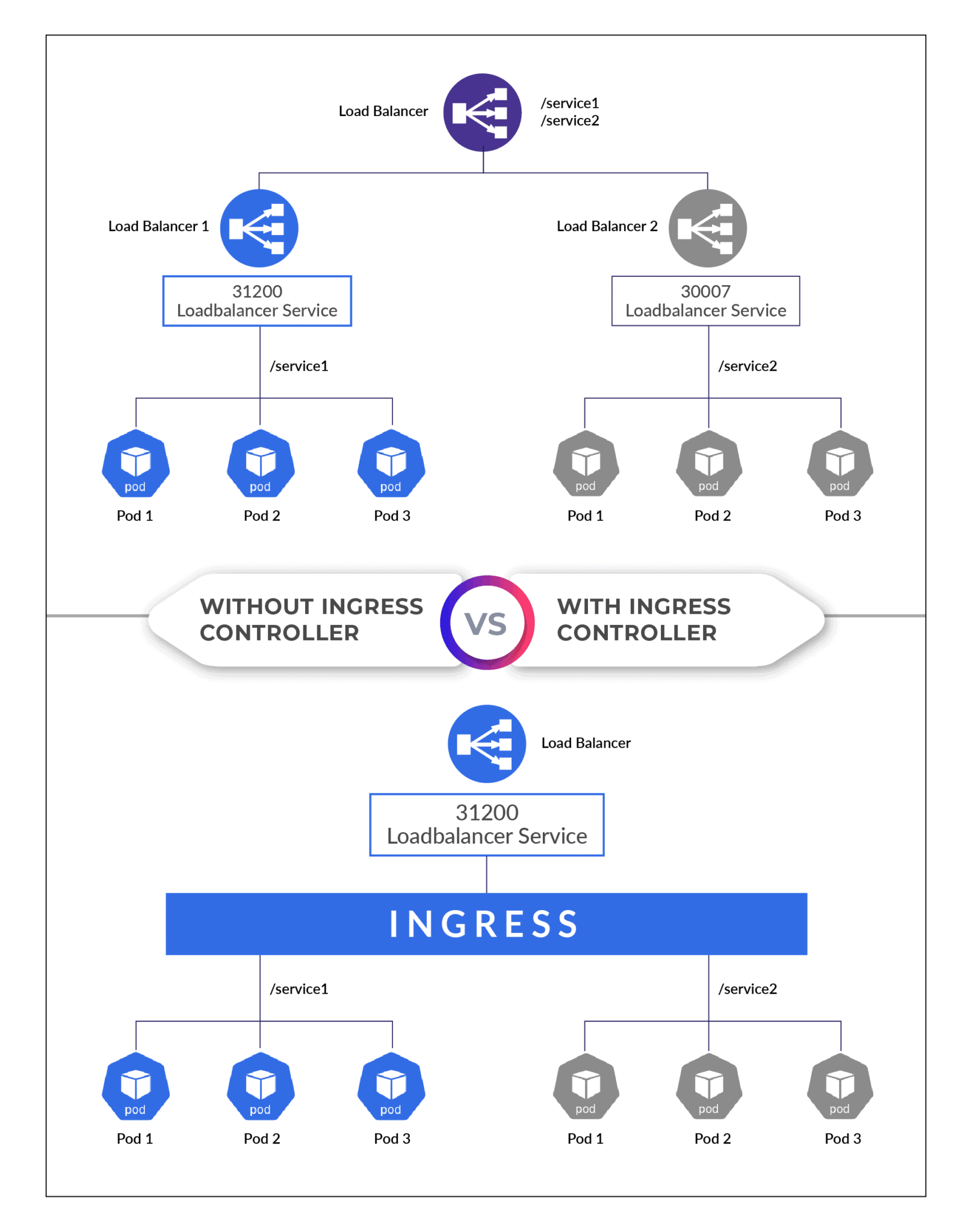
A Kubernetes Ingress controller is a load balancer designed specifically for Kubernetes environments. For managing containerized systems, Kubernetes has become the de-facto standard. Moving production workloads to Kubernetes adds new obstacles and complexities to application traffic management for many businesses.
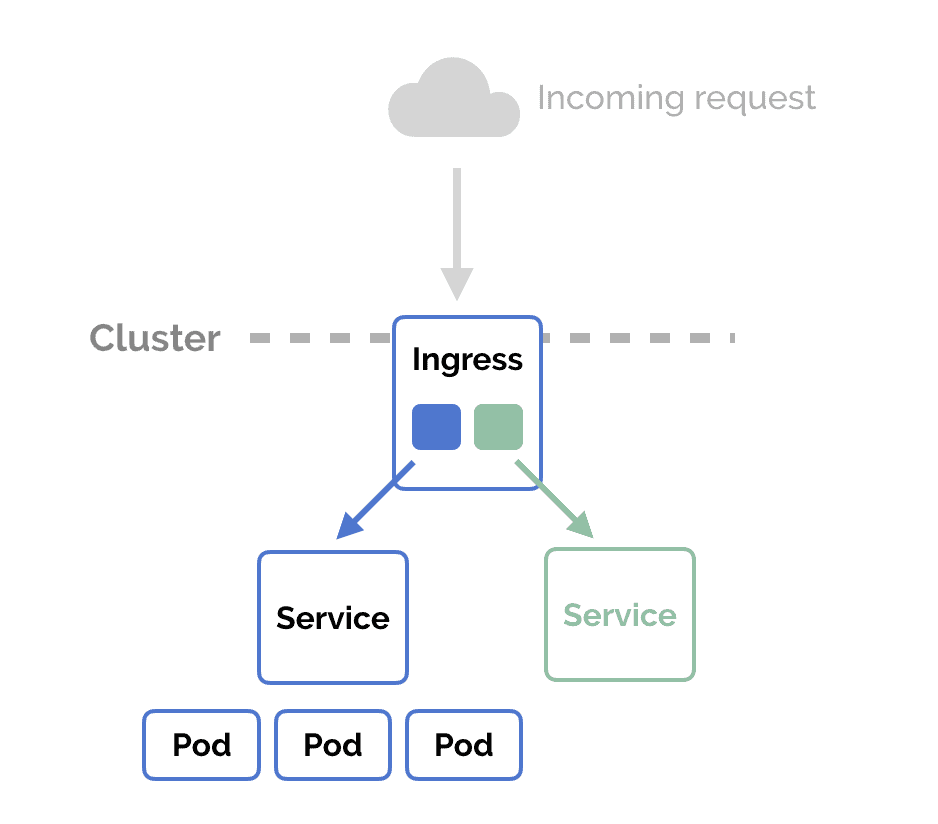
The ingress controller will accept traffic from outside the Kubernetes network and distribute it to pods (containers) running on the platform. It can handle egress traffic within a cluster for services that need to talk to other services outside of the cluster. Ingress controllers are used to deploying artifacts known as “Ingress Resources” using the Kubernetes API.
To Know More on Ingress controller Q1) How does the ingress controller work? Ans: Ingress Controller is an intelligent Load Balancer. Ingress is a high-level abstraction responsible for allowing a simple host or URL-based HTTP routing. It is always implemented using a third-party proxy. These implementations are nothing but Ingress Controller. It is a Layer-7 load balancer.
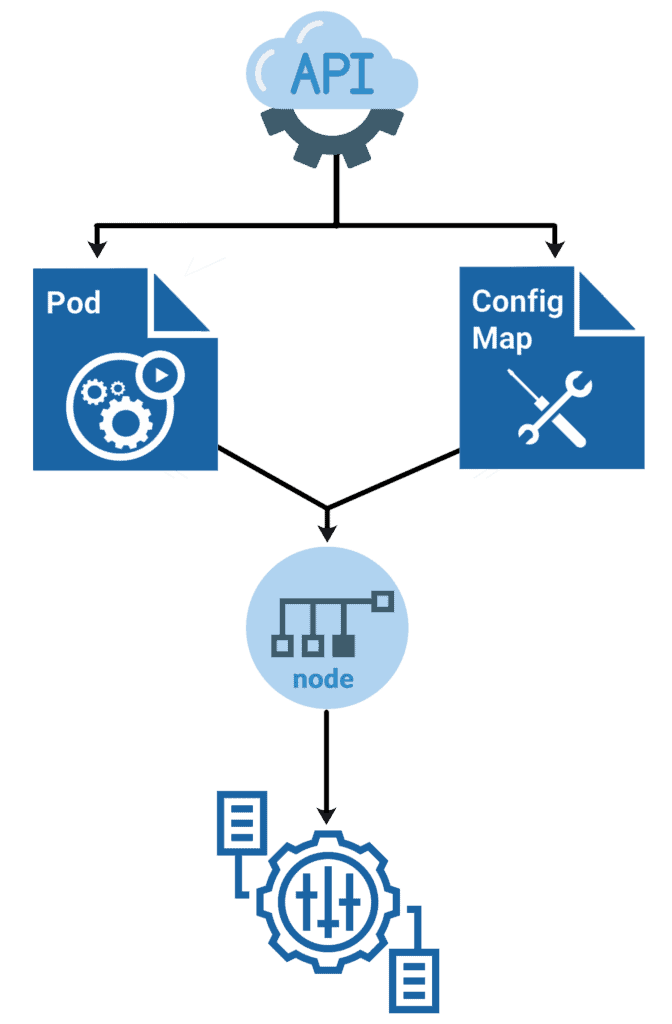
ConfigMap is a Kubernetes object that allows you to separate configuration data/files from image content to maintain the portability of containerized applications.
ConfigMaps links configuration files, command line parameters, environment variables, port numbers, and alternate configuration artifacts to your Pod container and system components at runtime.
ConfigMap can be used to store and share non-encrypted and non-sensitive configuration data. Like Secrets, you can generate configuration maps from files and YAML statements.
Q2) How does ConfigMap store the Data in Kubernetes? Ans: ConfigMap API stores the configuration data in key-value pairs. It can be either consumed in the Pods or it can be used to store the data of a system component. ConfigMap resources store the configuration data in an organized manner. We can change the configuration of the container without having to rebuild the container
Q3) How ConfigMap configuration data can be used? Ans: This configuration data can then be used as:
Environment variables
Command-line arguments for a container
Config files in a volume
Q4) What are ways of creating a config map in Kubernetes? Ans: There are two ways of creating a config map:
The imperative way – without using a ConfigMap definition file
The declarative way by using a Configmap definition file
Q5) How to create a ConfigMap using kubectl? Ans: Run the kubectl create ConfigMap cmd to create ConfigMaps from directories, files, or literal values:
$ kubectl create configmap <map-name> <data-source> Where <map-name> is the name you want for ConfigMap and <data-source> is the directory, file, or literal value to draw the data from.
Q6) What are different ways of using ConfigMap to configure containers in a Pod? Ans: There are four various ways you can use a ConfigMap to configure a container in a Pod:
Entrypoint of the containers via command line.
Environment variables for a container.
Also, we can add a file in read-only volume for the application to read.
Manually written Code to run inside the Pod that uses the K8s API to read a ConfigMap.
Helm Package Manager Kubernetes
Helm is a package manager for Kubernetes. Helm Kubernetes deploys something as packages called Kubernetes Helm charts. The helm, which is the Kubernetes version of yum or apt allows user to easily templatize their deployment and provides a set of configuration frameworks that allows users to customize their deployments. Google Kubernetes Engine (GKE) is where we are going to deploy our microservice.
Q7) What is Helm? Ans: Most of the programming languages and operating systems have package managers of their own to help with the installation and maintenance of software. Helm Kubernetes also provides the same basic features such as the package managers you may already be familiar with, like Python’s pip and Debian’s apt.
With Helm you can:
Install software.
Automatically install software dependencies.
Upgrade software.
Configure software deployments.
Fetch software packages from repositories.
Q8) What are the main terminologies for Helm? Ans:
A Chart is a Helm package. It contains all of the resource definitions necessary to run an application, tool, or service inside of a
Kubernetes cluster.
A Repository is a place where charts can be collected and shared.
A Release is an instance of a chart running in a Kubernetes cluster.
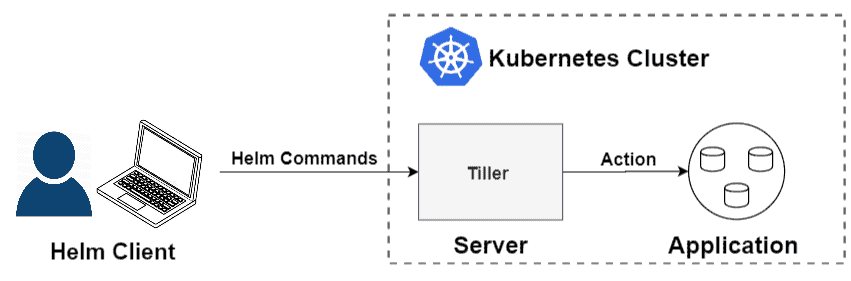
Q9) Explain Helm Architecture? Ans: Helm Kubernetes has two parts, the client(CLI) and the server(Tiller), it works on a client-server model.
Tiller: Helm manages the Kubernetes application through a component called Tiller, a Server installed within the Kubernetes cluster. Tiller interacts with the Kubernetes API server to install, upgrade, query, and remove Kubernetes resources. But for development, it can also be run locally and configured to talk to a remote Kubernetes cluster.
Client(CLI): So, the client lives on the local workstation and the server on the Kubernetes cluster to execute what is needed. Think of CLI is used to push the resources you need and the Tiller runs inside of the Kubernetes cluster and manages (creating/updating/deleting) resources of the helm charts.
Init-Containers
In Kubernetes, an init container is the one that starts and executes before other containers in the same Pod. It’s meant to perform initialization logic for the main application hosted on the Pod. For example, create the necessary user accounts, perform database migrations, create database schemas, and so on.
Q10) What are the main features of Init-Containers? Ans:
Specialized containers that run before app containers in a Pod
Init containers can contain utilities or setup scripts not present in an app image
Init containers always run to completion.
Each init container must complete successfully before the next one starts
If a Pod’s Init container fails, Kubernetes repeatedly restarts the Pod until the init container succeeds
If you specify multiple Init containers for a Pod, Kubelet runs each init container sequentially
Kubelet initializes the application containers for the Pod after all Init containers are completed
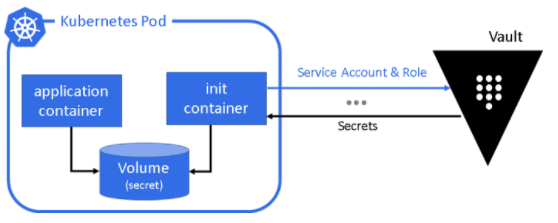
Q11) When to use Init-Containers, Explain it with example? Ans: Init containers can be used to delay app container startup until a set of preconditions are met. Say we have to download a security key from the key vault, which we do not wish to make like the past of our regular container for security reasons, then init container is the best choice. The below picture represents the above-mentioned scenarios. The secret is downloaded and made available in a volume, for which the main container will have access.
Quiz Time (Sample Exam Questions)!
With the CKA training program, we will cover 100+ sample exam questions to help you prepare for CKA certification. Check out the questions and see if you can solve this.
Ques) Which of the below are part of the Helm Package?
A. Chart
B. Repository
C. Release
D. All of the above
Comment down your answers.
The correct answer will reveal in next week’s blog.
Here is the answer to the question shared last week
Ques) Which of the below are the most popular CNI plugins supported by network policy?
A. Weave
B. Calico
C. Cilium
D. All of the above
Answer: D
Explanation: Weave, Calico, Cilium are the most popular CNI plugins supported by network policy.
Feedback
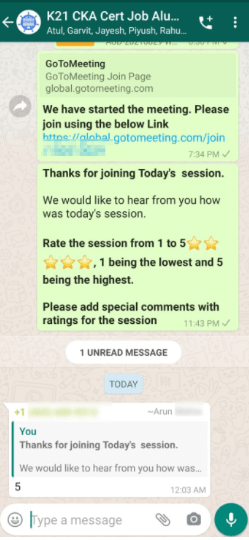
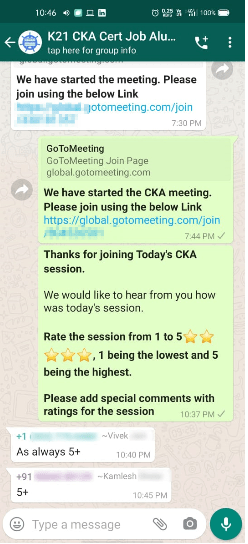
We always work on improving and being the best version of ourselves from the previous session hence constantly ask feedback from our attendees. Here’s the feedback that we received from our trainees who had attended the session…
Begin your journey towards becoming a Certified Kubernetes Administrator [CKA] from our Certified Kubernetes Administrator (CKA) training program. To know about the Roles and Responsibilities of a Kubernetes administrator, why learn Docker and Kubernetes, Job opportunities for Kubernetes administrator in the market, Hands-On labs you must perform to clear the Certified Kubernetes Administrator (CKA) Certification exam by registering for our FREE class.
I started my IT career in 2000 as an Oracle DBA/Apps DBA. The first few years were tough (<$100/month), with very little growth.
In 2004, I moved to the UK. After working really hard, I landed a job that paid me £2700 per month.
In February 2005, I saw a job that was £450 per day, which was nearly 4 times of my then salary.






![Microsoft Agentic AI Business Solutions Architect [AB-100] | K21 Academy](https://test.k21academy.com/wp-content/uploads/2025/11/Microsoft-Agentic-AI-Business-Solutions-Architect-AB-100-Exam-Overview1.png)


