



The world of Artificial Intelligence (AI) and Machine Learning (ML) is transforming businesses across industries. Google Cloud Platform (GCP) offers an extensive range of AI and ML tools designed to empower organizations to innovate, streamline processes, and deliver superior customer experiences. Whether you’re building custom models, creating conversational AI agents, or extracting insights from data, Google’s AI and ML solutions provide everything you need to succeed.
Let’s dive into the cutting-edge AI and ML tools available on Google Cloud Platform and how they can help you tackle real-world challenges.
In this blog, we’ll explore:
What is AI, ML, and Generative AI?
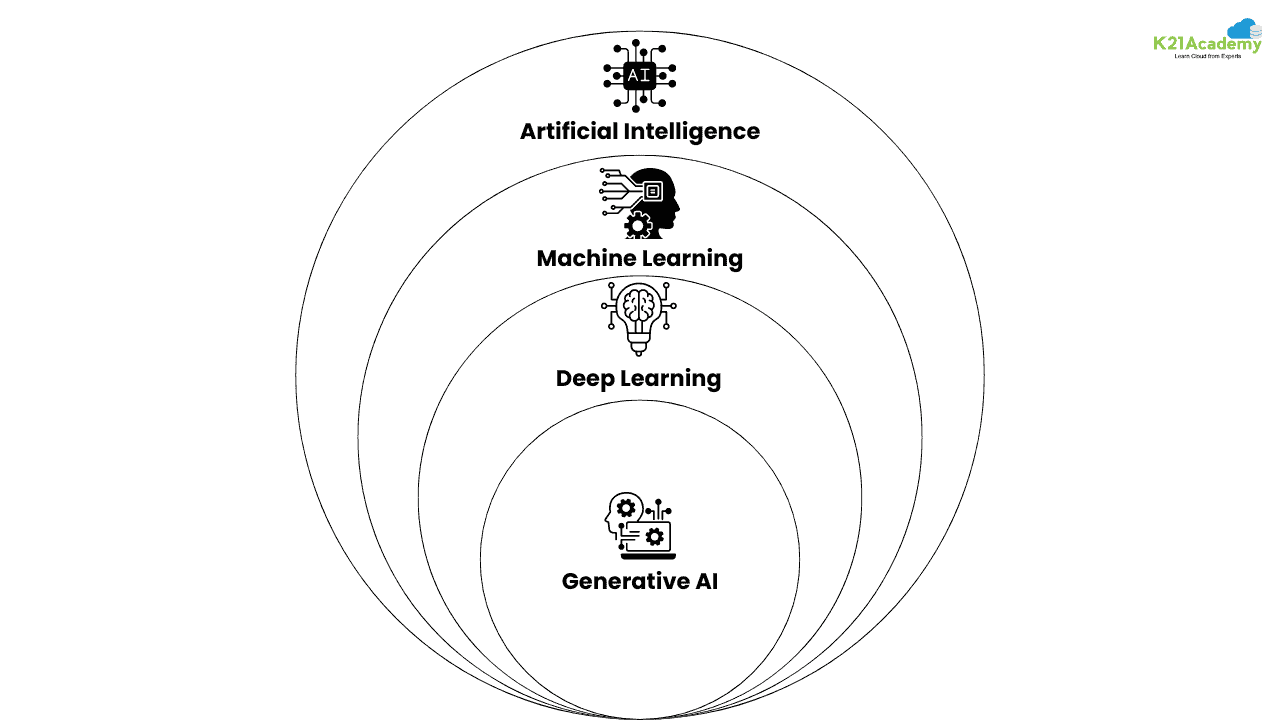
Artificial Intelligence (AI):
AI refers to machines that mimic human intelligence, performing tasks like problem-solving, decision-making, and recognizing patterns. It can range from virtual assistants (like Siri) to complex decision-making systems.
Machine Learning (ML):
ML is a subset of AI where machines learn from data and improve over time without explicit programming. It identifies patterns and makes predictions based on historical data.
Deep Learning:
Deep Learning (DL) is a specialized type of machine learning inspired by the structure of the human brain. Using artificial neural networks, deep learning allows computers to analyze complex patterns in data, enabling them to excel at tasks like image recognition and natural language processing (NLP).
Generative AI:
Generative AI focuses on creating new content, such as text, images, or audio, by using models like GPT or GANs. It generates human-like text or visuals from prompts.
👉🏻 Learn more about Generative AI (GenAI) vs Traditional AI vs Machine Learning (ML) vs Deep Learning (DL)
Benefits of AI and ML on Google Cloud Platform (GCP)
Google Cloud Platform (GCP) has significantly transformed the AI and ML ecosystem by offering a variety of tools and services tailored to different requirements. Here are some of the major advantages of using AI and ML on GCP:
1. Effortless Scalability
GCP makes it easy to scale AI and ML operations. Its advanced infrastructure allows you to train machine learning models on large datasets without encountering limitations in computational power, ensuring seamless scaling for even the most complex tasks.
2. Unmatched Flexibility
GCP provides a broad range of AI and ML tools, from pre-trained models to custom model development options. With this versatility, you can choose the best approach for your unique use case, whether you’re looking for fast, out-of-the-box solutions or developing highly specialized models.
3. Seamless Integration
GCP integrates smoothly with other Google services such as BigQuery, Dataflow, and TensorFlow. This compatibility simplifies data processing, model training, and deployment, enabling you to create efficient workflows and enhance productivity throughout the ML lifecycle.
4. Cost-Efficiency
With flexible pricing options, including pay-as-you-go models and sustained-use discounts, GCP ensures that you pay only for the resources you need. This approach makes AI and ML accessible to businesses of all sizes, from startups to large enterprises, while optimizing costs and driving value.
AI Services on Google Cloud Platform (GCP)
Google Cloud Platform (GCP) provides a suite of advanced AI services that empower businesses to build smarter, more innovative applications with ease. From machine learning to natural language processing, GCP’s AI services are designed to simplify complex tasks, automate workflows, and enable you to deliver superior customer experiences. These powerful tools are not only flexible but also seamlessly integrate into your existing systems, helping you unlock the full potential of artificial intelligence.
Here’s a closer look at some of the most notable AI services offered by GCP:
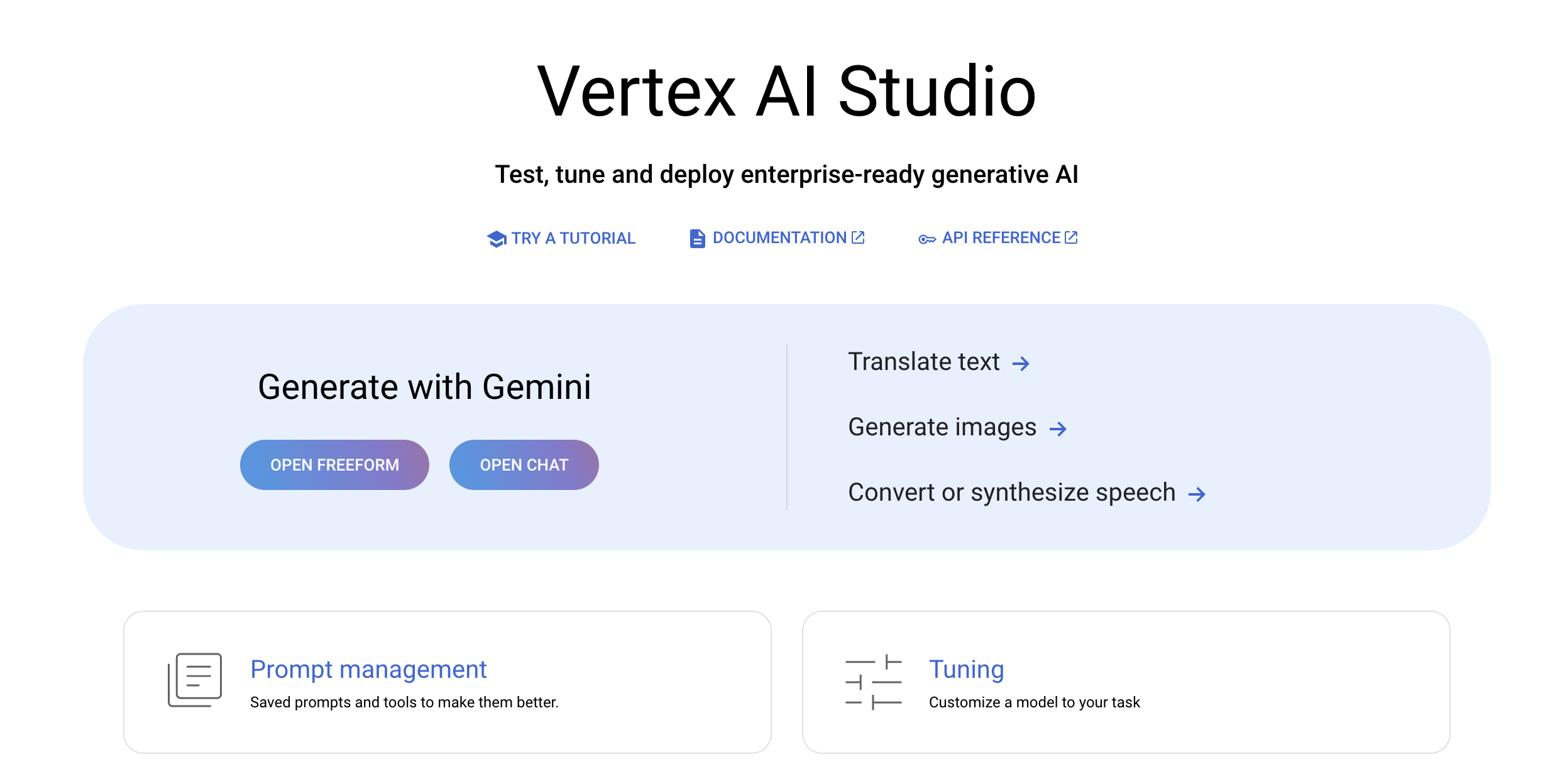
1. Vertex AI Studio
Vertex AI Studio is the ultimate tool for rapidly prototyping and testing generative AI models. It allows you to design and customize prompts, experiment with foundation models, and handle tasks specific to your application’s needs.
- Use Cases:
- Prompt design and tuning
- Code generation and completion with Codey
- Customizing images using Imagen
- Universal speech models for voice-enabled applications
👉🏻 Learn more about Vertex AI
2. Vertex AI Agent Builder
With Vertex AI Agent Builder, you can easily create AI agents and applications grounded in your organization’s data. It offers a no-code solution for building powerful AI-driven agents that can handle complex tasks.
- Use Cases:
- Building multimodal conversational AI agents
- Creating Google-quality search experiences on your own data
- Orchestrating and customizing AI workflows for personalized applications
3. Generative AI Document Summarization
This one-click solution streamlines document processing by summarizing large documents using Vertex AI’s Generative AI capabilities. Text is extracted from PDFs and summarized, with the output stored in BigQuery.
- Use Cases:
- Processing and summarizing large documents with AI
- Deploying document summarization pipelines
- Viewing AI-generated summaries for uploaded PDFs
4. Vertex AI Platform
The Vertex AI Platform is Google’s unified solution for the entire ML lifecycle—from model creation to deployment. It allows businesses to train, test, and deploy models, including 150+ pre-built models like Gemini and open-source options such as Stable Diffusion and BERT.
- Use Cases:
- Custom ML training
- Model testing, monitoring, and tuning
- Deploying pre-trained models for various use cases
5. Vertex AI Notebooks
Vertex AI Notebooks (available through Colab Enterprise or Workbench) allow data scientists to work across the entire AI lifecycle—from exploration to production—with seamless integration into the Vertex AI platform.
- Use Cases:
- Data exploration and rapid prototyping
- Developing AI models with minimal friction
- Deploying AI solutions efficiently
6. AutoML
Google’s AutoML enables businesses to train high-quality custom ML models without needing in-depth machine learning expertise. It’s an intuitive tool that quickly builds models tailored to your unique business needs.
- Use Cases:
- Custom ML model training with minimal effort
- Automating complex ML workflows
- Speech, text, and image analysis using ML
7. Natural Language AI
Natural Language AI helps extract meaningful insights from unstructured text by applying Google’s powerful machine learning algorithms.
- Use Cases:
- Sentiment analysis, text classification, and entity extraction
- Training ML models for advanced text processing
8. Speech-to-Text
Google’s Speech-to-Text API converts spoken words into text in real-time, making it an ideal solution for transcription and voice-enabled applications.
- Use Cases:
- Automatic speech recognition (ASR)
- Real-time transcription of audio streams
9. Text-to-Speech
Text-to-Speech enables businesses to convert text into lifelike speech, ideal for personalized interactions and voice interfaces.
- Use Cases:
- Voice user interfaces for devices and apps
- Improving customer interactions
10. Translation AI
Translation AI provides powerful translation services that make your applications multilingual. It delivers real-time, dynamic translation across different languages, helping your content reach a global audience.
- Use Cases:
- Real-time language translation
- Localizing content for global users
11. Vision AI
With Vision AI, businesses can analyze images and extract valuable insights, such as object detection, text recognition, and more.
- Use Cases:
- Training models to classify images
- Detecting objects and analyzing visual data
12. Video AI
Video AI allows you to analyze video content and extract meaningful insights, including identifying entities, events, and metadata within video footage.
- Use Cases:
- Analyzing video content at the frame, shot, or video level
- Custom video tagging with AutoML Video Intelligence
13. Document AI
Google’s Document AI suite automates data extraction from structured and unstructured documents. It includes pre-trained models and tools to create custom models for specific document processing needs.
- Use Cases:
- Automating document workflows
- Extracting, classifying, and processing document data
14. Dialogflow
Dialogflow is a conversational AI platform designed for building chatbots, virtual agents, and interactive voice systems. It leverages both intent-based and generative AI capabilities to create dynamic, natural conversations.
- Use Cases:
- Creating conversational experiences for apps and devices
- Building AI chatbots and virtual assistants
15. Contact Center AI
Contact Center AI (CCAI) uses AI to enhance customer support operations. It integrates virtual agents, agent assistance, and conversational insights to deliver personalized customer service.
- Use Cases:
- Enhancing contact center efficiency with AI
- Real-time assistance for human agents
16. Gemini Code Assist
Gemini Code Assist provides real-time code recommendations, error detection, and vulnerability identification. It can be integrated into Cloud Shell Editor, VSCode, and other IDEs, helping developers write cleaner, more secure code.
- Use Cases:
- Code completion and error fixing for multiple programming languages
- SQL query generation and optimization
17. AI Infrastructure: TPUs, GPUs, and CPUs
Google’s AI infrastructure provides the hardware needed to train and deploy large-scale AI models. Whether you’re training on TPUs, GPUs, or traditional CPUs, Google offers an extensive range of computing options.
- Use Cases:
- Accelerating AI training and inference
- Running intensive compute workloads
18. Google Kubernetes Engine (GKE)
For scalable, reliable AI deployment, Google Kubernetes Engine (GKE) is an excellent choice. It supports large-scale AI workloads and integrates seamlessly with hardware accelerators like GPUs and TPUs.
- Use Cases:
- Managing large AI and ML workloads
- Automating and orchestrating containerized applications
Learn more abou GKE
19. AI Readiness Program
If you’re new to AI or want to accelerate your AI adoption, Google’s AI Readiness Program is a consulting service that benchmarks your current capabilities and provides customized recommendations to achieve your AI goals.
- Use Cases:
- AI strategy and roadmap development
- Tailored recommendations for adopting AI
Conclusion
Google Cloud’s AI and Machine Learning solutions provide the flexibility, scalability, and power that businesses need to innovate and stay competitive. From generative AI to custom machine learning models, conversational AI, and AI-powered infrastructure, Google Cloud offers a complete suite of tools that make AI accessible to all.
Whether you’re looking to automate processes, gain new insights from your data, or provide enhanced customer experiences, Google Cloud’s AI solutions are here to help. Now’s the time to start your AI journey and unlock the potential of Google AI.
FAQs
What is Google Cloud Vertex AI, and how does it benefit businesses?
oogle Cloud Vertex AI is a unified platform designed to simplify the process of building, deploying, and scaling machine learning models. It brings together Google's AutoML and AI Platform into a cohesive API, allowing businesses to streamline their ML workflows. With Vertex AI, companies can benefit from reduced complexity in their machine learning operations, as it enables users to handle everything from data preparation to model deployment in one place. Vertex AI also supports scalability, offering businesses the flexibility to handle large datasets and train complex models without resource limitations. Its access to over 150 pre-trained models, like Google’s Gemini and open-source models such as BERT, gives businesses the tools they need for rapid innovation.
How does AutoML on GCP simplify machine learning for users with limited ML expertise?
AutoML on Google Cloud Platform is designed to lower the entry barriers to machine learning by automating complex tasks, such as model training and feature engineering. For users who lack in-depth expertise in machine learning, AutoML offers a user-friendly interface where they can easily label data, train models, and evaluate performance without writing code. AutoML also automates the selection of the best algorithms and parameters for a given dataset, ensuring optimal model performance. With AutoML, even users with minimal ML knowledge can create tailored models for tasks such as image recognition or natural language processing, making advanced machine learning accessible to a broader audience.
What is the difference between AI, ML, Deep Learning, and Generative AI?
Artificial Intelligence (AI) refers to the broader concept of machines mimicking human intelligence to perform tasks such as problem-solving, decision-making, and recognizing patterns. Machine Learning (ML) is a subset of AI where machines are trained to learn from data and improve their performance over time without explicit programming. Deep Learning (DL), a specialized branch of ML, uses neural networks inspired by the human brain to analyze complex patterns, making it particularly effective for tasks like image and speech recognition. Generative AI, on the other hand, focuses on creating new content such as text, images, or audio using models like Generative Adversarial Networks (GANs) or GPT models. While traditional AI performs tasks based on given data, Generative AI creates entirely new outputs from a set of prompts.
What are some real-world use cases for Google’s Vision AI and Video AI services?
Google’s Vision AI and Video AI services have a wide range of real-world applications. For instance, Vision AI is commonly used in industries like retail and manufacturing for tasks such as image recognition and object detection. Businesses can train models to automatically categorize images in large databases or detect specific objects in visual data. In the healthcare sector, Vision AI can help with medical imaging by identifying abnormalities in diagnostic images. Video AI, on the other hand, is used for analyzing video content, making it particularly useful in fields like security, media, and entertainment. It allows businesses to tag video content, detect objects and events within footage, and automate video analysis processes. These tools help organizations manage large volumes of visual and video data efficiently and effectively.
How does Dialogflow enhance customer interactions, and what are its key features?
Dialogflow is Google’s conversational AI platform that enables businesses to create intelligent chatbots and voice assistants capable of engaging in natural, human-like conversations. Its advanced natural language processing capabilities allow it to understand user queries and provide relevant, context-aware responses. With Dialogflow, businesses can develop multi-channel conversational experiences that work across websites, mobile apps, messaging platforms, and IoT devices. Its key features include intent recognition, which helps identify what users are asking for, and integration with existing systems, allowing the AI to retrieve and display information in real-time. By automating customer interactions, Dialogflow enhances customer service, reduces response times, and improves overall customer satisfaction.
Related References
- Join Our Generative AI Whatsapp Community
- Google Cloud Professional Machine Learning Engineer Certification: Everything You Need to Know
- Google AI/ML: Step-by-Step Activity Guide (Hands-on Lab) & Project Work for getting a higher paying Job & Certifications
- Simplifying Machine Learning with Google Cloud Vertex AI: Key Tools & Real-World Applications
- Introduction to Generative AI and Its Mechanisms
- Mastering Generative Adversarial Networks (GANs)
- Generative AI (GenAI) vs Traditional AI vs Machine Learning (ML) vs Deep Learning (DL)
Next Task For You
Don’t miss our Exclusive Free Training on Mastering Google AI/ML and Generative AI. Gain expertise in advanced AI and Machine Learning technologies using Google’s powerful tools. Join a thriving community of learners and take the next step in advancing your career. Click the image below to reserve your spot!


![Microsoft Agentic AI Business Solutions Architect [AB-100] | K21 Academy](https://test.k21academy.com/wp-content/uploads/2025/11/Microsoft-Agentic-AI-Business-Solutions-Architect-AB-100-Exam-Overview1.png)


