Microsoft Certified Training Program

Multi-Cloud Job-Oriented Program with 11 Certifications

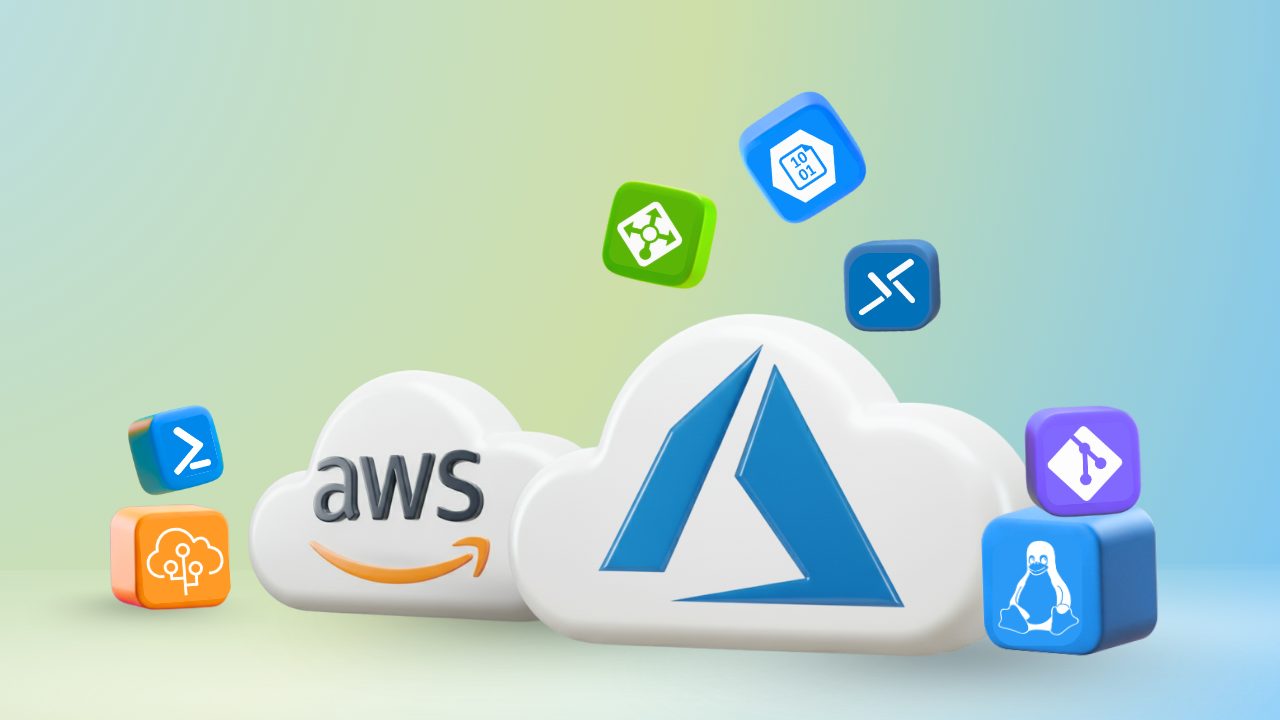
🚀 Accelerate your cloud career with 11 certifications, 20+ projects, and 80+ hands-on labs that make you job-ready in both AWS & Azure!

15 Weeks

Intensive Training

Live Sessions

Expert Instructors

100% Job

Placement Support

11 Certificates

Microsoft Official

4.5 ( 141 Ratings )
Learners
40000 +

About Our Course

The Multi-Cloud Job & Certification Program prepares you to become a job-ready Cloud Engineer with expertise in both AWS and Azure. You’ll build a strong foundation and progress into advanced areas like DevOps, security, networking, automation, storage, and monitoring—reinforced through hands-on labs and real-world projects. The program covers 11 in-demand AWS and Azure certifications and includes 80+ labs, 20+ real-time projects, and dedicated career support with mock interviews, resume building, and LinkedIn optimisation.

By the end, you’ll be equipped with practical multi-cloud skills and credentials to step confidently into roles such as Cloud Engineer, DevOps Engineer, Site Reliability Engineer, Cloud Administrator, or Multi-Cloud Specialist across AWS, Azure, and hybrid environments.

Who Should Enroll in This Program?

Aspiring Cloud & DevOps Engineers

Who want to build a career with expertise across both AWS and Azure.

IT Professionals

looking to upskill and transition into multi-cloud roles such as Cloud Engineer, DevOps Engineer, or Cloud Administrator.

Cloud Enthusiasts (AWS/Azure)

Who want to become certified in both platforms and expand their career opportunities

Job Seekers & Career Switchers

Aiming for high-paying roles like Multi-Cloud Engineer, Cloud Security Specialist, or Cloud Architect

Fresh Graduates & Beginners

Who want a structured, hands-on training path to enter the cloud industry with dual-cloud expertise

Tools Covered

Key Outcomes of This Program

11 Globally Recognized Certifications

Earn AWS and Microsoft credentials (Cloud Practitioner, Solutions Architect, Developer, DevOps Engineer, Security – Specialty, AZ-900, AZ-104, AZ-204, AZ-305, AZ-400, AZ-500) that validate your multi-cloud expertise and make your resume stand out to employers.

Hands-On Experience

Work directly on real AWS and Azure tools like IAM, EC2, VMs, VPC/VNet, Storage, Kubernetes, DevOps pipelines, and Monitoring.

Real-World Projects

Build an impressive portfolio with projects that reflect actual enterprise scenarios across hybrid and multi-cloud environments.

Job-Ready Skills

Gain in-demand expertise across cloud engineering, DevOps, automation, security, and architecture to qualify for multiple career paths.

Career Support & Extras

Get resume building, LinkedIn optimization, mock interviews, and placement guidance to confidently secure top cloud roles.

Expert Mentorship & Lifetime Access

Learn with 24/7 support from certified professionals and enjoy lifetime access to course content and updates.

80+ Labs

Practice Labs

100+ Videos

Video Course

20+ Projects

Projects Course

250+ QA's

Q&A Exams

Course Break-Down

Lessons:
  • Lesson 1: Introduction to Cloud
  •  Lesson 2: Cloud Characteristics
  •  Lesson 3: Benefits of Cloud
  •  Lesson 4: Capex vs Opex
  •  Lesson 5: Cloud Service Models (IaaS, PaaS, SaaS)
  •  Lesson 6: Shared Responsibility Model
  •  Lesson 7: Cloud Deployment Models (Public, Private, Hybrid)
  •  Lesson 8: Choosing a Cloud Platform (AWS, Azure, GCP, OCI)
  •  Lesson 9: Multi-Cloud Strategy
Lessons:
  • Lesson 1: Cloud & AWS Overview
  •  Lesson 2: AWS Global Infrastructure & Regions
  •  Lesson 3: IAM: Users, Groups, Policies & Roles
  •  Lesson 4: Compute Services: EC2, Lambda, ECS, EKS, Fargate
  •  Lesson 5: Storage & Networking: S3, EBS, VPC, Subnet, Gateway, LB
  •  Lesson 6: Database Services: RDS, DynamoDB, ElastiCache
  •  Lesson 7: Automation & Monitoring: CloudFormation, CloudWatch, CloudTrail
  •  Lesson 8: Application & DevOps Services: SNS, SES, SQS, CodeCommit, CodeBuild
  •  Lesson 9: AWS Architecture & Access Methods
Labs:
  •  Lab 1: Create an AWS Free Tier Account
  •  Lab 2: Manage AWS Costs & Budgets
  •  Lab 3: Troubleshoot Billing Issues
  •  Lab 4: Connect a Linux Machine on AWS
  •  Lab 5: Create & Connect Windows Machine on AWS
  •  Lab 6: Install & Configure AWS CLI
  •  Lab 7: Create an Ubuntu EC2 Instance
  •  Lab 8: Create IAM User with Administrator Access
Lessons:
  • Lesson 1: Azure Account & Subscription
  •  Lesson 2: Azure Services Overview
  •  Lesson 3: IAM & Azure Active Directory
  •  Lesson 4: Compute: Virtual Machines, App Service, Functions, Logic App
  •  Lesson 5: Compute: Docker & Kubernetes (ACR, ACI, AKS)
  •  Lesson 6: Networking & Storage Services
  •  Lesson 7: Data Services: SQL, Synapse, Data Factory, Data Lake
  •  Lesson 8: Data Protection: Backup & Restore
  •  Lesson 9: Monitoring: Log Analytics
Labs:
  • Lab 1: Register for an Azure Free Trial Account
  •  Lab 2: Switch to Pay-as-you-go Account (Optional)
  •  Lab 3: Create Budget (Billing Alert)
  •  Lab 4: Create Windows VM (Quick Start)
Lessons:
  •  Lesson 1: Create a Linux Instance on AWS Cloud
  •  Lesson 2: Create a Linux Instance on Azure Cloud
  •  Lesson 3: Basic Linux Commands
  •  Lesson 4: Git & GitHub
Labs:
  • Lab 1: Install & Configure Git & GitHub
Lessons:
  • Lesson 1: Introduction to Cloud and AWS
  •  Lesson 2: Global Infrastructure and Reliability
  •  Lesson 3: Compute in the Cloud
  •  Lesson 4: Networking in AWS
  •  Lesson 5: Load Balancer, AutoScaling & Route 53
  •  Lesson 6: Storage and Database
  •  Lesson 7: Security and Compliance
  •  Lesson 8: Monitoring & Messaging Services
  •  Lesson 9: AWS Developer Tools
  •  Lesson 10: Pricing and Support
Labs:
  • Lab 1: CloudWatch – Create Billing Alarm & Service Limits
  •  Lab 2: Managing AWS Costs with AWS Budgets and Credits
  •  Lab 3: Install & Configure AWS CLI
  •  Lab 4: Configure AWS CLI on Ubuntu Instance
  •  Lab 5: Working with AWS IAM Users, Groups & Roles
  •  Lab 6: S3 Lifecycle Management on S3 Bucket
  •  Lab 7: Configure Amazon CloudWatch to Notify Changes in EC2 CPU Utilization
Lessons:
  • Lesson 1: Introduction to Cloud Concepts
  •  Lesson 2: Azure Architectural Components
  •  Lesson 3: Computing and Networking
  •  Lesson 4: Azure Storage
  •  Lesson 5: Identity, Access, and Security
  •  Lesson 6: Cost Management
  •  Lesson 7: Governance and Compliance
  •  Lesson 8: Management and Deployment Tools
  •  Lesson 9: Azure Monitoring Tools
Labs:
  • Lab 1: Create Blob Storage
  •  Lab 2: Create a SQL Database
  •  Lab 3: Implement an Azure IoT Hub
  •  Lab 4: Implement Azure Functions
  •  Lab 5: Create a VM with a Template
  •  Lab 6: Create a VM with PowerShell
  •  Lab 7: Create a VM using CLI
  •  Lab 8: Implement Azure Key Vault
  •  Lab 9: Secure Network Traffic
  •  Lab 10: Manage Access with RBAC
  •  Lab 11: Manage Resource Locks
  •  Lab 12: Implement Resource Tagging
  •  Lab 13: Create an Azure Policy
  •  Lab 14: Explore the Trust Center
  •  Lab 15: Use Azure Pricing Calculator
  •  Lab 16: Use Azure TCO Calculator
  •  Lab 17: Access Azure Preview Features
  •  Lab 18: Create a VM of a Linux Image
  •  Lab 19: Open a Support Request
Lessons:
  • Lesson 1: Azure Administration
  •  Lesson 2: Azure Governance, Compliance
  •  Lesson 3: Virtual Networking
  •  Lesson 4: Inter-site Connectivity
  •  Lesson 5: Network Traffic Management
  •  Lesson 6: Azure Virtual Machines
  •  Lesson 7: Azure Storage
  •  Lesson 8: Identity
  •  Lesson 9: Azure Monitoring
  •  Lesson 10: Data Protection
  •  Lesson 11: Serverless Computing
  •  Lesson 12: AZ PowerShell, Cloud Shell, CLI & ARM Templates
Labs:
  • Lab 1: Pay-as-you-go subscription
  •  Lab 2: Install IIS Server in a Virtual Machine
  •  Lab 3: Implement Azure Policy
  •  Lab 4: Create RG, VNet & Subnet, VM, Extra Subnet
  •  Lab 5: Configure Network Security Group
  •  Lab 6: Create Private DNS
  •  Lab 7: Point to Site in Azure
  •  Lab 8: Configure VNet Peering in Azure
  •  Lab 9: Configure Azure Availability Set and Azure Load Balancer
  •  Lab 10: Deploy Azure App Service and Traffic Manager
  •  Lab 11: Create an Application Gateway
  •  Lab 12: Filter Network Traffic using NSG & ASG
  •  Lab 13: Generate SSH Keys
  •  Lab 14: Create an Azure Bastion Host
  •  Lab 15: Create an Azure Snapshot
  •  Lab 16: Create Container, Manage Storage Account via Storage Explorer
  •  Lab 17: Create an Unmanaged Disk VM and Managed Data Disk
  •  Lab 18: Disk Migration From On-Premises Server to Azure
  •  Lab 19: Configure Azure File Share and File Sync
  •  Lab 20: Configure Azure Blob Lifecycle Management and Object Replication
  •  Lab 21: Configure Role-Based Access Control in Azure
  •  Lab 22: Create Custom RBAC Roles
  •  Lab 23: Azure Monitoring Using Log Analytics
  •  Lab 24: Configure Azure Network Watcher
  •  Lab 25: Backup of Azure VM into Azure Backup Vault
  •  Lab 26: Backup of an On-Premise Server into Azure Backup Vault
  •  Lab 27: WebApps Creation With 2 Deployment Slots
  •  Lab 28: Configure Azure Container Service
  •  Lab 29: Configure Azure Kubernetes Service
  •  Lab 30: Create Resource Group and Virtual Machine via Cloud PowerShell
  •  Lab 31: Authenticate to Azure Tenant via PowerShell
  •  Lab 32: Create an Azure managed disk via PowerShell
  •  Lab 33: Create Resource group and Virtual Machine using Azure CLI
  •  Lab 34: Create and Deploy ARM templates via Azure Portal

Project works

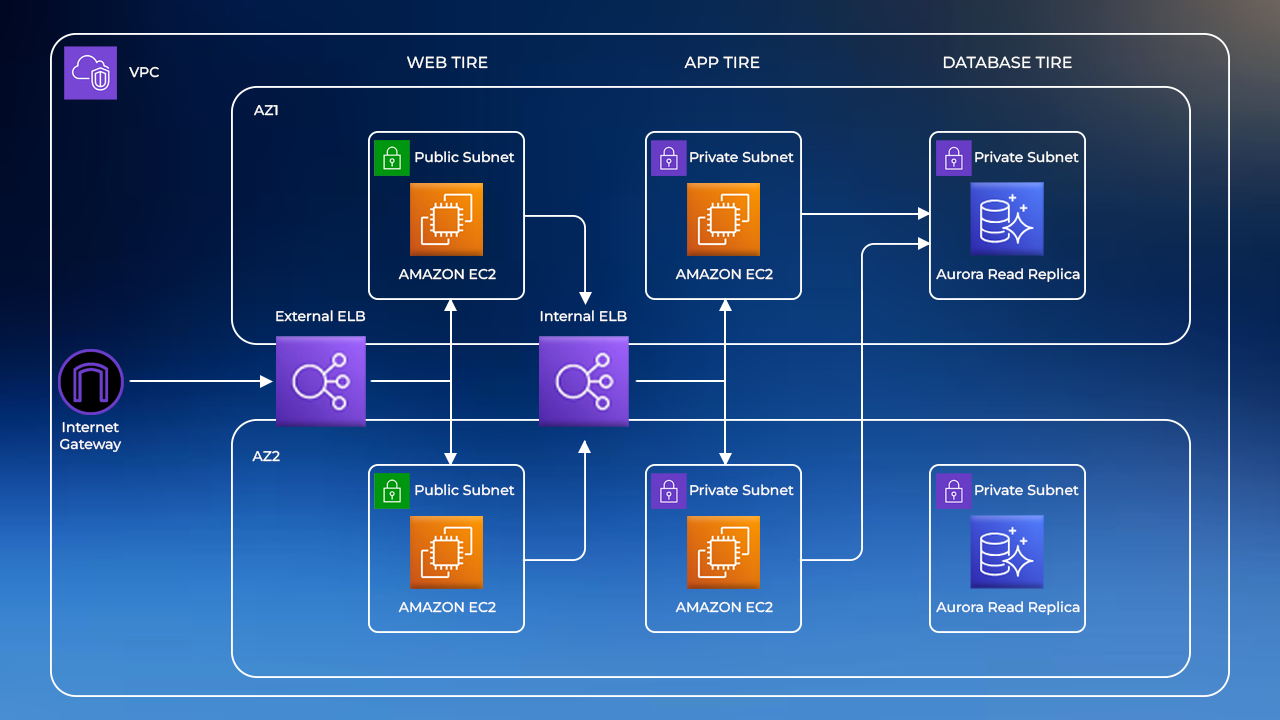
AWS Three-Tier Web Application

In the AWS Three-Tier Web Application project, the focus is on building a robust architecture for high-performance web applications. Beyond the core components, consider implementing AWS Lambda functions or EC2 instances for the application tier, ensuring flexibility in handling various workloads. Explore options for data caching using Amazon ElastiCache to enhance application response times. Additionally, integrate AWS CloudWatch for monitoring and logging to maintain visibility into the application’s health and performance, and implement AWS Key Management Service (KMS) for robust encryption of sensitive data..
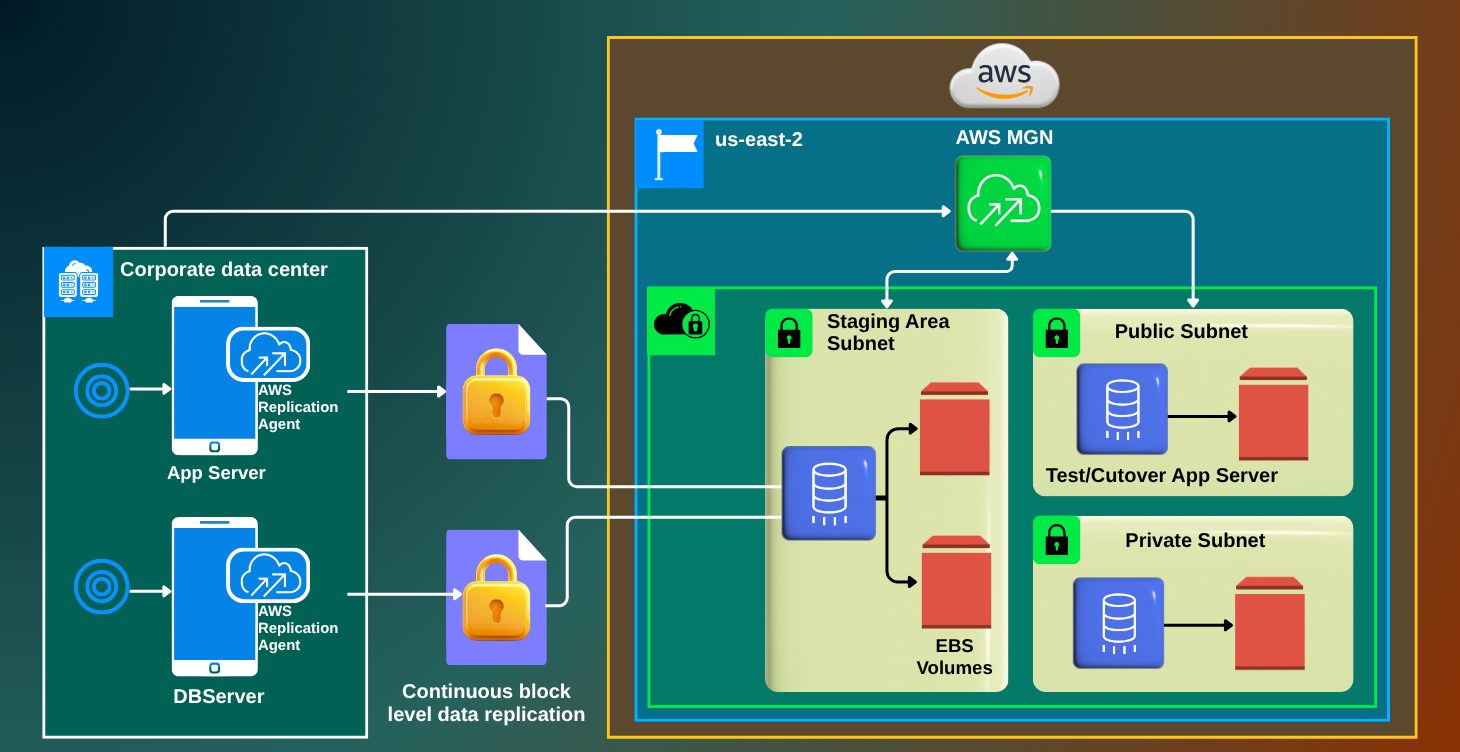
Migration From On-Premise to AWS

In the Migration From On-Premise to AWS project, extend the discussion to include considerations for disaster recovery and high availability. Implement AWS Route 53 for domain management and consider utilizing AWS Elastic Beanstalk for simplified application deployment and management. Leverage AWS Cost Explorer and AWS Budgets for effective cost management during and after migration. Integrate AWS CloudTrail to maintain an audit trail of API calls, providing enhanced security and compliance. Lastly, emphasize the importance of ongoing optimization for cost and performance post-migration, utilizing AWS Trusted Advisor for recommendations.
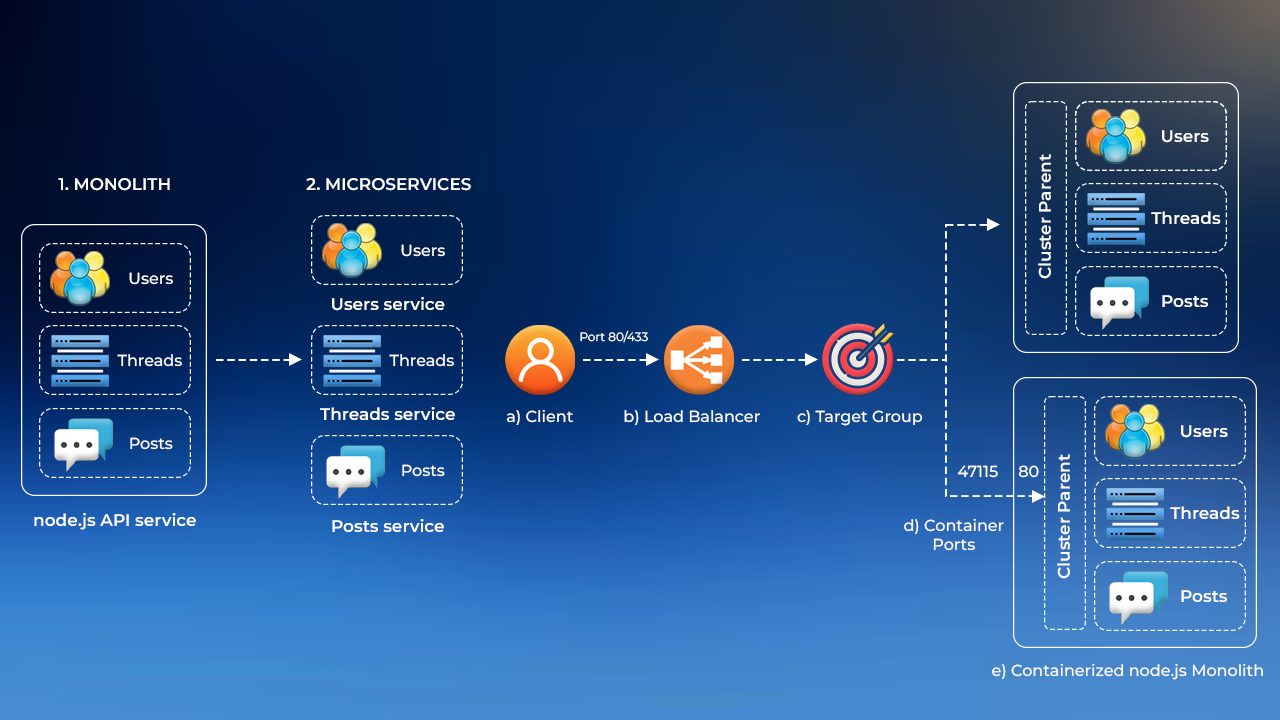
Monolithic Application into Microservices with AWS Copilot, Amazon ECS, Docker, and AWS Fargate

The Break a Monolithic Application into Microservices project emphasizes the importance of designing well-defined APIs to facilitate communication between microservices. Utilize AWS CloudWatch for comprehensive monitoring and tracing of microservices to identify and troubleshoot performance bottlenecks. Implement AWS Lambda for serverless microservices where applicable, taking advantage of event-driven architectures. Explore the use of AWS Functions for orchestrating complex workflows between microservices, enhancing the overall efficiency of the application.
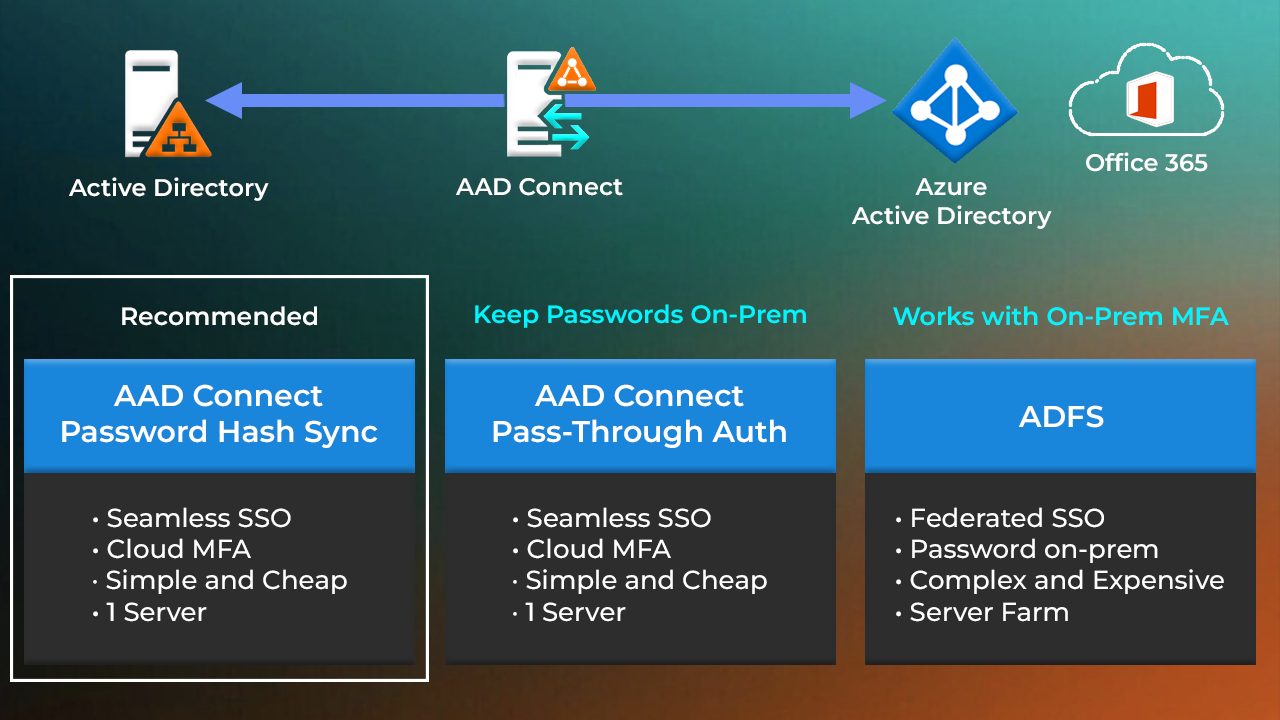
Microsoft Entra ID (Azure Active Directory) Synchronisation to on-premises Active Directory using Entra Connect

Moving from on-premises to cloud is chosen by many companies. The first thing to move to the cloud is Active Directory, which stores information about objects (users, computers) on the network. So here we will work on how we can migrate more Active Directory to Azure.
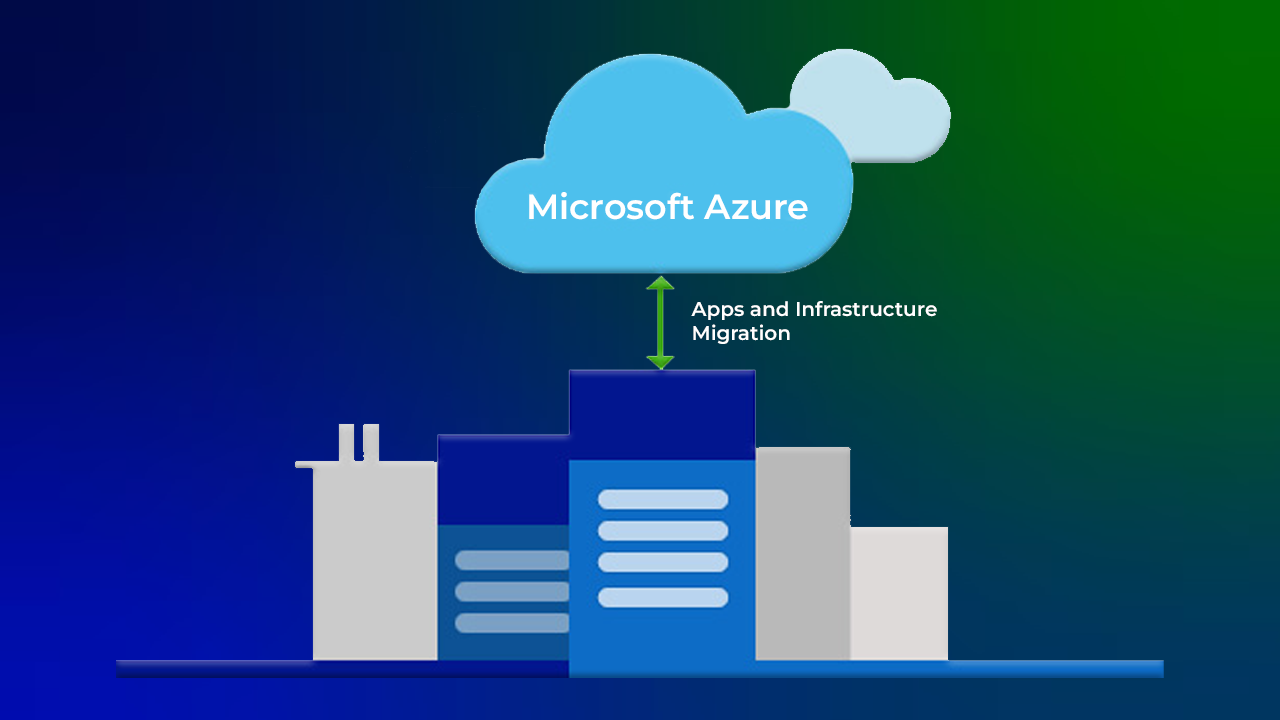
Migration from On-Premise to Azure

Since companies are migrating from on-premises servers to the cloud because of on-premises disadvantages and cloud advantages, here we will understand how the migration is done.
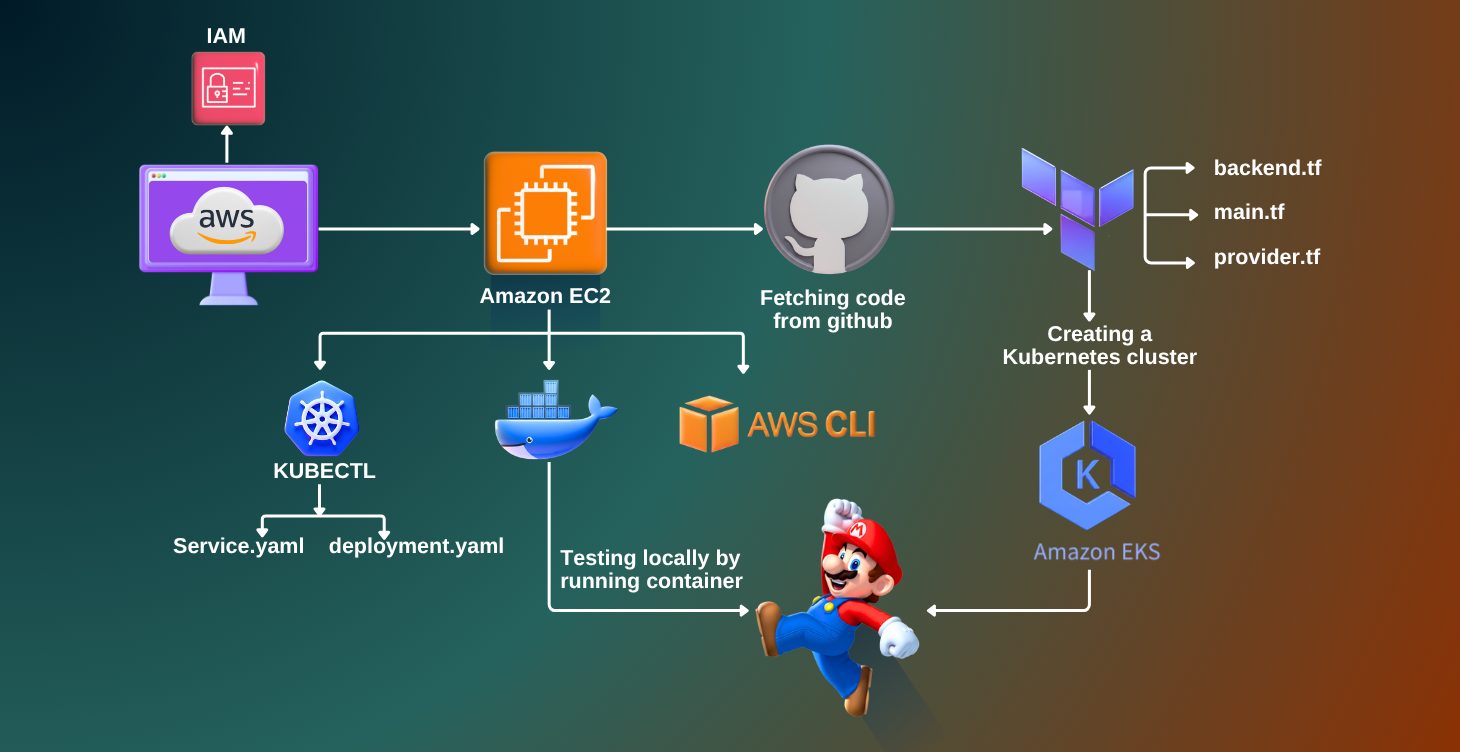
Deployment of Super Mario on Kubernetes using Terraform

This project focuses on deploying a containerized version of the Super Mario game application on a Kubernetes cluster using Terraform for infrastructure as code. The process includes defining the Kubernetes resources, such as pods, services, and deployments, in Terraform configuration files.
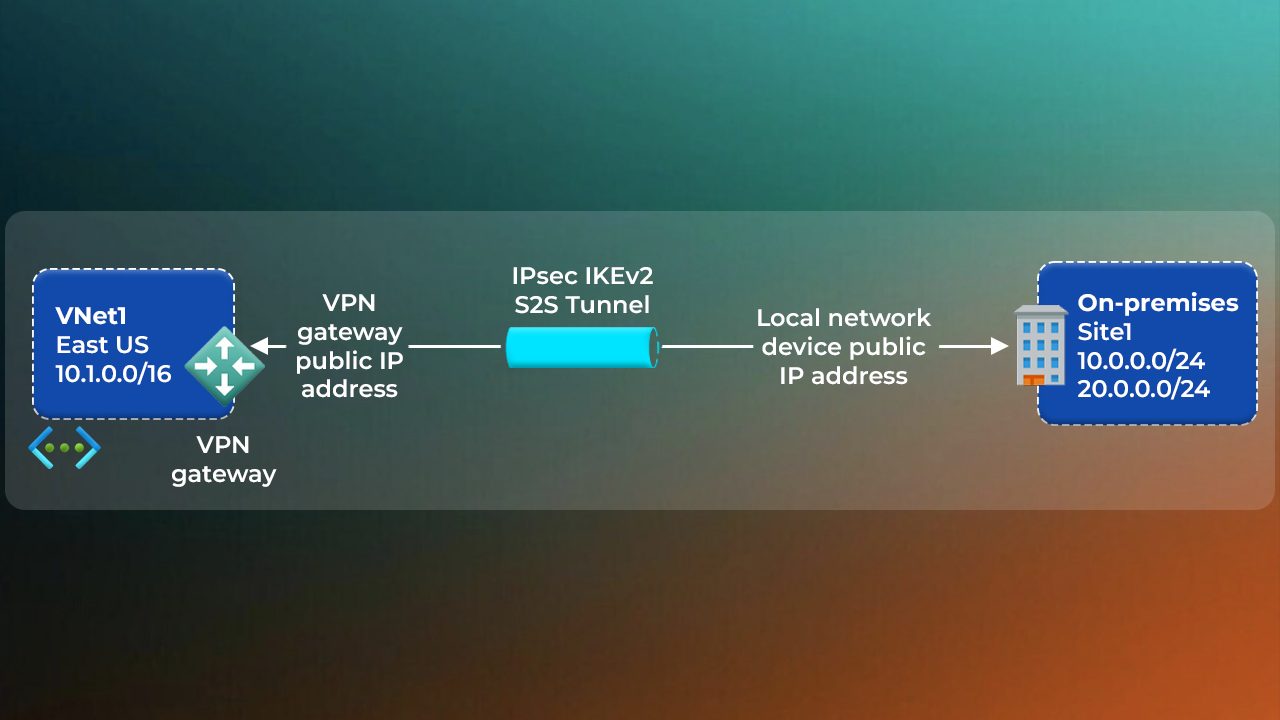
Site-to-Site Connection using Azure Portal

In old times, application was deployed on in-house servers, and later came the cloud. So many companies moved entirely to the Cloud. But some remained in their premises. Some decided to keep some of their data inside on-premise and some on the cloud, and then connected both of them according to the management of both. So here we will see how the connectivity between the cloud and an on-premises server works
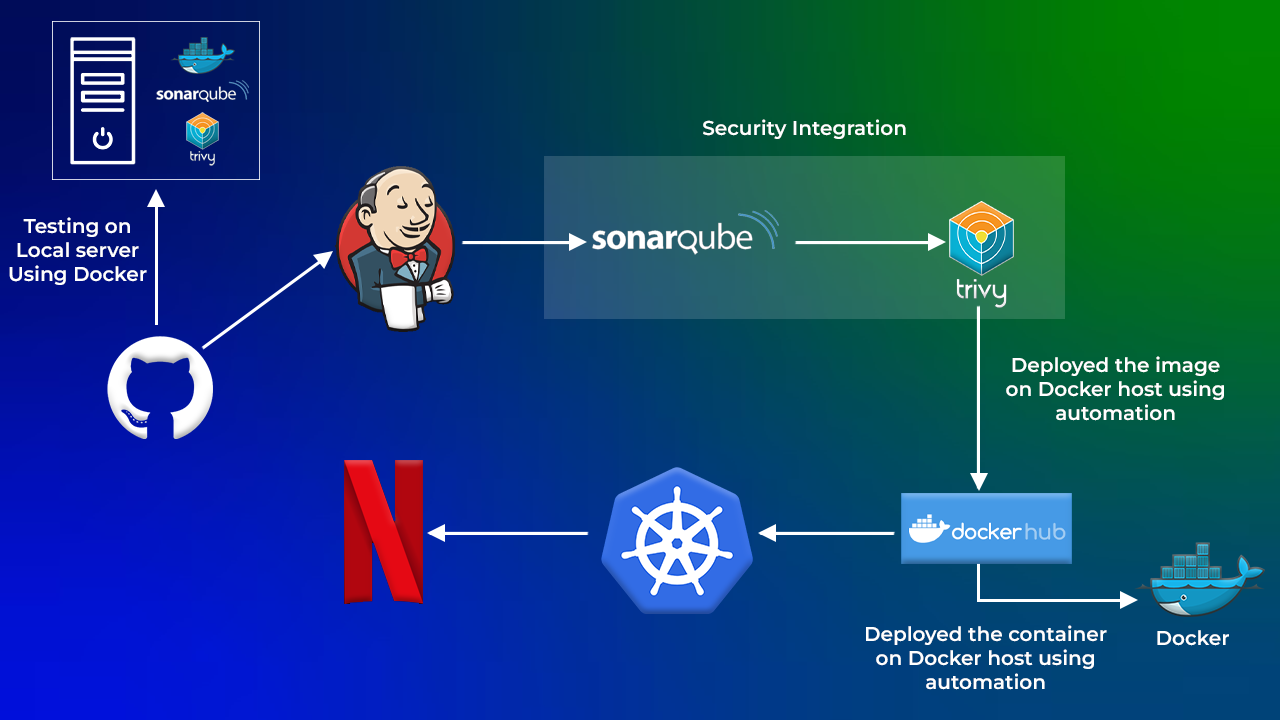
Deploy Netflix Clone Application on Kubernetes

This project involves deploying a Netflix clone application on a Kubernetes cluster. The Netflix clone is a microservices-based application that includes various components like user authentication, content streaming, and a recommendation engine. Each component is containerized and deployed as a separate service in the Kubernetes cluster. The project includes setting up Kubernetes manifests for deployments, services, and ingress controllers.
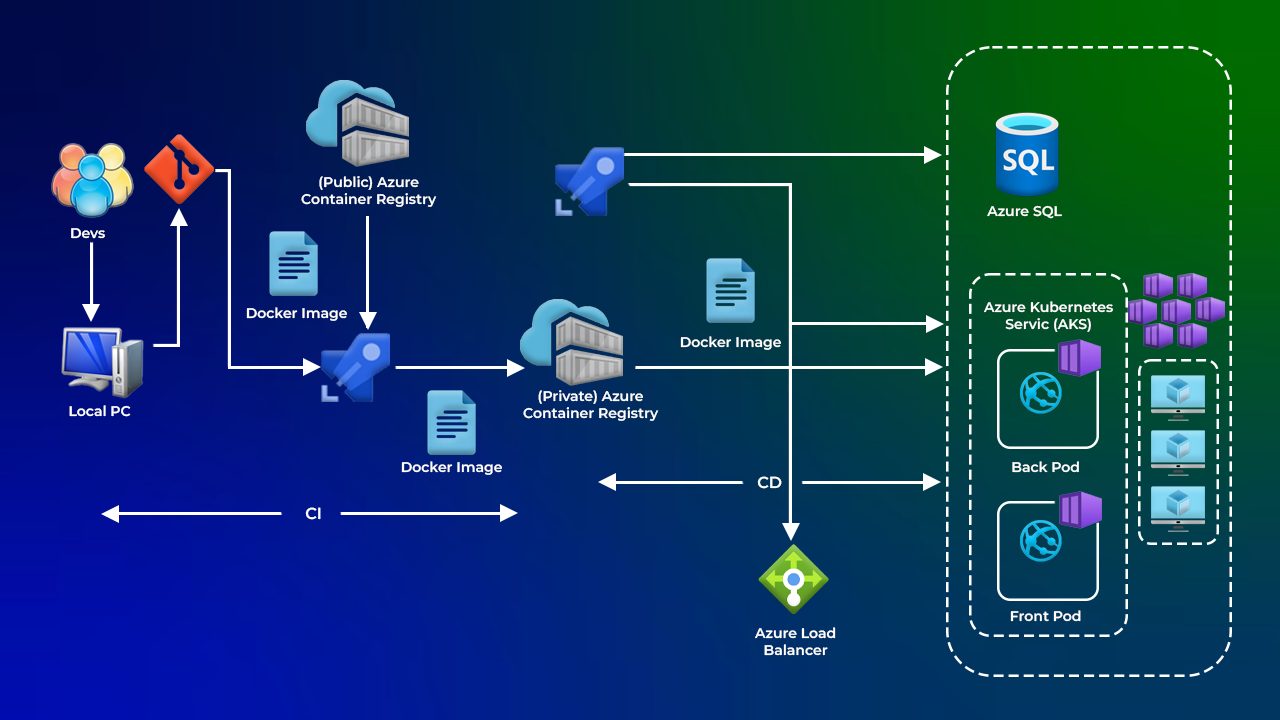
Deploying a multi-container application to AKS

Containers are isolated units of software that contain everything that an application needs to run, including the code, runtime, system tools, and libraries.Here we will deploy these multiple containers inside a service AKS provided by Azure
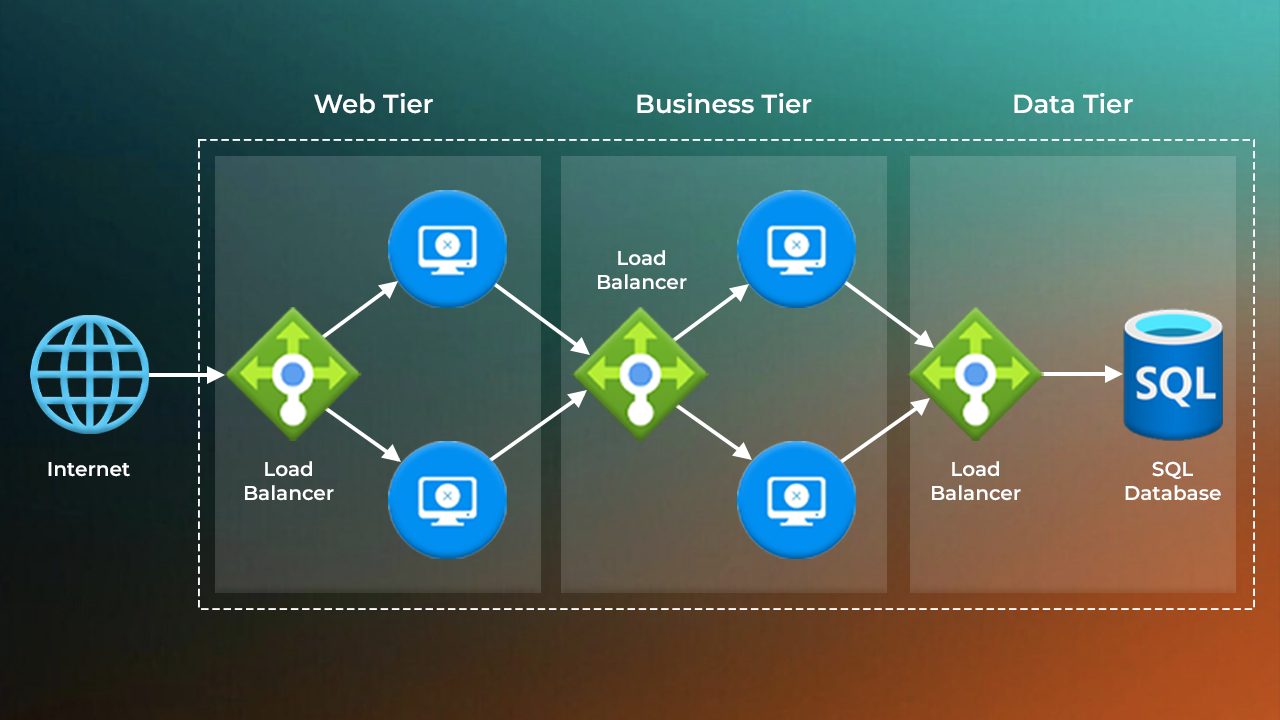
Deployment of 3-Tier Architecture in Azure

In this project, we focus on deploying a full-fledged 3-tier architecture on Microsoft Azure. A 3-tier architecture separates an application into three logical layers: the presentation tier, which is the front-end interface users interact with (typically a web application); the application tier, which contains the business logic and handles the processing; and the data tier, which manages data storage, usually through a database. This structured approach enhances scalability, security, and maintainability. By leveraging Azure services for each layer, this project demonstrates how to build a robust, cloud-native solution aligned with industry best practices.

Skills You Need to Get Started

No Prior Experience Required

The program starts from the basics, making it ideal for beginners transitioning into cloud and DevOps roles.

Cloud Basics First

Learn core concepts of cloud computing and how AWS and Azure work in real-world environments.

Step-by-Step Learning

Progress from fundamentals to cloud administration, DevOps, security, automation, and architecture across both platforms .

Hands-On Tools

Get practical exposure to AWS Console, Azure Portal, CLI, IAM, EC2/VMs, Networking, Storage, Kubernetes, DevOps pipelines, and Monitoring tools

Certification Preparation

Be fully prepared for 11 globally recognized certifications across AWS and Azure.

Job-Ready Skills

Build real-world expertise aligned with industry expectations for cloud engineers, DevOps engineers, and multi-cloud professionals.

Why You Should Enroll

11 In-Demand Certifications

Gain globally recognized AWS and Azure credentials that validate your skills and unlock high-paying roles across cloud, DevOps, and multi-cloud environments.

Hands-On, Real-World Experience

Work on 100+ labs and projects using AWS, Azure, Kubernetes, Terraform, DevOps pipelines, Virtual Machines, Networking, and Monitoring tools.

End-to-End Career Support

Get expert guidance with resumes, LinkedIn branding, mock interviews, and job placement strategies to accelerate your career growth.

Higher Earning & Growth Potential

Position yourself for promotions, role transitions, and top-tier salaries with practical cloud and DevOps expertise.

Flexible Learning Options

Learn at your own pace with live sessions, recordings, and lifetime access to course material and practice labs.

Why Choose Us for the Multi-Cloud Job-Oriented Program with 11 Certifications?

Hands-On Learning

Gain practical experience with 100+ labs and real-world projects across AWS, Azure, Kubernetes, DevOps pipelines, Networking, and Cloud Monitoring.

Query Support Anytime

Get your doubts resolved quickly via WhatsApp, Ticketing System, or live Q&A sessions with cloud experts.

Weekly Live Interactive Sessions

Learn directly from certified professionals, ask questions, and stay on track with your learning journey.

Job Preparation Support

Resume reviews, mock interviews, and career guidance tailored to cloud and multi-cloud roles.

Proven Roadmap

Structured by cloud experts with years of industry experience, this program takes you from beginner to certified multi-cloud professional.

Ongoing Guidance

Even after landing a job, receive mentorship and support for real-world cloud projects.

Course Validity

1-year unlimited access to all training materials, labs, and recordings for flexible, self-paced learning.

Testimonials/Feedback

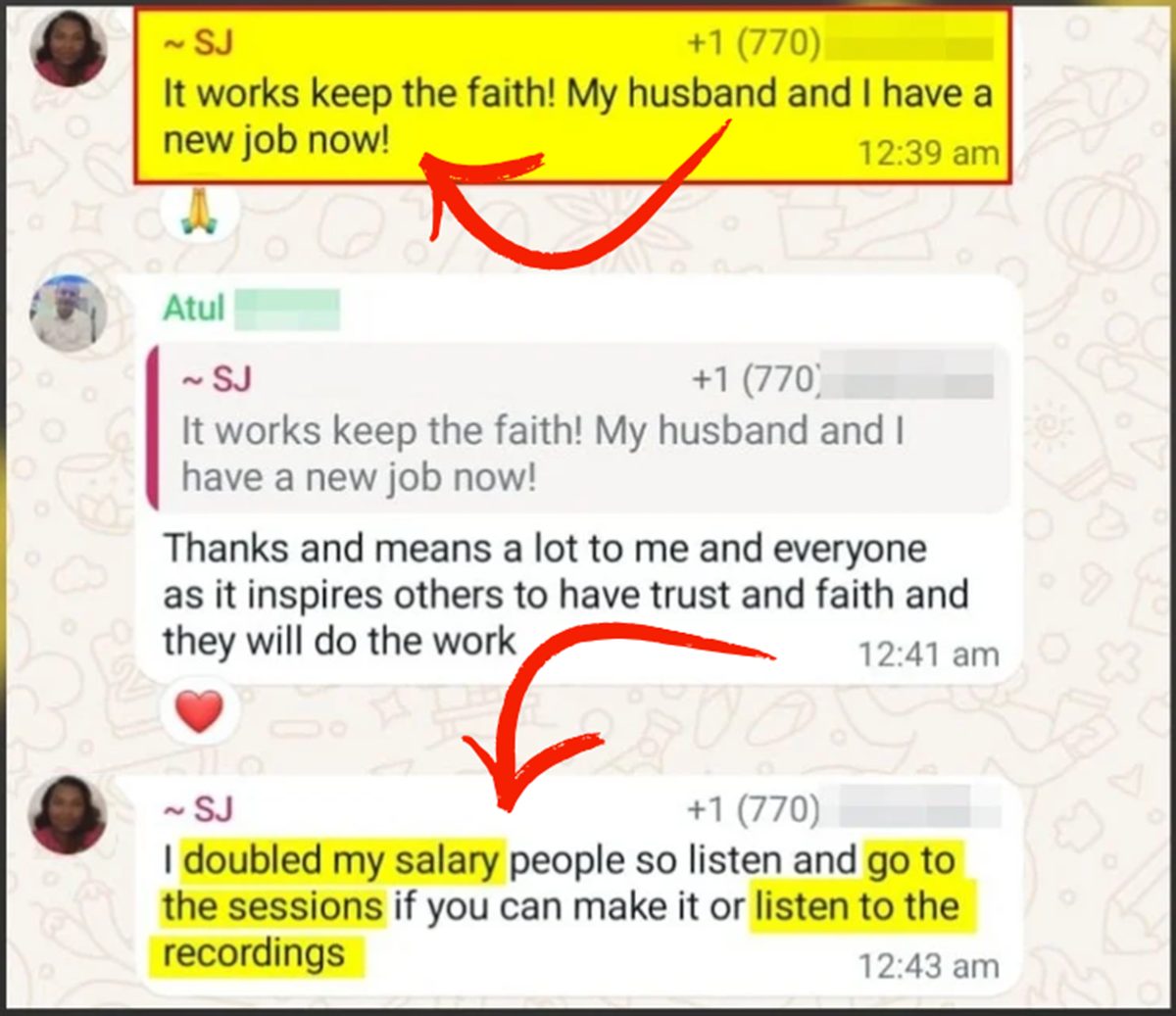
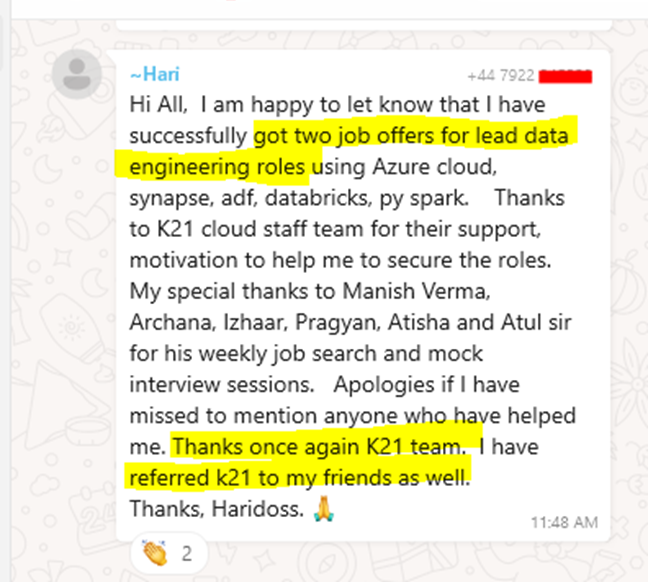
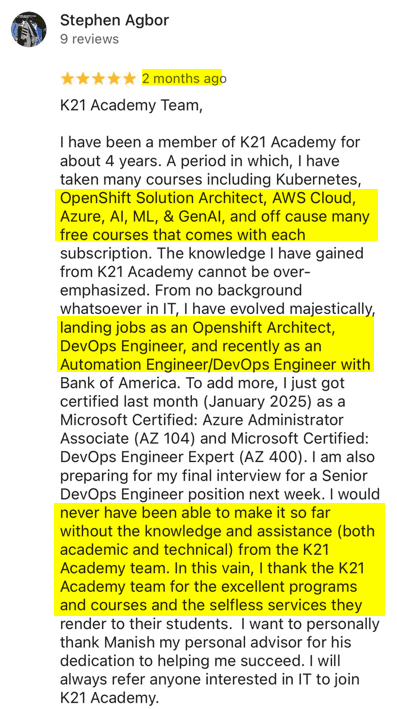
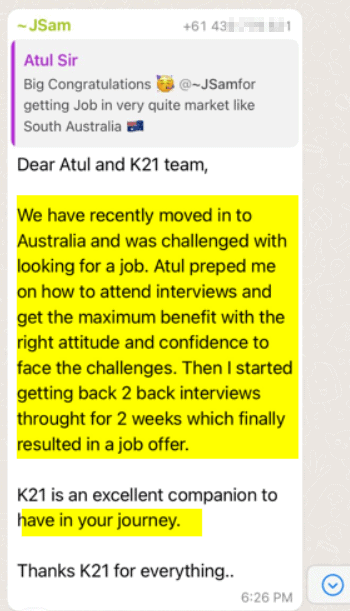
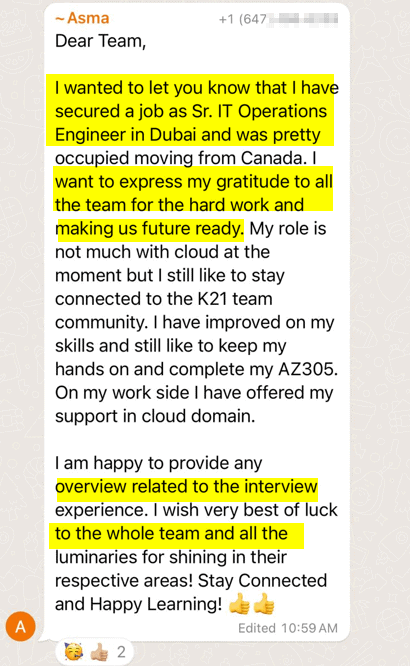
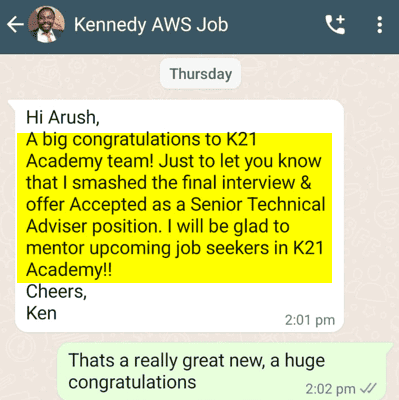
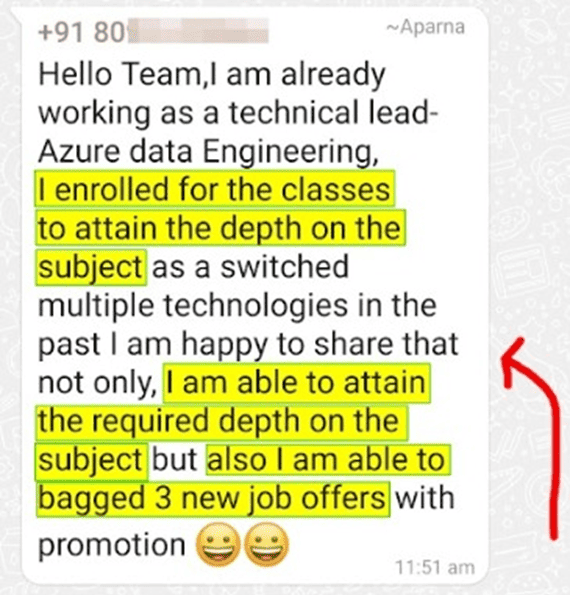
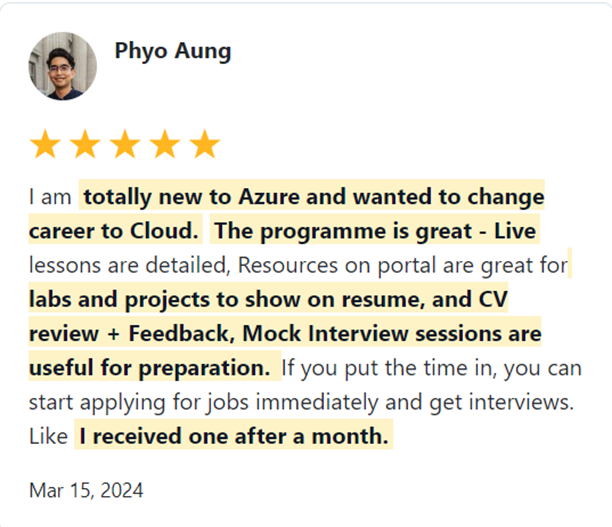
Join 45,000+ learners worldwide who have upskilled in cloud technologies, transformed their careers, and secured high-paying roles.

What Our Trainees Say

Trusted by thousands of satisfied trainees across multiple platforms

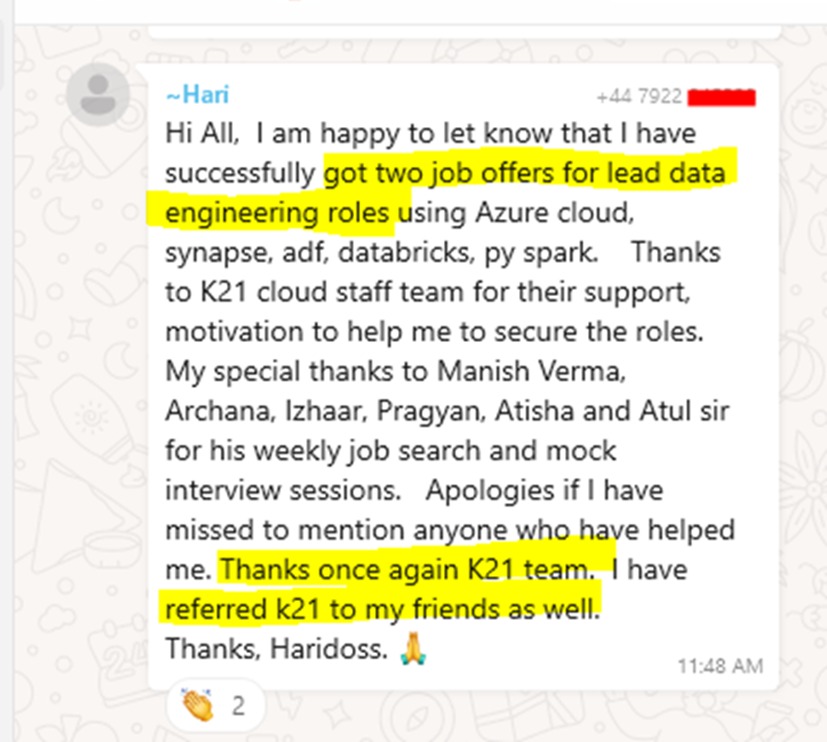
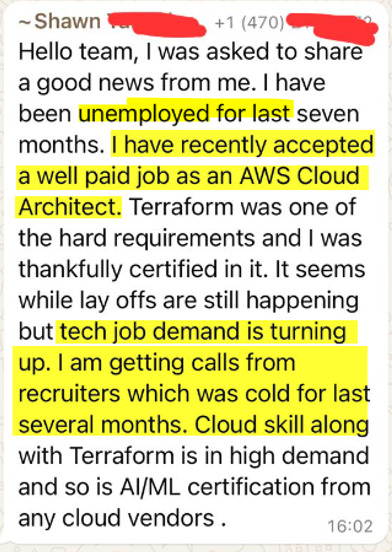
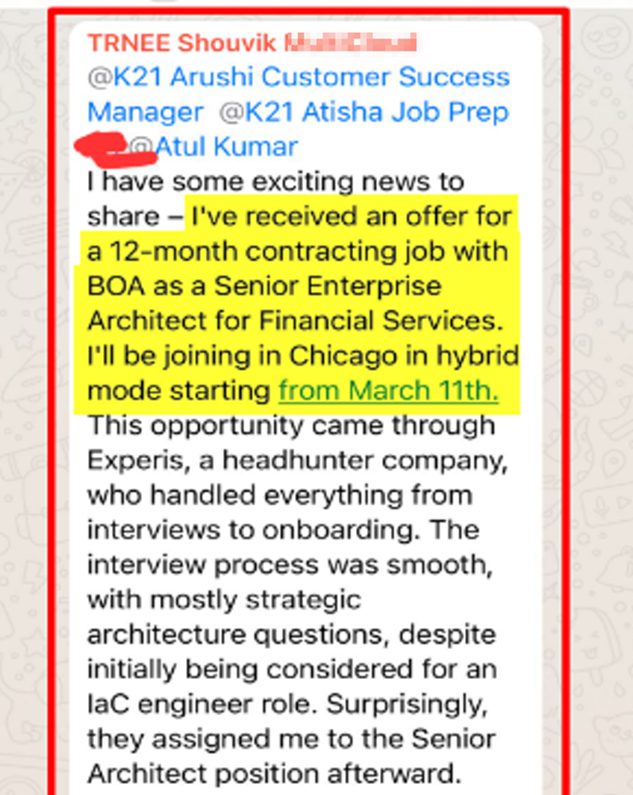
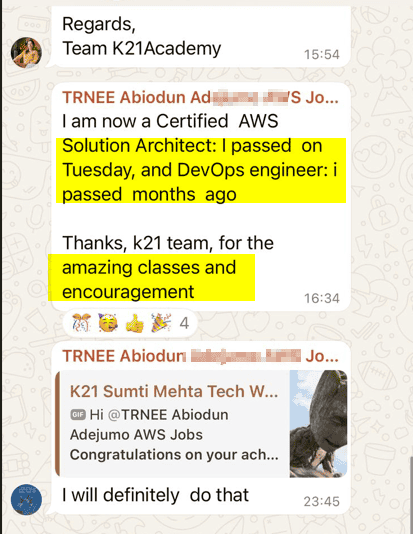
Insights from Our Achievers..

FAQs – Frequently Asked Questions

How long is the program?

The program is designed to be completed in 6-8 months, depending on your pace.

  1. AWS Cloud Practitioner 
  2. AWS Certified Solutions Architect – Associate
  3. AWS Certified Developer – Associate
  4. AWS Certified DevOps Engineer – Professional
  5. AWS Certified Security – Specialty 
  6. Microsoft Certified: Azure Fundamentals (AZ-900)
  7. Microsoft Certified: Azure Administrator (AZ-104)
  8. Microsoft Certified: Azure Developer Associate (AZ-204)
  9. Microsoft Certified: Azure Security Engineer (AZ-500)
  10. Microsoft Certified: Azure DevOps Engineer Expert (AZ-400)
  11. Microsoft Certified: Azure Solutions Architect Expert (AZ-305) 

Yes, you can! This program is designed for everyone, whether you’re a beginner or have some experience. We start with the basics and move on to more advanced topics.

Yes, we offer a 6-month money-back guarantee. If you’re not satisfied, we’ll refund your payment.

We offer both live sessions and recorded content. You can learn at your own pace.

Yes! The program is tailored for beginners, and we walk you through the entire learning journey.

You’ll receive expert support, including:

  • Personalized job guidance
  • Interview preparation
  • Resume reviews

1-year support after course completion

You’ll have access to recorded sessions for 1 year, so you can catch up anytime.

Yes, we offer flexible payment plans to suit your budget.

Yes, we provide exam preparation support to help you pass your AWS & Azure certification exams.

Yes, absolutely. Let me explain how. I always suggest that my students perform practical hands-on labs in order to gain practical knowledge to implement in real-world problems. These hands-on labs are included in the training for real-world implementations. Include these real-world experiences in your resume after completing these practical labs if you want to get a higher-paying job. These real-world interactions will count as experience. 

6 Months Money Back Guarantee

When you join the K21Academy, you are fully protected by our 100% Money back guarantee.

We strive to provide the best training programs, but if you don’t get the desired results even after following every step of our learning style, you can claim your money back! 100% money-back guarantee covers the price of online training.

You have 6 Months from the date of the original purchase, to claim a refund. All you will be required to do is, show us the proof that you took action and attended sessions, completing the hands-on labs, Projects & applying to at least 50 jobs & get CV Reviewed (share proof) & you feel that the program is not worth the money you invested, you will receive a full refund.

$1750 x 4 ONLY

Get Immediate Access
to Training & Support

Payment Methods:

$6000 only

Get Immediate Access
to Training & Support

Payment Methods:

This FREE and highly valuable 1:1 Call team of Experts about the Program.

My 24+ Years of Experience with over 45,000+ trainees

I started my IT career in 2000 as an Oracle DBA/Apps DBA. The first few years were tough (<$100/month), with very little growth.

In 2004, I moved to the UK. After working really hard, I landed a job that paid me £2700 per month.

In February 2005, I saw a job that was £450 per day, which was nearly 4 times of my then salary.

So I looked at training from Oracle for 5 days. In November, I successfully transitioned to Oracle Security & IAM, and my career took off.

Around 2012–13, Cloud, DevOps & Cloud Automation were gaining popularity & there were many job opportunities in these fields.

So, I decided to make a change in my career path, and I transitioned from working on On-premises (Security, Infrastructure & Databases) to focusing on Cloud & DevOps.
Learning Cloud & DevOps gave me the opportunity to work with some of the world’s largest and most prestigious clients.

I then used the same roadmap with 45,000+ individuals (like you) to help them get their dream jobs.

If they can do it, you can do it too!