





This blog post covers Hands-On Labs that you must perform in order to learn Machine Learning and Data Science & clear the Azure Data Scientist Associate (DP-100) Certification.
This post helps you with your self-paced learning as well as your team learning. There are 16 Hands-On Labs in this course.
- Explore the Azure Machine Learning workspace
- Explore developer tools for workspace interaction
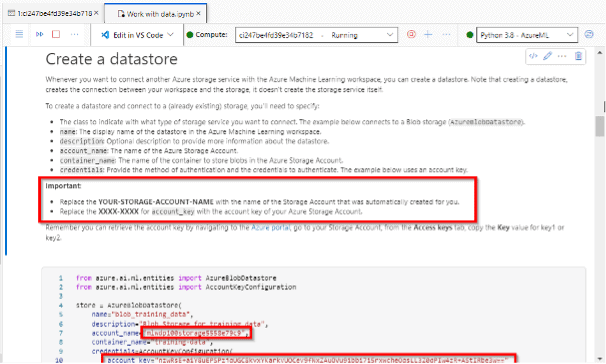
- Make data available in Azure Machine Learning
- Work with compute resources in Azure Machine Learning
- Work with environments in Azure Machine Learning
- Train a model with the Azure Machine Learning Designer
- Find the best classification model with Automated Machine Learning
- Track model training in notebooks with MLflow
- Run a training script as a command job in Azure Machine Learning
- Use MLflow to track training jobs
- Perform hyperparameter tuning with a sweep job
- Run pipelines in Azure Machine Learning
- Create and explore the Responsible AI dashboard
- Log and register models with MLflow
- Deploy a model to a batch endpoint
- Deploy a model to a managed online endpoint
Here’s a quick sneak-peak of how to start learning Data Science on Azure & to clear Azure Data Scientist Associate (DP-100) by doing Hands-on.
What topics and scoring categories are covered in the DP-100 exam for the Azure Data Scientist Associate certification?
The DP-100 exam for Azure Data Scientist Associate certification covers essential topics such as data preparation (15-20%), model development (40-45%), model deployment (20-25%), and performance monitoring (10-15%). Candidates will work with Azure Machine Learning to preprocess data, train and evaluate models, and manage MLOps workflows for production environments. The exam emphasizes practical skills in building, deploying, and operationalizing AI and machine learning solutions on Azure. A strong understanding of these categories is crucial for successfully passing the certification and demonstrating expertise in data science on Azure.
What recommended knowledge and experience should candidates have for the Azure Data Scientist Associate certification?
Candidates pursuing the Azure Data Scientist Associate certification should have a solid understanding of data science concepts, including data preprocessing, feature engineering, and model evaluation. Experience in Python programming and using libraries like Pandas, Scikit-learn, and Matplotlib is essential. Familiarity with Azure Machine Learning Studio, MLOps, and deploying ML models in the cloud is highly recommended. Practical experience with end-to-end machine learning workflows, including training, testing, and deployment of models, will greatly benefit candidates aiming to pass the DP-100 exam and excel in real-world applications.
What abilities are validated by the Microsoft Certified: Azure Data Scientist Associate certification?
The Microsoft Certified: Azure Data Scientist Associate certification validates your ability to design and implement machine learning solutions on Azure. It demonstrates proficiency in data preparation, feature engineering, model training, and evaluation using Azure Machine Learning. The certification also highlights expertise in deploying and operationalizing machine learning models with MLOps practices. By earning this certification, you prove your capability to work on real-world AI solutions, making you a strong candidate for roles like Data Scientist, AI Engineer, or Machine Learning Specialist in cloud-based environments.
Why should someone take the Microsoft Certified: Azure Data Scientist Associate DP-100 exam?
The Microsoft Certified: Azure Data Scientist Associate (DP-100) exam validates your expertise in designing, implementing, and deploying machine learning solutions using Azure. It demonstrates your ability to handle real-world data science tasks, including data preparation, model training, and deployment on Azure Machine Learning. This certification boosts your credibility, enhances career prospects, and prepares you for high-demand roles like Data Scientist or AI Engineer. It’s an excellent choice for professionals looking to advance their skills in cloud-based AI and machine learning technologies.
What does the Microsoft Certified: Azure Data Scientist Associate certification demonstrate?
The Microsoft Certified: Azure Data Scientist Associate certification demonstrates your expertise in designing and implementing machine learning models on Azure. It validates your ability to use Azure Machine Learning, process and analyze data, train and optimize models, and deploy them in production environments. This certification showcases your knowledge of MLOps, Azure tools, and workflows, making you proficient in delivering scalable AI solutions. It is ideal for professionals aiming to excel in roles like Data Scientist or AI Engineer, emphasizing practical, cloud-based AI and ML capabilities.

Check our blog to know in more detail about the Azure Data Scientist Associate (DP-100) Certification
The first step in performing the labs for the DP-100 Implementing An Azure Data Scientist Exam is to obtain a Trial Account of Microsoft Azure. (You will receive 200 USD FREE credit from Microsoft for your practice.)
Microsoft Azure is a top choice for many organizations due to its flexibility in building, managing, and deploying applications. This activity guide will show you how to register for a Microsoft Azure FREE Trial Account.
Check out our blog for more details on creating a Free Azure account.
What is the average salary for someone with the Microsoft Certified: Azure Data Scientist Associate certification?
Professionals with the Microsoft Certified: Azure Data Scientist Associate certification earn an average salary ranging from $90,000 to $130,000 per year, depending on experience, location, and job role. This certification validates skills in building, training, and deploying machine learning models on Azure, making candidates highly sought after in industries leveraging AI and cloud technologies. Roles such as Data Scientist, Machine Learning Engineer, and AI Specialist often see higher earning potential, with experienced professionals commanding salaries on the upper end of the range.
Get Hands-On with Azure ML – Join K21 Academy’s DP-100 Training Now!
Activity Guides:
1) Explore the Azure Machine Learning workspace
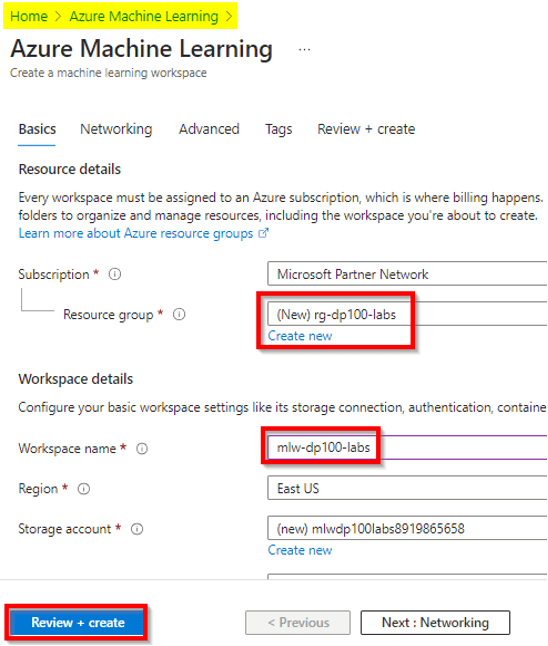
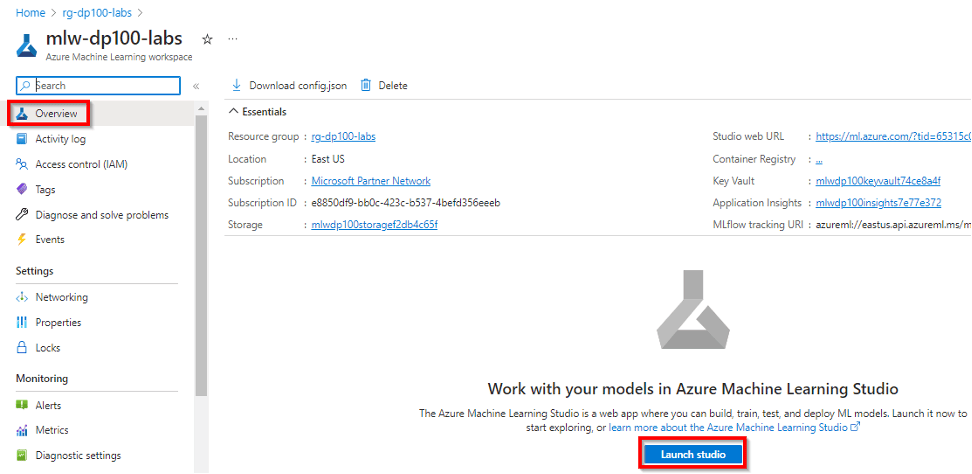
This module introduces you to the Azure Machine Learning workspace, a comprehensive platform for training and managing machine learning models. You’ll create and explore a workspace, learning its core capabilities and various tools available. Key activities include provisioning the workspace, exploring Azure Machine Learning Studio, authoring a training pipeline, creating compute targets, running training pipelines, and managing job histories. The lab culminates with deleting the resources to avoid unnecessary costs.
Features
- Workspace Creation: Azure portal, storage account, key vault, application insights.
- Azure ML Studio: Interface, Authoring, Assets, Manage.
- Training Pipeline: Designer tool, model training.
- Compute Targets: Instances, and clusters for workloads.
2) Explore developer tools for workspace interaction
3) Make data available in Azure Machine Learning
4) Work with compute resources in Azure Machine Learning
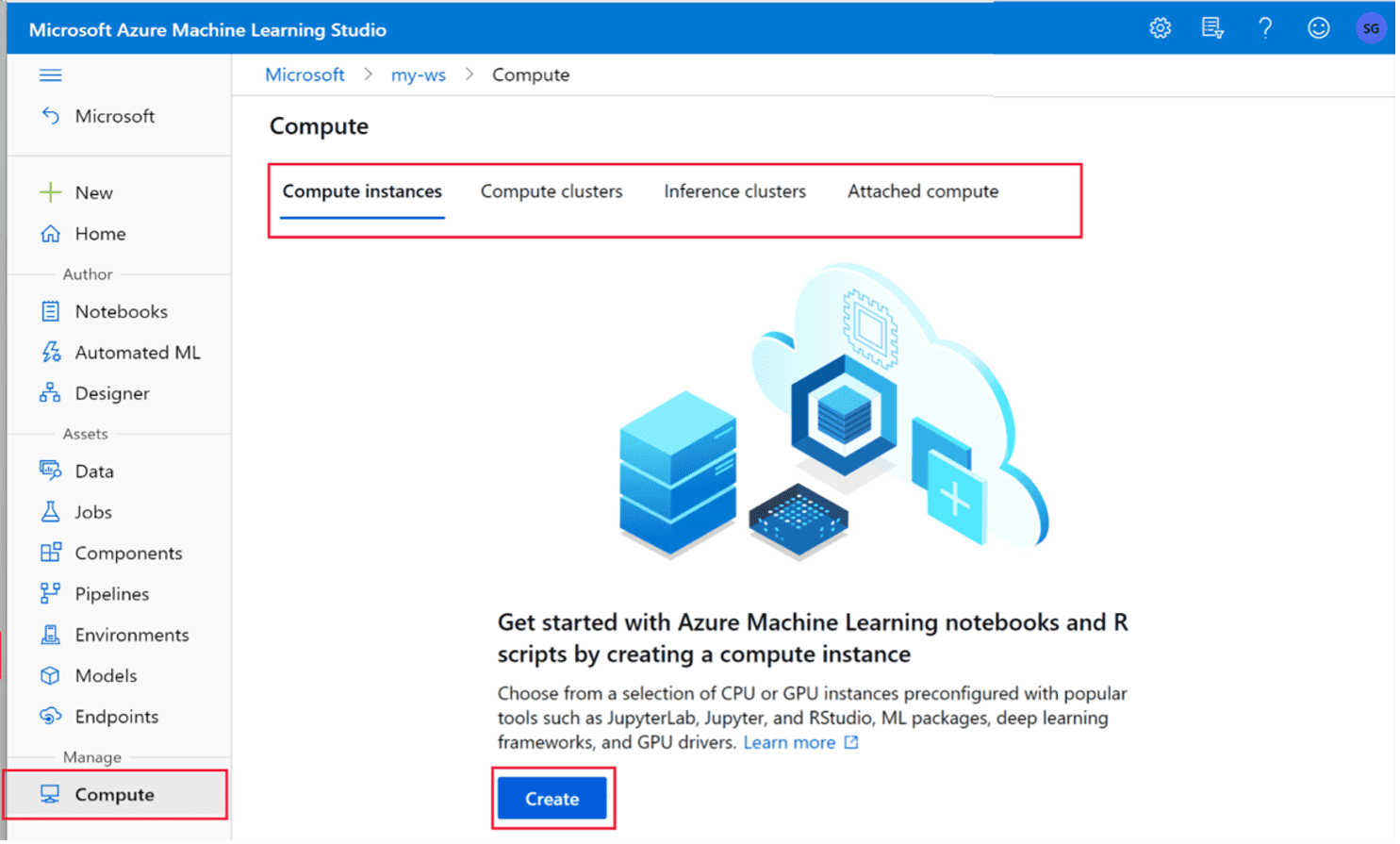
This module teaches you how to use scalable, on-demand compute resources in Azure Machine Learning to run experiments and production code. You’ll provision a workspace, create and configure compute instances and clusters, and use the Python SDK to run scripts. The lab emphasizes using cloud compute for cost-effective processing of large data. Finally, you’ll delete resources to avoid unnecessary costs.
Features
- Compute Instance: Create with setup script for development.
- Compute Cluster: Use for production, created via Python SDK.
- Notebook Execution: Configure and run notebooks on compute instances.
- Resource Cleanup: Delete resources to avoid costs.
5) Work with environments in Azure Machine Learning
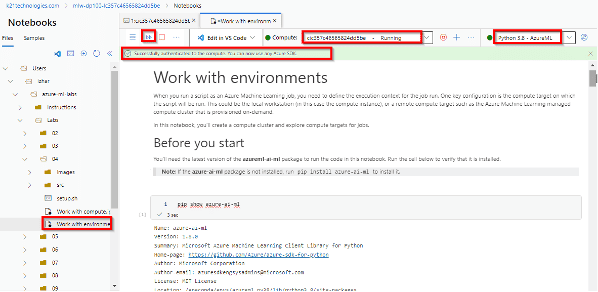
This module teaches you how to manage environments in Azure Machine Learning. Environments specify the runtimes and Python packages needed to run notebooks and scripts. You’ll learn to create and use environments when training models on Azure Machine Learning compute. The lab involves provisioning a workspace, setting up compute resources, and using the Python SDK to manage environments.
Features
- Compute Resources: Set up and verify instances and clusters.
- Python SDK: Manage environments for training models.
- Environment Configuration: Specify runtimes and packages.
6) Train a model with the Azure Machine Learning Designer
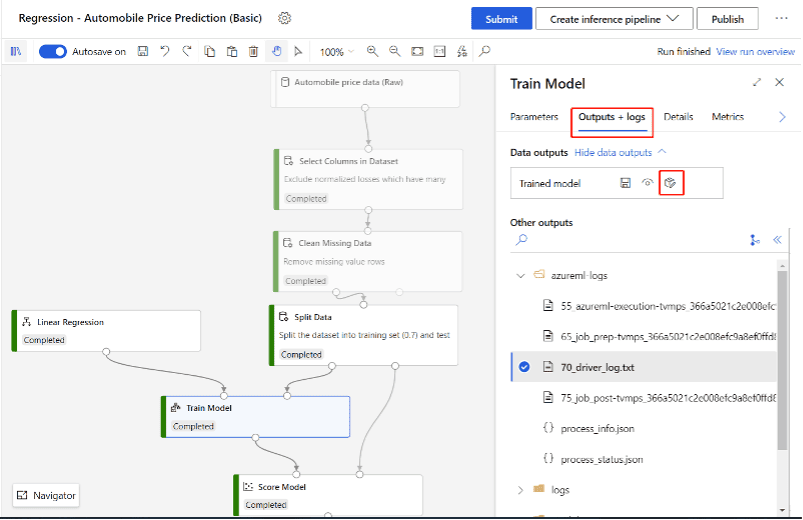
This module demonstrates how to use the Azure Machine Learning Designer to train and compare models using a drag-and-drop interface. You’ll learn to create workflows for training models and compare multiple classification algorithms. The lab involves provisioning a workspace, setting up a compute cluster, creating and configuring pipelines, and evaluating model performance.
Features
- Compute Cluster: Set up and verify cluster for running pipelines.
- Designer Interface: Drag and drop components to create training pipelines.
- Pipeline Configuration: Create and configure pipelines for training models.
- Model Comparison: Train and compare multiple algorithms.
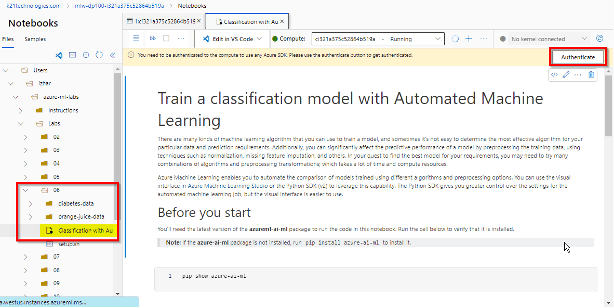
7) Find the best classification model with Automated Machine Learning
This module shows how to use automated machine learning to determine the optimal algorithm and preprocessing steps by performing multiple training runs in parallel. You’ll provision a workspace, set up compute resources, and use the Python SDK to train a classification model. The lab helps automate the process of selecting the best model and evaluating its performance.
Features
- Compute Resources: Set up and verify compute instances and clusters.
- Python SDK: Configure and submit automated machine learning jobs.
- Model Training: Perform multiple training runs to find the best model.
- Job Tracking: Monitor job status and review trained models.
8) Track model training in notebooks with MLflow
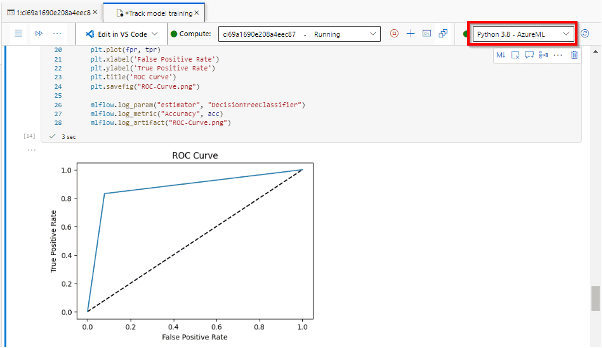
This module explains how to use MLflow tracking within a notebook running on a compute instance to log model training. You’ll learn to track experiments and keep an overview of the models you train and their performance. The lab involves provisioning a workspace, setting up compute resources, and using the Python SDK to configure MLflow for tracking model training.
Features
- Workspace Setup: Provision a workspace using Azure CLI and Shell script.
- Compute Instance: Set up and verify the instance for running notebooks.
- Python SDK & MLflow: Install and configure for tracking model training.
- Notebook Execution: Track and log model training in notebooks.
- Job Review: Monitor jobs created during model training.
9) Run a training script as a command job in Azure Machine Learning
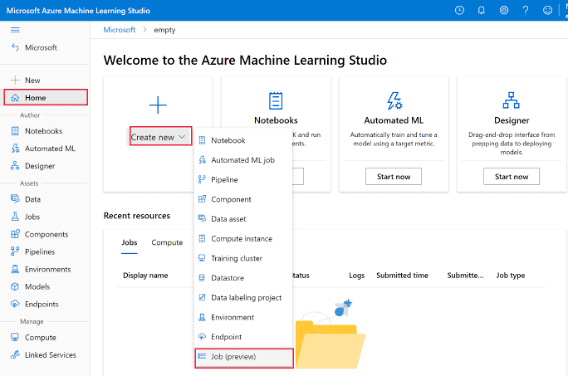
This module demonstrates how to transition from developing a model in a notebook to running a training script as a command job for production. You’ll test the script in a notebook, convert it to a script, and then run it as a command job. The lab involves provisioning a workspace, setting up compute resources, and using the Python SDK to manage command jobs.
Features
- Workspace and Compute Setup: Use Azure CLI and Shell script to provision.
- Script Conversion: Convert notebooks to scripts for production use.
- Function-Based Scripting: Structure scripts with functions for easier testing.
- Terminal Testing: Verify scripts in the terminal before running as jobs.
10) Use MLflow to track training jobs
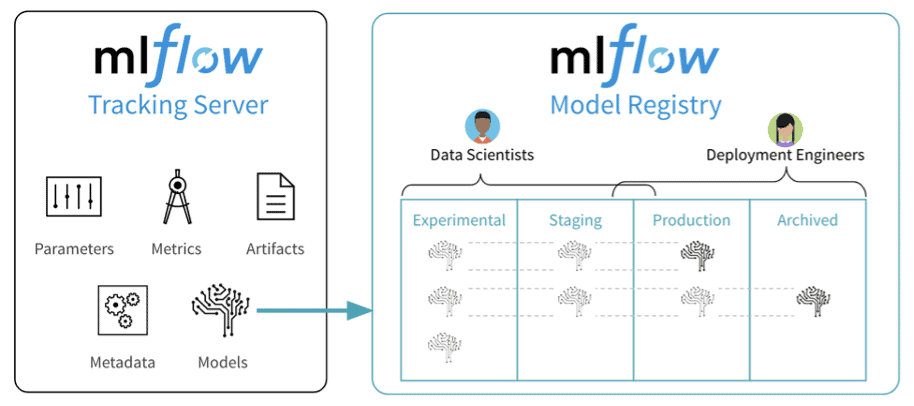
This module introduces MLflow, an open-source platform for managing the end-to-end machine learning lifecycle, specifically its tracking component. You’ll learn to use MLflow to log and track training job metrics, parameters, and model artifacts when running a command job. The lab involves setting up a workspace, configuring compute resources, and using the Python SDK to submit and track MLflow jobs.
Features
- Workspace Setup: Provision a workspace using Azure CLI and Shell script.
- Compute Configuration: Set up compute instances and clusters.
- MLflow Integration: Use MLflow to track model parameters, metrics, and artifacts.
- Notebook Execution: Submit jobs from notebooks using MLflow.
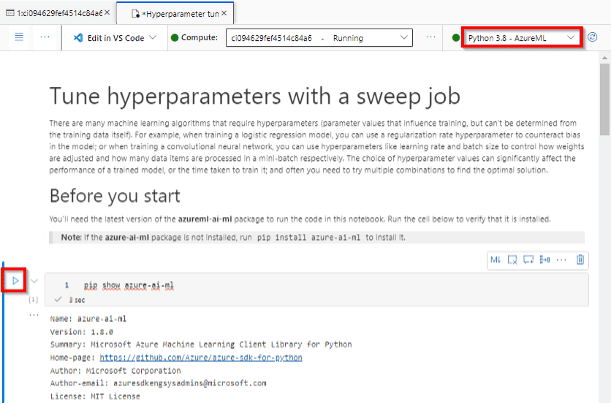
11) Perform hyperparameter tuning with a sweep job
12) Run pipelines in Azure Machine Learning
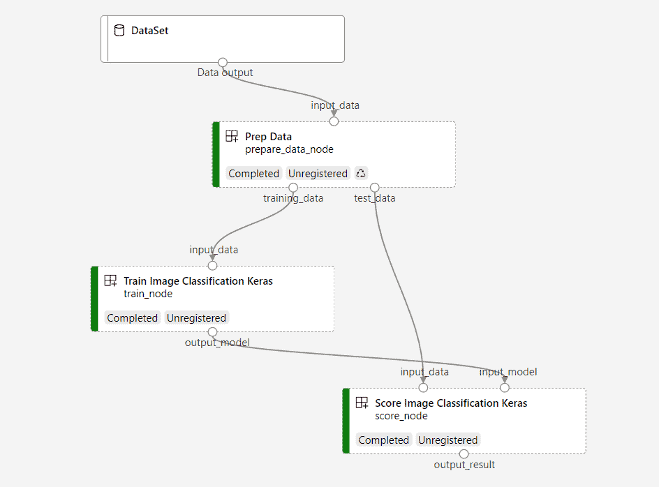
This module demonstrates how to use the Python SDK to create and run pipelines in Azure Machine Learning. Pipelines help orchestrate steps like data preparation, running training scripts, and more. You will run multiple scripts as a pipeline job, leveraging the automation and scalability of Azure Machine Learning.
Features
- Workspace Provisioning: Set up a workspace using Azure CLI and Shell script.
- Compute Resources: Configure and verify compute instances and clusters.
- Pipeline Creation: Use Python SDK to build and submit pipelines.
- Script Orchestration: Automate multiple tasks in a pipeline job.
13) Create and explore the Responsible AI dashboard
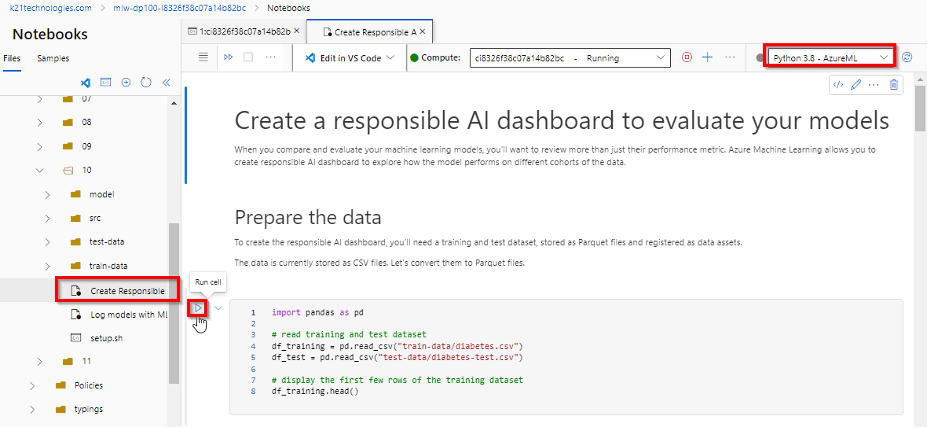
This module teaches you how to create and use the Responsible AI dashboard in Azure Machine Learning. The dashboard helps you evaluate your model’s performance and identify any bias or unfairness in the data and predictions. You will prepare your data, create a Responsible AI dashboard, and analyze the results.
Features
- Responsible AI Dashboard: Use the dashboard to evaluate model performance and fairness.
- Pipeline Creation: Create a pipeline to evaluate models using the Python SDK.
How are model explainers used to interpret models?
Model explainers help interpret complex machine learning models by providing insights into how predictions are made. Tools like SHAP and LIME analyze feature importance, showing which inputs most influence model outputs. They make black-box models more transparent by highlighting patterns and relationships within the data, aiding in debugging, trust building, and regulatory compliance. Explainability ensures stakeholders understand the model’s decision-making process, making it easier to align AI solutions with business goals and ethical standards. This is crucial in sensitive applications like healthcare and finance.
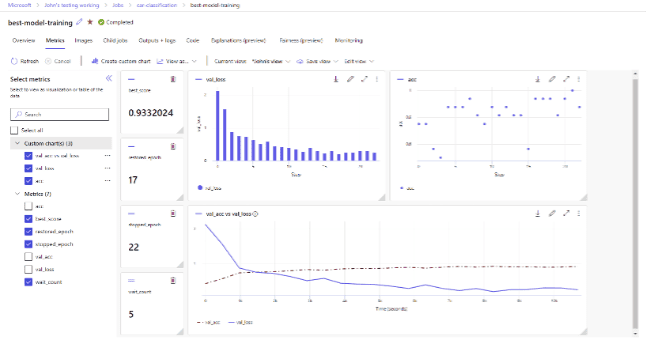
14) Log and register models with MLflow
15) Deploy a model to a batch endpoint
This module demonstrates how to deploy an MLflow model to a batch endpoint in Azure Machine Learning. Batch inferencing allows you to score a large number of cases using a predictive model. You will deploy the model, test it on sample data, and submit a job for batch processing.
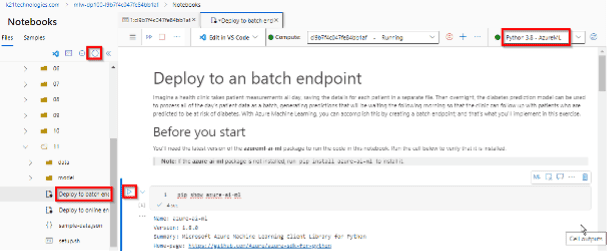
Features
- Batch Endpoint: Deploy an MLflow model to a batch endpoint.
- Model Testing: Test the deployed model on sample data.
- Job Submission: Submit a job for batch inferencing.
16) Deploy a model to a managed online endpoint
This module explains how to deploy an MLflow model to a managed online endpoint for real-time predictions in an application. The deployment process is simplified as you don’t need to define the environment or create the scoring script. You will deploy the model and test it on sample data.
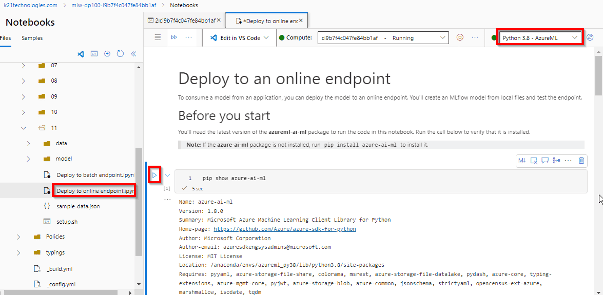
Features
- Compute Resources: Configure and verify compute instances and clusters.
- Online Endpoint: Deploy an MLflow model to a managed online endpoint.
- Real-time Predictions: Enable real-time inferencing for applications.
- Notebook Execution: Use a notebook to deploy and test the model.
Related or References.
- Join Our Generative AI Whatsapp Community
- Azure AI/ML Certifications: Everything You Need to Know
- Azure GenAI/ML: Step-by-Step Activity Guide (Hands-on Lab) & Project Work
- [DP-100] Microsoft Certified Azure Data Scientist Associate: Everything You Must Know
- AI-900: Azure AI Fundamentals: Everything You Need To Know
- Microsoft Azure AI Fundamentals [AI-900]: Step By Step Activity Guides (Hands-On Labs)
- Automated Machine Learning | Azure | Pros & Cons
- Object Detection and Tracking in Azure Machine Learning
- Azure Machine Learning Studio
- Azure Cognitive Services (Overview & Types)
Next Task: Enhance Your Azure AI/ML Skills


![Microsoft Agentic AI Business Solutions Architect [AB-100] | K21 Academy](https://test.k21academy.com/wp-content/uploads/2025/11/Microsoft-Agentic-AI-Business-Solutions-Architect-AB-100-Exam-Overview1.png)



