
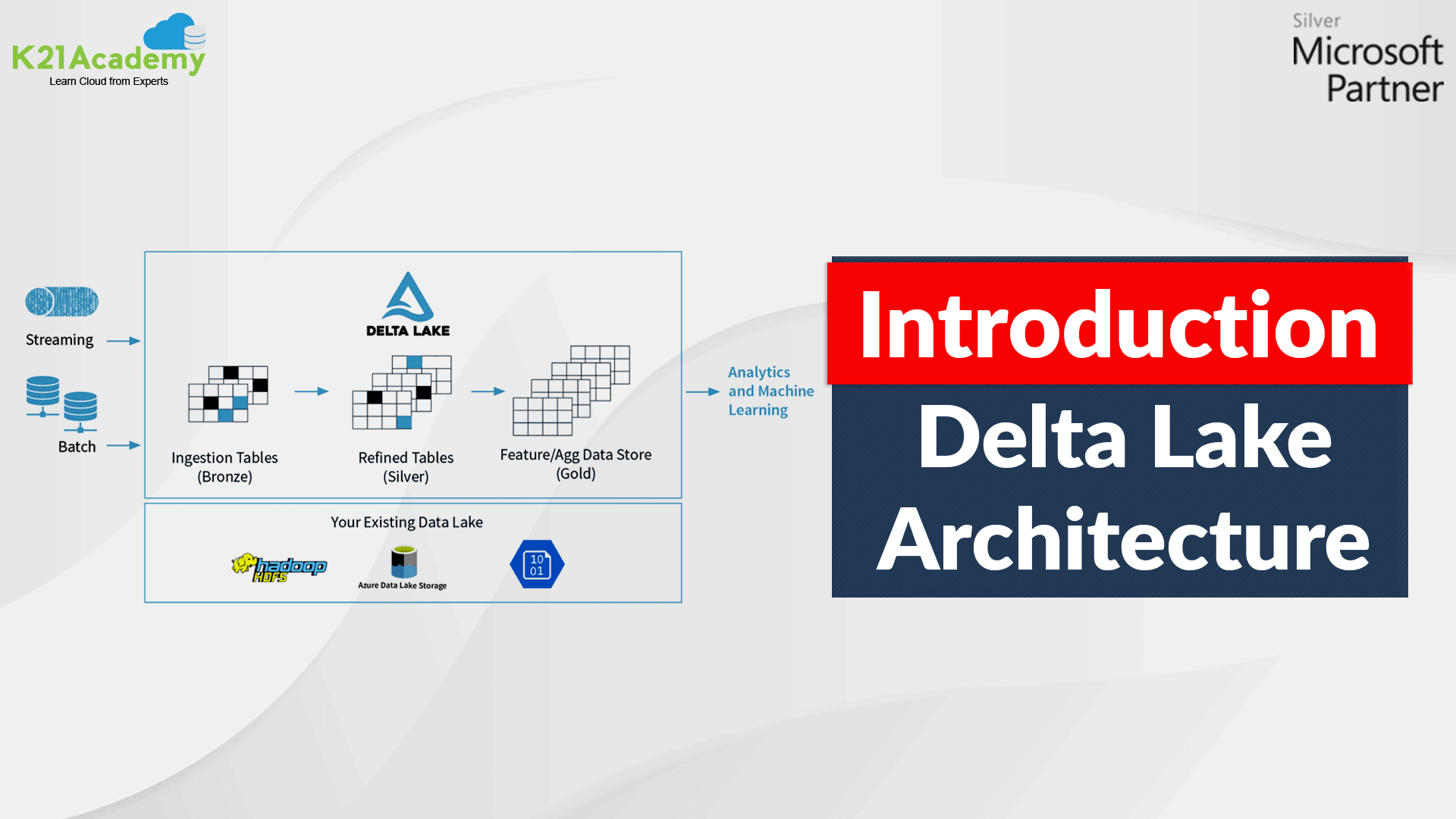





What Is Delta Lake? | Delta Lake Architecture | Perform Batch and Stream Processing with Delta Lake | Deploy An Azure Databricks Workspace | Create A Cluster | Perform batch and stream processing
This blog post covers process streaming and batch data with Delta Lake, Azure Databricks Delta Lake architecture that you’ll learn in Data Engineering on Microsoft Azure [DP-203].
“To ensure low latency and reliability within unified Streaming + Batch data pipelines use Delta Lakes as an optimization layer on top of blob storage”.
What Is Delta Lake?
- Delta Lake is an open-source storage layer that ensures reliability to data lakes.
- It is designed specifically to work with Databricks File System (DBFS) and Apache Spark.
- It provides unifies streaming and batch data processing, ACID transactions, and scalable metadata handling.
- It stores your data as Apache Parquet files in DBFS and maintains a transaction log that accurately tracks changes to the table.
- It makes data ready for analytics.
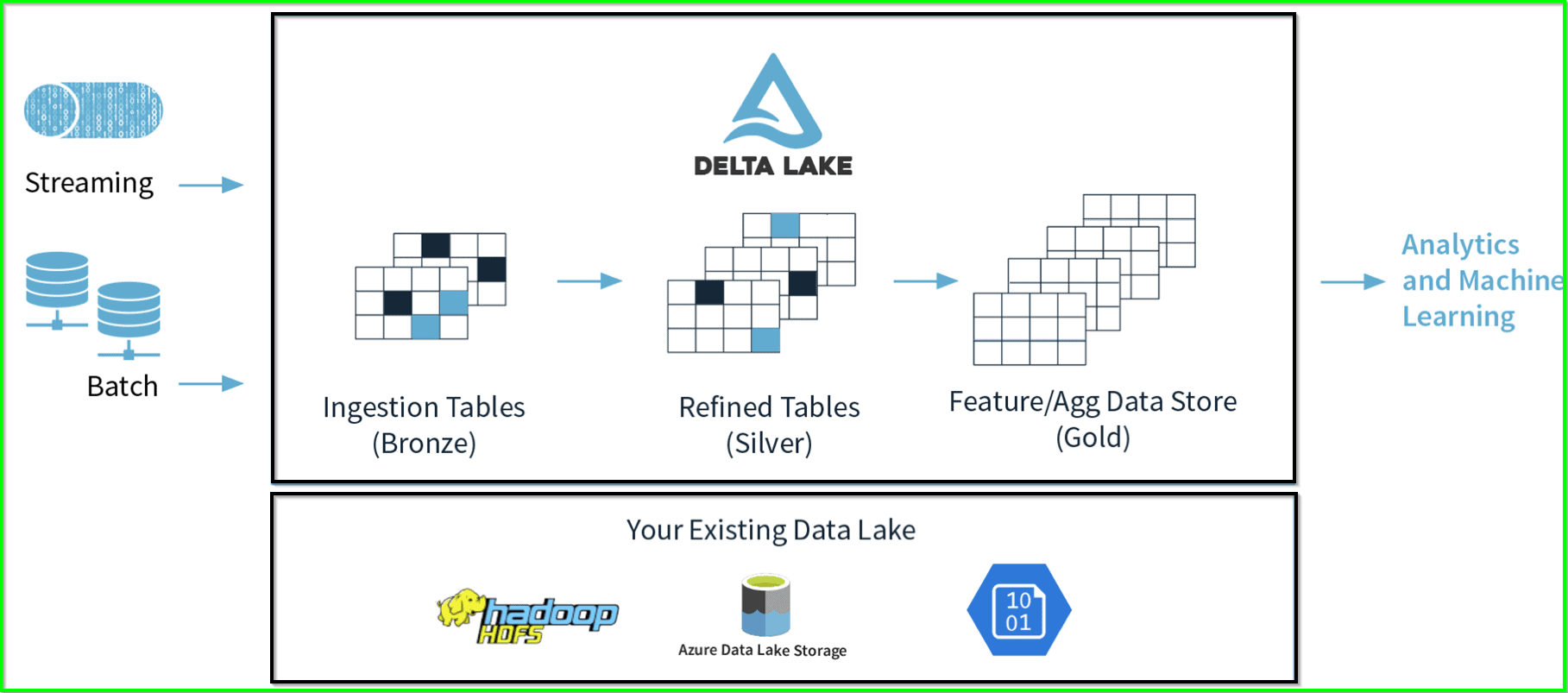
An example of Delta Lake Architecture might be as shown in the diagram above.
- Many IoT or sensors devices generate data across different ingestion paths.
- Streaming data can be ingested from Event Hub or IoT Hub.
- Batch data can be ingested by Azure Databricks or Azure Data Factory.
- Extracted, transformed data is loaded into a Delta Lake.
Also Check: Our blog post on Azure Data Factory Interview Questions.
Delta Lake Architecture Diagram
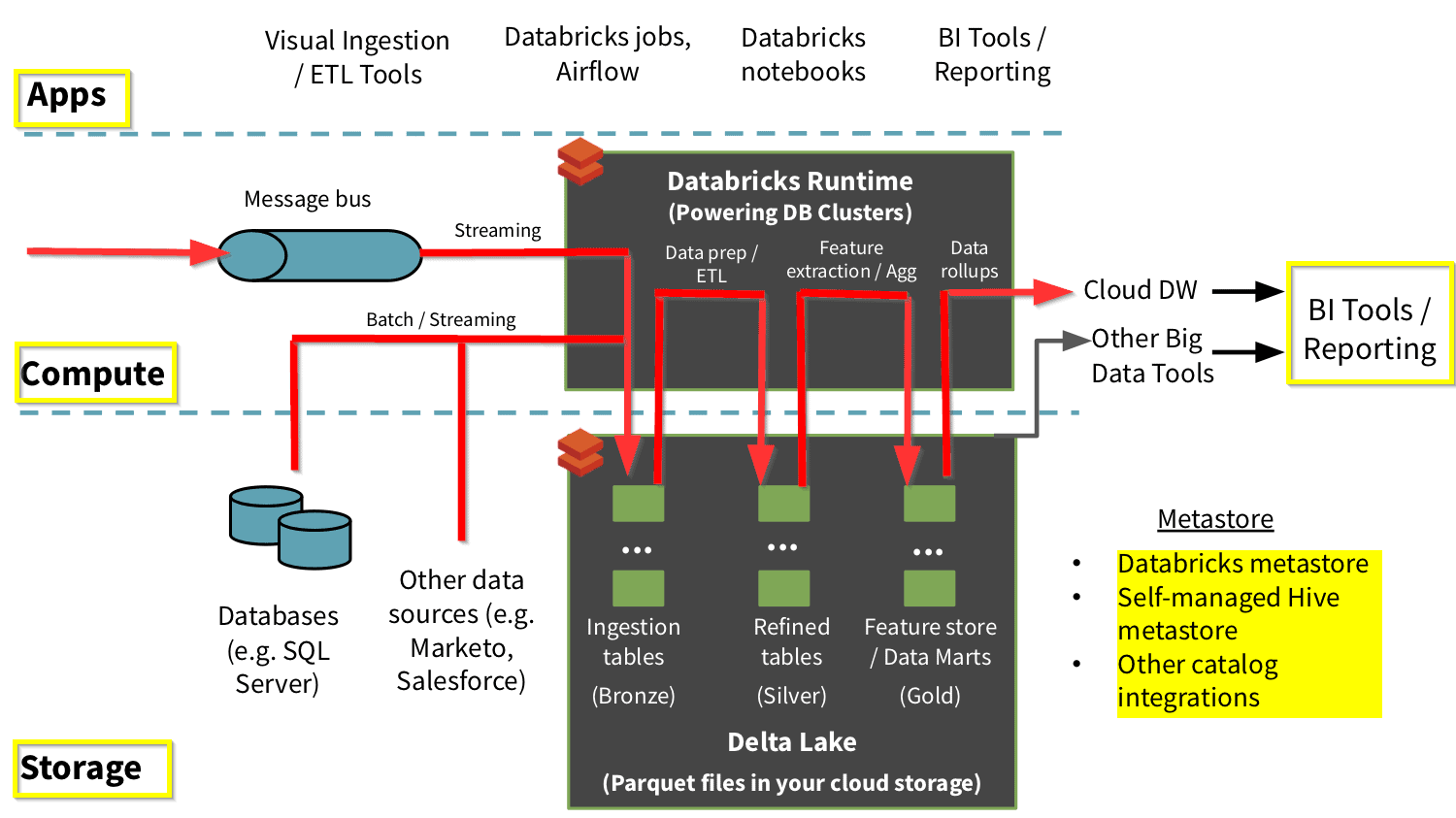
- The Delta Lake Architecture is a massive improvement upon the conventional Lambda architecture.
- At each stage, we improve our data through a connected pipeline that allows us to combine streaming and batch workflows through a shared file store with ACID-compliant transactions.
- We organize our data into layers or folders as defined as bronze, silver, and gold as follows:
- Bronze tables have raw data ingested from various sources (RDBMS data, JSON files, IoT data, etc.).
- Silver tables will give a more refined view of our data. We can join fields from various bronze tables to improve streaming records or update account statuses based on recent activity.
- Gold tables give business-level aggregates often used for dashboarding and reporting. This would include aggregations such as weekly sales per store, daily active website users, or gross revenue per quarter by the department.
- The end outputs are actionable insights, dashboards, and reports of business metrics.
To download the complete DP-203 Azure Data Engineer Associate Exam Questions guide click here.
Perform Batch And Stream Processing With Delta Lake
You need to have access to an Azure Databricks workspace to perform Structured Streaming with batch jobs by using Delta Lake.
1) You’ll need an active Azure account for this lab. If you do not have created it yet, you can sign up for a free trial.
Deploy An Azure Databricks Workspace
1) Sign in to the Azure portal.
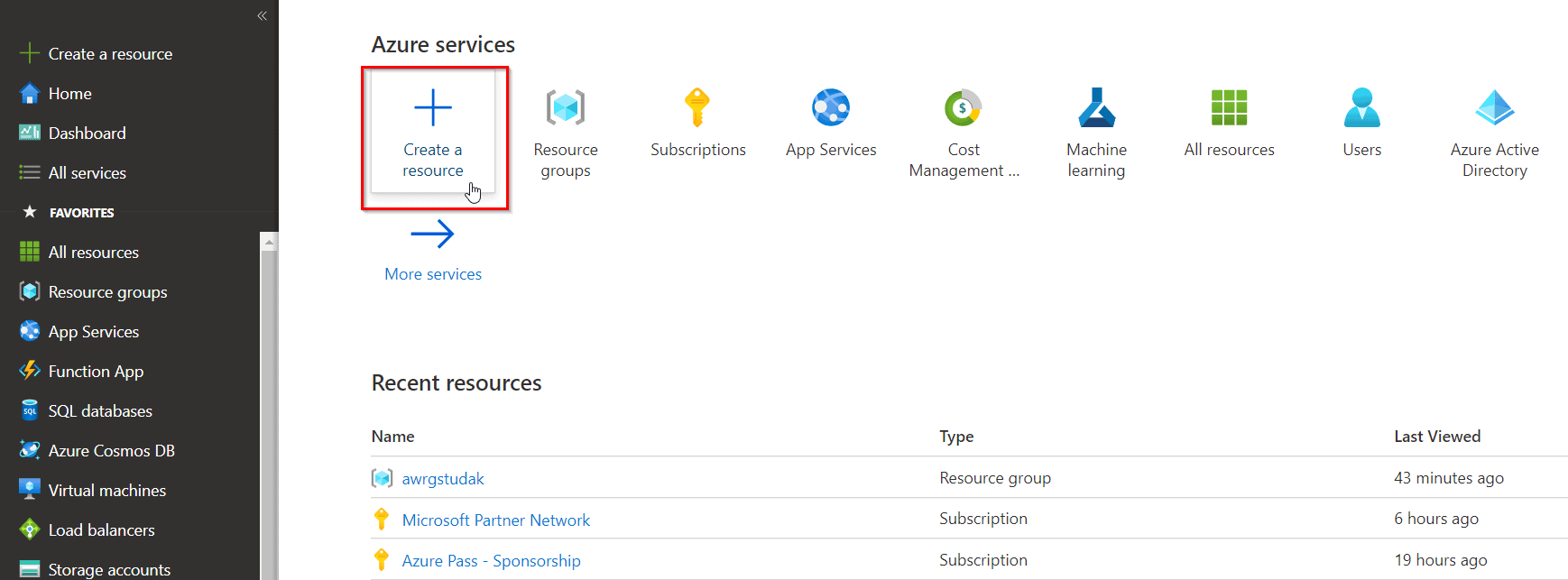
2) When you’ve signed in to the Azure portal, then click on the + Create a resource icon.
3) In the New screen, click the Search the Marketplace text box, and type the word Azure Databricks. Click on Azure Databricks from the options that appear.
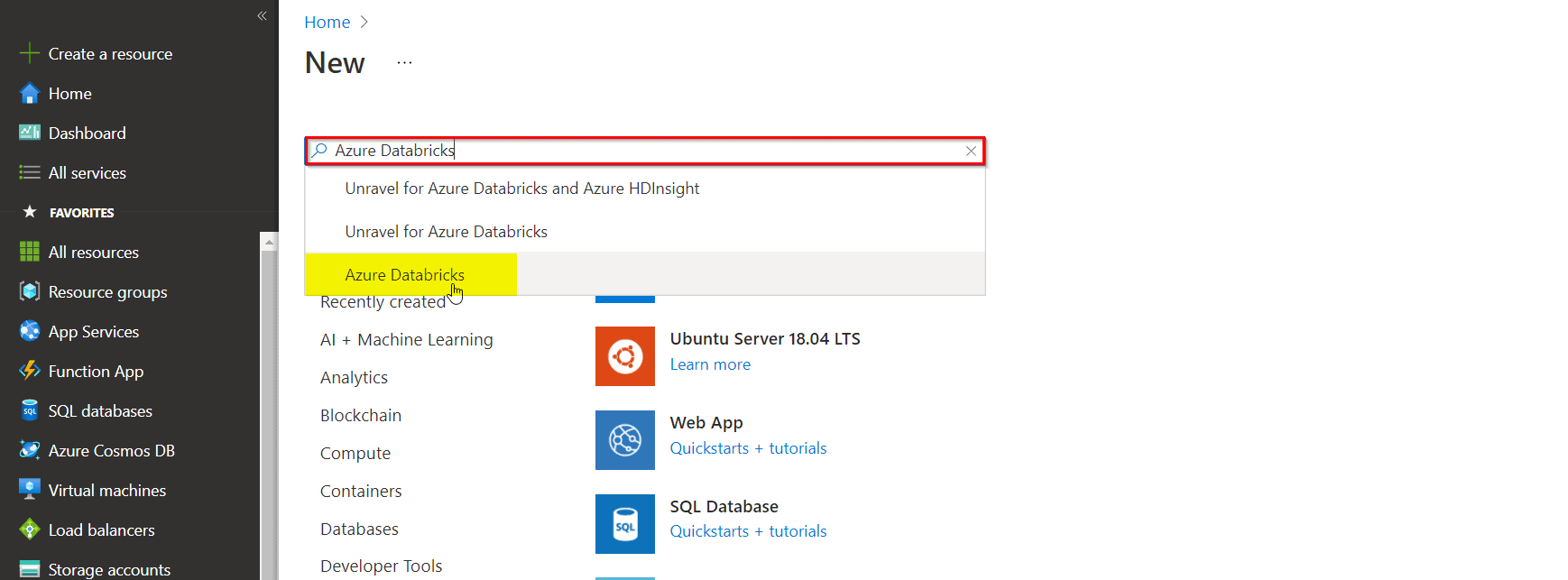
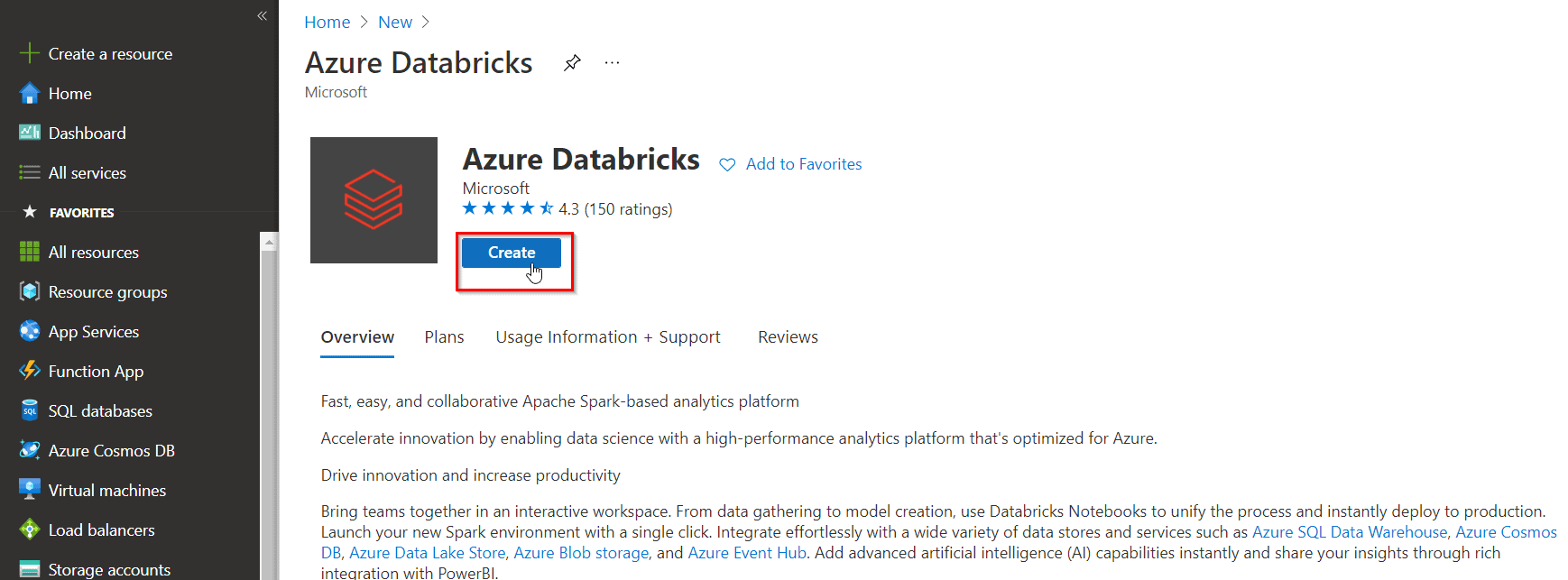
4) In the Azure Databricks blade, click Create.
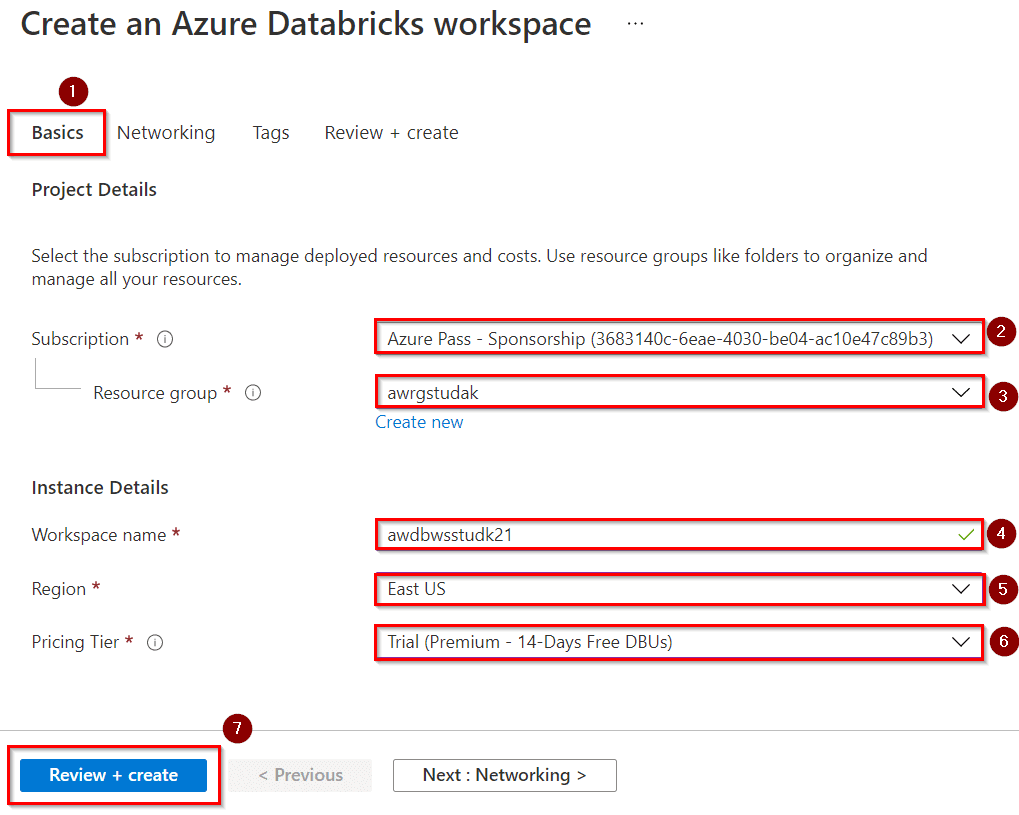
5) In the Azure Databricks Service blade, create an Azure Databricks Workspace with the following settings:
- Workspace name: awdbwsstudxx, where xx are your initials.
- Subscription: Choose the subscription that you are using in this lab.
- Resource group: awrgstudxx, where xx are your initials.
- Location: East US.
- Pricing Tier: Trial (Premium – 14 – Days Free DBUs)
- Click on Review + Create
6) In the Azure Databricks Service blade, click Create.
Create A Cluster
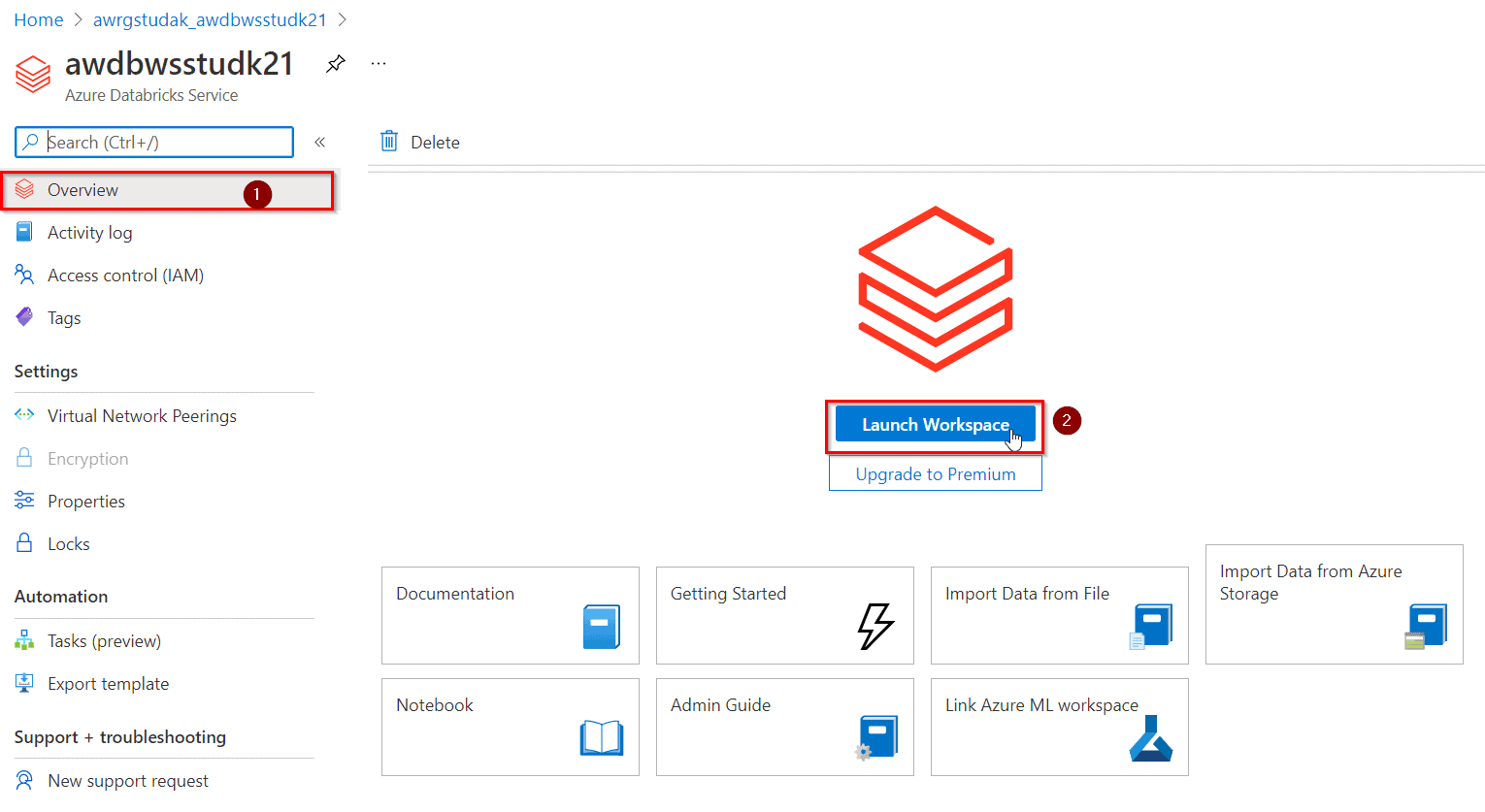
1) When your Azure Databricks workspace deployment is complete, select the link to go to the resource.
2) Click on the button Launch Workspace to open your Databricks workspace in a new tab.
3) In the left-hand menu of your Databricks workspace, select Clusters
4) Select Create Cluster to add a new cluster.
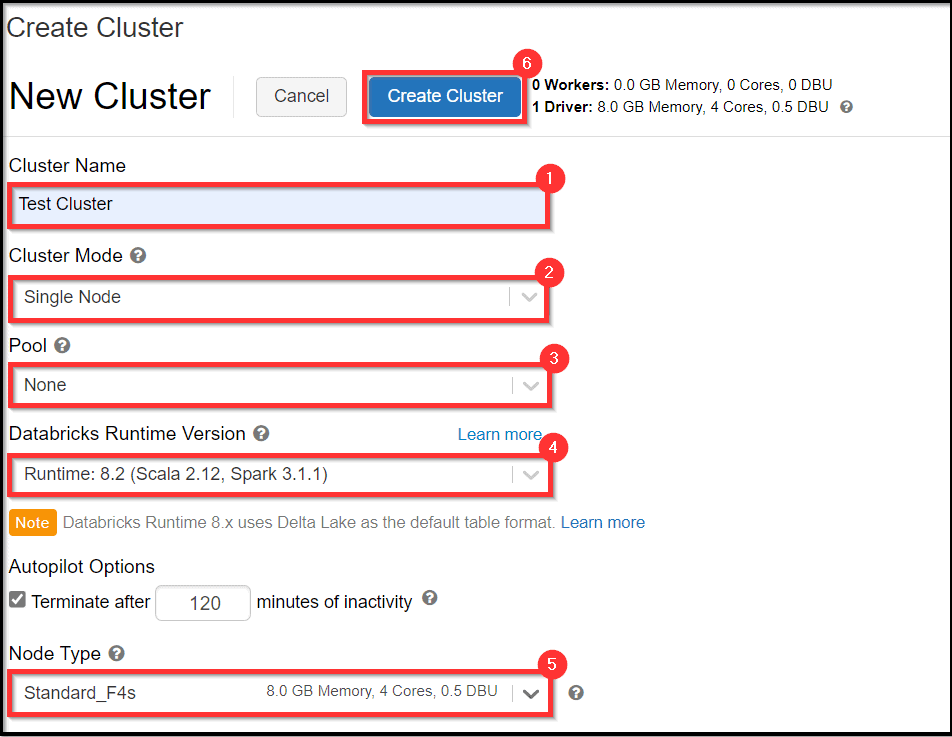
5) Select Create Cluster.
Perform Batch And Stream Processing
1) After the cluster is created, in the left pane, select Workspace > Users, and select your username (the entry with the house icon).
2) In the pane that appears, select the arrow next to your name, and select Import.
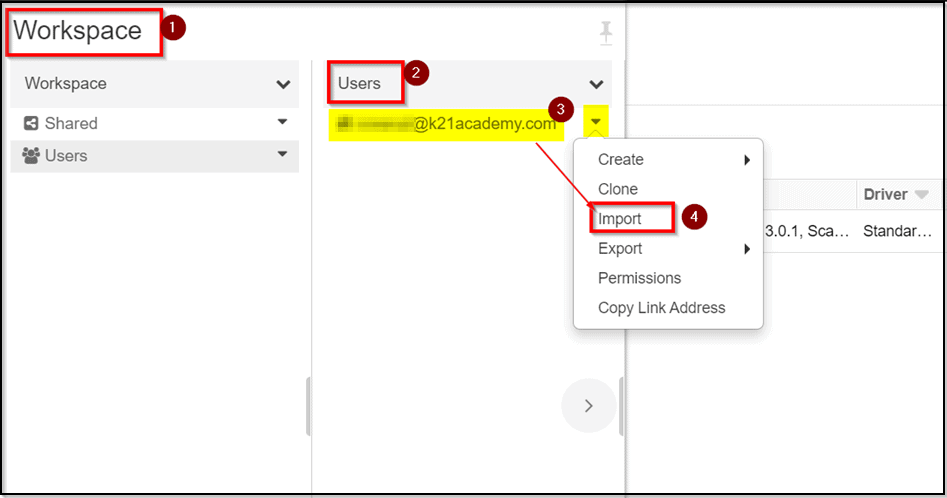
3) In the Import Notebooks dialog box, select the URL and paste in the following URL and click on Import.
https://github.com/solliancenet/microsoft-learning-paths-databricks-notebooks/blob/master/data-engineering/DBC/11-Delta-Lake-Architecture.dbc?raw=true
4) Select the 11-Delta-Lake-Architecture folder that appears. Open the 1-Delta-Architecture.
5) Run the notebook cells one by one and observe the result/output.
Within the notebook, you will explore combining streaming and batch processing with a single pipeline.
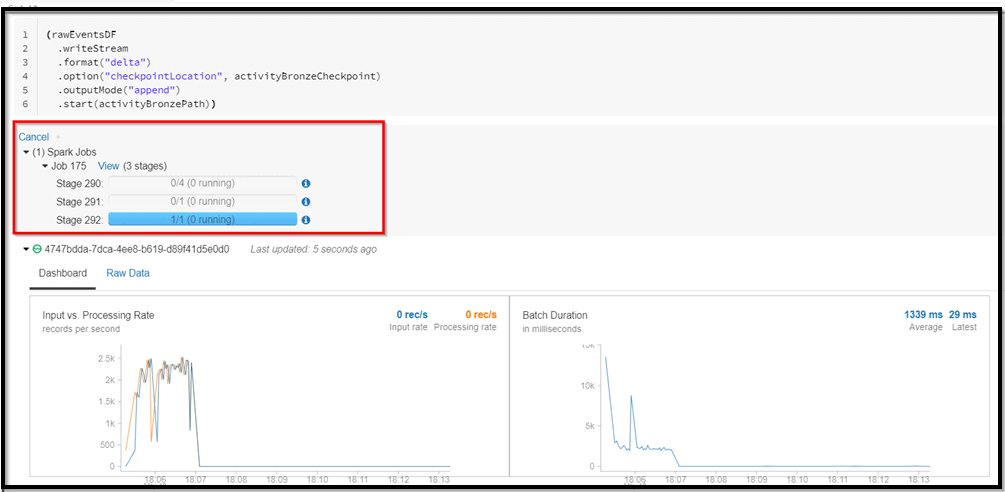
Note: After you have successfully run all the cells of the notebook, make sure to delete the DataBricks workspace to save the Azure credits.
Related/References
- Azure Data Lake For Beginners: All you Need To Know
- Azure Databricks For Beginners
- Batch Processing Vs Stream Processing: All you Need To Know
- Introduction to Big Data and Big Data Architectures
- Azure Data Engineer Interview Questions 2023
Next Task For You
In our Azure Data on Cloud Job-Oriented training program, we will cover 50+ Hands-On Labs. If you want to begin your journey towards becoming a Microsoft Certified Associate and Get High-Paying Jobs check out our FREE CLASS.


![Microsoft Agentic AI Business Solutions Architect [AB-100] | K21 Academy](https://test.k21academy.com/wp-content/uploads/2025/11/Microsoft-Agentic-AI-Business-Solutions-Architect-AB-100-Exam-Overview1.png)



