



This blog talks about Veracode and how it enables you to quickly and cost-effectively scan software for flaws and get actionable source code analysis results, helping you to build software securely at the speed of DevOps, providing application security in development, the release pipeline, and production.
The technologies that are covered in this blog are a part of the Azure DevOps environment. If it’s something in which you have an interest or you want to learn, then you can visit our previous blog to know more about the [AZ-400] Microsoft Azure DevOps certification.
Manage Your Entire Application Security Program In A Single Platform
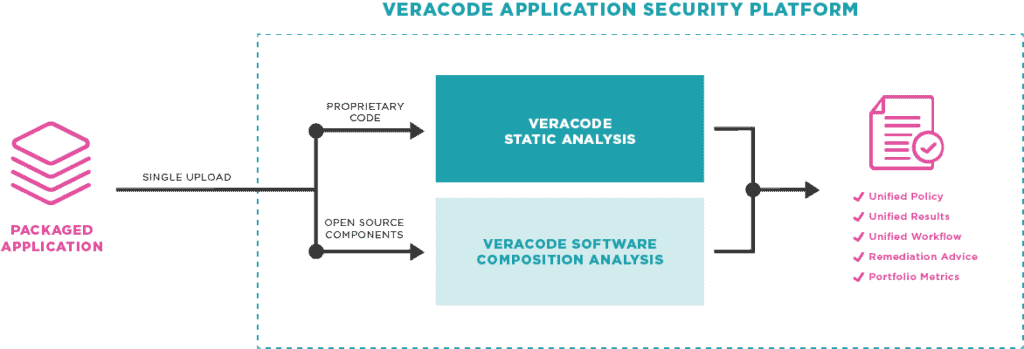
Veracode offers a holistic, scalable way to manage security risk across your entire application portfolio and is the only solution that can provide visibility into application status across all testing types, including SAST, DAST, SCA, and manual penetration testing, in one centralized view.
Veracode makes writing secure code with designed-for-developer tools, API and workflow integrations, and tips for fixing vulnerabilities and make security a seamless part of your development lifecycle without sacrificing speed or innovation.
With DevSecOps, more of the security responsibility shifts to developers. Veracode gives you security solutions that integrate with your development tools, so security becomes an invisible part of your development process.
Veracode’s automated security tools deliver fast, repeatable, and actionable results, without the noise of false positives. This tool integrates into existing development toolchains enabling you to quickly identify and remediate security flaws early in your process and without adding needless steps to the software lifecycle, so you can continue creating high-quality and secure software.
Also check: Azure Free Exam Voucher in Microsoft Ignite 2020
Key Benefits Of Using Veracode
- Integrate application security into the development tools you already use: From within Azure DevOps and Team Foundation Server you can automatically scan code using the Veracode Application Security Platform to find security vulnerabilities, import any security findings that violate your security policy as work items, and even optionally stop the build if serious security issues are found.
- Don’t stop for false alarms: Because Veracode gives you accurate results and prioritize them based on severity, you won’t need to waste resources dealing with hundreds of false positives. We have assessed over 2 trillion lines of code in 15 languages and 70+ frameworks, and we get better with every assessment due to our rapid update cycles and continuous improvement processes. And, if something does get through, just mitigate it using the easy Veracode workflow.
- Align your AppSec practices with your development practices: Do you have a large or distributed development team? Are you drowning in revision control branches? You can integrate your Azure DevOps workflows with the Veracode Developer Sandbox, which supports multiple development branches, feature teams, and other parallel development practices.
- Don’t just find vulnerabilities, fix them: Veracode gives you remediation guidance with each finding as well as the data path that an attacker would use to reach the weak point in the application. Veracode also highlights the most common sources of vulnerabilities to help prioritize remediation. In addition, when vulnerability reports don’t provide enough clarity, you can set up one-on-one developer consultations with our experts who have backgrounds in both security and software development. Show-stopping security findings show up in your teams’ list of work items automatically and are automatically updated and closed once you scan your fixed code.
- Proven onboarding process allows for scanning on day one: Want to get started quickly? The cloud-based Veracode Application Security Platform is designed to be instantly on and easy to use so that you can get started in minutes. Veracode’s services and support team can get you going quickly and make sure that you are on track to build application security into your process.
Check out: Azure Support Plans to know all the options available
Demo of Veracode Scanning A Code
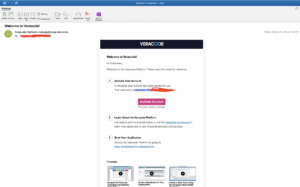
Step 1: We have to get the Veracode details from them such as the login and other details from the welcome email sent from the Veracode team.
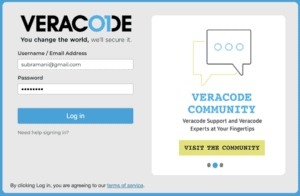
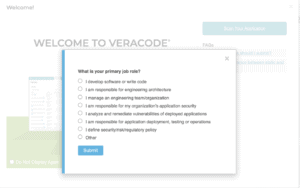
Step 2: Once after we get the login details then we need to sign in using this URL and then we may see this screen below.
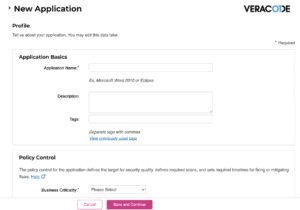
Step 3: Once after we login, we have an option to create our own project for our demo analysis.

Do Check: Our Blog on git secrets scanning.
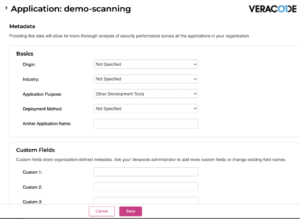
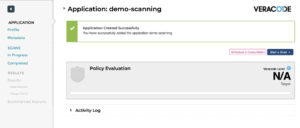
Step 4: Once we register the demo project, we will be able to see the below screen.

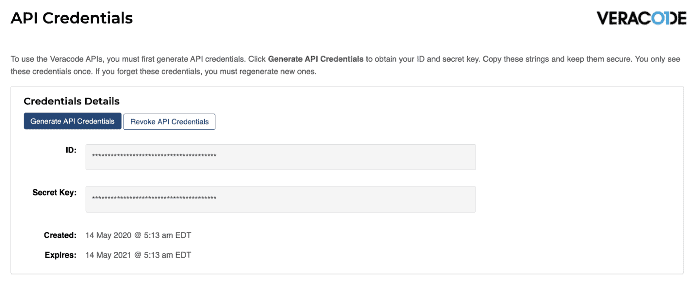
Step 5: Now the next step is to create an API key from the Veracode and then add it as part of the CICD using Azure DevOps.
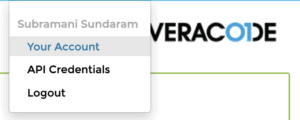
Step 6: Click on the API Credentials and Generate the new code as part of the CICD process.
Step 7: Now, our next step is to create an Azure DevOps Plugin from the Marketplace.
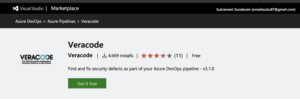
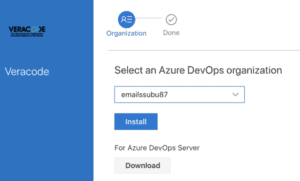
Note: You Can Read Our Blog on Azure Pipelines vs Jenkins.
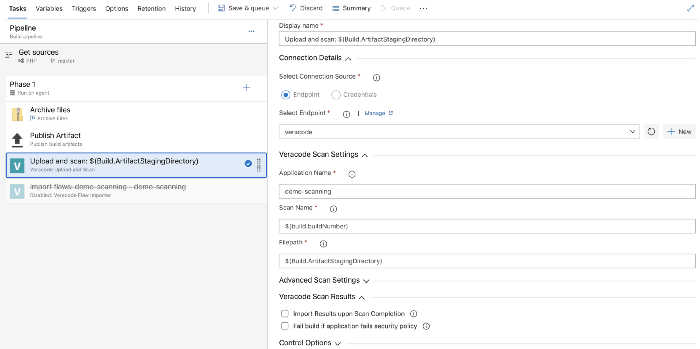
Step 8: Next is to log in to Azure DevOps and create a new CI pipeline and then include this Veracode task.
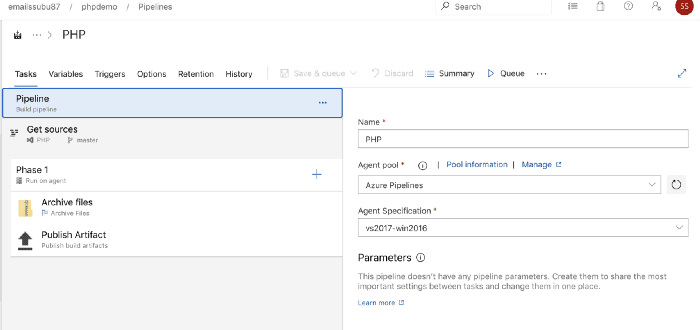
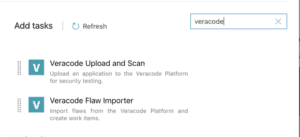
Step 9: Next, we need to create a new Service Endpoint to integrate our Azure DevOps with Veracode.
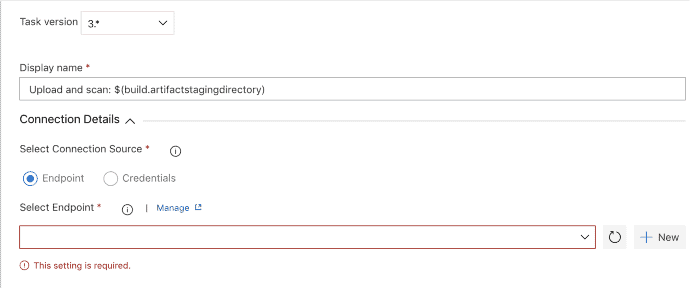
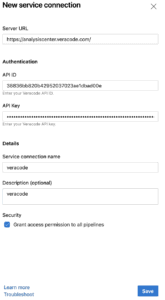
Also Check: What is the difference between Rugged DevOps and DevSecOps.
Step 10: Now, let’s start the CI pipeline, and then the Veracode scanning will take place while during the CI pipeline.
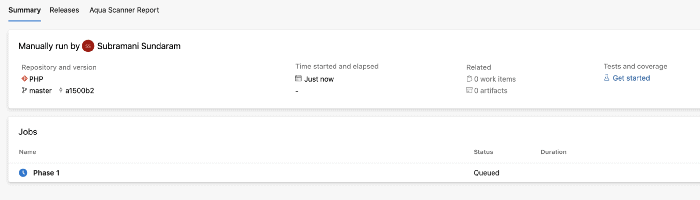
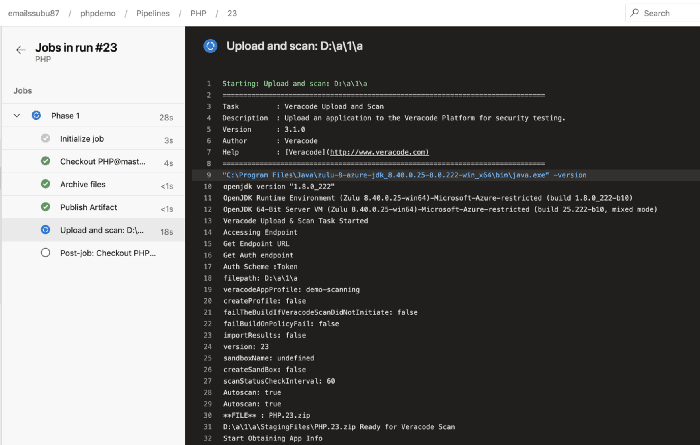
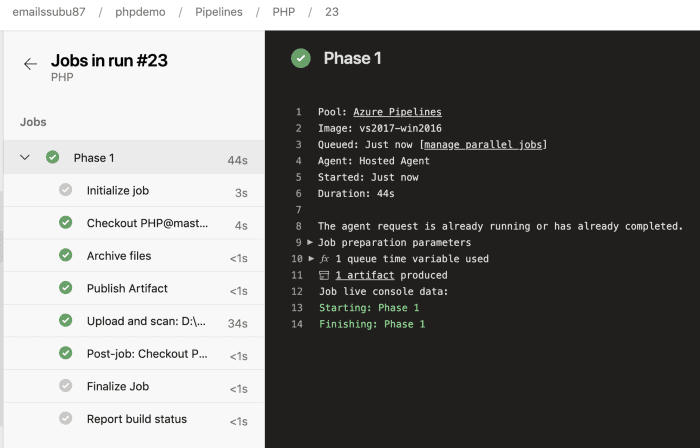
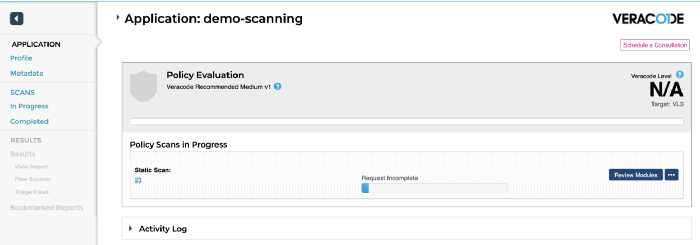
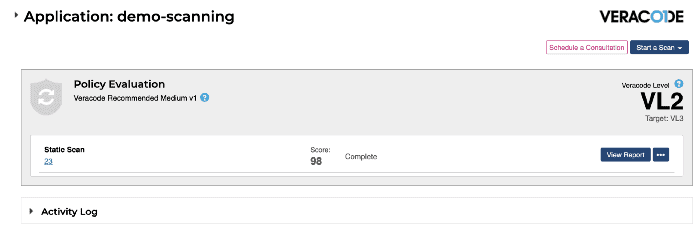
Step 11: Now when we go to the Veracode Screen, we can see that the scanning is happening there and once after the scanning is completed we can download the reports accordingly.
Read More: About DevOps Environment. Click here
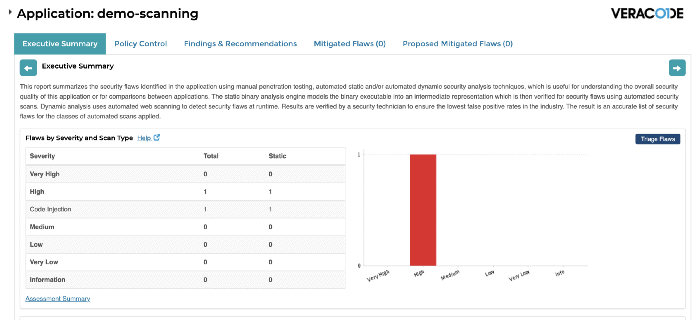
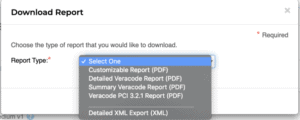
Step 12: Now we can go to that view report and check the detailed analysis on that page and we have also an option to download if needed as PDF.

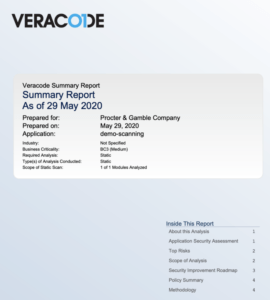
Note: Check out Blog Post on Azure Policy Compliance.
Based on this report we can decide whether the code has to go to release or not.
This is the easy way to use Veracode Static Scanning.
Related/References
- [AZ-400] Microsoft Azure DevOps Certification Exam: Everything You Need To Know
- [AZ-400] Azure DevOps Certification Path
- [AZ-400] Azure DevOps Services for Beginners
- [AZ-400] Designing and Implementing Microsoft DevOps Solutions [Official Page]
- SonarCloud Azure DevOps | Integrating SonarCloud In Azure
- Veracode – SourceClear SCA Analysis
- [AZ-400] Monitor Azure With Grafana
- ServiceNow Integration With Azure DevOps
- Using Azure Key Vault Secrets In A Pipeline
- [AZ-400] DevSecOps And Tools
Next Task For You
Begin your journey toward Mastering Azure Cloud and landing high-paying jobs. Just click on the register now button on the below image to register for a Free Class on Mastering Azure Cloud: How to Build In-Demand Skills and Land High-Paying Jobs. This class will help you understand better, so you can choose the right career path and get a higher paying job.


![Microsoft Agentic AI Business Solutions Architect [AB-100] | K21 Academy](https://test.k21academy.com/wp-content/uploads/2025/11/Microsoft-Agentic-AI-Business-Solutions-Architect-AB-100-Exam-Overview1.png)


