
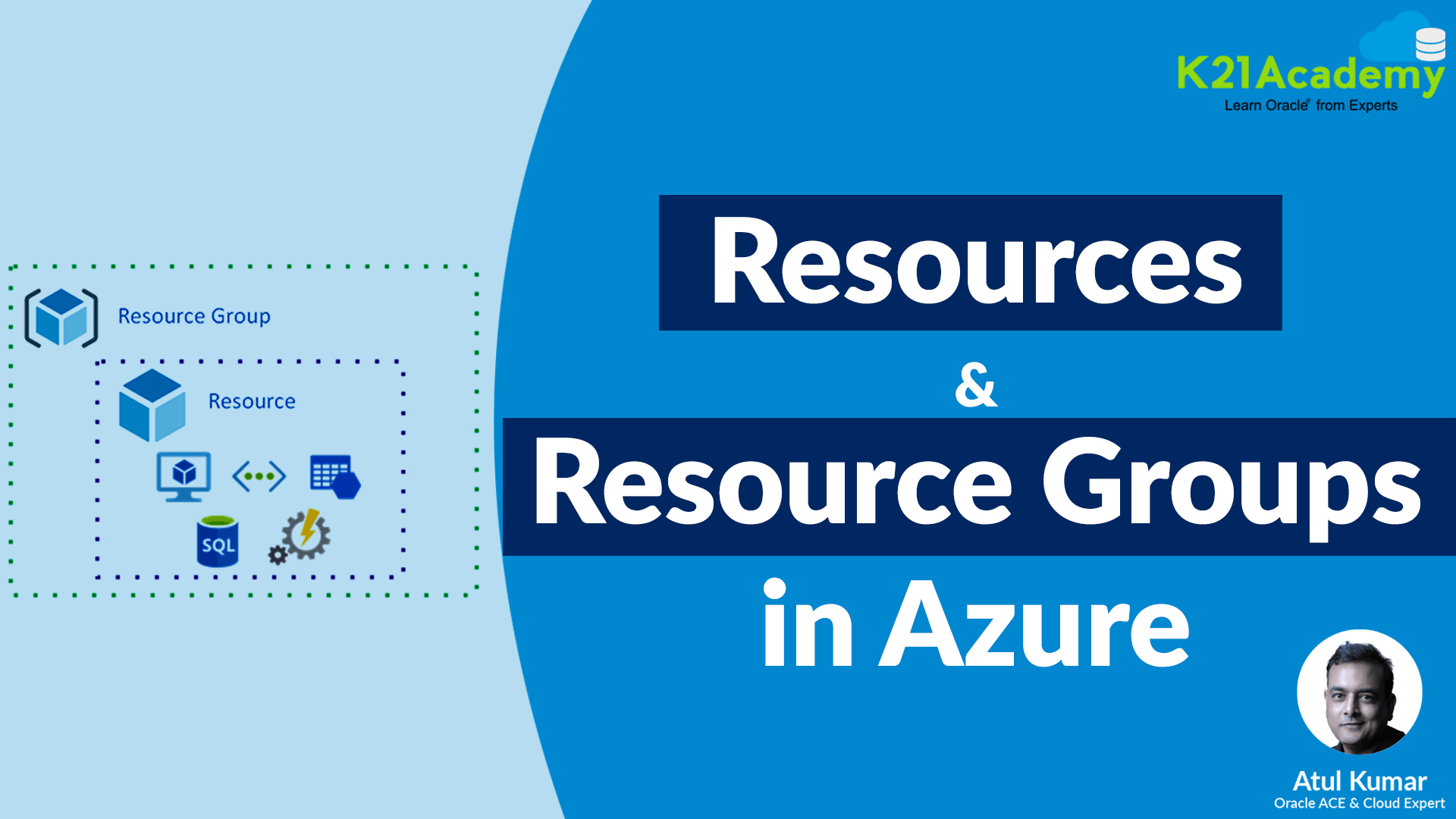





Microsoft Azure offers a wide range of services and resources for building, deploying, and managing cloud applications. To organize and manage these resources effectively, Azure uses Resource Groups and Managed Resource Groups. Additionally, Azure Resource Manager (ARM) and ARM Templates provide powerful tools for infrastructure automation. This blog explains these concepts and their differences to help you get started.
Topics covered in this blog are:
- What is Resource & Resource Group
- How To Create Azure Resource Group?
- What is Managed Resource Group?
- Features of Managed Resource Group
- Examples of Managed Resource Group
- Resource Group vs Managed Resource Group
- What Is Azure Resource Manager (ARM)?
- What Is The ARM Template?
- Frequently Asked Questions(FAQs)
What Is Resource & Azure Resource group?
In Azure:
-
Resource: A resource is a manageable item available through Azure, such as a virtual machine, storage account, virtual network, or database.
-
Azure Resource Group: A Resource Group is a container that holds related Azure resources for an application or service. It provides a way to manage and organize resources collectively. Resources in a resource group share the same lifecycle and can be deployed, updated, or deleted together.
For example, you might group a web app, its database, and storage account in the same resource group because they are part of the same solution.
How To Create Azure Resource Group?
1. Sign in to your Microsoft Azure Account.
2. On the Azure portal, search for and select Resource Groups.
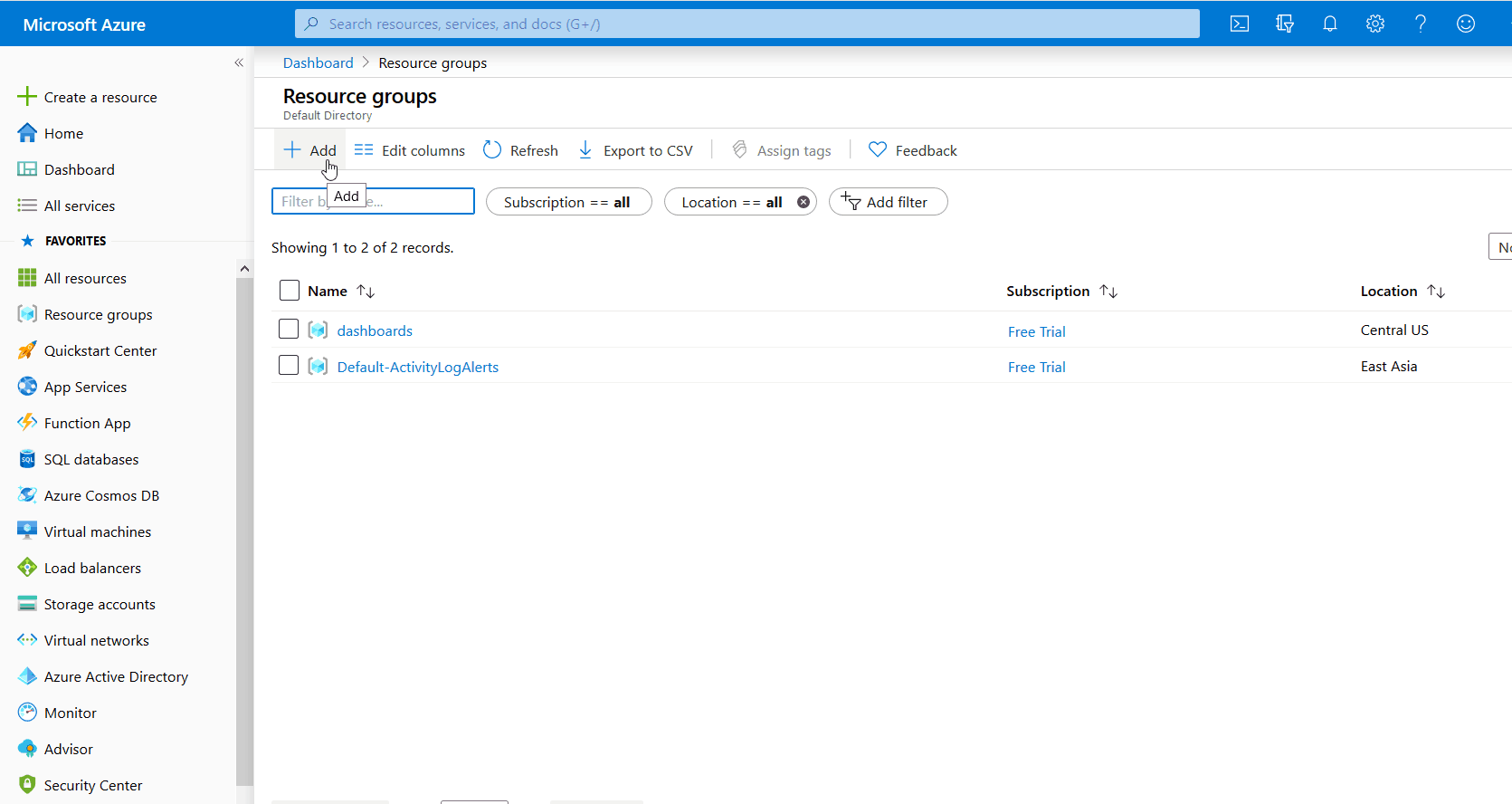
3. Select Add
4. Enter the following details:
- Subscription: Select your Azure subscription
- Resource group: Enter a new resource group name.
- Region: Select an Azure location, such as Western India, Central US, etc.
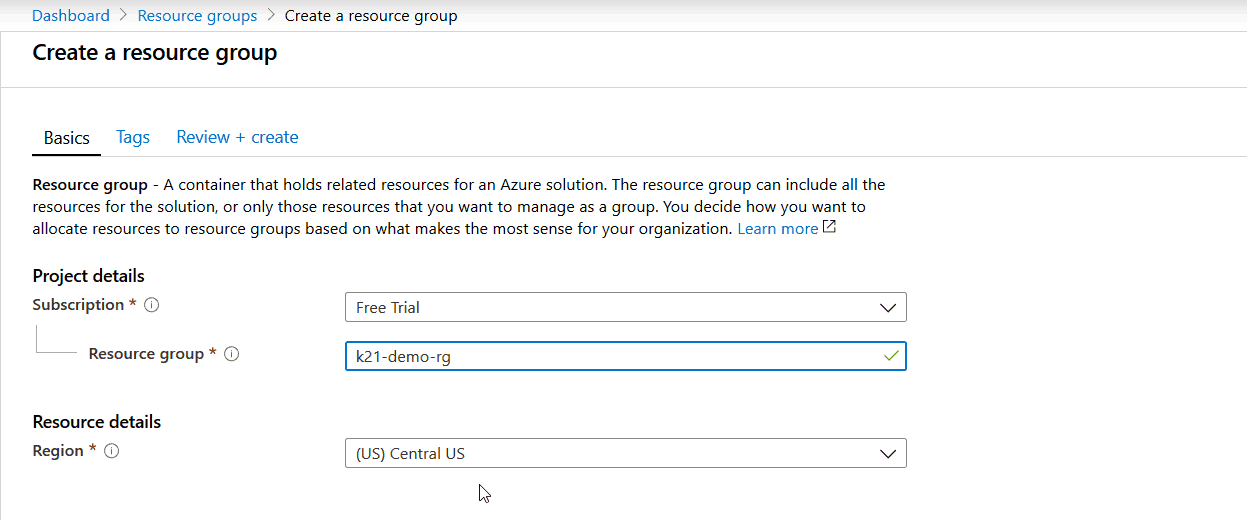
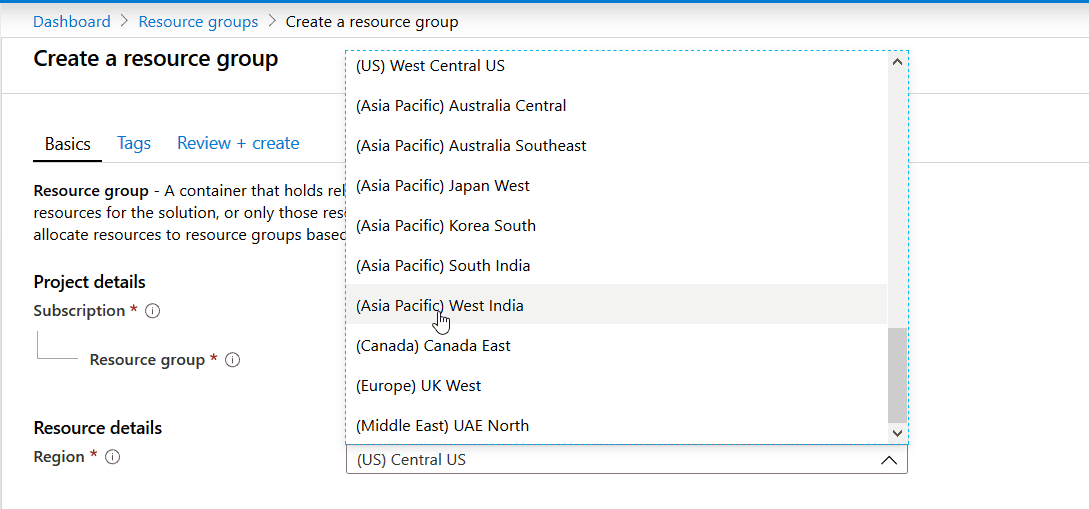
5. Select Create. It takes a few seconds to create a resource group.
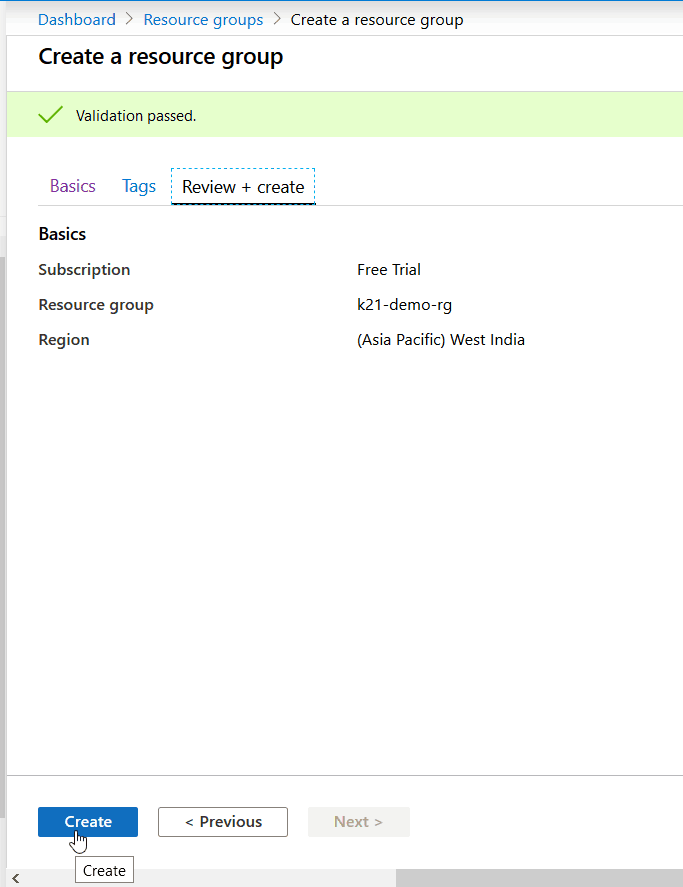
6. The Azure resource group is now created. You can view and manage it under Resource Groups.
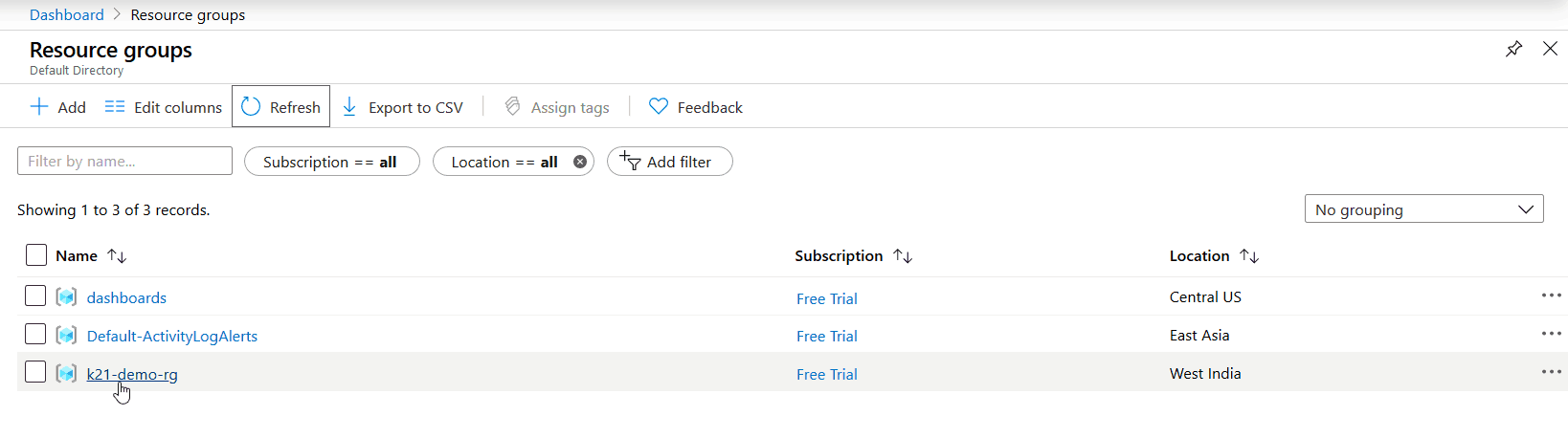
7. Now you can use this Resource Group to store your different Resources in your Azure Subscription.
Related Readings: Virtual Networks In Microsoft Azure: VNet Peering, ExpressRoute, VPN Gateway
What is Managed Resource Group?
An Azure Managed Resource Group is a specialized resource group created and managed automatically by Azure services to organize and maintain the resources necessary for those services. This type of resource group simplifies the deployment and management of complex services that require multiple interdependent resources.
This resource group contains all the resources required by the managed application. For example, this resource group includes the solution’s virtual machines, storage accounts, and virtual networks. The client has restricted access to this resource group since they do not control the individual resources for the managed application.
Related Readings: How to create and connect Windows Virtual Machine in Azure
Features of Managed Resource Group
- Automatic Creation: Azure services frequently build managed resource groups to house the resources required for their operation.
- Limited Access : Users often have limited access to these groups, focusing on controlling the whole service rather than specific resources inside it.
- Dependence on Parent Service: The parent service is required for the managed resource group to exist. Deleting the parent frequently leads in the elimination of the managed resource group.
Related Readings: Azure Availability Zones, Azure Regions, Availability sets, Fault & Update domain
Common Examples of Managed Resource Group
-
Azure Kubernetes Service (AKS): Creates a Managed Resource Group for cluster infrastructure.
-
Azure App Service Environment: Uses Managed Resource Groups to hold resources like internal load balancers.
-
Azure Virtual Machine Scale Sets (VMSS): Sometimes use Managed Resource Groups for underlying infrastructure.
Azure Resource Group vs Managed Resource Group
| Feature | Resource Group | Managed Resource Group |
|---|---|---|
| Creation | Manually created by user | Automatically created by Azure service |
| Ownership | User has full control | User has limited control |
| Purpose | Contains related resources for an application or service | Contains resources required for the parent service’s operation |
| Lifecycle | Managed by user | Managed by Azure service |
| Example | Contains VMs, storage, network resources | Used by Azure Synapse, Databricks, Managed Applications |
What Is Azure Resource Manager (ARM)?
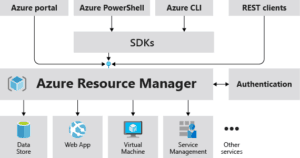
Azure Resource Manager (ARM) is the deployment and management service for Azure. It provides a consistent management layer that enables users to create, update, and delete resources in Azure in a coordinated and consistent manner. You can get yoour ARM template for the entire Azure Resource Group
Key benefits of ARM:
-
Declarative syntax for defining infrastructure.
-
Role-based access control (RBAC) for resource security.
-
Tagging resources for organization.
-
Grouping resources for easier management.
What Is The ARM Template?
An ARM Template is a JSON file that defines the infrastructure and configuration of your Azure solution declaratively. You can describe resources, their properties, dependencies, and configurations in the template.
Benefits of ARM Templates:
-
Automate deployments consistently.
-
Manage infrastructure as code.
-
Version control your Azure deployments.
-
Deploy multiple environments using the same template.

- To implement infrastructure as code for your Azure solutions, use Azure Resource Manager (ARM) templates.
- The template is a JavaScript Object Notation (JSON) file that defines the infrastructure and configuration for your project.
- The template uses declarative syntax, which lets you state what you intend to deploy without having to write the sequence of programming commands to create it.
- In the template, you specify the resources to deploy and the properties for those resources.
Sample ARM Template

Related Readings: ARM Templates: Azure Resource Manager Template Tutorial
Frequently Asked Questions (FAQs):
Q1. What is the difference between resource group and subscription in Azure?
Answer: A subscription is your overall account for using Azure services, while a resource group is a way to organize and manage related resources within that subscription.
Q2. What is the primary purpose of a resource group?
Answer: The primary purpose of a resource group in Azure is to organize and manage related resources as a single unit.
Q3. What is the difference between Terraform and ARM template?
Answer:
- Use Terraform if you want a multi-cloud solution or prefer HCL language and modular reusable infrastructure code.
- Use ARM Templates if you want native Azure support with deep platform integration and are working exclusively within Azure.
Q4. What is the difference between a Bicep and ARM template?
Answer:
- Bicep is essentially a more developer-friendly and maintainable way to write infrastructure code for Azure, while ARM Templates are the underlying JSON files that Azure understands natively.
- Bicep improves productivity and reduces complexity but still fully supports everything ARM templates can do.
Related/References
- Learn how to create a Free Microsoft Azure Trial Account
- [AZ-900] Microsoft Azure Certification Fundamental Exam: Everything You Must Know
- Microsoft Azure Fundamentals [AZ-900] Exam Questions
- Top 3 Cloud Computing Service Models: SaaS | PaaS | IaaS
- Cloud Deployment Models: Everything about Public, Private and Hybrid
- Azure Fundamental Certification For Beginners: DP-900 vs AZ-900 | AI-900 vs AZ-900
Next Task For You
Begin your journey toward Mastering Azure Cloud and landing high-paying jobs. Just click on the register now button on the below image to register for a Free Class on Mastering Azure Cloud: How to Build In-Demand Skills and Land High-Paying Jobs. This class will help you understand better, so you can choose the right career path and get a higher paying job.


![Microsoft Agentic AI Business Solutions Architect [AB-100] | K21 Academy](https://test.k21academy.com/wp-content/uploads/2025/11/Microsoft-Agentic-AI-Business-Solutions-Architect-AB-100-Exam-Overview1.png)



