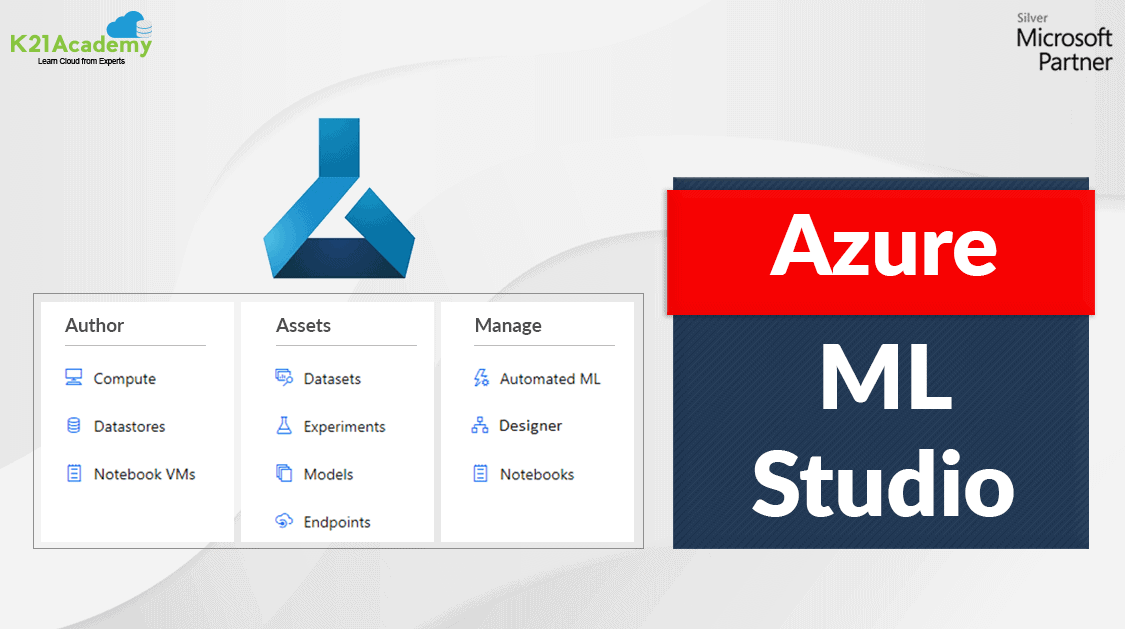




Azure Machine Learning is a Machine Learning service that helps to build and deploy models faster. These models are built and trained in Azure Machine Learning Studio.
In this post, we will learn more about Microsoft Azure Machine Learning Studio.
Topics Covered in this blog are:
What Is Azure Machine Learning Studio?
Azure ML Studio is a workspace where you create, build, and train machine learning models. It is a drag-and-drop tool (Azure Machine Learning Designer) where you can drag the data sets and further process the analysis of that data. It offers both no-code and low-code options for projects.
ML Studio (classic) was the first drag-and-drop tool which was a standalone service that offered a visual experience but it did not interoperate with Azure Machine Learning. It was released in 2015. ML Studio (classic) does not support Code SDKs, ML pipeline, or Automated model training and has a basic model for MLOPs and many other features missing that are a part of Azure Machine Learning Studio now.
Authoring Platforms Offered By Azure ML Studio
Azure Machine Learning Designer(preview) : It is a drag-and-drop tool where we can drop datasets and modules for creating ML pipelines.

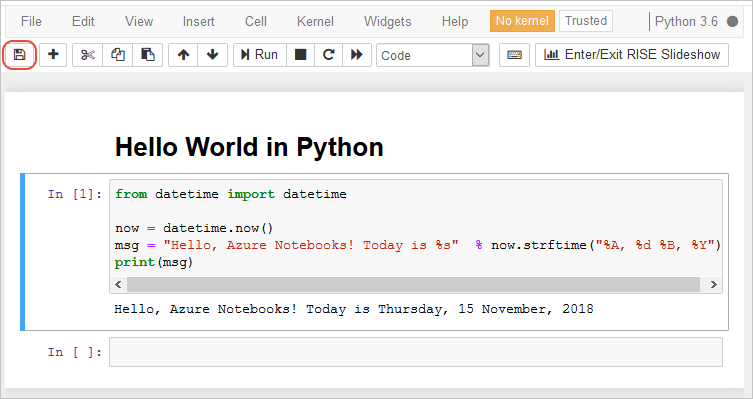
Notebook : Microsoft Azure ML Studio has Jupyter Notebook Servers which are directly integrated into the studio where you can write your own code.
Automated Machine Learning UI (preview) : It is an easy-to-use interface used for training and tuning the model.

Prompt Flow (Preview) : A visual interface to design, debug, and evaluate workflows for generative AI models. It helps in creating prompts, chaining tasks, and integrating APIs with minimal coding.

Features Of Azure Machine Learning Studio
- AutoML: Automates model selection, tuning, and feature engineering, saving time and improving efficiency.
- Pipelines: Enables reusable workflows for end-to-end ML processes.
- Experiment Tracking: Monitors parameters, metrics, and outputs across runs.
- Deployment: Simplifies deploying models as web services or edge solutions.
- Responsible AI: Provides fairness, interpretability, and bias detection tools.
- Scalability: Leverages Azure’s robust compute resources for training and deployment.
Architectural View Of Azure ML Studio
The Azure ML studio provides a view of all the artifacts in the workspace. We can get a detailed view of the details and results of our experiments, pipelines, datasets, models, etc.

Authoring Section :
| Feature | Description | Use Case |
|---|---|---|
| Notebooks | It is used to write and run code in integrated Jupyter notebooks. It is useful for any workspace and supports multiple languages including Python, R, F#, etc. | In academic research, notebooks facilitate sharing and reproducibility of experiments. Researchers can document their methodologies, visualize data, and share results with collaborators, enhancing transparency and collaboration. |
| Automated ML | It is used for training and tuning the model. In other words, it is a process of automating the iterative, time-consuming tasks of machine learning model development. | In marketing, Automated ML can be used to segment customers and predict churn. By analyzing customer behavior data, the tool can identify at-risk customers and suggest targeted interventions to retain them. |
| Designer | It is an interactive interface to connect datasets and modules to create machine learning models. | In the education sector, teachers can use Designer to create personalized learning experiences for students. By analyzing student performance data, the tool can suggest tailored lessons and activities to improve learning outcomes. |
| Prompt Flow | A feature for creating and managing workflows for generative AI models, allowing for the design and deployment of models that generate text based on prompts. | In content creation, Prompt Flow can be used to generate text for articles, social media posts, or creative writing. This can save time for writers and marketers, allowing them to focus on refining and personalizing content rather than starting from scratch. |
Assets Section:
| Category | Description | Use Case |
|---|---|---|
| Data | This involves gathering, processing, and analyzing datasets to train machine learning models. It includes ensuring data quality and relevance to the problem at hand. | In healthcare, patient data can be used to predict disease outbreaks or personalize treatments. By analyzing historical patient records, healthcare providers can identify patterns and trends, enabling them to make data-driven decisions that improve patient outcomes. |
| Jobs | These are the processes that execute tasks such as data processing, model training, or running data pipelines. They are crucial for automating and managing various operations in the machine learning workflow. | In financial services, jobs can automate trading strategies by processing real-time market data and executing trades based on pre-defined algorithms. This helps in optimizing portfolios and making timely investment decisions. |
| Components | These are reusable blocks of code or functionalities that streamline building machine learning pipelines. Components help modularize workflows, making it easier to manage and update. | In e-commerce, components can be used to build personalized recommendation systems. By analyzing user behavior and purchase history, the system can suggest products that are likely to interest the customer, enhancing the shopping experience and increasing sales. |
| Pipelines | These automate the workflow from data ingestion to model deployment, ensuring that each step is executed in the correct order and manner. | In manufacturing, pipelines can be used to detect equipment failures by processing sensor data and triggering maintenance alerts. This proactive approach reduces downtime and maintenance costs, improving overall operational efficiency. |
| Environments | These define the computing resources and software dependencies needed to run machine learning models, ensuring consistency and reproducibility. | In academic research, environments can be configured to ensure that experiments are run under identical conditions. This facilitates collaboration and reproducibility, allowing researchers to share their work and validate results. |
| Models | These are trained algorithms ready for deployment, capable of making predictions or classifications based on input data. | In the automotive industry, models are used to develop self-driving cars. By analyzing real-time data from sensors and cameras, these models can make decisions about steering, acceleration, and braking, enhancing vehicle safety and efficiency. |
| Endpoints | These provide access points for deploying models as web services, making them accessible for real-time predictions and interactions. | In customer service, endpoints can be used to deploy chatbots that handle customer inquiries 24/7. These chatbots can provide instant responses to common questions, improving response times and customer satisfaction. |
Also Check: The Step-by-step Activity Guide of Microsoft Azure AI Fundamentals
Manage Section :

| Category | Description | Use Case |
|---|---|---|
| Compute | Manages computational resources like clusters, virtual machines, and GPU-enabled compute instances used for training and inferencing. | In gaming, compute resources can train AI models for real-time player behavior prediction, ensuring optimal game balancing. |
| Monitoring | Tracks and visualizes metrics, logs, and performance of experiments, pipelines, and deployed models. | In fraud detection, monitoring helps track the accuracy and response time of models, ensuring effective identification of fraudulent transactions. |
| Data Labeling | Facilitates manual and automated labeling of datasets, crucial for supervised learning models. | In autonomous driving, data labeling is used to annotate road signs, vehicles, and pedestrians in images, improving the accuracy of vision models. |
| Linked Services (Preview) | Configures connections to external data sources like Azure Blob Storage or SQL databases to integrate data seamlessly. | In retail, linked services allow access to customer purchase history stored in a data lake, supporting targeted marketing campaigns through predictive models. |
| Connections | Manages secure configurations for accessing external resources, APIs, and shared services in machine learning workflows. | In IoT applications, connections enable secure integration with sensor data streams, providing real-time inputs for predictive maintenance models. |
Conclusion
Azure Machine Learning Studio is a comprehensive platform that simplifies the entire machine learning lifecycle, making it accessible for both beginners and professionals. Its powerful features, such as AutoML, pipelines, scalable infrastructure, and responsible AI tools, empower users to build, train, and deploy models efficiently and responsibly. Perfectly aligned with modern AI needs, it is a crucial tool for organizations embracing AI innovation.
Frequently Asked Questions
What is Azure Machine Learning Studio?
Azure Machine Learning Studio is a cloud-based platform provided by Microsoft for building, training, and deploying machine learning models. It supports both code-first and no-code approaches, catering to data scientists, developers, and business analysts.
Who can use Azure Machine Learning Studio?
Azure Machine Learning Studio is designed for a wide range of users, including beginners, experienced data scientists, and AI/ML engineers. Its drag-and-drop interface and advanced tools make it suitable for all expertise levels.
What is AutoML in Azure Machine Learning Studio?
AutoML (Automated Machine Learning) automates the process of model selection, hyperparameter tuning, and feature engineering. It enables users to quickly create high-quality models with minimal coding.
How does Azure Machine Learning Studio ensure security?
Azure Machine Learning Studio offers enterprise-grade security features like role-based access control (RBAC), encryption, secure endpoints, and integration with Azure Key Vault for managing secrets and credentials.
What is the Responsible AI feature in Azure Machine Learning Studio?
The Responsible AI feature includes tools for model interpretability, fairness, and bias detection. It helps ensure that AI solutions align with ethical and regulatory standards.
Related/References:
Next Task: Enhance Your Azure AI/ML Skills


![Microsoft Agentic AI Business Solutions Architect [AB-100] | K21 Academy](https://test.k21academy.com/wp-content/uploads/2025/11/Microsoft-Agentic-AI-Business-Solutions-Architect-AB-100-Exam-Overview1.png)