





Cloud migration is when a company moves some or all of its data center capabilities into the cloud, usually to run on the cloud-based infrastructure provided by a public cloud service provider such as AWS, Google Cloud, or Microsoft Azure.
What is Cloud Migration?
The process of shifting digital company processes to the cloud is known as Cloud Migration. It is similar to physical moving, except that instead of packing and transporting real objects, it entails moving data, apps, and IT processes from one data center to another. Cloud migration, like moving from a small office to a larger one, necessitates considerable planning and preparatory work, but it is usually well worth the effort, leading to reductions in expenses and increased flexibility.
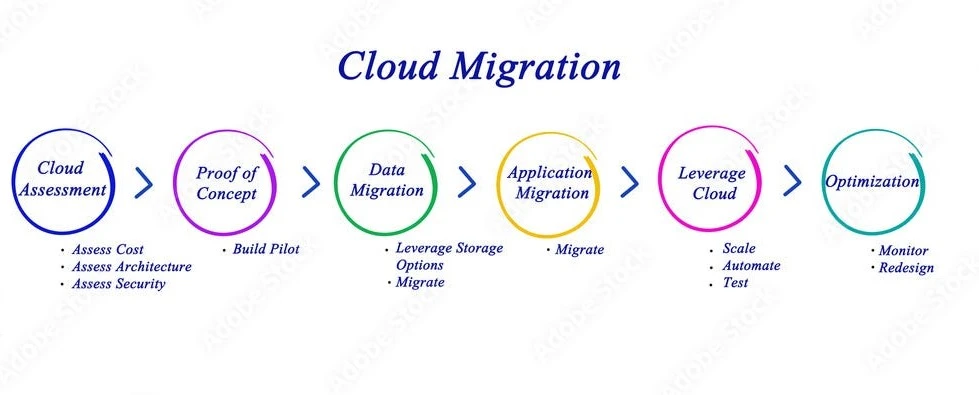
Related Readings: AWS Database Migration Service: Everything You Need To Know
Why is Cloud Migration Important?
IT professionals and businesses all over the world are replacing legacy, on-premise technology with flexible, scalable, and cost-effective computing power in the Cloud.
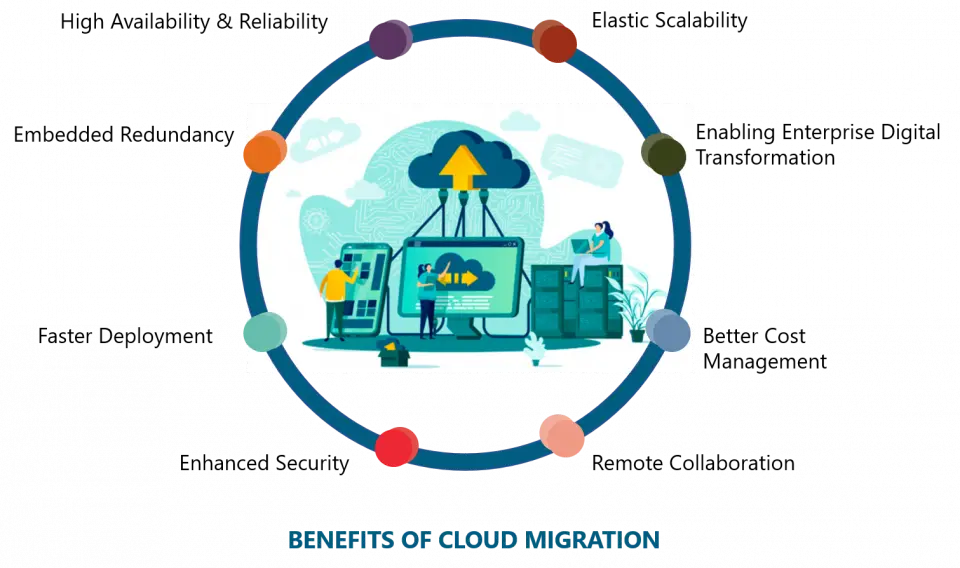
From reducing IT costs to accelerating innovation, there are many compelling reasons to embark Cloud migration journey.
Companies always experience blockers when migrating to Cloud and need a specialist who can do this for them. Hence, creating a lot of good job opportunities in the market:
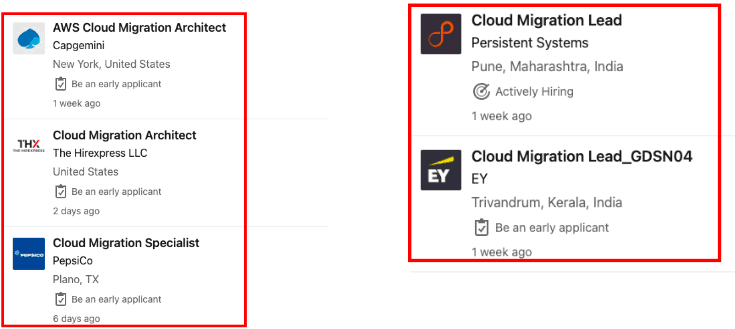 The average salary offered to a Cloud Migration Expert is approximately $126K PA.
Hence staying updated with this skill in demand becomes a must.
Related Readings: Application Migration to AWS & Its 6 Phases
Advantages of Cloud Migration:
- Scalability: Inherent scalability and flexibility, which enables planning without worrying about future IT infrastructure and allocating resources accordingly.
- Reduced Costs: It helps reduce both operating expenses and capital expenses by acquiring and paying for the resources only when required.
- Better Storage: Vast amounts of highly secure data storage at a fraction of the price to store the data on-premise. Data storage capacity can also be expanded or shrunk based on necessity.
- Automated Tasks: All cloud deployments can be automated using tools like Cloud Formation or Terraform improving stability and quicker deployments.
- Operational Flexibility: All cloud applications are updated in the backend without interference, thereby resulting in improved organization-wide flexibility.
- Extensive Mobility: Important applications can be accessed on the move with full security available at all times
Cloud Migration Strategies
If you’re considering moving your applications to AWS Cloud, you’ll need to choose one of the options from the 7Rs of migration strategy to guide your migration process.
The 7 steps of cloud migration includes:
- Rehost (Lift & Shift)
- Relocate (Hypervisor-level Lift & Shift)
- Refactor
- Repurchase
- Replatform (Lift, Tinker & Shift)
- Retain
- Retire

Related Readings: Data Center Pre-Migration Assessment
How does the cloud migration process work?
Cloud migration typically involves three broad phases: Assess, Mobilize, and Migrate & Modernize, with each phase offering a framework that can be customized to an organization’s unique needs.
- Assess: The first step is understanding your current IT environment, including applications, workloads, and data. Key actions include:
- Identifying migration goals and objectives
- Understanding technical requirements and constraints
- Estimating costs and potential savings
- Prioritizing which applications and data to migrate based on value and complexity This phase sets the foundation for the migration by creating a vision for the future cloud setup.
- Mobilize: In this phase, you prepare resources, tools, and processes to ensure a smooth migration. Key actions include:
- Building a core cloud team (e.g., architects and developers)
- Developing a migration plan with timelines and deliverables
- Setting up the cloud environment securely
- Migrating pilot applications to test the strategy Testing through pilot applications helps refine the process before a full migration.
- Migrate & Modernize: The actual migration occurs here, followed by continuous improvement. Key actions include:
- Migrating applications and workloads based on lessons from the pilot phase
- Optimizing applications for cloud features and services
- Monitoring performance, security, and costs, making adjustments as needed
- Continuously adopting new cloud technologies to innovate and improve This phase is ongoing, as optimization and innovation are essential to maximizing cloud benefits.
Related Readings: 5 Steps for a Cost-efficient Migration to AWS Cloud
What are the challenges of cloud migration?
Cloud migrations can be time-consuming and costly without proper planning. Some common challenges include:
- Technical Complexity: Existing systems may have interdependencies, and moving certain applications without others can disrupt operations. Older systems may also require extensive refactoring or redevelopment to be compatible with the cloud.
- Scalability Issues: Migrating large volumes of data or numerous applications requires careful planning and can be time-consuming, especially with bandwidth limitations. Post-migration issues might make rolling back complex and difficult. Additionally, some interdependent migrations may require temporary downtime, affecting business operations.
- Skills Gap: Cloud platforms can be unfamiliar to teams used to traditional IT environments, and employees may resist adopting the cloud. Organizations need to either train existing staff or hire new cloud experts. Shifting the internal culture to embrace cloud tools and processes is also crucial for a successful migration.
Cloud Adoption Framework (CAF)
- Cloud Adoption Framework helps the organization to understand the way a Cloud Adoption Transformation works.
- It provides a pre-defined structure so that an individual unit in the organization can identify and address gaps and skills in the processes.
- Applying this in an organization helps them in an actionable plan with the defined streams of work that guide the organization on a path to acquire cloud adoption.
- It guides whether to upgrade, update or adapt new skills to grow an advantage for the organization.
6 Major Points in CAF
To successfully migrate your data/applications and adopt cloud computing, the following six points must be kept in perspective:
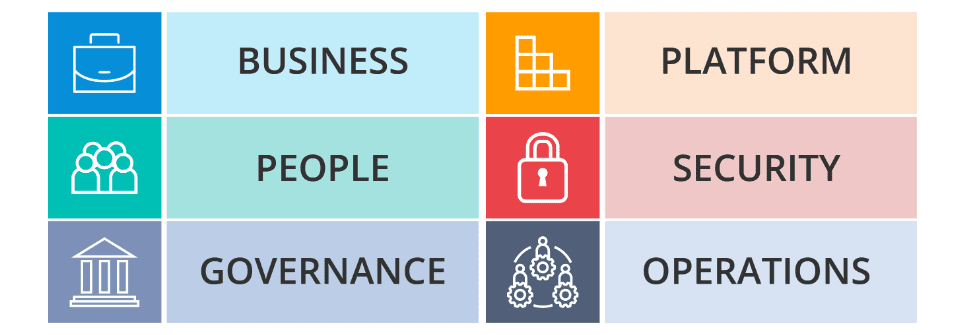
- Business perspective
- People perspective
- Governance perspective
- Platform perspective
- Security perspective
- Operations perspective
Frequently Asked Questions:
Why do cloud migrations fail?
Lack of planning is among the most frequent reasons for cloud migration failure. 59% of respondents that reported a delay in their AWS go-live attributed it to inadequate planning before migration, making it the most often cited reason in the aforementioned Careers and Hiring Guide.
Why do companies migrate to the cloud?
You need fewer personnel and fewer resources to maintain the cloud since it takes less infrastructure to do it. Long-term operating cost reduction is a benefit of moving to the cloud.
What are the challenges of cloud migration?
The most common challenges are: A lack of a clear strategy based on business objectives Cloud sprawl results from a lack of understanding of the full scope of cloud environments. Exceeding the budgeted amount Critical service failures and security flaws Human error and a lack of necessary skills to run the new infrastructure
What are cloud migration services?
Moving a company's digital assets, services, databases, IT resources, and applications partially or completely onto the cloud is known as cloud migration.
What are the lift and shift cloud migration?
One method of several for moving your apps to the cloud is lift and shift. It entails transferring an application and the data it uses to a cloud platform without rewriting the application itself. Moving an application from your on-premises data center to the cloud is not a one-size-fits-all process.
What is cloud migration strategy?
An organization's high-level plan for moving its current on-premises and/or co-located application workloads and the data they generate into the cloud.
Next Task For You
Begin your journey towards an AWS Cloud by joining our FREE Informative Class on Amazon Cloud Free Class by clicking on the below image.


![Microsoft Agentic AI Business Solutions Architect [AB-100] | K21 Academy](https://test.k21academy.com/wp-content/uploads/2025/11/Microsoft-Agentic-AI-Business-Solutions-Architect-AB-100-Exam-Overview1.png)



