





Cloud computing is a way to get IT services like computing power, storage, and databases over the internet, paying only for what you use. Instead of buying and maintaining physical data centers and servers, you can access these services from various providers. To start learning cloud computing, you can choose from popular providers such as Amazon Web Services (AWS), Microsoft Azure, Google Cloud Platform (GCP), or Oracle Cloud.
Cloud computing has revolutionized the way we access IT services, offering a flexible, scalable, and cost-effective alternative to traditional IT setups. In this blog, we’ll explore the essentials of cloud computing, and its benefits over traditional architecture, and guide you through choosing the right cloud service and deployment models.
We will cover the following cloud fundamentals topics:
- Traditional Architecture
- Cloud Computing
- Characteristics of Cloud Computing
- Why Cloud Computing?
- Cloud Service Model
- Graphical Comparison Between Service Model
- Cloud Deployment Model
- Frequently Asked Questions
What is Traditional Architecture?
Traditional IT infrastructure comprises physical hardware and software components, including data centers, servers, networking hardware, and enterprise applications. Maintaining such an infrastructure involves significant costs and challenges:
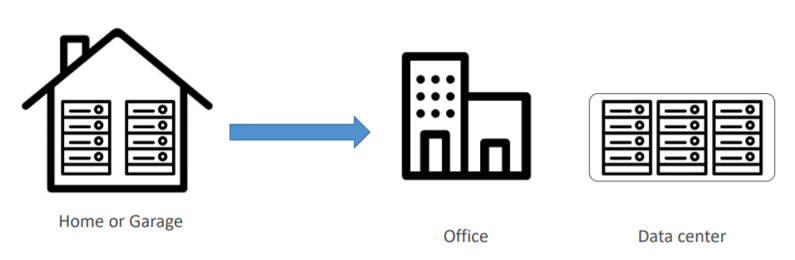
Problems With Traditional Architecture
- Pay the rent for the data center
- Pay for power supply, cooling, and maintenance
- Adding and replacing hardware takes time
- Scaling is limited
- Hire a team to monitor the infrastructure
- How do you deal with disasters? (earthquake, power shutdown, fire)
What is Cloud Computing?
The term ‘cloud computing’ refers to the technology that makes the cloud work. This includes some form of virtualized IT infrastructure—servers, operating system software, networking, and other infrastructure that’s abstracted using special software so that it can be pooled and divided irrespective of physical hardware boundaries. For example, a single hardware server can be divided into multiple servers.
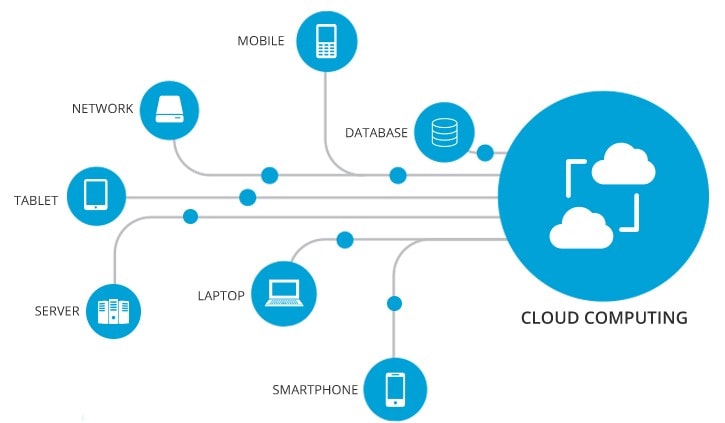
How Does It Overcome the Problems of Traditional Architecture?
- Lower IT costs:
The cloud helps you to offload some or most of the costs and effort of purchasing, installing, configuring, and managing your own on-premises infrastructure.
- Improve agility and time-to-value:
With the help of the cloud, your organization can start using enterprise applications within a minute, instead of waiting weeks or months for IT to respond to a request, purchase and configure supporting hardware, and install the software. It also lets you empower certain users, specifically developers and data scientists, to help themselves with software and support the infrastructure.
- Scale more easily & cost-effectively:
As the cloud provides elasticity, instead of purchasing the excess capacity that sits vacant when it is no longer required, you can scale capacity up or down in response to spikes and dips in traffic.
Characteristics Of Cloud Computing
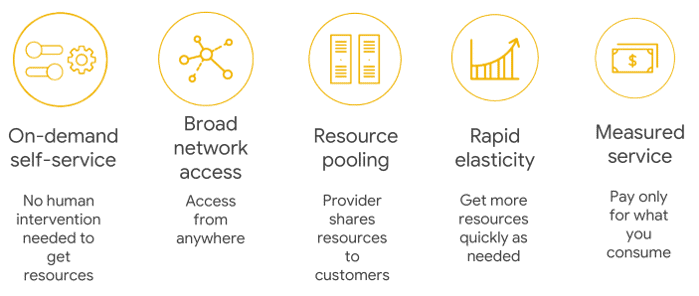
- On-Demand Self-Service: Cloud services do not require any human administrators or intervention; the users themselves can provision and manage computing resources as needed.
- Broad Network Access: Computing services are generally provided over standard networks and heterogeneous devices.
- Resource Pooling: The IT resources (e.g., Compute, Networks, Storage, Applications, and Database services) present are shared across multiple applications and occupants in an uncommitted manner. Multiple clients are provided service from the same physical resource.
- Rapid Elasticity: The IT resources (e.g., Compute, Networks, Storage, Applications, and Database services) present are shared across multiple applications and occupants in an uncommitted manner. Multiple clients are provided service from the same physical resource.
- Measured Service: The resource utilization is tracked and monitored for each application and occupant; it will provide both the user and the resource provider with accountability for what has been used. This is done for various reasons, like monitoring billing, security concerns, and effective use of resources.
Why Cloud?
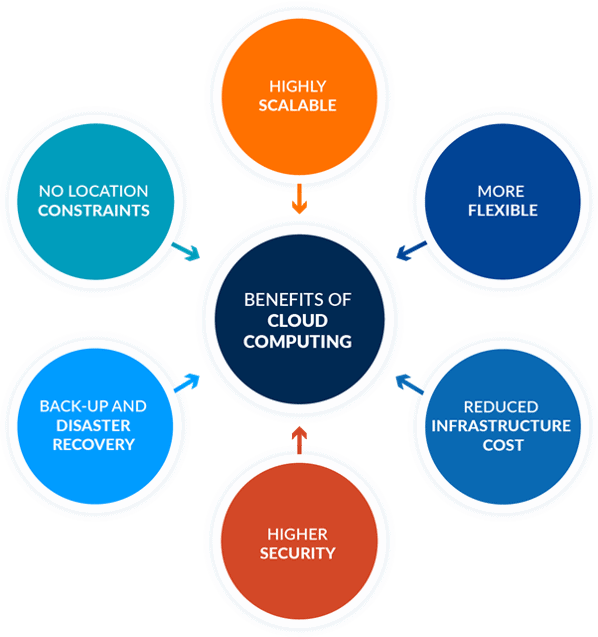
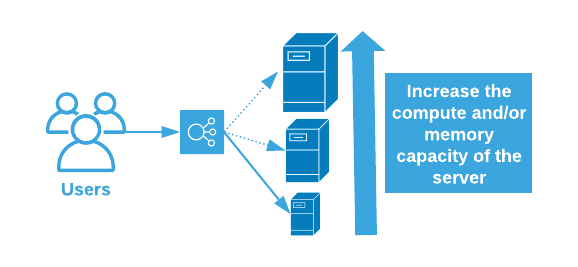
Highly Scalable
You can scale up or scale down your operation and storage needs as quickly as suits your situation, allowing flexibility as required. Rather than purchasing or provisioning the expensive upgrades yourself, your service provider can handle all this for you. Using the cloud will help you free up your time so you can get on with running your business.
More Flexible
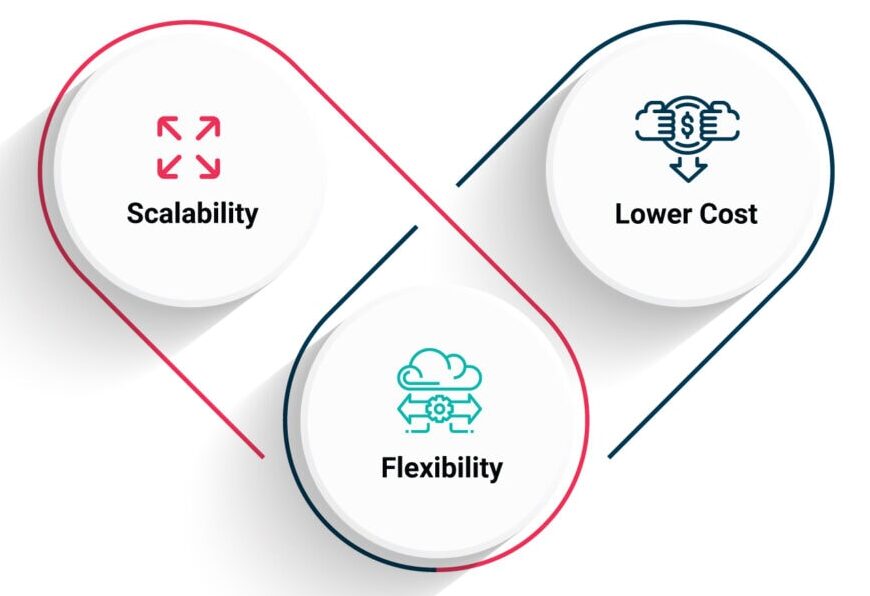
Offers businesses more flexibility overall versus hosting on a local server. And if you need extra bandwidth, then a cloud-based service can meet your requirements instantly, rather than undergoing a complex (and expensive) update to your IT infrastructure.
Reduced Infrastructure Cost
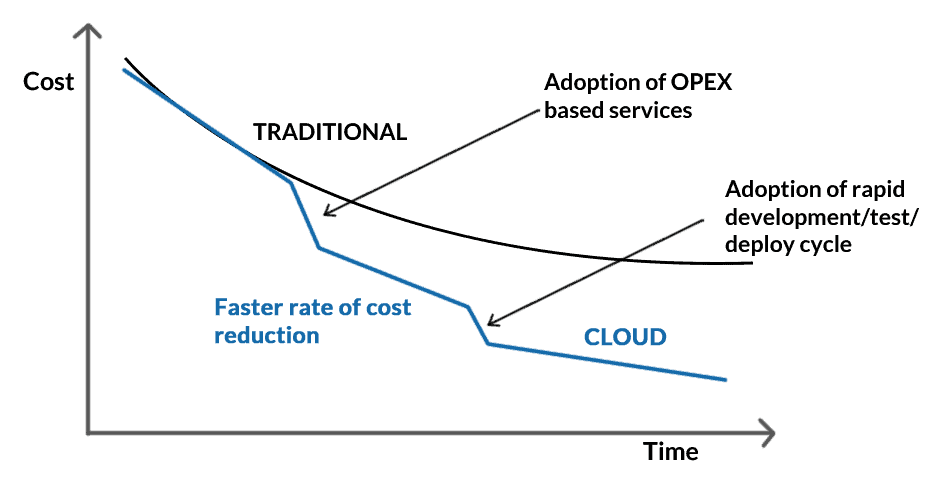
Moving to the cloud may reduce the cost of managing and maintaining your IT systems. Rather than purchasing expensive assets and equipment for your business, you can reduce your costs by using the resources of your cloud service provider. You may be able to reduce your operating and management costs because:
- The cost of system upgrades and new hardware and software may be included in your contract.
- There is no need to pay wages for expert staff
- Your energy consumption costs may be reduced
- There are fewer time delays.
Higher Security
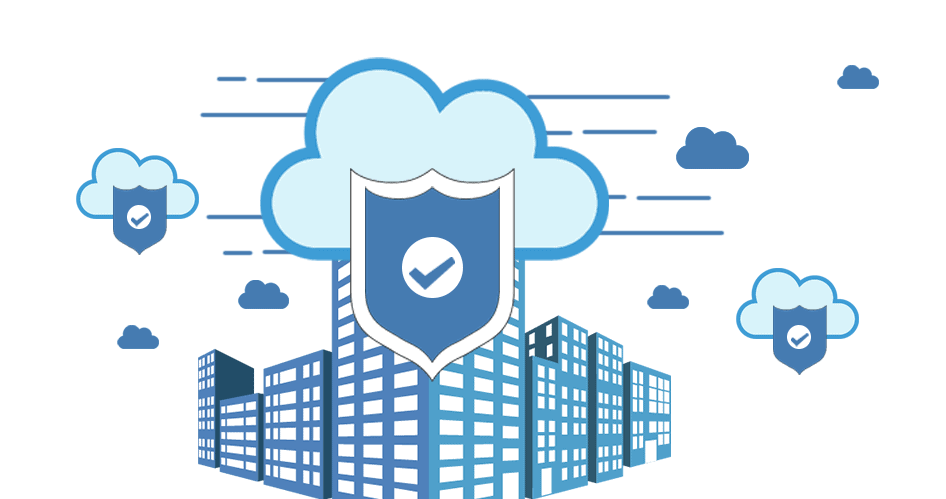
For many cloud customers, security is a priority. Users will buy more than in traditional environments, based on their reputations for their integrity, confidentiality, and resilience, as well as the safety services of their providers. This remains a strong incentive to enhance security best practices and compete in security for cloud providers.
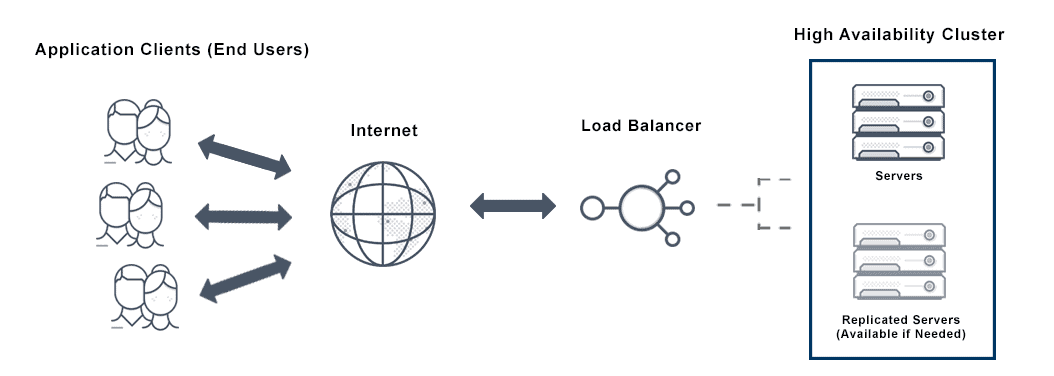
High Availability
The term High Availability refers to a system (a network, a server array or cluster, etc.) that is designed to avoid loss of service by reducing or managing failures and minimizing planned downtime. In an organization, the system is expected to be highly available when life, health, and well-being, including economic well-being, are at stake.
Disaster Recovery
One of the factors that contributes to the success of a business is controlling the resources. Unfortunately, no matter how in control your organization is, maybe when it comes to its processes, there will always be things that are completely out of your control, and the downtime in your services leads to lost productivity, revenue, and organizational reputation, so there is something you can do to help speed up your recovery. Cloud services provide quick data recovery for all kinds of emergency scenarios, from natural disasters to power outages.

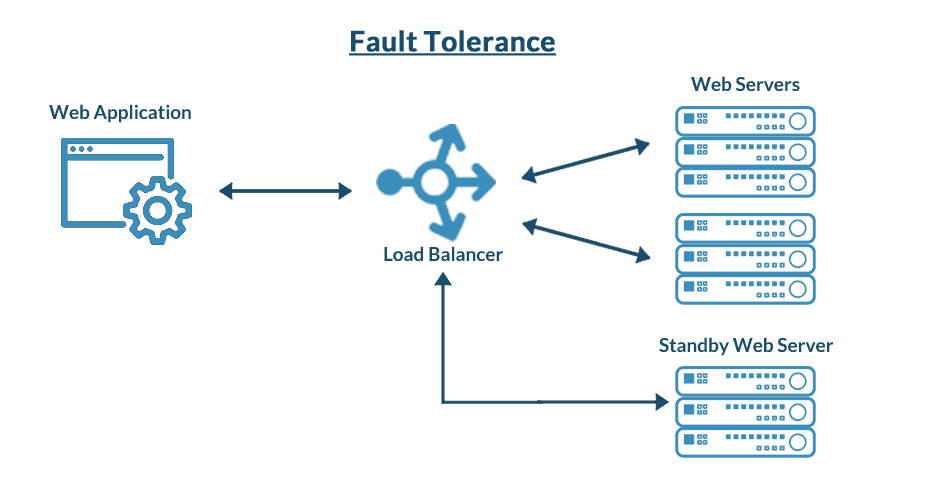
Fault Tolerance
Fault tolerance is the capacity of a system or service to carry on without interruption or performance deterioration, even if one or more instances or components malfunction. The objective is to guarantee high service availability and dependability in the event of network outages, software bugs, hardware malfunctions, or other unforeseen challenges.
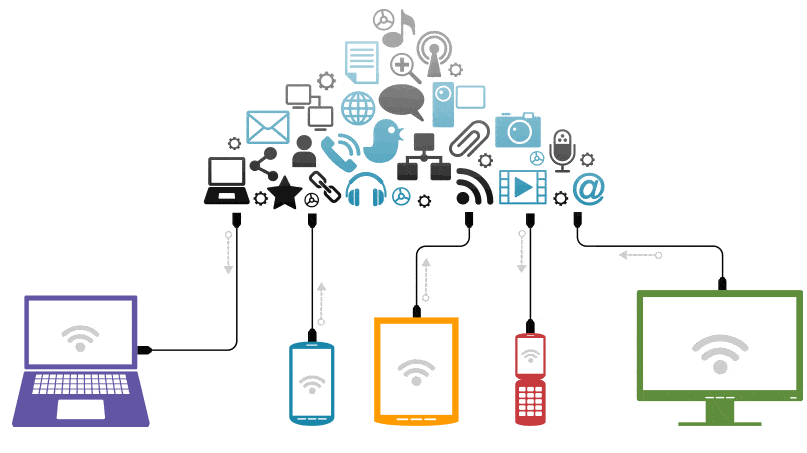
No Location Constraints
You can access your data from home, the office, or any other location (providing you have an internet connection). If you need access to your data while you are off-site, you can connect to your virtual office quickly and easily.
Related readings: Azure Free Full Course For Complete Beginners
Cloud Service Model
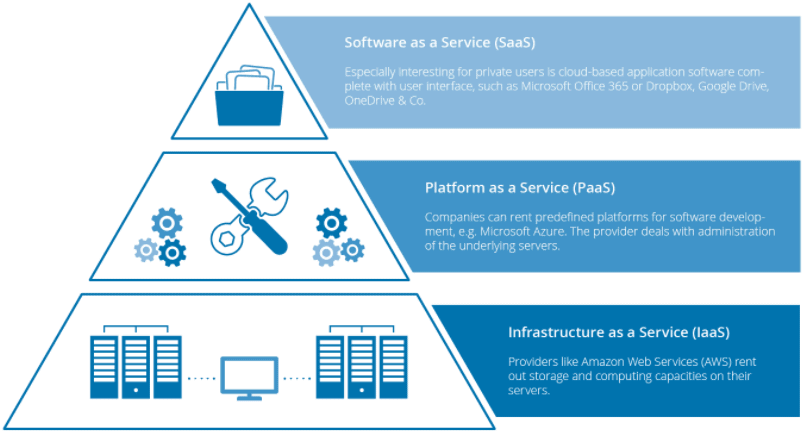
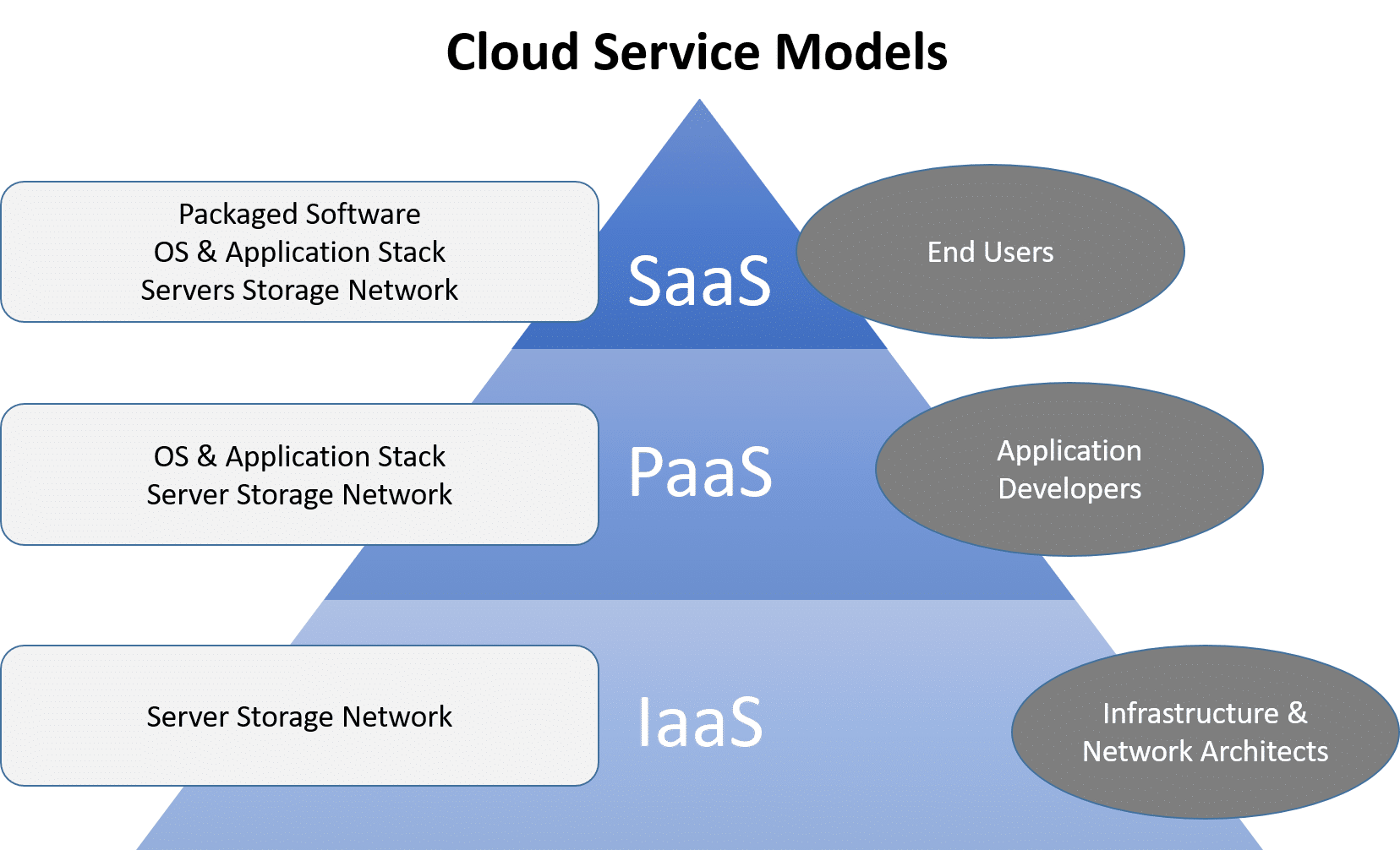
There are three types of service models. Each type of cloud computing provides different levels of control, flexibility, and management, so you’ll select the proper set of services for your needs. The three service models are as follows:
Related Readings: AWS Exploration: Amazon Web Services
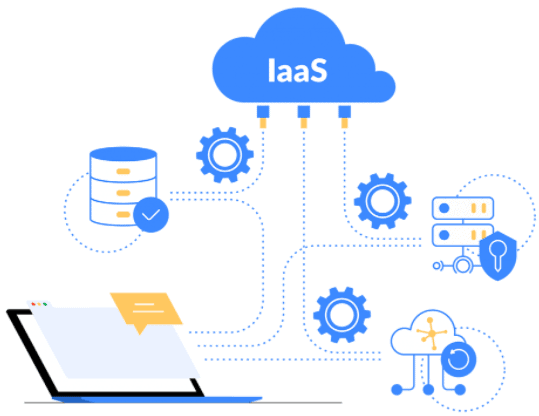
Infrastructure As A Service (IaaS)
- It is the most flexible type of service which lets you rent the hardware and contains the basic building blocks for cloud and IT.
- It gives you complete control over the hardware that runs the application (servers, VMs, storage, networks & operating systems).
- IaaS gives you the very best level of flexibility and management control over your IT resources.
- Examples of IaaS: VM or EC2 (from AWS), storage, or networking.
Related Readings: Understanding Azure Compute Services
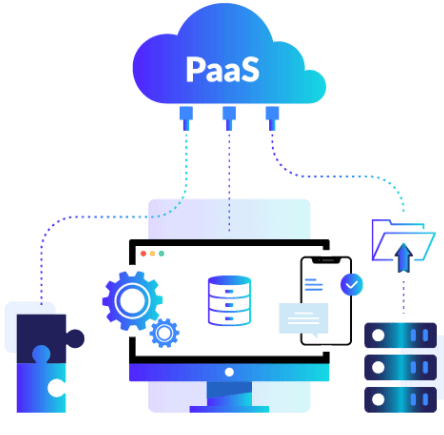
Platform As A Service (PaaS)
- PaaS is a service model that provides a ready-to-use development environment where developers can specialize in writing and executing high-quality code to make customized applications.
- PaaS will help you create an application quickly without managing the underlying infrastructure. For example, when deploying a web application using PaaS, you don’t have to install the OS, web server, or even system patching. However, you can scale the resources and add new features to your services.
- Examples of PaaS: Elastic Beanstalk or Lambda from AWS, WebApps, Functions or Azure SQL DB from Azure, Cloud SQL DB from Google Cloud, or Oracle Database Cloud Service from Oracle Cloud.
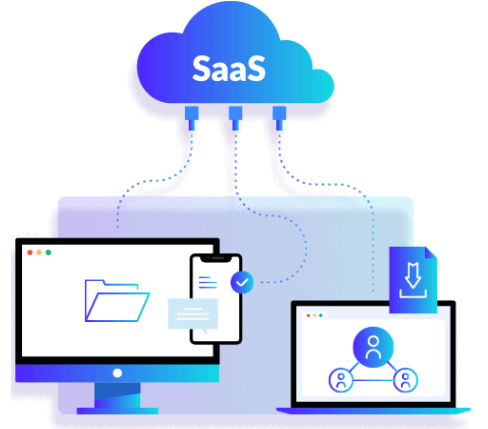
Software As A Service (SaaS)
- SaaS provides you with a complete product that is run and fully managed by the service provider.
- The software is hosted online and made available to customers on a subscription basis or for purchase in this cloud service model.
- With a SaaS offering, you don’t need to worry about how the service is maintained or how the underlying infrastructure is maintained. It would help if you believed in how you’d use that specific software.”
- Examples of SaaS: Microsoft Office 365, Oracle ERP/HCM Cloud, SalesForce, Gmail, or Dropbox.
Graphical Comparison of Cloud Computing Service Models
Which Cloud Service Model To Learn?
One of the most common questions we get from our students is: Which Cloud Computing Service Model I should learn?
- So, if you are a System Administrator, you should learn both Infrastructures as a Service (IaaS) and Platform as a Service (PaaS). The reason is that whatever you are developing or deploying over Infrastructure as a Service, i.e., PaaS always runs on top of IaaS. That’s the reason you should know both IaaS and SaaS.
- If you are working as a consultant, like a financial consultant, or working on a packaged application such as SAP, HRMS, etc., then you should learn Software as a Service (SaaS).
Related Readings: Introduction to Google Cloud Platform
Cloud Deployment Model
A Cloud Deployment Model represents a virtual computing environment that provides flexibility in choosing the deployment approach based on the amount of data to be stored and the level of access control required. It defines how servers are deployed and managed over the internet, allowing organizations and businesses to leverage these resources without the need for complex configurations, enabling seamless access to infrastructure.
Check out: Cloud Service Models
Types of Cloud Computing Deployment Models
 There are four key cloud deployment models: Public, Private, Community, and Hybrid. Each model caters to distinct organizational needs, offering unique benefits in areas such as scalability, privacy, cost-efficiency, and control. Depending on an organization’s specific requirements, these models provide tailored solutions to optimize performance and meet strategic goals.
Public Cloud
A public cloud is owned and operated by a third-party provider, offering resources and services to multiple organizations over the internet. It is a cost-effective solution that allows businesses to access scalable computing power without the need for managing physical infrastructure. Public clouds offer flexibility, reliability, and the ability to scale resources based on demand, making them ideal for businesses with varying workloads.

Advantages:
- Scalability: Easily scale resources up or down based on demand.
- Cost-effective: Pay only for what you use without the need for upfront capital expenditure.
- High Availability: Providers typically ensure high uptime and reliability
- Global Accessibility: Access your data and services from anywhere with internet.
 Limitations:
- Security Concerns: Shared infrastructure can pose security and privacy risks.
- Less Customization: Limited control over infrastructure and services.
- Potential Outages: Dependence on the provider’s reliability can lead to service disruptions.
- Vendor Lock-in: Switching providers can be difficult and costly due to dependence on one cloud platform.
Also Read: Our blog post on Cloud Career Path.
Examples: Amazon web services (AWS), Microsoft Azure, and Google Cloud Platform (GCP).
Private Cloud
This cloud model is exclusively for a single organization, providing enhanced control over data, security, and compliance. It can be hosted either on-premises or by a third-party provider, offering flexibility in deployment.

Advantages:
- Enhanced Security: Resources are not shared with others, providing better data privacy.
- Customization: High level of control and customization to meet specific business needs.
- Compliance: Easier to comply with industry regulations and standards.
- Privacy: Your data is isolated from other organizations, reducing the risk of breaches.
 Limitations:
- Cost: More expensive due to the need for dedicated hardware and maintenance.
- Maintenance: Requires significant IT resources for setup and management.
- Fixed Scalability: Limited by the physical resources available.
- Limited Scalability: Scaling up requires purchasing additional hardware, which takes time and money.
Examples: HP Data Centers, Microsoft, Ubuntu, and Elastra-private cloud, etc.
Community Cloud
A community cloud is shared by multiple organizations with similar interests or requirements, enabling collaborative efforts while maintaining control over security and compliance. It offers a cost-effective solution by pooling resources, and it can be hosted either on-premises or by a third-party provider.
 Advantages:
- Cost-sharing: Infrastructure costs are shared among the organizations, reducing individual expenses.
- Enhanced Collaboration: Facilitates collaboration between organizations with similar needs.
- Security and Privacy: Better than public cloud due to limited access to the participating organizations.
- Scalability: Can scale resources to accommodate the needs of multiple organizations within the community.
 Limitations:
- Limited Usage: Not as widely adopted or supported as public and private clouds.
- Higher Costs: More expensive than public clouds due to specialized requirements.
- Complex Management: Requires coordination among multiple organizations.
- Security Concerns: Although more secure than a public cloud, sharing resources still presents potential security risks.
- Limited Control: Less control over the infrastructure compared to a private cloud, as it’s shared with others.
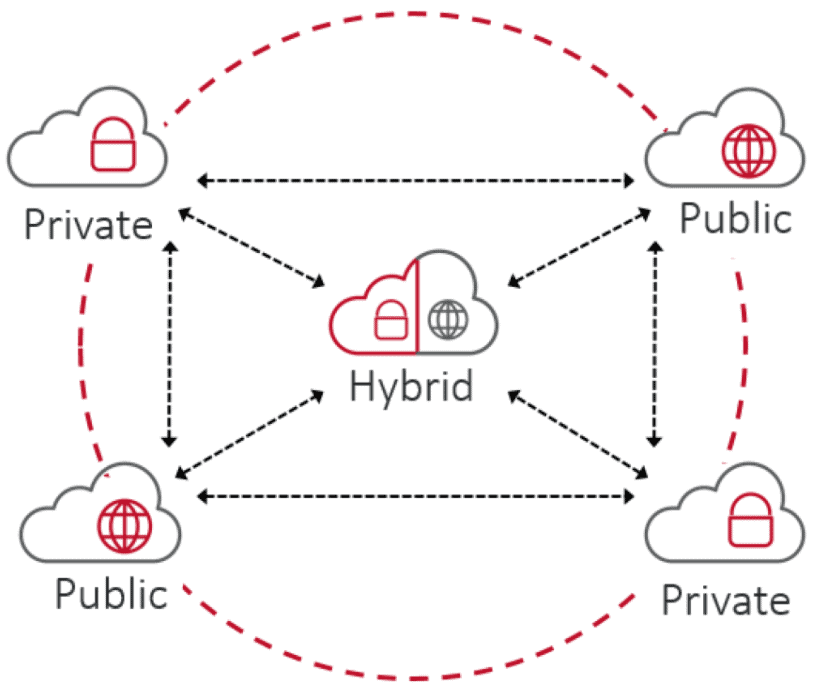
Hybrid Cloud
A hybrid cloud combines both private and public cloud environments, allowing organizations to move workloads between them as needed. This provides greater flexibility, optimized performance, and cost efficiency by leveraging the benefits of both clouds. Sensitive data can be kept in the private cloud, while less critical workloads can be handled by the public cloud.

Advantages:
- Flexibility: A mix of public and private clouds allows for optimized workload placement.
- Cost Efficiency: Critical workloads can run on the private cloud while less-sensitive tasks utilize the public cloud.
- Scalability: Easily scale workloads across cloud environments based on demand.
- Disaster Recovery: A hybrid setup can provide more robust backup and disaster recovery options by leveraging both cloud environments.

Limitations:
- Complex Integration: Requires careful management and integration between different cloud environments.
- Security: Potential security challenges due to data transfer between public and private clouds.
- Management Overhead: Requires robust management tools and practices to handle hybrid environments.
- Vendor Lock-in: You may become dependent on specific cloud providers, making it hard to switch or change services.
Examples: Oracle Cloud at Customer, Google Cloud Anthos, AWS Outpost, Microsft Azure Stack.
The primary benefit of this hybrid cloud is the functionality of services available to clients, such as multiple types of deployment models. The Hybrid Cloud Model is growing in demand and popularity as more businesses have adopted cloud solutions as a primary part of their business model with technology
How To Choose Between Them?
Choosing the right cloud deployment model is a critical decision that hinges on several key factors:
- Scalability: If your organization needs the ability to scale quickly and efficiently, public or hybrid clouds are ideal options, offering flexibility to meet fluctuating demands.
- Security and Privacy: For businesses handling highly sensitive data, private or community clouds provide stronger control over security and compliance, offering a more secure environment.
- Cost: Public clouds are generally more cost-effective for businesses with non-sensitive data or dynamic workloads, as they eliminate the need for upfront capital expenditures.
- Compliance: Industries governed by strict regulatory requirements, such as healthcare or finance, may prefer private or community clouds, which offer enhanced security features and compliance support.
- Flexibility: Hybrid clouds offer a balanced approach, allowing organizations to take advantage of both private and public cloud benefits, providing the right mix of control and scalability.
By understanding these deployment models, organizations can make informed decisions that align their IT strategies with business objectives. This ensures they achieve the optimal balance of performance, security, and cost efficiency, ultimately supporting long-term success.
Frequently Asked Questions
Q1: What distinguishes cloud computing from traditional IT infrastructure?
Cloud computing differs significantly from traditional IT infrastructure by leveraging virtualized resources, allowing for on-demand self-service, broad network access, and rapid scalability. Unlike traditional setups, cloud services reduce the need for significant upfront hardware investments and ongoing maintenance, offering a more flexible, cost-effective, and resilient solution for businesses.
Q2: How does cloud computing enhance disaster recovery capabilities?
Cloud computing enhances disaster recovery by providing robust and scalable solutions that ensure quick data recovery during emergencies. Cloud providers offer geographically distributed data centers, enabling continuous data backup and replication. This minimizes downtime and data loss, ensuring business continuity even in the event of natural disasters or other disruptions.
Q3: Why is scalability considered a key advantage of cloud computing?
Scalability is a key advantage because it allows businesses to easily adjust their IT resources based on demand. Cloud computing enables automatic scaling up or down, which is particularly beneficial for handling variable workloads without the need for significant hardware investments or over-provisioning. This flexibility ensures optimal performance and cost-efficiency.
Q4: How does cloud computing improve collaboration and access to advanced technologies?
Cloud computing facilitates collaboration by providing access to shared resources and applications from any location with an internet connection. It supports real-time collaboration tools and services, enabling teams to work together seamlessly. Additionally, cloud providers offer access to advanced technologies such as AI, ML, and big data analytics, which may be cost-prohibitive to implement on-premises, thereby fostering innovation and competitive advantage.
Q5: What are the main considerations when choosing between public, private, and hybrid cloud models?
When choosing between public, private, and hybrid cloud models, key considerations include scalability, security, cost, and compliance. Public clouds offer rapid scalability, ideal for businesses with fluctuating demands. Private clouds provide enhanced control over sensitive data, suitable for organizations with strict compliance requirements but are more expensive. Hybrid clouds combine the benefits of both, balancing flexibility and efficiency by keeping sensitive data on-premises while leveraging the public cloud for other operations.
Q6: What future trends in cloud computing should businesses be aware of?
Businesses should be aware of several emerging trends in cloud computing. Integration with AI and machine learning is growing, offering advanced data analytics and automation. Quantum computing is being explored for solving complex problems faster. Edge computing is becoming popular due to IoT devices, reducing latency and bandwidth usage. Serverless computing simplifies deployment and scaling by removing infrastructure management. Enhanced security measures are continuously developed to protect data and ensure compliance with cyber threats.
Related/References
- AWS Certified Solutions Architect Associate SAA-C03 Exam
- Create an AWS Free Tier Account
- AWS Management Console Walkthrough
- AWS [SA | Developer | DevOps]: Day 1 Live Session Q/A
- Learn how to create a Free Microsoft Azure Trial Account
- AWS Certified DevOps Engineer – Professional DOP-C02 Exam
- AWS Certification Savings Guide
Next Task For You
Begin your journey towards an AWS Cloud by joining our FREE Informative Class on Amazon Cloud Free Class by clicking on the below image.


![Microsoft Agentic AI Business Solutions Architect [AB-100] | K21 Academy](https://test.k21academy.com/wp-content/uploads/2025/11/Microsoft-Agentic-AI-Business-Solutions-Architect-AB-100-Exam-Overview1.png)



