
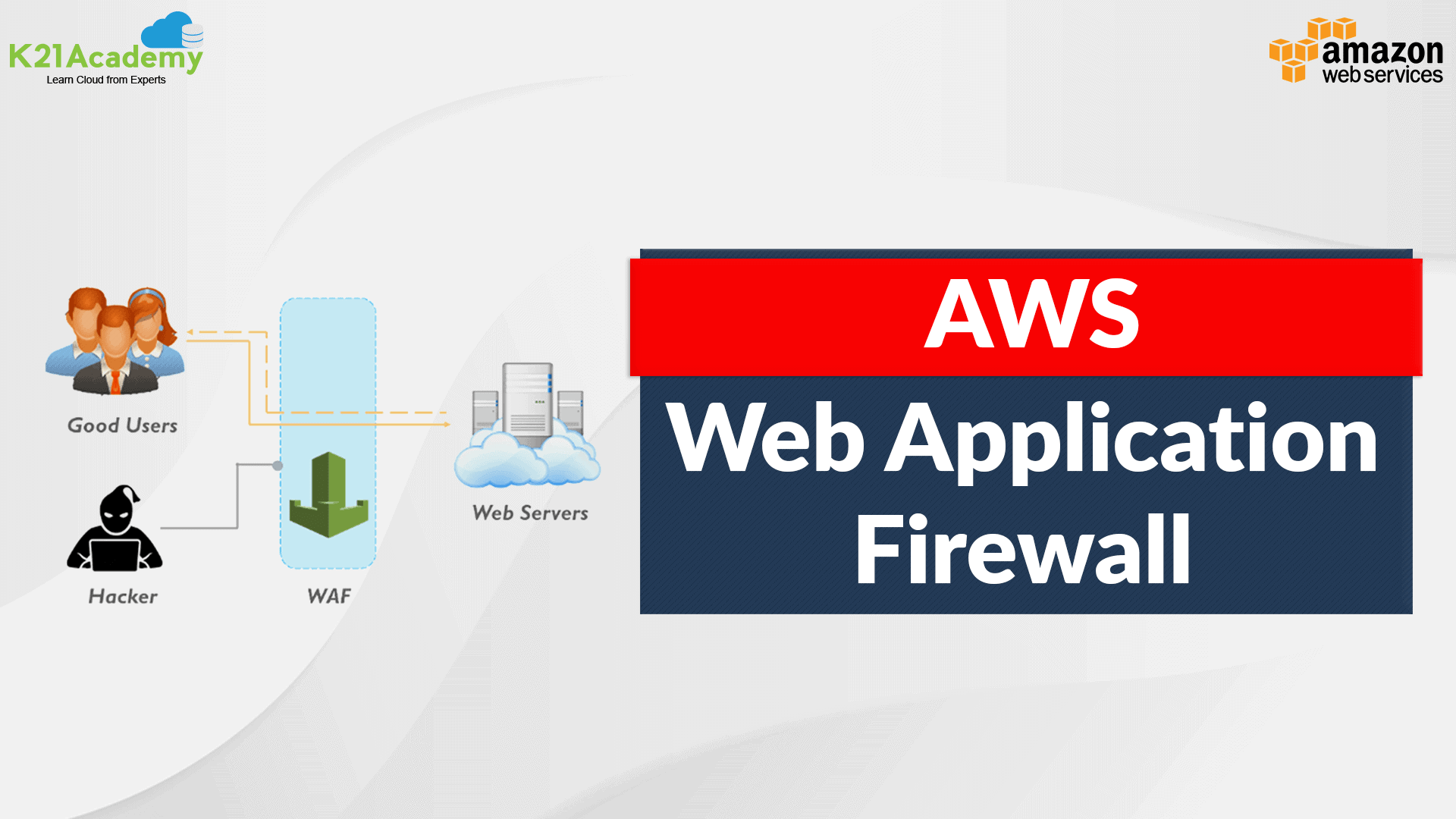





Over the past couple of years, security has become a crucial concern for most companies. Fortunately, there are many services available to help you improve the overall security of your AWS environment. AWS WAF (Web Application Firewall) is a firewall that helps you to protect your web application server against a range of Internet threats.
In this blog, we will discuss AWS Web Application Firewall (WAF) and cover topics
- Overview Of AWS WAF
- Common Web Attacks
- AWS WAF Features
- How It works
- Getting Started With AWS WAF
- Case Study
What is AWS WAF
AWS Web Application Firewall (WAF) is a security tool that helps you to protect the application against web attacks. WAF monitors and controls unusual bot traffic, and blocks common attack patterns, such as SQL Injection or Cross-site scripting, etc. It also lets you monitor the HTTP and HTTPS requests that are forwarded to an Amazon API Gateway API, Amazon CloudFront, or an Application Load Balancer.
- Amazon WAF allows you to control your content by using an IP address from where the request originates.
- Three things make Amazon WAF work – Access control lists (ACL), Rules, and Rule Groups.
- Amazon WAF manages Web ACL capacity units (WCU) for rules, rule groups, and web ACLs.
- Amazon WAF includes a full-featured API that you can use to automate the creation, deployment, and maintenance of security rules.
Common Web Attacks
Before protecting your applications, you need to know the most common web attacks mentioned below.
DDoS(Denial-Of-Service) attacks: This is probably the most common attack. Attackers overload an application by sending bulk requests to the web servers. Thousands of hosts infected with malware are used in this attack, which utilizes more than one unique IP address or machine. This slows down the application and significantly hurt the value of a brand.
SQL injections: SQL injection is a code injection procedure that might destroy your SQL database. Attackers can run malicious SQL queries on your web applications.
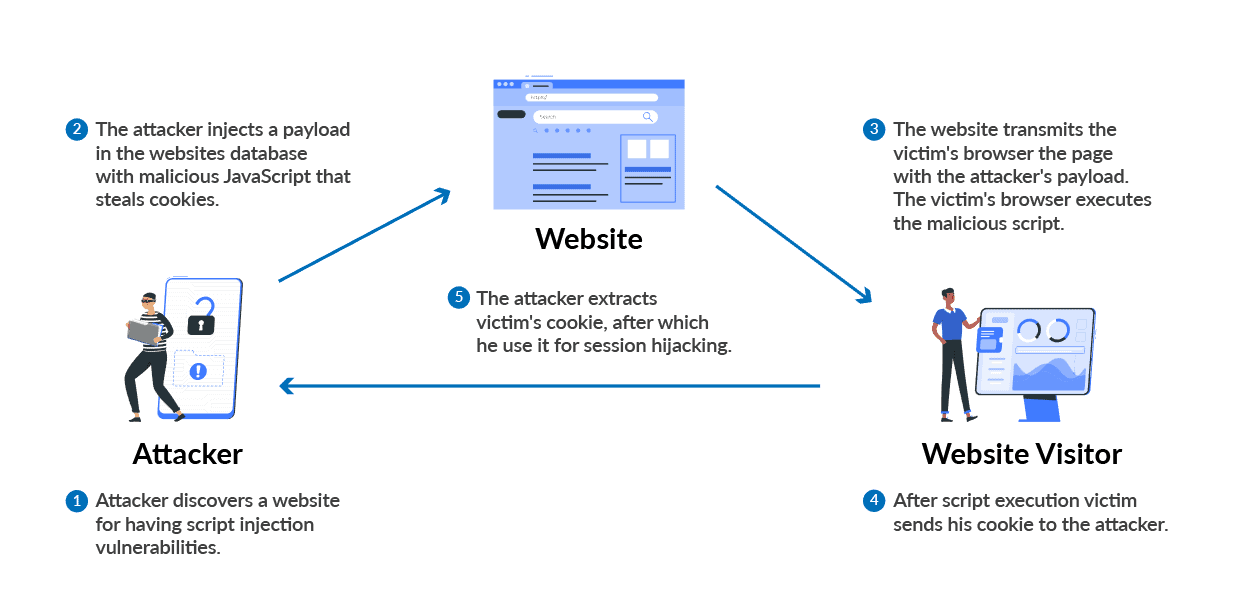
Cross-Site Scripting: If your application is vulnerable to cross-site scripting, then the attacker can run or inject malicious scripts, generally in the form of a browser-side script. These scripts can even rewrite the content of the HTML pages.
Also Check: GCP vs AWS vs Azure, Know their major differences!
AWS WAF Features
Amazon Web Application Firewall offers lots of features to its users mentioned below.
- Protection Against Web Attacks: With minimum latency impact on incoming traffic, WAF AWS offers many rules to inspect any element of a web request. WAF AWS protects web applications against threats by filtering traffic according to the rules created.
- Establish Rules Accordingly: WAF AWS is a versatile and valuable tool for protecting the infrastructures of applications. And this is because it allows users to establish rules according to their needs and vulnerabilities that they wish to stop. We can consider it a great solution to protect any web application environment at the enterprise level.
- Web traffic filtering: WAF allows users to create rules to filter web traffic. It filters IP addresses, HTTP headers, HTTP bodies, or URI strings from a web request.
- Flexible Integration With AWS Services: AWS Firewall offers easy integration with other AWS services like Amazon EC2, CloudFront, Load balancer, etc.
- Monitor Rules: Web Application Firewall AWS allows us to create rules and review and customize them to prevent unknown attracts.
Also Check: Our blog post on AWS Solutions Architect Salary.
How It Works
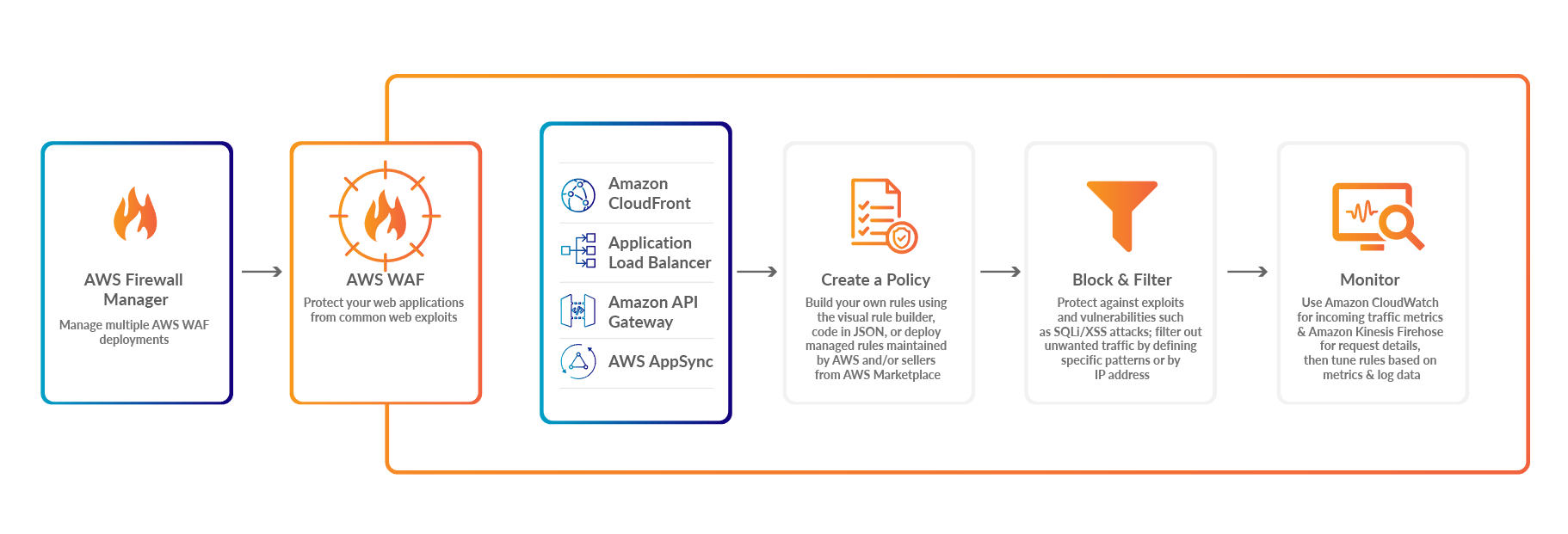
AWS Web Application Firewall protects the applications from malicious attacks. The working of WAF in AWS mentioned below.
- AWS Firewall Manage: It Manages multiple AWS Web Application Firewall Deployments
- AWS WAF: Protect deployed applications from common web exploits.
- Create a Policy: Now you can build your own rules using the visual rule builder.
- Block Filter: Block filters protect against exploits and vulnerabilities attacks.
- Monitor: Use Amazon CloudWatch for incoming traffic metrics & Amazon kinesis firehose for request details, then tune rules based on metrics and log data.
Check Out: Our blog post on AWS SNS.
Getting Started With AWS WAF
WAF AWS monitors all the web incoming and outgoing requests that are forwarded to API Gateway, Amazon CloudFront, and Application Load Balancer. We will see how to get started with WAF and create web ACL in some steps.
Step 1: Create web ACL: First, sign-up for an AWS account, then go to AWS Console and search for Web Application Firewall. You will land on the WAF home page, and choose to Create Web ACL.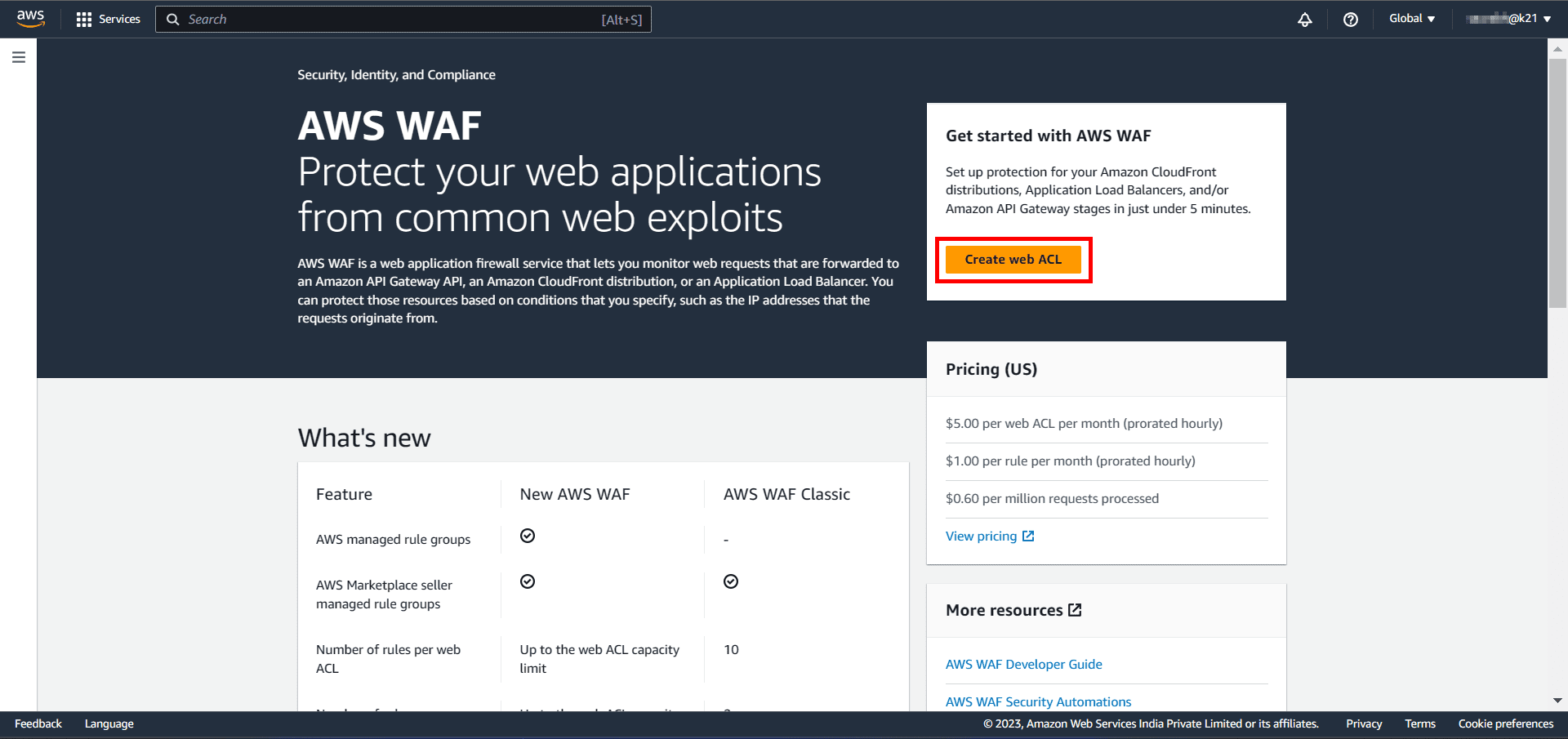
Also Check: AWS IAM Best Practices.
Step 2: Give a Name: Type the name you want to use to identify this web ACL. After that, enter Description if you want (optional) and then hit Next.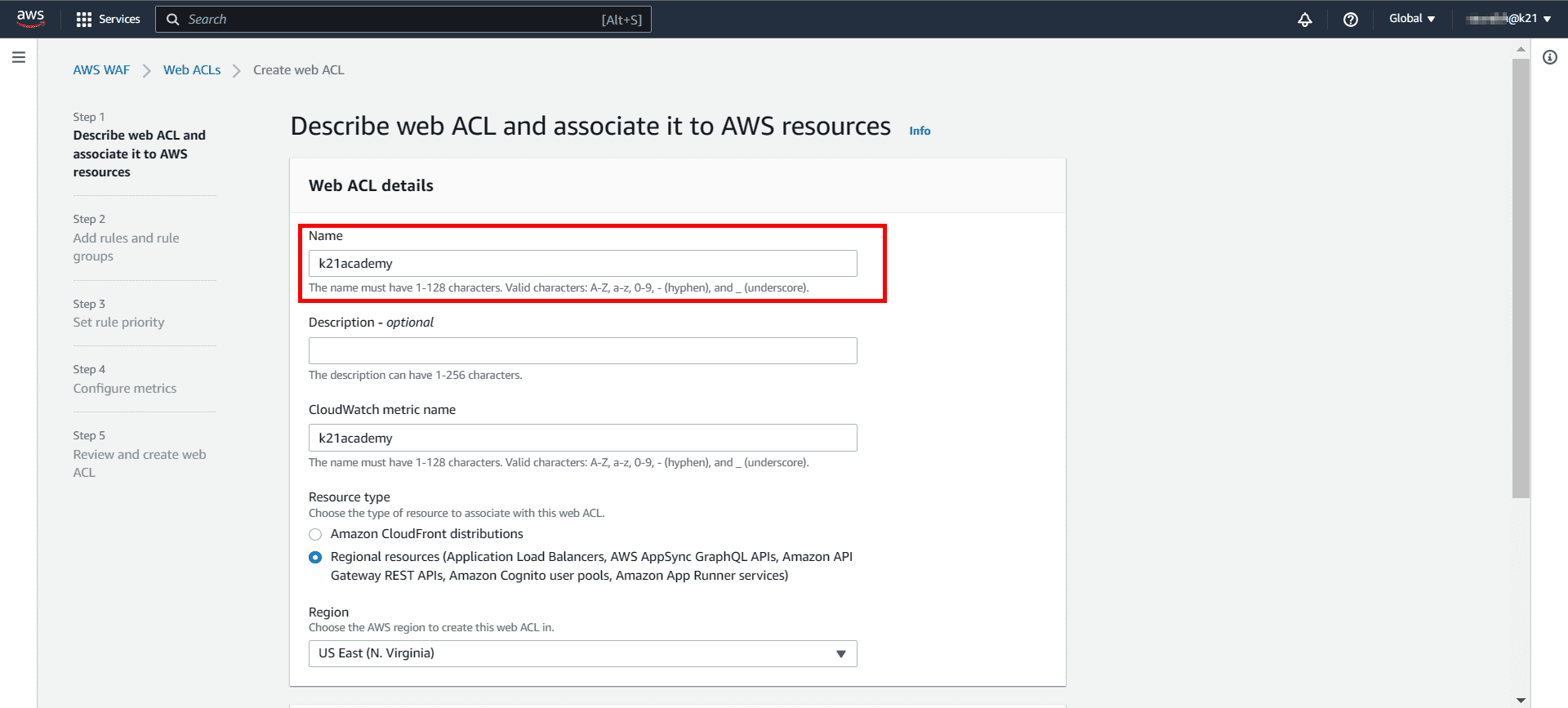
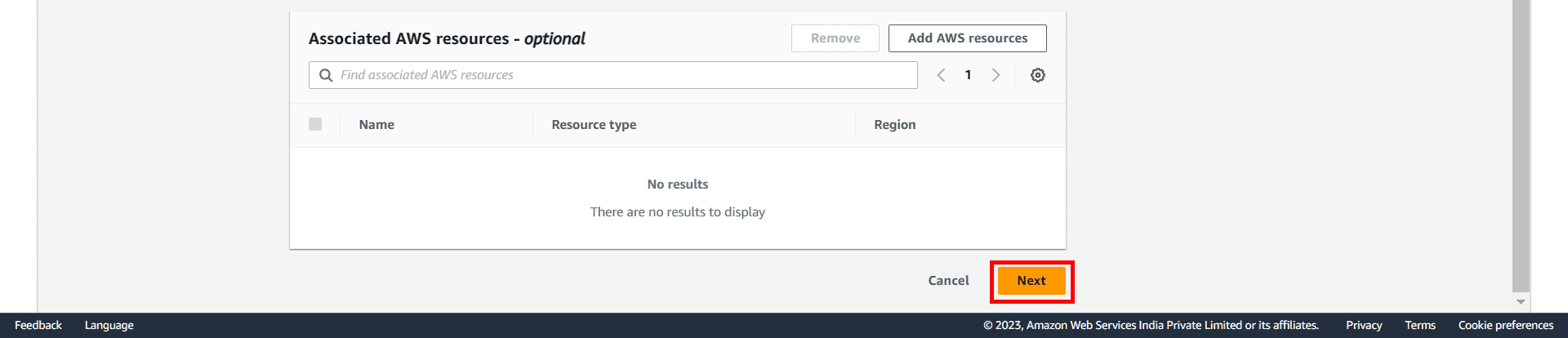 Step 3: Add an AWS Managed Rules rule group: In the next step, you need to add rules and rule groups. Click on Add managed rule groups. You will land on a new page to manage the ruling group mentioned in snapshot 2.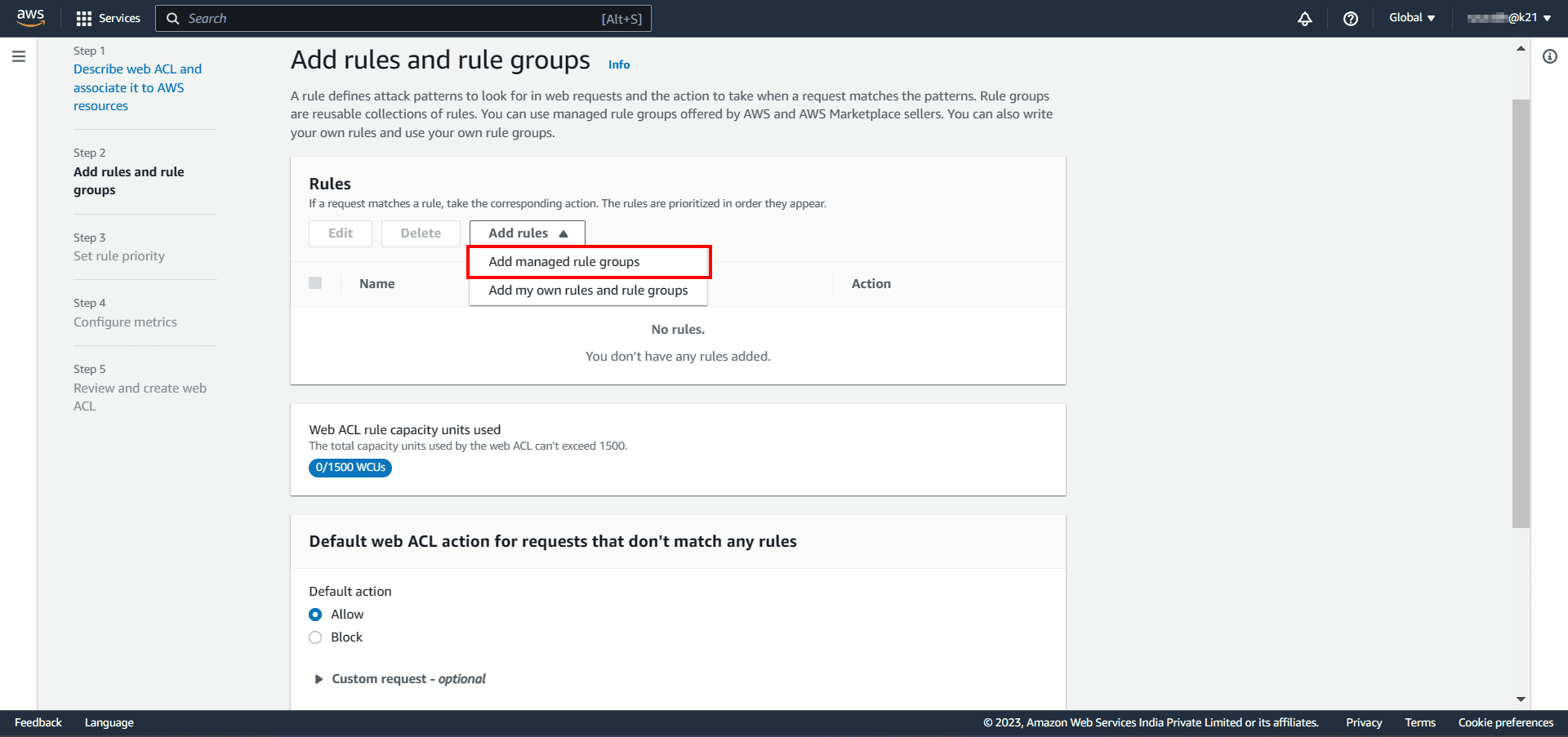
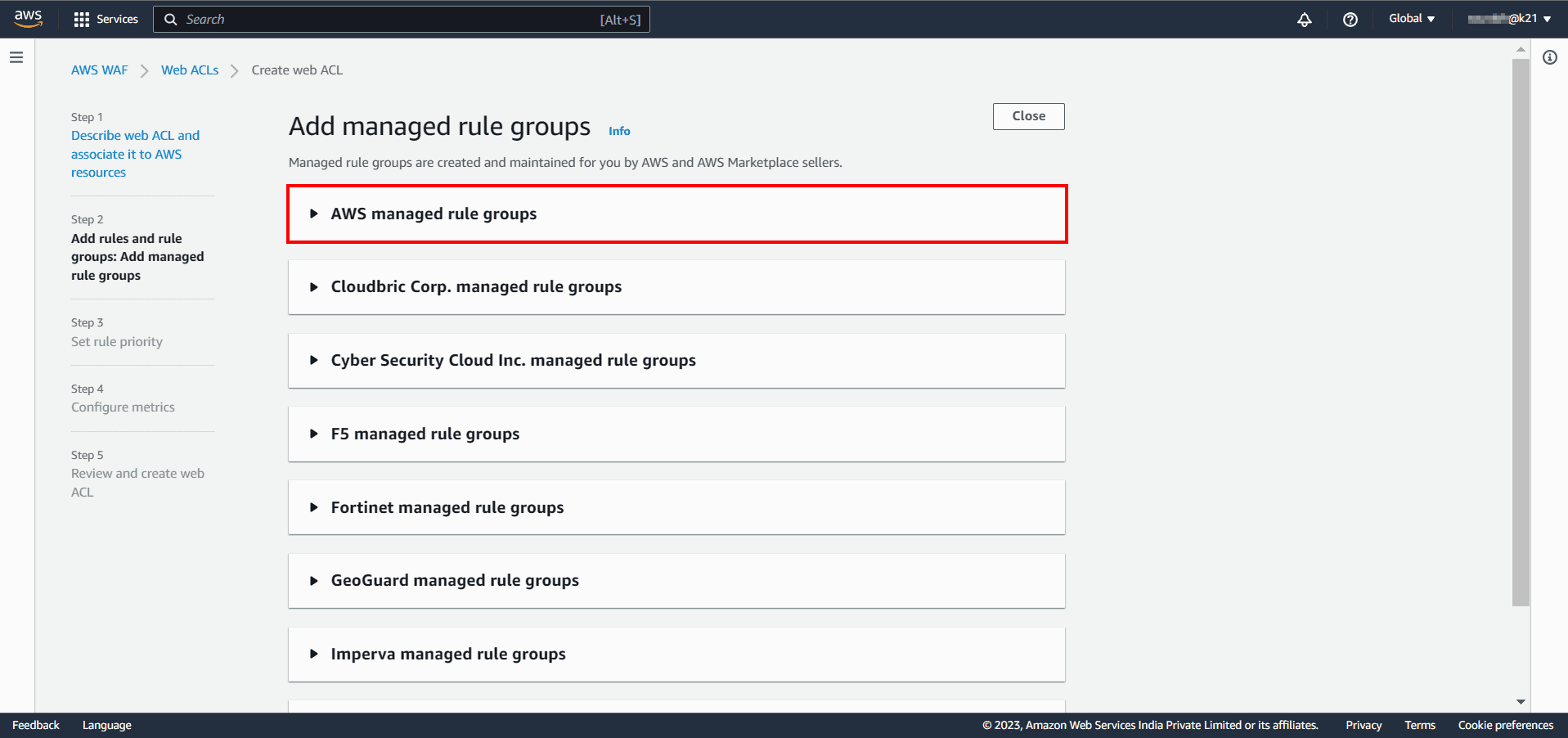 AWS Managed Rules provides you with a collection of managed rule groups. The majority of these are free for Amazon WAF users. After adding managed rule group, choose to save the rule.
The rules we’re going to create will define the patterns we want to allow/block. We’ll add 2 rules only.
- Regular rule: This rule protects the application from SQL injection attacks. It will check if the URI path contains an SQL injection.
- Rate-based rule: This rule blocks the requests made from the same IP address after they exceed a certain limit in a time period.
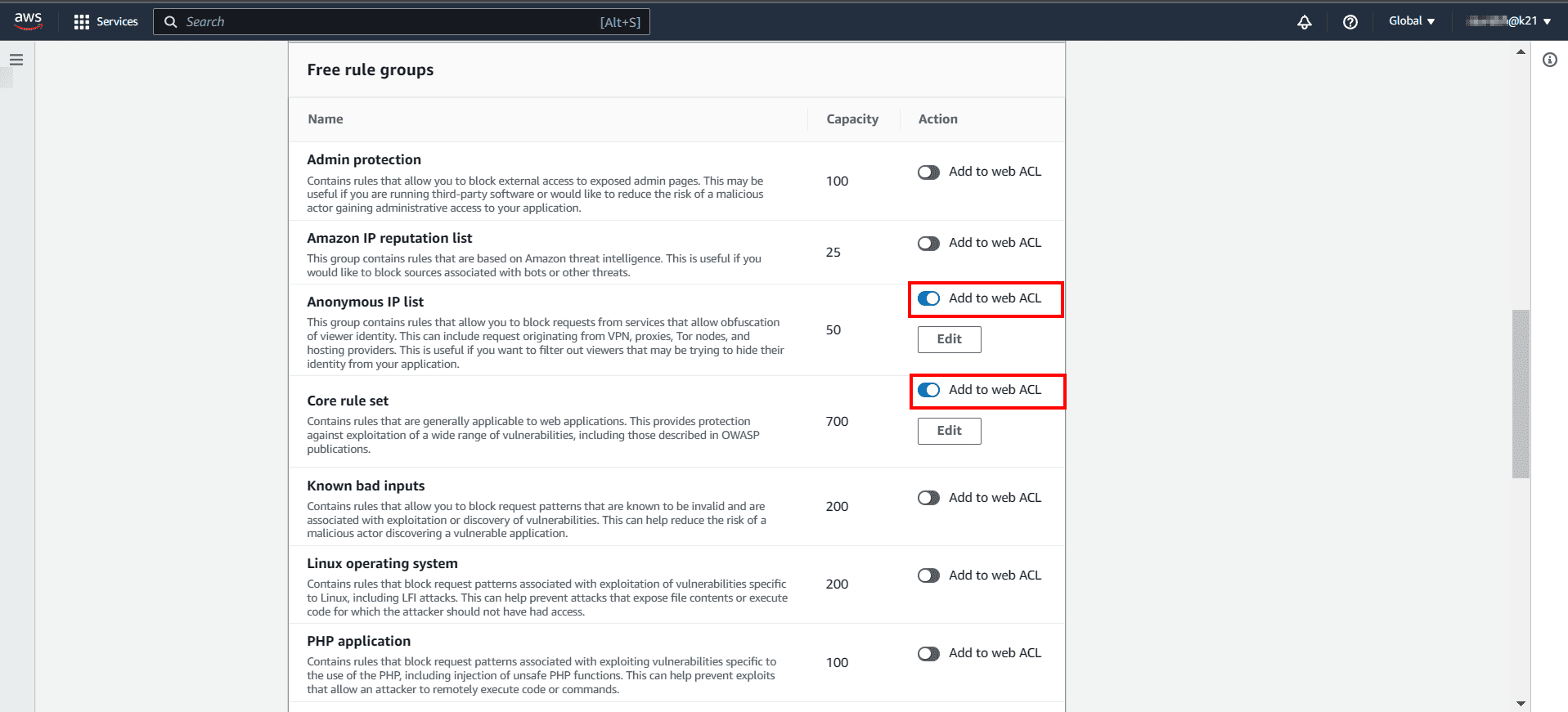

After that, check the added rules and hit Next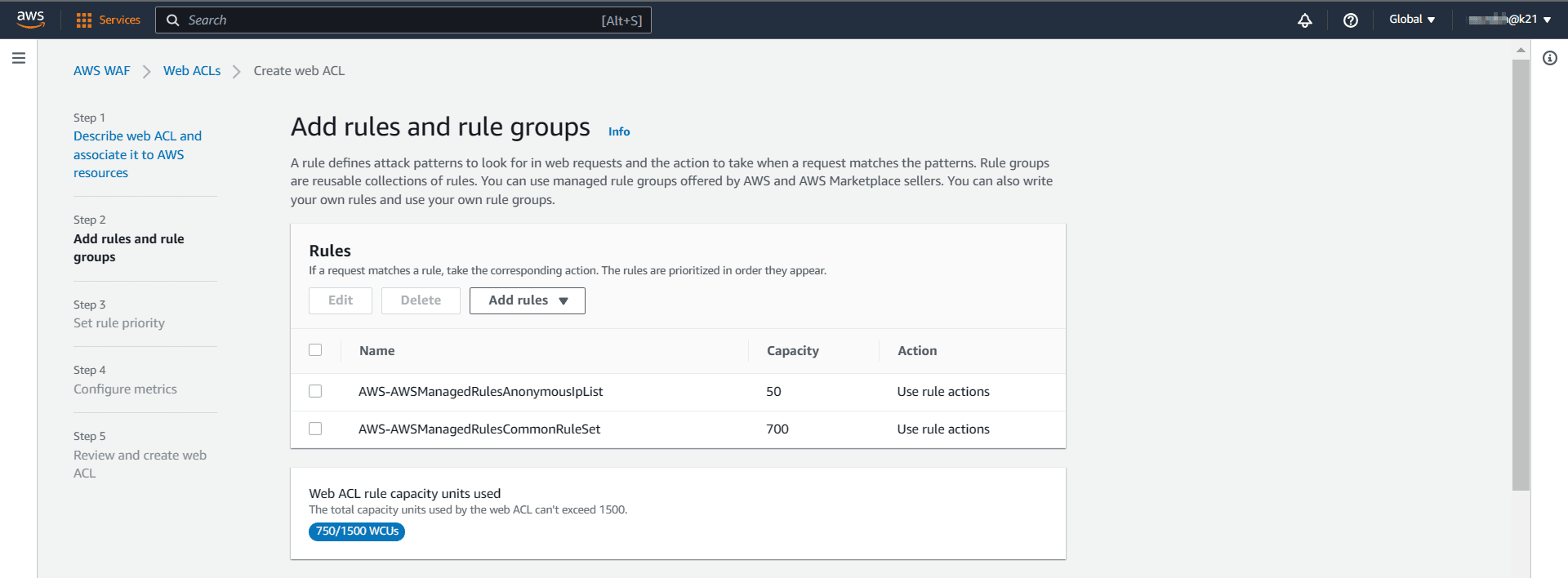
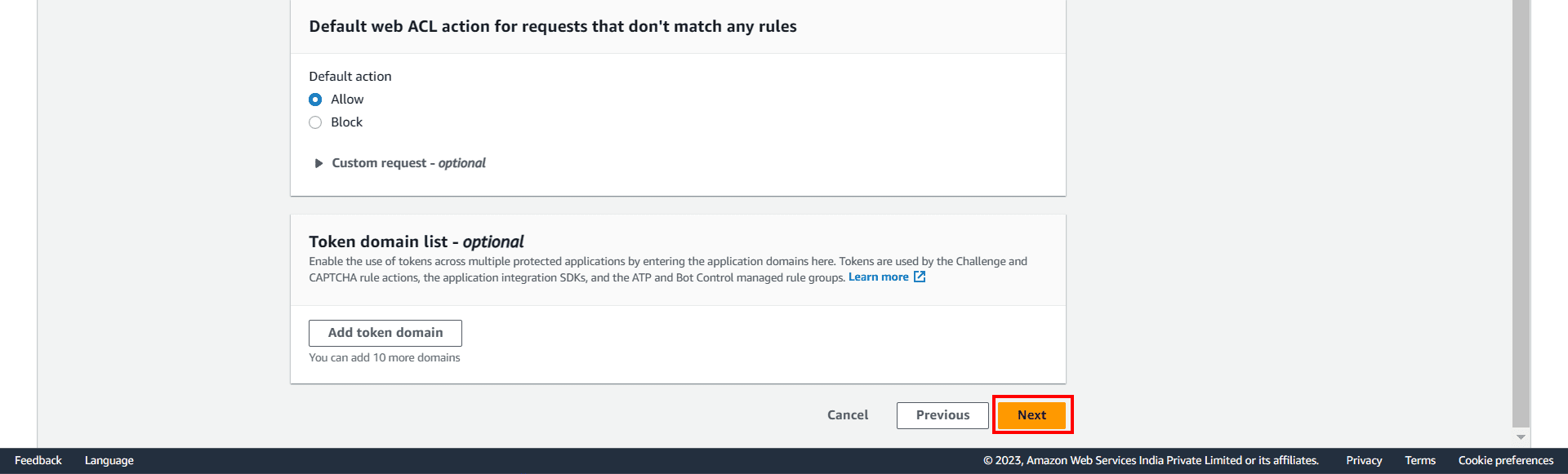
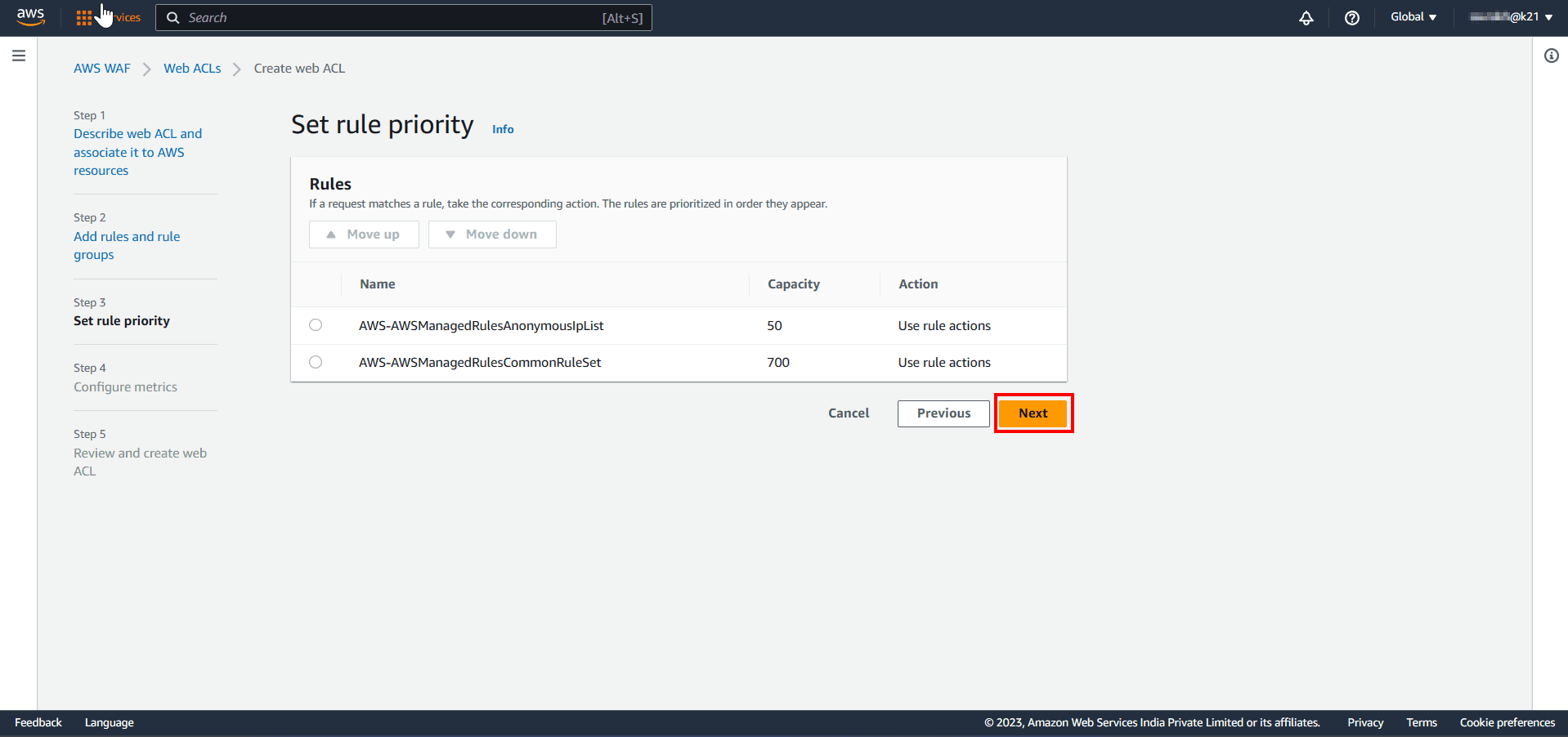
Check Out: AWS IoT Pricing.
Step 4: Configure Cloudwatch Metrics: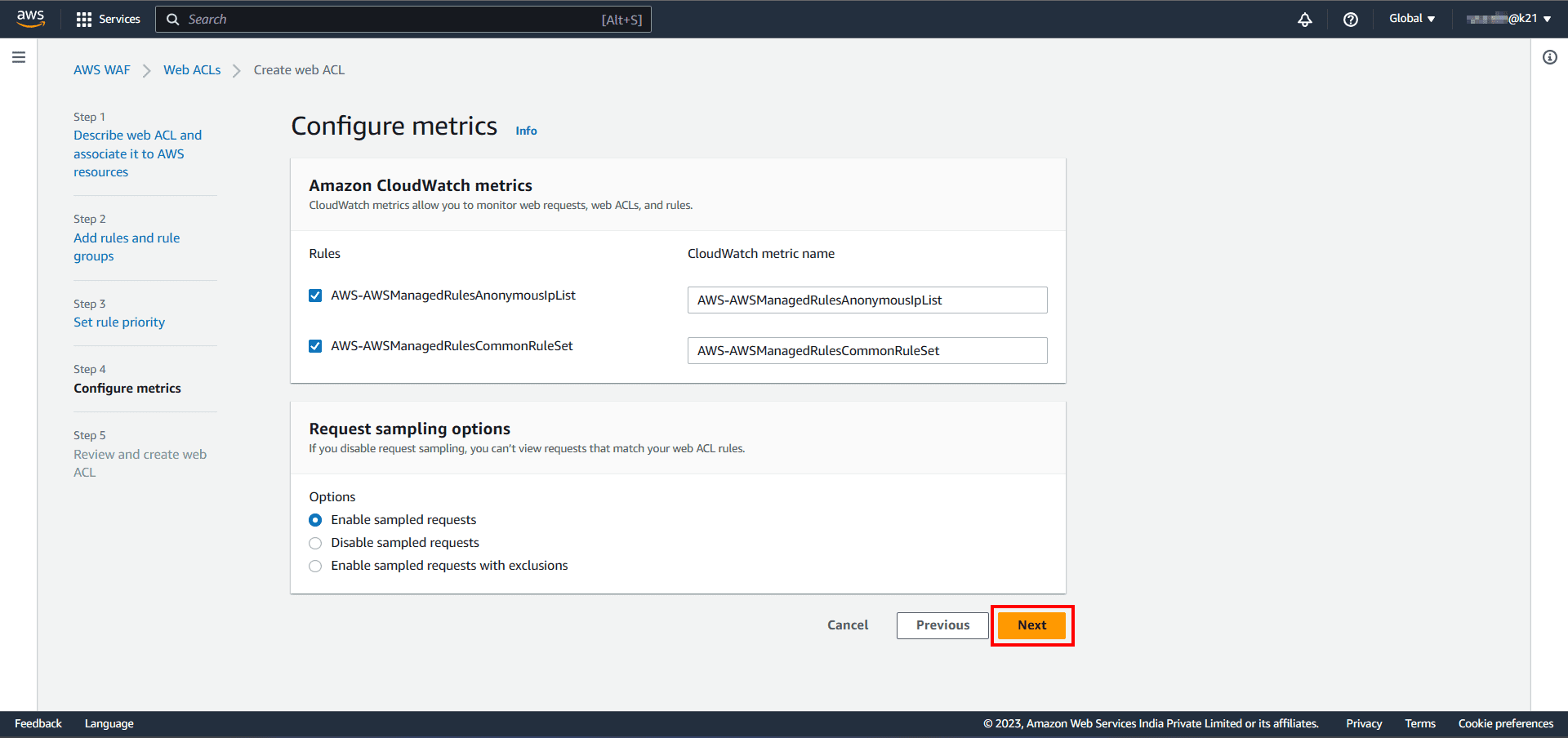
Step 4: Review Web ACL Configuration: In the final step, check all the rules and managed groups and hit on create web ACL.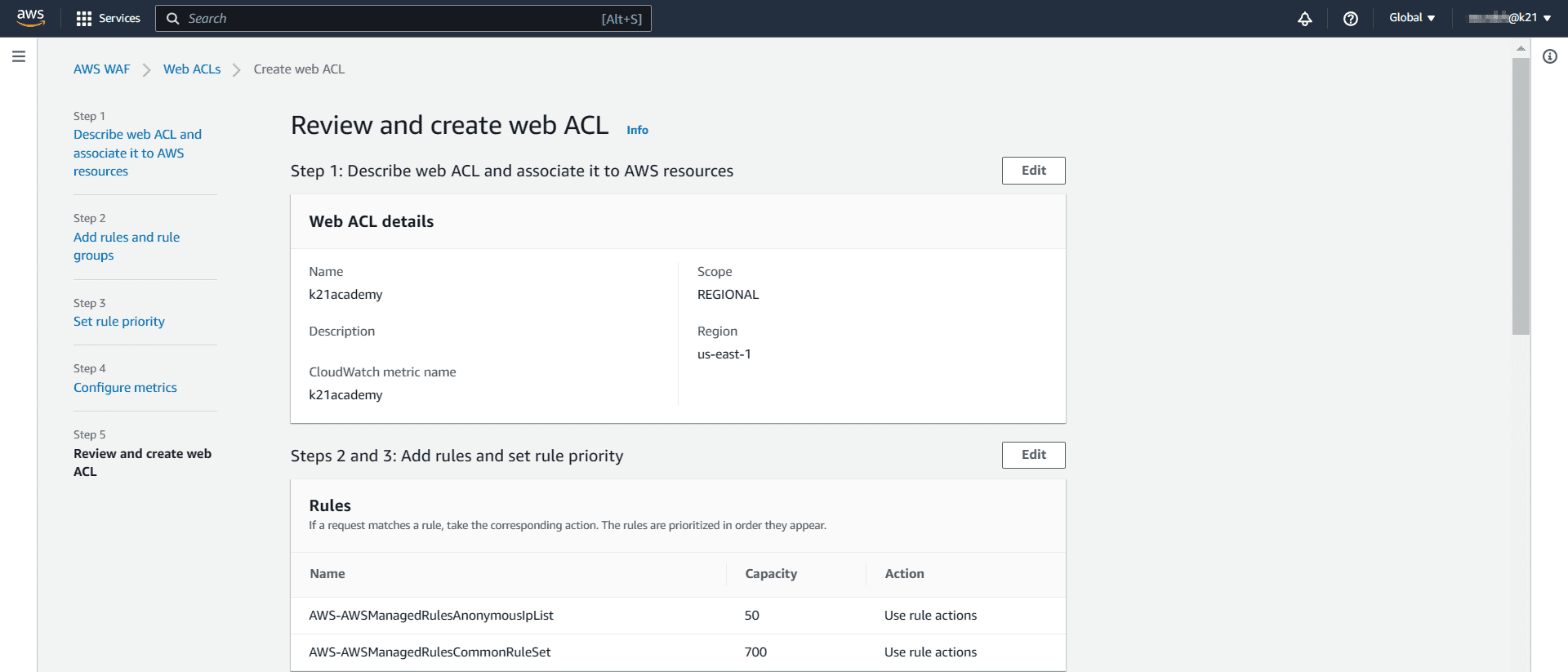
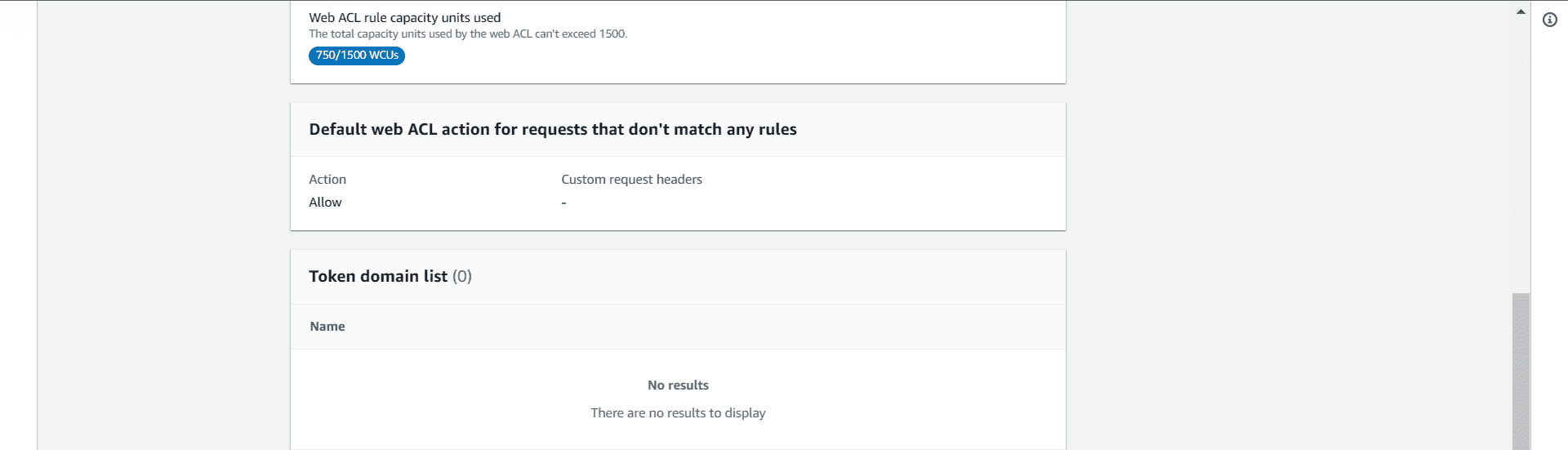
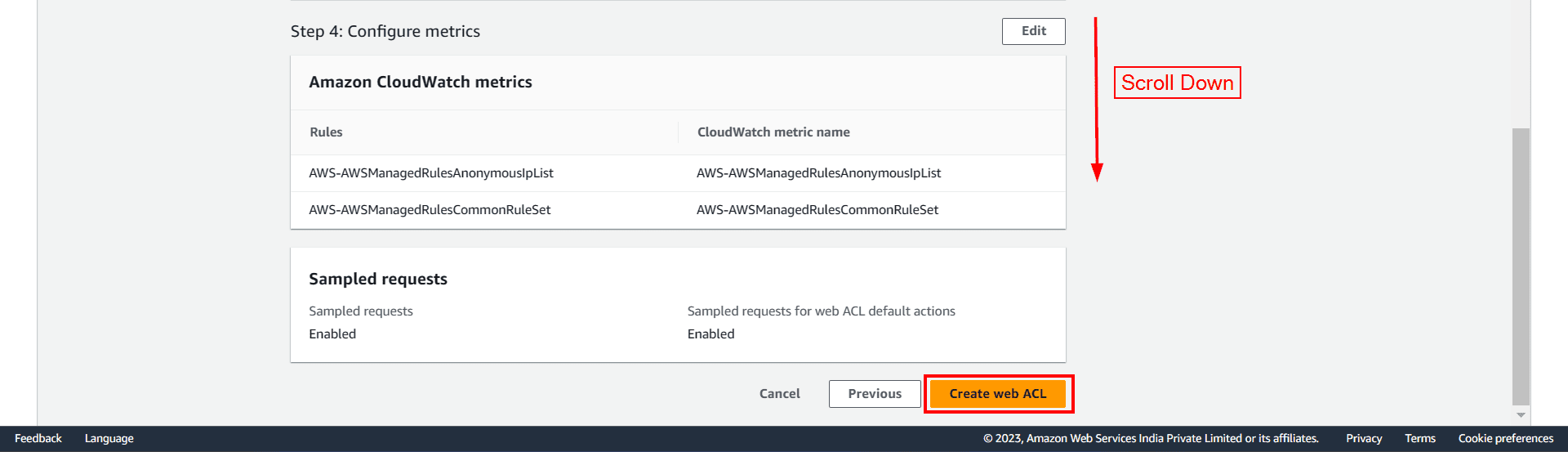
Finally, a message will pop up You Successfully created web ACL: ACL-name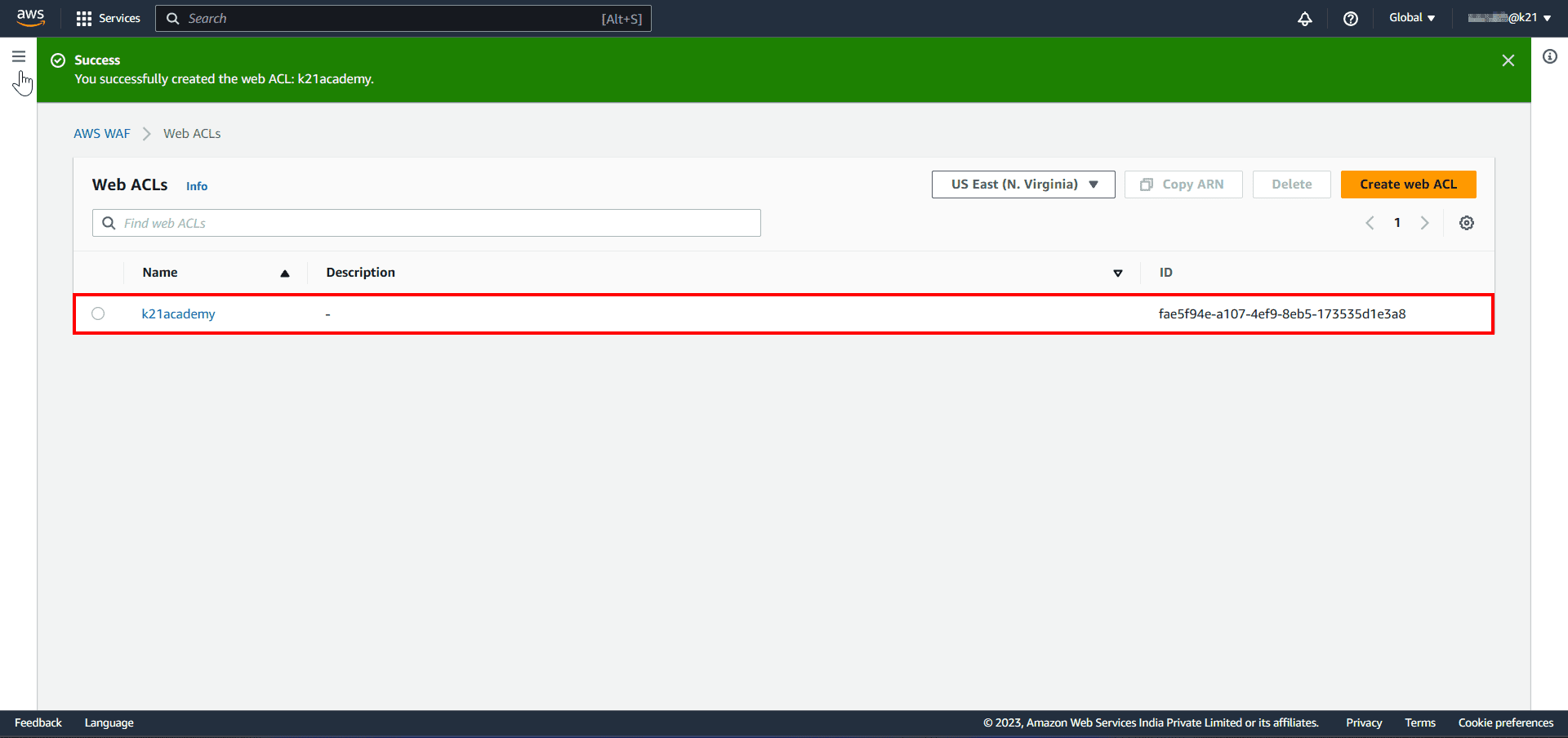
Also Read: Our previous blog post on AWS Storage.
Case Study
AWS helps customers with a wide range of services. WAF AWS helps companies to prevent malicious attacks that could compromise security, affect application availability, etc. Some of the companies using Web Application Firewalls are mentioned below.

EagleDream: EagleDream Technologies provide UI/UX, Web Development, Cloud Managed Service expertise, and end-to-end support for customers. EagleDream is a full spectrum driver of digital transformation with AWS.
Equinix: Equinix, Inc. is an American-based MNC that specializes in Internet connection and data centers. The company is a leading global colocation data center in market share. It has 210 data centers in 25 countries. Equinix uses the AWS Web Application Firewall (WAF) service to protect against attacks, manage traffic, and block dangerous IP addresses.
Read More: About AWS EC2 Auto Scaling.
Related/References
- Overview of Amazon Web Services & Concept
- AWS CloudFormation
- AWS Elastic Beanstalk
- AWS Management Console Walkthrough
- AWS CodeCommit Overview & Its Benefits
- Deploy Web App On AWS Using CodePipeline
- AWS Free Tier Account Services
- AWS Certified Solutions Architect Associate SAA-C03 Exam details
- Amazon S3 Bucket: Overview, Errors & Resolutions
- AWS Outposts: Overview, Working, Features & Use Cases
Next Task For You
Begin your journey towards an AWS Cloud by joining our FREE Informative Class on Amazon Cloud Free Class by clicking on the below image.


![Microsoft Agentic AI Business Solutions Architect [AB-100] | K21 Academy](https://test.k21academy.com/wp-content/uploads/2025/11/Microsoft-Agentic-AI-Business-Solutions-Architect-AB-100-Exam-Overview1.png)



