





Is your existing cloud cost tool giving you the cost knowledge you require? The vast majority of tools need to be more manual, clunky, and accurate. Migrating to cloud platforms like Amazon Web Services (AWS) is a continuous process that evolves as organizations build new skills, procedures, tools, and capabilities. Any workload can be moved from on-premise environments or other computing facilities to public cloud services. Before we get into the list of popular aws cloud migration tools, let us first define AWS migration and the benefits it provides.
In this blog, we’ll discuss:
The 10 best AWS Migration Tools
- CloudZero Migration Cost Monitoring
- AWS Migration Services
- Carbonite Migrate
- Cloudsfer
- CloudFuze
- CloudEndure (AWS CloudEndure)
- Corent SurPaaS MaaS
- Dynatrace
- Fivetran
- VM Import/Export
AWS Cloud Migration Tools
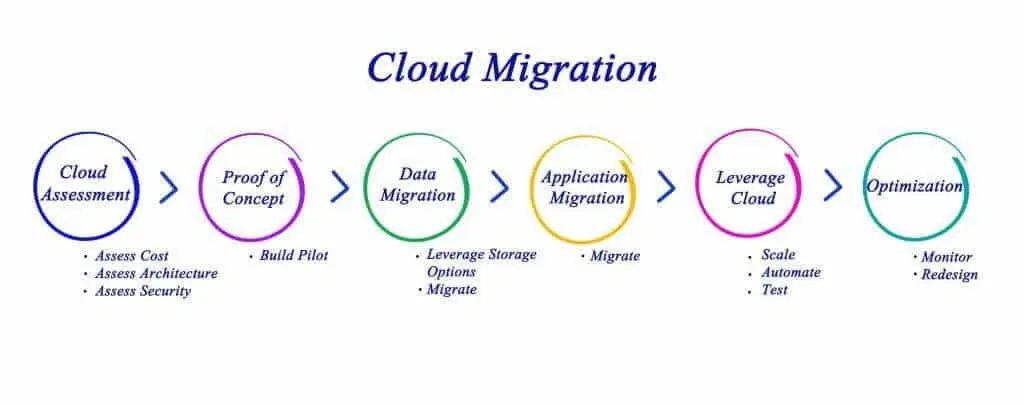
The term “cloud migration tool” refers to a service, piece of software, or middleware that helps with data transfer, application configuration, bridging infrastructure, file format, storage type, and other compatibility gaps between your current systems and the AWS cloud.
Simply put, a cloud migration tool is a service that allows businesses to automate data migration from one environment to the AWS cloud.
The service can help:
- Determine which improvements to make.
- Choose which security protocols to use.
- Choose the best-supporting infrastructure for your data, applications, and use cases.
Related Readings: AWS Cloud Migration: A Complete Guide
Key Benefits Of AWS Cloud Migration Tools
Here are the major reasons why the implementation of AWS migration tools can help in the smooth functioning of the AWS data migration service:
- Savings on infrastructure costs
- Improved infrastructure management
- Unplanned downtime has been reduced.
- Less severe security disruptions
- Data migration that is mature and foolproof
- Time to business gains is diminished.
- Organizational flexibility, business agility, and productivity
- Long-term viability with lots of server capacity
However, not all AWS migration services and tools are created equal.
So, how do you locate the best AWS migration software for your requirements?
Related Readings: AWS Server Migration Service
Top 10 AWS Cloud Migration Tools for 2025
Moving, synchronizing, and optimizing large volumes of data can be simple, secure, fast, and cost-effective with the right migration service.
Related Readings: Application Migration to AWS & Its 6 Phases
Consider the following options:
1. CloudZero Migration Cost Monitoring
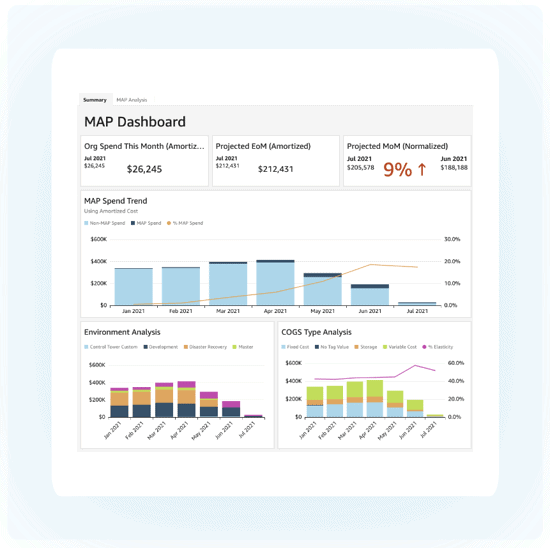
CloudZero assists teams in continuously monitoring AWS migration costs at every stage of the process. With Cloudzero’s Migration Cost Monitoring, you can track costs and progress as you migrate workloads to AWS in real-time.
Key features include:
- individual dashboard in the AWS Marketplace to track credits and maximize savings.
- assisstance in tracking credits and labeling your MAP workloads, allowing you to maximize discounts, fully understand savings, and receive a clear picture of your cloud budget.
2. AWS Migration Services
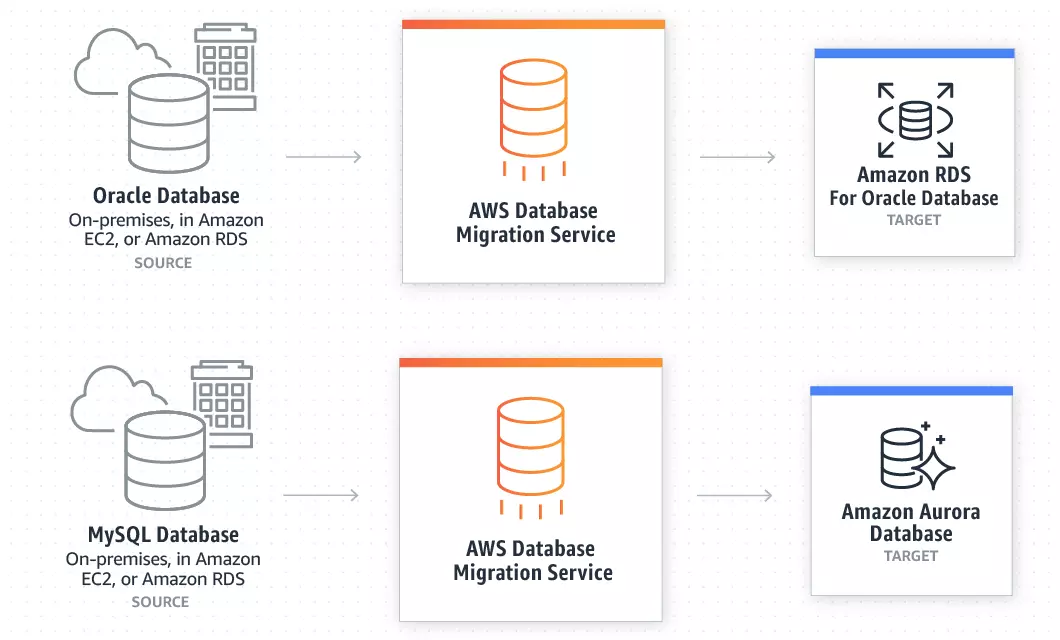
If you’re looking for a variety of native AWS migration tools, including free ones, check out:
- AWS Application Discovery Service – Analyzes and maps dependencies and server utilization in your on-premises data center to assist you in planning a migration.
- AWS Migration Hub – A single location to track the progress of application migrations across multiple AWS solutions and partner services.
- AWS Server Migration Service – If you intend to migrate large workloads from on-premises servers to AWS, use this agentless service. It’s ideal for coordinating live server migrations in order to automate, schedule, and track incremental replications of live server volumes.
- AWS Application Migration Service – This one allows for non-disruptive testing to ensure that your AWS applications run smoothly. It also migrates your source servers from cloud, virtual, or physical infrastructure to AWS.
- AWS Database Migration Service- It also supports data streaming to Amazon Redshift and uses cases requiring continuous data replication with high availability.
Other AWS Cloud Migration Tools to consider But the ones mentioned above are the most important.
Related Readings: AWS Application Discovery Service – A Comprehensive Guide
3. Carbonite Migrate
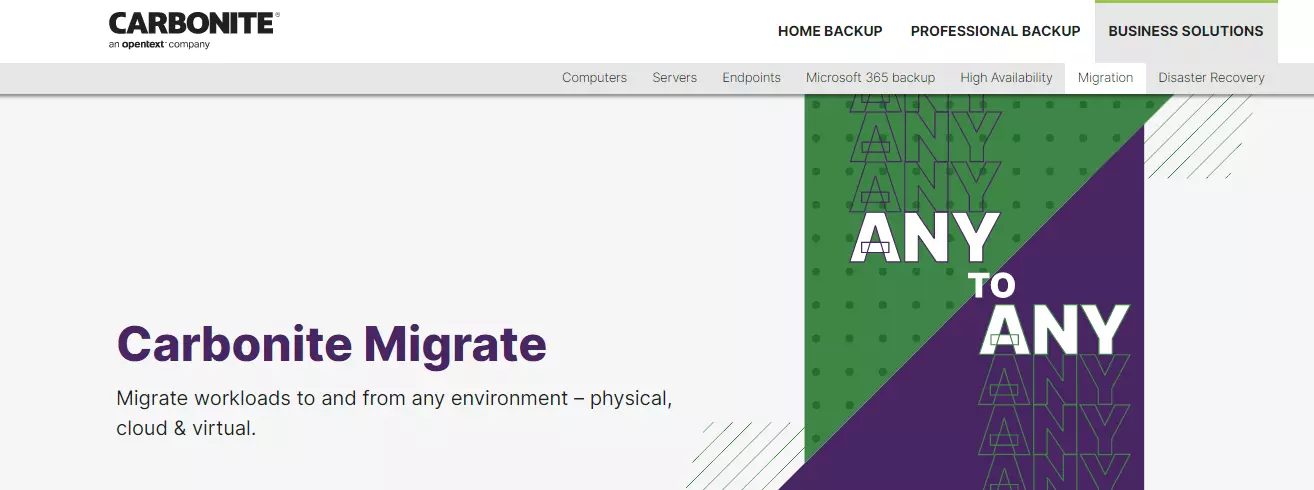
Carbonite Migrate is an online tool that facilitates the migration of Linux and Windows servers to AWS and AWS Outpost. Linux operating systems supported include Red Hat Enterprise Linux, Ubuntu, SUSE Linux Enterprise, CentOS, and Oracle Enterprise Linux.
Key features include:
- fast and AES 256-bit encrypted transmission of data from, to, and between all kinds of virtual, physical, or cloud-based platforms with low downtime.
- The solution also enables teams to test the environment as frequently as needed with little interruption to ensure every aspect is functioning properly.
4. Cloudsfer
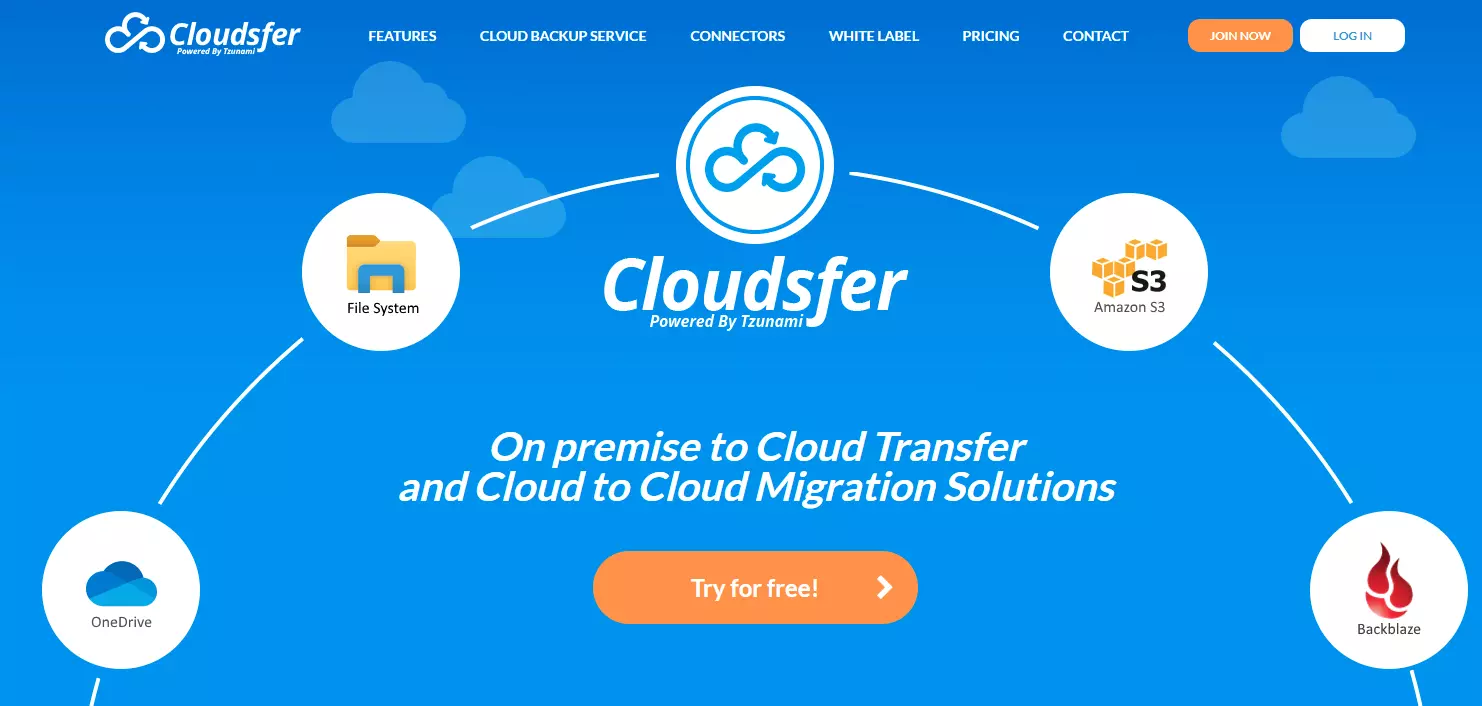
Cloudsfer from Tzunami is a cloud-to-cloud and on-premises-to-cloud content transfer solution. To ease the migration, you can perform a pre-migration assessment, gain performance insights during migration, and keep permissions and security configurations.
Key features include:
- supports the migration of configuration, users, security, and metadata.
- provides backup services for cloud data and supports over 20 cloud storage providers, including Amazon S3, SharePoint, OneDrive, Box, Dropbox, Drive, and Egnyte.
- You can instantly copy and transfer data using a centralized user interface and third-party connectors.
5. CloudFuze
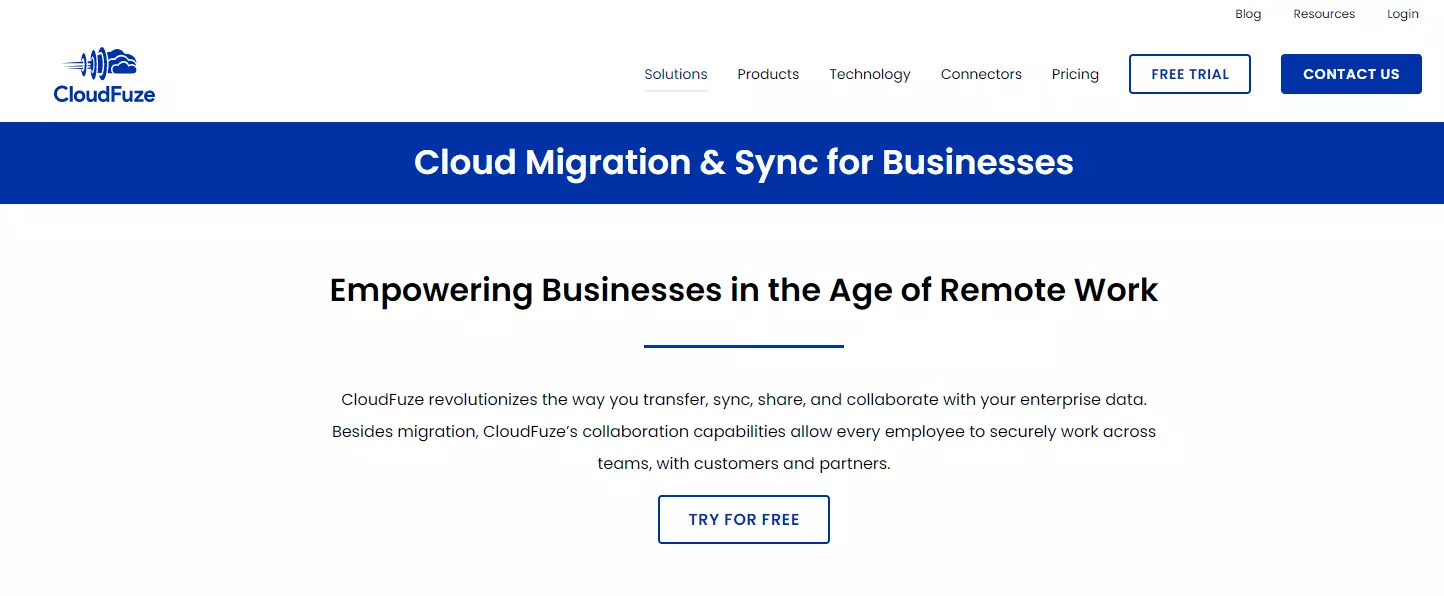
CloudFuze is a cloud-to-cloud migration service that allows users to move cloud files and users between different cloud accounts. For small and large enterprises alike, it also supports file permission migration, cloud file management, and one-way and two-way sync.
Key features include:
- can be used to transfer large amounts of data from a business cloud storage service, such as Dropbox Business, to Amazon S3.
- promises fast data transfers, a high-quality infrastructure, and data security during migrations.
- Managed migrations are available for businesses that require assistance.
6. CloudEndure (AWS CloudEndure)
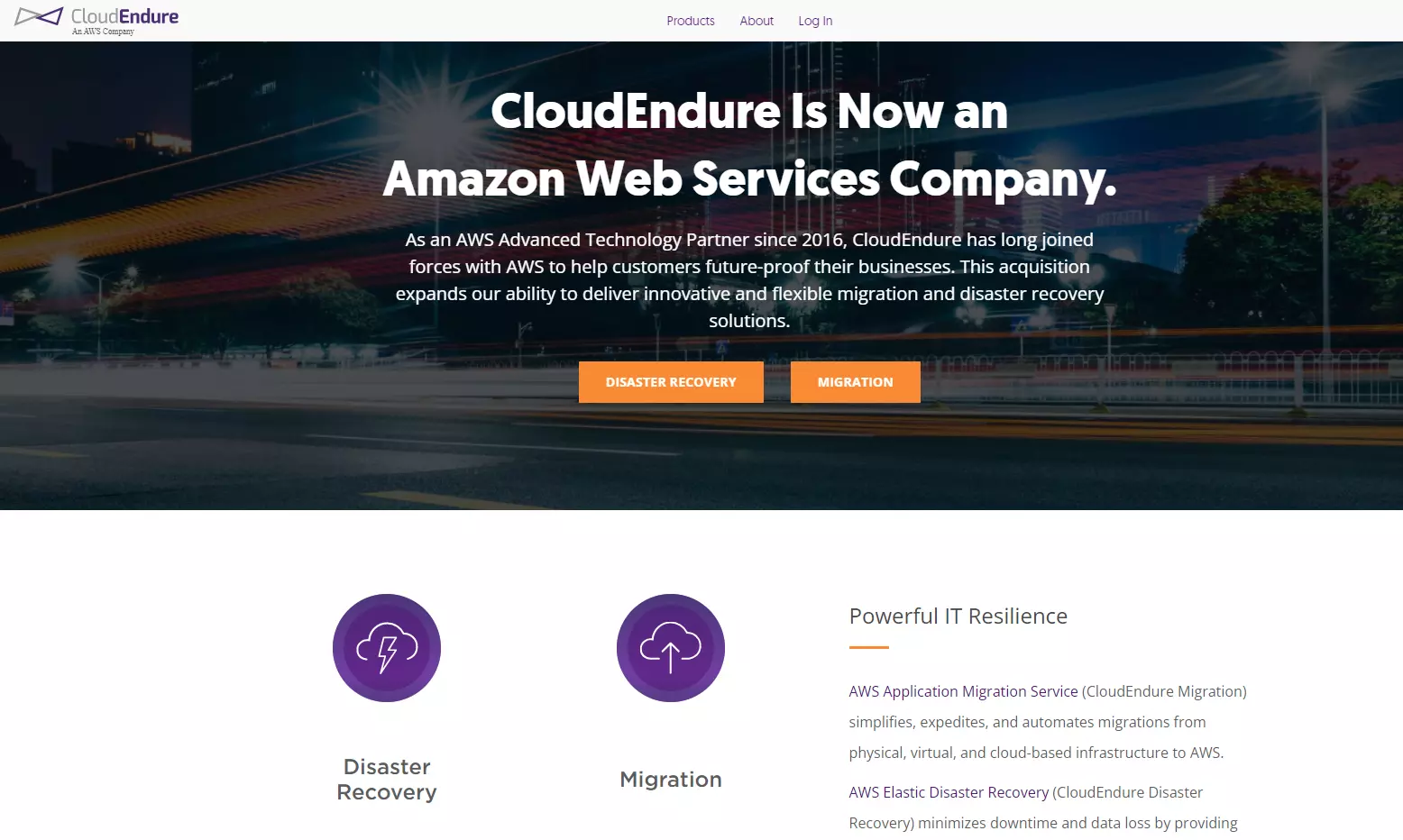
CloudEndure enables migrations from on-premises to cloud, cloud to cloud, and AWS region to AWS region. It will be integrated into AWS Application Migration Service because it was recently acquired by AWS.
Key features include:
- CloudEndure Migration is perfect for lift and shift migrations to AWS since it allows workloads to run natively on AWS.
- Its disaster recovery solution supports a broader range of Amazon Web Services regions and operating systems than AWS EDR.
- As a result, you can safeguard your MySQL, SQL Server, and Oracle databases, as well as enterprise applications like SAP.
- You can quickly restore operations in the event of a disruption, making AWS your compliance-ready recovery site.
7. Corent SurPaaS MaaS
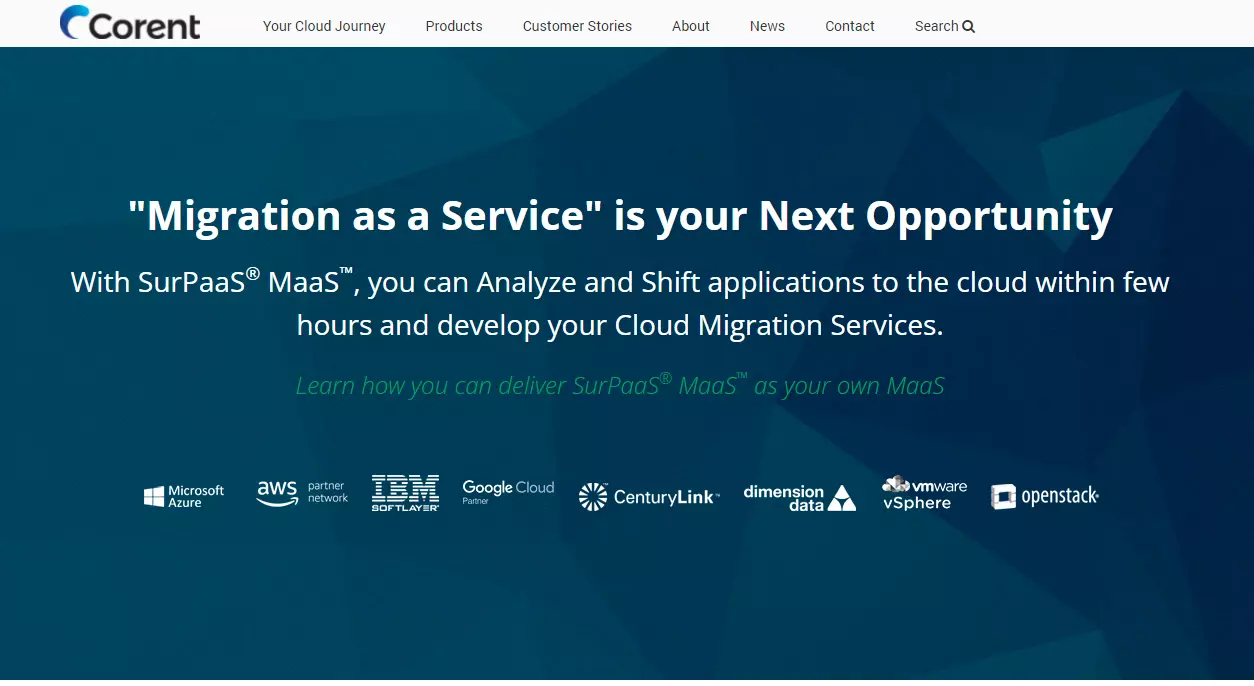
SurPaaS MaaS is a migration-as-a-service for businesses that want to quickly and easily analyze and transfer applications to the cloud.
Key features include:
- As you plan your migration, you can use this software to create a cloud migration feasibility report to assist you in selecting the best migration strategy.
- it is ideal for automatically and easily migrating an entire app or data center to the cloud.
- It can also be used to transfer data between clouds or from physical servers to the cloud.
- It allows for seamless integration of your application and a PaaS service.
8. Dynatrace
Dynatrace OneAgent combines AWS cloud migration agent and agentless. It promises to assist you in creating an automatic dependency map of your entire stack on AWS in minutes.
Key features include:
- It continuously collects logs, transaction traces, and system and performance metrics. For optimal performance, OneAgent also links application services before and after migration.
- Dynatrace is an excellent migration tool for hybrid cloud environments due to its multi-data-center engine.
- Additionally, you can use CI/CD tools to prevent broken builds from causing disruptions and run multiple tests to detect architectural regressions.
9. Fivetran
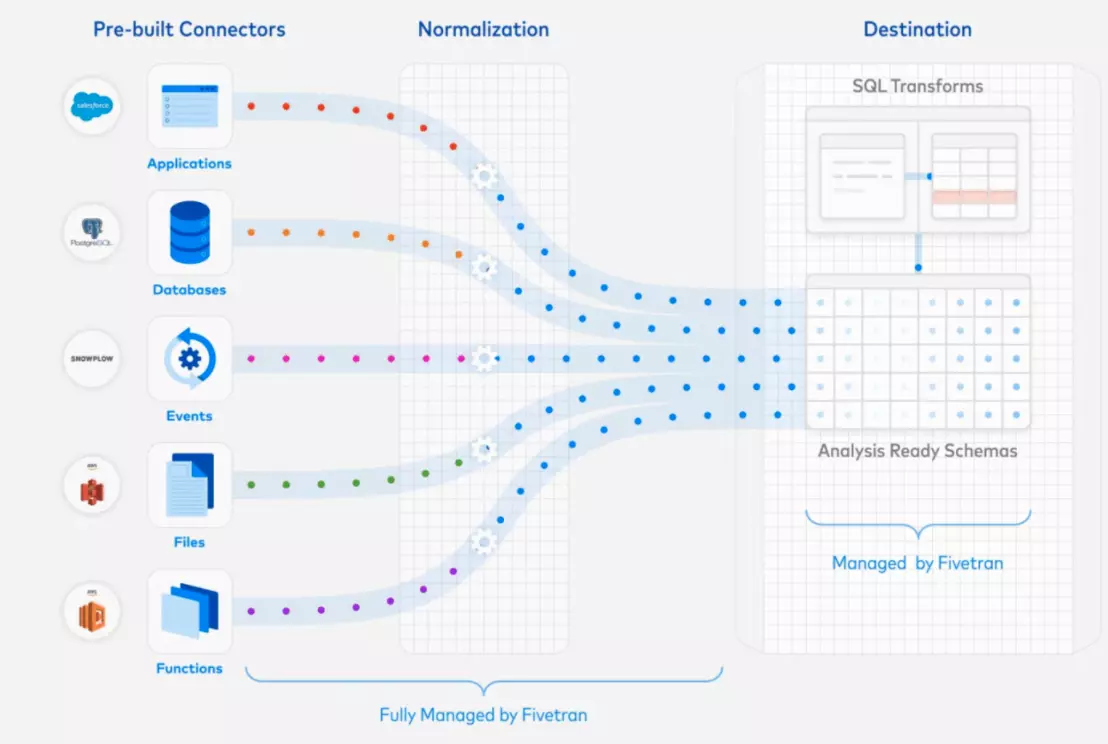
Fivetran allows you to extract, load, and transform (ELT) business data from a single system and store it in a centralized location. This means that you can move data from an app, website, server, or SaaS like Salesforce to a central location, such as a data warehouse, for further analysis or storage.
Key features include:
- Fivetran provides real-time replication of cloud and on-premises data in AWS.
- It also provides pre-built, cloud-based connectors that adapt to source changes automatically and deliver analysis-ready schemas.
- You can also sync all of your data sources to Amazon Redshift, use AWS Lambda to automate the ELT process and use Amazon CloudWatch to monitor logs and metrics to track the progress of Fivetran’s data connectors.
10. VM Import/Export
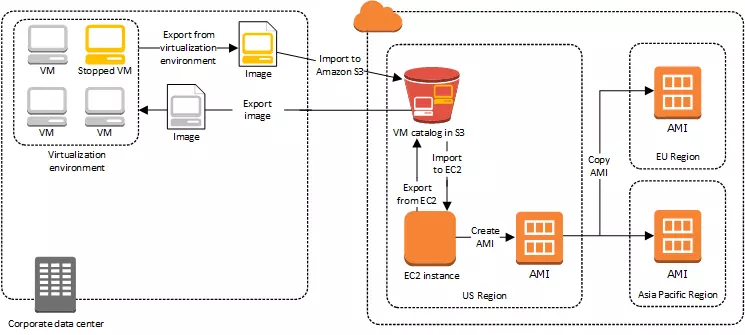
This is another AWS service. Companies that have configured virtual machines can use them with AWS services for free, except for the regular service fees associated with the specific AWS services they use — Amazon EC2 or Amazon S3.
Key features include:
- Importing a VMware virtual machine image necessitates the use of a developer tool such as AWS CLI. You must be using VMware vSphere virtualization to import them via AWS Management Portal.
- You can track migration progress, create AWS S3 buckets and upload VM images into them, and then launch your EC2 instances once you’re finished.
AWS Cloud Migration Tools: Summing It Up
There is a lot going on in the world of AWS migration, and the popular AWS data migration tools listed above play an important role in improving AWS cloud and data migration services. The cloud has brought about a revolution today, and it is powered by the giant Amazon. AWS cloud services provide exceptional migration services.
Of course, there are other factors to consider when deciding which tool to use. Whichever option you select, you are selecting the best of the best!
Related Readings: 5 Steps for a Cost-efficient Migration to AWS Cloud
Frequently Asked Questions:
Which one is the free tool used for migration activities?
Azure DocumentDB is a free and open-source data migration tool from Microsoft that helps users migrate data to DocumentDB, a NoSQL document database. It is a completely manageable serverless database that scales automatically.
Which tool can be used during the assessment for cloud migration?
Tools for Cloud Assessment- Each platform provides a set of tools to assist with cloud assessment, including the AWS Migration Acceleration Program (MAP) and the AWS Migration Hub. Azure Migrate and the Microsoft Assessment and Planning Toolkit Google Migrate is a migration tool for Google Compute Engine and Google Storage Transfer Service.
Is AWS SMS a data migration tool?
AWS Server Migration Service (AWS SMS) automates the migration of virtual machines from on-premises VMware vSphere, Microsoft Hyper-V/SCVMM, and Azure to the AWS Cloud. AWS SMS replicates your server VMs incrementally as cloud-hosted Amazon Machine Images (AMIs) ready for deployment on Amazon EC2.
What are the must-have features of cloud migration tools?
Features are: Before migration, a built-in validation testing system is used. Rollbacks are used to secure data while it is being transferred. Data migrations and running workloads benefit from real-time streaming. Tools designed specifically for highly specific use cases, which is useful when migrating a single process or business unit to the cloud.
What are the three data migration tools available?
Three data migration tools: On-premise data migration tools are used to transfer data between two or more databases/servers without transferring them to the cloud. Tools for migrating data to the cloud from on-premises data stores, data lakes, applications, or other cloud data stores are known as cloud-based data migration tools. Open-source data migration technologies are used to move data between cloud-based and on-premises storage systems.
How do migrations tools help in migration?
The primary purpose of cloud migration solutions is to enable you to easily transfer your data or apps onto the cloud. Your application architecture is modernized by the tool, which also enables you to keep a close eye on the migration procedure.
Next Task For You
Begin your journey towards an AWS Cloud by joining our FREE Informative Class on Amazon Cloud Free Class by clicking on the below image.


![Microsoft Agentic AI Business Solutions Architect [AB-100] | K21 Academy](https://test.k21academy.com/wp-content/uploads/2025/11/Microsoft-Agentic-AI-Business-Solutions-Architect-AB-100-Exam-Overview1.png)



