
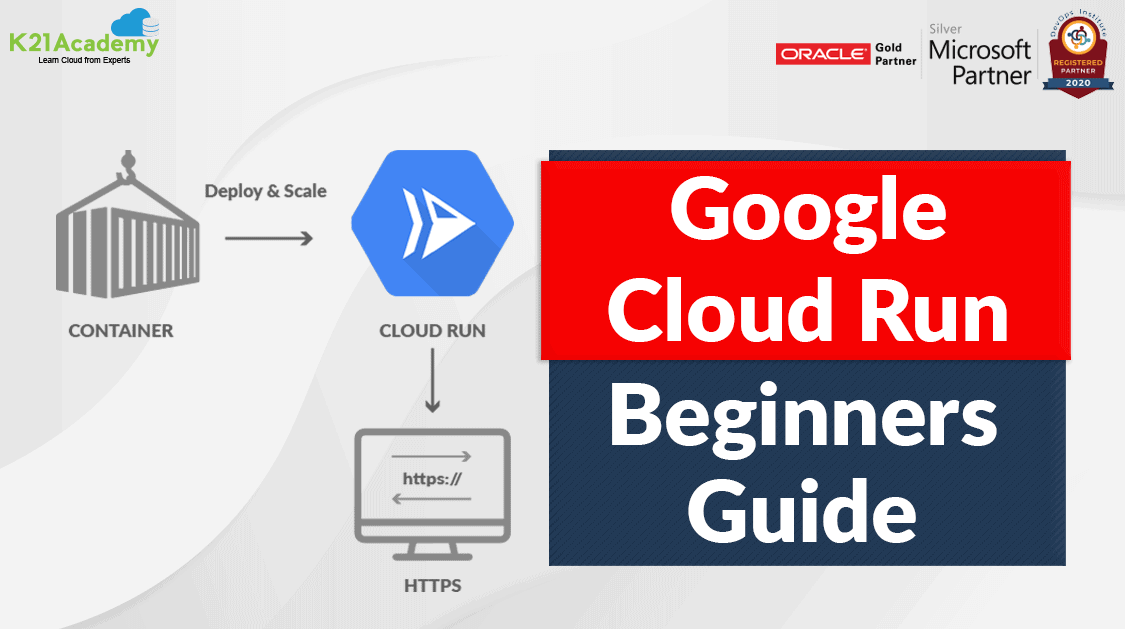



Google Cloud Run is a fully managed compute environment to deploy and scale containerized applications.
In this blog, we will cover the below topics
- Google Cloud Run Overview
- Cloud Run Features
- Cloud Run Use-Cases
- Step To Deploy A Sample Container To Cloud Run
- Pricing
- Frequently Asked Questions
So let’s get started!
Google Cloud Run Overview

Google Cloud Run is a fully managed compute platform that enables users to run stateless containers which can be invoked via Pub/Sub events or web requests. It is serverless which implies that it abstracts all the infrastructure management tasks so that users can focus on building great applications.
It is built from Knative that allows serving stateless containers in a serverless way and it’s natively portable.
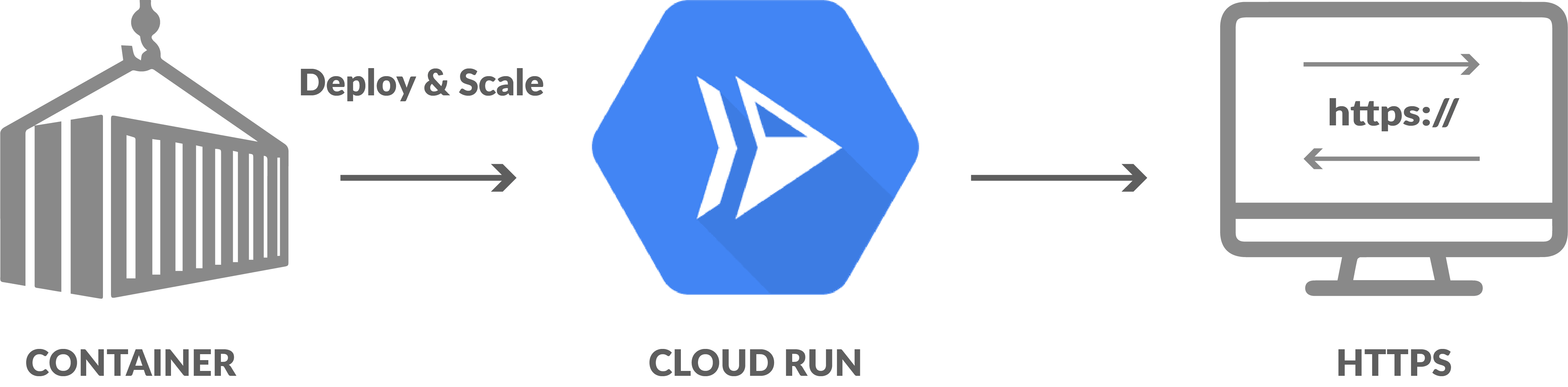
Features Of Cloud Run
- Any Language: Users can use any programming language to build their application.
- Fully managed: There is no infrastructure to manage so if you have deployed any application, then Cloud Run will manage all the services for you.
- Auto-scaling feature: It automatically scales up or down based on the traffic.
- Built on the Knative: Google Cloud Run is built on the open‐source project named Knative which enables the portability of workloads across the platforms.
- Custom Domains: Cloud Run Maps the services to the domains of the users.
- Developing Experience: It provides a simple command‐line and user interface which helps in the quick deployment and management of your service.
- Redundancy: Google Cloud Run services are regional and automatically replicated across multiple zones.
Check Out: Cosmos DB vs Spanner, to know the major differences between them.
Use-Cases
Cloud Run is widely accepted in industries now. Some of the common use-cases are:
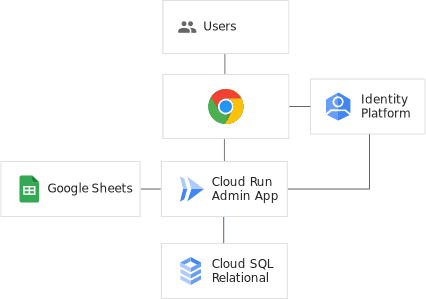
1.) Web Services: Back-office Administrations
Back‐office administration requires documents, spreadsheets, and running a vendor‐supplied web application. So hosting the containerized internal web application on Cloud Run implies that it is always ready to use and users are only billed when it is used.
2.) Data Processing
Users can build Cloud Run data processing applications that can help to transform lightweight data as it arrives and stores it as structured data. Transformations can be triggered from Google Cloud sources. So, when a .csv file is created, an event is fired which is delivered to the Google Cloud Run service. After the event is delivered the data is extracted, structured, and stored in a BigQuery table.
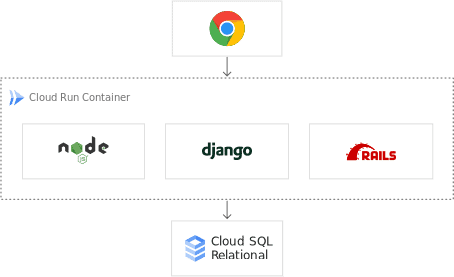
 3.) Web Services: Website
Users can build their websites using a mature technology stack such as nginx, ExpressJS, and django, access their SQL database on Cloud SQL and render dynamic HTML pages.
Also Check: Our blog post on Associate Google Cloud Engineer. Click here
3.) Web Services: REST API backends
Modern mobile apps commonly rely on RESTful backend APIs to provide current views of application data and separation for frontend and backend development teams. API services that are running on Cloud Run allow developers to persist data reliably on managed databases. Logging in to Cloud Run grants users access to app‐resource data stored in Cloud Databases.
4.) Automation: Scheduled document generation
Monthly jobs can be scheduled with Cloud Scheduler for generating invoices using the Google Cloud Run service. As containers containing custom binaries can be deployed to Cloud Run, it is able to run in a PDF generation tool in a serverless way, so users only pay when they are generating invoices.
Read More: About Google Cloud Platform Services. Click here
Step To Deploy A Sample Container To Cloud Run
Now that we have understood the theory of Cloud Run, let’s look at a practical application for
To perform the steps you will require a Google Cloud Account. So make sure you create one if you are a new user or don’t have a Google Cloud Account.
Step 1: Navigate to Google Cloud Console and log in with your registered ID.
Step 2: In the console, click the Navigation menu and click on Cloud Run.

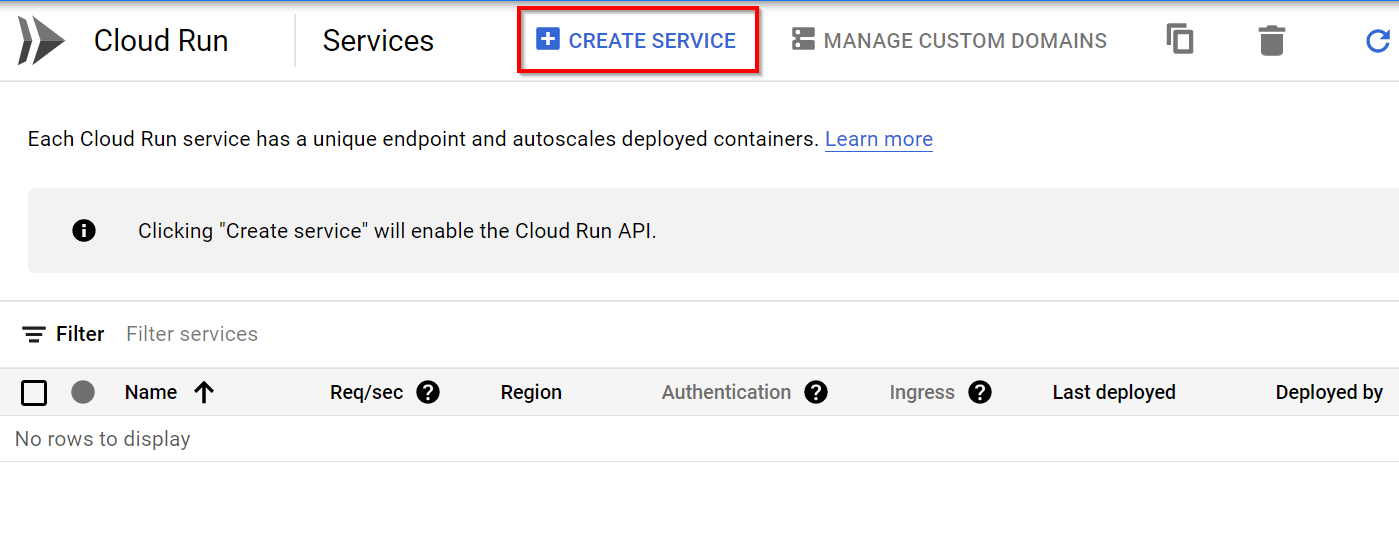
Configure the service’s first revision page.
- Service Name: k21-cloudrun-service
- Deployment Platform: Cloud Run
- Region: us-central1 (or region closest to your location)
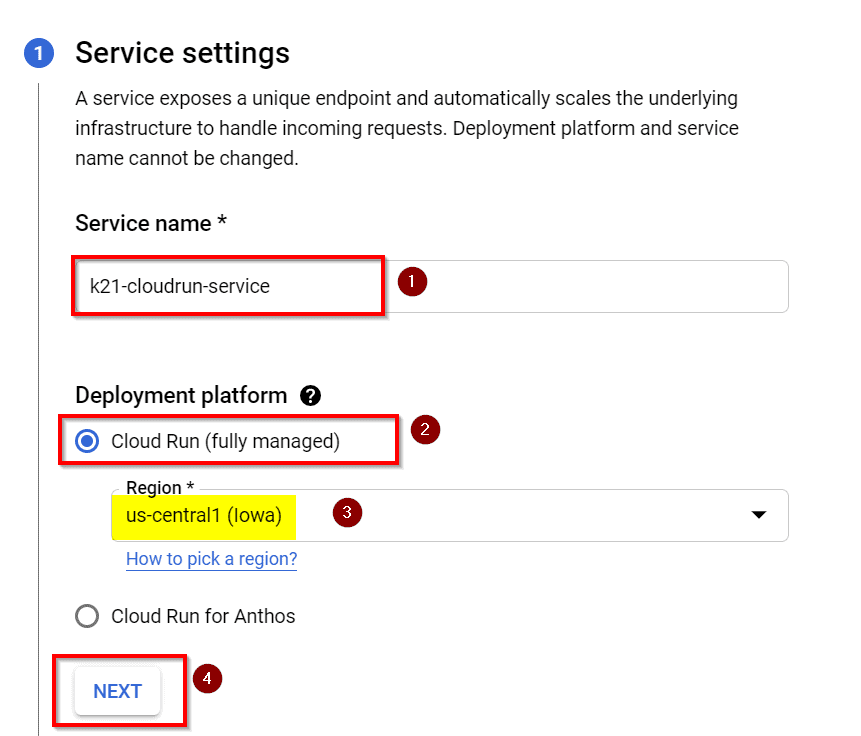
Step 5: In Configure the Service’s first revision page enter the following details and click on Next.
- Select Deploy one revision from an existing container image
- Use us-docker.pkg.dev/cloudrun/container/hello as the container image

Check Out: Google Cloud Database Pricing. Click here
Step 6: In Configure how this service is triggered form, select the Allow all traffic option and Allow unauthenticated invocations in the respective fields. Click on Create to deploy the image to Cloud Run and wait for the deployment to finish. 
Step 7: After some time, your deployment will be completed.

Step 8: To check the deployment status, copy the URL generated in the Cloud Run details page.
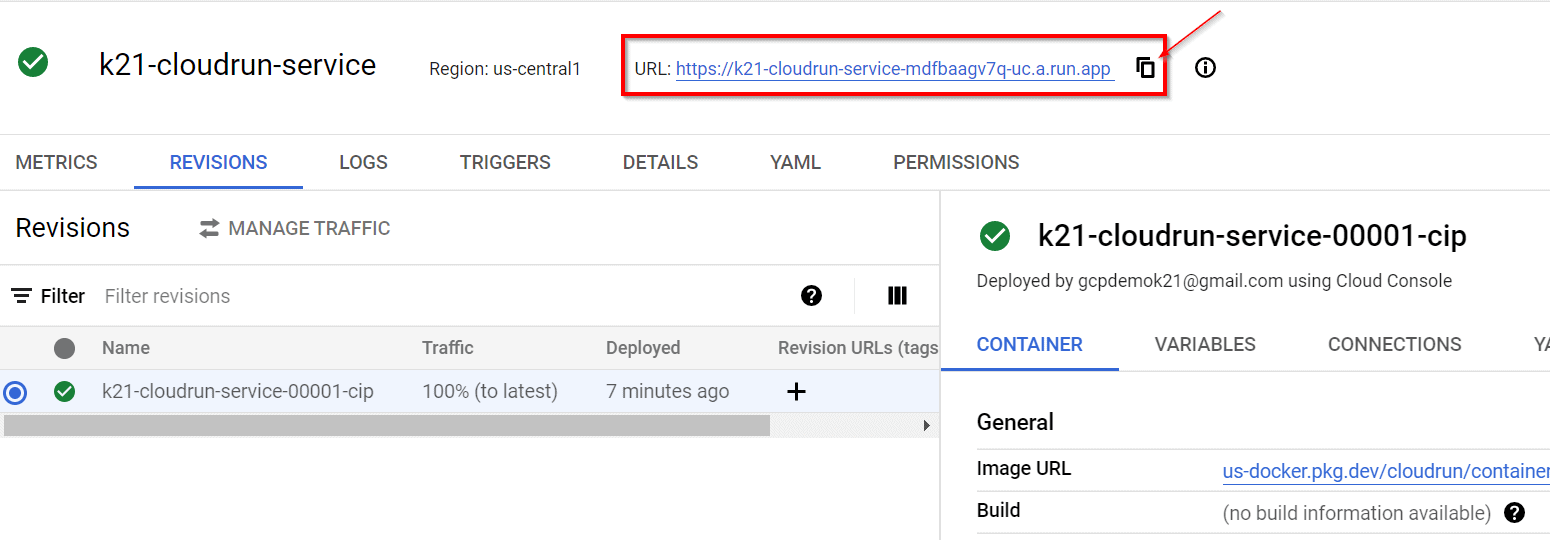
Step 9: Open the URL in a new tab and you will see you have successfully deployed a container image to the Cloud Run.

Check Out: What is GKE Cluster? Click here
Pricing
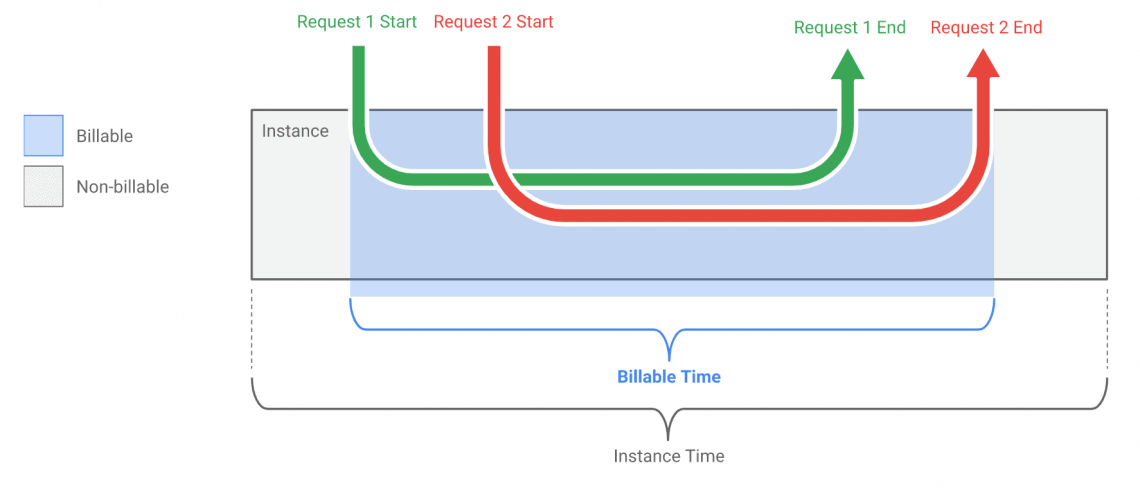
Google Cloud Run (fully managed) charges only for the resources used by you and when your code is running, which is rounded up to the nearest 100 milliseconds. Each of these resources has a free tier.
Google provides an explanatory chart that shows how billing works when two requests are made and their timing overlaps. The billing period starts when the first request is made and when the last request is returned.
To estimate the cost of using Google Cloud Run, you can use the Google Cloud Platform Pricing Calculator
Frequently Asked Questions
What is the difference between Google Cloud Run and Cloud Functions?
Google Cloud Functions lets users deploy snippets of code (functions) written in a limited set of programming languages, to natively handle HTTP requests or events from many GCP sources. Cloud Run lets users deploy using any programming language as it accepts container images. It also allows using any tool or system library from your application which Cloud Function doesn’t let users use such custom system executables.
Which applications are suitable for Cloud Run?
Cloud Run is designed to run stateless request-driven containers which mean users can deploy publicly accessible applications (such as web applications, APIs, etc) or private microservices.
Which languages can I run on Cloud Run?
Web applications written in languages Node.js, Python, Go, Java, Ruby, PHP, Rust, Kotlin, Swift, C/C++, C# can run on Cloud Run.
Related References
- GCP Associate Cloud Engineer: All You Need To Know About
- GCP Professional Cloud Architect: Everything You Need To Know
- Introduction To Google Cloud Platform
- Google Cloud Services & Tools
- Introduction To Google Compute Engine
- Overview of Google App Engine
Next Task For You
If you are also interested and want to know more about the Google Professional Cloud Architect certification then register for our Free Class.


![Microsoft Agentic AI Business Solutions Architect [AB-100] | K21 Academy](https://test.k21academy.com/wp-content/uploads/2025/11/Microsoft-Agentic-AI-Business-Solutions-Architect-AB-100-Exam-Overview1.png)


