
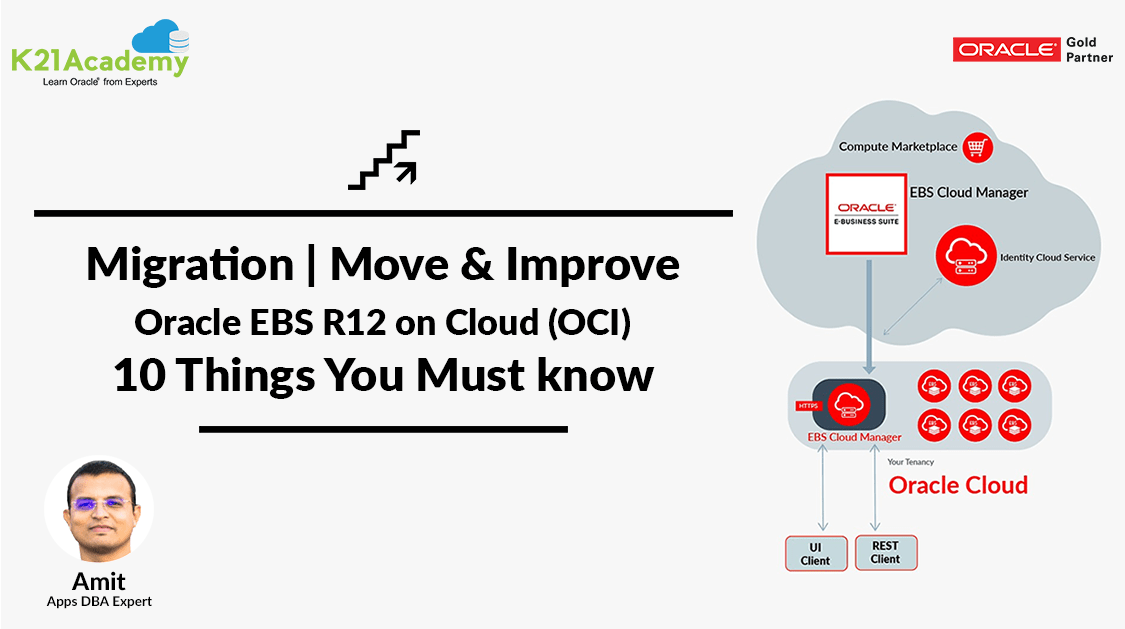



Migrating your data from on-premise to Cloud is one of the tasks, that comes under the Cloud AppsDBA, after cloning, patching, and backing up.
This post covers 10 things you must consider when Migrating an Oracle EBS(R12) Environment from On-Premise to Oracle Cloud (OCI).
- If you are an Oracle Apps DBA and wish to see tasks performed by Cloud Apps DBAs then check Atul’s post Role of Cloud Apps DBA.
- if you are beginners to Oracle Apps DBA & wanted to know about the Must for an AppsDBA, check our post on 15 Things an Apps DBAs Must Know.
EBS Move & Improve Checklist
These are some of the most important considerations based on my experience with managing & migrating EBS R12 Customer on Cloud.
Migration / Lift-n-shift is one of the most important topics and as an Oracle Cloud Apps DBA, must know the skill.
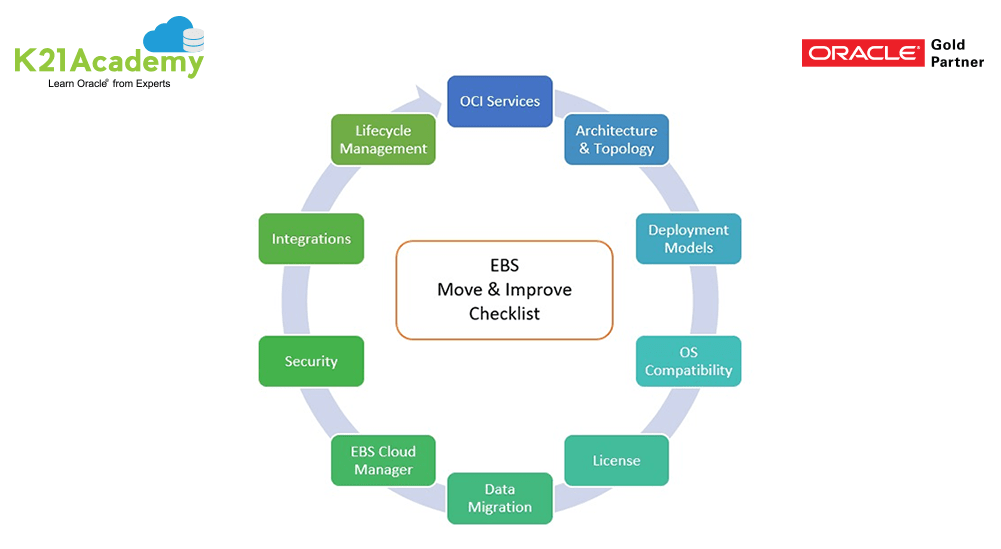
In this post, I’ll cover, 10 things you should know or consider before moving Oracle Application (EBS R12) to Oracle Cloud.
Note: Do Check Our Blog Post on Oracle Zero Downtime Migration
1. OCI Service Portfolio
The first recommendation I would suggest is knowing the OCI Service Portfolio. As on a day-to-day basis, there are a lot of new features coming and this may be going to simplify our designing and solutions. To keep yourself updated with all the latest changes and new features in oracle Cloud Subscribe here.
2.Architecture & Topology
The second recommendation I will suggest to know the Architecture & Topology of your current environment. Collect all the information which directly affects architecture – Nodes, Concurrent users, Batch jobs, etc. This will help in deciding what services are needed and approximation on the Cost as well can be calculated. Check what options are available for DB systems on OCI and know the difference between DB on Compute, Bare Metal and Exadata. Check more Oracle EBS (R12) On Cloud Deployment Architecture.
3. Deployment models
Third, you should know various Deployment models at Oracle Cloud. Along with Public, Private, Hybrid options, you should also consider the Single & Multi-Region Deployment. Depending on the security, governance, and sensitivity of the data, select the deployment model. Of course, here you to consider the other aspects as well as budget & duration (whether it is for the long or short term). To know about Oracle EBS (R12) on Cloud Architects Perspective: What and Why?
4. Operating System Compatibility
Fourth, would recommend the Operating System Compatibility. What are the supported OS at cloud and apart from that what is your current OS? Whether it is binary compatible or you need to select the Cross-Platform Migration path will be decided with the OS compatibility. As of now at OCI – Linux, Windows, and Solaris (recently introduced) are supported.
if you are using EBS Cloud Manager then the Linux platform will be used.
5. Licensing of Products
Fifth recommendation to go with the Licensing of Products. Oracle gives a lot of discounts and also reuse of On-premise License at Oracle Cloud. So before you move to the cloud check the Licensing criteria with your Oracle Sales Representative.
Also Read : Our Blog Post on Provision EBS R12 On OCI
6. How we will Migrate data
Sixth, we need to consider, how we will Migrate data. What the Database Size? Options you can use to migrate the data securely. We have Different Connectivity Options, FastConnect, VPNConnect, Data Transfer services. Depending upon feasibility and requirement we need to plan and decide which one should be beneficial and cost-effective. Apart from that, we need to think on the line on how to minimize the downtime for the migration so as to give maximum availability to the instances. To know more about 3 Ways to Connect to Oracle Cloud.
7. EBS Cloud Manager
Seventh I would recommend understanding EBS Cloud Manager which is the tool available only on Oracle Cloud to manage EBS. This is one of the tools which makes Oracle Cloud best suitable for EBS. Oracle is continuously adding new features and making our life easier. Cloud Manager has the capability to manage multiple EBS instances centrally and also provide options to run DB on Exadata and RAC. To know Oracle EBS(R12) Cloud Manager.
Check Out: Our previous blog post on EBS R12 Database Upgrade. Click here
8.Security of your EBS Instance
The eighth recommendation will be the Security of your EBS Instance running on the Cloud. Depending on your architecture if external access is needed then you need to implement DMZ. Apart from that Oracle provides TDE at the database level, encryption of data either at rest on Storage or in transition, and multiple copies of files stored at Object/Archive storage. Also, Bastion Host adds an extra layer of security by not allowing direct access to any Application and Database servers.
9. Integration
The ninth recommendation will be Integration, how you can integrate various other Oracle or 3rd Party Software with Oracle cloud EBS. SOA Gateway, Workflow Notification mailer setup, On-premise Printer integration all these are common integrations. Apart from that now Oracle & Microsoft Partnership is in place and the most common integration required by the industry is Azure AD integration with EBS for SSO requirement.
Note: To Know more on Oracle Integration Cloud, check our post on Oracle Integration Cloud (OIC) For Beginners Overview
Note: To know more on Oracle EBS R12 – OAM/OID/OUD Integration, Check here
10. The lifecycle of EBS and various tools
Tenth one, last but not the least how you can maintain the Lifecycle of EBS and the various tools you are using to maintain EBS. You need to regularly update these tools to new versions, take backups. Apart from that EBS running on OCI also needs Patching, CPU updates, and upgrades. So your existing knowledge is also utilized apart from learning new skills.
We cover Migration (Lift & Shift) EBS R12 from On-Premise to Cloud as a dedicated Module in our EBS on (R12) on Oracle Cloud (OCI) Training including Step By Step Activity Guide with Hands-On for Migration (Check our Free Masterclass).
Related/Further Readings
If you are just a beginner to Oracle cloud, then check our below posts to start your journey:
- Oracle EBS (R12) on Cloud: Architects Perspective: What and Why?
- [Video] Oracle EBS (R12) On Cloud Deployment Architecture
- Cloud Service Models (SaaS | PaaS | IaaS )
- Amazon AWS or Oracle Cloud (Confused ?): Right Choice for DBA’s
- Role of Oracle Apps DBA in Cloud
- Oracle EBS(R12) on Cloud for Apps DBAs & Architects Training: Step By Step Activity Guides/Hands-On Lab Exercise
Begin Your Cloud Journey
Begin your journey towards becoming a Certified Oracle Cloud Infrastructure Architect and earning a lot more in 2024 by joining our FREE CLASS. You will also know more about the Roles and Responsibilities, Job opportunities for OCI Architects in the market, and what to study Including Hands-On labs you must perform to clear the Oracle Cloud Architect Associate Certification (OCI) certification exam by registering for our FREE Masterclass.
Click on the below image to Register Our FREE Class on Master Oracle Cloud (OCI) and Get a Higher paying Job!


![Microsoft Agentic AI Business Solutions Architect [AB-100] | K21 Academy](https://test.k21academy.com/wp-content/uploads/2025/11/Microsoft-Agentic-AI-Business-Solutions-Architect-AB-100-Exam-Overview1.png)


