





This blog post gives a walkthrough of the Step-By-Step Activity Guides that you must perform to learn the AZ-500 Microsoft Azure Security Technologies Training course and clear the Microsoft Azure Security Associate certification
The AZ-500 Microsoft Azure Security Associate Training focuses on those individuals who want to implement and manage security controls and threat protection, and who can manage the identity and access aspect, and other security aspects in a cloud and hybrid environment as part of an end-to-end infrastructure.
This post will help you with your self-learning and clear your Azure security certification. There are 16 Hands-on Labs included in this course by Microsoft.
- Register For A Free Azure Cloud Account
- Role-Based Access Control
- Azure Policy
- Resource Locks
- Entra ID (Azure Active Directory) Synchronization with On-Premise Active Directory using Entra Connect (AD Connect)
- Network Security Groups and Application Security Groups
- Azure Firewall
- Configuring and Securing ACR and AKS
- How to Encrypt A Virtual Machine
- Create an Azure Bastion host and Connect to a Windows VM
- Key Vault (Implementing Secure Data by setting up Always Encrypted)
- Securing Azure SQL Database
- Service Endpoints and Securing Storage
- Azure Monitor
- Microsoft Defender for Cloud
- Just-In-Time VM Access
Activity Guides:
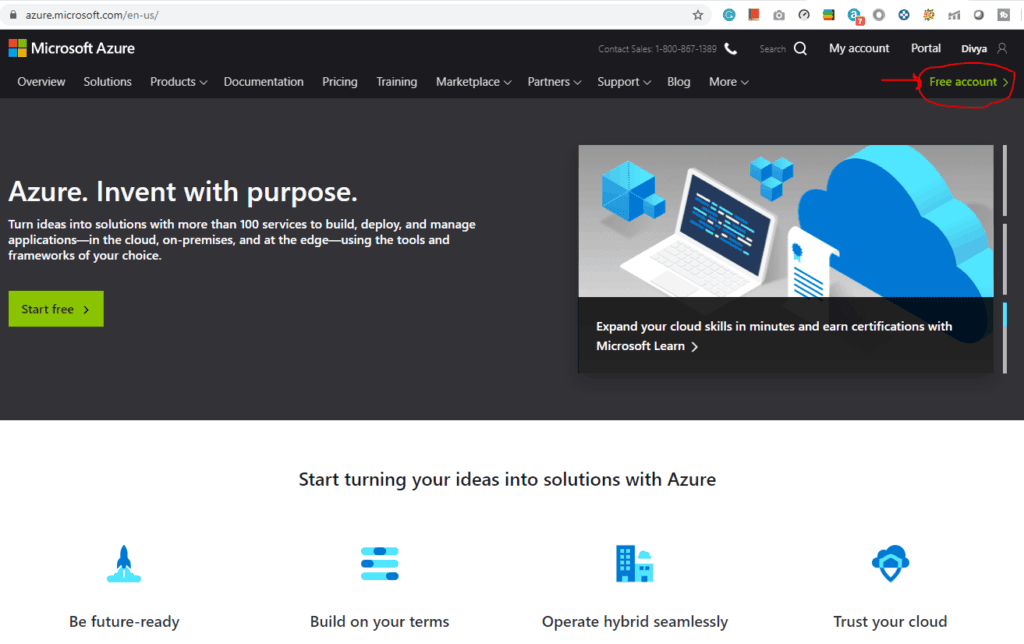
1) Register For A Free Azure Cloud Account
Azure security is a critical part of your cloud infrastructure. Creating an Azure free account is one way to access Azure services. When you start using Azure with a free account, you get USD2001 credit to spend in the first 30 days after you sign up. In addition, you get free monthly amounts of two groups of services: popular services, which are free for 12 months, and more than 25 other services that are always free.
2) Role-Based Access Control
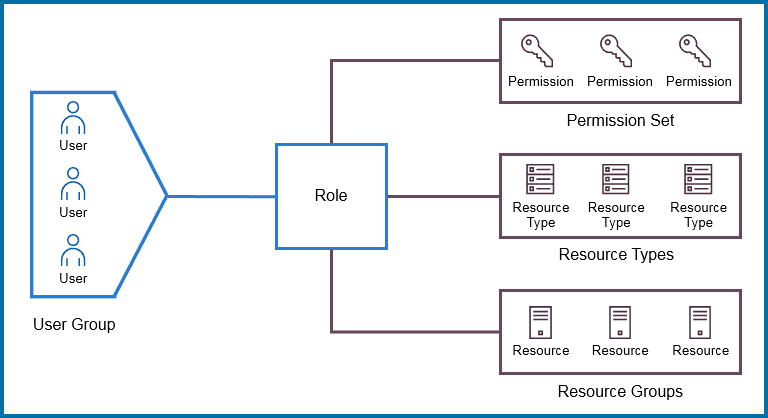
Here, you need to create a user group and users and provide role-based access to specific users/user groups. Role-based access control (RBAC) is an approach that’s used for restricting access to users and applications on the system/network. This approach is widely used in today’s market for Azure security and access control.
3) Azure Policy
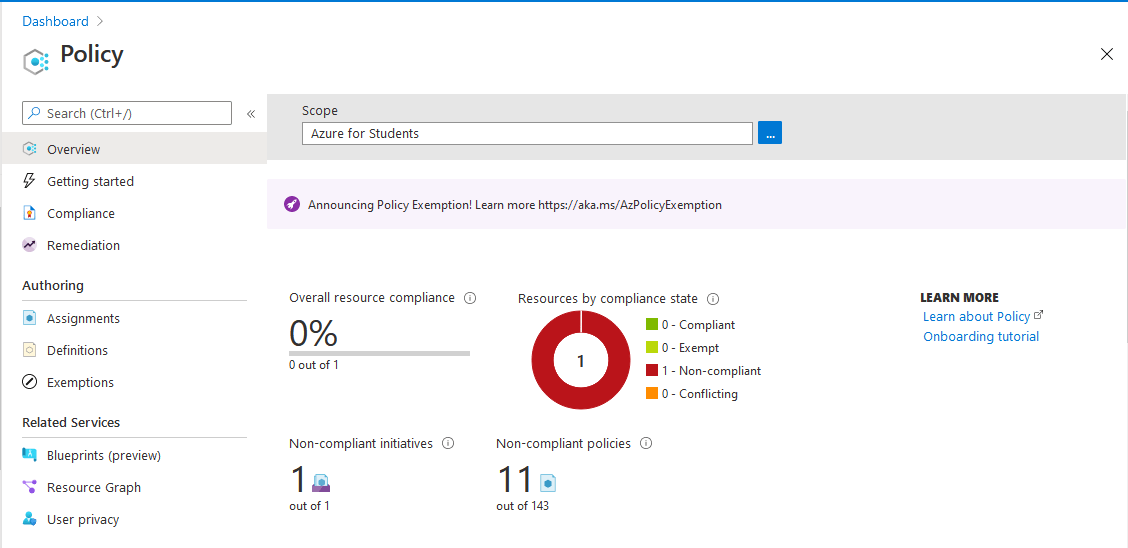
Azure policies restrict resource creation in a specific location and can also be used in more depth to ensure robust Azure security.
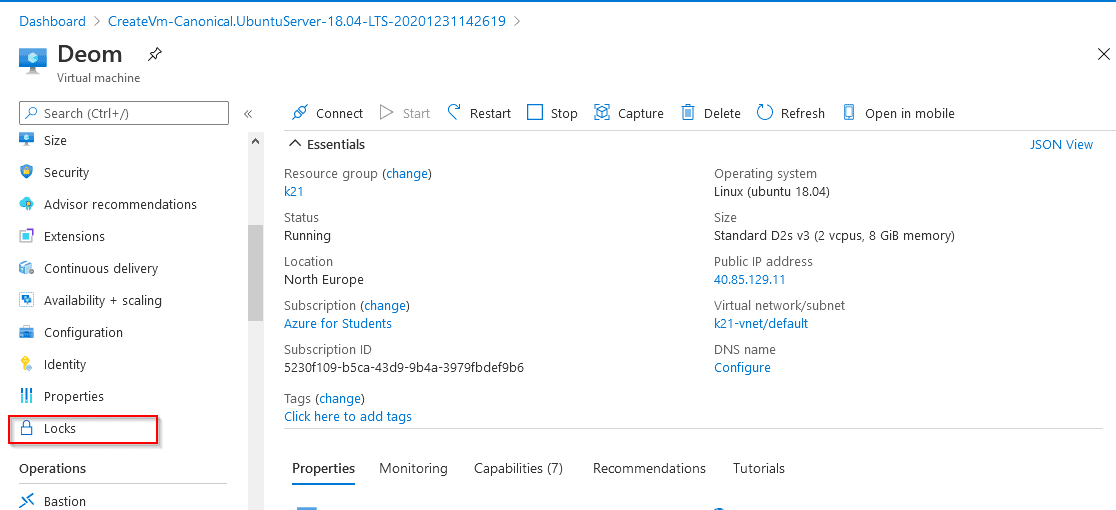
4) Resource Locks
Resource Manager Locks are used by admins to lock Azure Resources to prevent accidental changes or deletion of the resources by users while testing or doing some work.
Here, you need to create locks on specific resource groups to avoid accidental changes or deletion. This is an important part of Azure security.
Also Read: How to create a chatbot in Microsoft Azure ( Azure Chatbot )
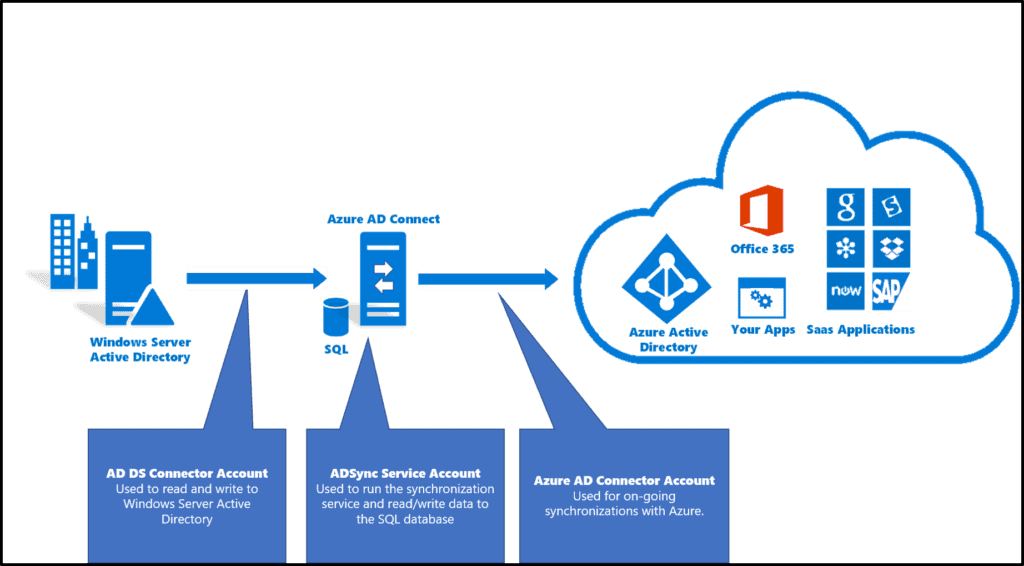
5) Entra ID Synchronization with on-premises Active Directory using Entra Connect
Microsoft Entra ID is an identity and access management (IAM) solution for securing access to resources across Microsoft and third-party services. It provides features like single sign-on, multifactor authentication, and conditional access to enhance security and streamline user access in hybrid and cloud environments.
In this Activity Guide, you will connect Microsoft Entra ID (Previously Azure AD) with our on-premises Active Directory using Entra Connect (Azure AD Connect). This initiative streamlines user provisioning, enhances security, and ensures consistent access across both environments, simplifying administrative tasks and improving overall identity management efficiency.
Also check: How to create a Load Balancer in Azure using the Azure Portal.
6) Network Security Groups and Application Security Groups
Network Security Groups are used in an organization to filter the network traffic flow of an Azure Virtual Network. NSGs have security rules in them that can be used to restrict inbound/outbound traffic from different kinds of Azure Services.
In this Activity Guide, you’ll have to configure the Network Security Group rule for a group of Servers to perform RDP. 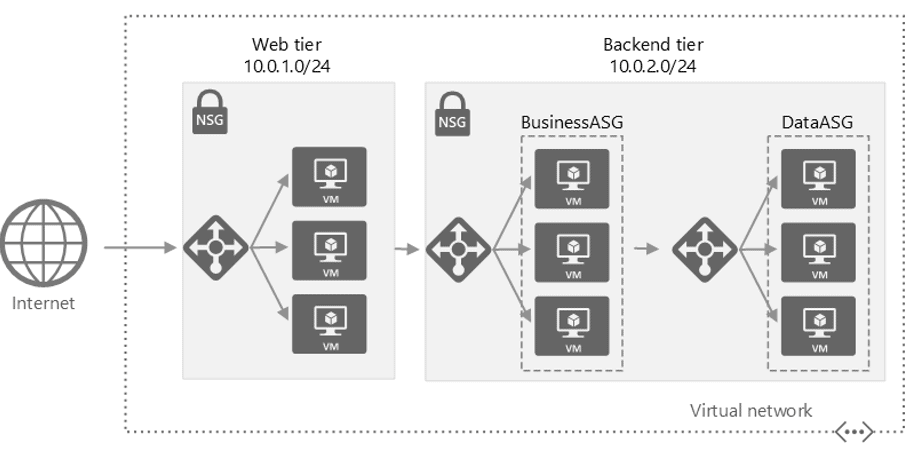
7) Azure Firewall
Azure Firewall is a cloud-based network security service in Azure. Azure Firewall protects our Virtual Network Resources and this is a built-in service.
Here, you’ll be configuring Azure Firewall to control the inbound and outbound network access of your organization.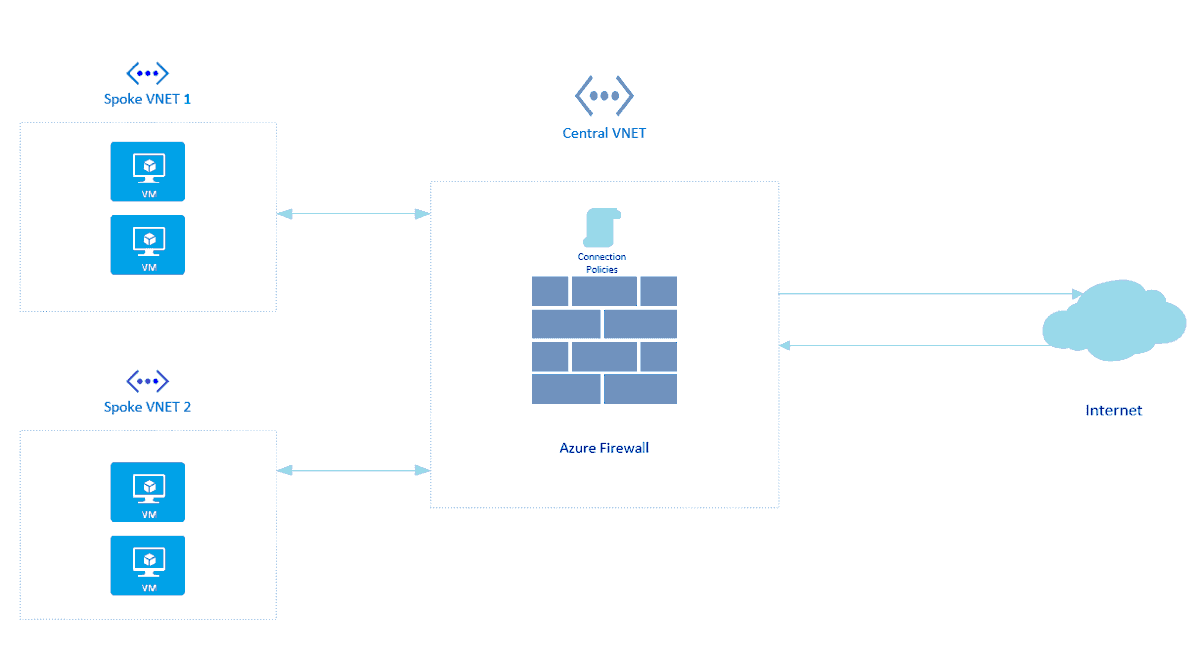
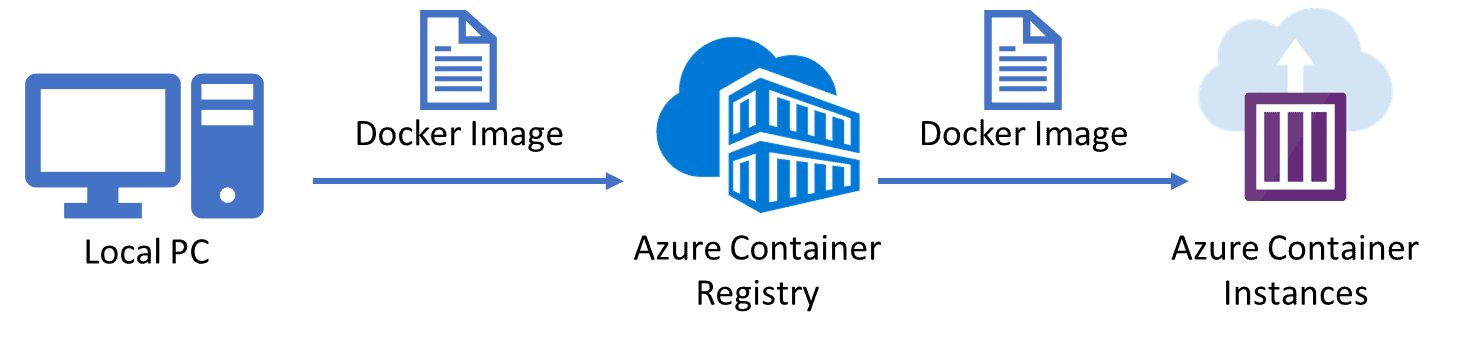
8) Configuring and Securing ACR and AKS
Azure Container Registry (ACR) is a managed, private Docker registry service based on the open-source Docker Registry 2.0. Create and maintain Azure container registries to store and manage your private Docker container images and related artifacts.
There are security benefits to working with ACR. Firstly, it provides signed container images, so your Kubernetes cluster can verify that the code it’s running is the code you pushed to your registry from your build system
You can log in to a registry using the Azure CLI or the standard docker login command. Azure Container Registry transfers container images over HTTPS and supports TLS to secure client connections.
Azure Kubernetes Service (AKS) is a fully-managed service that allows you to run Kubernetes in Azure without having to manage your own Kubernetes clusters. Azure manages all the complex parts of running Kubernetes, and you can focus on your containers.
For improved security and management, AKS lets you integrate with Azure AD to use Kubernetes role-based access control (Kubernetes RBAC).
9) How to Encrypt A Virtual Machine
Azure Disk Encryption helps protect and safeguard your data to meet your organizational security and compliance commitments. It uses the BitLocker feature of Windows to provide volume encryption for the OS and data disks of Azure virtual machines (VMs) and is integrated with Azure Key Vault to help you control and manage the disk encryption keys and secrets.
There’s no charge for encrypting VM disks with Azure Disk Encryption, but there are charges associated with the use of Azure Key Vault & VM.

10) Create an Azure Bastion host and Connect to a Windows VM
Creating an Azure Bastion host allows secure, browser-based RDP and SSH access to virtual machines (VMs) in an Azure virtual network without exposing them to the public internet. Once the Bastion host is deployed, you can connect to a VM by navigating to the VM in the Azure portal and selecting the Connect option via Bastion for secure access directly from the portal.
 11) Key Vault (Implementing Secure Data by setting up Always Encrypted)
Azure Key Vault, as the name suggests, is a service provided by Azure Cloud to store all the keys, passwords, and certificates.
Always Encrypted is a data encryption technology that ensures that sensitive data remains encrypted and never shows as plaintext in a database, whether it’s at rest, moving between client and server, or it’s in use.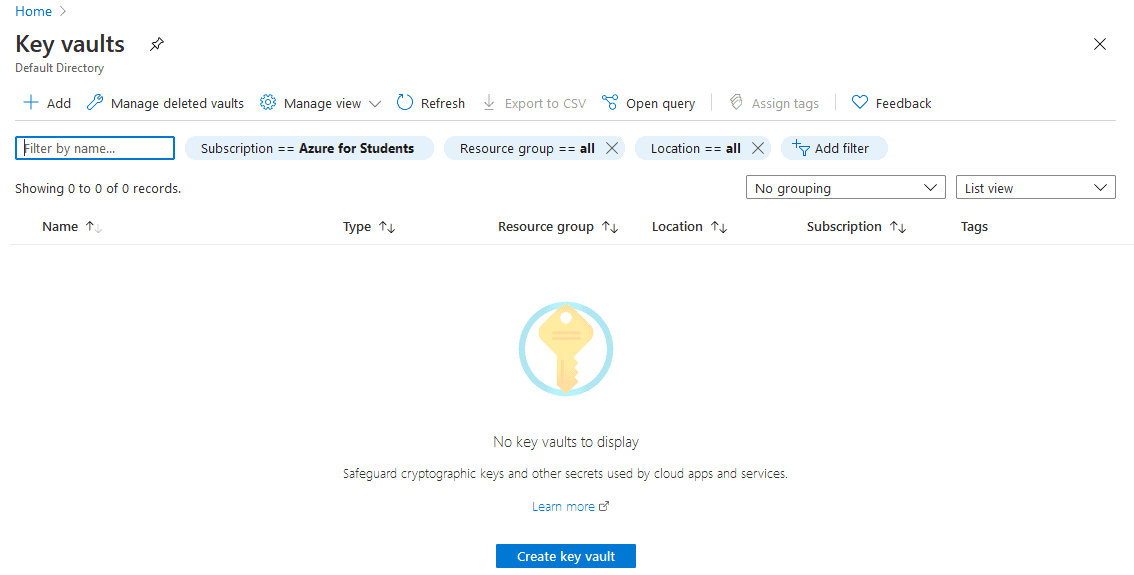
12) Securing Azure SQL Database
In this Activity Guide, we will help you to secure an Azure SQL Database by creating rules in Azure Firewall to prevent various attacks such as SQL Injection and Data Exfiltration.
13) Service Endpoints and Securing Storage
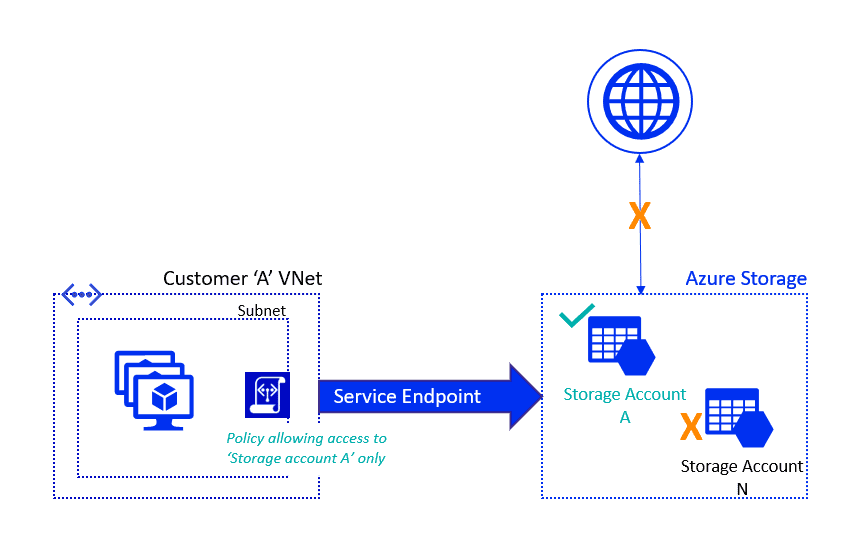
The Virtual Network service endpoint provides a secure and direct connection to Azure Services. Service Endpoint removes the need for a Public IP address to access an endpoint of an Azure service, and this is done by enabling a Private IP address in the VNet by using Service Endpoint.
14) Azure Monitor
Azure Monitor is a monitoring service provided by Azure to improve Azure security. Using Azure Monitor helps to maximize the performance and availability of businesses. The Azure Monitor acts on the telemetry of the Cloud and On-Premises Environments and provides the optimum configurations for the resources.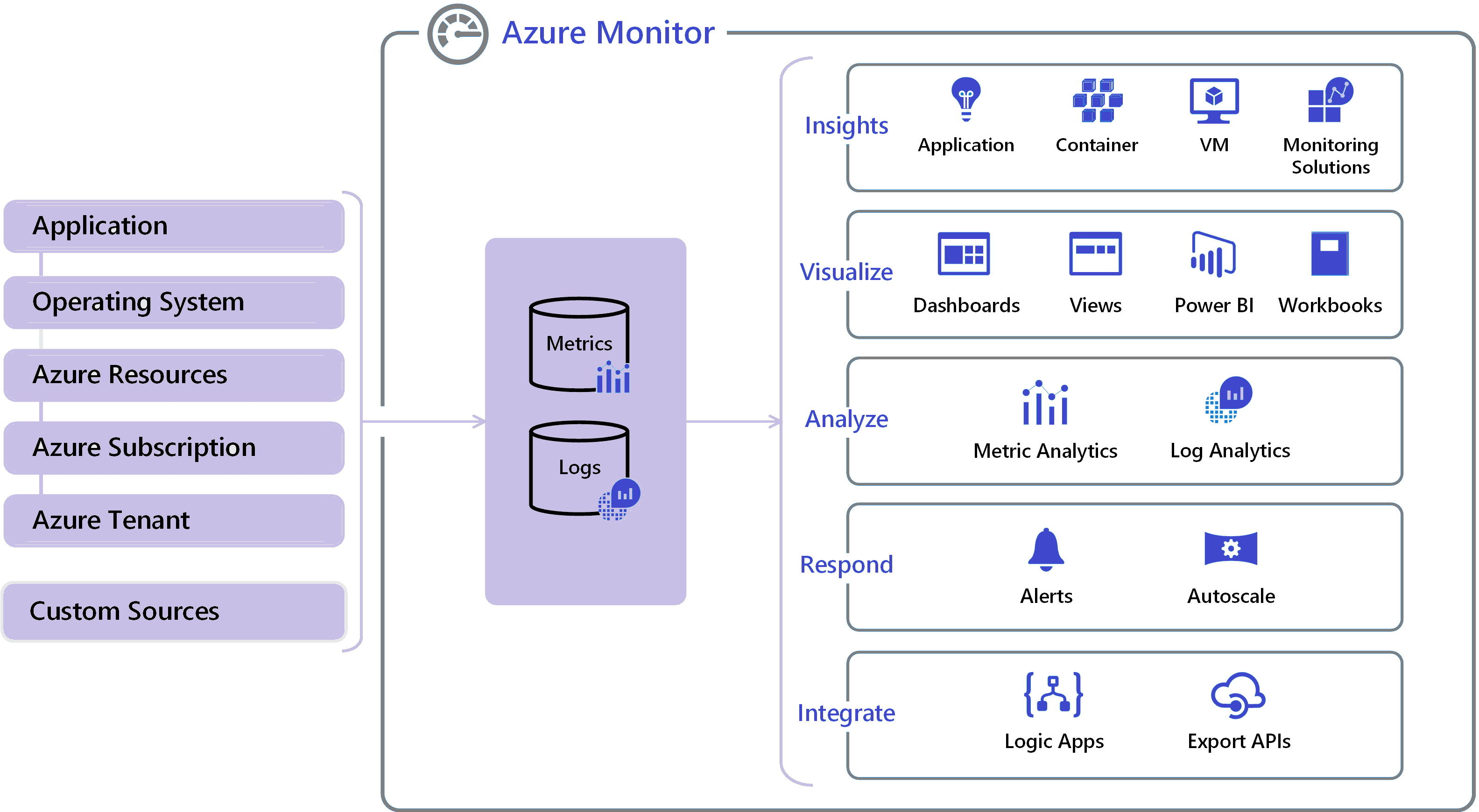
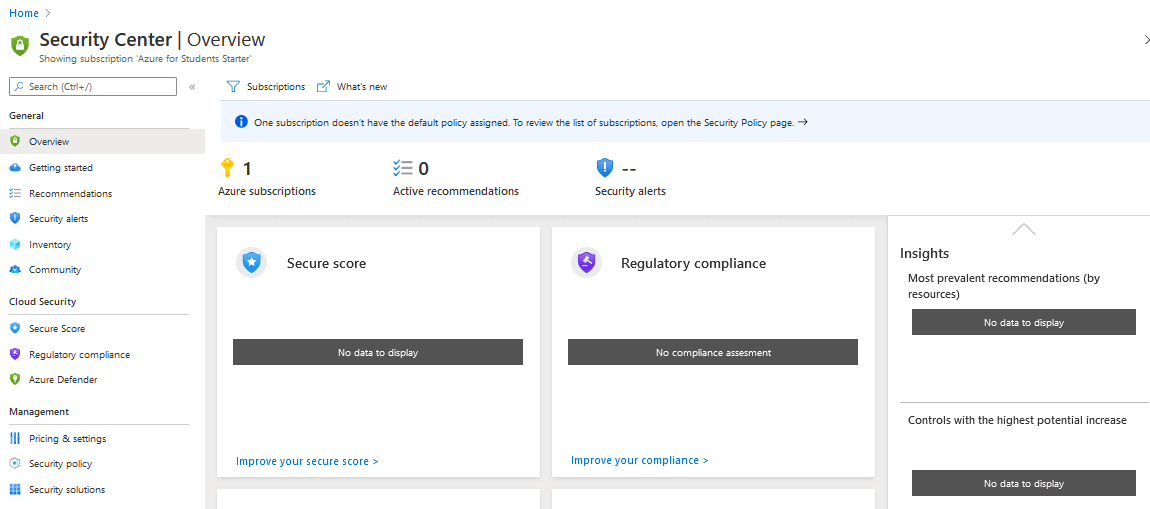
15) Microsoft Defender for Cloud
Microsoft Defender for Cloud is an infrastructure tool provided by Azure Cloud for security management and threat protection. This tool provides security to Cloud Resources and On-premises Resources as well.
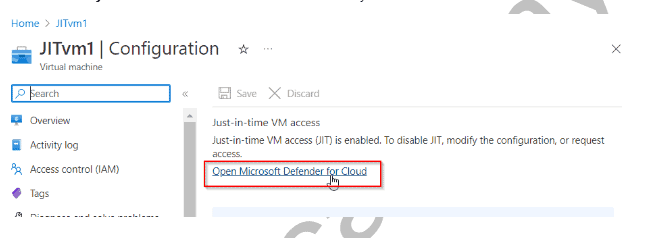
16) Just-In-Time VM Access
Just-in-time VM access allows you to secure your virtual machines at the network level by preventing inbound traffic from reaching certain ports. It allows you to restrict access to your VMs and decrease the attack surface by allowing access only when necessary. Security Center will decide whether to allow access to a user based on Azure RBAC. If a request is authorized, Security Center configures the NSGs to allow inbound traffic to these ports for the duration of the request, then restores the NSGs to their previous settings.
Next Task For You
Begin your journey toward Mastering Azure Cloud and landing high-paying jobs. Just click on the register now button on the image below to register for a Free Class on Mastering Azure Cloud: How to Build In-Demand Skills and Land High-Paying Jobs. This class will help you understand better, so you can choose the right career path and get a higher-paying job.


![Microsoft Agentic AI Business Solutions Architect [AB-100] | K21 Academy](https://test.k21academy.com/wp-content/uploads/2025/11/Microsoft-Agentic-AI-Business-Solutions-Architect-AB-100-Exam-Overview1.png)



