
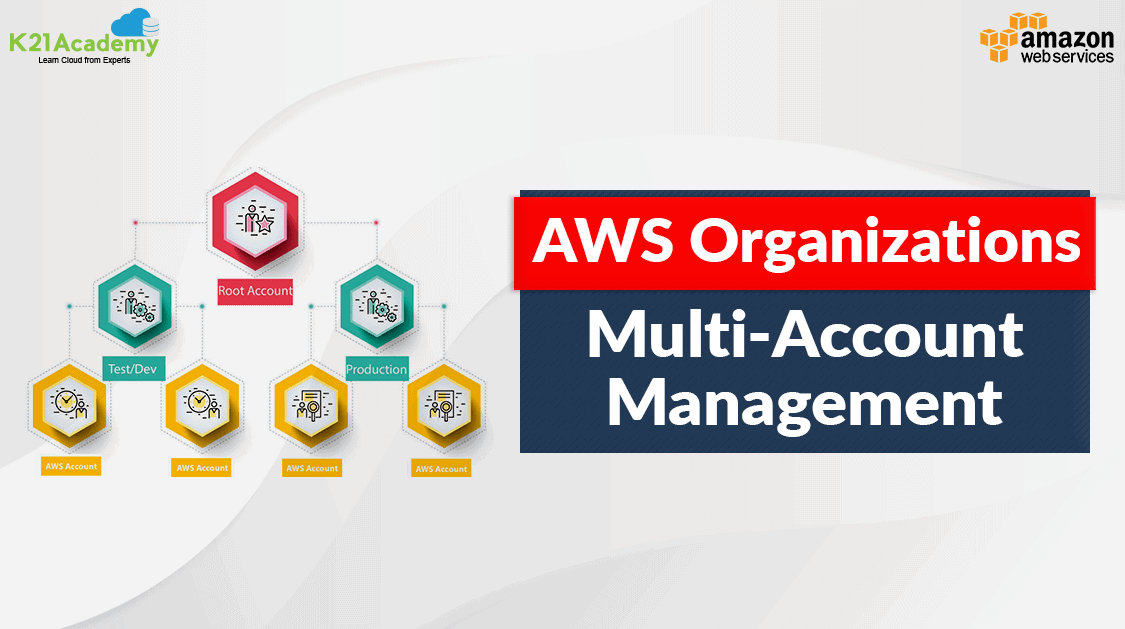





AWS Organisations is a free governance solution that allows users to create and administer numerous Amazon Web Services (AWS) accounts. It makes it easier to manage numerous users’ accounts from a single place or account, rather than switching from one account to another. It is a tool for centralizing and managing all user AWS accounts.
In this post, we will resolve all these problems by introducing AWS Organization to make account management simple.
Topics we’ll cover:
- What are AWS Organizations?
- AWS Organizations Terminologies
- Service Control Policies (SCP)
- Features of AWS Organizations
- Creating and Configuring an Organization
- AWS Organizations Service Control Policy
- Use Case of AWS Organization
- Conclusion
- FAQs
What Are AWS Organizations?
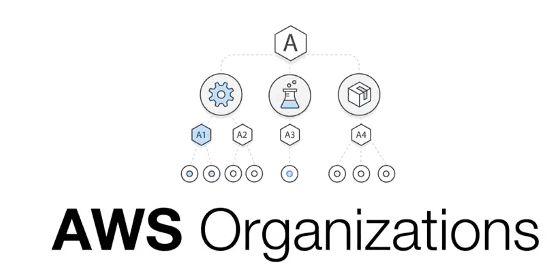
AWS provides policy administration across numerous AWS Accounts. Users can create a group of accounts and then apply policies to those groups to centrally regulate the use of AWS Services across numerous accounts, down to the API level. This allows you to manage the accounts centrally without the need for special scripts or manual operations. This new AWS service features integrated invoicing and account management tools, allowing you to better manage your company’s security and compliance requirements.
AWS Organizations Terminologies
- Organization: It represents an entity that you create by combining a set of AWS accounts. All these member accounts are managed within the organization.
- Invitation: It is used to describe the process of inviting another account to join an organization. Only a master account user can issue an invitation. The invited account becomes a member account once it accepts the invitation. Invitations can also be sent to current members when an organization wants to change something such as enabling all features.
- Organization Unit: It serves as a container for accounts within a root. An Organisation Unit (OU) can also contain other Organisation Units, allowing you to build a hierarchical structure. This hierarchy will resemble an inverted tree, with a root at the top, OUs acting as branches, and accounts acting as leaves.
- Account: A normal AWS account that contains all your AWS resources. Users can create a new account or invite others to join their organization. The account that creates the organization is called the master account while the other accounts are known as member accounts.
- Root: The parent container that holds all the accounts consolidated in an organization. The root user account is automatically created by AWS when you create an organization.
- Handshake: A process involving two parties (the handshake initiator and the recipient) exchanging information.

Read More: About AWS Database Services.
Service Control Policies (SCP)
Service control policies (SCPs) are a type of organizational policy that you can use to manage permissions in your organization. It offers central control over the maximum available permissions for all accounts in your organization. SCPs help you to ensure your accounts stay within your organization’s access control guidelines. 
Read More: About Benefits Of AWS OpsWorks
Key points of SCP
- Whitelist or blacklist IAM actions
- Applied at the OU or Account level
- This does not apply to the Master Account
- SCP is applied to all the Users and Roles of the Account, including the Root user
- The SCP does not affect service-linked roles
- service-linked roles enable other AWS services to integrate with AWS Organizations
and can’t be restricted by SCPs. - SCP must have an explicit Allow (does not allow anything by default)
- Use cases:
Restrict access to certain services (for example: can’t use EMR)
Enforce PCI compliance by explicitly disabling services
Also read: AWS Trusted Advisor is your personal cloud expert!
Features of AWS Organizations
Now you all have an understanding of what AWS Organization exactly is, what benefits can this bring to your AWS environment?
- Account Management
The major benefit that AWS Organization brings is its ability to centrally manage multiple Accounts from a single AWS account, which is also known as the master account. Users can start by linking their existing accounts to an Organization and on a move-forward basis, by creating new accounts directly from the service. - Greater control of your AWS environment
Through the use of Service Control Policies(SPC) attached to the Root (Master Account), Organizational Units, or individual accounts, administrators of the master account gain full control over which services and features—even down to specific API calls—that an IAM user within those accounts can use, regardless of the user’s identity-based or resource-based permissions. - Consolidated Billing
The Root account of your AWS Organization can be used for consolidating the bill and costs from all the members of AWS accounts. This allows for greater overall cost management for your individual AWS accounts.
Read more about AWS Storage and its Overview, Types & Benefits.
Creating and Configuring an Organization
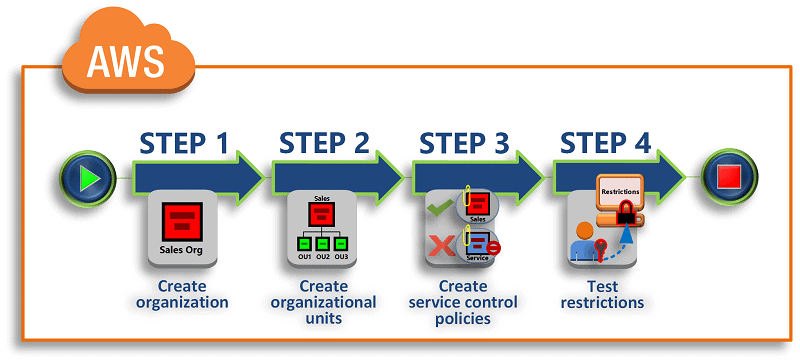
- Create your organization
In this step, you create an organization with your current AWS account as the management account (formerly known as the “master account”). You also invite one AWS account to join your organization, and you create a second account as a member account. - Create the organizational units
Next, you create two organizational units (OUs) in your new organization and place the member accounts in those OUs. - Create service control policies
Account grouping: Accounts in AWS Organisations can be grouped either conventionally or hierarchically. Users can build different Organisation Units (OU) with varying degrees of access and nest OUs within each other. - Testing your organization’s policies
You can sign in as users from each of the test accounts and see the effects that the SCPs have on the accounts.
Go through this AWS DevOps Blog to get a clear understanding of SDLC Automation
None of the steps incurs costs to your AWS bill as AWS Organizations is a free service.
Difference Between AWS Organizations Service Control Policy And the IAM policy?
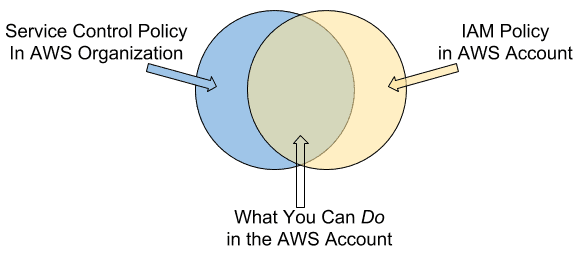
- AWS Organizations’ service control policies (SCPs) do not replace associating Identity and Access Management policies within an AWS account.
- IAM policies can allow or deny access to AWS services or API actions that work with IAM. An Identity and Access Management (IAM) policy can be applied only to IAM identities (users, groups, or roles). IAM policies can’t restrict the AWS account root OR master user.
- You can use SCPs to allow or deny access to AWS services for individual AWS accounts with AWS Organization accounts, or for groups of accounts within an (OU) organizational unit. The specified actions from an attached SCP affect all IAM identities including the root or master account.
- AWS services that aren’t explicitly allowed by the SCPs associated with an AWS account or its parent OUs are denied access to the AWS accounts or OUs associated with the SCP. SCPs associated with an OU are inherited by all AWS accounts in that OU.
Check out what is AWS DevOps here.
Use Case of AWS Organization
- Create AWS accounts automatically: Create AWS accounts and add them to user-defined groups for touchless infrastructure installations, immediate application of security policies, and audits.
- Activate proactive defense with a specialized security team: For users to have read-only access to your resources and to be able to monitor, identify, and address security risks, create a security group.
- Make sure users can access the specified resources: Single sign-on access should be enabled, and service control policies should be used to only permit user behaviors that adhere to your security and compliance standards.
- Share resources between different accounts: Share directories, services, software programs, and other organizational resources more simply.
Conclusion
AWS Organizations is a game-changer for multi-account management. From enhanced security to streamlined billing, its features empower organisations to manage their cloud infrastructure with efficiency and precision. By following best practices and leveraging the power of automation, you can unlock the full potential of this versatile tool.
FAQs
What is the difference between AWS Organizations and AWS Control Tower?
AWS Organizations offers foundational account management features, while AWS Control Tower builds on these by automating the creation of accounts with pre-configured blueprints.
Can I migrate existing AWS accounts into AWS Organizations?
Yes, you can invite existing AWS accounts into your organisation. However, you’ll need to ensure they comply with your organizational policies.
Is AWS Organizations free to use?
Yes, AWS Organizations is free. However, additional services you use in member accounts may incur costs.
How do Service Control Policies (SCPs) improve security?
SCPs enforce permissions at the organization level, preventing users and resources from exceeding predefined boundaries, even with admin-level permissions in individual accounts.
What is the best way to monitor costs across multiple AWS accounts?
Use tools like AWS Budgets, AWS Cost Explorer, and detailed billing reports to track and analyse expenses across accounts effectively.
Related/References
- AWS Certified DevOps Engineer Professional DOP-C02
- Overview of Amazon Web Services & Concept
- AWS CloudFormation
- AWS Elastic Beanstalk
- AWS Management Console Walkthrough
- AWS Free Tier Account Services
- AWS Certified Solutions Architect Associate SAA-C03
- AWS EFS, EBS, and S3: Best AWS Storage Option
- AWS Trusted Advisor Best Practices
- AWS Certificate Manager (ACM): Overview, Features, and How it Works?
Next Task For You
Begin your journey towards an AWS Cloud by joining our FREE Informative Class on Amazon Cloud Free Class by clicking on the below image.


![Microsoft Agentic AI Business Solutions Architect [AB-100] | K21 Academy](https://test.k21academy.com/wp-content/uploads/2025/11/Microsoft-Agentic-AI-Business-Solutions-Architect-AB-100-Exam-Overview1.png)



