





One of the most common questions being asked in our Oracle Database Cloud Administration Training and FREE 1 Hour Masterclass on Cloud is “Does Oracle Cloud supports RAC & how to deploy RAC”
In this blog, we are going to take a look at what is Oracle RAC, its features, and how to deploy Oracle RAC on the cloud.
Looking at the number of times this question was asked, I have created a quick Video about Oracle RAC on Cloud & how to deploy it.
As covered in the video, the answer is Yes, it is possible to install/configure/deploy Oracle RAC on Oracle Cloud by selecting Extreme Performance.
Oracle RAC Overview
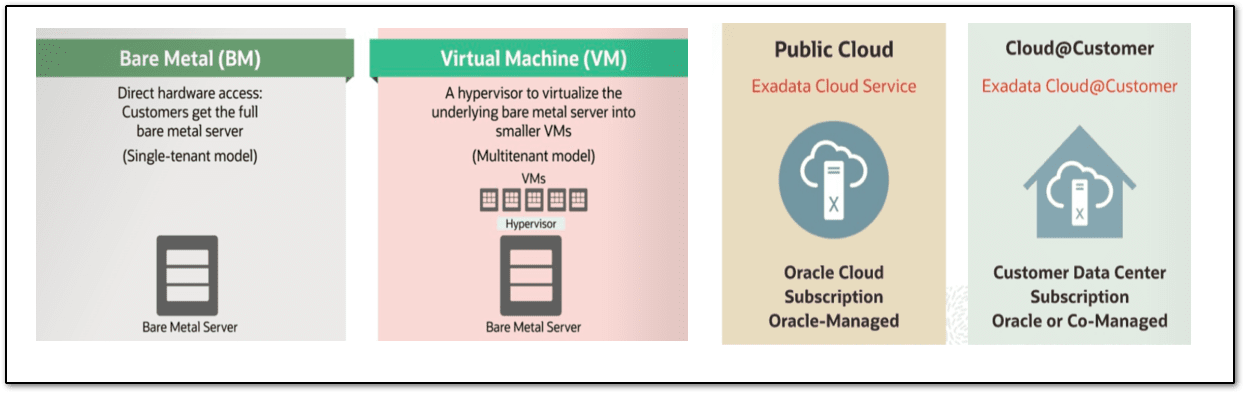
RAC stands for Real Application Clusters. It’s a high-availability solution for Oracle DB. In generic 1-node Oracle database is a single database instance working for your application & RAC (Real Application Cluster) is (more than one node) multiple database instances supporting your application at the same time.
User sessions connecting to Oracle RAC instances can failover and safely replay changes during outages, without any changes to end-user applications, hiding the impact of the outages from end-users. A cluster comprises different interconnected computers or servers that show up in case they are one server to conclusion clients and applications.
Database Deployment Options in Oracle
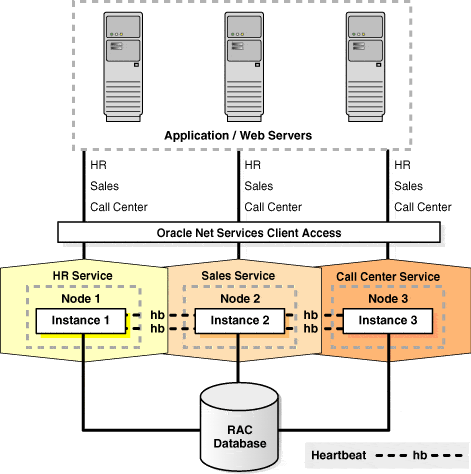
In Oracle, there are multiple database deployment options like Bare Metal Server, VM, Exadata Cloud service & Exadata Cloud@Customer. Here Exadata cloud service & Exadata Cloud@Customer come with a default RAC option where you have a minimum of 2 nodes and can be extended depending on the server selected. RAC is not supported in Bare Metal DB System.
Database editions supported in Oracle Cloud Infrastructure are:
1) Standard Edition
2) Enterprise Edition
3) Enterprise Edition – High Performance
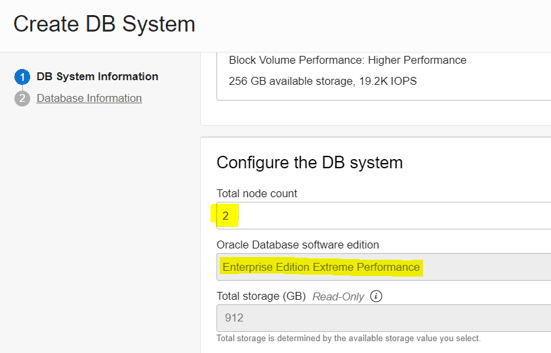
4) Enterprise Edition – Extreme Performance supports 2-node RAC DataBase systems.
You can set up the maximum of 2-node RAC in the VM DB System. When you provision a 2-node RAC DataBase system, the system assigns each node to a different fault domain.
Now that we have some basic information regarding Oracle RAC and database options available then let’s look at the steps on how to deploy Oracle RAC on the cloud.
Steps to Deploy RAC on Oracle Cloud
Open the Oracle Database Cloud Service Console and follow the below steps:
Step 1: In the Oracle Cloud console, navigate to the Oracle Database option and click on VM to create a DB system.
Note: If you do not have an Oracle Cloud Free Trial Account then follow our step-by-step guide to create one.
Step 2: Select the correct region & click on Create DB system.
Step 3: On the DB System Information page, provide the basic Database information (refer to the video) like compartment, availability domain, Virtual Machine, etc. Select database software edition as Enterprise Edition Extreme Performance, generate SSH keys & save them on your PC, specify the network configurations, etc. Finally, click on Next.
Step 4: On the Database Information page specify the database name, database image, give administrator credentials, etc and then click on Create DB System.
Note: If you get a service limit error then you can request additional limits.
Step 5: Once the database is created, you can view the DB details on the Details Page.
You can explore more by scrolling down and checking the nodes, database name, work requests, establishing console connections, etc.
Let us know in the comments section if you found this Video useful and what more topics do you want to see next on Oracle Cloud?
To keep getting useful discussions and daily updates on Oracle Cloud, join our private group on Facebook: Oracle Cloud
Related/Reference
- DBA to Oracle Cloud DBA: Step by Step Hands-On Guide
- [Video] Roles & Responsibilities of Oracle Cloud DBA: Task
- Oracle Cloud for DBAs:9 things that every beginner should know
- RAC Database on Oracle Cloud: IP Address Requirement
What’s Next For You?
If you want to upgrade your career from an Oracle DBA to Oracle Cloud DBA, and want to learn Database Deployment options in Oracle Cloud, then register for our FREE class, and don’t miss an opportunity to gain a plethora of insights on becoming a certified Oracle Cloud DBA.


![Microsoft Agentic AI Business Solutions Architect [AB-100] | K21 Academy](https://test.k21academy.com/wp-content/uploads/2025/11/Microsoft-Agentic-AI-Business-Solutions-Architect-AB-100-Exam-Overview1.png)



