
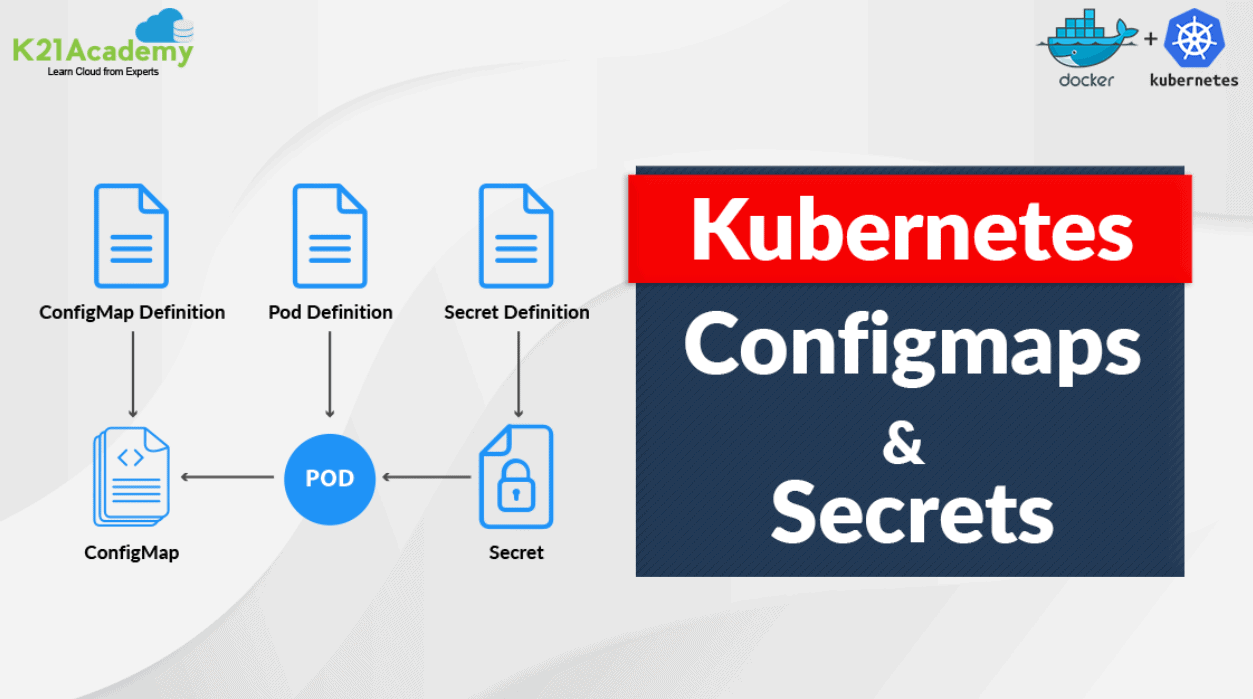





In the world of containerization and orchestration, Kubernetes has become the go-to platform for managing and scaling applications. To achieve robust and flexible deployments, Kubernetes provides two essential resources: Kubernetes ConfigMaps and Secrets.
Configuration files are meant to be separated from the application even though it is not mandatory. All the sensitive information regarding your application must be stored and kept safe. The configurations are the particular bits of data like API keys, tokens, and other secrets. You may be tempted to hard code these data into your application logic. This might be acceptable in a small, standalone application, but it quickly becomes unmanageable in any reasonably sized app.
K8s also provides a more conventional approach to configuring your applications in the form of environment variables. In this blog, we will be covering how to configure applications using Configmap and Secrets in Kubernetes. I am going to cover the following topics:
Kubernetes Configmaps
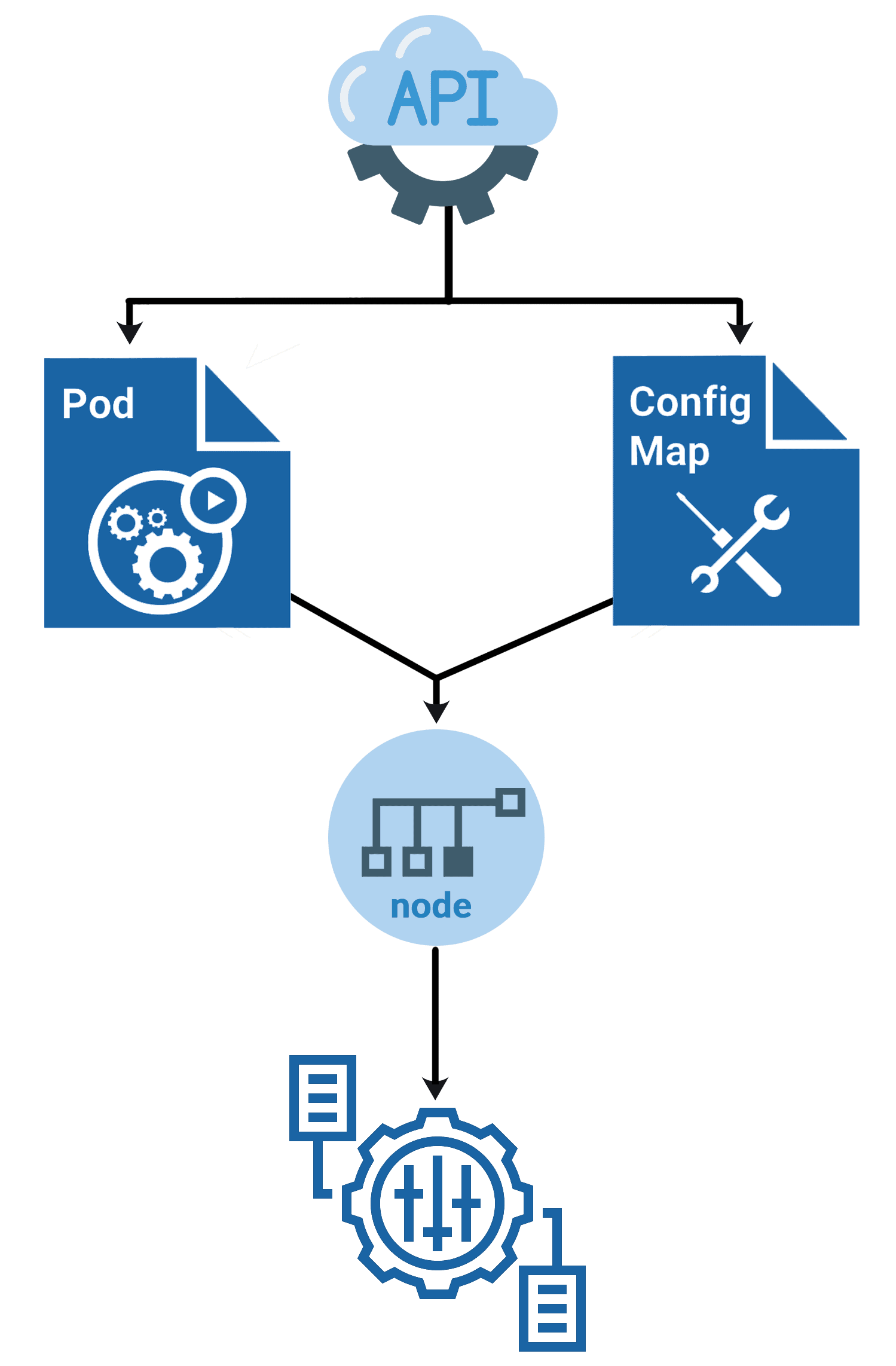
If we have many object files, it won’t be easy to manage the environment data stored within the query files. We can take this information out of the pod definition file and execute it centrally using Configuration Maps. ConfigMaps are used to provide configuration data in key-value pairs in K8s. There are two phases involved in configuring ConfigMaps. The first is to create the ConfigMaps, and the second to inject them into the pod.
ConfigMaps
There are two ways of creating a config map:
i) The imperative way – without using a ConfigMap definition file
ii) Declarative way by using a Configmap definition file.
Create a ConfigMap
ConfigMap can be written manually as a YAML representation and load it into Kubernetes, or you can also apply the kubectl create configmap command to create it from the CLI.
Create a ConfigMap Using kubectl
Run the kubectl create configmap cmd to create ConfigMaps from directories, files, or literal values:
kubectl create configmap <map-name> <data-source>
Where <map-name> is the name you want for ConfigMap and <data-source> is the directory, file, or literal value to draw the data from.
Check Out: How to launch Kubernetes dashboard. Click here
ConfigMaps and Pods
You can write a Pod spec that attributes to a ConfigMap and configures the container based on the data in the ConfigMap. Note that the Pod and the ConfigMap must exist in the same namespace.
Let’s look at an instance now, ConfigMap, with some keys with single values and other keys where the value looks like a fragment of a configuration format.
apiVersion: v1
kind: ConfigMap
metadata:
  name: game-demo
data:
  # property-like keys; each key maps to a simple value
  player_initial_lives: "3"
  ui_properties_file_name: "user-interface.properties"

  # file-like keys
  game.properties: |
    enemy.types=aliens,monsters
    player.maximum-lives=5
  user-interface.properties: |
    color.good=purple
    color.bad=yellow
    allow.textmode=true
There are four various ways you can use a ConfigMap to configure a container in a Pod:
- Entrypoint of the containers via command line.
- Environment variables for a container.
- Also, we can add a file in read-only volume for the application to read.
- Manually written Code to run inside the Pod that uses the K8s API to read a ConfigMap.
Also Read: Our previous blog post on Kubernetes deployment. Click here
Using ConfigMaps
ConfigMaps can be mounted as data volumes. Other parts of the system can also use ConfigMaps without being directly exposed to the Pod. For example, ConfigMaps can hold data that different system parts should use for configuration. The usual way of using ConfigMaps is to configure environments for containers running in a Pod in the same namespace. You can also use ConfigMap separately.
Check Out: Kubernetes Operator Example. Click here
Immutable ConfigMaps
The K8s beta feature Immutable Secrets and ConfigMaps gives an option to set specific Secrets and ConfigMaps as immutable. And for clusters that extensively use ConfigMaps, restricting modifications to their data has the following advantages:
- Protects you from accidental updates that could cause applications outages
- Improves the performance of your cluster by significantly reducing the load on the Kube-API server by closing watches for ConfigMaps marked as immutable.
The Immutable Ephemeral Volumes control this feature gate. You can build an immutable ConfigMap by fixing the immutable field to true. For example:
apiVersion: v1
kind: ConfigMap
metadata:
  ...
data:
  ...
immutable: true
Also Read: Our blog post on Docker and Kubernetes. Click here
Kubernetes Secrets
Kubernetes Secrets
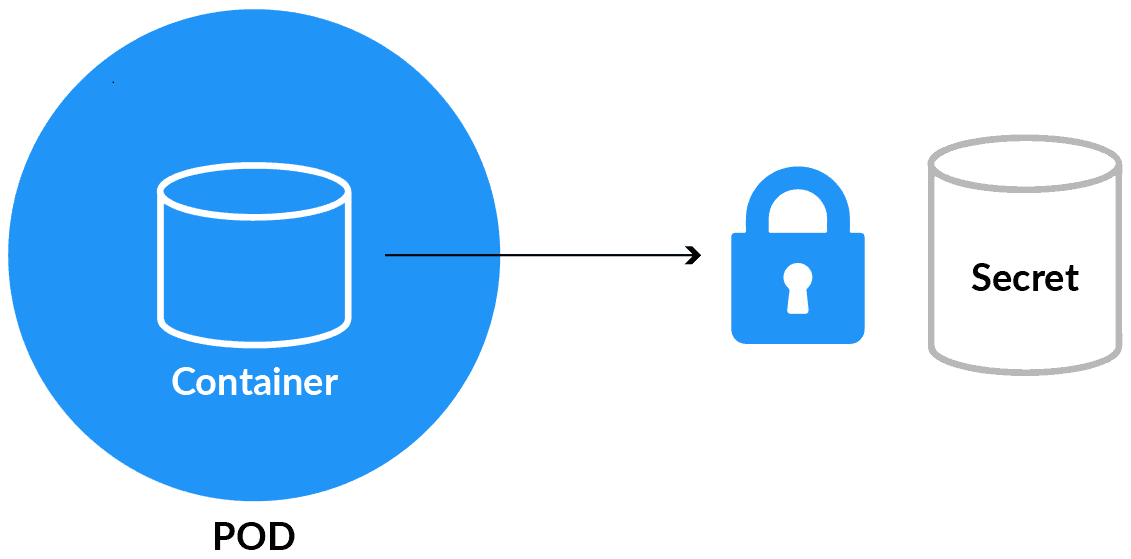
Secrets 🔐 are used to hold sensitive data like passwords or keys. They’re similar to configMap except that they’re stored in an encoded or hashed format with config maps.
There are two levels involved in working with secrets. First, to create the secret, and second, to introduce it into the pod. Putting confidential data in secret is safer and adaptable rather than putting it in a container image or a Pod definition.
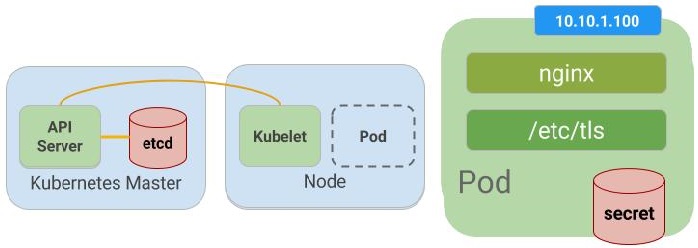
To use a secret, a pod has to reference the secret. There are three ways to use a secret with a Pod:
- As a file in a volume mounted on one or more of its containers.
- As a container environment variable.
- kubelet uses secrets by pulling images for the Pod.
Read More: About Kubernetes Monitoring. Click here
Built-in Secrets
Built-in Secrets is where Service accounts automatically create and Attach Secrets with API credentials. K8s automatically creates secrets that include credentials for reaching the API and automatically alters your pods to use this type of secret. The automatic and also the use of API credentials can be overridden or disabled if wanted.
Creating a Secret
There are several options to create a Secret:
- Create Secret using kubectl command
- We can create a Secret from the config file
- Create Secret using customise
Editing a Secret
Run the following command to edit a Secret:
kubectl edit secrets mysecret
Using Secrets
Secrets can be attached as data volumes or exhibited as environment variables used by a container in a Pod. Other parts of the system can also use secrets without being directly exposed to the Pod.
Also Read: Our previous blog post on Kubernetes labels. Click here
Updating Secrets and ConfigMaps
Kubernetes manages our environment variables, which means we don’t have to change code or rebuild containers when changing the variable’s value. The updation is a two-step process because pods cache the value of environment variables during startup.
First, update the values:
kubectl create configmap language --from-literal=LANGUAGE=Spanish \
        -o yaml --dry-run | kubectl replace -f -
kubectl create secret generic apikey --from-literal=API_KEY=098765 \
        -o yaml --dry-run | kubectl replace -f -
Then, restart the pods. This can be done in various ways, such as forcing a new deployment. The quick and easy way is to delete the pods manually and have the deployment automatically spin up new ones.
kubectl delete pod -l name=envtest
It is most suitable to create your Secrets and ConfigMaps using the above method so kubectl can record its annotation for tracking changes to the resource in the spec. Another way of doing this is using the –save-config command-line option when running kubectl create secret|configmap.
Also, remember, when updating Secrets and ConfigMaps, note that since kubectl apply track of deletions, you will need to define all key/value pairs you require in the Secret or ConfigMap every time you run the command.
Also Check: Our blog post on Multi Container Pod. Click here
Conclusion
Finally, by using Secrets and ConfigMaps, it’s easy to distinguish between environments like development, test, and production. You can use various secrets and configs to configure the containers for the corresponding environment.
These two notions make your containers more adaptable in that way they keep out some of the specifics and let different users deploy them in different ways. Hence, you can cherish better re-usability between teams or even outside your organisation.
Frequently Asked Questions
What is the difference between ConfigMaps and Secrets in Kubernetes?
ConfigMaps are used to store non-sensitive configuration data, such as environment variables or configuration files. Secrets, on the other hand, are designed for storing sensitive information like passwords, API keys, or TLS certificates. While ConfigMaps are stored in plaintext, Secrets are stored in a base64-encoded format and encrypted at rest.
How can I create a ConfigMap in Kubernetes?
You can create a ConfigMap in Kubernetes using the kubectl command-line tool or by defining a ConfigMap YAML manifest. The manifest can include data from files or literals. For example, kubectl create configmap my-config --from-file=path/to/file creates a ConfigMap from a file.
How can I use ConfigMaps in my application?
ConfigMaps can be used in your application by mounting them as volumes or injecting their values as environment variables. When a ConfigMap is mounted as a volume, the application can read the configuration files stored within it. Alternatively, you can set environment variables in your pod's container specification using the ConfigMap key-value pairs.
How can I update a ConfigMap in Kubernetes?
To update a ConfigMap, you can use the kubectl apply command with an updated version of the ConfigMap manifest. Alternatively, you can use kubectl edit configmap to modify the ConfigMap directly. When the ConfigMap is updated, the changes are automatically propagated to the pods that reference it.
Can I use ConfigMaps and Secrets in different environments?
Yes, ConfigMaps and Secrets can be used in different environments, such as development, staging, and production. You can create separate ConfigMaps and Secrets for each environment or use tools like Helm to manage environment-specific configurations.
How do I create a Secret in Kubernetes?
Secrets can be created using the kubectl command-line tool or by defining a Secret YAML manifest. Secrets can be created from files or literals. For example, kubectl create secret generic my-secret --from-file=path/to/file creates a Secret from a file.
How can I ensure the security of ConfigMaps and Secrets?
To ensure the security of ConfigMaps and Secrets, follow best practices such as limiting access to sensitive information, encrypting data at rest, regularly rotating Secrets, and using secure communication channels to transmit data.
Related / References:
- Check out and Subscribe to our YouTube channel on “Docker & Kubernetes.”
- Kubernetes Pods For Beginners
- Certified Kubernetes Administrator (CKA) Certification Exam
- Certified Kubernetes Security Specialist (CKS): Everything You Must Know
- (CKA) Certification: Step By Step Activity Guides/Hands-On Lab Exercise & Learning Path
- (CKAD) Certification: Step By Step Activity Guides/Hands-On Lab Exercise & Learning Path
Join FREE Class
Discover the Power of Kubernetes, Docker & DevOps – Join Our Free Masterclass. Unlock the secrets of Kubernetes, Docker, and DevOps in our exclusive, no-cost masterclass. Take the first step towards building highly sought-after skills and securing lucrative job opportunities. Click on the below image to Register Our FREE Masterclass Now!


![Microsoft Agentic AI Business Solutions Architect [AB-100] | K21 Academy](https://test.k21academy.com/wp-content/uploads/2025/11/Microsoft-Agentic-AI-Business-Solutions-Architect-AB-100-Exam-Overview1.png)



