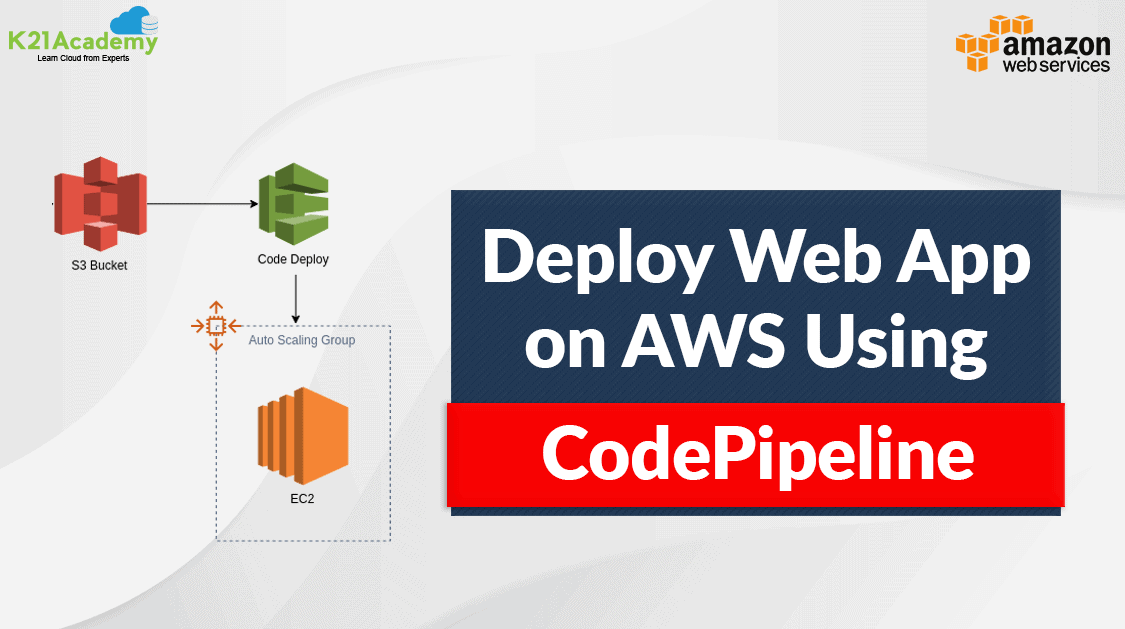



In this post, we are going to cover the case study to deploy a web application from an S3 bucket to an EC2 instance using AWS CodePipeline which is a part of CI/CD DevOps practices.
Topics, we’ll cover :
Before deploying a web application we should understand the basic concept of Continuous Integration(CI) and Continuous Deployment(CD) what are they and What kind of tools are offered by AWS for DevOps CI/CD practices.
Check Also: Free AWS Training and Certifications
Overview Of CI/CD

Continuous Integration(CI) and Continous Deployment(CD) gets rid of the traditional manual gate and implements fully automated verification of the acceptance environment to determine the scenario whether the pipeline can continue to production or not.
Continuous Integration focuses on the software development life cycle (SDLC) of the individual developer in the code repository. This can be executed multiple times with a primary goal to enable early detection of integration bugs, and errors.
Continuous Delivery focuses on automated code deployment in testing or production environment, taking the approval of updates to achieve automated software release process, pre-emptively discovering deployment issues.
Check Out: AWS Inspector.
CI/CD Tools Offered By AWS Used In Case Study
AWS offers an end-to-end CI/CD stack comprised of the following four services:
AWS CodeCommit – It is a fully-managed source control service that hosts secure Git-based repositories. CodeCommit makes it easy for teams to collaborate on code in a secure and highly scalable ecosystem.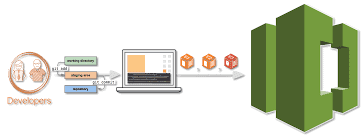
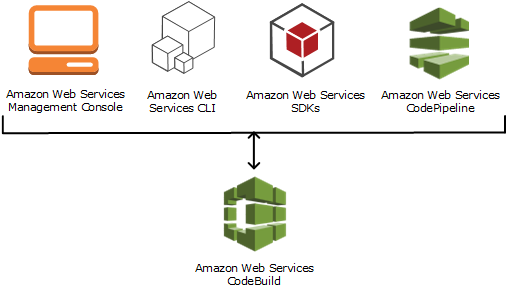
AWS CodeBuild – A fully managed continuous integration service that compiles source code, runs tests and produces software packages that are ready to deploy, on a dynamically created build server.
Check out: AWS Storage overview and types of storage options offered what are they intended for.
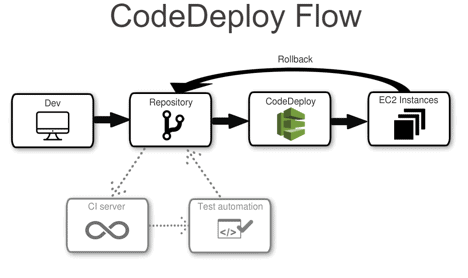
AWS CodeDeploy – A fully managed deployment service that automates software deployments to a variety of computing services such as Amazon EC2, AWS Fargate, AWS Lambda, and your on-premises servers.
AWS CodePipeline – A fully configured continuous delivery service that helps the user to automate their released pipelines for fast and reliable application and infrastructure updates.
Typically in many organizations, there are many tools for code repository but we are using AWS S3 as a code repository.
Check out: Amazon Elastic File System (EFS) what it is, its features, how it can be helpful.
Steps To Deploy Web Application Using AWS CodePipeline
We will be performing 4 steps to deploy a web application
Step 1: Create an S3 bucket for your application
Note: If you don’t have an AWS account check our blog on how to create AWS Free Tier Account.
1) Open the Amazon S3 console and Choose Create bucket and In Bucket name, enter a name for your bucket, and also don’t forget to enable Versioning.
2) Next, download the sample code and save it into a folder or directory on your local computer.
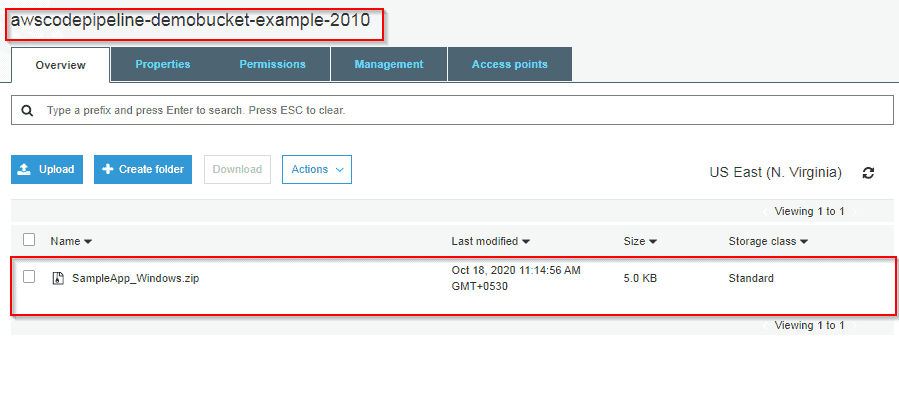
Choose one of the following. Choose SampleApp_Windows.zip if you want to follow the steps in this tutorial for Windows Server instances. (Do not Unzip the file while Uploading)
–> If you want to deploy to Amazon Linux instances using CodeDeploy, download the sample application here: SampleApp_Linux.zip.
–> If you want to deploy to Windows Server instances using CodeDeploy, download the sample application here: SampleApp_Windows.zip.
3) In the S3 console, Upload code in the bucket you created.
To Know More About Blue-Green Deployment
Step 2: Create Amazon EC2 Windows instances and install the CodeDeploy agent
1) Create an IAM role that will be required to grant permission to EC2 instance. Select the policy named AmazonEC2RoleforAWSCodeDeploy to create.
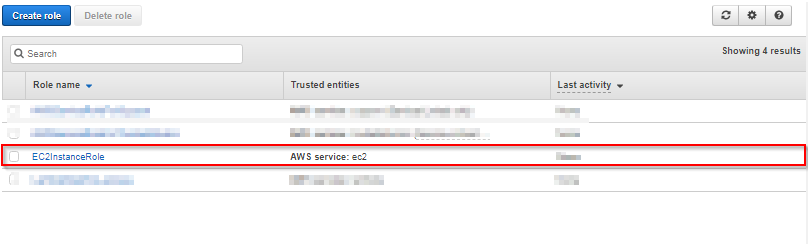
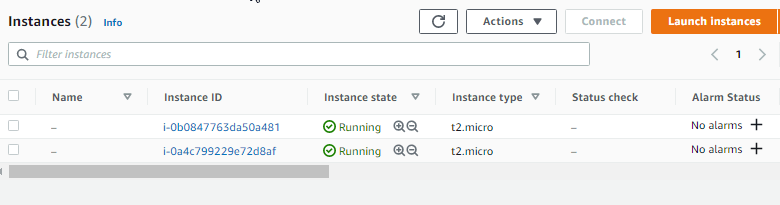
2) Launch instance on which our code will be deployed.
3) Just remember to add the IAM role that we have created. and In Auto-assign Public IP, choose Enable. Expand Advanced Details, and in User data, As text selected, enter the following:
<powershell>
New-Item -Path c:\temp -ItemType “directory” -Force
powershell.exe -Command Read-S3Object -BucketName bucket-name/latest -Key codedeploy-agent.msi -File c:\temp\codedeploy-agent.msi
Start-Process -Wait -FilePath c:\temp\codedeploy-agent.msi -WindowStyle Hidden
</powershell>
Note: bucket-name is the name of the S3 bucket that contains the CodeDeploy Resource Kit files for your region. For example, for the US West (Oregon) Region, replace the bucket-name with AWS-code deploy-us-west-2. For a list of bucket names, see Resource Kit Bucket Names by Region.
4) On the Configure Security Group page, allow port 80 communication so you can access the public instance endpoint. Then follow the default configuration and launch the instance
Also Check: Our blog post on SDLC Automation AWS.
Step 3: Create an application in CodeDeploy
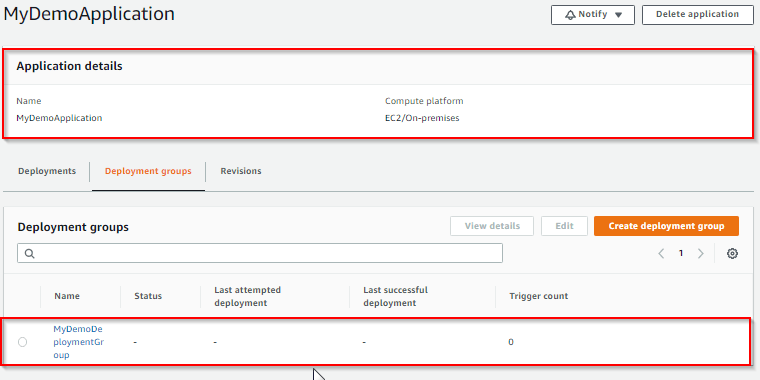
1) Initially create an application in CodeDeploy, and In Compute Platform, choose EC2/On-premises.Choose to Create application.
2) On the page that displays your application, choose to Create a deployment group. In service, role creates an IAM role under code deploy category. Under Deployment type, choose In-place.
3) Under Environment configuration, choose Amazon EC2 Instances.
4) Under Deployment configuration, choose CodeDeployDefault.OneAtaTime.
5) Under Load Balancer, clear Enable load balancing, leave the defaults then choose to Create a deployment group.
Also Check: Our blog post on AWS Certified DevOps Engineer Professional.
Step 4: Create your first pipeline in CodePipeline
1) Open the CodePipeline console. Choose pipeline settings, Enter your desired name and in Service role, Choose New service role to allow CodePipeline to create a new service role in IAM. To know more about AWS IAM refer to our blog on AWS Identity And Access Management (IAM).
2) In the Add source stage, select Source provider, choose Amazon S3. Under the S3 object key, enter the object key with or without a file path, and remember to include the file extension.
3) In the Add build stage, choose to Skip build stage, and then accept the warning message by choosing Skip again. Choose Next.
4) In the Add deploy stage, in Deploy provider, choose AWS CodeDeploy.Then enter your application name or choose the application name from the list. In the Deployment group, enter MyDemoDeploymentGroup, or choose it from the list, and then choose Next.
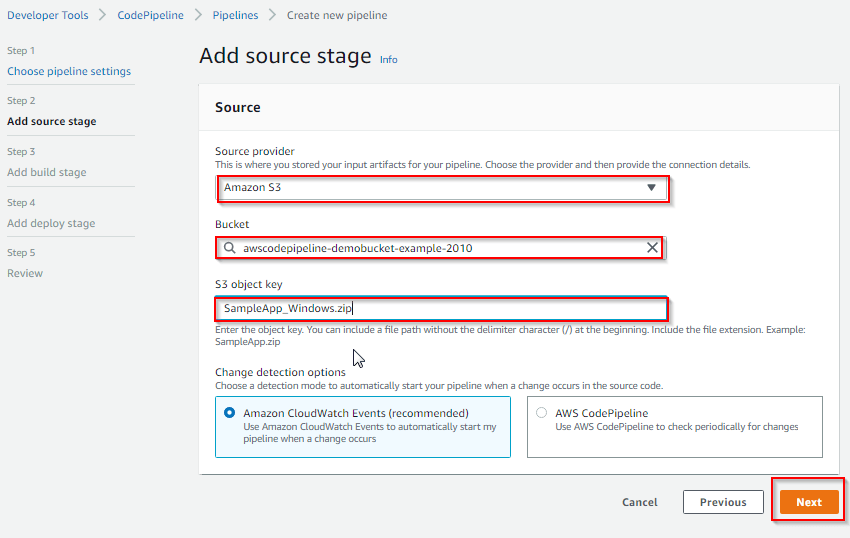
Congratulations! You just created a simple pipeline in CodePipeline. you can verify that by coping EC2 Public DNS address and then past it into the address bar of your web browser
Conclusion
Deploying a web app from an S3 bucket to an EC2 instance using AWS CodePipeline simplifies workflows and ensures consistent delivery. This setup is scalable, secure, and cost-effective, making it ideal for projects of all sizes.
FAQs
What is the primary advantage of using CodePipeline for deployments?
It automates the entire deployment process, reducing manual errors and saving time.
Can this setup handle large-scale web apps?
Yes, with proper scaling configurations for S3 and EC2, this setup is robust for large-scale deployments.
Is CodePipeline cost-effective for small projects?
For small-scale projects, the pay-as-you-go model can be economical if used efficiently.
How can I secure my S3 bucket?
Use bucket policies, enable encryption, and restrict public access to enhance security.
What alternatives are available to CodePipeline?
Alternatives include Jenkins, GitHub Actions, and GitLab CI/CD for automated workflows.
Related/References
- Set Up a CI/CD Pipeline on AWS
- AWS Certified DevOps Engineer Professional DOP-C01
- Overview of Amazon Web Services & Concept
- AWS Management Console Walkthrough
- Create a service role for CodeDeploy
Next Task For You
Begin your journey towards becoming an AWS Certified DevOps Engineer Professional by checking our FREE CLASS. Click on the below image to register for our FREE CLASS.


![Microsoft Agentic AI Business Solutions Architect [AB-100] | K21 Academy](https://test.k21academy.com/wp-content/uploads/2025/11/Microsoft-Agentic-AI-Business-Solutions-Architect-AB-100-Exam-Overview1.png)